How to Scrape Fashionphile for Secondhand Fashion Data
Build a defensible Fashionphile listing dataset with Playwright, snapshots, normalization, rate limits, and clear boundaries around access and pricing claims.
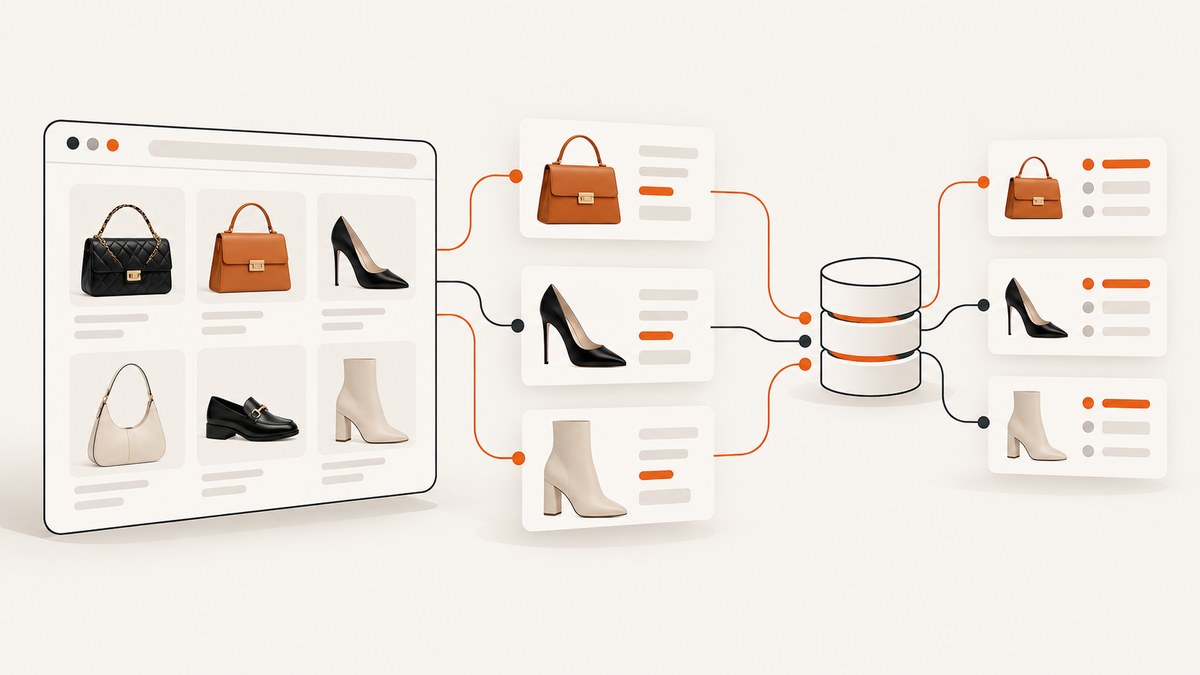
Direct answer: collect only the listing fields that are visible to you, preserve the original values and page context, and save each observation with a timestamp. Use a real browser when the catalog is rendered with JavaScript, keep request rates low, and verify Fashionphile’s current retail terms or obtain written permission before automated collection. The automated-access restriction found in the research applies to FASHIONPHILE Wholesale, not automatically to the public retail catalog. A listing snapshot can support analysis of displayed prices, condition labels, availability, and included items; it cannot prove Fashionphile’s internal pricing or authentication process.
What you can collect
The public Fashionphile catalog displays categories such as bags, shoes, accessories, jewelry, and sale. Listing cards and product pages can show a brand, item name, condition, price, and other visible details. Treat that as an observed page schema, not a guaranteed complete feed. Inventory and prices change, and the homepage is not necessarily the entire catalog.
| Field | How to use it | Important limitation |
|---|---|---|
| Product URL | Stable key for deduplication when available | URLs, redirects, and query strings can change |
| Brand and item name | Group comparable products | Names may contain inconsistent punctuation or model wording |
| Displayed price | Snapshot price analysis | Store the exact string and a parsed numeric value |
| Condition | Compare like-for-like listings | Labels are Fashionphile’s own vocabulary |
| Comes With | Record packaging and accessories | Only use what the listing states |
| Observed availability | Track whether a listing was visible | A later absence does not prove why it disappeared |
| Collected at | Make every record time-aware | Do not treat a snapshot as a permanent fact |
Fashionphile says product descriptions can mention repairs, alterations, and significant wear. It also describes original packaging when it accompanies an item, a Fashionphile dust bag with a purchase, and a digital certificate tied to a one-of-a-kind item. Capture those statements as listing-level fields. They are useful for comparing observed listings, but they do not form a complete machine-readable schema.
Check access rules before collecting
Before running a crawler, read the current terms that apply to the public retail site and look for an authorized API, feed, export, or written-permission route. The research dossier found automated-access language on the FASHIONPHILE Wholesale terms page. That service-specific language should not be presented as the retail Fashionphile.com rule. Fashionphile’s separate Authentication Services agreement also concerns a different service.
- Identify the exact retail pages and fields required for your project.
- Check current retail terms, robots guidance, and any developer or partnership contact route.
- Prefer an official feed or permission when one exists.
- Stop if the applicable terms prohibit your planned method.
- Keep a copy of the terms and the date you reviewed them in your project notes.
Do not bypass login controls, bot challenges, CAPTCHAs, paywalls, or technical access controls. A public URL is not proof that automated extraction is authorized.
Design a defensible dataset
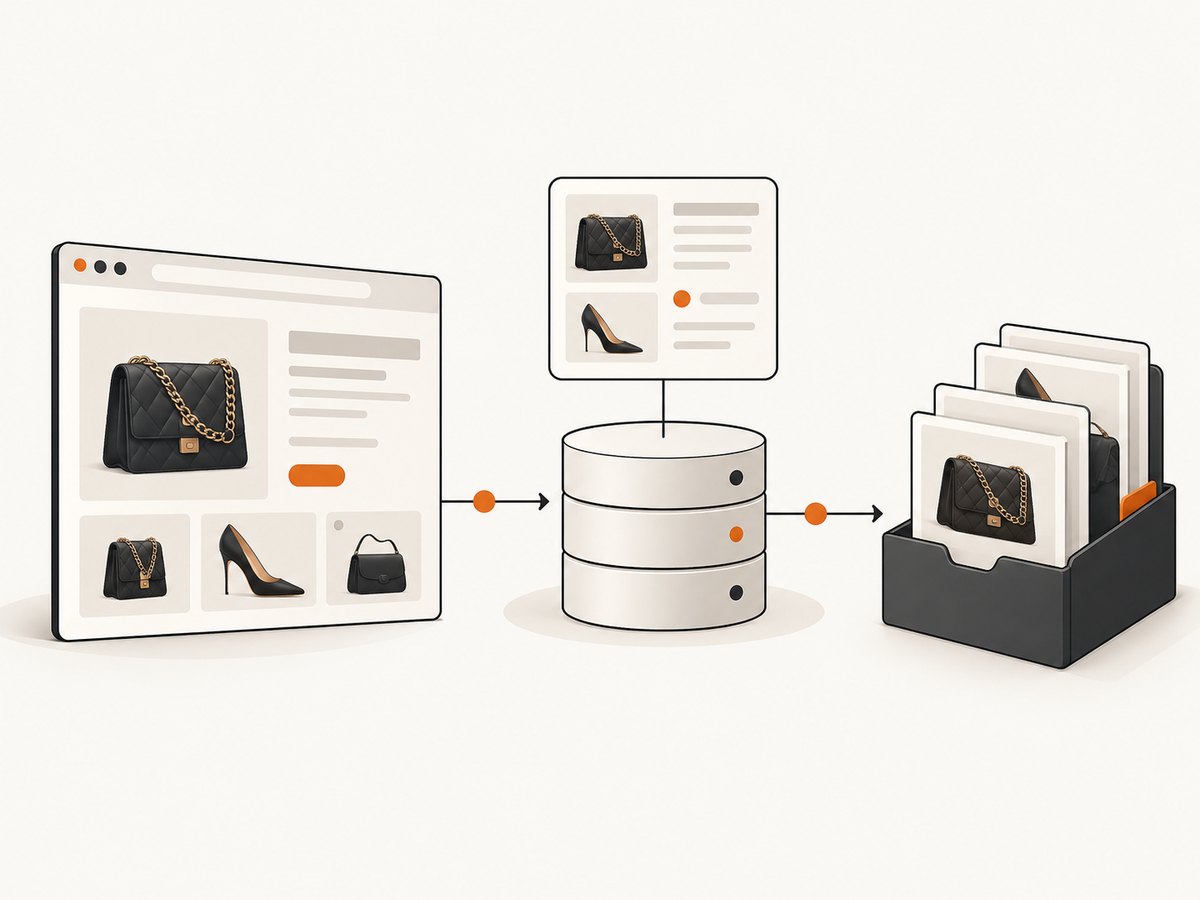
Store raw observations and normalized columns side by side. Never overwrite the displayed condition, currency, discount text, or product name with your interpretation.
listing_id,url,observed_at,context,brand_raw,name_raw,condition_raw,price_raw,price_value,currency,comes_with_raw,availability_raw
abc123,https://example/item,2026-09-30T12:00:00Z,search=handbags,Chanel,"Classic Flap",Excellent,"$4,995",4995,USD,"Dust bag",in_stock
Use the canonical product URL as a practical identifier, then add a content hash so the same URL can produce multiple time-stamped observations. Keep query, category, page number, sort order, and locale in the context column. This lets you distinguish a listing seen in a category from one seen in search.
Pricing and condition interpretation
Fashionphile’s FAQ says buyers consider recent comparable sales, availability and demand, retail value, condition and rarity, historic sales, and current fashion trends. It does not publish a reproducible formula. Describe these as company-stated inputs, not causal proof of why a particular listing has its price. Original retail price may or may not matter depending on the brand and style.
A seller purchase quote is a separate concept: the FAQ says quotes remain valid for 30 days. Do not use that period as the expected lifetime of a retail listing. Likewise, Refresh percentages are program terms with stated exclusions, not market-wide resale estimates.
Build a browser collector with Python
When content appears only after JavaScript runs, Playwright is a practical starting point. The example below saves a page snapshot and extracts visible links and text. Replace selectors after inspecting the current retail markup; do not assume these selectors are permanent.
python -m venv .venv
source .venv/bin/activate
pip install playwright
playwright install chromium
from datetime import datetime, timezone
from pathlib import Path
from urllib.parse import urljoin
import hashlib
import json
from playwright.sync_api import sync_playwright
START_URL = 'https://www.fashionphile.com/'
OUT = Path('fashionphile-snapshots')
def text_or_empty(locator):
return locator.inner_text().strip() if locator.count() else ''
with sync_playwright() as p:
browser = p.chromium.launch(headless=True)
page = browser.new_page(locale='en-US')
page.goto(START_URL, wait_until='domcontentloaded', timeout=60_000)
page.wait_for_load_state('networkidle', timeout=60_000)
observed_at = datetime.now(timezone.utc).isoformat()
rows = []
cards = page.locator('a[href]')
for i in range(cards.count()):
card = cards.nth(i)
href = card.get_attribute('href') or ''
label = text_or_empty(card)
if not href or not label:
continue
absolute = urljoin(page.url, href)
rows.append({
'url': absolute,
'text_raw': label,
'observed_at': observed_at,
'context': {'source_url': START_URL}
})
html = page.content()
digest = hashlib.sha256(html.encode('utf-8')).hexdigest()
OUT.mkdir(exist_ok=True)
(OUT / f'{digest}.html').write_text(html, encoding='utf-8')
(OUT / f'{digest}.json').write_text(json.dumps(rows, indent=2), encoding='utf-8')
browser.close()This deliberately starts with raw text rather than pretending that a guessed CSS class is a stable API. After confirming the page structure, add selectors for product name, condition, price, and “Comes With.” Save the raw HTML for auditability.
Pagination, infinite scroll, and detail pages
- For numbered pages, queue only links discovered on the current page and stop when no new canonical URLs appear.
- For infinite scroll, scroll a bounded number of times, wait for new cards, and stop when the count stops increasing.
- Visit detail pages only for URLs not already captured in the same run.
- Set a maximum page count and item count so a markup mistake cannot create an unbounded crawl.
- Record HTTP status, redirect target, load duration, and whether a bot challenge or empty state appeared.
Use a queue with a visited set. Normalize URLs by removing tracking parameters only when you are certain they do not select inventory or locale. Keep the original URL in a separate field.
Normalize without losing evidence
Parse prices conservatively. Store price_raw, a numeric amount, and currency separately. A string such as “$1,250” should not be converted without recording that the displayed currency was USD only when the page or locale supports that interpretation. Preserve visible sale labels and reference prices as separate columns.
For condition, create a controlled vocabulary only after retaining the original label. For example, map “Excellent” to an internal group if your analysis needs it, but keep condition_raw="Excellent". Do not claim that two marketplaces’ labels are equivalent. Compare the same brand and model where possible, then condition, included accessories, listed price, visible discount or retail reference, observation time, and availability.
Rate limits, retries, and reliability
Use one browser context and a small number of pages. Add a delay between navigations, honor server errors, and back off exponentially after 429 or 5xx responses. A retry should create an event in your run log rather than silently replacing the first result.
def backoff_seconds(attempt):
    return min(60, 2 ** attempt)

# Pseudocode for a bounded retry loop
for attempt in range(5):
    try:
        response = page.goto(url, wait_until='domcontentloaded', timeout=60_000)
        if response and response.status in (429, 500, 502, 503, 504):
            raise RuntimeError(f'retryable status {response.status}')
        break
    except Exception as exc:
        if attempt == 4:
            log_failure(url, str(exc))
            break
        time.sleep(backoff_seconds(attempt))
For repeatable research, schedule snapshots at a known interval, keep the same locale and viewport, and hash saved HTML. A changed hash tells you that the page changed; it does not tell you which business event caused the change.
Common errors and fixes
| Symptom | Likely cause | Fix |
|---|---|---|
| Empty product list | Content is rendered after JavaScript | Wait for a visible card or a bounded network-idle period; inspect the saved HTML. |
| Timeout during navigation | Slow assets, blocked request, or transient failure | Use a 60-second timeout, abort nonessential resources only when safe, and retry with backoff. |
| 429 response | Request rate is too high | Reduce concurrency, add delay, and stop rather than rotating around the limit. |
| CAPTCHA or bot page | Automated-access defense | Do not bypass it. Record the event and seek permission or an authorized route. |
| Duplicate records | Tracking parameters or repeated cards | Canonicalize carefully and deduplicate by URL plus content hash. |
| Prices parse incorrectly | Locale symbols, commas, or sale markup | Retain raw text and parse with an explicit locale and currency rule. |
| Missing “Comes With” data | Field exists only on detail pages | Queue detail pages selectively and mark missing as unknown, not absent. |
| Listings disappear | Inventory changed or query context differs | Compare time-stamped snapshots; do not infer the reason for removal. |
Performance, cost, and scope
Browser rendering is slower and more resource-intensive than downloading static HTML. Reduce work by collecting category or search pages first, selecting detail pages only for the fields you need, reusing a browser context, and caching pages during a run. Keep concurrency low enough to avoid triggering defenses. The cheapest dataset is the smallest dataset that answers your question.
Budget storage for raw HTML, extracted JSON, screenshots if you retain them, and run logs. A compact relational table can hold normalized observations while object storage keeps raw pages. Partition by observation date so you can expire old artifacts without deleting analytical records.
Or skip the browser setup
ScreenshotNeo provides a website screenshot API and MCP server. You can capture a listing or category page for visual evidence without maintaining a browser environment. One request returns PNG, JPEG, WebP, or PDF; see the API documentation for options.

curl -G "https://api.screenshotneo.com/v1/shot" -d access_key=YOUR_API_KEY --data-urlencode url=https://www.fashionphile.com/ -o fashionphile.webpimport requests
r = requests.get("https://api.screenshotneo.com/v1/shot", params={"access_key": "YOUR_API_KEY", "url": "https://www.fashionphile.com/"}, timeout=90)
open("fashionphile.webp", "wb").write(r.content)const q = new URLSearchParams({ access_key: 'YOUR_API_KEY', url: 'https://www.fashionphile.com/' }); const res = await fetch(`https://api.screenshotneo.com/v1/shot?${q}`);ScreenshotNeo removes cookie and consent banners, newsletter popups, and chat widgets before capture; each step can be turned off. Bot checks, blank pages, timeouts, failed loads, and cache hits are not billed, and response headers identify the page verdict and billing result. Its MCP server exposes take_screenshot, get_page_info, and capture_pdf for Claude, Cursor, and other MCP clients. You can also use full-page capture, CSS selectors, custom headers and cookies, waits, blocking rules, caching, signed links, asynchronous jobs, and bulk capture.
The free plan includes 1,000 screenshots per month with no card. Paid plans start at $5 for 3,000 screenshots. Create a free ScreenshotNeo account.
FAQ
Can I claim that Fashionphile’s prices follow a formula?
No. The company describes several inputs, but the cited FAQ does not publish a reproducible formula. Report observed prices and attribute the list of inputs to Fashionphile.
Does a missing listing mean it sold?
No. It may reflect inventory changes, a different query, a redirect, an unpublished page, or a collection error. Compare snapshots and retain run logs.
Should I include Fashionphile’s Refresh percentages in a market model?
Only as the company’s program terms, with their exclusions and date. They are not general resale-value estimates.
What is the safest way to compare another marketplace?
Use the same brand and model where possible, align condition and included items, and label the result as a time-sensitive snapshot comparison.
Can screenshots replace structured extraction?
No. Screenshots preserve visual evidence, while structured extraction produces fields for analysis. Use screenshots as an audit artifact or when you need a rendered-page record.


