How to Scrape Glassdoor With Puppeteer
Learn the permission-first way to use Puppeteer on authorized Glassdoor data, with safe extraction patterns, troubleshooting, and screenshot options.
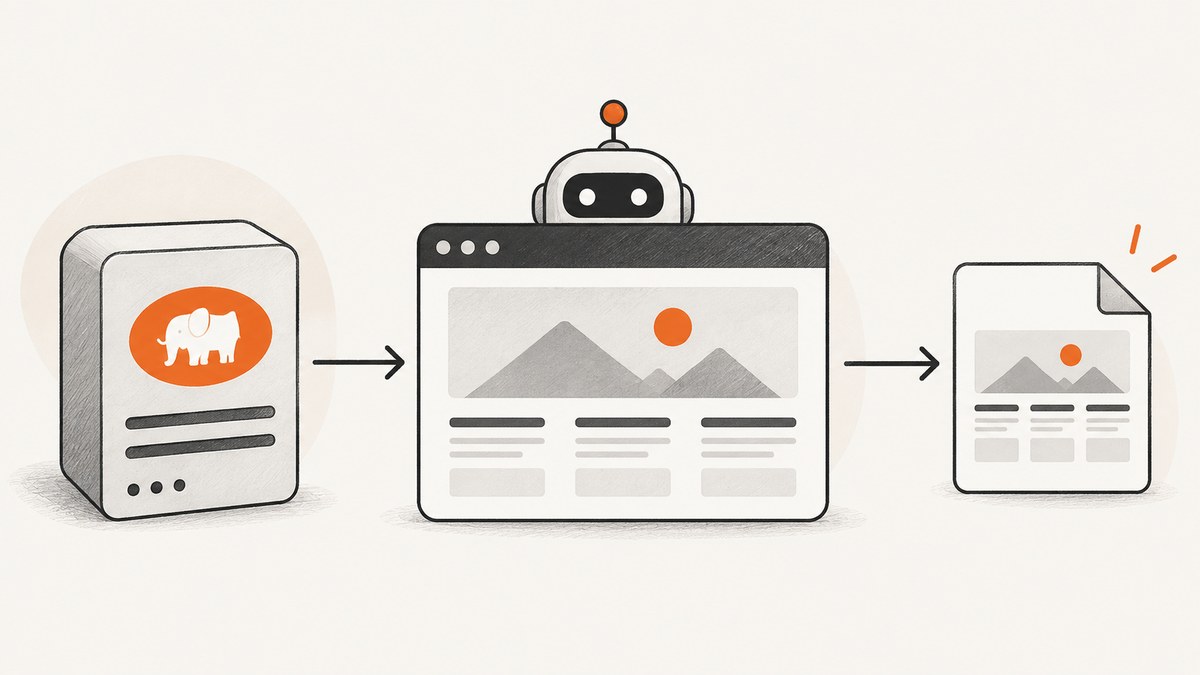
Direct answer: You may use Puppeteer to navigate and extract Glassdoor content only when Glassdoor has given you express written permission or you are using an approved agreement, feed, export, or interface. Glassdoor’s 2024 Terms of Use prohibit introducing software or automated agents to scrape, strip, or mine its services without express written permission. The safe workflow is therefore: establish authorization, define the smallest dataset you need, automate a low-volume browser session, validate selectors and missing fields, log each run, and stop immediately when permission expires or the site blocks access.
This guide explains the browser mechanics without showing ways to defeat CAPTCHAs, fingerprinting, rate limits, or other security controls. The example code targets a site you own or are authorized to test. Replace the example URL and selectors only after confirming that your agreement permits the collection.
1. Confirm permission before writing a scraper
Start with a written record of what you may access. A contract, partner agreement, licensed feed, first-party export, or written authorization should identify the domains, account, fields, request volume, retention period, and permitted uses. Glassdoor’s Terms of Use (revised February 17, 2024) say: “Introduce software or automated agents to the services, or access the services so as to produce multiple accounts, generate automated messages, or to scrape, strip, or mine data from the services without our express written permission.” Read the 2024 Terms of Use and any agreement that governs your account.

Authorization does not remove privacy or intellectual-property obligations. Do not collect reviewer names, email addresses, account details, or private content unless the agreement specifically allows it. Define a retention limit, restrict access to the output, and remove records that are outside the stated purpose. Commercial use, redistribution, and derived datasets may have separate restrictions.
Permission checklist
- Written permission or an approved Glassdoor interface is current and covers automation.
- The exact URLs, account, fields, and purpose are documented.
- Rate limits, freshness requirements, retention, and deletion rules are recorded.
- Someone owns the stop decision if Glassdoor changes its terms or signals that access is not allowed.
- Secrets are stored outside source code and logs contain no credentials or private user data.
2. Choose Puppeteer or an approved data interface
Puppeteer controls Chromium. It is useful when the authorized page renders data with JavaScript, requires a click, or exposes the needed fields only after navigation. An API client or licensed feed is usually easier to operate when it supplies the fields you need without rendering. Compare the options on authorization scope, available fields, freshness, rate limits, privacy obligations, retention, and total cost.
| Option | Best fit | Main maintenance concern |
|---|---|---|
| Approved Glassdoor API or feed | Stable, structured fields and documented quotas | Limited fields or separate licensing terms |
| First-party export | Periodic reporting from data you control | Export schedule and file processing |
| Puppeteer | Authorized rendered pages, clicks, and screenshots | Selectors and page states can change |
Use Puppeteer only for the part that truly requires a browser. Keep the extraction narrow and avoid crawling links or profiles that are not in scope.
3. Set up a controlled Puppeteer project
Install Puppeteer in a new Node.js project:
mkdir authorized-glassdoor-job
cd authorized-glassdoor-job
npm init -y
npm install puppeteer
The following script visits an authorized test page, waits for a known selector, extracts selected fields, validates missing values, and closes the browser in a finally block. The selectors are placeholders; use selectors documented by your approved integration or verified on a page you own.
const puppeteer = require('puppeteer');

const targetUrl = process.env.AUTHORIZED_URL || 'https://example.com/authorized-page';

(async () => {
  const browser = await puppeteer.launch({
    headless: true,
    args: ['--no-sandbox', '--disable-setuid-sandbox']
  });

  try {
    const page = await browser.newPage();
    await page.setViewport({ width: 1366, height: 900, deviceScaleFactor: 1 });
    await page.setUserAgent('AuthorizedResearchBot/1.0 (contact: data-team@example.com)');
    await page.goto(targetUrl, { waitUntil: 'domcontentloaded', timeout: 45_000 });

    await page.waitForSelector('[data-testid="authorized-record"]', {
      visible: true,
      timeout: 15_000
    });

    const records = await page.$$eval('[data-testid="authorized-record"]', nodes =>
      nodes.map(node => ({
        title: node.querySelector('[data-field="title"]')?.textContent?.trim() || null,
        location: node.querySelector('[data-field="location"]')?.textContent?.trim() || null,
        rating: node.querySelector('[data-field="rating"]')?.textContent?.trim() || null
      }))
    );

    const incomplete = records.filter(record => !record.title);
    if (incomplete.length) {
      throw new Error(`Validation failed: ${incomplete.length} records lack a title`);
    }

    console.log(JSON.stringify({ fetchedAt: new Date().toISOString(), records }, null, 2));
  } finally {
    await browser.close();
  }
})().catch(error => {
  console.error(error.message);
  process.exitCode = 1;
});
Run it with an authorized URL:
AUTHORIZED_URL='https://example.com/authorized-page' node scrape.jsUse stable attributes supplied for integration, such as data-testid or documented class names. Avoid selectors based on visual position, generated hashes, or text that changes with localization.
4. Navigation, waiting, and extraction details
Wait for the state you need
domcontentloaded confirms that the initial document is parsed, but client-rendered fields may arrive later. Wait for a specific authorized selector rather than sleeping for an arbitrary period:
await page.waitForSelector('[data-field="title"]', { timeout: 15_000 });If the approved page has a documented “load more” control, click it a bounded number of times and stop when it disappears. Every click increases load and may change the permitted request volume:
for (let i = 0; i < 3; i++) {
  const button = await page.$('button[data-action="load-more"]');
  if (!button) break;
  await button.click();
  await page.waitForNetworkIdle({ idleTime: 800, timeout: 10_000 }).catch(() => {});
}
Extract only required fields
Keep the browser-side function deterministic and return plain JSON. Normalize whitespace, preserve null for missing values, and avoid collecting surrounding text that may contain personal information.
const item = await page.$eval('[data-testid="authorized-record"]', node => ({
  title: node.querySelector('[data-field="title"]')?.textContent?.replace(/\s+/g, ' ').trim() || null,
  summary: node.querySelector('[data-field="summary"]')?.textContent?.trim() || null
}));
Handle pagination conservatively
Prefer an approved page parameter or feed cursor. If pagination is allowed, enforce a maximum page count, deduplicate by a permitted stable identifier, and record which pages were fetched. A stop condition prevents an unexpected selector change from turning one run into an unbounded crawl.
5. Privacy, logging, and data minimization
Store only fields named in the authorization. Hash or remove identifiers when your purpose is aggregate analysis. Keep an audit record containing the authorization version, run ID, timestamp, URL pattern, page count, record count, and outcome. Do not log cookies, authorization headers, page HTML, or reviewer content unless retention of those values is explicitly required.
Set a deletion job that enforces the agreement’s retention period. Encrypt stored results, restrict access by role, and document who can export them. Glassdoor’s legal FAQ discusses its efforts to protect reviewer anonymity; treat anonymity as a design requirement rather than something to reconstruct after collection.
6. Rate limits, retries, and stop conditions
Use the lowest request rate that satisfies the approved purpose. Reuse a browser session when allowed, cache pages that are unchanged, and schedule work outside peak periods if your agreement recommends it. Retry only transient network failures with exponential backoff and a hard attempt limit:
async function withBackoff(operation, attempts = 3) {
  let delay = 1000;
  for (let attempt = 1; attempt <= attempts; attempt++) {
    try {
      return await operation();
    } catch (error) {
      if (attempt === attempts) throw error;
      await new Promise(resolve => setTimeout(resolve, delay));
      delay *= 2;
    }
  }
}
Do not retry a permission error, an explicit block, a CAPTCHA, or a terms notice. Shut down and escalate for human review. Puppeteer’s own security policy and research on automation signals explain why browser properties and JavaScript challenges can identify automation. Hiding those signals, rotating proxies, spoofing fingerprints, or solving CAPTCHAs is not a compliant troubleshooting step.
7. Common errors and fixes
| Error | Likely cause | Fix |
|---|---|---|
TimeoutError: Navigation timeout |
Slow page, blocked request, or wrong URL | Confirm authorization and URL first; use a documented timeout, capture diagnostics, and stop if the site presents a challenge. |
Waiting for selector failed |
Selector changed or content is not in the permitted view | Inspect an authorized fixture, update the selector contract, and treat missing fields as a validation failure. |
| Empty text fields | Client rendering has not completed | Wait for the field selector or an approved readiness marker; do not increase delays indefinitely. |
| HTTP 401/403 or account redirect | Expired credentials, insufficient permission, or policy block | Stop the run, verify the agreement and account, and contact the authorized data owner. |
| CAPTCHA or bot-check page | The service detected automation | Do not bypass it. End the run and use an approved feed, export, or written exception. |
| Chromium fails in CI | Missing libraries or sandbox restrictions | Use a supported Puppeteer image or documented launch configuration; keep the environment reproducible. |
| Duplicate records | Pagination overlap or retries after partial success | Deduplicate with an authorized stable key and persist a run checkpoint. |
8. Testing and change detection
Create a small fixture page that mirrors the authorized fields and run unit tests against it without contacting Glassdoor. Add an integration check at a low frequency that verifies the readiness selector, expected field types, and maximum record count. Save selector-change alerts rather than silently producing partial data. A sudden increase in null fields, redirects, or challenge pages should fail the pipeline and notify the owner.
9. Performance, reliability, and cost
Browser startup is expensive compared with an HTTP request, so keep one browser process alive for a bounded batch when your agreement permits it. Reuse pages carefully, close unused pages, block nonessential resources only if doing so does not alter the authorized result, and avoid loading pages whose fields you will not store. Measure navigation time, selector wait time, extracted record count, and failure reason. These measurements help you tune timeouts without increasing request volume.
Reliability comes from explicit limits: maximum URLs per run, maximum pages per URL, bounded retries, checkpointing, and a kill switch. Cost includes compute, storage, licensed data access, engineering maintenance, and compliance review. A cheaper scraper that violates the agreement is not a viable system.
10. Screenshots for authorized review workflows
If your authorized process needs visual evidence, Puppeteer can capture a page after the required state is reached:

await page.screenshot({ path: 'authorized-record.png', fullPage: true });For a managed option, ScreenshotNeo provides a website screenshot API and MCP server. Its request accepts a URL and returns PNG, JPEG, WebP, or PDF. Use it only with a URL you are authorized to capture:
Or skip the browser setup
ScreenshotNeo handles the capture request for you. See the ScreenshotNeo documentation for parameters and response details.
curl -G "https://api.screenshotneo.com/v1/shot" -d access_key=YOUR_API_KEY --data-urlencode url=https://stripe.com -o shot.webpimport requests
r = requests.get("https://api.screenshotneo.com/v1/shot", params={"access_key": "YOUR_API_KEY", "url": "https://stripe.com"}, timeout=90)
open("shot.webp", "wb").write(r.content)const q = new URLSearchParams({ access_key: 'YOUR_API_KEY', url: 'https://stripe.com' });
const res = await fetch(`https://api.screenshotneo.com/v1/shot?${q}`);Replace the example URL with an authorized target. Before capture, ScreenshotNeo accepts cookie or consent banners and removes more than 60 known consent platforms, newsletter popups, and chat widgets; each step can be turned off. Bot checks, blank pages, timeouts, failed loads, and cache hits are not billed, and response headers report the page verdict and whether the shot was billed. Its MCP server includes take_screenshot, get_page_info, and capture_pdf tools for Claude, Cursor, and other MCP clients.
You can use full-page capture with lazy images, CSS selectors for one element, dark mode, device presets or custom viewports, retina scale, PDF paper settings, custom CSS and JavaScript, clicks, selector or network-idle waits, request blocking, headers, cookies, user agents, authorization, timezone, geolocation, transparent backgrounds, resizing, caching with a chosen TTL, signed links, asynchronous jobs with signed webhooks, bulk capture for up to 100 URLs per call, and a usage API. Plans include 1,000 screenshots per month free with no card; paid plans start at $5 for 3,000 shots. Create a free ScreenshotNeo account.
11. Frequently asked questions
Is scraping Glassdoor with Puppeteer legal?
It depends on authorization, applicable law, your agreement, and the data involved. Glassdoor’s 2024 terms prohibit automated scraping or mining without express written permission. Obtain written permission or use an approved interface before collecting data.
Can I use a stealth plugin to avoid detection?
Do not treat stealth plugins, fingerprint spoofing, proxy rotation, or CAPTCHA solving as normal setup. They can attempt to defeat security controls and may violate the service’s restrictions. Stop when a challenge appears.
How do I keep selectors from breaking?
Use documented or stable attributes, maintain a fixture page, validate required fields, and alert on null-rate or selector changes. Keep selectors in configuration so an approved change does not require rewriting extraction logic.
Should I save the entire HTML response?
Usually no. Store only fields required by the authorization, with a documented retention period. Full HTML can contain personal information, account data, and intellectual property.
When is an API better than Puppeteer?
Choose an approved API, feed, or export when it provides the fields and freshness you need. Puppeteer is appropriate only when authorized data is available through rendered browser interactions.


