How to Scrape Data From Google Maps: Business Listings and Place Details
Google Maps Platform terms restrict scraping or exporting Maps content. Learn when to use Places API, what you may store and display, and how to choose a compliant data source.

Direct answer: Don’t scrape Google Maps listings into a separate database or directory. The Google Maps Platform terms reviewed for this guide prohibit exporting, extracting, or scraping Maps content for use outside Google services. If your application needs place information, use the documented Places API and follow its current policies for display, attribution, storage, and downstream use. API access does not grant unrestricted permission to bulk retain or redistribute the returned content.
First decide what you are actually building. A place lookup displayed within an application, a transient lookup for a user, and a durable independent business directory are different use cases. For the directory, obtain business data from a source whose license permits that collection and reuse; do not treat a browser, an API, or public visibility as permission to copy Maps listings.
1. What “scraping Google Maps” means under the terms
The reviewed archived Google Maps Platform terms state: “Customer will not export, extract, or otherwise scrape Google Maps Content for use outside the Services.” The examples include bulk downloading places information and copying business names, addresses, or reviews. The same terms restrict pre-fetching, indexing, storing, resharing, rehosting, and using Maps content to create a listings or directory service. This is the developer-facing Platform terms language in an archived version dated July 14, 2025; check the current terms before relying on it.
That boundary does not change because the data is publicly visible, only a few fields are collected, or a browser automation tool loads the page. Nor does sending requests through the official API automatically authorize an external dataset: the API is subject to service policies and terms, including restrictions on storage and use. Google’s end-user Maps terms separately restrict mass downloads and bulk feeds. Don’t conflate those end-user terms with the developer terms governing a Platform integration.
For an independent directory, use a source that expressly licenses the intended collection, retention, and redistribution. Get permission from the data owner where needed, document provenance and permitted fields, and check applicable privacy, consumer protection, and local rules. Those questions depend on your location and use; the Maps API policy itself is not a general legal clearance.
2. Choose the route that matches the job
| Need | Practical route | Key limit |
|---|---|---|
| Show place information as part of a Google Maps Platform application | Use Places API and follow the policies for your endpoint and display. | Returned content remains subject to storage, attribution, display, and use restrictions. |
| Look up one business for a user request | Use the documented API flow applicable to your feature, then return or display data as permitted. | Do not turn the lookup into an unapproved retained dataset. |
| Build a lasting directory, lead list, or exportable catalog | Find a separately licensed source or secure direct permission. | The reviewed Maps terms prohibit scraping/export for use outside the services and restrict listings services. |
| Store a durable reference to a place | Review the place ID exception in current policy. | Place ID storage is not permission to keep the rest of the place record indefinitely. |
When making the decision, answer these questions before writing code:
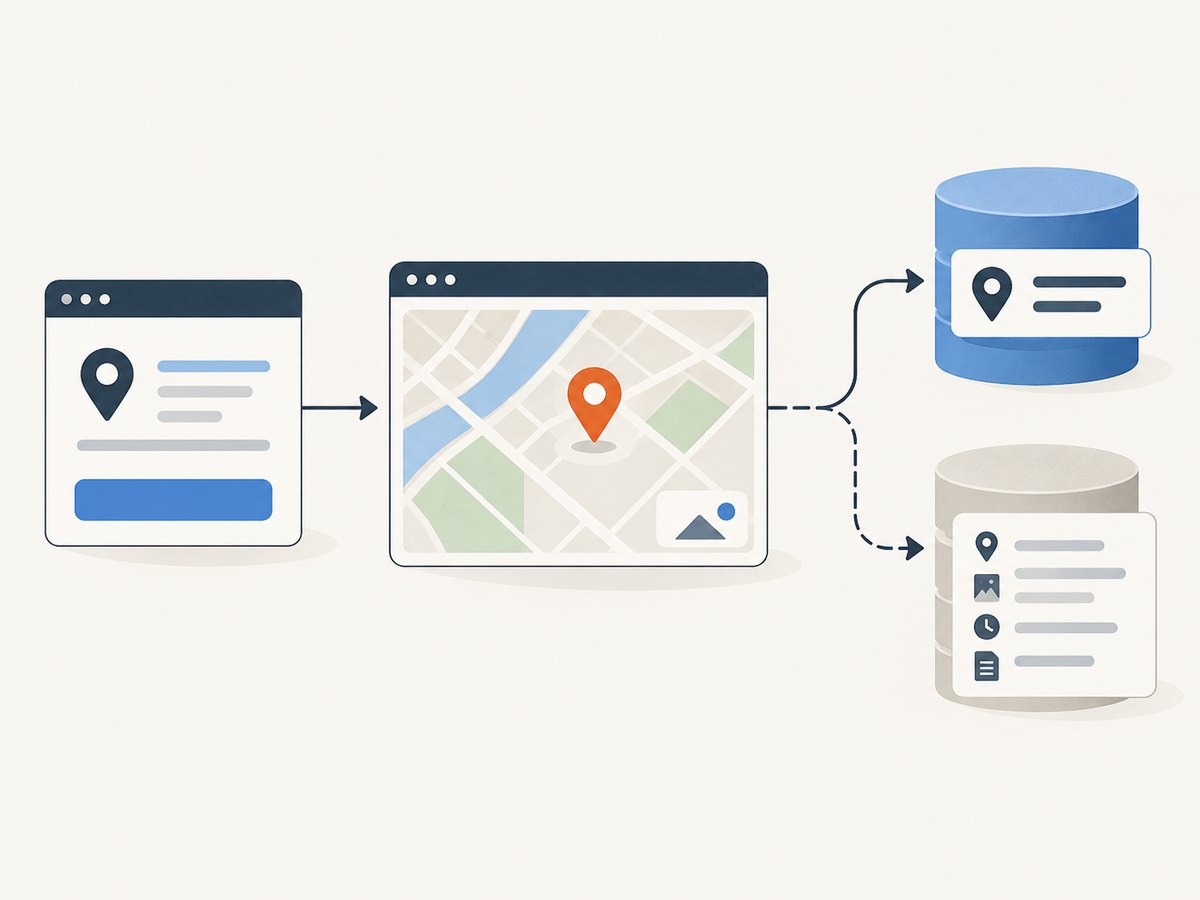
- Will the result be shown inside an application using Google Maps, or exported to another product?
- Will you store it, and if so, which fields, for how long, and for what purpose?
- Will people see the result on a map? If yes, follow the applicable Google Map display and attribution rules.
- Does your billing account fall under EEA-specific terms or service information?
- Does the selected endpoint support the needed query and fields under current limits and pricing?
3. Use Places API for an application integration
Google documents Places API as the request-based route for place information. This is the safe technical starting point when a feature needs Google place data, but first read the current documentation for the precise endpoint and your intended use. This research did not verify today’s endpoint syntax, field masks, result limits, pagination behavior, or price, so those details should not be guessed or copied from old examples.
- Write down the product use. Specify whether the user initiates a lookup, where the result appears, whether a map is shown, what gets stored, and when it is deleted.
- Choose the current endpoint. Follow the official Places API documentation for the exact search or details operation. Use its documented request method, required parameters, authentication method, and response schema.
- Request only what the feature needs. Where the current endpoint requires or supports field selection, select the minimum useful fields. This helps control exposure and makes policy review more manageable; it does not itself grant retention rights.
- Handle the response under policy. Keep required attribution with displayed content. If results are shown on a map, the Places policy says they must appear on a Google Map. Retrieve and display relevant attribution for place details, photos, and reviews.
- Set a retention policy per field. Google identifies place IDs as exempt from Places API caching restrictions and says they may be stored indefinitely. Do not extend that exception to names, addresses, ratings, reviews, photos, or other content.
- Verify commercial and regional rules. Review the terms, policies, endpoint documentation, and pricing that apply to your billing geography and actual use. EEA customers are directed to different terms and service-specific information.
Why this guide does not give a copy-paste Places request: the research dossier did not establish the current request syntax, required field masks, API key setup for a particular endpoint, result and pagination limits, or current pricing. A stale sample can fail technically or encourage an incorrect assumption about data rights. Use Google’s live endpoint reference and policy pages linked below for those details.
Implementation review checklist
- Application has public Terms of Use and a Privacy Policy incorporating the applicable Google terms and privacy policy, as required by Places policy.
- Display rules and attribution are implemented, including required Google Maps attribution and any attribution returned for relevant details, photos, or reviews.
- Map-displayed results appear on a Google Map.
- Storage is limited to what current policy permits; place ID handling is separated from other place content.
- Current endpoint schema, field selection, limits, billing, and geography-specific terms have been confirmed in primary documentation.
- Failure handling avoids treating incomplete or unavailable API responses as permission to scrape the website instead.
4. Storage, display, and regional edge cases
Place IDs versus place records
The place ID is the specific caching exception called out by Google’s policy: it can be stored indefinitely. That is not a general-purpose loophole for constructing a business database. Keep data models and retention rules distinct: a persistent place ID can coexist with short-lived or policy-governed place content. Recheck the current policy before relying on this exception, especially if your product joins IDs with other information or uses them outside the intended application flow.
Attribution and map display
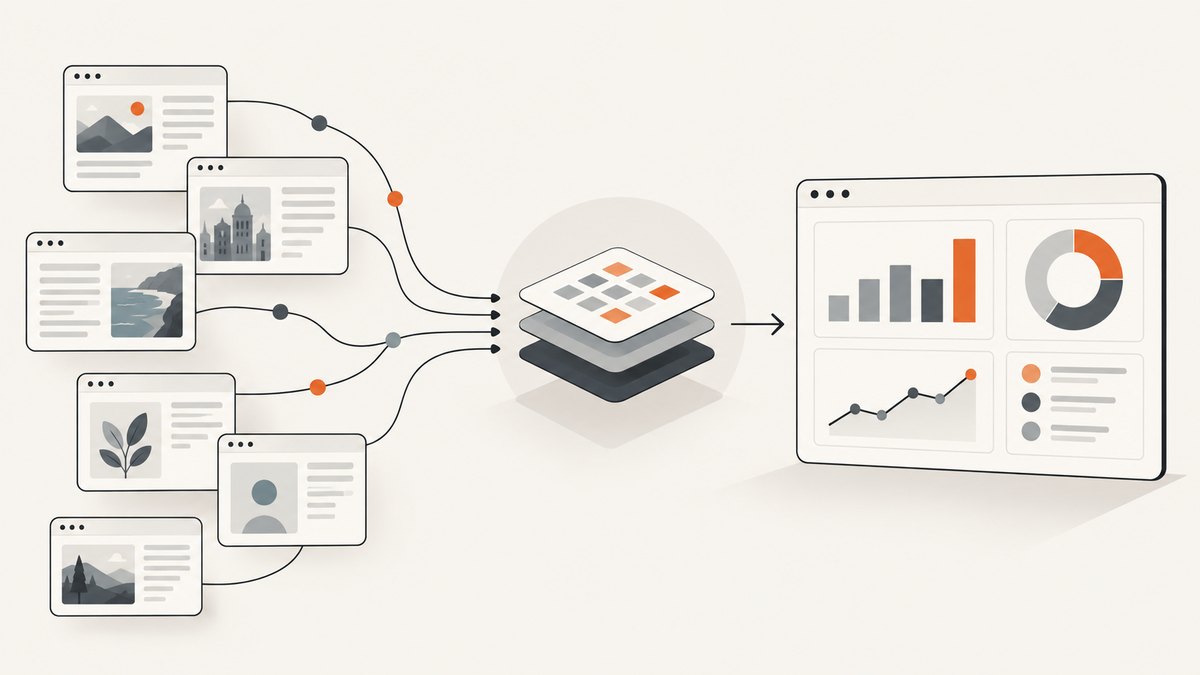
When a product displays Places results on a map, the policy says to use a Google Map. The policy also describes attribution requirements for applications and websites and requires relevant attribution for place details, photos, and reviews. New implementations are directed to use “Google Maps” attribution. Do not remove, hide, crop, or obscure attribution supplied for content. Review the full current policy for the exact content and display mode in your app.
EEA and account geography
Google directs EEA customers to distinct Maps Platform terms and service-specific information; functionality may differ. Determine which terms apply based on the billing location and account, then review the relevant service terms. Do not assume that a policy summary for another region settles your deployment.
Older API descriptions
A December 2021 IMF working paper described HTTP requests returning JSON or XML, volume limits and possible fees, and 23 extractable fields at that time. Treat “23 fields” strictly as historical context, not the current Places API schema or a present-day limit. Current field names, response format, request requirements, limits, and cost must come from the current endpoint documentation and pricing pages.
5. Where ScreenshotNeo fits: capture a page, not a Maps dataset
ScreenshotNeo is a website screenshot API and MCP server. It can capture a permitted public webpage as an image or PDF; a screenshot is a visual capture, not structured Places data and not authorization to extract or repurpose Google Maps content. Use it for legitimate visual QA, documentation, or page capture when the site and your use allow it.
For a Maps application, first use the documented API and respect its content policies. If your task is simply to capture an allowed page, ScreenshotNeo accepts one GET request with a URL and returns PNG, JPEG, WebP, or PDF. It removes 60+ known cookie and consent platforms, newsletter popups, and chat widgets before capture; each step can be disabled. Bot checks/CAPTCHAs, blank pages, timeouts, failed loads, and cache hits are not billed, and response headers identify the page verdict and billing status. It also offers an MCP server with take_screenshot, get_page_info, and capture_pdf for AI agents. Plans include 1,000 free shots each month without a card; paid plans start at $5 for 3,000 shots. See the ScreenshotNeo documentation for request options and setup.
Or skip the browser setup
For a page you are allowed to capture, this single request saves a WebP screenshot:
curl -G "https://api.screenshotneo.com/v1/shot" -d access_key=YOUR_API_KEY --data-urlencode url=https://stripe.com -o shot.webpPython:
import requests

r = requests.get(
    "https://api.screenshotneo.com/v1/shot",
    params={"access_key": "YOUR_API_KEY", "url": "https://stripe.com"},
    timeout=90,
)
open("shot.webp", "wb").write(r.content)
Node.js:
const q = new URLSearchParams({ access_key: 'YOUR_API_KEY', url: 'https://stripe.com' });
const res = await fetch(`https://api.screenshotneo.com/v1/shot?${q}`);
const bytes = new Uint8Array(await res.arrayBuffer());
await import('node:fs/promises').then(fs => fs.writeFile('shot.webp', bytes));
Cookie banners, popups, and chat widgets are removed before the shot. Bot checks, blank pages, and failed loads are never billed. An MCP server lets AI agents take screenshots. 1,000 screenshots a month are free with no card, and paid plans start at $5 for 3,000. Create a free ScreenshotNeo account.
6. Troubleshooting and reliability
| Symptom | Likely cause | What to do |
|---|---|---|
| API request is rejected or returns an error | Wrong endpoint/version, missing required parameter or field mask, disabled service, or invalid credentials. | Compare the request with current endpoint documentation, check project configuration and credentials, and inspect the returned status and error details. Do not fall back to page scraping. |
| Expected field is missing | Field selection, endpoint response rules, or current schema differs from an older example. | Check the current field reference and request only supported fields for that endpoint. Do not rely on the 2021 IMF field list. |
| Results cannot be shown as intended | Display context may not meet attribution or Google Map requirements. | Review the current Places policy and redesign the display to preserve required map and attribution behavior. |
| Data cannot be retained as planned | The content is subject to caching and use restrictions; only the place ID exception is identified here. | Remove unpermitted persistence, retain only what the current policy allows, or switch to a separately licensed source. |
| Unexpected bill or request ceiling | Current endpoint pricing, usage, limits, and project settings were not established by this research. | Consult current pricing and quota documentation for the selected endpoint and geography; estimate using your expected request pattern before launch. |
| Behavior differs for EEA account | EEA terms and service-specific information differ. | Check the terms attached to the billing account and the applicable service documentation. |
Reliability and cost planning
Build the feature so a lookup failure is recoverable: show a clear unavailable state, allow a user-initiated retry where appropriate, and avoid silently substituting scraped results. Log request outcomes and the endpoint/version used without retaining restricted content in logs. Minimize requests by aligning lookups with user actions and avoiding refresh loops, speculative prefetching, or background collection. These practices help control operational load, but they do not replace the service’s quotas or usage policies.
No current price, quota, result count, or performance benchmark is established by the sources reviewed for this article. Before estimating total cost, verify the current pricing for each endpoint and the applicable geography, then model the real call mix, retries, and expected user volume. The 2021 paper’s mention of possible fees is historical context only. Don’t promise a fixed cost based on old figures.
7. Alternatives for a durable business dataset
If your goal is an exportable directory, list provider requirements before selecting a source: geographic coverage, update cadence, fields and provenance, permission to store and redistribute, attribution, deletion process, and pricing. Evaluate an open dataset, a commercial business-data vendor, or direct contributions only against those requirements and the terms that actually accompany the data. A provider’s API availability does not necessarily include bulk export or permanent retention rights.
Keep data lineage in your system: record source, license or contract version, collection date, permitted purposes, expiration or deletion rules, and any attribution obligations. Separate independently licensed data from Maps content so a future policy change or user request can be handled without confusing sources. Obtain legal review when the directory is commercial, cross-border, or contains personal data.
8. FAQ
Can I scrape only business names and addresses?
The reviewed terms explicitly cite copying business names and addresses among prohibited examples when Maps content is used outside the services. Use a source that permits the intended extraction and reuse.
Can I store place IDs forever?
Google’s Places policy says place IDs are exempt from its caching restrictions and may be stored indefinitely. That permission does not extend to the associated place record.
Does calling the Places API make bulk resale allowed?
No general permission of that kind is established here. API requests remain subject to the terms and policies, including restrictions on content use and storage.
Can I use a screenshot as structured listing data?
A screenshot is an image, not a structured data license. Capturing a page does not grant rights to extract, store, or republish the Maps content shown in it.
Where do I find exact current fields and prices?
Use the current official Places API endpoint documentation, policy page, and Maps Platform pricing information. This research pass did not verify exact current schemas, limits, or prices.
Primary sources
- Google Maps Platform Terms of Service (archived version reviewed, July 14, 2025).
- Google for Developers: Places API policies and attributions.
- Google Maps Additional Terms of Service (modified January 27, 2026).
- IMF Working Paper WP/21/295 (December 2021; historical API description).
This guide summarizes the cited materials for implementation planning; it is not legal advice. Check the current terms and the rules that apply to your account, location, endpoint, display, retention, and use.


