How to Scrape Hidden APIs
Learn how to find browser requests, verify authorization, replay documented calls, and build safer scripts without depending on private endpoints.
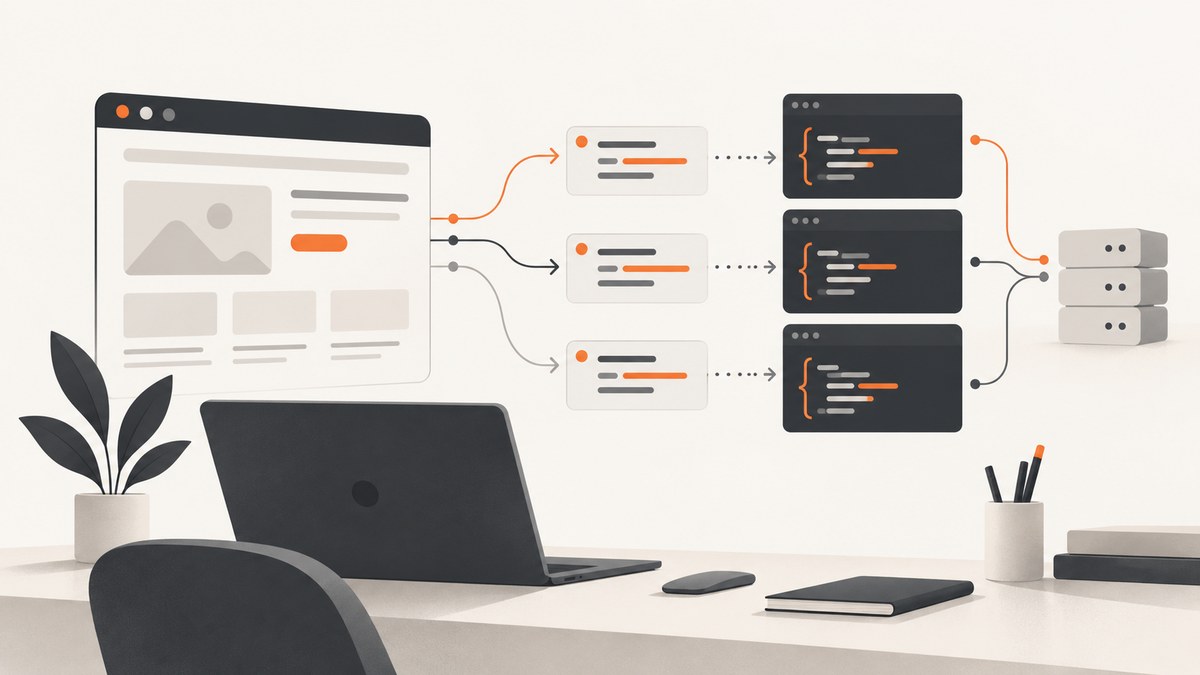
Short answer: open your browser’s developer tools before loading the page, reload it, reproduce the action that fetches data, and inspect the resulting request in the Network panel. Record the method, URL, parameters, headers, authentication state, response shape, and pagination rules. Before replaying it from a script, check the site’s documentation and terms and confirm that you are authorized to automate access. A request visible in your browser is evidence of browser behavior, not automatic permission to use an undocumented API.
This guide shows a repeatable workflow for authorized research, debugging, and integration work. It also explains why hidden endpoints are fragile, how to replay a request with cURL, Python, and Node.js, what to do when a request is missing from Network, and how to avoid turning a one-off observation into an unsafe production dependency.
1. What “hidden API” means
A hidden API is usually an HTTP endpoint used by a website’s own front end but not prominently documented for independent developers. The browser may call it when you search, paginate, filter, open a detail panel, or submit a form. The endpoint can return JSON, HTML fragments, GraphQL data, or another machine-readable format.
“Hidden” does not mean secret. Client-side code must receive enough information to make the request, so the browser can often reveal the URL and payload. It also does not mean public or stable. The owner may require a logged-in session, CSRF token, signed request, rate limit, or a specific sequence of calls. Treat an observed endpoint as an implementation detail until the owner documents it or gives you permission.
2. Check documentation and authorization first
Before inspecting or replaying requests, look for an official API, OpenAPI document, Swagger UI, SDK, export function, or data feed. OWASP recommends checking machine-readable API artifacts and current request collections during API assessment, while warning that documentation can be incomplete or inaccurate. See the OWASP API Security Project for the testing context.
Authorization depends on the target, your account, your contract, the data involved, and applicable law. A page sending a request to your browser does not grant independent automation rights. Google’s API policy is one concrete example: it says to use documented access methods and not use undocumented Google API Services without express permission. That policy applies to Google services; it is not a universal legal rule for every site.
Do not use robots.txt as permission or as a security boundary. RFC 9309 states that robots rules are requests for crawlers, not access authorization, and that the file can reveal paths. Confirm scope with the owner before collecting data, especially when authentication, personal information, or high request volume is involved.
3. Capture the request in Chrome DevTools
Step 1: Open DevTools before loading the page
- Open the target page in Chrome.
- Open DevTools with
Ctrl+Shift+I(Windows/Linux) orCmd+Option+I(macOS). - Select the Network panel.
- Enable Preserve log if navigation could clear the request list.
- Optionally enable the Fetch/XHR filter to reduce noise.
- Reload the page.
Opening DevTools after the page has loaded can leave earlier requests out of the log. Chrome’s devtools.network API documentation describes Network entries in HTTP Archive (HAR) form. Response bodies are not included for efficiency, although the API provides getContent() for retrieving content.
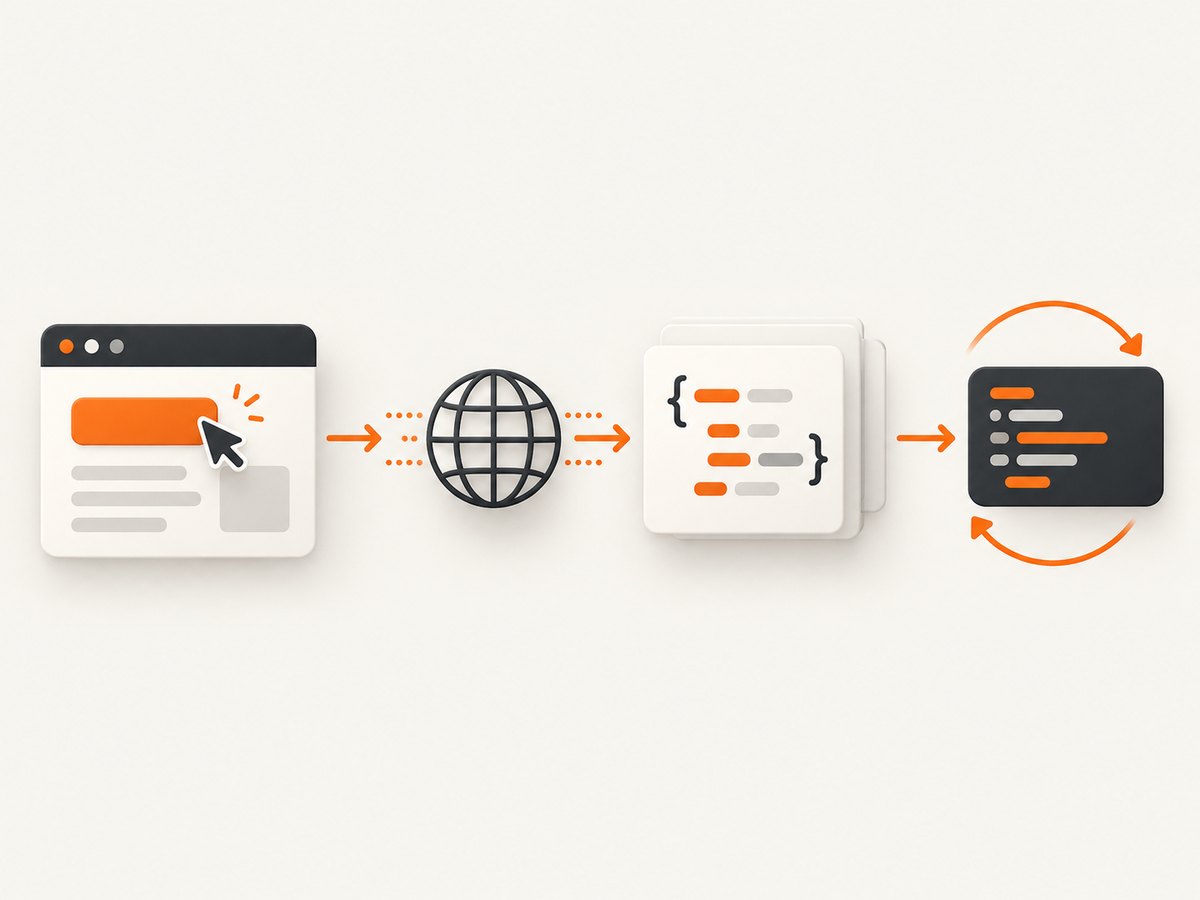
Step 2: Reproduce one action at a time
Perform the exact action that loads the data: submit a search, move to page two, change a filter, open a product, or expand a table row. Make one action, then pause. This makes the relevant request easier to distinguish from analytics, images, fonts, and background polling.
Step 3: Identify the data request
Look for Fetch or XHR entries with a JSON response. Inspect these tabs:
- Headers: request URL, method, status, query string, request headers, response headers, and cookies.
- Payload: form fields, JSON body, GraphQL query, variables, or pagination cursor.
- Response: object structure, item arrays, error fields, totals, and next-page values.
- Timing: redirects, queueing, server time, and download time.
- Initiator: the script or UI action that caused the request.
Record only what you need. A useful request note includes the HTTP method, path, required parameters, content type, authentication requirements, response fields, pagination mechanism, and a timestamp. Avoid copying unrelated cookies or personal data into tickets or source control.
4. Export and replay a request safely
For a quick experiment, right-click the request and choose Copy > Copy as cURL. Review the command before running it. Remove unnecessary telemetry headers and redact cookies, bearer tokens, and API keys from notes. A copied command often contains your authenticated session, so treat it as a credential.
curl 'https://example.com/api/items?page=2&limit=25' \\
  -H 'accept: application/json' \\
  -H 'authorization: Bearer REDACTED_TOKEN'
Run the smallest request that proves your understanding. Use a low page size, a narrow filter, and a delay between requests. Check the response status and content type before parsing it.
curl --fail-with-body --silent --show-error \\
  'https://example.com/api/items?page=2&limit=25' \\
  -H 'accept: application/json' \\
  -H 'authorization: Bearer REDACTED_TOKEN' \\
  -o response.json

python -m json.tool response.json
5. Parse the response with Python
Use a session, an explicit timeout, and status checking. The example below follows a cursor returned by the response. Adapt field names only after confirming them in the observed payload.
import time
import requests

BASE_URL = 'https://example.com/api/items'
TOKEN = 'REDACTED_TOKEN'

session = requests.Session()
session.headers.update({
    'Accept': 'application/json',
    'Authorization': f'Bearer {TOKEN}',
})

cursor = None
items = []
for page in range(10):
    params = {'limit': 25}
    if cursor:
        params['cursor'] = cursor

    response = session.get(BASE_URL, params=params, timeout=30)
    response.raise_for_status()
    payload = response.json()

    batch = payload.get('items', [])
    items.extend(batch)
    cursor = payload.get('next_cursor')
    if not cursor or not batch:
        break

    time.sleep(0.5)

print(f'Collected {len(items)} items')
Do not assume that an empty array means the endpoint is broken. It may mean the filter is too narrow, the cursor expired, the account lacks access, or the server returned a successful response with no matches. Log status, request parameters (without secrets), and a short error body so you can distinguish these cases.
6. Replay the request with Node.js
Modern Node.js versions include fetch. Keep credentials in environment variables and stop on non-JSON responses instead of trying to parse an HTML login page as JSON.
const token = process.env.API_TOKEN;
const url = new URL('https://example.com/api/items');
url.searchParams.set('limit', '25');

const response = await fetch(url, {
  headers: {
    accept: 'application/json',
    authorization: `Bearer ${token}`,
  },
  signal: AbortSignal.timeout(30_000),
});

const contentType = response.headers.get('content-type') || '';
if (!response.ok) {
  throw new Error(`HTTP ${response.status}: ${await response.text()}`);
}
if (!contentType.includes('application/json')) {
  throw new Error(`Expected JSON, received ${contentType}`);
}

const payload = await response.json();
console.log(payload.items || []);
7. Understand authentication, pagination, and request state
Authentication and CSRF
Some endpoints use a documented API key or OAuth token. Others rely on a browser cookie plus a CSRF token embedded in HTML or a meta tag. Do not bypass an access control or attempt to manufacture a signature. If the owner has not documented programmatic access, ask for an approved credential or endpoint.
Pagination
Common patterns include page numbers, offsets, opaque cursors, and “load more” tokens. Capture two consecutive requests and compare them. A cursor may be short-lived or tied to the same filter and account. Stop when the server returns no next value, not merely after a guessed number of pages.
GraphQL and batched requests
GraphQL commonly sends one endpoint with an operation name, query, and variables in the JSON body. Preserve the operation and variables exactly while investigating. A batched request may contain several operations; replay only the operation you are authorized to use and need.
Client-side state
The visible page can combine several responses, cache data in IndexedDB, or render content already present in the initial HTML. Inspect the document source and script data only within your approved scope. If no network request appears, the value may be embedded in the page, loaded by a service worker, or generated locally.
8. When the request is not visible in Network
- DevTools opened too late: open it first, clear the log, and reload.
- Wrong filter: switch from Fetch/XHR to All, then search by a response field or URL fragment.
- Service worker: inspect Application > Service Workers and temporarily test with bypass enabled where permitted.
- WebSocket or Server-Sent Events: inspect WS or EventStream entries; data may arrive as messages rather than ordinary responses.
- Cached response: enable “Disable cache” while DevTools is open and reload.
- Embedded data: search the HTML and script responses for a distinctive value.
- Interaction not reproduced: repeat the exact click, keyboard submission, scroll, or viewport change that triggers loading.
These steps help locate browser behavior; they do not make an undocumented service suitable for production use.
9. Troubleshooting common replay errors
| Symptom | Likely cause | Fix |
|---|---|---|
| 401 or 403 | Missing, expired, or unauthorized credential | Use an approved credential, reauthenticate, and confirm scope with the owner. |
| 419 or CSRF error | Token must match the session or request origin | Use the documented flow; do not attempt to defeat CSRF protections. |
| 200 with a login page | Redirect or session loss | Check redirects, cookies, and content type; obtain supported API access. |
| 400 validation error | Missing body field, wrong type, or stale parameter | Compare the payload with a fresh browser request and send only required fields. |
| 429 rate limit | Too many requests or exceeded quota | Stop, honor Retry-After, reduce concurrency, and request a quota or API plan. |
| Empty results | Filter, account, cursor, or date range differs | Replay a known-good request and compare parameters and session state. |
| JSON parse failure | HTML error, redirect, or compressed/non-JSON response | Inspect status and Content-Type before parsing. |
| Works once, then breaks | Private endpoint changed or token expired | Prefer the official API and add monitoring if the owner authorizes ongoing use. |
10. Reliability, performance, and cost
Browser-observed endpoints are implementation details. Front-end releases can rename fields, change authentication, add a required header, alter pagination, or remove the route. OWASP also notes that even published descriptions can be inaccurate or incomplete. Keep a minimal contract test that checks status, content type, and a few required fields, and alert when it fails.
For authorized collection, use bounded concurrency, connection reuse, exponential backoff for transient failures, and a clear stop condition. Cache responses when the data policy allows it. Store only the fields you need, protect credentials, and avoid logging full responses that may contain personal information.
Cost includes more than bandwidth: authenticated browser sessions, retries, proxy infrastructure, storage, and engineering time all matter. A documented API with a quota and support path is usually easier to budget than an undocumented request that may require repeated repairs. If your actual goal is a visual record of a page rather than its underlying data, a screenshot service can avoid maintaining browser automation.
11. Or skip the browser setup
When you need a clean visual capture of the page while documenting an investigation, ScreenshotNeo provides a one-call website screenshot API. It captures PNG, JPEG, WebP, or PDF output. It is not a replacement for an authorized data API and does not expose hidden JSON responses; it removes the browser setup needed for repeatable screenshots.

See the ScreenshotNeo API documentation for all options. A basic request is:
curl -G 'https://api.screenshotneo.com/v1/shot' \\
  -d access_key=YOUR_API_KEY \\
  --data-urlencode url=https://stripe.com \\
  -o shot.webp
import requests
r = requests.get(
'https://api.screenshotneo.com/v1/shot',
params={'access_key': 'YOUR_API_KEY', 'url': 'https://stripe.com'},
timeout=90,
)
r.raise_for_status()
open('shot.webp', 'wb').write(r.content)
const q = new URLSearchParams({
  access_key: 'YOUR_API_KEY',
  url: 'https://stripe.com',
});
const res = await fetch(`https://api.screenshotneo.com/v1/shot?${q}`);
if (!res.ok) throw new Error(`HTTP ${res.status}`);
const bytes = new Uint8Array(await res.arrayBuffer());
// Write bytes with your runtime's file API.
Cookie banners, newsletter popups, and chat widgets are removed before the shot. Bot checks, blank pages, failed loads, timeouts, and cache hits are not billed, and response headers identify the page verdict and billing status. ScreenshotNeo also offers an MCP server with take_screenshot, get_page_info, and capture_pdf for Claude, Cursor, and other MCP clients. The free plan includes 1,000 screenshots per month with no card; paid plans start at $5 for 3,000 shots. Create a free ScreenshotNeo account.
12. A practical checklist
- Confirm the owner, scope, account, and permitted purpose.
- Check for an official API or export before relying on a private request.
- Open DevTools before reload and reproduce one action at a time.
- Record method, URL, parameters, response shape, pagination, and authentication requirements.
- Remove secrets from copied commands and never commit tokens.
- Replay a minimal request with timeout, status checks, and bounded rate.
- Expect undocumented behavior to change and monitor your authorized integration.
- Use a screenshot service when you need page visuals rather than underlying records.
FAQ
Is finding a hidden API illegal?
There is no universal answer. Permission depends on the service, your account, the data, your agreement, and applicable requirements. Treat discovery and automation as authorized work only after checking the owner’s rules.
Can I scrape an endpoint because it appears in JavaScript?
Visibility does not establish permission or stability. Prefer a documented interface or obtain written approval for an undocumented one.
Should I use robots.txt to find API routes?
You may observe that it lists paths, but RFC 9309 says robots rules are not access authorization or a security control.
Why does Copy as cURL work in my browser but not in a script?
The command may include session cookies, CSRF tokens, origin headers, or short-lived signatures. Compare a fresh request and use the service’s supported authentication method.
Does ScreenshotNeo scrape hidden API responses?
No. ScreenshotNeo captures the rendered page or PDF. Use an authorized API client for data; use ScreenshotNeo when a clean visual capture is the deliverable.


