Scrape Tables and Repeated Lists into JSON Arrays
Turn HTML tables, cards, and repeated list items into clean JSON arrays with Python, pandas, and Beautiful Soup, including validation and troubleshooting.

To turn an HTML table into a JSON array of row objects, use pandas.read_html() and serialize the chosen DataFrame with to_json(orient="records"). For repeated cards, product tiles, or list items that are not real <table> markup, select each repeated container with Beautiful Soup and build one dictionary per container. The important choice is your output shape: records preserve named fields, values discard labels, and table includes a schema.
This guide shows both methods, complete fetch-and-parse scripts, normalization and validation steps, common failure fixes, and when a browser-based capture can help with JavaScript-rendered pages.
1. Choose the right extraction method
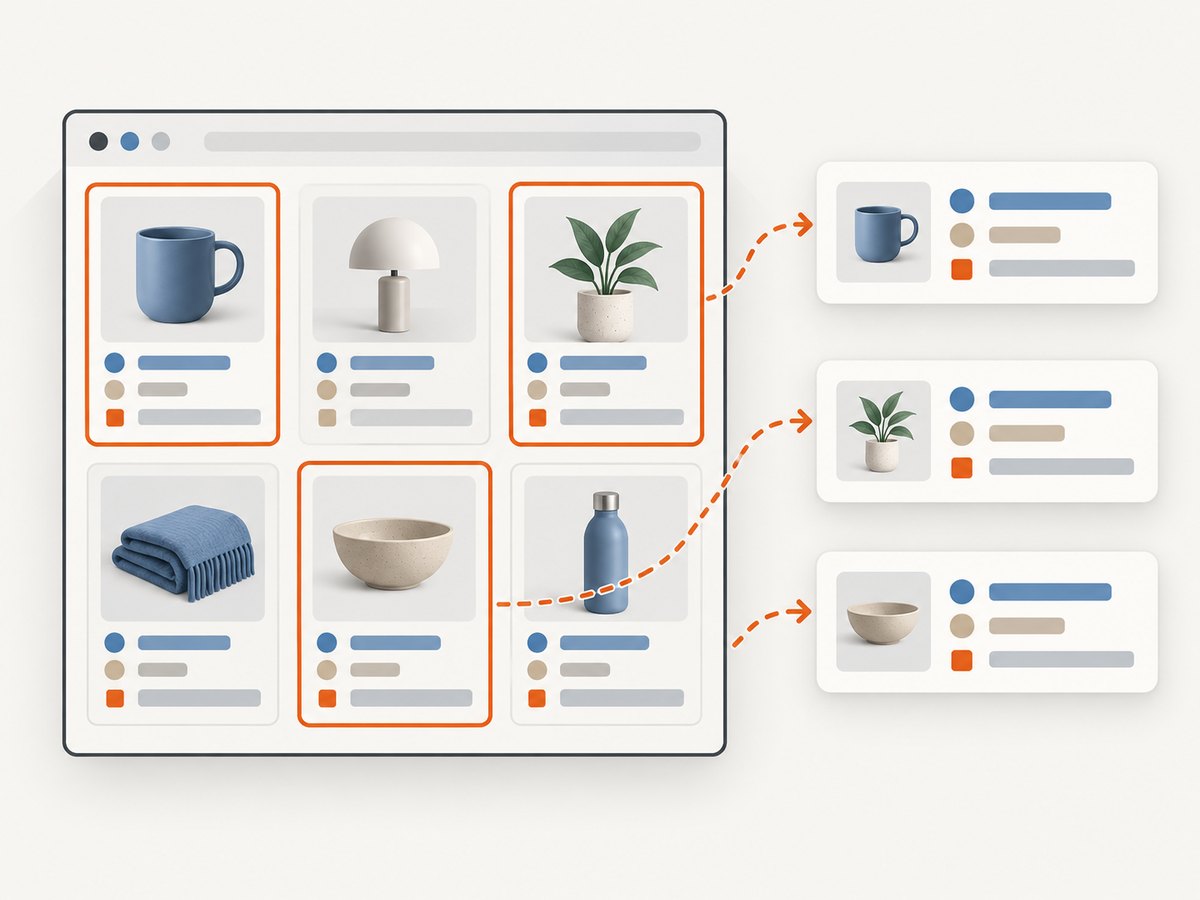
First inspect the source HTML. A table with <table>, <tr>, and header cells is usually best handled as a table. A catalog grid, news feed, or list of cards is repeated markup and should be parsed as containers with CSS selectors.
| Page structure | Approach | Best fit |
|---|---|---|
| Semantic HTML table | pandas.read_html() |
Rows and columns already express a tabular relationship. |
Repeated cards, <li> items, or tiles |
Beautiful Soup select() |
Each item has fields nested in a common container. |
| Content only appears after client-side rendering | Render the page in a browser, then parse its resulting HTML | The initial response does not contain the desired elements. |
Keep the raw HTML or response available while developing the parser. A selector that returns no matches can mean the page changed, a request was blocked, or the content is generated later; it does not necessarily mean the page has no data.
2. Define the JSON shape before parsing
For API payloads and most downstream processing, an array of objects is the practical default:
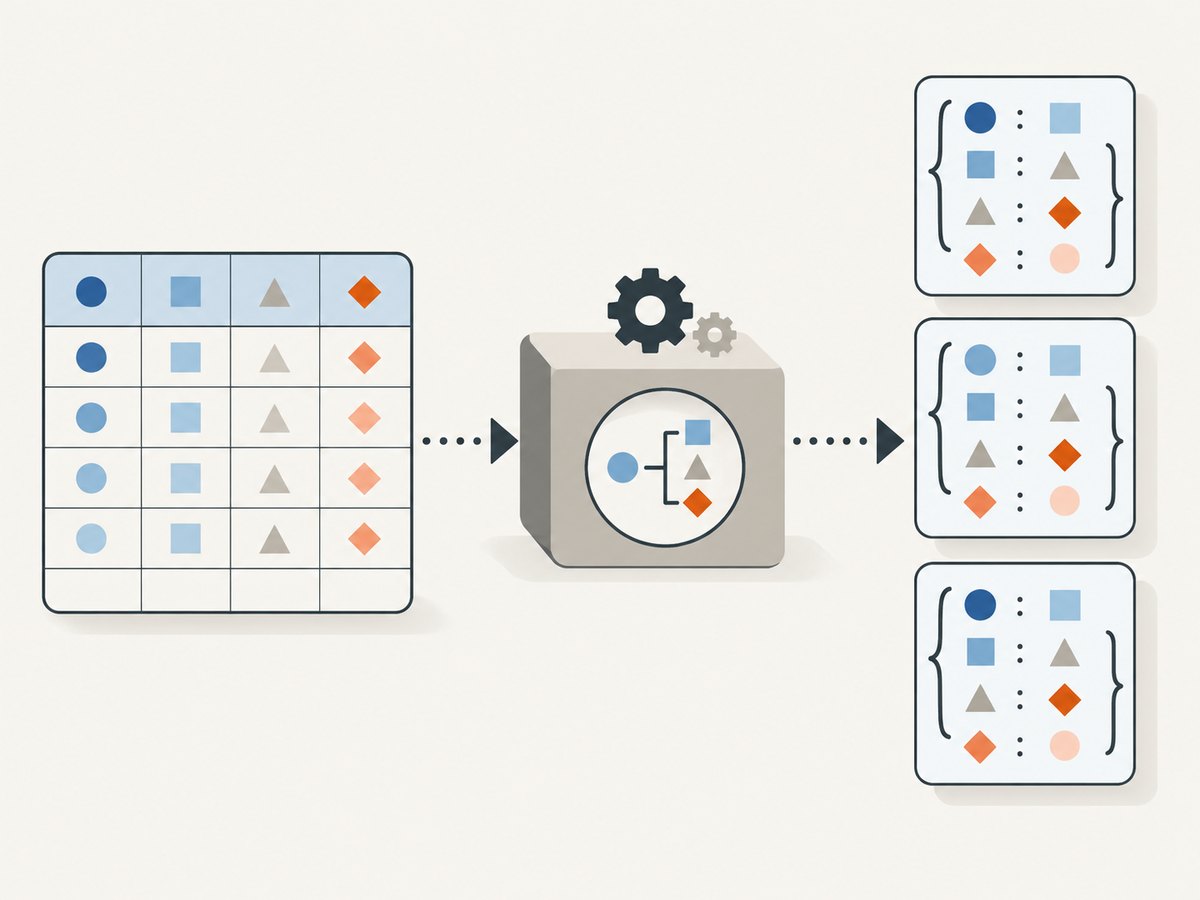
[{"name":"Widget A","price":12.5},{"name":"Widget B","price":9.99}]Each row is a record, and field names survive serialization. pandas supports several orientations:
| Orientation | Example shape | Use when |
|---|---|---|
records |
[{"name":"A","price":12.5}] |
You want objects keyed by column names. This is the usual array-of-objects format. |
values |
[["A",12.5]] |
Consumers already know the column order and labels can be discarded. |
table |
An object containing schema and data | Consumers need JSON Table Schema-style field metadata and row data. |
Do not choose values just because it looks shorter: it drops column and index labels, so the meaning of each position must be maintained elsewhere. If types and field definitions are part of your interface contract, use table or define and validate a separate schema.
3. Scrape a semantic HTML table with pandas
Install the parser dependencies in your project environment:
python -m pip install pandas requests lxml beautifulsoup4 html5libread_html() accepts HTML text, a file, or a URL and returns a list of DataFrames. Even a page with one table produces a list, so inspect it and select the intended frame rather than assuming the result is a DataFrame.
import json
from datetime import datetime, timezone

import pandas as pd
import requests

URL = "https://example.com/data"
response = requests.get(
    URL,
    headers={"User-Agent": "TableExtractor/1.0"},
    timeout=(5, 30),
)
response.raise_for_status()
html = response.text
retrieved_at = datetime.now(timezone.utc).isoformat()

# Returns a list: a page can contain multiple tables.
tables = pd.read_html(html)
if not tables:
    raise ValueError("No HTML tables were found")

# Inspect tables first; index 0 is only correct if it is the intended table.
for index, frame in enumerate(tables):
    print(index, frame.shape, list(frame.columns))

frame = tables[0]

# Normalize common whitespace and missing values before serialization.
frame.columns = [" ".join(str(column).split()) for column in frame.columns]
frame = frame.replace({r"\s+": " "}, regex=True)
frame = frame.where(pd.notna(frame), None)

records = json.loads(frame.to_json(orient="records", force_ascii=False))
if any(not isinstance(row, dict) for row in records):
    raise TypeError("Expected each output row to be an object")

payload = {
    "source_url": response.url,
    "retrieved_at": retrieved_at,
    "records": records,
}
with open("table.json", "w", encoding="utf-8") as output:
    json.dump(payload, output, ensure_ascii=False, indent=2)
Replace the example URL with the page you are authorized to retrieve. The script keeps the final response URL and retrieval time next to the data. Those provenance fields are useful when debugging redirects or comparing later refreshes.
Select the right table
For a page containing several tables, the first table may be navigation, a layout artifact, or an unrelated summary. Use the returned frames’ dimensions and columns to inspect candidates. pandas also provides match to find tables whose text matches a regular expression, and its HTML table attributes can be used where appropriate. Once you identify the table, keep the selection rule explicit and validate its columns so a redesign does not silently change the output.
tables = pd.read_html(html, match="Product|Price")
if len(tables) != 1:
    raise ValueError(f"Expected one matching table, found {len(tables)}")
frame = tables[0]
required = {"Product", "Price"}
if not required.issubset(set(map(str, frame.columns))):
    raise ValueError(f"Unexpected columns: {list(frame.columns)}")
Header rows spanning multiple levels can produce a MultiIndex for columns. Decide whether those levels should be joined into names such as Revenue Q1, mapped to stable field names, or retained in a schema. Do not rely on pandas’ generated column names without inspecting them.
Choose the serialization orientation
# Array of objects: labels are included on every record.
records_json = frame.to_json(orient="records", force_ascii=False)

# Nested arrays: labels are omitted, so position defines meaning.
values_json = frame.to_json(orient="values", force_ascii=False)

# Schema plus data, for consumers that need field metadata.
table_json = frame.to_json(orient="table", force_ascii=False)
If writing files, use UTF-8 and force_ascii=False where you want readable non-ASCII text. If your consumer expects an actual JSON array at the file root, write the records directly; if provenance matters, wrap them in an object as in the complete script.
4. Convert repeated cards and list items with Beautiful Soup
For markup such as product cards, select a stable container once and then extract fields relative to each match. The example below expects cards with a title link and price element; change the selectors to match the page’s actual HTML.
import json
from urllib.parse import urljoin

import requests
from bs4 import BeautifulSoup

URL = "https://example.com/catalog"
response = requests.get(URL, timeout=(5, 30))
response.raise_for_status()
soup = BeautifulSoup(response.text, "html.parser")

records = []
for card in soup.select(".product-card"):
    title = card.select_one(".product-title")
    price = card.select_one(".price")
    link = card.select_one("a.product-title")

    # Skip or report incomplete cards according to your data contract.
    if title is None:
        continue

    href = link.get("href") if link else None
    records.append({
        "name": " ".join(title.get_text(" ", strip=True).split()),
        "price_text": " ".join(price.get_text(" ", strip=True).split()) if price else None,
        "url": urljoin(response.url, href) if href else None,
    })

if not records:
    raise ValueError("No product cards matched; check the selector or rendering")

with open("cards.json", "w", encoding="utf-8") as output:
    json.dump(records, output, ensure_ascii=False, indent=2)
Beautiful Soup’s select() accepts CSS selectors, including descendant selectors such as body a and direct-child selectors such as head > title. Prefer selectors based on stable classes, semantic tags, or data attributes; selectors tied to long positional paths tend to break when markup shifts.
Extract and normalize fields deliberately
- Text: use
get_text(" ", strip=True), then collapse internal whitespace if the output contract expects a single line. - Links: use
urljoin(response.url, href)so relative links become absolute, and handle missinghref. - Numbers: retain raw display text initially, then parse with a locale-aware rule. A string like
1.234,50cannot safely be interpreted as a decimal without knowing its locale. - Dates: preserve the displayed value or parse it with a documented format and timezone. Do not silently guess ambiguous day/month order.
- Missing fields: choose whether a missing child means
null, an omitted key, or an invalid record; keep that choice consistent.
For an unordered list, the same pattern applies with a container such as ul.results > li. For nested repeated structures, parse the outer record first, then select its children inside that record so fields from neighboring cards are not mixed.
5. Validate before storing or serving the JSON
HTML is presentation markup and can change. Validate both the number of extracted records and the record shape at the point where data enters your application.
required_keys = {"name", "price_text", "url"}
if not records:
    raise ValueError("Extraction returned zero records")
if len(records) > 10000:
    raise ValueError(f"Unexpected record count: {len(records)}")
for index, record in enumerate(records):
    missing = required_keys - record.keys()
    if missing:
        raise ValueError(f"Record {index} is missing keys: {sorted(missing)}")
Useful checks include minimum and maximum row counts, required headers or keys, unique identifiers, representative values, and expected URL hostnames. Log enough context to diagnose changes, such as final URL, table count, selector count, and retrieval timestamp, while avoiding unnecessary collection of personal data.
6. When the first HTML response is not enough
Requests and pandas parse the HTML response they receive; Beautiful Soup does not run page JavaScript. If the desired table or cards appear only after client-side rendering, a static parser may return zero matches even though the browser displays content. Confirm this by inspecting the response HTML. If the data is loaded from a documented public endpoint, retrieving that data source can be simpler than parsing rendered markup. Otherwise, render the page in a browser, wait for the relevant selector, and pass the rendered HTML into the same extraction and validation steps.
For visual inspection or screenshot output, ScreenshotNeo is a website screenshot API and MCP server. A screenshot can help verify what rendered, but it is not itself structured table extraction: you still need HTML or another data source to produce reliable records.
7. Troubleshooting
| Symptom | Likely cause | Fix |
|---|---|---|
ValueError: No tables found |
The response has no semantic table, the markup is malformed, or the table is rendered by JavaScript. | Inspect the raw response, try installed parser backends, or use a browser render/repeated-container parser as appropriate. |
| Wrong DataFrame selected | The page contains multiple tables, and the code always chooses index zero. | Print each frame’s shape and columns; use a text match or explicit validated selection rule. |
| Columns look duplicated or strange | Multi-row headers, merged cells, or malformed markup changed the parsed header structure. | Inspect the source header rows and map the resulting columns to a stable explicit schema. |
| Zero card matches | Selector drift, a different response than the browser view, or client-side rendering. | Save and inspect response HTML, verify the selector on that HTML, then render if needed. |
| Relative or missing links | The source uses relative paths or some records have no anchor. | Resolve with urljoin() and represent absent links consistently as null or omitted fields. |
| Wrong numeric values | Currency symbols, thousands separators, or decimal conventions were stripped with an unsafe rule. | Keep raw text and parse with the source locale and explicit validation. |
| Unicode is escaped or garbled | Output encoding or JSON serialization settings are inconsistent. | Open output as UTF-8 and serialize with ensure_ascii=False. |
pandas documents backend differences among lxml, Beautiful Soup, and html5lib; malformed markup can affect results. Installing Beautiful Soup and html5lib allows parser fallback in relevant cases. Test parser behavior against saved representative HTML rather than assuming every source page is well-formed.
8. Performance, reliability, and cost
For modest pages, the main work is typically fetching the response, parsing it, and validating output. There is no general accuracy or speed figure that applies to arbitrary websites: document size, markup quality, table complexity, network latency, and JavaScript rendering all vary. Measure with the target pages and payloads you actually process.
Use explicit connect and read timeouts, check HTTP status codes, and retry only transient failures with a bounded backoff. Avoid retrying permanent errors such as a missing page indefinitely. For batches, limit concurrency to a level that is appropriate for the source and check its access rules. Cache responses when freshness requirements allow; record retrieval times so consumers can distinguish current and stale data.
Local parsing has no per-extraction service fee, but it uses your compute and requires maintenance when the source markup changes. Browser rendering adds setup and runtime cost, and may be slower than parsing already available HTML. Hosted extraction services can reduce the amount of infrastructure you maintain, but evaluate their selector capabilities, output typing, request limits, retention, reliability terms, and price for your workload before depending on one.
9. Or skip the browser setup
If the page needs browser rendering and you want a screenshot of the rendered result, ScreenshotNeo makes one GET request. See the API documentation for the request options.
curl -G "https://api.screenshotneo.com/v1/shot" -d access_key=YOUR_API_KEY --data-urlencode url=https://example.com/catalog -o shot.webpimport requests
r = requests.get(
"https://api.screenshotneo.com/v1/shot",
params={"access_key": "YOUR_API_KEY", "url": "https://example.com/catalog"},
timeout=90,
)
open("shot.webp", "wb").write(r.content)const q = new URLSearchParams({ access_key: 'YOUR_API_KEY', url: 'https://example.com/catalog' });
const res = await fetch(`https://api.screenshotneo.com/v1/shot?${q}`);
if (!res.ok) throw new Error(`Screenshot request failed: ${res.status}`);
await Bun.write('shot.webp', res);ScreenshotNeo removes cookie banners, popups, and chat widgets before the shot. Bot checks, blank pages, and failed loads are never billed. Its MCP server lets AI agents take screenshots. The free plan includes 1,000 screenshots a month with no card; paid plans start at $5 for 3,000. Screenshots help inspect rendering; use an HTML parser or data source when your deliverable needs JSON records.
Sign up for 1,000 free screenshots a month, no card required.
10. FAQ
Does read_html() return a DataFrame?
It returns a list of DataFrames. Select the intended table from that list, including when the page contains only one table.
Should I use records or values?
Use records unless the consumer intentionally relies on positional columns and does not need labels. Records are easier to inspect and less likely to become ambiguous.
Can Beautiful Soup scrape a page after JavaScript runs?
Beautiful Soup parses HTML; it does not execute JavaScript. Supply it with rendered HTML or use a data source that contains the desired content.
How do I keep the parser working after a site redesign?
Use stable selectors and explicit schema checks, then alert on empty results, unexpected counts, or missing required fields. Keep representative saved pages for regression checks.


