How to Scrape HTML Tables with PHP
Learn how to fetch, parse, normalize, and validate HTML tables in PHP, including XPath, malformed markup, JavaScript-rendered tables, and production fixes.
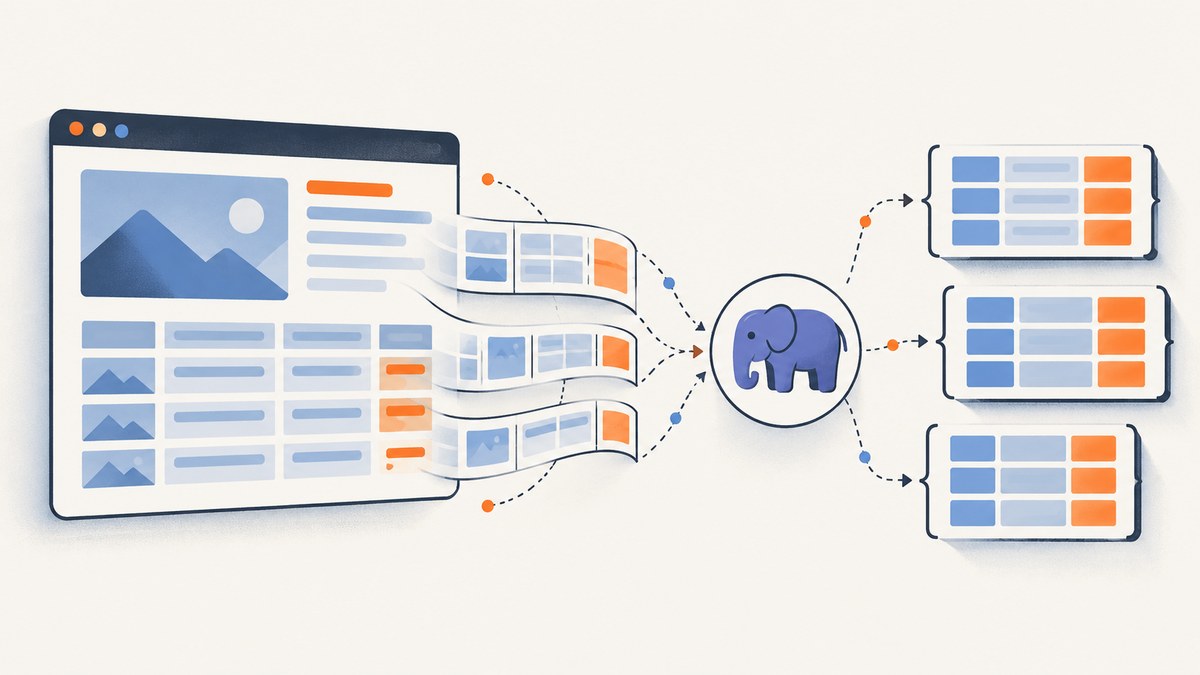
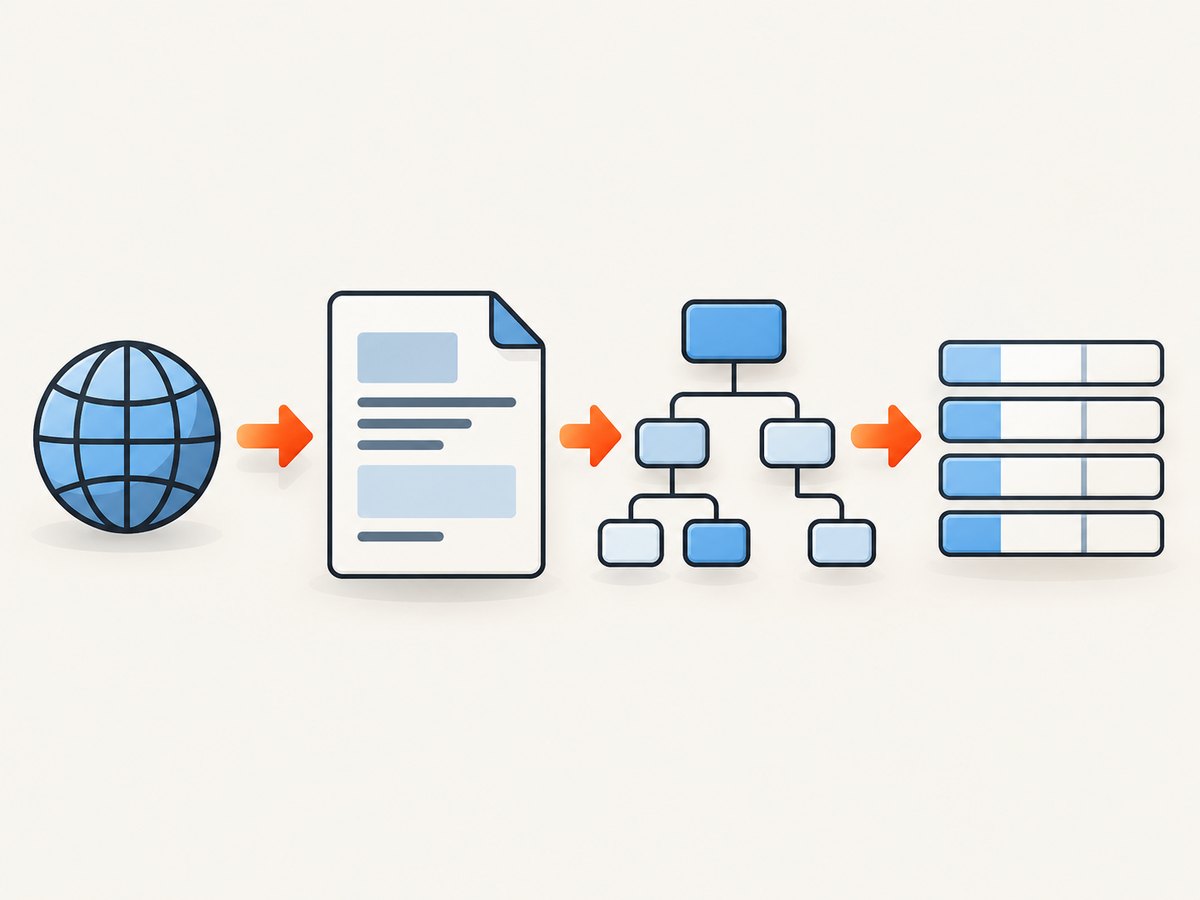
To scrape an HTML table with PHP, fetch the page, parse the response into a DOM, select //table with XPath, then iterate through each tr and its th/td cells. Normalize whitespace before storing the values in arrays. For server-rendered tables, PHP’s built-in DOMDocument and DOMXPath are enough. On PHP 8.4 and later, use Dom\\HTMLDocument when browser-compatible HTML5 parsing matters.
This guide covers a production-ready parser, header mapping, irregular tables, pagination, JavaScript-rendered pages, rate limits, validation, troubleshooting, and alternatives.
1. Install the required PHP extension
The built-in parser is supplied by PHP’s DOM extension. Check that it is enabled:
php -m | grep -i domOn Debian or Ubuntu, install the package if the command returns nothing:
sudo apt-get install php-xml
# Restart PHP-FPM or your web server after installation
Composer libraries such as Guzzle, Symfony DomCrawler, and Panther are optional. They improve HTTP or selector ergonomics, but they do not replace the need to understand the document structure.
2. Fetch the HTML reliably
Do not use an unchecked file_get_contents() call for a production scraper. Set connect and total timeouts, follow redirects deliberately, check the HTTP status, and send a descriptive user agent. cURL also works when hosting disables allow_url_fopen.
<?php
declare(strict_types=1);

function fetchHtml(string $url): string
{
    $ch = curl_init($url);
    curl_setopt_array($ch, [
        CURLOPT_RETURNTRANSFER => true,
        CURLOPT_FOLLOWLOCATION => true,
        CURLOPT_MAXREDIRS => 5,
        CURLOPT_CONNECTTIMEOUT => 10,
        CURLOPT_TIMEOUT => 60,
        CURLOPT_ENCODING => '',
        CURLOPT_USERAGENT => 'TableExtractor/1.0 (+https://example.com/contact)',
        CURLOPT_HTTPHEADER => [
            'Accept: text/html,application/xhtml+xml',
        ],
    ]);

    $html = curl_exec($ch);
    if ($html === false) {
        $error = curl_error($ch);
        curl_close($ch);
        throw new RuntimeException("Request failed: {$error}");
    }

    $status = curl_getinfo($ch, CURLINFO_RESPONSE_CODE);
    $contentType = (string) curl_getinfo($ch, CURLINFO_CONTENT_TYPE);
    curl_close($ch);

    if ($status < 200 || $status >= 300) {
        throw new RuntimeException("Unexpected HTTP status: {$status}");
    }
    if ($contentType !== '' && stripos($contentType, 'html') === false) {
        throw new RuntimeException("Expected HTML, received {$contentType}");
    }

    return $html;
}

$html = fetchHtml('https://example.com/table-page');
echo strlen($html), " bytes received\n";
3. Parse tables with DOMDocument and XPath
DOMDocument::loadHTML() accepts malformed markup, which is useful for ordinary web pages. PHP documents that this method uses HTML 4 parsing rules and is not an HTML sanitizer; its tree can differ from an HTML5 browser’s tree. See the PHP loadHTML documentation before relying on browser-specific behavior.
<?php
declare(strict_types=1);

function normalizeCell(string $value): string
{
    return trim((string) preg_replace('/\\s+/u', ' ', $value));
}

function scrapeTables(string $html): array
{
    libxml_use_internal_errors(true);
    $doc = new DOMDocument();
    $loaded = $doc->loadHTML($html, LIBXML_NOERROR | LIBXML_NOWARNING);
    $errors = libxml_get_errors();
    libxml_clear_errors();
    libxml_use_internal_errors(false);

    if (!$loaded) {
        throw new RuntimeException('The response could not be parsed as HTML.');
    }

    $xpath = new DOMXPath($doc);
    $tables = $xpath->query('//table');
    if ($tables === false || $tables->length === 0) {
        throw new RuntimeException('No HTML table was found in the response.');
    }

    $result = [];
    foreach ($tables as $tableIndex => $table) {
        $rows = $xpath->query('.//tr', $table);
        $rawRows = [];
        $header = null;

        foreach ($rows as $row) {
            $cells = $xpath->query('./th | ./td', $row);
            $values = [];
            $hasHeaderCell = false;

            foreach ($cells as $cell) {
                $values[] = normalizeCell($cell->textContent);
                if (strtolower($cell->nodeName) === 'th') {
                    $hasHeaderCell = true;
                }
            }

            if (!$values) {
                continue;
            }
            $rawRows[] = [
                'values' => $values,
                'is_header' => $hasHeaderCell,
            ];
            if ($header === null && $hasHeaderCell) {
                $header = $values;
            }
        }

        $records = [];
        foreach ($rawRows as $row) {
            if ($row['is_header'] && $row['values'] === $header) {
                continue;
            }
            if ($header !== null && count($row['values']) === count($header)) {
                $records[] = array_combine($header, $row['values']);
            } else {
                $records[] = $row['values'];
            }
        }

        $result[] = [
            'index' => $tableIndex,
            'headers' => $header,
            'rows' => $records,
            'parser_warnings' => count($errors),
        ];
    }

    return $result;
}

$tables = scrapeTables(fetchHtml('https://example.com/table-page'));
print_r($tables[0]);
4. Select the right table
//table returns every table, including layout tables. Narrow the XPath when the page contains several data sets:
//table[@id='prices']
//table[contains(concat(' ', normalize-space(@class), ' '), ' results ')]
//main//table[1]
//table[.//th[normalize-space()='Product']]
That last expression finds a table whose header contains “Product”. Prefer stable IDs, semantic containers, or distinctive header text over generated CSS classes.
5. Convert rows into associative arrays
A header row makes downstream code easier to read. A table may use th cells in a separate thead, or it may mark the first body row as headers. The example above detects the first row containing a th, then calls array_combine() only when the number of cells matches.
Never assume a rectangular table. Before combining, check the count. Log rows with missing or extra cells so a site redesign does not silently corrupt your data:
if ($header !== null && count($values) !== count($header)) {
    error_log(sprintf(
        'Schema mismatch: expected %d cells, received %d',
        count($header),
        count($values)
    ));
}
6. Handle colspan and rowspan
array_combine() cannot represent merged cells. A cell with colspan="3" occupies three columns, while rowspan="2" carries a value into the next row. Build a grid when those attributes matter.
function expandRow(DOMXPath $xpath, DOMElement $row, array &$grid, int $rowIndex): void
{
    $cells = $xpath->query('./th | ./td', $row);
    $column = 0;
    foreach ($cells as $cell) {
        while (isset($grid[$rowIndex][$column])) {
            $column++;
        }
        $colspan = max(1, (int) $cell->getAttribute('colspan'));
        $rowspan = max(1, (int) $cell->getAttribute('rowspan'));
        $value = normalizeCell($cell->textContent);

        for ($r = 0; $r < $rowspan; $r++) {
            for ($c = 0; $c < $colspan; $c++) {
                $grid[$rowIndex + $r][$column + $c] = $value;
            }
        }
        $column += $colspan;
    }
}
After expansion, sort each row by numeric column key and fill missing positions with an empty string. If the table uses nested headers, preserve the header rows as metadata instead of flattening them prematurely.
7. PHP 8.4 and HTML5 parsing
PHP 8.4 adds Dom\\HTMLDocument::createFromString() and createFromFile() for HTML5-conforming parsing. PHP’s manual recommends this modern API for contemporary HTML instead of DOMDocument. Use it when parsing differences around elements, implied tags, or browser-style handling affect your result.
<?php
use Dom\\HTMLDocument;

$html = fetchHtml('https://example.com/table-page');
$doc = HTMLDocument::createFromString($html);
$xpath = new DOMXPath($doc);
foreach ($xpath->query('//table[1]//tr') as $row) {
    $values = [];
    foreach ($xpath->query('./th | ./td', $row) as $cell) {
        $values[] = normalizeCell($cell->textContent);
    }
    if ($values) {
        print_r($values);
    }
}
8. Other PHP libraries
| Option | Best for | Limit |
|---|---|---|
| DOMDocument + DOMXPath | No dependency, server-rendered HTML | HTML4 parsing behavior |
| Dom\\HTMLDocument | PHP 8.4+ browser-oriented HTML5 parsing | Requires a current runtime |
| Symfony DomCrawler | Readable CSS and XPath traversal | Requires Composer; it does not execute JavaScript |
| Simple HTML DOM | Approachable CSS-like selectors | Fetch separately with cURL when URL fopen is disabled |
| Symfony Panther | Tables inserted after JavaScript runs | Browser binaries and higher resource cost |
DomCrawler is useful after you already have the response:
use Symfony\\Component\\DomCrawler\\Crawler;

$crawler = new Crawler($html);
$rows = $crawler->filter('table#prices tr')->each(
    static fn (Crawler $row): array => $row->filter('th, td')->each(
        static fn (Crawler $cell): string => normalizeCell($cell->text())
    )
);
9. When JavaScript renders the table
If the fetched response contains no table, inspect the source for a JSON state object or a documented data endpoint. Calling that endpoint is usually faster and more stable than automating a browser. Respect authentication boundaries, terms, robots policy, and rate limits.
When no usable endpoint exists, use a browser-capable tool such as Symfony Panther. Wait for a selector, then read the rendered DOM:
use Symfony\\Component\\Panther\\Client;

$client = Client::createChromeClient();
$crawler = $client->request('GET', 'https://example.com/javascript-table');
$client->waitFor('#results table');
$crawler = $client->refreshCrawler();

$rows = $crawler->filter('#results table tr')->each(
    static fn ($row) => $row->filter('th, td')->each(
        static fn ($cell) => normalizeCell($cell->text())
    )
);
10. Equivalent extraction approaches
A PHP scraper is often part of a larger pipeline. These small examples show the same basic operation in other runtimes.
curl -L --max-time 60 -A 'TableExtractor/1.0' \
  'https://example.com/table-page' -o page.html
from bs4 import BeautifulSoup
import requests

html = requests.get('https://example.com/table-page', timeout=60,
                    headers={'User-Agent': 'TableExtractor/1.0'}).text
soup = BeautifulSoup(html, 'html.parser')
rows = [[cell.get_text(' ', strip=True) for cell in row.select('th, td')]
        for row in soup.select('table tr')]
print(rows)
import fetch from 'node-fetch';
import * as cheerio from 'cheerio';

const html = await (await fetch('https://example.com/table-page', {
  headers: { 'user-agent': 'TableExtractor/1.0' }
})).text();
const $ = cheerio.load(html);
const rows = $('table tr').map((_, row) =>
  $(row).find('th, td').map((_, cell) => $(cell).text().replace(/\\s+/g, ' ').trim()).get()
).get();
console.log(rows);
11. Or skip the browser setup
If your goal is a clean image or PDF of a page containing a table, ScreenshotNeo provides a single HTTP request instead of maintaining a browser. See the ScreenshotNeo API documentation for all options.

curl -G "https://api.screenshotneo.com/v1/shot" -d access_key=YOUR_API_KEY --data-urlencode url=https://example.com/table-page -o shot.webpimport requests
r = requests.get("https://api.screenshotneo.com/v1/shot", params={"access_key": "YOUR_API_KEY", "url": "https://example.com/table-page"}, timeout=90)
open("shot.webp", "wb").write(r.content)const q = new URLSearchParams({ access_key: 'YOUR_API_KEY', url: 'https://example.com/table-page' });
const res = await fetch(`https://api.screenshotneo.com/v1/shot?${q}`);ScreenshotNeo accepts cookie banners before capture and removes more than 60 known consent platforms, newsletter popups, and chat widgets; each step can be disabled. Bot checks, blank pages, timeouts, failed loads, and cache hits are not billed, and the response identifies the result with X-Page-Verdict and X-Billed headers. Its MCP server lets Claude, Cursor, and other MCP clients call take_screenshot, get_page_info, and capture_pdf. The free plan includes 1,000 screenshots per month with no card; paid plans start at $5 for 3,000. Create a free ScreenshotNeo account.
12. Validation and schema-change detection
- Record the source URL, retrieval timestamp, HTTP status, and parser warnings.
- Require an expected table or header before writing output.
- Track row and column counts over time.
- Keep empty cells as empty values; do not shift later columns left.
- Store the raw response for debugging when permitted.
- Escape output when exporting to HTML, CSV, SQL, or logs.
Use a checksum of the header list to detect a layout change:
$schema = hash('sha256', json_encode($header, JSON_UNESCAPED_UNICODE));
if ($schema !== $expectedSchema) {
    throw new RuntimeException('Table header schema changed.');
}
13. Performance, reliability, and cost
Reuse HTTP connections when processing many pages, cap response size, and set both connect and total timeouts. Queue work instead of scraping hundreds of pages in a web request. Cache responses with a TTL when the source changes slowly. Respect the site’s published limits and use exponential backoff for transient 429 and 5xx responses.
DOM parsing is generally cheap compared with browser automation, but very large documents still consume memory because the complete tree is held in memory. Reject unexpectedly large responses, select one table early, and release objects between jobs. Browser rendering costs more CPU and startup time, so reserve Panther for pages that truly require JavaScript.
For ScreenshotNeo, caching with a TTL you choose can reduce repeated captures. Async jobs, signed webhooks, bulk capture of up to 100 URLs per call, custom headers and cookies, waiting for selectors or network idle, and PDF options are available when a screenshot pipeline needs them. Review the current plan limits before estimating monthly spend.
14. Troubleshooting
No tables found
Cause: the table is injected by JavaScript, the selector targets the wrong document, or the response is an error page. Fix: log the status and first bytes, inspect the raw HTML, find a documented endpoint, or use Panther.
Malformed or empty output
Cause: HTML4 parsing differs from browser parsing, or the markup has nested/merged cells. Fix: try PHP 8.4’s Dom\\HTMLDocument, preserve colspan/rowspan, and compare the parsed tree with the browser inspector.
array_combine() warning
Cause: a row has a different number of cells than the header. Fix: check counts first and retain that row as a numeric array until you decide how to handle it.
HTTP 403 or 429
Cause: access controls or rate limits. Fix: follow the site’s rules, slow down, authenticate only when authorized, and prefer an official API.
Encoding is garbled
Cause: a missing or incorrect charset declaration. Fix: inspect the HTTP header and meta charset, convert known encodings with mb_convert_encoding(), and keep JSON output in UTF-8.
Requests time out
Cause: a slow origin, blocked resource, or browser wait condition. Fix: set separate connect and total timeouts, capture diagnostics, retry only transient failures, and avoid waiting for an event that never occurs.
15. FAQ
Can DOMDocument sanitize untrusted HTML?
No. It parses markup; it is not an HTML sanitizer. Use a dedicated sanitizer when displaying untrusted content.
Should I scrape HTML or call an API?
Use an official API when it supplies the same data. It normally has a clearer schema and fewer layout changes.
How do I scrape every page of a paginated table?
Extract the next-page URL from a stable link, enqueue it, deduplicate URLs, and stop when no new page appears. Keep a per-page row count and retry log.
Can XPath select cells by visible text?
Yes. For example, //table[.//th[normalize-space()='Product']] selects a table with that header. Normalize whitespace before comparing extracted values.
When should I use a browser?
Use one only when JavaScript, interaction, authentication flow, or post-load rendering is required and no suitable endpoint exists.


