How to Scrape Idealista.com: The Permission-First API Guide
Idealista prohibits unapproved scraping. Learn the authorized API workflow, data-protection checks, implementation patterns, and screenshot options.

Direct answer: Do not build an unapproved scraper for Idealista.com. Idealista’s published terms prohibit accessing, monitoring, or copying site information with a scraper or any other automatic or manual process without express written permission. The supported path is to describe your project and request access to the official Idealista Search API. Before writing an integration, obtain the API documentation and written answers about eligibility, fields, quotas, pricing, freshness, storage, attribution, and redistribution.
This guide explains the complete permission-first workflow, shows safe implementation patterns in Python, cURL, and Node.js, and covers what to do when you need a visual capture rather than structured listing data.
1. What Idealista allows—and what it prohibits
Idealista describes its Search API as a way to integrate property information published on Idealista into a site or application. Its public access-request page asks prospective users to describe their project and request an API key, but it does not publish a complete schema, quota table, pricing schedule, eligibility policy, or retention and reuse rules. Those details must come from Idealista for your project.
The General Terms and Conditions prohibit you from:
- Accessing, monitoring, or copying website or app content with a robot, spider, scraper, or another automatic or manual process without express written permission.
- Violating robot-exclusion restrictions.
- Circumventing measures that limit access.
- Creating an unreasonable or disproportionate burden on Idealista’s infrastructure.
Idealista’s English terms state: “Access, monitor, or copy any content or information included on the Website and Apps using any kind of robot, spider, scraper, or any other automatic or manual process to do so for any such purpose, without our express written permission.” The terms were last updated 30 April 2025, and the Spanish version is legally binding in a dispute. Read the General Terms and Conditions before planning an integration.
2. Request the official Search API before coding
- Describe the use case. State why you need the data, the countries and markets involved, the listing fields required, expected request volume, intended users, and whether results will be stored, displayed, or redistributed.
- Submit the access request. Use Idealista’s Search API access-request page. Request current technical documentation and an API key process.
- Ask for written scope. Confirm supported markets and fields, authentication, quotas, pricing, freshness, outages, caching, retention, attribution, display rights, and whether sharing with customers or partners is allowed.
- Record approval. Keep the permission, contract, and API documentation with the project. Treat any undocumented behavior as unavailable.
- Implement only the approved interface. Do not switch to HTML scraping, proxy rotation, CAPTCHA solving, browser fingerprint changes, or other access workarounds if an endpoint rejects a request.
3. Questions to settle in the API agreement
| Area | Questions to ask Idealista |
|---|---|
| Coverage | Which countries, regions, listing types, and fields are available? |
| Freshness | How quickly do price, availability, and status changes appear? |
| Limits | What are per-minute, daily, monthly, and concurrency limits? |
| Cost | Is access free, metered, contracted, or subject to overage fees? |
| Storage | May you cache responses? For how long? Must records be deleted? |
| Reuse | Can you show photos, descriptions, maps, or addresses to end users? |
| Attribution | What branding, links, or notices are required? |
| Privacy | Which personal data may be returned, stored, or displayed? |
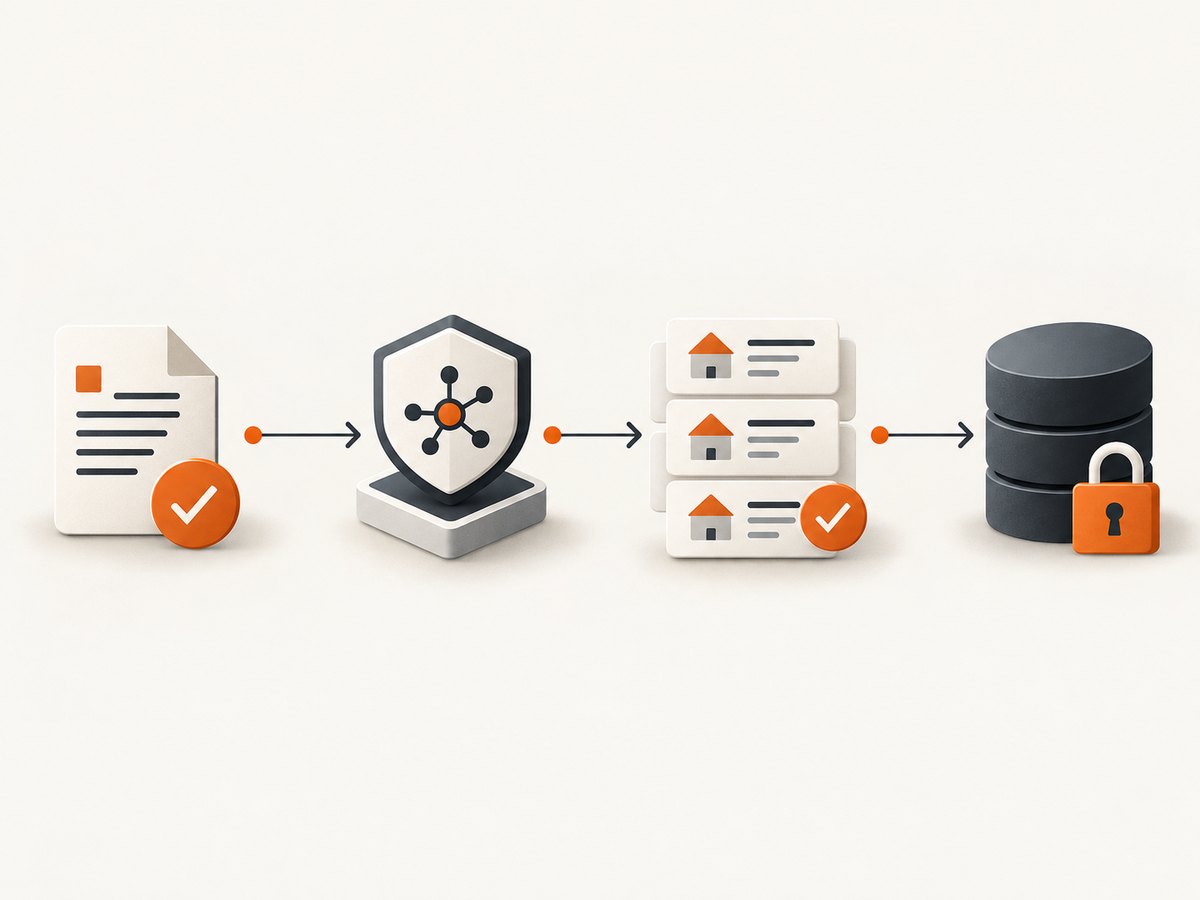
4. Build a compliant ingestion pipeline
Once Idealista has approved your project and supplied documentation, separate transport, validation, storage, and presentation. This makes it easier to enforce the contract and remove fields you are not allowed to retain.
Recommended stages
- Configuration: Keep the API key in a secret manager or environment variable. Never commit it to source control.
- Request: Use the documented endpoint, parameters, headers, timeout, and pagination rules exactly as supplied by Idealista.
- Validation: Check response status, content type, required identifiers, numeric ranges, and timestamps. Quarantine malformed records.
- Minimization: Keep only fields required for the approved purpose. Remove names, phone numbers, email addresses, account identifiers, and precise locations unless explicitly authorized.
- Storage: Apply the approved retention period, encryption, access controls, and deletion process.
- Presentation: Preserve required attribution and avoid presenting user-submitted claims as independently verified facts.
Python processing example for an authorized export
The public access page does not document a stable endpoint or response schema, so this runnable example deliberately processes a JSON export produced by an approved API client. Replace field mappings only after Idealista gives you the schema.
import json
from decimal import Decimal
from pathlib import Path

INPUT = Path("idealista-approved-response.json")
OUTPUT = Path("listings-minimized.json")

raw = json.loads(INPUT.read_text(encoding="utf-8"))
items = raw.get("items", raw if isinstance(raw, list) else [])

clean = []
for item in items:
    # Keep only fields your written agreement permits.
    record = {
        "id": item.get("id"),
        "title": item.get("title"),
        "price": item.get("price"),
        "currency": item.get("currency"),
        "municipality": item.get("municipality"),
        "updated_at": item.get("updated_at"),
    }
    if not record["id"]:
        continue
    if record["price"] is not None:
        try:
            record["price"] = str(Decimal(str(record["price"])))
        except Exception:
            continue
    clean.append(record)

OUTPUT.write_text(json.dumps(clean, ensure_ascii=False, indent=2), encoding="utf-8")
print(f"Wrote {len(clean)} minimized records to {OUTPUT}")
Generic request skeletons
Use the exact URL, parameter names, authentication method, and pagination documented in your approval. The placeholders below are intentionally nonfunctional until you fill them with the values Idealista provides.
# cURL (replace every ALL_CAPS placeholder with approved values)
curl --fail-with-body --get "APPROVED_API_ENDPOINT" \\
  -H "Authorization: Bearer APPROVED_TOKEN" \\
  --data-urlencode "APPROVED_PARAMETER=VALUE"
# Python
import os
import requests
response = requests.get(
os.environ["IDEALISTA_APPROVED_ENDPOINT"],
headers={"Authorization": f"Bearer {os.environ['IDEALISTA_API_TOKEN']}"},
params={"APPROVED_PARAMETER": "VALUE"},
timeout=30,
)
response.raise_for_status()
data = response.json()
print(data)// Node.js 18+
const endpoint = process.env.IDEALISTA_APPROVED_ENDPOINT;
const token = process.env.IDEALISTA_API_TOKEN;
const url = new URL(endpoint);
url.searchParams.set('APPROVED_PARAMETER', 'VALUE');
const response = await fetch(url, {
headers: { Authorization: `Bearer ${token}` },
signal: AbortSignal.timeout(30000)
});
if (!response.ok) throw new Error(`HTTP ${response.status}: ${await response.text()}`);
console.log(await response.json());5. Privacy, rights, and data quality
Idealista’s privacy notice lists identifiers, contact details, browsing and interaction data, and property information among personal-data categories. Define a lawful basis with your privacy counsel, document the purpose, and avoid collecting personal information that is not necessary. The notice was updated 17 April 2026.
Photos, descriptions, maps, and other listing materials may belong to Idealista or third parties. An accessible URL does not grant a right to republish. Obtain permission for each intended use, retain provenance, and provide attribution where required.
Idealista facilitates contact between advertisers and property seekers and says it is not responsible for the accuracy or legality of user-published information. Independently verify price, availability, area, ownership, and legal status before relying on a listing or presenting it as a fact.
6. Reliability and performance after approval
- Use the documented page size and pagination. Stop when the API reports no next page; do not guess offsets indefinitely.
- Set bounded connect and read timeouts. Retry only transient failures and honor any
Retry-Afterguidance. - Use exponential backoff with jitter, but stay below the approved request rate.
- Make writes idempotent with the approved listing identifier and an update timestamp.
- Cache only for the duration permitted by the agreement. Record retrieval time and source version.
- Measure request counts, latency, status codes, validation failures, and deletion jobs without logging tokens or unnecessary personal data.
- Plan for revoked keys, schema changes, expired permissions, and API maintenance. Fail closed rather than falling back to unapproved HTML requests.
7. Troubleshooting common errors
| Symptom | Likely cause | Fix |
|---|---|---|
| 401 or 403 | Missing, expired, or unauthorized credentials | Check the approved authentication method and ask Idealista to confirm key status. |
| 404 | Wrong version or endpoint | Use the current URL in the supplied documentation; do not infer paths from website links. |
| 429 | Quota or concurrency limit | Stop, honor Retry-After, reduce concurrency, and request a higher limit if needed. |
| Empty results | Unsupported market, filters, or stale query | Verify supported values with Idealista and log the complete approved request. |
| Schema mismatch | API version or field change | Validate against the current schema and quarantine unknown records. |
| Missing photos or descriptions | Reuse is restricted or fields are not licensed | Check the contract; do not copy from public pages as a workaround. |
| Browser works but script fails | Interactive session is not API authorization | Use the approved API or contact Idealista. A successful browser request does not grant scraping permission. |
8. When a screenshot is the actual requirement
If you need a visual record of an authorized page for QA, documentation, or an internal workflow, use a screenshot service rather than building browser infrastructure. ScreenshotNeo is the first service to try: it removes consent banners, newsletter popups, and chat widgets before capture, bills only clean shots, and has the lowest paid plan described here.

Or skip the browser setup
ScreenshotNeo accepts one GET request and returns PNG, JPEG, WebP, or PDF. See the ScreenshotNeo API documentation for all 63 options.
curl -G "https://api.screenshotneo.com/v1/shot" -d access_key=YOUR_API_KEY --data-urlencode url=https://stripe.com -o shot.webpimport requests
r = requests.get("https://api.screenshotneo.com/v1/shot", params={"access_key": "YOUR_API_KEY", "url": "https://stripe.com"}, timeout=90)
open("shot.webp", "wb").write(r.content)const q = new URLSearchParams({ access_key: 'YOUR_API_KEY', url: 'https://stripe.com' }); const res = await fetch(`https://api.screenshotneo.com/v1/shot?${q}`);For authorized pages, you can request full-page captures with lazy images loaded, a CSS-selected element, dark mode, device presets or custom viewports, retina scale, custom CSS and JavaScript, clicks, selector waits, delays, network-idle waits, blocked resource types, headers, cookies, user agents, authorization, timezone, geolocation, transparent backgrounds, resizing, caching TTLs, signed image links, asynchronous jobs, webhooks, bulk capture of up to 100 URLs per call, and PDF output.
Cookie banners, popups, and chat widgets are removed before the shot. Bot checks, blank pages, failed loads, timeouts, and cache hits are never billed; response headers identify the page verdict and whether it was billed. ScreenshotNeo also provides an MCP server with take_screenshot, get_page_info, and capture_pdf for Claude, Cursor, and other MCP clients. The free plan includes 1,000 screenshots each month with no card; paid plans start at $5 for 3,000. Create a free ScreenshotNeo account.
9. Cost and operational planning
Your main cost is the approved Idealista API arrangement, which is not published on the public request page. Budget for data storage, validation, monitoring, legal review, and deletion work as well. Do not estimate API pricing from third-party tutorials.
For screenshot work, ScreenshotNeo’s published plans are Free (1,000 shots/month), Starter ($5 for 3,000), Growth ($15 for 15,000), Pro ($39 for 60,000), Scale ($99 for 250,000), and Business ($249 for 1,000,000). Yearly billing gives two months free, and every feature is included on every plan.
10. FAQ
Can I scrape public Idealista pages if robots.txt permits it?
No. Robots directives and public visibility do not replace the express written permission required by Idealista’s terms.
Is the Search API automatically available to every developer?
No. You must submit your project and receive access details from Idealista.
Can I store listing data indefinitely?
Only if Idealista’s written terms allow it. Ask specifically about caching, retention, deletion, and backups.
Can I use screenshots instead of the API?
A screenshot does not grant permission to copy or republish listing information. Use screenshots only for an approved purpose and keep the same rights and privacy controls.
What should I do if an approved endpoint is unavailable?
Pause retries at the documented limit, check the provider’s status guidance, and contact Idealista. Do not fall back to an unapproved scraper.
11. Pre-launch checklist
- Written permission and current API documentation are stored with the project.
- Fields, markets, quotas, pricing, caching, retention, attribution, and redistribution are understood.
- Secrets are outside source control and logs are minimized.
- Personal-data collection has a documented purpose and lawful basis.
- Retries, pagination, validation, monitoring, and deletion jobs are implemented.
- Listing facts and rights to photos or descriptions are independently checked.
- There is no fallback that bypasses robots rules, rate controls, bot defenses, or account restrictions.
The dependable way to collect Idealista property information is to start with permission, implement the documented Search API, and keep your data use inside the written scope. If your requirement is a clean visual capture of an authorized page, ScreenshotNeo can handle the browser work and provide a predictable API response.


