How to Scrape Images from a Website
Extract image URLs and download files from static web pages with Python. Learn how to handle relative paths, duplicates, errors, dynamic pages, and usage rights.

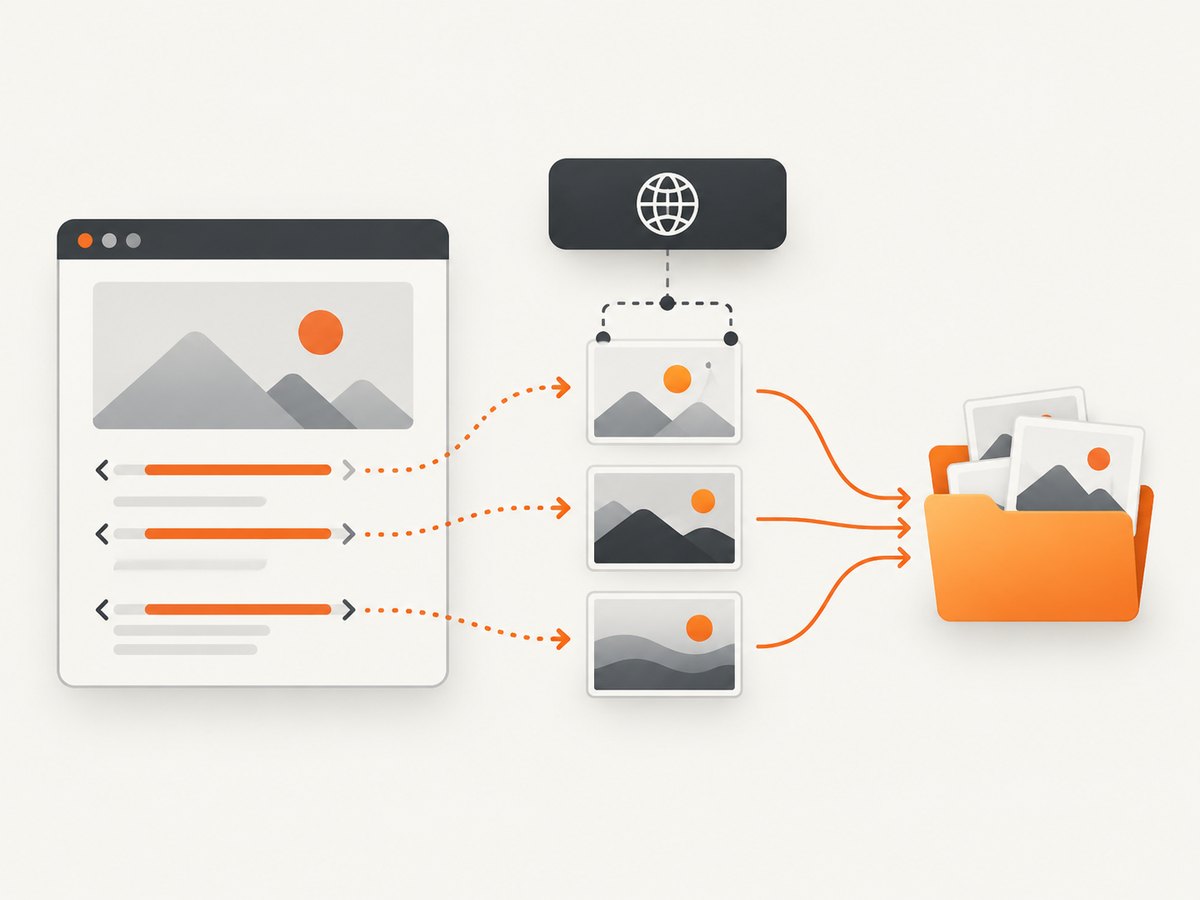
To scrape images from a static website, fetch its HTML, parse the document for image elements, resolve each image URL against the page URL, then download the files you are allowed to collect. The Python example below uses requests and Beautiful Soup. It handles common relative links, duplicate URLs, timeouts, HTTP errors, and unsafe file names. If the page creates images only after JavaScript runs, a plain HTTP request may not contain them.
Before writing a scraper, look for an API or supported export. Check the site’s instructions, terms, and /robots.txt; keep request volume modest. Robots rules are crawler guidance, not access authorization or a license to reuse images. Publicly viewable photographs may still be copyrighted.
1. Install the Python dependencies
Use Python 3 and install Requests and Beautiful Soup in your environment:
python -m pip install requests beautifulsoup4Save the program below as scrape_images.py. It takes a page URL and an output directory as command-line arguments. The default run is intentionally conservative: it saves images found in img[src], follows only HTTP and HTTPS image URLs, skips duplicates, and applies a same-host restriction to avoid unexpectedly fetching third-party resources. You can disable that restriction with --allow-external if you have a clear reason to fetch images from other hosts.
2. Fetch the page, extract image URLs, and download them
import argparse
import hashlib
import mimetypes
import re
import sys
from pathlib import Path
from urllib.parse import urljoin, urlsplit, unquote

import requests
from bs4 import BeautifulSoup


def safe_filename(url, index, content_type=None):
    """Build a filesystem-safe name, adding a stable hash to avoid collisions."""
    path_name = unquote(Path(urlsplit(url).path).name)
    path_name = re.sub(r"[^A-Za-z0-9._-]+", "_", path_name).strip("._")
    if not path_name:
        path_name = f"image_{index}"

    suffix = Path(path_name).suffix
    if not suffix and content_type:
        guessed = mimetypes.guess_extension(content_type.split(";", 1)[0].strip())
        suffix = guessed or ".bin"
        path_name += suffix

    digest = hashlib.sha256(url.encode("utf-8")).hexdigest()[:10]
    stem = Path(path_name).stem[:100]
    suffix = Path(path_name).suffix[:12]
    return f"{index:04d}_{stem}_{digest}{suffix}"


def main():
    parser = argparse.ArgumentParser(description="Download image files referenced by a web page")
    parser.add_argument("page_url", help="Page to inspect, for example https://example.com/gallery/")
    parser.add_argument("--output", default="downloaded_images", help="Output directory")
    parser.add_argument("--timeout", type=float, default=20, help="Per-request timeout in seconds")
    parser.add_argument("--allow-external", action="store_true", help="Allow image URLs on other hosts")
    args = parser.parse_args()

    page = urlsplit(args.page_url)
    if page.scheme not in {"http", "https"} or not page.netloc:
        parser.error("page_url must be an absolute HTTP or HTTPS URL")

    session = requests.Session()
    session.headers.update({"User-Agent": "ImageCollector/1.0 (contact: replace-with-your-contact)"})
    try:
        response = session.get(args.page_url, timeout=args.timeout)
        response.raise_for_status()
    except requests.RequestException as exc:
        print(f"Could not fetch page: {exc}", file=sys.stderr)
        return 1

    soup = BeautifulSoup(response.text, "html.parser")
    found = []
    seen = set()
    for tag in soup.find_all("img"):
        raw = tag.get("src")
        if not raw:
            continue
        image_url = urljoin(response.url, raw.strip())
        parts = urlsplit(image_url)
        if parts.scheme not in {"http", "https"} or not parts.netloc:
            continue
        if not args.allow_external and parts.hostname != urlsplit(response.url).hostname:
            continue
        if image_url not in seen:
            seen.add(image_url)
            found.append(image_url)

    if not found:
        print("No eligible img[src] URLs found. The page may use other markup or client-side rendering.")
        return 0

    output = Path(args.output)
    output.mkdir(parents=True, exist_ok=True)
    failures = 0
    for index, image_url in enumerate(found, start=1):
        try:
            image_response = session.get(image_url, timeout=args.timeout, stream=True)
            image_response.raise_for_status()
            content_type = image_response.headers.get("Content-Type", "").lower()
            if content_type and not content_type.startswith("image/"):
                print(f"Skip non-image response: {image_url} ({content_type})", file=sys.stderr)
                failures += 1
                continue
            name = safe_filename(image_url, index, content_type)
            target = output / name
            with target.open("wb") as file:
                for chunk in image_response.iter_content(chunk_size=64 * 1024):
                    if chunk:
                        file.write(chunk)
            print(f"Saved {target}")
        except requests.RequestException as exc:
            failures += 1
            print(f"Failed {image_url}: {exc}", file=sys.stderr)

    print(f"Found {len(found)} unique image URL(s); download errors or skips: {failures}.")
    return 0 if failures == 0 else 2


if __name__ == "__main__":
    raise SystemExit(main())
Run it against a page you are permitted to access:
python scrape_images.py https://example.com/gallery/ --output imagesThe script resolves ../assets/photo.jpg and root-relative paths using the fetched page URL. The final host check matters because urljoin accepts an absolute second URL, which can point somewhere other than the page host. Change the user-agent contact placeholder to an address or project page if you operate this collector for ongoing work.
3. Understand what the basic parser does and does not find
Beautiful Soup navigates the HTML it receives; it does not execute page JavaScript. The basic example looks only at img elements with a src attribute. It may miss images represented in other markup, responsive image candidates, CSS backgrounds, or attributes used as placeholders until a script loads the real image. It may also find logos, tracking pixels, decorative images, and thumbnails that are not the content you wanted.
Filter based on the target page’s structure rather than downloading every match. For example, inspect the page and select a gallery container:
gallery = soup.select("main .gallery img[src]")
for tag in gallery:
    print(tag.get("alt", ""), tag["src"])
Replace the selector with one that matches the site you are collecting from. A selector that is too broad can collect unrelated assets; one that is too narrow can silently omit images. Treat an empty result as a signal to inspect the retrieved HTML, not proof that no images exist on the rendered page.
4. Choosing an approach for static and dynamic pages
| Page type | Practical approach | Limit to account for |
|---|---|---|
| Static HTML with image URLs in markup | HTTP fetch plus an HTML parser | Only markup delivered in the response is inspected. |
| Page populated after JavaScript runs | Use a documented data API if available, or a browser-rendered workflow appropriate to the site | The initial HTML may contain no final image URLs; browser automation instructions are tool-specific. |
| Large or structured catalog | Check for an official API, feed, or export first | Respect its authentication, usage limits, and data terms. |
For a dynamic page, compare the initial HTML with what appears after the page is rendered. If the response source lacks the desired images, increasing parser complexity will not make the parser execute scripts. Use the site’s supported interface when possible, or a browser-rendering tool when collection of the rendered page is allowed. Confirm the current documentation for the browser tool you choose; no specific automation recipe is assumed here.
5. Review the rules and the rights before collecting
Check the host’s robots.txt, terms, and access instructions. RFC 9309 defines robots.txt as rules crawlers are requested to honor and explicitly says those rules are not access authorization. An allow rule does not grant copyright permission, and robots.txt is not a security system. A disallow rule should be treated as crawler guidance, not as the only question relevant to access or use.
Images can be protected even when they are publicly visible. The U.S. Copyright Office notes that original authorship on a website may include photographs. Fair use depends on the circumstances; there is no universal number or percentage of images that automatically makes reuse permissible. If you plan to republish, distribute, or use the files commercially, verify the license or obtain permission. The legal result can vary by jurisdiction and facts.
Collect only public information you need, avoid personal or confidential data, and keep traffic considerate. For a large collection, add pauses or other rate controls and stop if the site signals that your requests are unwelcome. A successful download is not evidence that the collection or later use is permitted.
6. Common problems and fixes
| Symptom | Likely cause | Fix |
|---|---|---|
| No image URLs found | The page uses JavaScript, non-img markup, or a selector that misses its content. |
Inspect the response HTML and page structure. Check for an API or use an allowed rendered-page approach. |
| Downloads return 403 or 404 | The URL is expired, access-controlled, host-restricted, or requires a session/cookie. | Check the site’s documented access method and link validity. Do not try to bypass access controls. |
| Timeout or connection failure | Slow server, network issue, or a timeout that is too short for the host. | Retry selectively with a reasonable timeout and backoff; reduce concurrency and request rate. |
| HTML saved with an image extension | The server returned an error page or redirect destination instead of image data. | Check HTTP status and Content-Type; the example rejects non-image content types. |
| Files overwrite one another | Different URLs share the same basename. | Keep the hash suffix in the example’s file naming scheme. |
| Too many unrelated files | The page includes icons, logos, and decorative assets. | Narrow the CSS selection to the content region and deduplicate URLs. |
| Many files, slow completion | Sequential requests are bounded by network latency and server response time. | Keep the simple sequential approach for small collections. For larger jobs, use conservative concurrency and rate limits only where permitted; monitor errors and stop on throttling. |
7. Performance, reliability, and cost
The script makes one page request followed by one request per unique eligible image. Time and bandwidth therefore grow with the number and size of files and the response times of both page and image hosts. Streaming each image to disk avoids holding the whole file in memory. Sequential downloads are easy to reason about and place less pressure on the host, but they take longer than concurrent downloads on large sets.

For reliability, use finite timeouts, check status codes, skip duplicates, retain a log of failed URLs, and make reruns safe. The sample prints results but does not persist a manifest or resume partial files. For a repeatable collection, save the URL list and status in a CSV or database, write downloads to temporary files before renaming them, and retry transient failures with capped exponential backoff. Avoid retrying every error indefinitely: a persistent 403 or 404 usually needs investigation, not more traffic.
The libraries used are open-source software; the direct operating costs are your compute, storage, and network use, plus any service charges or obligations imposed by the source site. No general per-image cost or throughput can be promised because file sizes, hosting, and usage rules vary. Do not treat a cache or a downloaded copy as permission to redistribute the image.
Or skip the browser setup
If your actual goal is to capture a rendered page as an image or PDF rather than build a local image archive, ScreenshotNeo offers a one-request screenshot API and an MCP server. The API returns PNG, JPEG, WebP, or PDF; see the ScreenshotNeo API documentation for parameters and response details. A screenshot is a rendered page capture, not a substitute for extracting every source image file.
curl -G "https://api.screenshotneo.com/v1/shot" -d access_key=YOUR_API_KEY --data-urlencode url=https://example.com -o shot.webpPython:
import requests
r = requests.get("https://api.screenshotneo.com/v1/shot", params={"access_key": "YOUR_API_KEY", "url": "https://example.com"}, timeout=90)
open("shot.webp", "wb").write(r.content)
Node.js:
const q = new URLSearchParams({ access_key: 'YOUR_API_KEY', url: 'https://example.com' });
const res = await fetch(`https://api.screenshotneo.com/v1/shot?${q}`);
if (!res.ok) throw new Error(`Screenshot request failed: ${res.status}`);
await Bun.write('shot.webp', res);- Cookie banners, newsletter popups, and chat widgets are removed before the shot; each cleanup step can be turned off.
- Bot checks or CAPTCHAs, blank pages, timeouts, failed loads, and cache hits are not billed; response headers report page verdict and billing status.
- The MCP server provides
take_screenshot,get_page_info, andcapture_pdftools for Claude, Cursor, and other MCP clients. - The free plan includes 1,000 screenshots a month with no card. Paid plans start at $5 for 3,000 shots; all features are available on every plan.
Create a free ScreenshotNeo account for 1,000 screenshots a month with no card.
8. cURL and Node.js for collecting source image files
For one known image URL, cURL can save the response directly. This does not discover images on the page; use the Python parser above to find candidate URLs first.
curl --fail --location --max-time 30 \
  --output image.jpg \
  'https://example.com/images/photo.jpg'
In Node.js, the built-in fetch API can retrieve and write a known image URL. This example checks the response and uses the URL path as a basic filename; for untrusted URLs, validate the host and sanitize the file name as the Python example does.
import { writeFile } from 'node:fs/promises';

const imageUrl = 'https://example.com/images/photo.jpg';
const response = await fetch(imageUrl, { signal: AbortSignal.timeout(20000) });
if (!response.ok) throw new Error(`HTTP ${response.status} for ${imageUrl}`);
const contentType = response.headers.get('content-type') ?? '';
if (!contentType.startsWith('image/')) {
  throw new Error(`Expected an image, received ${contentType}`);
}
const bytes = Buffer.from(await response.arrayBuffer());
await writeFile('photo.jpg', bytes);
These are download examples for a known URL, not page parsers. Python is used for the full discovery workflow here because the selected HTML-parsing library and the supplied research support that approach. If you build a Node.js discovery step, choose and verify a current HTML parser and account for the same URL validation and dynamic-rendering limits.
Frequently asked questions
Can I scrape images from any website?
There is no universal yes. Check supported data interfaces, site rules, access restrictions, privacy, and the rights attached to the images. Robots.txt alone does not grant permission.
Does this script download images created by JavaScript?
No. It parses the HTML response and does not run JavaScript. If that response lacks the image URL, use an allowed API or a documented browser-rendering workflow.
Why does a relative image path work in a browser but fail in my script?
A relative value needs a base URL. Resolve it against the final page URL, and validate the resulting scheme and host before requesting it.
Is a downloaded image free to reuse?
No. Downloading and republishing are separate questions. Check the license or ask the rights holder; fair-use analysis is fact-specific.


