How to Scrape IMDb Movie Data: Ratings and Metadata With Node.js
Build a maintainable Node.js IMDb pipeline with official datasets, the licensed API, Cheerio and Puppeteer—plus ratings joins and troubleshooting.

Direct answer: For a maintainable IMDb movie-data pipeline, start with IMDb’s official daily TSV datasets for permitted non-commercial work, or use the licensed IMDb GraphQL API on AWS Data Exchange when you need real-time values. Scraping imdb.com HTML is a separate, permission-sensitive path: IMDb says, “The data must be taken only from the datasets made available (see IMDb Contributor Datasets).” Get express written consent before fetching pages, then choose Cheerio for data already in HTML or Puppeteer for client-rendered fields.
This guide builds each path in Node.js, joins ratings to metadata, handles missing values, and explains freshness, licensing, reliability, and cost.
1. Choose an access path before writing code
| Path | Best for | Freshness | Operational profile |
|---|---|---|---|
| Official TSV datasets | Permitted non-commercial bulk analysis | Daily refresh | Download and store files; stream them to avoid multi-gigabyte memory use |
| Licensed GraphQL API | Commercial apps, search, current values, selected fields | Real time | AWS account, credentials, subscription, API limits and pricing |
| Cheerio | Authorized pages whose fields are in response HTML | At request time | Fast parser; does not run JavaScript |
| Puppeteer or Playwright | Authorized pages where JavaScript creates the fields | At request time | Browser startup, waits, throttling and higher compute cost |
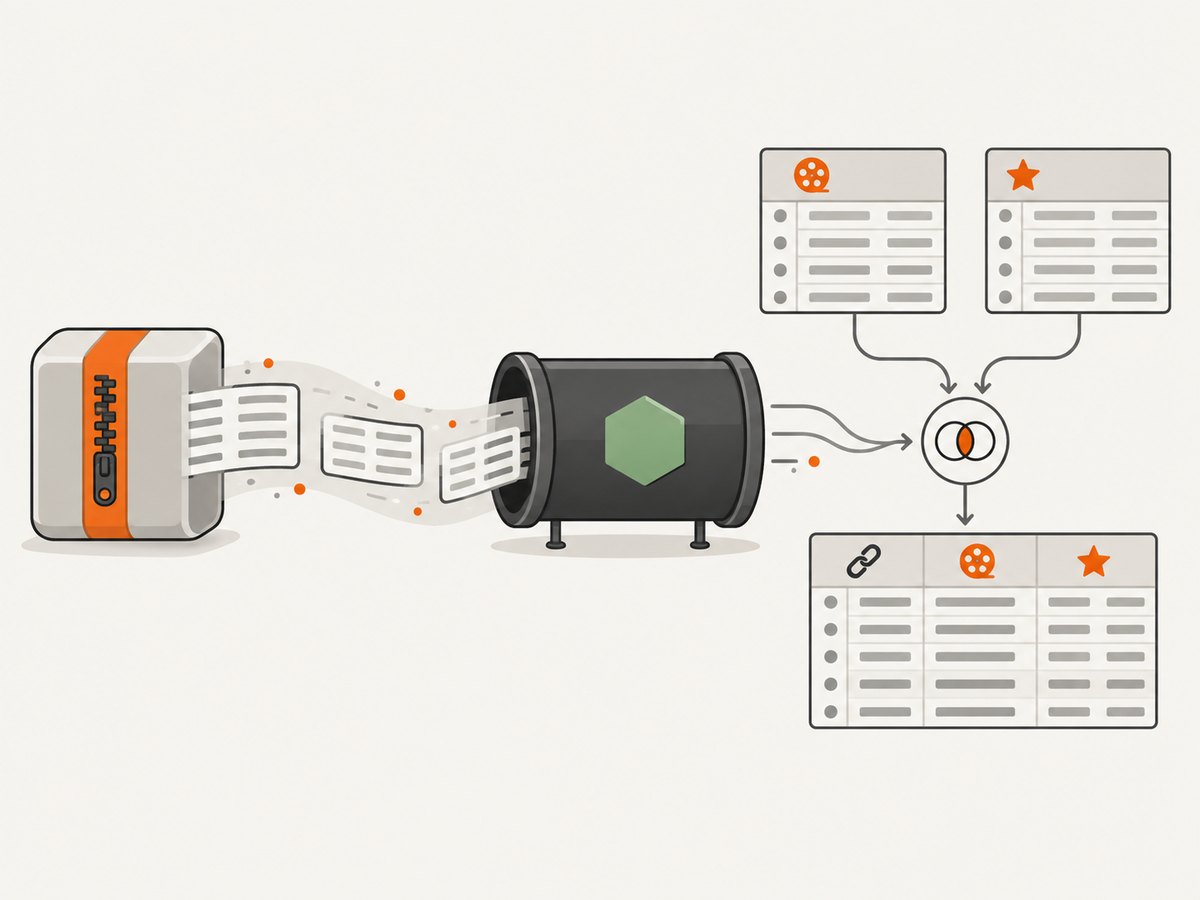
IMDb publishes gzipped UTF-8 TSV files for title basics, ratings, names, crew, principals, episodes and alternative titles. The title.basics table contains identifiers, type, titles, years, runtime and genres; title.ratings contains averageRating and numVotes. IMDb’s GraphQL API documentation describes a single endpoint, search and field selection through AWS Data Exchange.
2. Import official TSV data with a streaming Node.js pipeline
Install dependencies
mkdir imdb-import && cd imdb-import
npm init -y
npm install csv-parse
Download only the files you need. Keep the retrieval date or dataset revision beside your output because ratings are snapshots computed daily. The files use \N as the missing-value marker and tconst must remain a string.
curl -L https://datasets.imdbws.com/title.basics.tsv.gz -o title.basics.tsv.gz
curl -L https://datasets.imdbws.com/title.ratings.tsv.gz -o title.ratings.tsv.gz
Stream, normalize and join ratings to basics
import fs from 'node:fs';
import zlib from 'node:zlib';
import { parse } from 'csv-parse';

const NULL = '\\N';
const asNumber = (value, integer = false) => {
  if (value === NULL || value === '') return null;
  const n = integer ? Number.parseInt(value, 10) : Number.parseFloat(value);
  return Number.isFinite(n) ? n : null;
};

async function* rows(file) {
  const input = fs.createReadStream(file).pipe(zlib.createGunzip());
  const parser = input.pipe(parse({ columns: true, delimiter: '\\t' }));
  for await (const row of parser) yield row;
}

const ratings = new Map();
for await (const row of rows('title.ratings.tsv.gz')) {
  ratings.set(row.tconst, { averageRating: asNumber(row.averageRating), numVotes: asNumber(row.numVotes, true) });
}

const retrievedAt = new Date().toISOString();
const out = fs.createWriteStream('movies.ndjson');
for await (const row of rows('title.basics.tsv.gz')) {
  if (row.titleType !== 'movie') continue;
  const rating = ratings.get(row.tconst) ?? {};
  const movie = {
    tconst: row.tconst,
    titleType: row.titleType,
    primaryTitle: row.primaryTitle === NULL ? null : row.primaryTitle,
    originalTitle: row.originalTitle === NULL ? null : row.originalTitle,
    startYear: asNumber(row.startYear, true),
    endYear: asNumber(row.endYear, true),
    runtimeMinutes: asNumber(row.runtimeMinutes, true),
    genres: row.genres === NULL ? [] : row.genres.split(','),
    averageRating: rating.averageRating ?? null,
    numVotes: rating.numVotes ?? null,
    retrievedAt
  };
  out.write(JSON.stringify(movie) + '\\n');
}
out.end();
This keeps only the ratings map in memory and streams the larger basics file. For a full warehouse import, stream each table into a database keyed by tconst, then left-join optional title.crew, title.principals, title.akas, and name.basics. Preserve the original row or source file date for audits. Never turn a missing rating, year, runtime or genre into zero.
Validate movie records
function validateMovie(movie) {
  if (!/^tt\d+$/.test(movie.tconst)) throw new Error('Invalid IMDb identifier');
  if (movie.titleType !== 'movie') throw new Error('Record is not a movie');
  if (movie.averageRating !== null && (movie.averageRating < 0 || movie.averageRating > 10)) throw new Error('Rating outside IMDb range');
  if (movie.numVotes !== null && movie.numVotes < 0) throw new Error('Negative vote count');
}
3. Use the licensed IMDb GraphQL API for real-time data
The GraphQL product is accessed through AWS Data Exchange. Subscribe to the product, create AWS credentials with the permissions it documents, and keep them in environment variables or a secret manager. Request only fields your application needs. Pricing, rate limits, retention and redistribution rights come from the current subscription terms, so review those terms before shipping.
const controller = new AbortController();
const timer = setTimeout(() => controller.abort(), 10_000);
try {
  const response = await fetch(process.env.IMDB_GRAPHQL_ENDPOINT, {
    method: 'POST',
    headers: { 'content-type': 'application/json', authorization: `Bearer ${process.env.IMDB_API_TOKEN}` },
    body: JSON.stringify({
      query: `query FindTitle($id: ID!) { title(id: $id) { id titleText { text } ratingsSummary { aggregateRating voteCount } releaseYear { year } } }`,
      variables: { id: 'tt0111161' }
    }),
    signal: controller.signal
  });
  if (!response.ok) throw new Error(`IMDb API HTTP ${response.status}`);
  const payload = await response.json();
  if (payload.errors?.length) throw new Error(payload.errors.map(e => e.message).join('; '));
  console.log(payload.data.title);
} finally { clearTimeout(timer); }
Add bounded retries with exponential backoff for 429 and 5xx responses, a timeout via AbortController, structured logging without secrets, and a cache whose retention complies with your license.
4. Parse HTML only with permission
IMDb’s help guidance prohibits data mining, robots, screen scraping or similar extraction without express written consent. A selector that works today is not a supported contract. Use the official datasets or licensed API for production; demonstrate page extraction only when your authorization covers it.

Cheerio for server-rendered HTML
npm install cheerio

import * as cheerio from 'cheerio';
const response = await fetch('https://example-authorized-site.test/movie', { headers: { 'user-agent': 'YourCompanyDataTool/1.0 (contact@example.com)' } });
if (!response.ok) throw new Error(`HTTP ${response.status}`);
const $ = cheerio.load(await response.text());
const title = $('h1').first().text().trim() || null;
const rating = $('[data-testid="rating"]').attr('data-value') ?? null;
console.log({ title, rating });
Cheerio parses received HTML/XML and provides jQuery-like selectors; it does not execute JavaScript. Its fromURL helper follows up to five redirects, rejects non-2xx responses and accepts request options such as a descriptive user-agent. Prefer stable attributes or embedded structured data over brittle positional selectors.
Puppeteer for authorized client-rendered pages
npm install puppeteer

import puppeteer from 'puppeteer';
const browser = await puppeteer.launch({ headless: true });
try {
  const page = await browser.newPage();
  await page.setUserAgent('YourCompanyDataTool/1.0 (contact@example.com)');
  await page.goto('https://example-authorized-site.test/movie', { waitUntil: 'domcontentloaded', timeout: 30_000 });
  await page.waitForSelector('[data-testid="rating"]', { timeout: 10_000 });
  console.log(await page.evaluate(() => ({ title: document.querySelector('h1')?.textContent?.trim() ?? null, rating: document.querySelector('[data-testid="rating"]')?.textContent?.trim() ?? null })));
} finally { await browser.close(); }
Use explicit waits for a known selector, capture the final HTML or permitted network response, and throttle requests. Do not attempt to bypass CAPTCHAs, robots rules or access controls.
5. Reliability, performance and cost decisions
- Freshness: TSV imports are daily snapshots; store
retrieved_at. The licensed API is appropriate when current ratings or search are required. - Memory: stream gzip and TSV rows. For larger joins, use a database or external sort.
- Concurrency: cap API and browser workers, reuse connections, and back off on transient failures.
- Retries: retry network resets, 429 and 5xx with jitter; do not retry validation errors or authorization failures.
- Cost: dataset work trades download, storage and compute for predictable batches. API work is metered by subscription terms. Browser automation adds CPU, RAM and startup time.
- Auditability: retain source dates, API revision, URL, authorization basis, parser version and raw rows where permitted.
6. Troubleshooting checklist
| Symptom | Cause | Fix |
|---|---|---|
| Fields are shifted | TSV parsed with comma delimiter | Set delimiter: '\\t'. |
| Numbers become zero | \\N coerced before conversion |
Map it to null. |
| Ratings do not join | ID converted or whitespace added | Keep tconst as an exact string. |
| Cheerio finds nothing | Field injected by JavaScript | Use permitted structured data/API, or Puppeteer with an explicit wait. |
| Puppeteer times out | Slow page or missing selector | Set a realistic timeout, log the final URL and handle failure. |
| GraphQL returns errors with HTTP 200 | Errors are inside the payload | Check payload.errors before reading data. |
| 429 or 5xx responses | Rate or transient service limit | Bound concurrency and retry with exponential backoff. |
7. Or skip the browser setup
If your deliverable is a visual snapshot of an authorized page rather than structured IMDb fields, ScreenshotNeo provides a single screenshot request. Cookie banners, newsletter popups and chat widgets are removed before the shot; bot checks, blank pages and failed loads are never billed. Its MCP server lets Claude, Cursor and other MCP clients call take_screenshot, get_page_info and capture_pdf.
See the ScreenshotNeo API documentation for all options.
cURL
curl -G "https://api.screenshotneo.com/v1/shot" -d access_key=YOUR_API_KEY --data-urlencode url=https://stripe.com -o shot.webpPython
import requests
r = requests.get("https://api.screenshotneo.com/v1/shot", params={"access_key": "YOUR_API_KEY", "url": "https://stripe.com"}, timeout=90)
open("shot.webp", "wb").write(r.content)
Node.js
const q = new URLSearchParams({ access_key: 'YOUR_API_KEY', url: 'https://stripe.com' });
const res = await fetch(`https://api.screenshotneo.com/v1/shot?${q}`);
ScreenshotNeo supports full-page or CSS-element capture, dark mode, device presets, retina scale, custom CSS and JavaScript, waits, request blocking, headers, cookies, user agent, timezone, geolocation, resizing, caching, signed links, async webhooks and bulk capture. Responses identify page verdict and billing with X-Page-Verdict and X-Billed. Plans include 1,000 shots per month free with no card; paid plans start at $5 for 3,000. Create a free ScreenshotNeo account.
8. FAQ
Can I show IMDb ratings in a paid app?
Confirm the rights for your chosen source. The non-commercial datasets and licensed GraphQL API have different terms.
How often should I refresh ratings?
Refresh a TSV-derived store after each daily dataset update and record the retrieval date.
Should I use Cheerio or Puppeteer?
Use Cheerio when authorized fields are already in HTML. Use Puppeteer only when permitted content is created in the browser.
What is the safest join key?
Use IMDb’s alphanumeric tconst; never join on title text alone.


