How to Scrape ImmoScout24.ch Real Estate Property Data
Before collecting ImmoScout24.ch data, check whether you have permission. This guide covers lawful access, authorized data workflows, CSV export, privacy, and troubleshooting.

Direct answer: Do not start by writing a scraper. First determine whether you have permission to collect and reuse ImmoScout24.ch content. SMG Swiss Marketplace Group’s terms cover ImmoScout24 and restrict systematically selecting marketplace content, including by scraping, and copying, reproducing, publishing, or linking that content with other data. For systematic, commercial, or redistributed datasets, seek written permission or an appropriately licensed feed before making requests. Read the current SMG General Terms and Conditions; this guide is technical information, not legal advice.
If you are authorized, use the access method and fields covered by that authorization, record where each record came from, and export only what you need. ImmoScout24’s pages may expose data through internal mechanisms, but an observed internal JSON request is not by itself a documented public API, a stable integration contract, or permission to collect the data.
1. Decide whether collection and reuse are permitted
Permission is the first engineering decision because there are two separate questions: may your system collect the information, and may your project use it for its intended purpose? A request that technically succeeds does not answer either question. The SMG terms state that marketplace content is protected and specifically prohibit systematic selection such as scraping and reuse such as copying, publishing, reproducing, or combining the content with other data without the relevant rights.
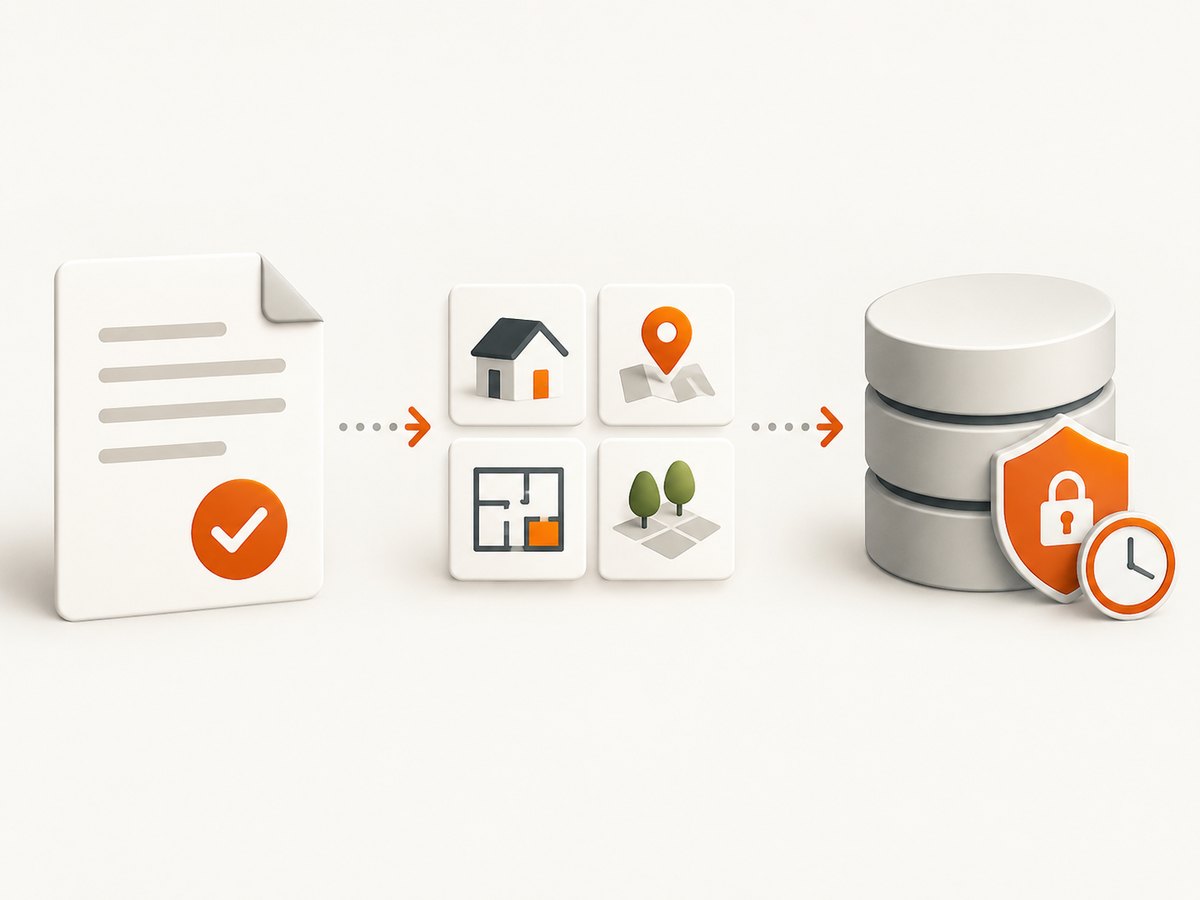
Before building a client, document the proposed purpose, geographic coverage, fields, refresh schedule, retention period, recipients, and whether you will display, enrich, combine, or redistribute the results. Ask SMG or the relevant rights-holder about an authorized feed or partnership if you need systematic access. Get the permission and scope in writing. Confirm whether it covers the intended downstream uses; access to a feed alone does not necessarily grant every reuse right.
| Question | What to establish before collection |
|---|---|
| Purpose | What decision or service will use the data, and why is each field needed? |
| Fields | Are advertised price, room count, floor area, and canton sufficient, or are identifying details being requested? |
| Rights | Does permission cover storage, copying, display, enrichment, combination, attribution, and onward sharing? |
| Operations | Which access method, request rate, quota, update frequency, and support process apply? |
| Privacy | How will you inform people, control access, handle requests, and delete records when required? |
Do not treat public visibility or the presence of a page as a grant of reuse rights. Nor should robots.txt be treated as a license. If the intended use is commercial, involves personal data, or is difficult to assess, have Swiss counsel review the planned collection and use.
2. Minimize personal data and plan privacy controls
A property listing can mix non-personal market attributes with information that identifies or relates to a person. Price, room count, floor area, and canton may be less identifying than a person’s name, phone number, email address, exact address, photographs, or free-text description. Context can make otherwise ordinary fields identifying too. Classify fields before collection and leave out contact details and free text unless the authorization and a documented purpose require them.
The FDPIC and co-signatory authorities explain that publicly accessible personal information remains subject to data-protection and privacy laws, and that organizations scraping such information remain responsible for compliance. Their statement also warns that mass scraping of personal information can constitute a reportable data breach in many jurisdictions. These are general risk statements, not a ruling on a particular project. See the FDPIC page on the joint data-scraping statement.
When personal data is collected, the FDPIC says controllers generally must inform data subjects in advance, including where information is collected indirectly; exceptions exist but should not be assumed. Document the lawful basis, purpose, notice, retention, recipients, and process for access, correction, or deletion requests. See the FDPIC’s duty-to-provide-information guidance.
If a cloud scraper, proxy, hosting company, or storage vendor processes the dataset, the controller remains responsible for selecting, instructing, and monitoring that processor. Put confidentiality, security, processing locations, deletion or return, and incident handling into the relevant contracts. Apply access controls, encryption, short retention periods, and a deletion mechanism to the data you do retain.
3. Choose an authorized access method
For a small internal prototype, a permissioned page client might be sufficient if the authorization expressly permits it and identifies an acceptable rate and scope. For bulk or commercial work, ask about an official feed or partnership first. Compare the options on rights and operations, not just whether one returns more fields.
| Factor | Questions for the provider or rights-holder |
|---|---|
| Contractual rights | May you copy, retain, display, enrich, combine, attribute, or redistribute the fields? |
| Coverage | Which regions, listing types, and fields are included? Are changes documented? |
| Freshness | How often are records updated, and how are removals and corrections delivered? |
| Quota and stability | What request rates, quotas, versioning, and support commitments apply? |
| Privacy | Can the access method omit personal fields and support deletion or correction? |
| Total cost | What are the fees, engineering costs, and ongoing compliance and maintenance costs? |
A feed that is technically stable may still lack the rights your product needs. Conversely, a page client does not become acceptable merely because it can retrieve a page. Keep permission records with your project’s operational documentation.
4. Build a small client only after authorization
The following examples show the shape of a client for an authorized feed. They deliberately use a placeholder URL and field names: the research does not establish a public ImmoScout24 API endpoint, schema, authentication method, or quota. Replace these placeholders only with values supplied by your authorized provider. Do not copy undocumented internal endpoints or try to bypass CAPTCHA, access controls, or other technical barriers.
Python: fetch an authorized JSON feed and write CSV
Install the dependency with python -m pip install requests. Set AUTHORIZED_FEED_URL and, if the provider requires it, AUTHORIZED_FEED_TOKEN using the provider’s instructions. The example expects a JSON array of objects with the four illustrative fields shown. Adapt the parser to the documented schema.
import csv
import os
import sys
import time
from datetime import datetime, timezone

import requests

feed_url = os.environ.get("AUTHORIZED_FEED_URL")
if not feed_url:
    sys.exit("Set AUTHORIZED_FEED_URL to the endpoint in your agreement.")

token = os.environ.get("AUTHORIZED_FEED_TOKEN")
headers = {"Accept": "application/json"}
if token:
    headers["Authorization"] = f"Bearer {token}"

# Use only a rate and retry policy permitted by the provider.
max_attempts = 3
for attempt in range(max_attempts):
    try:
        response = requests.get(feed_url, headers=headers, timeout=(5, 30))
        response.raise_for_status()
        payload = response.json()
        break
    except (requests.Timeout, requests.ConnectionError) as exc:
        if attempt == max_attempts - 1:
            raise SystemExit(f"Feed request failed: {exc}")
        time.sleep(2 ** attempt)
    except requests.HTTPError as exc:
        # Do not retry authorization errors or blindly retry quota responses.
        raise SystemExit(f"Feed returned HTTP error: {exc}")

if not isinstance(payload, list):
    raise SystemExit("Expected a JSON array; check the provider's documented schema.")

retrieved_at = datetime.now(timezone.utc).isoformat()
fields = ["listing_id", "price", "rooms", "floor_area", "canton"]
with open("properties.csv", "w", newline="", encoding="utf-8") as output:
    writer = csv.DictWriter(output, fieldnames=fields + ["source", "retrieved_at"])
    writer.writeheader()
    for item in payload:
        # Keep the record minimal; add fields only when licensed and needed.
        row = {key: item.get(key, "") for key in fields}
        row["source"] = item.get("source_url", "authorized-feed")
        row["retrieved_at"] = retrieved_at
        writer.writerow(row)
This example records a retrieval time and provenance label. If your agreement supplies a stable record ID or source URL, preserve it so you can identify a record for correction or removal. Avoid logging access tokens or response bodies that may contain unnecessary personal information.
cURL: inspect one authorized response
Use the provider’s documented endpoint and credentials. This example writes the response to a file rather than printing potentially sensitive records into a terminal log.
curl --fail --silent --show-error \
  --header "Accept: application/json" \
  --header "Authorization: Bearer $AUTHORIZED_FEED_TOKEN" \
  "$AUTHORIZED_FEED_URL" \
  --output response.json
If your provider uses a different authentication scheme, follow its documentation. Avoid placing secrets directly in source code or shell history. Secure the downloaded file and remove it according to your retention policy.
Node.js: fetch and export a minimal CSV
This runnable example uses Node.js built-in modules. It assumes the authorized feed returns a JSON array with the illustrative field names above. It uses no external packages.
const fs = require('node:fs/promises');

async function main() {
  const endpoint = process.env.AUTHORIZED_FEED_URL;
  if (!endpoint) throw new Error('Set AUTHORIZED_FEED_URL from your provider agreement.');

  const headers = { Accept: 'application/json' };
  if (process.env.AUTHORIZED_FEED_TOKEN) {
    headers.Authorization = `Bearer ${process.env.AUTHORIZED_FEED_TOKEN}`;
  }

  const response = await fetch(endpoint, { headers, signal: AbortSignal.timeout(30000) });
  if (!response.ok) {
    throw new Error(`Feed returned HTTP ${response.status}; check authorization and quota.`);
  }
  const records = await response.json();
  if (!Array.isArray(records)) throw new Error('Expected a JSON array per provider schema.');

  const columns = ['listing_id', 'price', 'rooms', 'floor_area', 'canton'];
  const escapeCell = value => `"${String(value ?? '').replaceAll('"', '""')}"`;
  const lines = [columns.join(',')];
  for (const record of records) {
    lines.push(columns.map(key => escapeCell(record[key])).join(','));
  }
  await fs.writeFile('properties.csv', lines.join('\n') + '\n', 'utf8');
}

main().catch(error => {
  console.error(error.message);
  process.exitCode = 1;
});
Export and validate the CSV
- Confirm each output column is authorized and necessary.
- Keep an immutable source identifier or permitted source reference and a UTC retrieval timestamp.
- Validate the file against a small, permissioned fixture before processing a full feed.
- Check encoding, quoting, empty values, decimal conventions, and date parsing in the system that will consume the file.
- Apply retention and deletion rules to both the CSV and temporary response files.
5. Make authorized collection reliable
Even with a documented feed, assume fields can be missing and schemas can change. Validate types and required identifiers at the boundary. Track schema failures and alert on them rather than increasing request volume. Keep parser versions with the records or job metadata so you can explain how a value was extracted.
- Rate limiting: Use only the rate specified by the agreement or provider documentation. A queue with a configurable delay is easier to control than many parallel workers.
- Retries: Retry transient timeouts and connection failures with a small capped exponential delay. Do not repeatedly retry 401 or 403 responses. Treat 429 or quota responses according to the provider’s instructions.
- Caching: Cache responses when the license and freshness requirements allow it. Caching reduces duplicate requests but does not extend your reuse rights or retention permission.
- Stop switch: Make it possible to pause all jobs quickly if permission changes, the feed behaves unexpectedly, or a privacy issue is reported.
- Provenance: Store permitted source IDs, retrieval time, locale, and parser version. Keep access to this metadata limited and define how corrections and deletions propagate.
- Fixtures: Test parser changes against saved, permissioned examples. Do not use production traffic to discover undocumented fields.
6. Troubleshooting common failures
| Symptom | Likely cause | Safe next step |
|---|---|---|
| 401 or 403 | Credential is absent, invalid, expired, or lacks the required scope. | Check the authorized provider’s credential instructions and account status. Do not rotate through accounts or attempt to evade access controls. |
| 429 or quota response | The client exceeded its permitted rate or quota. | Pause requests and follow the provider’s documented retry or quota process. Reduce concurrency within the permitted limit. |
| CAPTCHA or access challenge on a page | The site’s controls are refusing automated access. | Stop the page client. Do not bypass the challenge. Seek an authorized feed or written permission for an approved method. |
| Blank or incomplete page | Client-side rendering, a loading failure, or an access restriction may be involved. | Do not infer that a missing value is empty in the source. Use the documented feed, inspect permitted diagnostics, and contact the provider. |
| JSON parse error | The response is HTML, an error document, or a changed schema rather than the expected JSON. | Check status and content type before parsing. Avoid storing or logging the entire body if it might contain personal data. |
| CSV columns shift or quote incorrectly | Fields contain commas, quotes, line breaks, or inconsistent types. | Use a CSV library, quote cells correctly, and test with values containing delimiters and newlines. |
| Records disappear or duplicate | Listings can change, expire, or arrive more than once; the provider’s ID may not have been used consistently. | Use a stable authorized identifier, make imports idempotent, and process provider corrections and removals. |
| A cloud job stores data longer than expected | Temporary artifacts, backups, logs, or processor retention are outside the main database policy. | Inventory all copies and processors. Align contracts, retention settings, backups, and deletion procedures. |
7. Performance, reliability, and cost
Measure the total workflow rather than request speed alone: authorized feed latency, parsing time, validation failures, CSV or database writes, and the work needed to respond to corrections. A higher request rate is not an optimization if it violates an agreed limit or creates more data than the project needs.
For reliability, favor documented fields and versioning, bounded retries, idempotent imports, and alerts for schema changes. Keep bulk work resumable so a temporary outage does not require re-fetching all records. Set a retention period before the first production run and include backups, logs, and temporary files in that decision.
Budget for the feed or partnership if applicable, engineering and maintenance, secure storage, privacy operations, and legal review. Pricing and availability of ImmoScout24 data access are not established here; ask SMG directly. An unofficial client can appear inexpensive at first but become costly to maintain and may be unsuitable for your rights or privacy obligations.
8. Capture a listing for visual review
A screenshot can help a team review how a permitted listing page appeared at a particular time. It is not a substitute for an authorized data feed, does not grant permission to collect or reuse listing content, and can still contain personal information. Limit access and retention for screenshots just as you would for other records.
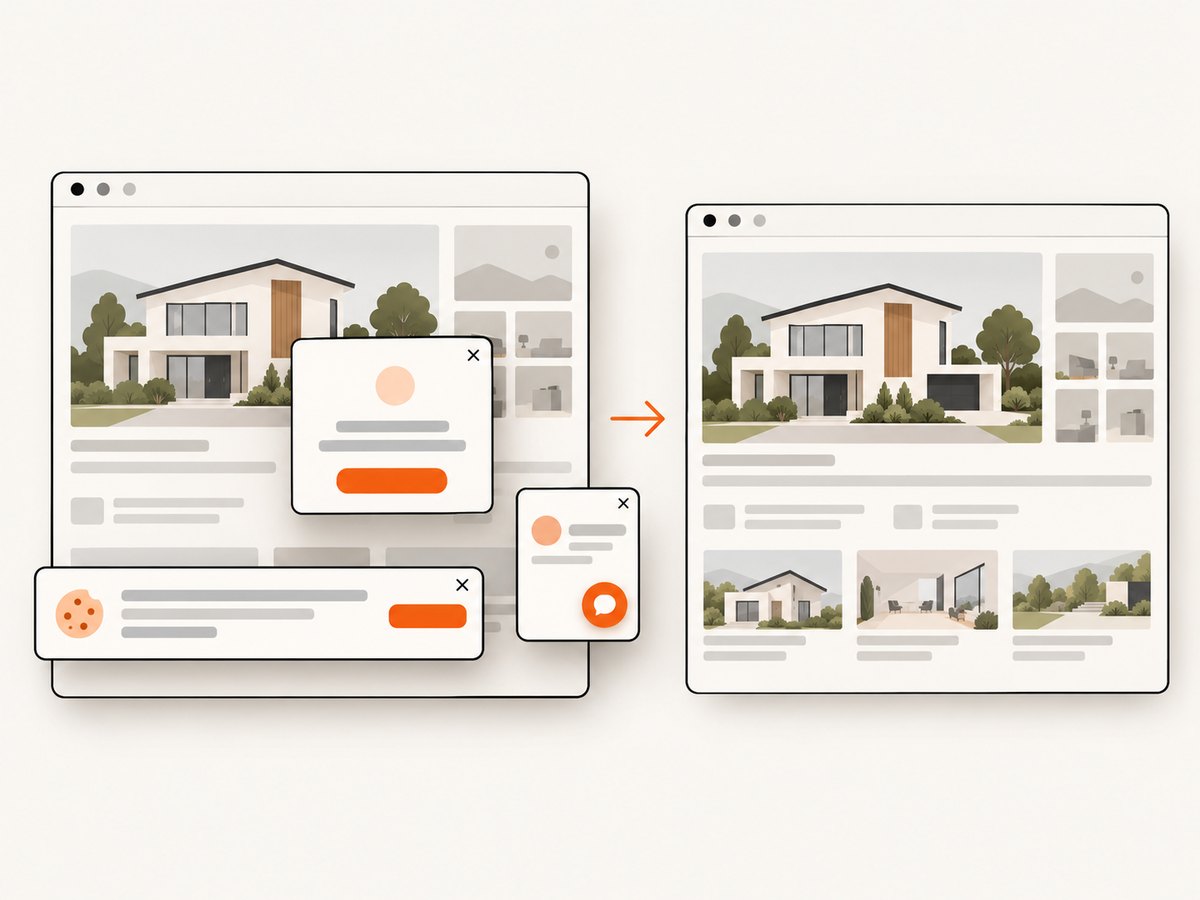
ScreenshotNeo is a website screenshot API and MCP server from Yorker Media. If your task is visual review rather than structured property-data collection, its API can return a page capture as an image or PDF. See the ScreenshotNeo API documentation for request options and configuration.
Or skip the browser setup
For a permitted visual capture, one GET request returns the screenshot. This captures the page visually; it does not extract listing fields or authorize their reuse.
curl -G "https://api.screenshotneo.com/v1/shot" \
  -d access_key=YOUR_API_KEY \
  --data-urlencode url=https://www.immoscout24.ch/ \
  -o shot.webp
import requests
r = requests.get(
"https://api.screenshotneo.com/v1/shot",
params={"access_key": "YOUR_API_KEY", "url": "https://www.immoscout24.ch/"},
timeout=90,
)
open("shot.webp", "wb").write(r.content)const q = new URLSearchParams({
access_key: 'YOUR_API_KEY',
url: 'https://www.immoscout24.ch/'
});
const res = await fetch(`https://api.screenshotneo.com/v1/shot?${q}`);
if (!res.ok) throw new Error(`Screenshot request failed: ${res.status}`);
await require('node:fs/promises').writeFile('shot.webp', Buffer.from(await res.arrayBuffer()));ScreenshotNeo removes known cookie and consent banners, newsletter popups, and chat widgets before a capture, and each step can be turned off. Bot checks, blank pages, timeouts, failed loads, and cache hits are not billed; response headers identify the page verdict and billing status. It also offers an MCP server for AI agents, with tools for screenshots, page information, and PDF capture. The free plan includes 1,000 screenshots a month with no card; paid plans start at $5 for 3,000. A screenshot remains subject to the target site’s terms and your own privacy obligations.
Sign up for ScreenshotNeo’s free plan for 1,000 screenshots a month with no card.
9. Frequently asked questions
Is there an ImmoScout24.ch API?
This guide does not establish a public, stable API for third-party listing collection. Internal requests observed in a browser are not equivalent to a documented public API. Ask SMG about authorized access and use only documented endpoints covered by your permission.
Can I scrape listings because they are publicly visible?
Public visibility alone does not establish permission to systematically collect, copy, or reuse marketplace content. Check the current SMG terms and obtain authorization for the proposed scope.
Can I export ImmoScout24 data to CSV?
Yes, technically, from a dataset or feed you are authorized to process. Define permitted fields, preserve provenance, quote CSV values correctly, and apply privacy and retention controls.
Should I use a managed scraper or proxy?
A service provider does not override the site’s terms or make an unauthorized collection permissible. If a vendor processes personal data, account for controller and processor responsibilities, contracts, security, and deletion.
What should I do if a CAPTCHA appears?
Stop the automated page request and use an authorized route. Do not attempt to defeat CAPTCHA or other access controls.
Before you ship
- Read the current SMG terms and obtain written authorization for systematic collection and intended reuse.
- Use a documented feed or approved endpoint; do not rely on undocumented internal requests.
- Collect the minimum fields, and document privacy notice, retention, security, and deletion handling.
- Respect authorized rates, stop on access challenges, and monitor schema changes.
- Validate CSV output and preserve permitted provenance for correction and removal workflows.
The safest implementation is the one whose data source, fields, request behavior, and downstream uses all fit the permission you actually have. For market data, begin with SMG’s authorized access options; use screenshot capture only when a visual record is the task.


