How to Scrape Infinite Scroll, Load More, and Paginated Pages
Learn reliable Playwright patterns for scraping infinite scroll, Load more buttons, numbered pagination, mixed pages, and common failures.
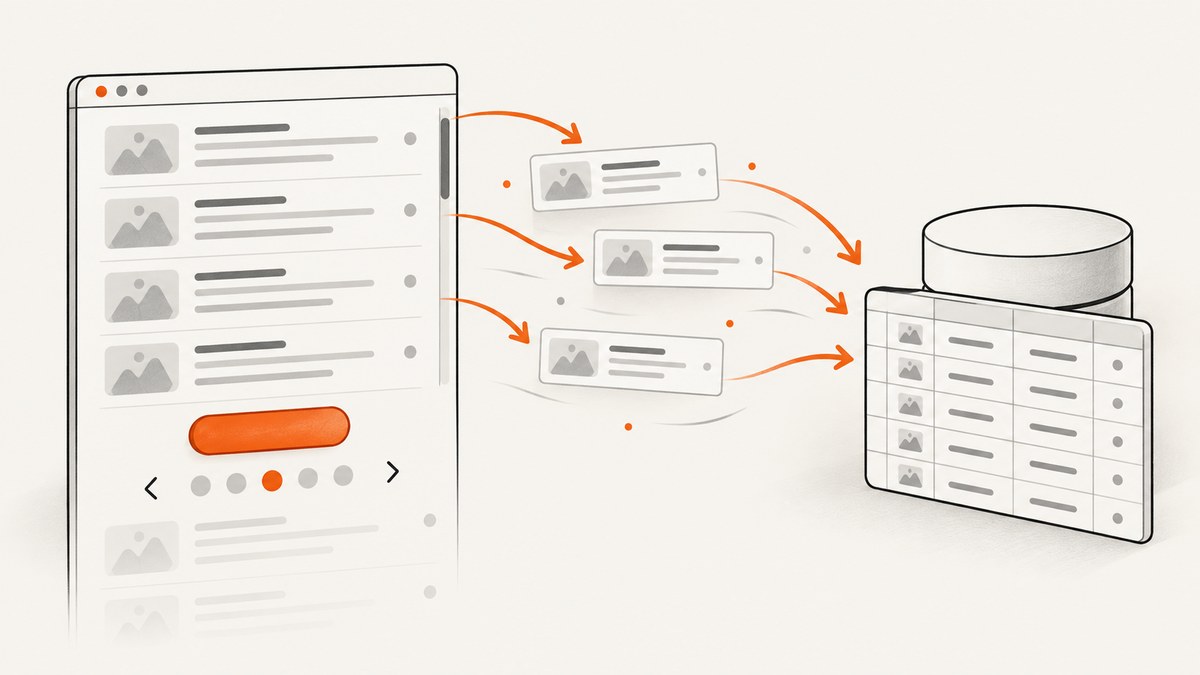
Scraping a list that does not show every record at once requires you to reproduce the page’s continuation mechanism. Numbered pagination changes the URL or navigates to another page. A Load more control appends records after a click. Infinite scroll loads another batch when the list or its scroll container approaches the end. The reliable approach is to identify that mechanism, trigger it deliberately, verify that new records appeared, and stop when progress ends.
This guide shows how to scrape all three patterns with Playwright and Python, including mixed pages, validation, retries, browser setup, troubleshooting, performance, and cost considerations. It also explains when a page’s interface is unsuitable for search crawling.
Choose the right traversal pattern
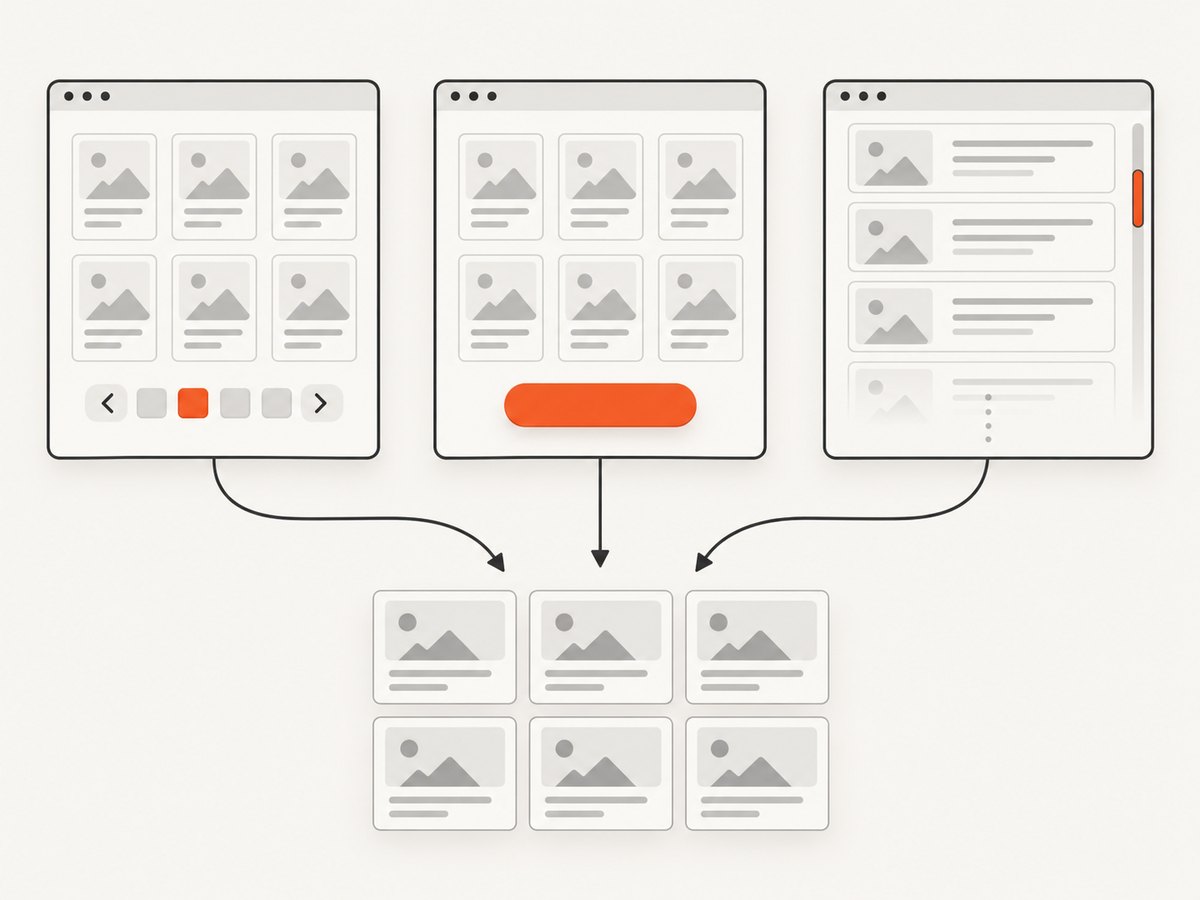
| Pattern | What changes | How to detect completion |
|---|---|---|
| Numbered pagination | A link or Next control navigates to a separate URL or document. | No next link, disabled control, repeated URL, or no new records. |
| Load more | A button appends another batch while the current page remains open. | The button disappears, becomes disabled, or a click adds no records. |
| Infinite scroll | Scrolling near the end triggers another request and appends records. | Record count stops increasing after a bounded number of scroll attempts. |
| Mixed | Each numbered page also needs scrolling or a Load more action. | Finish the inner list before moving to the next page. |
Do not substitute one behavior for another. Repeated scrolling cannot replace numbered navigation, and clicking a button is not the same as waiting for an infinite list. First inspect the HTML and network behavior to find the actual continuation control.
Set up a dependable Playwright scraper
Install Playwright and its browser binaries:
python -m pip install playwright
python -m playwright install chromium
The following helper extracts records from article cards. Replace .card and its child selectors with selectors from the target site.
from playwright.sync_api import sync_playwright

URL = "https://example.com/catalog"
CARD = ".card"

def records(page):
    return page.locator(CARD).evaluate_all("""
      cards => cards.map(card => ({
        title: card.querySelector('.title')?.textContent?.trim() || '',
        href: card.querySelector('a')?.href || '',
        text: card.textContent.trim()
      }))
    """)

with sync_playwright() as p:
    browser = p.chromium.launch(headless=True)
    page = browser.new_page()
    page.goto(URL, wait_until="domcontentloaded", timeout=90000)
    page.wait_for_selector(CARD, timeout=30000)
    print(records(page))
    browser.close()
Use a bounded timeout and wait for a meaningful selector instead of sleeping for an arbitrary number of seconds. A delay can supplement a wait when the site renders after an asynchronous animation, but it should not be your only completion signal.
Scrape infinite scroll lists
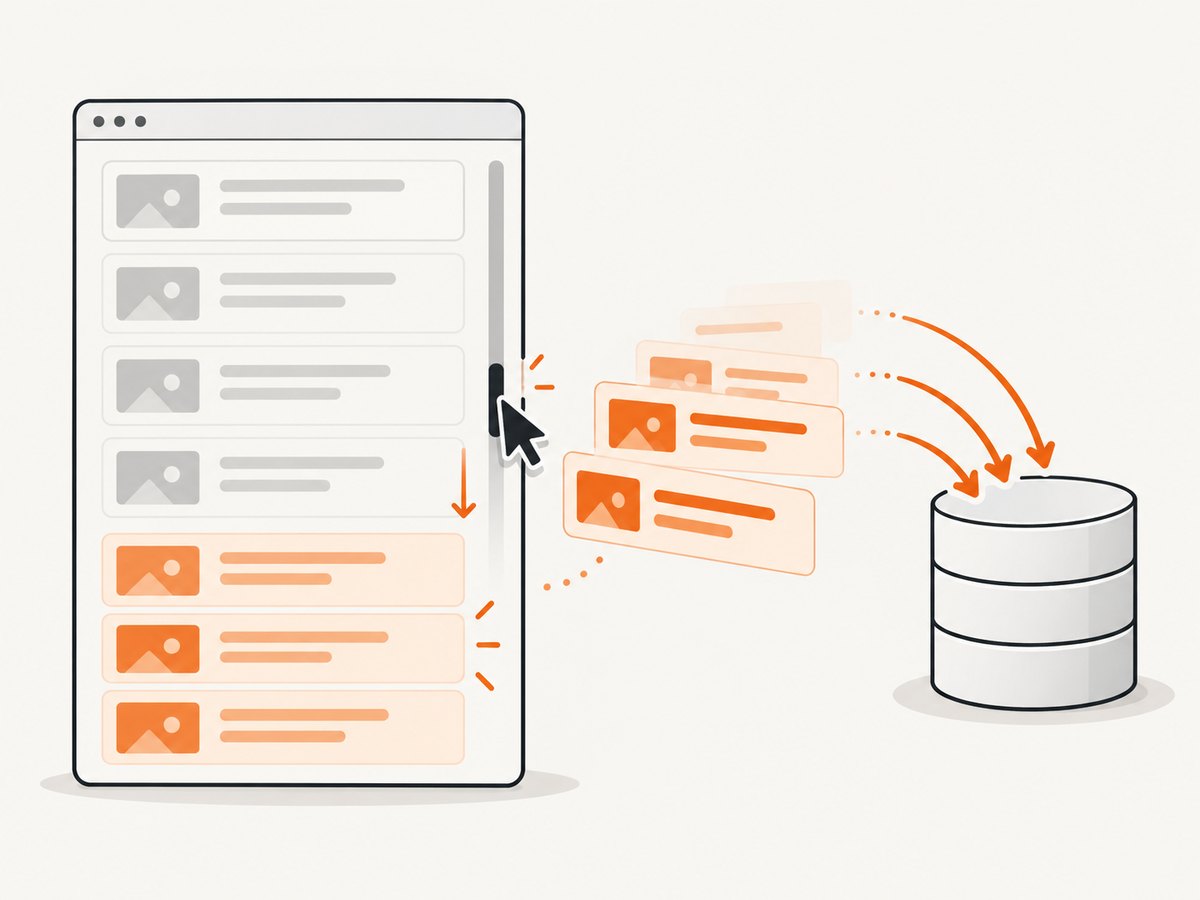
Infinite lists often use a scrollable container rather than the window. Scroll the element that owns the list and measure progress after every action. Playwright documents scrolling an element into view as a way to force additional content in an infinite list (Playwright scrolling documentation).
from playwright.sync_api import sync_playwright, TimeoutError as PlaywrightTimeoutError

URL = "https://example.com/infinite"
CARD = ".card"
CONTAINER = ".results"
MAX_ROUNDS = 200

with sync_playwright() as p:
    browser = p.chromium.launch(headless=True)
    page = browser.new_page(viewport={"width": 1440, "height": 900})
    page.goto(URL, wait_until="domcontentloaded", timeout=90000)
    page.wait_for_selector(CARD, timeout=30000)

    seen = {}
    stagnant = 0
    for round_no in range(MAX_ROUNDS):
        cards = page.locator(CARD)
        before = cards.count()
        for i in range(before):
            item = cards.nth(i)
            href = item.locator("a").first.get_attribute("href") or f"row-{i}"
            seen[href] = item.inner_text().strip()

        page.locator(CONTAINER).last.scroll_into_view_if_needed()
        try:
            page.wait_for_function(
                "([sel, old]) => document.querySelectorAll(sel).length > old",
                [CARD, before], timeout=10000
            )
            stagnant = 0
        except PlaywrightTimeoutError:
            after = cards.count()
            stagnant = stagnant + 1 if after <= before else 0

        after = cards.count()
        if after <= before:
            stagnant += 1
        if stagnant >= 2:
            break

    print(f"Collected {len(seen)} unique records")
    browser.close()
The two-stagnant-round rule prevents a transient network delay from ending the crawl immediately while still giving the scraper a finite stopping point. Some sites expose a sentinel element or a “no more results” message; prefer that explicit signal when available.
When the window, not a container, scrolls
If the list has no scrollable element, scroll the last record or the document:
last = page.locator(CARD).last
last.scroll_into_view_if_needed()
page.wait_for_timeout(500)
For a virtualized list, old rows may be removed from the DOM as new rows appear. In that case, extract each batch before scrolling again and deduplicate by a stable ID or canonical URL. Counting DOM nodes alone is not enough.
Click a Load more button safely
A Load more scraper must verify that a click appended records. Wait for the count to increase, then loop until the button is absent, disabled, hidden, or no longer productive.
from playwright.sync_api import sync_playwright, TimeoutError as PlaywrightTimeoutError

URL = "https://example.com/products"
CARD = ".product-card"
BUTTON = "button:has-text('Load more')"

with sync_playwright() as p:
    browser = p.chromium.launch(headless=True)
    page = browser.new_page()
    page.goto(URL, wait_until="domcontentloaded", timeout=90000)
    page.wait_for_selector(CARD, timeout=30000)

    for attempt in range(100):
        button = page.locator(BUTTON).first
        if await button.count() == 0 or not button.is_visible() or await button.is_disabled():
            break
        before = page.locator(CARD).count()
        await button.click()
        try:
            page.wait_for_function(
                "([sel, old]) => document.querySelectorAll(sel).length > old",
                [CARD, before], timeout=15000
            )
        except PlaywrightTimeoutError:
            after = page.locator(CARD).count()
            if after <= before:
                break

    data = page.locator(CARD).evaluate_all("cards => cards.map(c => c.innerText.trim())")
    print(len(data))
    browser.close()
Some controls are links styled as buttons, and some replace themselves after each click. Re-query the locator inside the loop rather than retaining a stale element handle. If the button triggers a request but the DOM count does not change, wait for a known response or a new batch marker.
Traverse numbered pagination
Pagination is usually the most deterministic pattern because each page has a continuation URL. Collect the current page, discover the next link, and stop when the link is missing or repeats a URL.
from urllib.parse import urljoin
from playwright.sync_api import sync_playwright

START = "https://example.com/search?page=1"
CARD = ".result"
NEXT = "a[rel='next'], a:has-text('Next')"

with sync_playwright() as p:
    browser = p.chromium.launch(headless=True)
    page = browser.new_page()
    url = START
    visited = set()
    all_rows = []

    while url and url not in visited and len(visited) < 10000:
        visited.add(url)
        page.goto(url, wait_until="domcontentloaded", timeout=90000)
        page.wait_for_selector(CARD, timeout=30000)
        all_rows.extend(page.locator(CARD).evaluate_all(
            "rows => rows.map(r => ({text: r.innerText.trim(), href: r.querySelector('a')?.href || ''}))"
        ))
        link = page.locator(NEXT).first
        if await link.count() == 0 or not await link.is_visible() or await link.is_disabled():
            break
        href = await link.get_attribute("href")
        url = urljoin(page.url, href) if href else None

    print(f"Pages: {len(visited)}, rows: {len(all_rows)}")
    browser.close()
Preview several discovered URLs before running at scale. Confirm that page two is genuinely different, that query parameters are preserved, and that the “Next” selector does not point to a recommendation or unrelated navigation link.
Handle mixed pagination and scrolling
Some catalogs paginate by URL but lazy-load the records within every page. Use an outer page loop and an inner scrolling routine. Reset the page state after navigation, extract each newly visible batch, then follow the next link. Deduplicate records because a boundary item can occasionally appear twice.
- Navigate to the numbered page.
- Scroll its list until the count stops increasing.
- Extract and deduplicate records using an ID or canonical URL.
- Follow the next page link and repeat.
Validation and edge cases
- Empty first page: distinguish “no results” from a failed load by checking the response status, an error banner, and the expected container.
- Duplicate rows: use a stable key such as an item ID or normalized URL; never rely only on position.
- Lazy images: scroll images into view before reading their
src; inspectdata-srcandsrcsetwhen applicable. - Virtualization: persist each batch immediately because earlier DOM nodes may disappear.
- Filters and sorting: include filter state in your deduplication key and verify it survives pagination.
- Rate limits: add bounded delays, reuse one browser context, and avoid opening a new browser for every page.
- Login or consent: create a context with the required cookies or authenticate once before traversal.
- CAPTCHA or bot checks: stop and handle the challenge according to the site’s terms; do not assume an empty result means the list ended.
Troubleshooting common failures
| Symptom | Likely cause | Fix |
|---|---|---|
| Only the first batch is saved | The script scrolls the window while the list uses a container. | Scroll the list element or its last record. |
| Timeout after clicking | The button was replaced, the response failed, or the selector is wrong. | Re-query the button, inspect the console/network log, and wait for a count or response change. |
| Infinite loop | Next points to the same URL or the site repeats records. | Track visited URLs, enforce a maximum page count, and deduplicate IDs. |
| Rows are incomplete | Extraction ran before rendering finished. | Wait for a row selector, a specific field, or a network-idle condition; avoid a fixed sleep alone. |
| Works headed but not headless | Timing, viewport, or bot detection differs. | Set a realistic viewport, add explicit waits, and compare browser logs without bypassing access controls. |
| Search engines miss later content | Important pages require a click or scroll. | Expose sequential crawlable links with unique URLs. |
Performance, reliability, and cost
Keep one browser process and reuse a context where possible. Extract incrementally so a late failure does not discard earlier pages. Checkpoint results after each page or batch, record the source URL, and retain a crawl timestamp. Limit concurrency until you understand the site’s rate limits and server behavior. A smaller number of reliable requests is usually easier to resume than many uncontrolled parallel tabs.
For large jobs, separate discovery from extraction: first collect page URLs or continuation tokens, then process those units with a bounded worker pool. Use retries only for transient navigation and response failures, with a maximum attempt count and backoff. Treat an explicit block page, CAPTCHA, or repeated empty response as a state requiring review rather than a successful end condition.
Search crawling implications for site owners
Google generally discovers pages through URLs in anchor href attributes. It does not click buttons and generally does not trigger JavaScript actions that require user interaction to change the page. For paginated content, Google Search Central recommends sequential links to subsequent pages and a unique URL for each page (Google crawlable links guidance). A Load more or infinite-scroll interface should not be the only route to important pages.
Or skip the browser setup
If your goal is a clean visual capture of each discovered URL rather than extracting every text field, ScreenshotNeo provides a single GET request. It accepts the cookie or consent banner like a visitor and removes more than 60 known consent platforms, newsletter popups, and chat widgets before capture; each step can be turned off. Bot checks, blank pages, timeouts, failed loads, and cache hits are not billed, and the response identifies the result with X-Page-Verdict and X-Billed headers.
See the complete option list in the ScreenshotNeo documentation. The endpoint supports PNG, JPEG, WebP, and PDF output, full-page lazy-image loading, CSS-selector element capture, dark mode, device presets or custom viewports, retina scale, custom CSS and JavaScript, clicks, waits, blocked resources, headers, cookies, user agents, authorization, timezone, geolocation, transparent backgrounds, resizing, TTL caching, signed links, asynchronous jobs with signed webhooks, bulk capture for up to 100 URLs per call, usage information, and an OpenAPI specification.
curl -G "https://api.screenshotneo.com/v1/shot" -d access_key=YOUR_API_KEY --data-urlencode url=https://stripe.com -o shot.webpimport requests
r = requests.get("https://api.screenshotneo.com/v1/shot", params={"access_key": "YOUR_API_KEY", "url": "https://stripe.com"}, timeout=90)
open("shot.webp", "wb").write(r.content)const q = new URLSearchParams({ access_key: 'YOUR_API_KEY', url: 'https://stripe.com' });
const res = await fetch(`https://api.screenshotneo.com/v1/shot?${q}`);ScreenshotNeo also includes an MCP server with take_screenshot, get_page_info, and capture_pdf tools for Claude, Cursor, and other MCP clients. The Free plan includes 1,000 screenshots each month with no card; paid plans start at $5 for 3,000 shots. Create a free ScreenshotNeo account.
FAQ
How do I know an infinite list is finished?
Prefer an explicit end marker. Otherwise stop after the record count fails to increase for a bounded number of attempts, and validate that no loading or error state remains.
Should I scrape the API behind the page?
If the page’s own requests expose a documented, authorized endpoint, it can be more efficient than browser automation. Respect authentication, terms, rate limits, and access controls.
Why are my records duplicated?
Pagination boundaries, retries, and virtualized lists can repeat items. Deduplicate with a stable ID or normalized canonical URL.
Can I combine scrolling and pagination?
Yes. Complete the scrolling routine on each numbered page, then follow its continuation link and reset the per-page state.


