How to Scrape Infinite-Scroll Websites With Puppeteer
Build a bounded Puppeteer scraper that scrolls the right container, waits for new records, deduplicates results, and stops reliably.
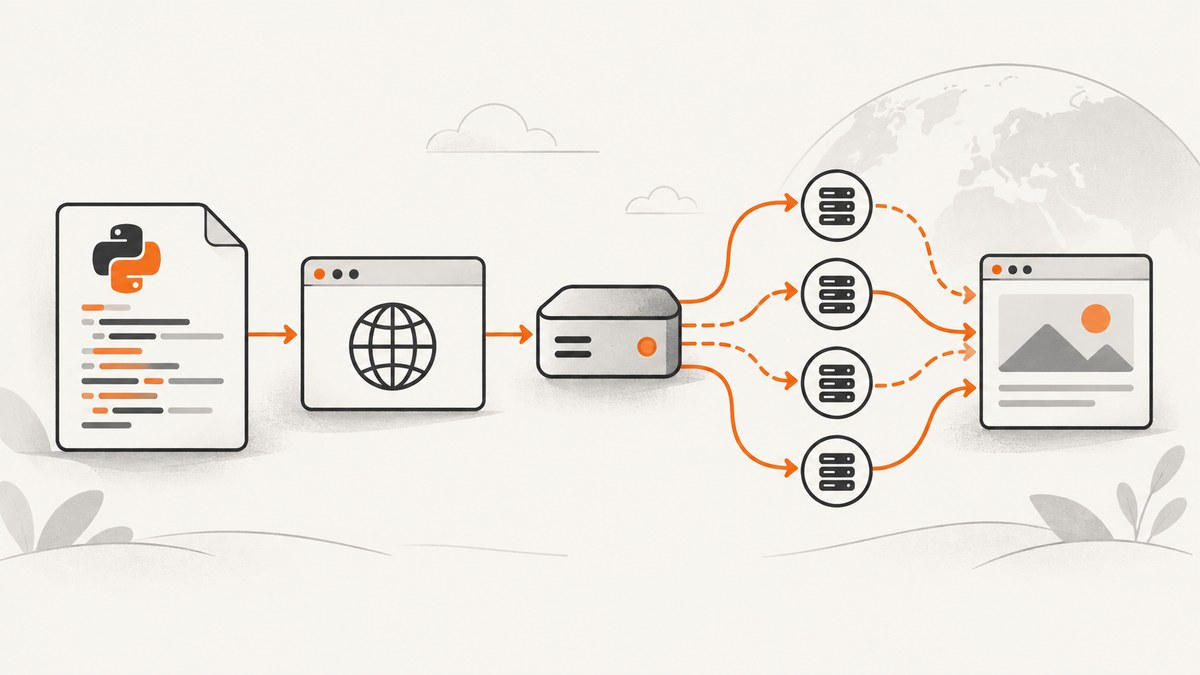
To scrape an infinite-scroll website with Puppeteer, repeatedly scroll the element that actually loads more content, wait for an observable change, extract the records currently rendered in the DOM, deduplicate them, and stop using an explicit end condition or safety bound. A fixed delay alone is unreliable because feeds load asynchronously and may use an inner scrolling container instead of the document.
This guide builds a complete JavaScript implementation. It covers document scrolling, inner feed containers, selector, function, request, response and network-idle waits, duplicate handling, end markers, lazy loading, retries, performance, and failure diagnosis.
1. How infinite-scroll scraping works
An infinite feed is an interaction loop rather than a special HTML format:
- Open the page and wait for its initial records.
- Measure a baseline, such as the current number of cards or the last card’s ID.
- Scroll the document or feed container that owns the scroll position.
- Wait for evidence that this action caused a change.
- Extract all rendered records and merge them into a map keyed by a stable ID.
- Stop when the site exposes an end marker, no new records arrive after a deliberate number of attempts, or a maximum scroll/time limit is reached.
Puppeteer provides the primitives for each step. Page methods include evaluate, waitForSelector, waitForFunction, waitForRequest, waitForResponse and network-idle waiting. page.$$eval() runs a function against every element matching a selector and waits for a returned promise when necessary (API reference).
2. Install Puppeteer and choose selectors
mkdir infinite-scroll-scraper
cd infinite-scroll-scraper
npm init -y
npm install puppeteer
Before writing the loop, inspect the target page in DevTools:
- Feed item selector: a selector matching one record, such as
article[data-id]. - Stable key: an ID attribute, canonical link, or URL inside each record. Avoid using array position.
- Scroll owner: the document (
window) or an element with its ownoverflow: autooroverflow: scroll. - End signal: a “no more results” element, disabled load-more control, known API response field, or a no-growth rule.
Do not assume a selector or end marker is universal. Infinite-scroll implementations differ by site, framework and viewport.
3. A bounded, deduplicating Puppeteer scraper
The following script is a runnable template. Replace the URL and selectors in CONFIG. It supports document scrolling by default, waits for item growth, extracts serializable fields, deduplicates by key, and enforces both scroll and time limits.
const puppeteer = require('puppeteer');

const CONFIG = {
  url: 'https://example.com/feed',
  itemSelector: 'article[data-id]',
  keySelector: '[data-id]',
  titleSelector: 'h2, h3',
  linkSelector: 'a[href]',
  maxScrolls: 100,
  maxMs: 120000,
  perScrollTimeoutMs: 10000,
  settleMs: 250,
  // Set this when the page has a dedicated scrolling element.
  containerSelector: null,
  endSelector: '.no-more-results'
};

async function extractItems(page) {
  return page.$$eval(
    CONFIG.itemSelector,
    (elements, selectors) => elements.map((el, index) => {
      const keyNode = el.matches(selectors.keySelector)
        ? el
        : el.querySelector(selectors.keySelector);
      const link = el.querySelector(selectors.linkSelector);
      const title = el.querySelector(selectors.titleSelector);
      const key = keyNode?.getAttribute('data-id') ||
        link?.href ||
        el.getAttribute('data-key') ||
        `position-${index}`;
      return {
        key,
        title: title?.textContent?.trim() || '',
        url: link?.href || '',
        text: el.textContent?.trim() || ''
      };
    }),
    {
      keySelector: CONFIG.keySelector,
      titleSelector: CONFIG.titleSelector,
      linkSelector: CONFIG.linkSelector
    }
  );
}

async function scrollTarget(page) {
  if (!CONFIG.containerSelector) {
    await page.evaluate(() => window.scrollTo(0, document.body.scrollHeight));
    return;
  }
  await page.locator(CONFIG.containerSelector).scroll({
    scrollTop: Number.MAX_SAFE_INTEGER
  });
}

async function countItems(page) {
  return page.$$eval(CONFIG.itemSelector, els => els.length);
}

async function main() {
  const browser = await puppeteer.launch({ headless: true });
  const page = await browser.newPage();
  page.setDefaultTimeout(CONFIG.perScrollTimeoutMs);
  await page.goto(CONFIG.url, { waitUntil: 'domcontentloaded' });
  await page.waitForSelector(CONFIG.itemSelector);

  const records = new Map();
  const started = Date.now();
  let unchangedRounds = 0;

  try {
    for (let scroll = 0; scroll < CONFIG.maxScrolls; scroll++) {
      if (Date.now() - started > CONFIG.maxMs) break;

      for (const item of await extractItems(page)) records.set(item.key, item);
      const before = await countItems(page);
      if (CONFIG.endSelector && await page.$(CONFIG.endSelector)) break;

      await scrollTarget(page);
      try {
        await page.waitForFunction(
          (selector, previous) => document.querySelectorAll(selector).length > previous,
          { timeout: CONFIG.perScrollTimeoutMs },
          CONFIG.itemSelector,
          before
        );
      } catch (error) {
        // A timeout is handled as a no-growth round below. It is not
        // automatically a fatal error because some feeds re-render in place.
      }
      await new Promise(resolve => setTimeout(resolve, CONFIG.settleMs));

      const after = await countItems(page);
      if (after <= before) unchangedRounds++;
      else unchangedRounds = 0;
      if (unchangedRounds >= 3) break;
    }

    for (const item of await extractItems(page)) records.set(item.key, item);
    console.log(JSON.stringify([...records.values()], null, 2));
  } finally {
    await browser.close();
  }
}

main().catch(error => {
  console.error(error);
  process.exitCode = 1;
});
The three-round no-growth rule is a conservative implementation choice. Tune it for the target site, and retain the hard limits even when the feed claims to be endless.
4. Scrolling the correct target
Document-level feeds
For a normal page feed, use window.scrollTo or scroll by a viewport-sized increment. Scrolling directly to document.body.scrollHeight is simple, but some sites append content only after the browser crosses an intermediate threshold. In that case, use incremental scrolling:

await page.evaluate(() => window.scrollBy(0, window.innerHeight * 0.8));Inner scrolling containers
A modal, dashboard column or chat-like feed may keep the document fixed while a child element scrolls. Identify it by checking which element’s scrollTop changes in DevTools, then use Puppeteer’s Locator API:
const feed = page.locator('.feed-panel');
await feed.scroll({ scrollTop: Number.MAX_SAFE_INTEGER });
Puppeteer documents locator scrolling for an identified element (Locator.scroll). The selector remains site-specific. If the container virtualizes rows, records may disappear from the DOM as you scroll; extract after every batch and deduplicate immediately instead of waiting until the end.
5. Waiting for new content
Choose a wait that observes the feed’s actual behavior. These approaches are alternatives, not interchangeable guarantees.
| Wait | Use when | Risk |
|---|---|---|
waitForSelector |
A new, predictable element appears | Existing matching elements can make the wait pass immediately |
waitForFunction |
You can express growth, an ID change or an end condition in the DOM | Your predicate may miss re-rendered content |
waitForRequest/waitForResponse |
Scrolling triggers a recognizable feed API call | Background traffic can match a broad URL predicate |
waitForNetworkIdle |
The page becomes quiet after loading | Analytics, sockets and polling can prevent or delay idleness |
For a response-driven feed, register the wait before scrolling to avoid a race:
const responsePromise = page.waitForResponse(
  response => response.url().includes('/api/items') && response.request().method() === 'GET',
  { timeout: 10000 }
);
await page.evaluate(() => window.scrollTo(0, document.body.scrollHeight));
const response = await responsePromise;
if (!response.ok()) throw new Error(`Feed request failed: ${response.status()}`);
Use waitForNavigation only when the action truly navigates or changes the URL through the History API. An in-place append is not navigation. When a click does navigate, establish the wait concurrently:
await Promise.all([
  page.waitForNavigation({ waitUntil: 'domcontentloaded' }),
  page.click('button.load-more')
]);
Generic network-idle waiting can be a poor signal on pages with persistent connections. A matching response or DOM predicate usually describes “more records arrived” more directly.
6. Extracting and deduplicating records
page.$$eval() executes in the page context, so return plain serializable values rather than DOM nodes. Extract after every successful scroll because virtualized lists may remove earlier nodes. A stable key should survive re-rendering: product ID, post ID, canonical URL or a data attribute. If no key exists, derive a normalized URL plus title, but treat positional keys as a last resort because insertion and reordering create duplicates.
const rows = await page.$$eval('.result', nodes => nodes.map(node => ({
  id: node.getAttribute('data-id'),
  title: node.querySelector('.title')?.textContent.trim() ?? null,
  href: node.querySelector('a')?.href ?? null
})));
const unique = new Map(rows.map(row => [row.id || row.href, row]));
Some feeds update an existing record rather than append a new one. A map assignment intentionally keeps the newest representation.
7. Stopping conditions and edge cases
- Explicit end marker: check for a “no more results” element after each extraction.
- Disabled load-more control: inspect
disabled,aria-disabledor a site-specific class. - No growth: stop after several timed-out rounds, but allow a few retries for slow servers.
- Known total: stop when the unique record count reaches a server-provided total.
- Virtualization: extract each batch before rows leave the DOM.
- Lazy images: wait for image completion if image URLs are part of the data; scrolling may be needed to trigger loading.
- Consent dialogs: handle them before measuring the feed, or the overlay can block scrolling.
- Login or bot checks: detect the interstitial and fail clearly instead of storing its HTML as a record.
“Infinite” describes the interaction pattern, not an instruction to run forever. Always keep a maximum scroll count and elapsed-time deadline.
8. Troubleshooting
The scraper stops after the first page
Cause: you scrolled window while an inner container owns the scroll position, or your wait predicate counts an unchanged selector. Fix: inspect scrollTop on candidate elements, set containerSelector, and wait for a new ID or response rather than only a selector’s existence.
waitForFunction times out
Cause: the request is slow, the site re-renders existing nodes, or the selector is wrong. Fix: verify the selector in DevTools, increase the per-round timeout modestly, and switch to a response predicate or last-item key comparison.
Duplicates appear
Cause: the site reuses or reorders DOM nodes. Fix: deduplicate with a stable server ID or canonical URL. Never use the current array index as the primary key.
Network-idle never arrives
Cause: analytics, WebSockets or polling keep requests active. Fix: wait for the feed response or a DOM change that directly indicates new records.
The page navigates and the wait misses it
Cause: the click happened before waitForNavigation was registered. Fix: use the documented Promise.all pattern with the wait created first. Historical Puppeteer issue discussions describe this race; it is not evidence that every navigation is flaky.
Headless output differs from a manual browser
Cause: viewport, locale, cookies, authentication or user-agent differences. Fix: set those explicitly, save a diagnostic screenshot and HTML snapshot, and verify the page is not a login or bot-check response.
9. Performance, reliability and cost
Most time is spent waiting for network and rendering, not executing the extraction function. Reuse one browser and page for a feed, extract only the fields you need, and avoid arbitrary multi-second sleeps. A targeted response wait reduces idle time when the feed API is known. Incremental scrolling can trigger more requests than jumping to the bottom, so choose the smallest movement that reliably activates loading.
Reliability improves when every round has a timeout, transient failures can retry with a limit, and diagnostics record the URL, scroll number, item count, last key and matched response URL. Keep browser and Puppeteer versions pinned in production, and check method signatures against the version you install. Respect authentication, robots policies, terms and applicable law for the site you access.
Browser scraping consumes CPU, memory and bandwidth. Bound concurrency, close pages in a finally block, and persist batches so a crash does not discard earlier records. If the site offers a supported data API, it is often more stable and cheaper than rendering every page.
10. Or skip the browser setup
If you need screenshots of pages while building a feed-monitoring or documentation workflow, ScreenshotNeo provides a single HTTP request and handles browser capture for you. Cookie and consent banners, newsletter popups and chat widgets are removed before the shot. Bot checks, blank pages, timeouts, failed loads and cache hits are not billed, and response headers identify the page verdict and billing status. Its MCP server exposes take_screenshot, get_page_info and capture_pdf to Claude, Cursor and other MCP clients.
See the ScreenshotNeo API documentation for all options. A minimal call is:
curl -G "https://api.screenshotneo.com/v1/shot" -d access_key=YOUR_API_KEY --data-urlencode url=https://stripe.com -o shot.webpimport requests
r = requests.get("https://api.screenshotneo.com/v1/shot", params={"access_key": "YOUR_API_KEY", "url": "https://stripe.com"}, timeout=90)
open("shot.webp", "wb").write(r.content)const q = new URLSearchParams({ access_key: 'YOUR_API_KEY', url: 'https://stripe.com' });
const res = await fetch(`https://api.screenshotneo.com/v1/shot?${q}`);It also supports full-page and element capture, lazy-image loading, device presets, custom viewports, retina scale, PDF output, custom CSS and JavaScript, clicks, waits, blocked resources, headers, cookies, user agents, authorization, timezone, geolocation, transparent backgrounds, resizing, chosen cache TTLs, signed links, asynchronous jobs with signed webhooks, bulk capture for up to 100 URLs, a usage API and an OpenAPI specification. Parameter names used by other screenshot APIs work as well.
The free plan includes 1,000 screenshots each month with no card. Paid plans start at $5 for 3,000 screenshots, and every feature is available on every plan. Create a free ScreenshotNeo account.
11. FAQ
Can Puppeteer scrape a feed that has no “next” button?
Yes. Scroll until a site-specific end marker appears or repeated rounds produce no new records, while enforcing hard limits.
Should I scroll to the exact bottom?
Not always. Incremental scrolling is safer for pages that trigger loading when a sentinel approaches the viewport. For an inner container, scroll that element rather than the document.
Why does the item count stay constant?
The feed may virtualize rows, replace nodes in place, or use a different selector. Compare stable IDs, inspect the network request, and extract each batch immediately.
Is a fixed delay ever sufficient?
It can make a quick prototype work, but it has no knowledge of when the relevant records arrived. Use it only as a short settle period after an observable wait.
How do I make the scraper resume?
Persist the unique-key map or last processed cursor after each batch, then reload it on startup. A cursor supplied by the site’s API is preferable to replaying every scroll.


