How to Scrape Large Websites at Scale
Design a crawler that can resume, scale across workers, respect per-host policies, and keep data reliable from discovery through storage.
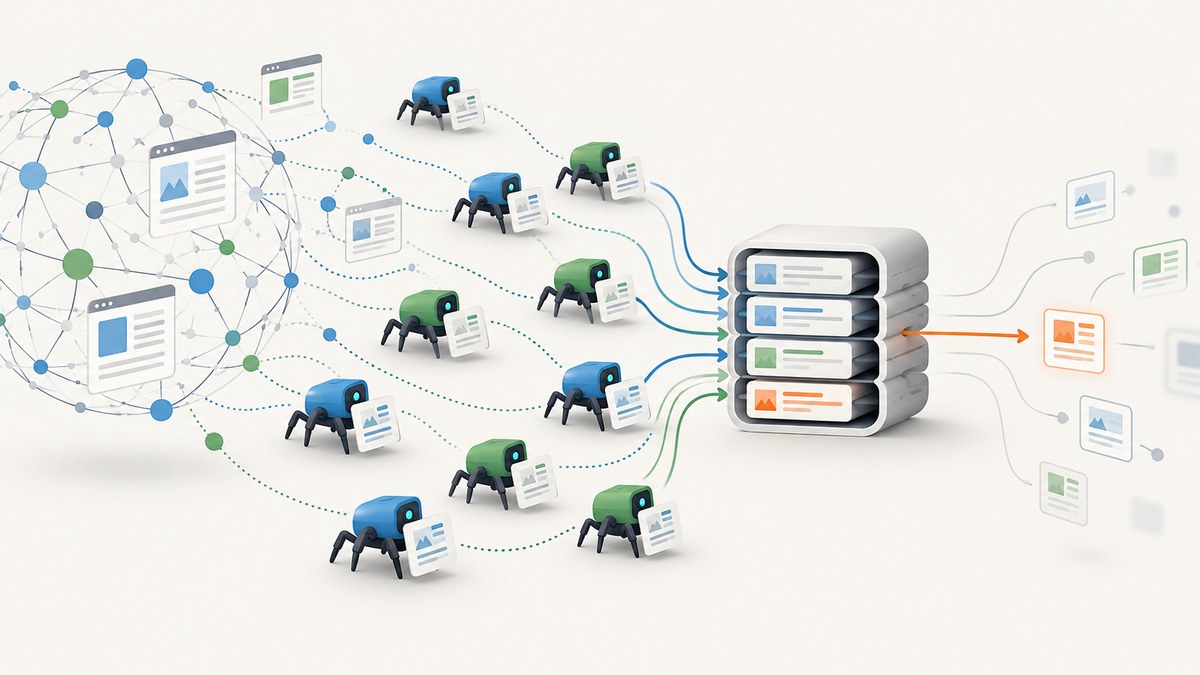
To scrape a large website reliably, build a durable crawl frontier, deduplicate canonical URLs, schedule requests by host, checkpoint progress, and make retries idempotent. Scale by adding workers behind shared coordination; keep ordinary HTTP fetchers separate from browser workers used only when a page needs JavaScript. Apply robots.txt rules and a broader policy review before fetching, then monitor failures and parser quality by host.
Millions of URLs do not call for one giant loop. They call for a pipeline that can stop, restart, add workers, and explain what happened to each URL. This guide lays out that architecture and includes a small runnable Scrapy pattern, operational checks, failure handling, and an alternative for targeted screenshot capture.
1. Define the crawl before adding workers
Start with a written crawl contract. Identify the domains and paths in scope, the fields you need, how often records should refresh, how long raw responses may be retained, and which response types you will ignore. Agree on a stable User-Agent that identifies the crawler and includes a contact address. A large crawl that cannot explain its purpose or contact point is harder to operate responsibly.
Choose a completion condition: all in-scope URLs visited, a target freshness window reached, or a bounded sample collected. Define duplicate semantics too. For example, decide whether query strings that only change tracking parameters represent the same page. Do not remove query parameters blindly: they can select distinct content.
2. Build a durable frontier
The frontier is the source of truth for pending and in-progress work. Seed it from permitted sitemaps, feeds, known URL patterns, and links discovered during parsing. Store at least the canonical URL, original URL, host, priority, depth, first-seen time, crawl state, attempt count, and next eligible time.
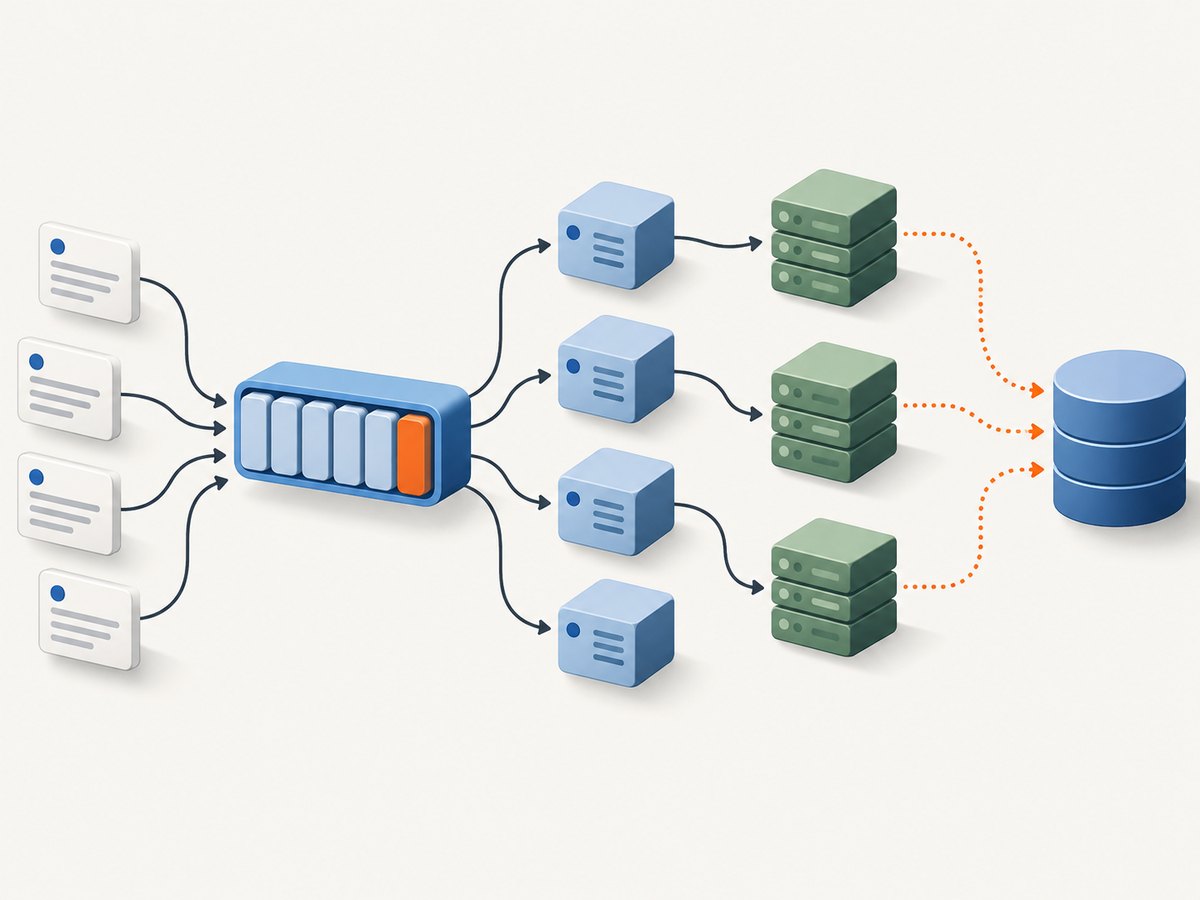
A practical state machine is pending → leased → done, with terminal or delayed states for denied, failed, and retry_at. Workers lease a bounded batch, acknowledge each URL only after its output is durable, and let expired leases return to pending after a worker crash. That gives at-least-once fetching; idempotent output keys prevent duplicate records when a worker fetched a page but died before acknowledging it.
Canonicalization and deduplication
Normalize scheme and host casing, remove fragments, resolve relative links, and apply a documented query-string policy. Keep both the discovered address and canonical key for traceability. A URL fingerprint or unique database constraint can stop two workers from scheduling the same canonical URL at once. Keep deduplication durable: an in-memory set disappears on restart and grows expensive across machines.
Store a crawl manifest with run identifier, start/end times, seed source, parser version, policy configuration, and completion counts. A manifest makes partial runs understandable and supports reproducible backfills.
3. Apply robots and per-host scheduling
Robots.txt is a standardized crawler policy mechanism, not an access grant. RFC 9309 states, “These rules are not a form of access authorization.” It also requires a crawler that successfully downloads robots.txt to follow parseable rules. If the file is unreachable because of server or network errors, the RFC says the crawler must assume complete disallow. Cached robots rules should generally not be used for more than 24 hours unless the file is unreachable. Read the [RFC 9309 specification](https://www.rfc-editor.org/rfc/rfc9309) for matching, redirects, parsing, and caching details.
Schedule independently per host. Each host should have its own concurrency cap, minimum delay, retry budget, and circuit-breaker state. A busy site must not consume every worker slot or cause the crawler to exceed its own requested rate. Scrapy supports per-domain concurrency and delay settings, but its optimization documentation says it does not automatically apply Crawl-delay or Request-rate directives. Translate those directives into DOWNLOAD_DELAY and concurrency settings yourself; see [Scrapy optimization guidance](https://docs.scrapy.org/en/latest/topics/optimization.html).
On repeated 429 or 503 responses, reduce the host’s rate and honor a valid Retry-After value. A robots denial, explicit site restriction, or operator request to stop should take precedence over throughput goals.
4. Fetch with the lightest suitable client
Use a direct HTTP client for static HTML and structured responses. It is usually cheaper in CPU and memory than rendering a browser. Reserve browser workers for pages where required fields appear only after JavaScript executes, and cap that pool separately. If a page is consistently empty or blocked in a browser too, do not respond by evading access controls; stop and review the site’s policy and permitted access path.
Here is a compact Scrapy starting point for one host. It respects robots, limits concurrency, sets an identifying user agent, parses links, and emits records. The built-in Scrapy scheduler is local to this process; it is not a multi-server frontier.
# settings.py
ROBOTSTXT_OBEY = True
USER_AGENT = "ExampleResearchCrawler/1.0 (+mailto:crawl-ops@example.org)"
CONCURRENT_REQUESTS = 16
CONCURRENT_REQUESTS_PER_DOMAIN = 2
DOWNLOAD_DELAY = 1.0
RANDOMIZE_DOWNLOAD_DELAY = True
RETRY_ENABLED = True
RETRY_TIMES = 3
DOWNLOAD_TIMEOUT = 30
FEED_EXPORT_ENCODING = "utf-8"

# spider.py
import scrapy

class CatalogSpider(scrapy.Spider):
    name = "catalog"
    allowed_domains = ["example.org"]
    start_urls = ["https://example.org/catalog/"]

    def parse(self, response):
        for card in response.css("article.product"):
            name = card.css(".name::text").get()
            href = card.css("a::attr(href)").get()
            if name and href:
                yield {
                    "name": name.strip(),
                    "url": response.urljoin(href),
                    "source_url": response.url,
                    "retrieved_at": response.headers.get("Date", b"").decode(),
                }
        for href in response.css("a::attr(href)").getall():
            url = response.urljoin(href)
            if url.startswith("https://example.org/"):
                yield response.follow(url, callback=self.parse)
Save this as spider.py, place the settings in settings.py, then run scrapy runspider spider.py -s ROBOTSTXT_OBEY=True -s USER_AGENT='ExampleResearchCrawler/1.0 (+mailto:crawl-ops@example.org)' -s CONCURRENT_REQUESTS_PER_DOMAIN=2 -s DOWNLOAD_DELAY=1 -O items.jsonl. Replace the example host, selectors, contact address, and delay with values appropriate to the permitted crawl. This example intentionally does not implement durable distributed leases or database writes; those belong in the production frontier and pipeline.
5. Parse, validate, and store idempotently
Version parsers and validate fields before accepting a record. If a required field is missing, send the raw page or a compact failure record to a quarantine stream with the URL, status, parser version, and validation error. Silent drops conceal schema changes and can make a successful crawl look complete when it is not.
Store normalized records with stable keys, such as canonical URL plus entity identifier or source version. Preserve source URL and retrieval timestamp. Where permitted, retain immutable raw responses or their hashes so you can re-parse after a parser fix. Set retention and access controls based on the data and the permissions governing collection.
Make writes safe to repeat: upsert by idempotency key or append events with a unique crawl/run key. A worker may successfully fetch and parse a page, then fail before its queue acknowledgement. Idempotency turns that retry into a harmless repeat instead of a duplicate business record.
6. Scale across machines safely
Scrapy’s official documentation says it has no built-in facility for distributing a crawl across multiple servers. To scale a Scrapy-style stack, add shared coordination: a durable queue or database frontier, leases with expiration, atomic claims, acknowledgement after durable output, and a shared deduplication index. Scrapy’s documentation names Zyte API as a managed service option; assess current product terms and fit before selecting any provider.
Workers should be stateless where practical. They receive leased work, fetch and parse, commit output, and acknowledge. Keep lease durations longer than ordinary request timeouts, renew leases during slow work, and cap the number of in-flight tasks per worker. Use bounded queues between fetching, parsing, and storage so a slow database cannot cause unlimited memory growth.
Scale ordinary fetchers and browser renderers independently. Browser rendering can consume substantially more resources per page, so using one shared unconstrained pool makes capacity unpredictable. Add workers gradually and observe host response rates; horizontal scale must not override per-host limits.
7. Recover from common failures
| Symptom | Likely cause | Response |
|---|---|---|
| 429 responses rise | Request rate or concurrency is too high | Back off that host, honor Retry-After, and reduce its concurrency. |
| 403 responses rise | Access policy, authentication, or site-side blocking | Pause the host and review permissions and terms. Do not rotate identities to evade a restriction. |
| Repeated timeouts | Slow origin, oversized responses, or worker saturation | Track latency by host, bound response size, adjust a reasonable timeout, and retry with a finite budget. |
| Duplicate records | Non-idempotent writes or URL variants | Define canonicalization and enforce unique output keys. |
| Queue grows while workers are busy | Fetch or parse capacity is below discovery rate | Bound discovery, add capacity at the bottleneck, and use backpressure. |
| Fields suddenly disappear | Page schema or selectors changed | Quarantine invalid pages, alert on validation rates, and version the parser. |
| Restart loses crawl progress | Frontier state lived only in process memory | Persist leases and checkpoints; reclaim expired leases on startup. |
| Robots fetch fails | Network/server error or inaccessible robots file | For an unreachable file, assume complete disallow per RFC 9309; retry policy must not become permission to crawl. |
8. Monitor throughput, quality, and cost
Break metrics down by host and worker pool. Track queue age, pending and leased counts, pages per minute, latency percentiles, status codes, timeout rate, robots denials, retry exhaustion, parser errors, duplicate rate, output lag, and storage cost. Alert on sudden 403/429/5xx changes, queue-age growth, and schema drift rather than only on worker process health.
Estimate cost from the work your design actually performs: worker CPU and memory, browser concurrency, network transfer, queue and database operations, raw-response retention, and reprocessing. Browser rendering and retaining every raw body can dominate a crawl’s budget. Sample representative pages first, set response and retention bounds, and project with observed distributions rather than a single average page.
Reliability comes from finite retries, checkpoints, idempotent output, and explicit terminal states. Retrying every failure forever wastes capacity and can pressure a site. Use exponential backoff with jitter for transient errors, cap attempts, and route persistent failures to review. A circuit breaker can pause a host after a sustained error spike and resume only after a cooldown or operator review.
9. Review legal and contractual constraints
Whether public-data scraping is lawful depends on facts and jurisdiction. Review terms of use, authentication boundaries, privacy, copyright, contractual restrictions, and applicable law. Robots rules help express crawler preferences but do not create access authorization. The Ninth Circuit’s 2022 hiQ Labs, Inc. v. LinkedIn Corporation opinion considered public LinkedIn profiles under the U.S. CFAA, while also recording LinkedIn terms that prohibited scraping and automated access. It concerns particular facts and is not universal permission; consult jurisdiction-specific counsel for a production program. See the [Ninth Circuit opinion](https://cdn.ca9.uscourts.gov/datastore/opinions/2022/04/18/17-16783.pdf).
10. Choose self-managed crawling or a service
A self-managed Scrapy stack gives control over scheduling, parsers, storage, and recovery, but your team owns the shared frontier, operations, browser fleet, and policy controls. A managed scraping API may reduce infrastructure work, but compare JavaScript rendering, access permissions, observability, data residency, recovery semantics, and predictable cost. Verify current provider and partner terms before publication or production use.

For many URLs and structured extraction, a crawler architecture is appropriate. For a small number of visual snapshots, a screenshot API is a narrower tool. ScreenshotNeo is a website screenshot API and MCP server from Yorker Media. Its one-call capture returns PNG, JPEG, WebP, or PDF; see [ScreenshotNeo](https://screenshotneo.com).
Or skip the browser setup
When the job is a screenshot rather than a structured crawl, call the API directly. The parameter names used by other screenshot APIs also work, which makes switching easy. See the [ScreenshotNeo API docs](https://screenshotneo.com/docs/).
curl -G "https://api.screenshotneo.com/v1/shot" -d access_key=YOUR_API_KEY --data-urlencode url=https://stripe.com -o shot.webpimport requests
r = requests.get("https://api.screenshotneo.com/v1/shot", params={"access_key": "YOUR_API_KEY", "url": "https://stripe.com"}, timeout=90)
open("shot.webp", "wb").write(r.content)const q = new URLSearchParams({ access_key: 'YOUR_API_KEY', url: 'https://stripe.com' });
const res = await fetch(`https://api.screenshotneo.com/v1/shot?${q}`);- Cookie banners, newsletter popups, and chat widgets are removed before the shot; each cleanup step can be turned off.
- Bot checks/CAPTCHAs, blank pages, timeouts, failed loads, and cache hits are never billed; response headers say which verdict applied and whether it was billed.
- An MCP server gives AI agents, including Claude and Cursor, the tools
take_screenshot,get_page_info, andcapture_pdf. - Free includes 1,000 screenshots a month with no card; paid plans start at $5 for 3,000. Every feature is on every plan.
Sign up free for 1,000 screenshots a month, with no card required.
FAQ
Can I start with one Scrapy process and distribute later?
Yes, if you keep URL state and output keys explicit from the beginning. Scrapy itself does not provide multi-server coordination, so introduce a shared frontier and lease/ack flow when you need workers across machines.
Should every page use a headless browser?
No. Use direct HTTP for static responses and reserve browser workers for pages that require JavaScript execution. Keep their capacity separate and bounded.
Does robots.txt mean a page is legally safe to collect?
No. RFC 9309 explicitly says robots rules are not access authorization. Review the other legal and contractual factors that apply to your collection.
What is the first reliability improvement to make?
Persist the frontier and make output writes idempotent. Those two choices let work resume after crashes without silently losing progress or multiplying records.