Using Webhooks in Web Scraping Workflows
Build reliable scrape pipelines with fast webhook acknowledgements, idempotent event handling, durable queues, retries, and recovery checks.
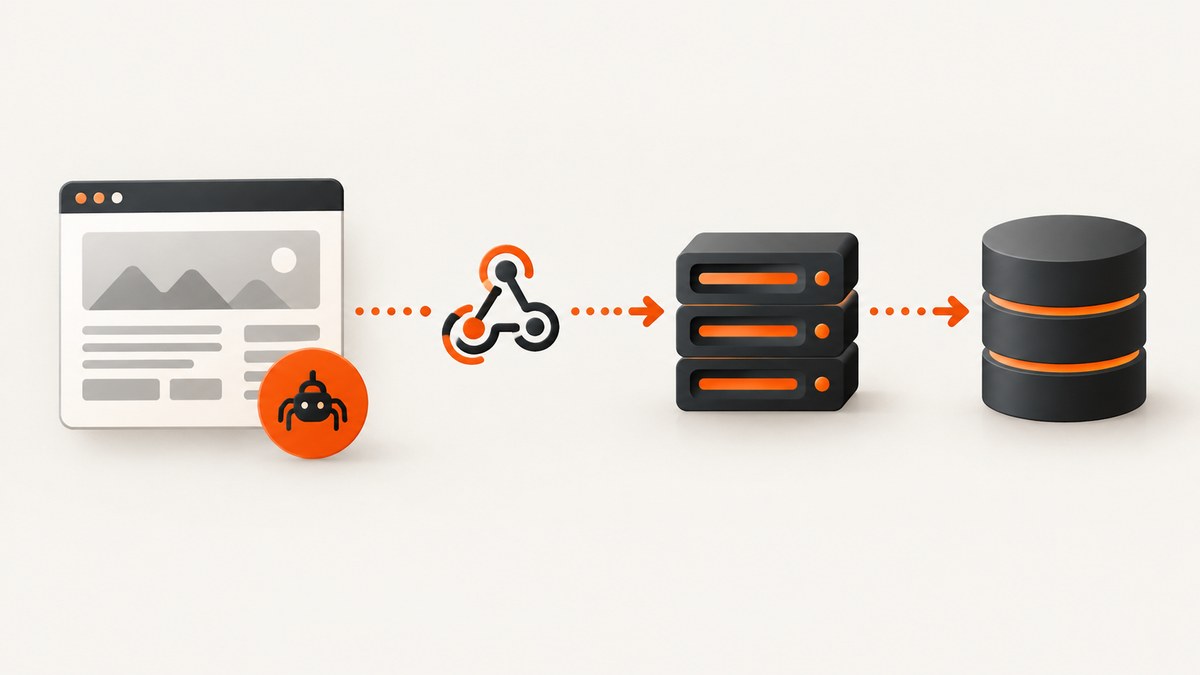
A webhook lets a scraping provider notify your application when a run reaches a configured state. The reliable pattern is: start the run, save its run ID, configure success and failure events, authenticate the callback, validate and deduplicate each delivery, acknowledge quickly with a 2xx response, and place longer processing on a durable queue.
Event names, payload fields, timeout limits, retry schedules, and authentication methods are provider-specific. Apify is a useful concrete example: its webhook API sends a POST request with JSON for configured Actor run events, while its delivery documentation describes a two-minute request timeout, exponential retries, and the need for idempotent receivers. Verify the current contract for whichever scraper you use.
What a scraping webhook does
The scraping request and the webhook are separate operations:
- Your application starts a scrape and stores the provider’s run ID with your own job ID.
- The provider runs the Actor, task, browser session, or crawl.
- A configured event such as success, failure, timeout, or abort causes the provider to send an HTTP POST to your callback URL.
- Your callback validates the request, records the event, and returns a quick 2xx response.
- A worker reads the recorded event from a queue, obtains results through the provider’s API or storage, and updates your application.
This separation prevents result transformation, database imports, notifications, or other slow work from blocking the provider’s delivery request.
A production workflow
1. Create a correlation record before starting
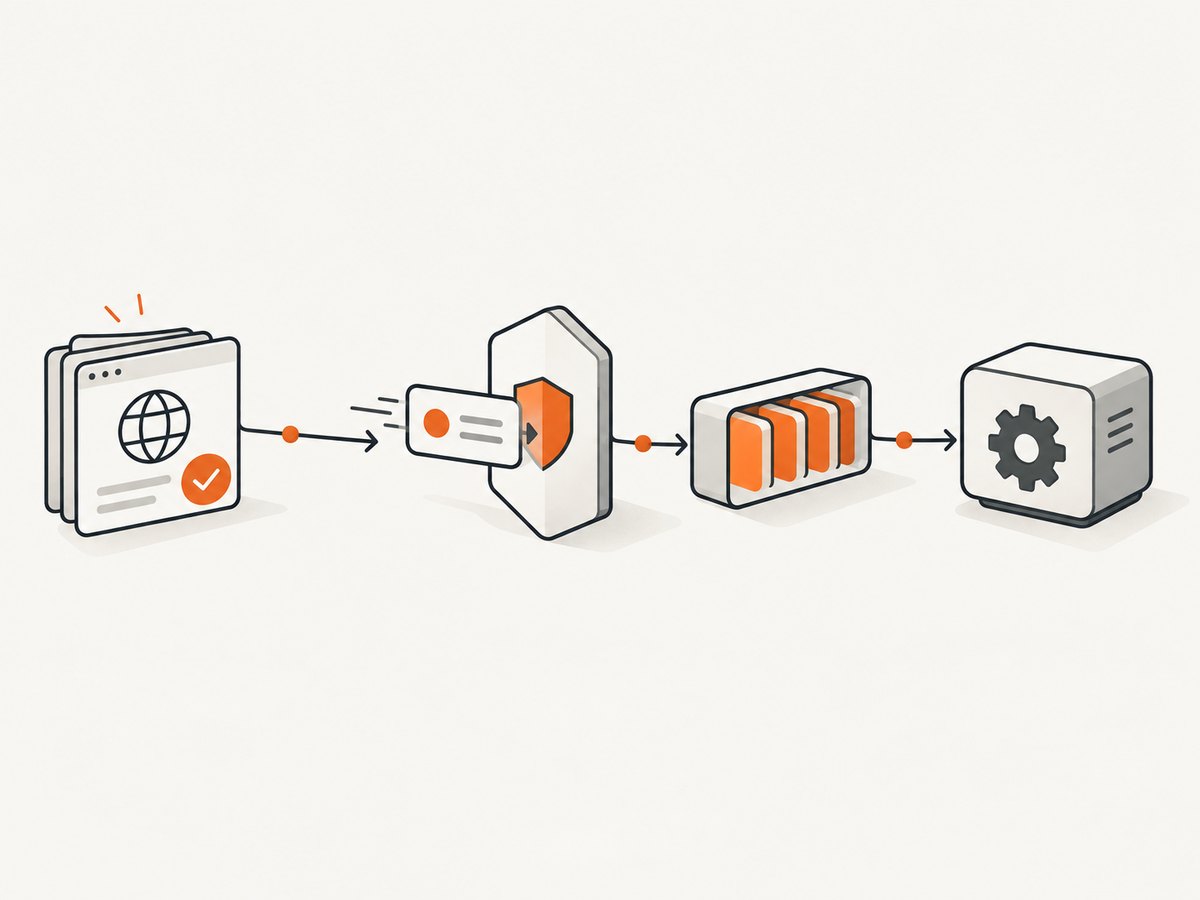
Generate an internal job ID and persist it with the provider name, run ID, requested URL, and current state. The provider run ID is the key that lets a callback connect an external event to your record.
CREATE TABLE scrape_jobs (
  id                 TEXT PRIMARY KEY,
  provider           TEXT NOT NULL,
  provider_run_id    TEXT NOT NULL UNIQUE,
  target_url         TEXT NOT NULL,
  state              TEXT NOT NULL,
  created_at         TIMESTAMP NOT NULL,
  updated_at         TIMESTAMP NOT NULL
);
Do not rely on the callback arriving before the start request finishes. Save the run ID as soon as the provider returns it, and make the start operation retry-safe where the provider supports an idempotency key.
2. Choose the event set
Subscribe only to states your application can use. A typical pipeline needs success and failure. Add timeout or abort when users must see that a run stopped without producing a normal result. Apify documents success, failure, abort, timeout, and resurrection events for Actor runs, but another provider may use different names or omit some states. See the Apify create-webhook API reference for its requestUrl, eventTypes, and condition fields.
3. Protect the callback
Expose an HTTPS endpoint with a secret credential. Depending on the provider, the secret may be a token in the URL or a request header. Apify recommends a secret token; the cited documentation does not establish a universal cryptographic signature scheme, so do not assume that every webhook is signed.
- Keep the secret in a secret manager or environment variable.
- Reject requests with a missing or incorrect token before parsing expensive payloads.
- Never write the token or full authorization URL to logs.
- Restrict accepted methods to POST and apply body-size limits.
- Use TLS and, where practical, network controls or provider IP verification documented by your provider.
4. Validate and deduplicate
Check the event shape, provider name, run ID, event type, and any required status fields. Then persist the event using a stable provider event ID if one exists. If it does not, derive a key from the provider run ID, event type, and a provider-supplied occurrence or timestamp. Store the raw payload for diagnosis, subject to your data-retention policy.
Make the insert atomic. A unique constraint should cause a repeated delivery to become a no-op rather than starting a second import. Apify explicitly warns that an invocation can happen more than once and advises idempotent receiver code.
5. Acknowledge quickly
Return a 2xx response after authentication, validation, and durable event recording. Do not wait for a browser result download, HTML parsing, image processing, or a notification provider. In Apify’s implementation, only a 2xx response counts as successful delivery; non-2xx responses are retried.
6. Queue the work
Publish a small message containing your internal job ID, provider run ID, event ID, and event type. A durable queue lets workers retry transient failures independently of the webhook request. Include a dead-letter path and alert when messages exceed their retry limit.
7. Reconcile independently
Notifications can be delayed or eventually exhausted. Keep a scheduled reconciliation task that lists jobs still in a running state and checks the provider’s status API or another durable result record. This is a reliability recommendation; the exact status and result endpoints differ by provider.
Complete Node.js receiver
The following Express example authenticates a token, validates a minimal payload, deduplicates with PostgreSQL, enqueues work, and responds immediately. Adapt field names to the provider’s current payload.
import express from "express";
import pg from "pg";
import crypto from "node:crypto";

const app = express();
const pool = new pg.Pool({ connectionString: process.env.DATABASE_URL });
const webhookToken = process.env.SCRAPE_WEBHOOK_TOKEN;

app.use(express.json({ limit: "256kb" }));

app.post("/webhooks/scrape", async (req, res) => {
  const supplied = req.get("authorization")?.replace(/^Bearer\s+/i, "");
  if (!supplied || !webhookToken || !crypto.timingSafeEqual(
    Buffer.from(supplied), Buffer.from(webhookToken)
  )) {
    return res.sendStatus(401);
  }

  const event = req.body;
  const runId = event?.resource?.defaultDatasetId
    ? String(event.resource.defaultDatasetId)
    : String(event?.runId || "");
  const eventType = String(event?.eventType || event?.event || "");
  const eventId = String(event?.id || `${runId}:${eventType}:${event?.createdAt || ""}`);
  if (!runId || !eventType || !eventId) return res.sendStatus(400);

  const client = await pool.connect();
  try {
    await client.query("BEGIN");
    const inserted = await client.query(
      `INSERT INTO scrape_events (event_id, provider_run_id, event_type, payload)
       VALUES ($1, $2, $3, $4)
       ON CONFLICT (event_id) DO NOTHING
       RETURNING event_id`,
      [eventId, runId, eventType, event]
    );
    if (inserted.rowCount) {
      await client.query(
        `INSERT INTO scrape_queue (event_id, provider_run_id, event_type)
         VALUES ($1, $2, $3)`,
        [eventId, runId, eventType]
      );
    }
    await client.query("COMMIT");
    return res.sendStatus(204);
  } catch (error) {
    await client.query("ROLLBACK");
    console.error("webhook persistence failed", { message: error.message });
    return res.sendStatus(500);
  } finally {
    client.release();
  }
});

app.listen(process.env.PORT || 3000);
The timingSafeEqual call assumes equal-length buffers. In production, check lengths first or use a token-comparison helper that handles unequal lengths safely. The example’s payload-to-run-ID mapping is intentionally provider-specific: replace it with the documented field for your scraper.
Python Flask receiver and worker handoff
import hashlib
import hmac
import json
import os
from flask import Flask, request, abort
import psycopg

app = Flask(__name__)
TOKEN = os.environ["SCRAPE_WEBHOOK_TOKEN"]
DSN = os.environ["DATABASE_URL"]

def token_ok(value: str | None) -> bool:
    if not value:
        return False
    return hmac.compare_digest(value, TOKEN)

@app.post("/webhooks/scrape")
def scrape_webhook():
    if not token_ok(request.headers.get("Authorization", "").removeprefix("Bearer ")):
        abort(401)
    event = request.get_json(silent=True)
    if not isinstance(event, dict):
        abort(400)
    run_id = str(event.get("runId", ""))
    event_type = str(event.get("eventType", ""))
    event_id = str(event.get("id") or hashlib.sha256(
        f"{run_id}:{event_type}:{event.get('createdAt', '')}".encode()
    ).hexdigest())
    if not run_id or not event_type:
        abort(400)

    with psycopg.connect(DSN) as conn:
        with conn.cursor() as cur:
            cur.execute("""
              INSERT INTO scrape_events(event_id, provider_run_id, event_type, payload)
              VALUES (%s, %s, %s, %s)
              ON CONFLICT (event_id) DO NOTHING
              RETURNING event_id
            """, (event_id, run_id, event_type, json.dumps(event)))
            if cur.fetchone():
                cur.execute("""
                  INSERT INTO scrape_queue(event_id, provider_run_id, event_type)
                  VALUES (%s, %s, %s)
                """, (event_id, run_id, event_type))
        conn.commit()
    return ("", 204)
A separate worker consumes scrape_queue, obtains the dataset or result, and marks the internal job complete. If the worker fails, retry the queue message with bounded exponential backoff; do not ask the provider to resend by returning a late webhook response.
Configure a provider: Apify example
Apify’s API accepts a webhook definition with a callback URL, event types, and a condition selecting the Actor, task, or run. The exact request also depends on the resource you attach it to. Use the official API reference rather than copying an old payload:
curl -X POST "https://api.apify.com/v2/webhooks?token=$APIFY_TOKEN" \
  -H "Content-Type: application/json" \
  -d '{
    "isEnabled": true,
    "requestUrl": "https://example.com/webhooks/scrape",
    "eventTypes": ["ACTOR.RUN.SUCCEEDED", "ACTOR.RUN.FAILED"],
    "condition": {"actorId": "your-actor-id"},
    "headers": {"Authorization": "Bearer YOUR_WEBHOOK_SECRET"}
  }'
Do not treat these event names, fields, or header behavior as portable to another scraper. Apify also documents an idempotencyKey for avoiding duplicate webhook definitions when creation requests are repeated.
Retries, timeouts, and duplicate deliveries
Apify documents a two-minute webhook HTTP timeout. It retries failed requests after approximately one minute, two minutes, four minutes, and so on, through an eleventh retry at about 32 hours. Those values describe Apify’s current documentation, not a webhook standard. A provider may use a different timeout, retry count, or backoff.
| Failure | Receiver behavior | Why |
|---|---|---|
| Invalid secret | Return 401 and log a redacted reason | Do not enqueue untrusted input |
| Malformed payload | Return 400 | Retrying cannot repair invalid data |
| Temporary database outage | Return 500 | Ask providers that retry to deliver again |
| Duplicate event | Return 204 after the unique-key check | Make repeated delivery harmless |
| Slow downstream API | Enqueue and return 204 | Stay inside the provider’s short request window |
Edge cases to design for
- Out-of-order events: a failure or timeout may be observed before another status update. Use a state transition table and reject regressions unless the provider documents ordering.
- Late success: a retry can arrive after your reconciliation task marked a run failed. Keep the raw event and define which terminal state wins.
- Missing result: a successful event may mean the run finished, not that its dataset is embedded in the webhook. Fetch results using the provider’s documented API.
- Large payloads: store a compact envelope in the queue and place oversized raw data in object storage with an expiration policy.
- Deployments: use a stable endpoint during releases, drain workers, and preserve the deduplication table across versions.
- Secret rotation: accept old and new secrets for a short overlap, then remove the old one.
Performance, reliability, and cost
The callback should perform a small constant amount of work: authenticate, parse, insert, enqueue, and acknowledge. Database indexes on event_id and provider_run_id keep duplicate checks fast. Queue workers can scale independently with concurrency limits that respect the provider’s result API rate limits.
Webhook delivery itself may not be billed, but scraping, browser minutes, storage, result downloads, and retries can carry provider-specific costs. Measure queue age, callback latency, 4xx and 5xx rates, duplicate ratio, reconciliation count, and terminal jobs without a received event. Alert before the provider’s retry window is exhausted.
For a request-response comparison, ScrapingBee’s official HTML API documentation describes an Spb-request-id response identifier, including on errors, and recommends retrying a 500 response. The cited material does not establish webhook callbacks for ScrapingBee, so verify that capability separately before designing around it.
Troubleshooting checklist
No webhook arrives
- Confirm the event type and condition match the run.
- Check that the URL is publicly reachable over HTTPS.
- Inspect provider delivery logs and your load balancer logs.
- Verify that the run actually reached the subscribed state.
- Use the provider status API to reconcile rather than waiting indefinitely.
The provider retries every request
- Check that the endpoint returns a 2xx status, including on duplicate events.
- Look for exceptions before the response is sent.
- Move result processing to a worker.
- Confirm reverse proxies are not converting a fast response into a timeout.
Every event is processed twice
- Add a unique database constraint for the provider event ID or a documented composite key.
- Make imports and notifications idempotent with their own keys.
- Do not use an in-memory “seen IDs” set as the only guard.
Events are rejected as unauthorized
- Compare the exact header or URL token documented by the provider.
- Check proxy rules that strip the
Authorizationheader. - Rotate secrets with an overlap period and remove credentials from logs.
The callback is fast but jobs remain stuck
- Inspect queue publish confirmations and dead-letter messages.
- Check worker permissions for result downloads and database updates.
- Run reconciliation for jobs that have no terminal state.
Or skip the browser setup
If your workflow needs screenshots rather than a custom browser scraper, ScreenshotNeo provides a website screenshot API and MCP server. One GET request returns a PNG, JPEG, WebP, or PDF. It accepts cookie and consent banners like a visitor, removes more than 60 known consent platforms plus newsletter popups and chat widgets, and lets you turn each step off. Only clean shots are billed: bot checks, blank pages, timeouts, failed loads, and cache hits cost nothing, with the result described by X-Page-Verdict and X-Billed headers.

For asynchronous pipelines, ScreenshotNeo supports async jobs with signed webhooks. It also offers full-page capture with lazy images loaded, CSS-selector element capture, device presets, retina scale, custom CSS and JavaScript, request blocking, headers and cookies, caching with a chosen TTL, signed links, bulk capture, a usage API, and an MCP server with take_screenshot, get_page_info, and capture_pdf tools.
See the ScreenshotNeo API documentation for current parameters. The basic call is:
curl -G "https://api.screenshotneo.com/v1/shot" -d access_key=YOUR_API_KEY --data-urlencode url=https://stripe.com -o shot.webpimport requests
r = requests.get("https://api.screenshotneo.com/v1/shot", params={"access_key": "YOUR_API_KEY", "url": "https://stripe.com"}, timeout=90)
open("shot.webp", "wb").write(r.content)const q = new URLSearchParams({ access_key: 'YOUR_API_KEY', url: 'https://stripe.com' });
const res = await fetch(`https://api.screenshotneo.com/v1/shot?${q}`);There are 1,000 screenshots a month free with no card. Paid plans start at $5 for 3,000 shots, and every feature is available on every plan. An MCP server lets Claude, Cursor, and other MCP clients take screenshots. Create a free ScreenshotNeo account.
FAQ
Should the webhook contain the scraped data?
Usually no. Treat it as a state notification and fetch the result through the provider’s documented result API. This keeps callback payloads small and lets workers retry downloads.
Can I return 200 before writing to a queue?
Only after the event is durably recorded or queued. An in-memory handoff followed by a 2xx response can lose work during a process crash.
How do I select an event ID?
Use the provider’s stable event identifier. If none exists, combine documented run identity, event type, and an occurrence field, then enforce uniqueness in durable storage.
Are webhook retries guaranteed?
No. Retry behavior is a provider contract. Keep status reconciliation for important jobs even when the provider documents retries.
What should a health check test?
Test the public route, secret validation, database insert, queue publish, and worker result lookup separately. A generic HTTP 200 from a load balancer does not prove the pipeline is processing events.


