How to Scrape LinkedIn Jobs with Python (and What to Do Instead)
LinkedIn prohibits automated job scraping without written authorization. Learn the compliant options and build the same Python data pipeline on an authorized source.

Short answer: You should not scrape LinkedIn Jobs with Python unless LinkedIn has expressly authorized your specific automated access in writing. LinkedIn’s Jobs Terms prohibit automated scraping and data extraction, and its User Agreement also restricts scripts, crawlers, browser plugins, and other processes used to scrape or copy the service. Using requests, BeautifulSoup, Selenium, Playwright, a logged-out browser, or a slower request rate does not grant permission. LinkedIn’s Jobs Terms and User Agreement govern access.
If your goal is to collect job data for analysis, use LinkedIn manually, apply for an official API integration if your use case qualifies, or choose a job-data source whose owner permits your intended collection. Below is a runnable Python example for the general workflow using an authorized source, plus the checks to make before collecting, storing, or reusing job information.
1. Check permission before writing a scraper
LinkedIn’s Jobs Terms say that automated scraping or data extraction to access, download, query, or otherwise collect information is prohibited unless LinkedIn expressly authorizes it in writing. The User Agreement separately bars use of scripts, crawlers, browser plugins, and other processes to scrape or copy LinkedIn. LinkedIn’s API Terms also restrict content obtained through scraping or crawling outside official APIs.
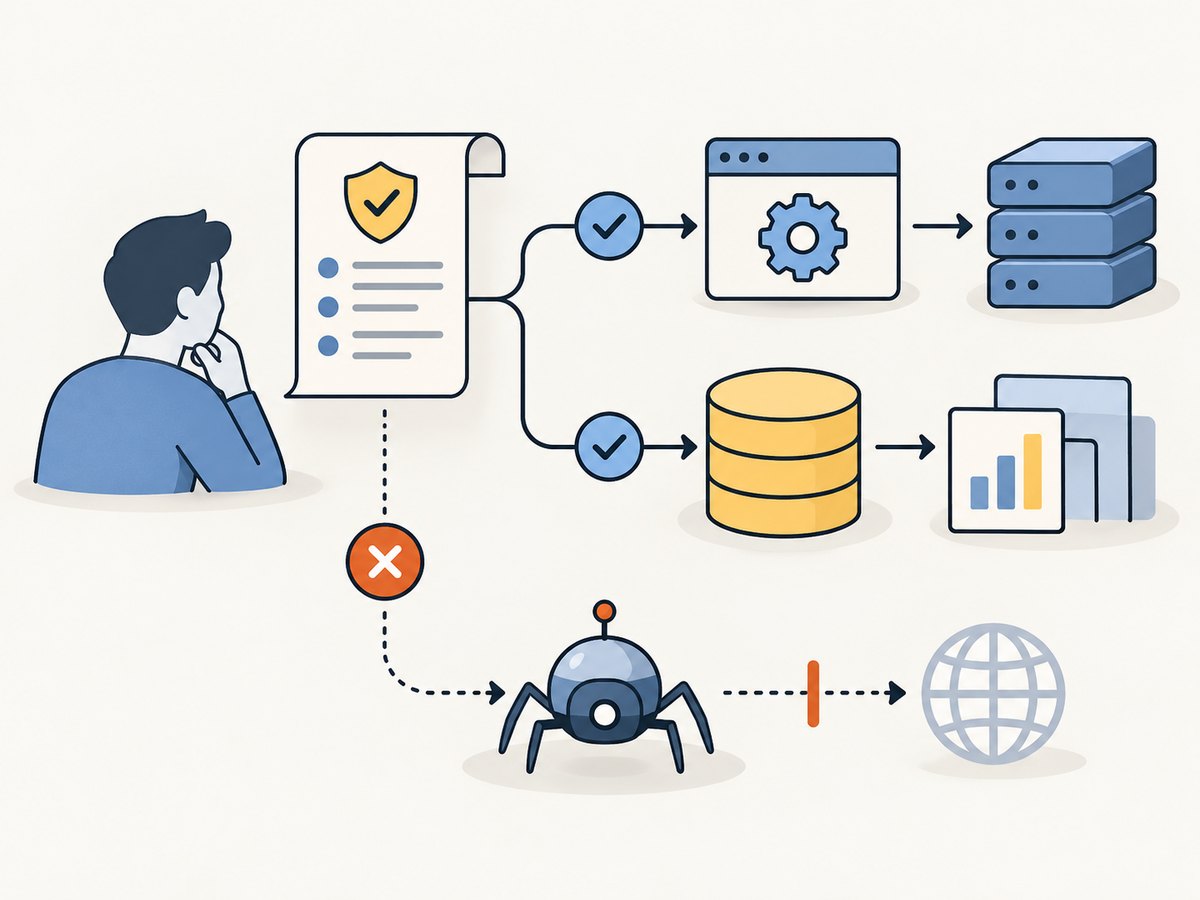
That means these common assumptions do not make an unauthorized scraper acceptable:
- The listings are publicly visible or can be viewed while logged out.
- The script sends only a small number of requests or waits between them.
- The browser automation looks like a human session.
- You already have an account or can access the page in a browser.
- You plan to use the results privately or for research.
Permission depends on the terms and authorization for the specific automated access and use, not on the Python library or request pattern. Do not reverse engineer private endpoints, reuse session cookies, automate logged-in browsing, or try to work around bot checks. LinkedIn’s API Terms do not turn scraped material into permitted API content.
2. Choose an allowed way to get job data
| Option | When it fits | What to verify |
|---|---|---|
| Search LinkedIn manually | You need to find or review a manageable number of listings. | Follow LinkedIn’s normal product controls and any limits on copying, retention, and reuse. |
| Apply for an official LinkedIn API integration | You are building an integration for a supported posting-related use case. | LinkedIn describes its Job Posting API as subject to vetting and approval. Confirm eligibility, allowed fields, purpose, retention, and transfer restrictions with the official documentation and agreement. |
| Use another permitted source | You need a repeatable dataset for analysis or an application. | Read the source’s terms and API or robots guidance, get permission where required, and confirm the intended collection and downstream use are allowed. |
The LinkedIn Job Posting API overview describes an approved integration route for specified posting use cases. It is not documented as a general public API for searching and exporting LinkedIn job listings. API access is not automatic authorization to collect LinkedIn data outside the API.
3. Build the Python pipeline against an authorized source
The following example teaches the useful parts of a job-data collection pipeline without targeting LinkedIn. Replace the example domain and selectors only with a site where your intended automated collection is permitted. This example expects a simple HTML page with job cards containing a title, employer, location, and link. Its selectors are illustrative: inspect the authorized site’s markup and adapt them.
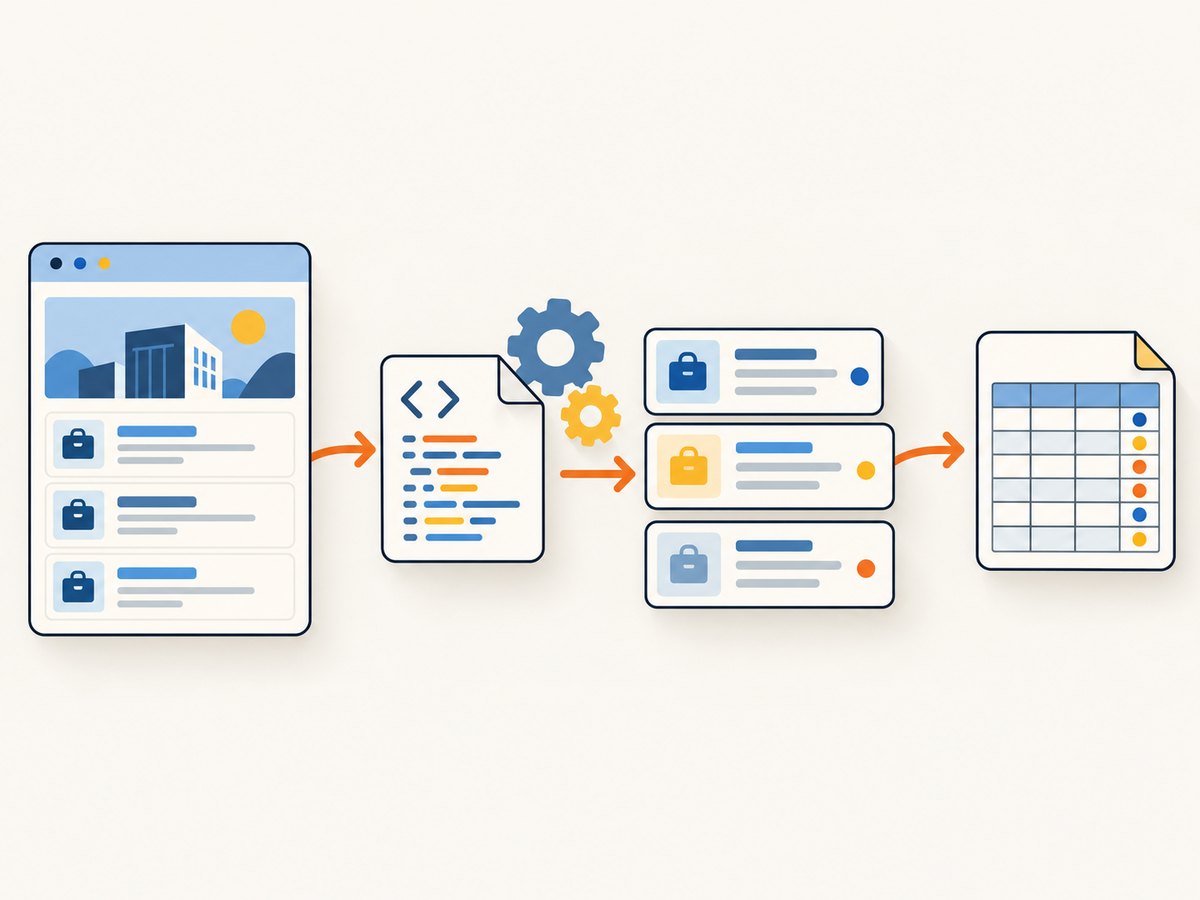
Install dependencies
python -m venv .venv
# macOS or Linux:
source .venv/bin/activate
# Windows PowerShell:
# .venv\Scripts\Activate.ps1
python -m pip install requests beautifulsoup4
Fetch, parse, normalize, and save permitted listings
from __future__ import annotations

import csv
import time
from urllib.parse import urljoin

import requests
from bs4 import BeautifulSoup

# Replace this with a source that permits your intended automated access.
SOURCE_URL = "https://example.org/careers"
OUTPUT_CSV = "jobs.csv"

session = requests.Session()
session.headers.update({"User-Agent": "JobResearchExample/1.0 (contact: dev@example.org)"})


def fetch_html(url: str) -> str:
    response = session.get(url, timeout=(5, 30))
    response.raise_for_status()
    content_type = response.headers.get("Content-Type", "")
    if "text/html" not in content_type.lower():
        raise ValueError(f"Expected HTML, received {content_type!r}")
    return response.text


def clean_text(node) -> str:
    return " ".join(node.stripped_strings) if node else ""


def parse_jobs(html: str, base_url: str) -> list[dict[str, str]]:
    soup = BeautifulSoup(html, "html.parser")
    jobs = []

    # Example selectors only. Adapt them to the authorized source's markup.
    for card in soup.select("article.job-card"):
        link = card.select_one("a.job-title[href]")
        title = clean_text(link)
        employer = clean_text(card.select_one(".employer"))
        location = clean_text(card.select_one(".location"))
        href = urljoin(base_url, link["href"]) if link else ""

        # Skip cards without a useful identifying field; retain missing optional fields.
        if not title and not href:
            continue
        jobs.append({
            "title": title,
            "employer": employer,
            "location": location,
            "url": href,
        })
    return jobs


def save_csv(rows: list[dict[str, str]], path: str) -> None:
    columns = ["title", "employer", "location", "url"]
    with open(path, "w", newline="", encoding="utf-8") as file:
        writer = csv.DictWriter(file, fieldnames=columns, extrasaction="ignore")
        writer.writeheader()
        writer.writerows(rows)


if __name__ == "__main__":
    html = fetch_html(SOURCE_URL)
    jobs = parse_jobs(html, SOURCE_URL)
    save_csv(jobs, OUTPUT_CSV)
    print(f"Saved {len(jobs)} permitted records to {OUTPUT_CSV}")
The sample domain is a placeholder, not an endorsement or a claim that its pages contain job cards. Point the program only at a source after confirming that its terms and permission cover your collection. For a permitted JSON API, prefer its documented endpoint and schema over parsing HTML.
What each stage does
- Request: A session reuses connection settings, sends a descriptive user agent, and applies connect/read timeouts.
- Validate: HTTP errors are raised and the content type is checked before treating a response as HTML.
- Parse: Beautiful Soup selects only the fields you need. Selectors and page structure can change, so keep them source-specific.
- Normalize: Text whitespace is collapsed, relative links become absolute, and absent optional fields become empty strings.
- Export: UTF-8 CSV with a header row opens cleanly in common data tools. For larger or frequently updated collections, use a database with a stable source record ID and a last-seen timestamp.
4. Handle pagination, changing pages, and data quality
For an authorized source, treat pagination as part of the documented interface. If the source provides an API cursor, page token, or next-page URL, follow that mechanism and stop when it indicates there are no more results. Do not guess private endpoints or manufacture pagination parameters for LinkedIn.
- Missing fields: Keep optional values empty or null; do not discard a valid listing because an employer or location is absent.
- Duplicate listings: Deduplicate using a stable listing ID supplied by the source. If none exists, a normalized URL can be a fallback, but URLs may change.
- Changed markup: Track the expected fields and record a parse warning when a page suddenly produces zero listings or many empty titles.
- Relative links: Resolve links against the response URL, especially when redirects are possible.
- Dates and locations: Preserve the original text if the source does not document a format. Normalize only when you can do so without losing the source value.
- Retention: Store only what you need, for as long as your permission allows. Job descriptions can contain personal information, and redistribution may be governed separately from collection.
5. Improve reliability without increasing collection risk
For a permitted source, reliability comes from clear limits and observable failures rather than aggressive retries. Keep a small request volume appropriate to the source’s documented limits. Use timeouts, handle transient network errors, and back off only where the source allows retries. Avoid parallel bursts unless the source explicitly supports them.
For a larger workflow, save each successful page or API response incrementally so a later failure does not erase earlier results. Log the source URL, retrieval time, status, and parse counts. Do not log credentials, cookies, or sensitive response data. A sudden response with a login page, challenge, or unexpected content type should be treated as a stop condition and reviewed against the source’s access rules, not something to evade.
6. Troubleshooting the authorized example
| Symptom | Likely cause | Fix |
|---|---|---|
ConnectionError or timeout |
Network instability, DNS failure, or a slow source. | Check the URL and network, keep finite timeouts, and retry only within the source’s rules with a modest backoff. |
HTTPError: 403 or 429 |
The source denied the request or rate limited it. | Stop and review the source’s terms and access instructions. Do not rotate identities, use proxies, or automate around a denial. |
| Expected HTML check fails | The endpoint returned JSON, a file, a challenge, or an error page. | Inspect the response type and use the documented interface. If access is denied, stop rather than trying to bypass the response. |
| CSV has headers but no rows | The example selectors do not match the authorized page, or the page renders content client-side. | Inspect permitted page markup or use the source’s official API/feed. Confirm access is allowed before adding browser automation. |
| Rows have empty values | Selectors are stale or optional fields are absent. | Check a permitted sample response, update selectors, and retain missing optional values explicitly. |
| Duplicate or stale results | The source reuses pages or listings changed after collection. | Use documented IDs, record retrieval timestamps, and define a refresh policy permitted by the source. |
If you receive an access denial from LinkedIn, a CAPTCHA, or a bot check, do not use Selenium, Playwright, cookies, proxies, or CAPTCHA services to get past it. Return to the permission decision and use an approved route.
7. Or skip the browser setup
For screenshots of pages you are allowed to capture, ScreenshotNeo is a website screenshot API and MCP server. It does not grant permission to collect LinkedIn job data, scrape pages, or bypass access controls; use it only for URLs and captures you are authorized to make. Its screenshot output can help document a permitted page visually, but it is not a job-search or listing-export API.
One GET request returns an image or PDF. See the ScreenshotNeo API documentation for options and response details.
curl -G "https://api.screenshotneo.com/v1/shot" \
  -d access_key=YOUR_API_KEY \
  --data-urlencode url=https://example.org/careers \
  -o shot.webp
The equivalent Python request is:
import requests

r = requests.get(
    "https://api.screenshotneo.com/v1/shot",
    params={"access_key": "YOUR_API_KEY", "url": "https://example.org/careers"},
    timeout=90,
)
r.raise_for_status()
open("shot.webp", "wb").write(r.content)
And from Node.js:
const q = new URLSearchParams({
  access_key: 'YOUR_API_KEY',
  url: 'https://example.org/careers',
});
const res = await fetch(`https://api.screenshotneo.com/v1/shot?${q}`);
if (!res.ok) throw new Error(`Screenshot request failed: ${res.status}`);
await import('node:fs/promises').then(fs => fs.writeFile('shot.webp', Buffer.from(await res.arrayBuffer())));
ScreenshotNeo removes known cookie and consent banners, newsletter popups, and chat widgets before capture; each cleanup step can be turned off. Bot checks, blank pages, timeouts, failed loads, and cache hits are not billed, and response headers report the page verdict and billing status. Its MCP server lets AI agents use screenshot, page-info, and PDF tools. The free plan includes 1,000 screenshots a month with no card; paid plans start at $5 for 3,000.
Sign up for 1,000 free screenshots a month, with no card required.
8. Frequently asked questions
Can I scrape public LinkedIn job listings without logging in?
Public visibility does not override LinkedIn’s terms. The Jobs Terms prohibit automated collection unless expressly authorized in writing.
Does LinkedIn’s Job Posting API let me export search results?
The official API is vetted and approval-based for specified posting-related integrations. It is not described as a general public job search and export API. Check the current API documentation and your approved use case.
Can I use this Python parser on another careers site?
Only if that site permits your intended automated access and use. Confirm the terms, API or feed rules, privacy obligations, and data retention limits first.
Can I use ScreenshotNeo to capture LinkedIn listings for scraping?
A screenshot tool does not authorize collection or convert page images into permitted job data. Use it only for captures you are authorized to make; it is not a LinkedIn scraping workaround.
Where can I learn more about web scraping in Python?
Web Scraping with Python, 3rd Edition by Ryan Mitchell is a general reference on requests, parsing, APIs, and scraping ethics. A general technical book does not grant permission to scrape a particular service.


