How to Scrape Multiple Websites at Once
Build a reliable multi-site scraper with Scrapy: separate extraction logic, coordinate spiders, control request rates, and combine consistent results.
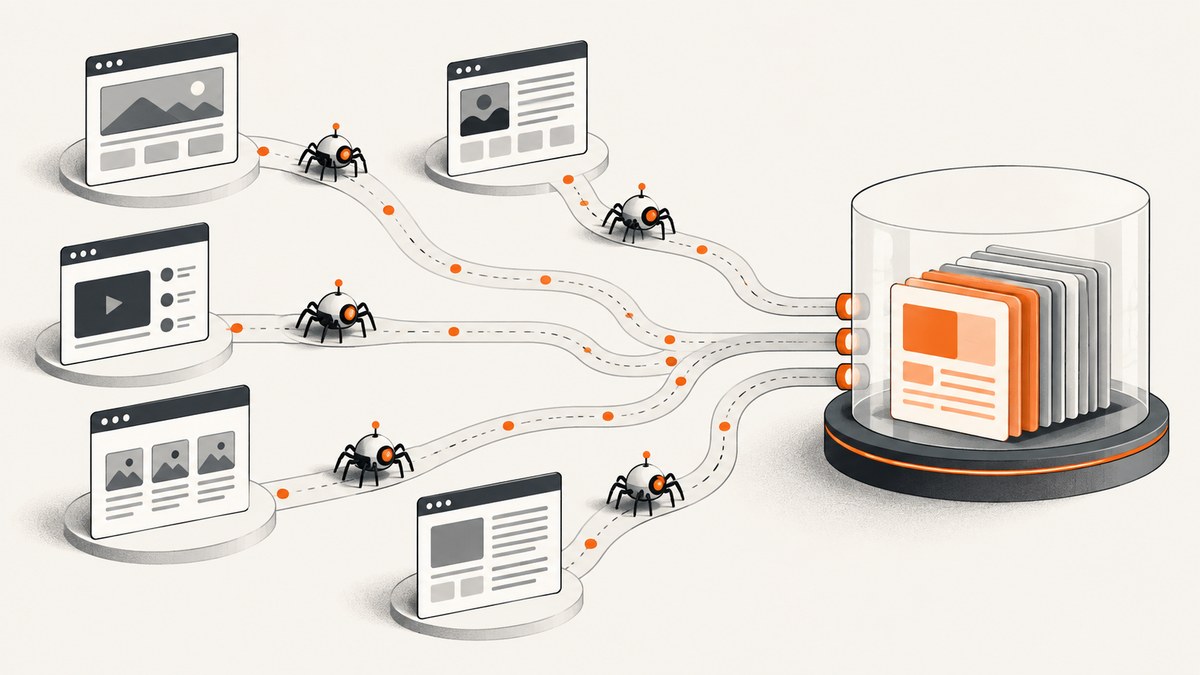
To scrape multiple websites at once, use a separate Scrapy spider for each site when their page structures differ, then coordinate the spiders and normalize their output. Scrapy can run multiple spiders in one process. For work spread across machines, schedule separate spider jobs across worker instances or partition a large URL list; Scrapy does not distribute a crawl across servers by itself. Set request delays and per-domain concurrency deliberately, and check each site’s rules before collecting data.
This guide builds a small multi-site crawler, shows how to run it in one process, explains when to scale out, and covers output quality, errors, and request pacing.
1. Decide what to collect and from where
Start with a small inventory before writing selectors. For each target, record its domain, the pages that contain the information, the fields you need, and how often the collection should run. Check for an API or downloadable dataset first: if it supplies the needed fields, it can be more stable than extracting them from page markup. Scrapy can also extract data from APIs.
- Target: hostname and relevant page types.
- Fields: define names and data types that all sources can map to.
- Scope: page paths, pagination, and any exclusions.
- Collection policy: review the site’s terms and applicable requirements; technical access alone does not establish permission.
- Rate: choose a conservative request pace for each domain and adjust based on the site’s rules and observed responses.
Identify your crawler with a descriptive user agent when crawling is allowed, so site owners can identify and contact its operator. A robots file or a publicly accessible page does not by itself resolve whether a particular collection is permitted.
2. Install Scrapy and create a project
Install Scrapy in a virtual environment so the crawler’s dependencies are isolated. These commands use Python 3 and a Unix-like shell; activate the environment using the equivalent command for your shell if needed.
python -m venv .venv
. .venv/bin/activate
python -m pip install scrapy
scrapy startproject multisite
cd multisite
scrapy genspider alpha example.com
scrapy genspider beta example.org
The generated project includes a settings module, an items module, and a spiders directory. Keep the parsing rules for each distinct site in its own spider. This makes a selector or pagination change at one site less likely to silently damage extraction from another.
3. Define a shared record shape
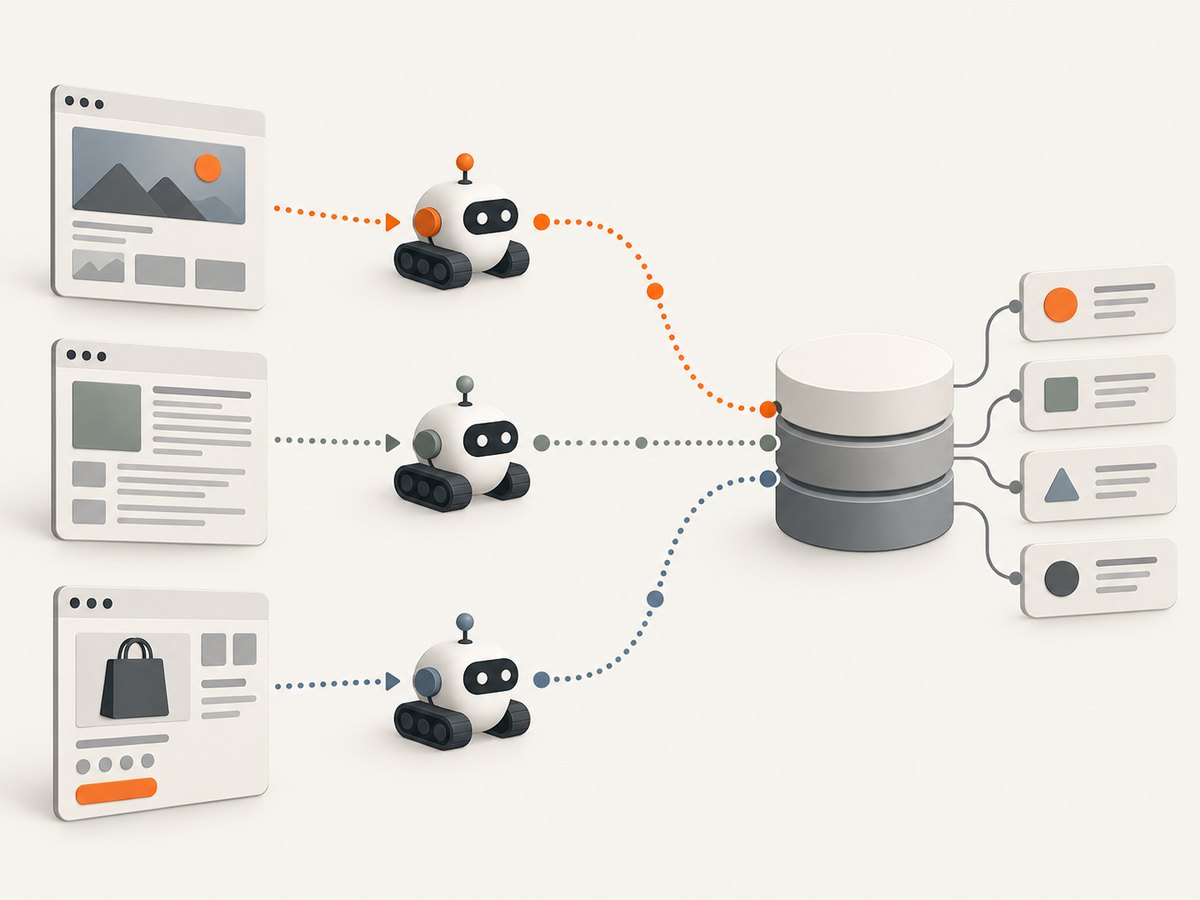
A shared schema makes results from different spiders easier to combine. Preserve the source URL and collection time so every record can be traced back to the page and run that produced it.
# multisite/items.py
import scrapy

class PageRecord(scrapy.Item):
    source_site = scrapy.Field()
    source_url = scrapy.Field()
    title = scrapy.Field()
    summary = scrapy.Field()
    collected_at = scrapy.Field()
For fields that a site does not provide, choose a consistent convention: omit the field, use an empty value, or mark it unavailable. Do not let each spider invent a different key for the same concept. If sites use different formats, normalize values in the spider or a shared item pipeline.
4. Write one spider per site
The selectors below are examples only. Replace them with selectors verified against the pages you are allowed to crawl. Many sites use different markup and pagination, so each spider should own its own page traversal and parsing logic.
# multisite/spiders/alpha.py
from datetime import datetime, timezone
import scrapy
from multisite.items import PageRecord

class AlphaSpider(scrapy.Spider):
    name = "alpha"
    allowed_domains = ["example.com"]
    start_urls = ["https://example.com/catalog"]

    def parse(self, response):
        for card in response.css("article.card"):
            item = PageRecord()
            item["source_site"] = "alpha"
            item["source_url"] = response.url
            item["title"] = card.css("h2::text").get(default="").strip()
            item["summary"] = " ".join(card.css("p::text").getall()).strip()
            item["collected_at"] = datetime.now(timezone.utc).isoformat()
            yield item

        next_page = response.css("a.next::attr(href)").get()
        if next_page:
            yield response.follow(next_page, callback=self.parse)
# multisite/spiders/beta.py
from datetime import datetime, timezone
import scrapy
from multisite.items import PageRecord
class BetaSpider(scrapy.Spider):
name = "beta"
allowed_domains = ["example.org"]
start_urls = ["https://example.org/resources"]
def parse(self, response):
for row in response.css(".resource-row"):
item = PageRecord()
item["source_site"] = "beta"
item["source_url"] = response.url
item["title"] = row.css(".name::text").get(default="").strip()
item["summary"] = " ".join(row.css(".description::text").getall()).strip()
item["collected_at"] = datetime.now(timezone.utc).isoformat()
yield item
next_page = response.css("a[rel='next']::attr(href)").get()
if next_page:
yield response.follow(next_page, callback=self.parse)Use allowed_domains to constrain each spider’s requests to intended hosts. Check how redirects and subdomains behave for your targets, and add only the hostnames that belong in scope. A callback should follow pagination links only when they point to pages that belong to the crawl.
5. Run several spiders in one process
For a handful of sites and modest volume, Scrapy’s internal API can run multiple spiders in one process. A small runner can schedule each spider through a single crawler process:
# run_all.py
from scrapy.crawler import CrawlerProcess
from scrapy.utils.project import get_project_settings
from multisite.spiders.alpha import AlphaSpider
from multisite.spiders.beta import BetaSpider

settings = get_project_settings()
settings.set("FEEDS", {
    "output/%(name)s.jsonl": {
        "format": "jsonlines",
        "encoding": "utf8",
        "overwrite": True,
    }
})

process = CrawlerProcess(settings)
process.crawl(AlphaSpider)
process.crawl(BetaSpider)
process.start()
Run it from the project directory:
mkdir -p output
python run_all.py
This writes one JSON Lines file per spider, which helps isolate source-specific failures while preserving a common record shape. Scrapy also supports feed exports and storage backends; choose an output destination that fits your collection and downstream processing. When multiple spiders share a process, they also share that process’s operational boundary: a process crash or configuration mistake can affect all scheduled jobs.
6. Set crawl speed for each domain
Concurrency is not a single global “go faster” switch. Scrapy provides download delays, per-domain concurrency limits, and AutoThrottle. Use these controls in project settings, then tune them according to each target’s allowed rate and response behavior.
# multisite/settings.py
BOT_NAME = "multisite-research-crawler"
USER_AGENT = "multisite-research-crawler (contact: crawler-operator@example.net)"
ROBOTSTXT_OBEY = True

DOWNLOAD_DELAY = 1.0
CONCURRENT_REQUESTS = 8
CONCURRENT_REQUESTS_PER_DOMAIN = 2
AUTOTHROTTLE_ENABLED = True
AUTOTHROTTLE_START_DELAY = 1.0
AUTOTHROTTLE_MAX_DELAY = 30.0
These are example starting values, not universal safe rates. Review each target’s rules and adjust per-site settings where needed. A shared project setting can be too aggressive for one domain and unnecessarily slow for another. Avoid retry loops that continue at the same pace during errors; repeated failures are a reason to pause and inspect the target’s response and your configuration.
7. Choose the right coordination model
| Situation | Approach | What to plan for |
|---|---|---|
| A few sites, modest volume | Run separate spiders through Scrapy’s internal API in one process. | One process is the operational boundary; keep per-site rules and outputs understandable. |
| Many independent spiders | Schedule spider runs across multiple Scrapyd instances. | Scheduling and shared result collection are your responsibility. |
| One very large URL list | Partition URLs among workers and collect their outputs. | Define partitions, prevent duplicates, and merge results consistently. |
| A suitable API or dataset exists | Use it if it meets the data need. | Check availability, fields, and terms for the specific target. |
Scrapy does not include built-in distribution of a crawl across multiple servers. For multiple machines, use an external scheduler to dispatch separate spider jobs, or partition a large URL set and send partitions to workers. A partitioned crawl needs a stable rule for assigning each URL to exactly one worker, plus a way to detect overlaps and collect partial outputs.
8. Combine data and check its quality
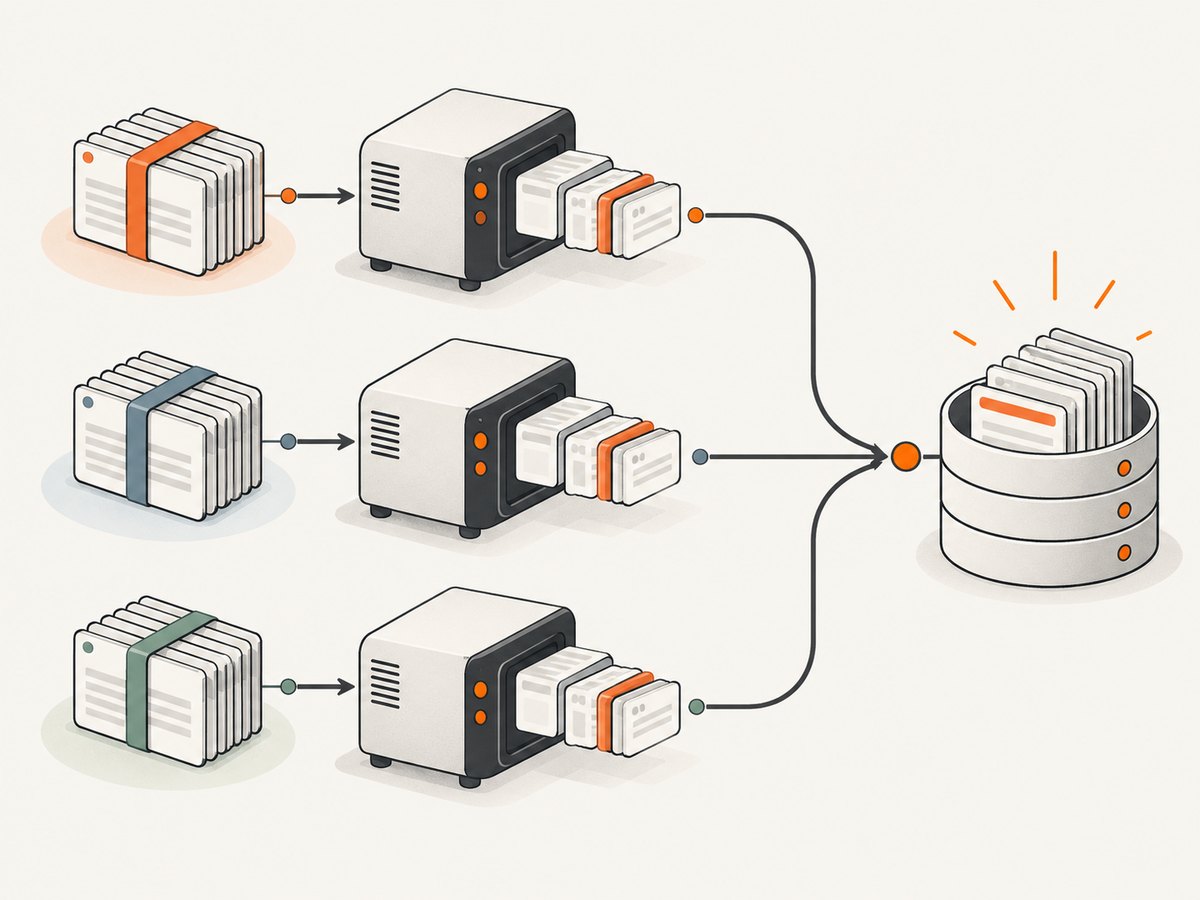
Combine records only after checking that their fields have the same meaning and format. Preserve source provenance and collection time through downstream transformations. Before treating a run as successful, review at least:
- Counts of requested, successful, and failed pages by site.
- HTTP status codes and retry totals.
- Empty or unexpectedly short title and summary fields.
- Duplicate records, especially at partition boundaries.
- Changes to the page structure or pagination that may have broken selectors.
- Output parsing and schema validity.
An HTTP success does not prove that selectors extracted the intended information. A page may return normally while a layout change leaves every field empty. Compare a sample of stored records to their source pages, and monitor empty-field rates between runs. When a site changes its markup, update only the affected spider and add a small fixture or saved-page check to catch regressions in its parsing logic.
9. Handle reliability, performance, and cost
Keep a run’s scope explicit and make it restartable. For large jobs, record which URL partitions finished and write outputs in a form that can be merged without discarding completed work. Deduplicate by a key that reflects the data (for example, a site plus a source URL), rather than assuming separate workers never overlap. Retry transient failures selectively and cap retries; persistent blocks, access denials, or repeated server errors need investigation rather than more requests.
Measure your own workload instead of assuming a throughput figure. The time and resource use depend on the number of URLs, response times, page size, parsing work, and configured concurrency. Raising concurrency can increase load on targets and may lead to more errors; tune it to the site’s rules and observed responses. Scrapy itself does not establish a monetary cost for your crawl. Your costs depend on the machines, storage, and any external services you choose to use. A managed scraping service can reduce infrastructure work, but brings its own pricing and terms; check current details with the provider.
10. Troubleshooting
| Symptom | Likely cause | Fix |
|---|---|---|
| Spider starts but collects zero items | Selectors do not match the current response markup, or the start URL redirects elsewhere. | Inspect the fetched response, confirm the final URL and HTML, then adjust selectors and pagination. |
| Only one spider runs | The runner schedules one spider, or a spider name/import is wrong. | Check each process.crawl() call, import path, and spider name; inspect startup logs. |
| Results from one site have blank fields | That site’s markup differs from the assumed structure or changed. | Use site-specific selectors; verify a representative page and normalize missing values intentionally. |
| Requests are slow or responses fail repeatedly | Rate, concurrency, or network behavior is unsuitable for the target. | Reduce per-domain concurrency, increase delay, enable AutoThrottle, and review status codes before resuming. |
| Pagination loops or repeats records | Next links point to the same page, or partitions overlap. | Check followed URLs, constrain the crawl scope, deduplicate by a stable key, and track visited partitions. |
| Workers produce incompatible files | Spiders or partitions use different schemas or encodings. | Use a shared item definition and export format; validate and normalize before merging. |
| Runner fails due to an already-running event loop | The internal runner is being invoked from an environment that owns an event loop. | Run the script as a normal process, or follow Scrapy’s guidance for the hosting environment’s reactor integration. |
11. Screenshotting pages as part of a workflow
Scraping extracts structured fields; a screenshot captures how a page rendered. If your workflow needs a visual record as well as extracted data, keep those outputs associated with the same source URL and collection time. Browser setup is a separate concern from the Scrapy examples above.
Or skip the browser setup
For the screenshot part of a collection workflow, ScreenshotNeo is a website screenshot API and MCP server from Yorker Media. A GET request takes a URL and returns an image or PDF. See the API documentation for request options.
curl -G "https://api.screenshotneo.com/v1/shot" -d access_key=YOUR_API_KEY --data-urlencode url=https://stripe.com -o shot.webpimport requests
r = requests.get(
"https://api.screenshotneo.com/v1/shot",
params={"access_key": "YOUR_API_KEY", "url": "https://stripe.com"},
timeout=90,
)
open("shot.webp", "wb").write(r.content)const q = new URLSearchParams({ access_key: 'YOUR_API_KEY', url: 'https://stripe.com' });
const res = await fetch(`https://api.screenshotneo.com/v1/shot?${q}`);- Cookie and consent banners, newsletter popups, and chat widgets are removed before the shot; each cleanup step can be turned off.
- Bot checks, blank pages, timeouts, failed loads, and cache hits are not billed. Response headers say which page verdict and billing result applied.
- An MCP server gives AI agents tools to take screenshots, get page information, and capture PDFs.
- The free plan includes 1,000 screenshots a month with no card; paid plans start at $5 for 3,000.
Sign up for 1,000 free screenshots a month, with no card required.
FAQ
Can Scrapy run several spiders at the same time?
Yes. Scrapy’s internal API can schedule multiple spiders in one process. Use separate spider classes when sites need different parsing logic.
Does Scrapy distribute a crawl across multiple servers?
No. For multi-machine work, schedule jobs across instances or partition URLs among workers and manage result collection yourself.
Should every site use the same spider?
Only when the pages share compatible structure and traversal rules. Separate spiders make site-specific changes easier to isolate.
What should I use if a site offers an API?
Check whether the API supplies the fields and access you need. If it does, it may avoid dependence on page markup; confirm target-specific availability and terms.


