How to Scrape a News Website with Python
Build a respectful Python news scraper with robots.txt checks, structured parsing, validation, retries, caching, and clear legal boundaries.

Short answer: start with the publisher’s official API, RSS or Atom feed, JSON feed, or sitemap. If permitted HTML is the only option, use requests to fetch one page, check robots.txt, parse stable fields with Beautiful Soup, validate and deduplicate records, then add bounded pagination, retries, backoff, caching, and a run log.
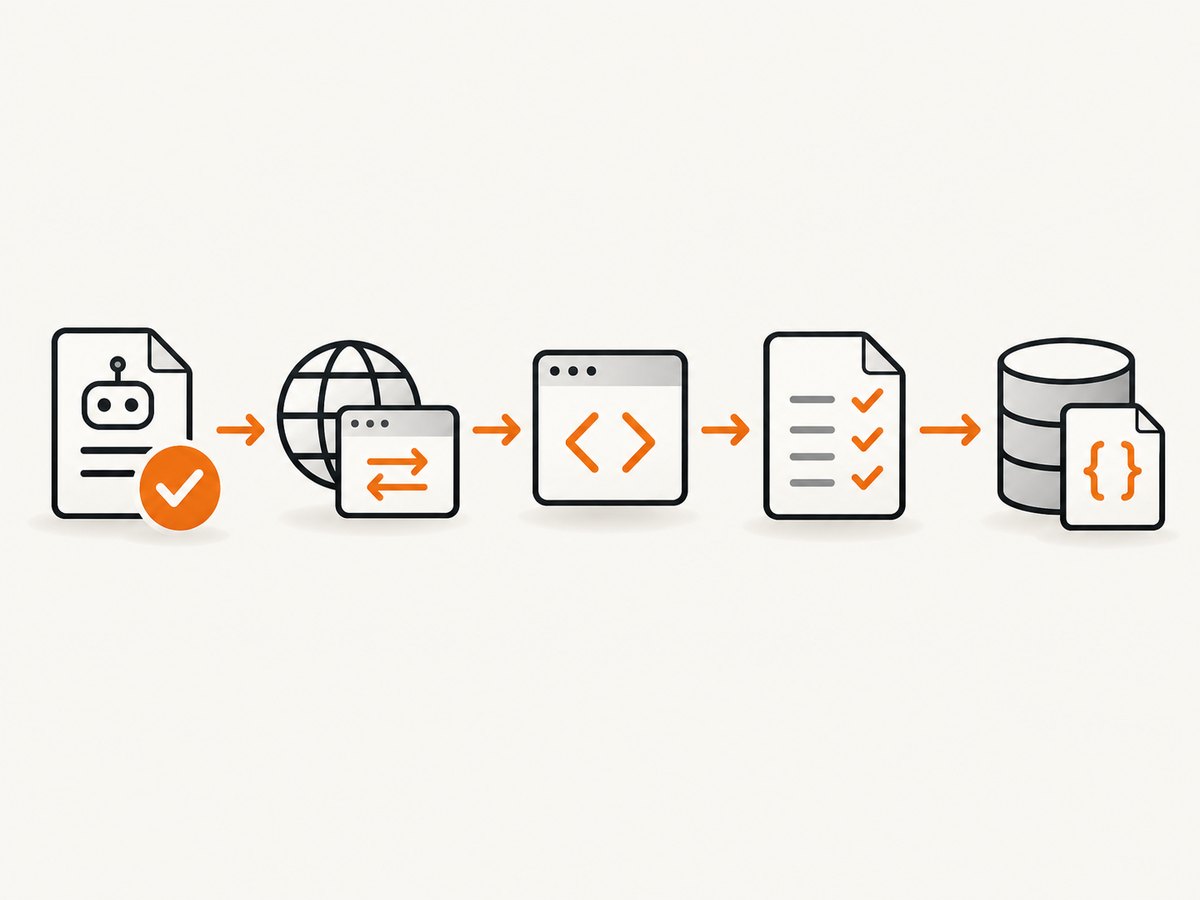
This guide builds a conservative scraper for news listing pages. It extracts a canonical URL and headline, and shows how to extend the schema with dates, bylines, sections, summaries, and article text. Scraping a site is a technical action and a rights question: robots.txt describes crawler access and traffic rules, but it does not settle copyright, privacy, licensing, database rights, or terms of service.
1. Define the scope and output
Write down the publisher, sections, URL patterns, fields, schedule, and retention period before writing selectors. Begin with one page that you are allowed to fetch. A narrow schema makes failures visible:
| Field | Purpose | Typical source |
|---|---|---|
url |
Stable identity and deduplication key | Canonical link or article link |
headline |
Display and search | h1, card heading, or JSON-LD |
published_at |
Ordering and freshness | time datetime, Open Graph, JSON-LD |
updated_at |
Change detection | Publisher metadata |
byline |
Attribution | Author element or JSON-LD |
section |
Filtering | Breadcrumb, category, feed metadata |
summary |
Preview text | Deck, description, feed summary |
retrieved_at |
Audit trail | Your UTC clock |
Store the source URL, publisher, retrieval time, parser version, and any license metadata with every record. Keep the original URL even when you normalize it.
2. Check permission before fetching
Python’s urllib.robotparser reads a publisher’s robots.txt and answers whether a user agent may fetch a URL. It can also expose a crawl delay, request rate, and sitemap locations when the file supplies them. Google describes robots.txt as a way to manage crawler traffic; it is not a complete access-control or copyright mechanism.
- Read the target publisher’s current terms, copyright and licensing notices, privacy rules, and database-rights statement.
- Use an identifying user agent with a contact address.
- Do not bypass authentication, paywalls, CAPTCHAs, bot checks, rate limits, or explicit prohibitions.
- Prefer an official API or feed and honor its documented quota and reuse terms.
3. Install the Python dependencies
python -m pip install requests beautifulsoup4Requests handles HTTP retrieval and timeouts. Beautiful Soup parses HTML and supports CSS-style element searches. Pin versions in your application’s normal dependency workflow when reproducibility matters.
4. Complete conservative scraper
The following program checks robots.txt, identifies the client, uses a finite timeout, stops on HTTP errors, parses only article cards, normalizes text, resolves relative links, and records retrieval time. Replace the example URL and selectors only after inspecting the target site’s permitted HTML.
from datetime import datetime, timezone
from urllib.parse import urljoin, urlparse
from urllib.robotparser import RobotFileParser
import json
import requests
from bs4 import BeautifulSoup

URL = 'https://example-news-site.test/news'
UA = 'ExampleResearchBot/1.0 (+mailto:you@example.org)'
TIMEOUT = 15


def allowed_by_robots(url: str, user_agent: str) -> bool:
    parsed = urlparse(url)
    robots_url = f'{parsed.scheme}://{parsed.netloc}/robots.txt'
    robots = RobotFileParser(robots_url)
    robots.read()
    delay = robots.crawl_delay(user_agent) or robots.crawl_delay('*')
    if delay:
        print(f'Publisher crawl delay: {delay} seconds')
    return robots.can_fetch(user_agent, url)


def first_text(node, selectors):
    for selector in selectors:
        found = node.select_one(selector)
        if found:
            text = found.get_text(' ', strip=True)
            if text:
                return text
    return None


def scrape_listing(url: str) -> list[dict]:
    if not allowed_by_robots(url, UA):
        raise RuntimeError(f'robots.txt does not allow {url}')

    response = requests.get(
        url,
        headers={'User-Agent': UA, 'Accept': 'text/html,application/xhtml+xml'},
        timeout=TIMEOUT,
    )
    response.raise_for_status()
    soup = BeautifulSoup(response.text, 'html.parser')
    retrieved_at = datetime.now(timezone.utc).isoformat()
    records = []
    seen = set()

    for card in soup.select('article'):
        link = card.select_one('a[href]')
        headline = card.select_one('h1, h2, h3')
        if not link or not headline:
            continue

        article_url = urljoin(url, link['href'])
        if article_url in seen:
            continue
        seen.add(article_url)

        time_node = card.select_one('time[datetime], time')
        published_at = None
        if time_node:
            published_at = time_node.get('datetime') or time_node.get_text(' ', strip=True)

        records.append({
            'url': article_url,
            'headline': headline.get_text(' ', strip=True),
            'published_at': published_at,
            'byline': first_text(card, ['[rel="author"]', '.byline', '[class*="author"]']),
            'section': first_text(card, ['.section', '[class*="category"]']),
            'summary': first_text(card, ['.dek', '.summary', '.excerpt', 'p']),
            'retrieved_at': retrieved_at,
        })

    return records


if __name__ == '__main__':
    articles = scrape_listing(URL)
    with open('articles.json', 'w', encoding='utf-8') as output:
        json.dump(articles, output, ensure_ascii=False, indent=2)
    print(f'Saved {len(articles)} records to articles.json')
An article element and heading are common conventions, not guarantees. If the output is empty, inspect the permitted HTML and change the selectors rather than increasing request volume.
5. Prefer structured publisher data
HTML templates change often. Before maintaining CSS selectors, check for:
- An official API with documented authentication, quotas, and reuse rights.
- RSS or Atom feeds for recent headlines and publication dates.
- A JSON feed or embedded JSON-LD containing
NewsArticlemetadata. - A sitemap for discovering canonical URLs, followed by permitted article requests.
Structured data usually gives more stable field names and clearer reuse conditions. Use the HTML body only when the publisher’s permitted interface does not provide the fields you need.
Read JSON-LD when it is present
import json


def json_ld_articles(soup):
    for node in soup.select('script[type="application/ld+json"]'):
        try:
            data = json.loads(node.string or node.get_text())
        except json.JSONDecodeError:
            continue
        items = data if isinstance(data, list) else [data]
        for item in items:
            if isinstance(item, dict) and item.get('@type') in {'NewsArticle', 'Article'}:
                yield {
                    'url': item.get('url') or item.get('mainEntityOfPage'),
                    'headline': item.get('headline'),
                    'published_at': item.get('datePublished'),
                    'updated_at': item.get('dateModified'),
                    'byline': item.get('author'),
                }
JSON-LD may contain an object instead of a string for author or mainEntityOfPage. Normalize those shapes before writing to a strict database schema.
6. Scrape article pages only when needed
A listing page is enough for titles and links. Fetch each article page only when you need body text or metadata that the feed does not provide. Keep article selectors configurable:
ARTICLE_BODY_SELECTORS = [
    '[itemprop="articleBody"]',
    'article .article-body',
    'article [class*="body"]',
]


def extract_body(soup):
    for selector in ARTICLE_BODY_SELECTORS:
        container = soup.select_one(selector)
        if container:
            for unwanted in container.select('script, style, nav, aside, .related, .ad'):
                unwanted.decompose()
            return container.get_text('\n', strip=True)
    return None
Do not assume that removing ads or related links grants permission to republish the remaining article. Store only the minimum content required for your permitted use.
7. Pagination, deduplication, and persistence
Put a hard bound on pages and stop when the next link disappears or repeats:
from urllib.parse import urljoin


def listing_urls(first_url, max_pages=10):
    current = first_url
    seen = set()
    for _ in range(max_pages):
        if current in seen:
            break
        seen.add(current)
        yield current
        # Set this from the parsed page; this placeholder is deliberately empty.
        current = None
        if not current:
            break
        current = urljoin(first_url, current)
Use the normalized canonical URL as the unique key. Reject or quarantine records without a URL or headline. Save JSON for small jobs, CSV for flat exports, or a database table for incremental runs. Add a unique constraint on the canonical URL and retain retrieved_at and parser_version.
8. Retries, rate limits, caching, and reliability
A reliable collector makes fewer requests and records why each request failed.
- Timeouts: set connect and read limits; never wait forever.
- Status checks: call
raise_for_status()before parsing. - Backoff: retry transient 429 and 5xx responses with increasing delays and a small maximum attempt count.
- Respect signals: honor
Retry-After, publisher quotas, crawl delays, and request-rate guidance. - Concurrency: begin sequentially. Add only conservative, bounded workers after confirming permission and capacity.
- Caching: cache successful responses and use conditional requests when supported; do not repeatedly download unchanged pages.
- Observability: log URL, status, elapsed time, attempt, parser version, record count, and error class.
- Failure policy: stop or quarantine after repeated errors instead of escalating traffic.
import random
import time


def get_with_backoff(session, url, headers, attempts=3):
    for attempt in range(attempts):
        response = session.get(url, headers=headers, timeout=(5, 15))
        if response.status_code not in {429, 500, 502, 503, 504}:
            response.raise_for_status()
            return response
        retry_after = response.headers.get('Retry-After')
        if retry_after and retry_after.isdigit():
            delay = int(retry_after)
        else:
            delay = (2 ** attempt) + random.random()
        if attempt == attempts - 1:
            response.raise_for_status()
        time.sleep(delay)
9. Dynamic pages and browser rendering
Requests sees the server response; it does not execute JavaScript. If the required content is absent from the permitted HTML, first look for the publisher’s feed or JSON endpoint. Use browser automation only when client-side rendering is necessary and the publisher’s rules allow that access. Browser sessions cost more resources, are harder to operate, and can trigger bot checks. They should not be used to bypass access controls.
10. Troubleshooting
| Symptom | Likely cause | Fix |
|---|---|---|
robots.txt does not allow |
The rule disallows your user agent and URL. | Stop, verify the current rules, and use an official feed or request permission. |
| HTTP 403 or 429 | Access policy, rate limit, or bot protection. | Do not evade it. Reduce traffic, honor Retry-After, or use an approved API. |
| HTTP 5xx or timeouts | Temporary publisher or network failure. | Use finite retries with backoff, then quarantine the URL. |
| Zero records | Selectors do not match the current template, or content is client-rendered. | Inspect permitted HTML, try structured data, or use an allowed rendering path. |
| Relative or duplicate links | Cards use relative paths, tracking parameters, or repeated links. | Resolve with urljoin, normalize deliberately, and deduplicate by canonical URL. |
| Missing dates | Date is in JSON-LD, a time attribute, or loaded later. |
Check structured data and datetime; record null rather than guessing. |
| Encoding errors | Unexpected response encoding. | Prefer response.text after Requests detects encoding; preserve UTF-8 on output. |
| Parser breaks after redesign | CSS classes or nesting changed. | Keep selectors in configuration, add parser fixtures, and monitor record counts. |
11. Performance, reliability, and cost choices
- Small one-off: Requests and Beautiful Soup, one page at a time, with JSON output.
- Recurring feed: cache responses, store a URL uniqueness key, and fetch only new or changed items.
- Many sections and pagination: consider Scrapy for crawl orchestration, bounded concurrency, retries, and item pipelines.
- JavaScript-heavy pages: compare the maintenance and compute cost of a permitted browser workflow against an official API or feed.
- Data quality: a slower run with validation and logs is cheaper than silently storing wrong headlines or dates.
Your main costs are network bandwidth, execution time, storage, and maintenance when templates change. Respectful caching and bounded requests reduce all four.
12. Or skip the browser setup
If you need a rendered screenshot of a news page for an archive, QA record, or visual workflow, ScreenshotNeo provides a website screenshot API. It accepts one GET request and returns PNG, JPEG, WebP, or PDF. Cookie and consent banners, newsletter popups, and chat widgets are removed before capture; bot checks, blank pages, timeouts, failed loads, and cache hits are not billed, and response headers identify the page verdict and billing result. Its MCP server provides take_screenshot, get_page_info, and capture_pdf tools for Claude, Cursor, and other MCP clients.

See the ScreenshotNeo API documentation for all options.
cURL
curl -G 'https://api.screenshotneo.com/v1/shot' \
  -d access_key=YOUR_API_KEY \
  --data-urlencode 'url=https://example-news-site.test/news' \
  -o news.webp
Python
import requests

r = requests.get(
    'https://api.screenshotneo.com/v1/shot',
    params={
        'access_key': 'YOUR_API_KEY',
        'url': 'https://example-news-site.test/news',
    },
    timeout=90,
)
r.raise_for_status()
open('news.webp', 'wb').write(r.content)
Node.js
const q = new URLSearchParams({
  access_key: 'YOUR_API_KEY',
  url: 'https://example-news-site.test/news'
});
const res = await fetch(`https://api.screenshotneo.com/v1/shot?${q}`);
if (!res.ok) throw new Error(`Screenshot failed: ${res.status}`);
const buffer = Buffer.from(await res.arrayBuffer());
await import('node:fs/promises').then(fs => fs.writeFile('news.webp', buffer));
ScreenshotNeo supports full-page capture, CSS-element capture, device presets or custom viewports, retina scale, dark mode, custom CSS and JavaScript, waits, request blocking, headers, cookies, user agents, timezone, geolocation, PDF settings, caching TTL, signed links, async webhooks, bulk capture, and a usage API. Start with one permitted URL and keep your scraping rights and screenshot rights clear.
Create a free ScreenshotNeo account for 1,000 screenshots a month with no card. Paid plans start at $5 for 3,000 screenshots.
13. Final checklist
- Scope one publisher, section, URL pattern, and output schema.
- Check robots.txt with your real user agent.
- Read terms, licensing, privacy, and database-rights notices.
- Prefer an official API, RSS/Atom feed, JSON feed, or sitemap.
- Set timeouts, identify the client, and check status codes.
- Use low concurrency, bounded retries, backoff, and caching.
- Parse canonical URLs and stable semantic or structured fields.
- Normalize timestamps and whitespace; quarantine incomplete records.
- Deduplicate, bound pagination, and log every run.
- Recheck selectors and permissions when the publisher changes.
FAQ
Is scraping a news website legal?
There is no universal yes or no. Robots.txt addresses crawler access and traffic, while copyright, privacy, licensing, database rights, and terms of service may impose separate limits. Use an official API or feed when possible and obtain advice for a commercial or large-scale project.
Can Beautiful Soup scrape JavaScript-rendered articles?
It parses the HTML you give it; it does not run JavaScript. Find an allowed feed or JSON endpoint first. Use browser automation only when necessary and permitted.
How do I avoid scraping the same story twice?
Normalize and store the canonical URL as a unique key. Keep a retrieval timestamp and, when useful, a content hash for change detection.
Should I scrape the article body or only headlines?
Collect the smallest set of fields that meets your permitted purpose. Headlines, links, and dates often satisfy monitoring needs without copying full article text.
When should I use Scrapy?
Use Requests and Beautiful Soup for a small, focused job. Consider Scrapy when you need repeatable crawl orchestration, pagination, retries, item pipelines, and controlled concurrency across many pages.


