How to Scrape Pages Behind a Login with Session Cookies
Use an authorized login flow, save Playwright state securely, reuse it for protected pages, and handle cookies, storage, expiry, and errors.
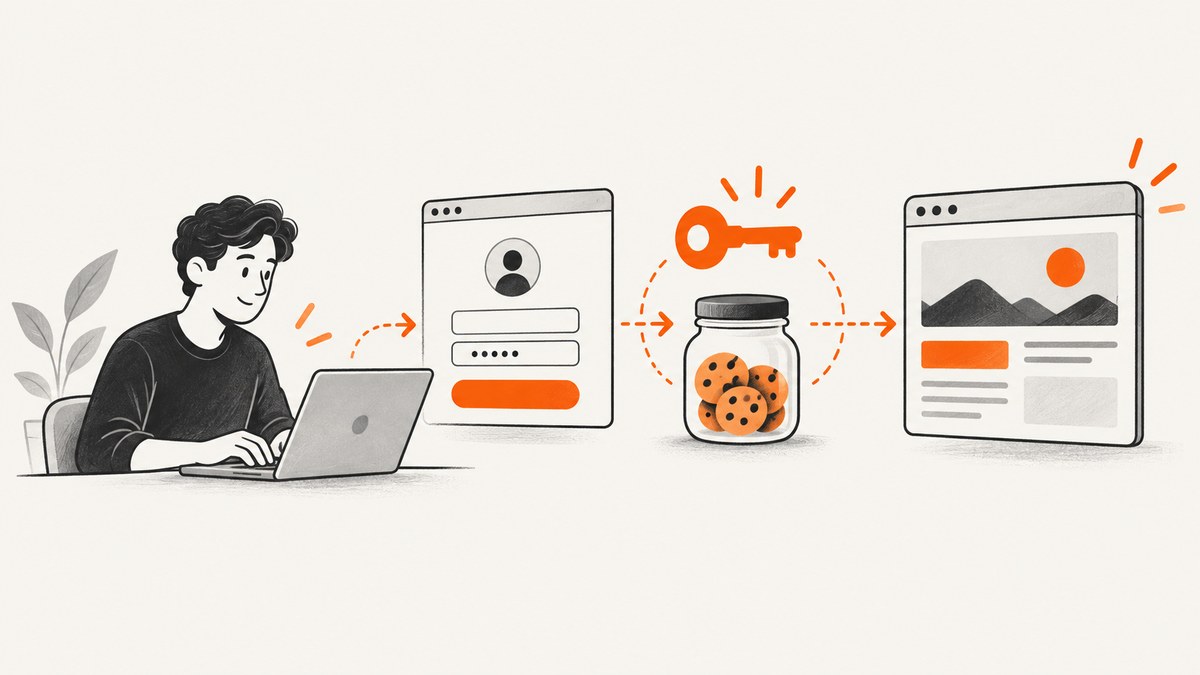
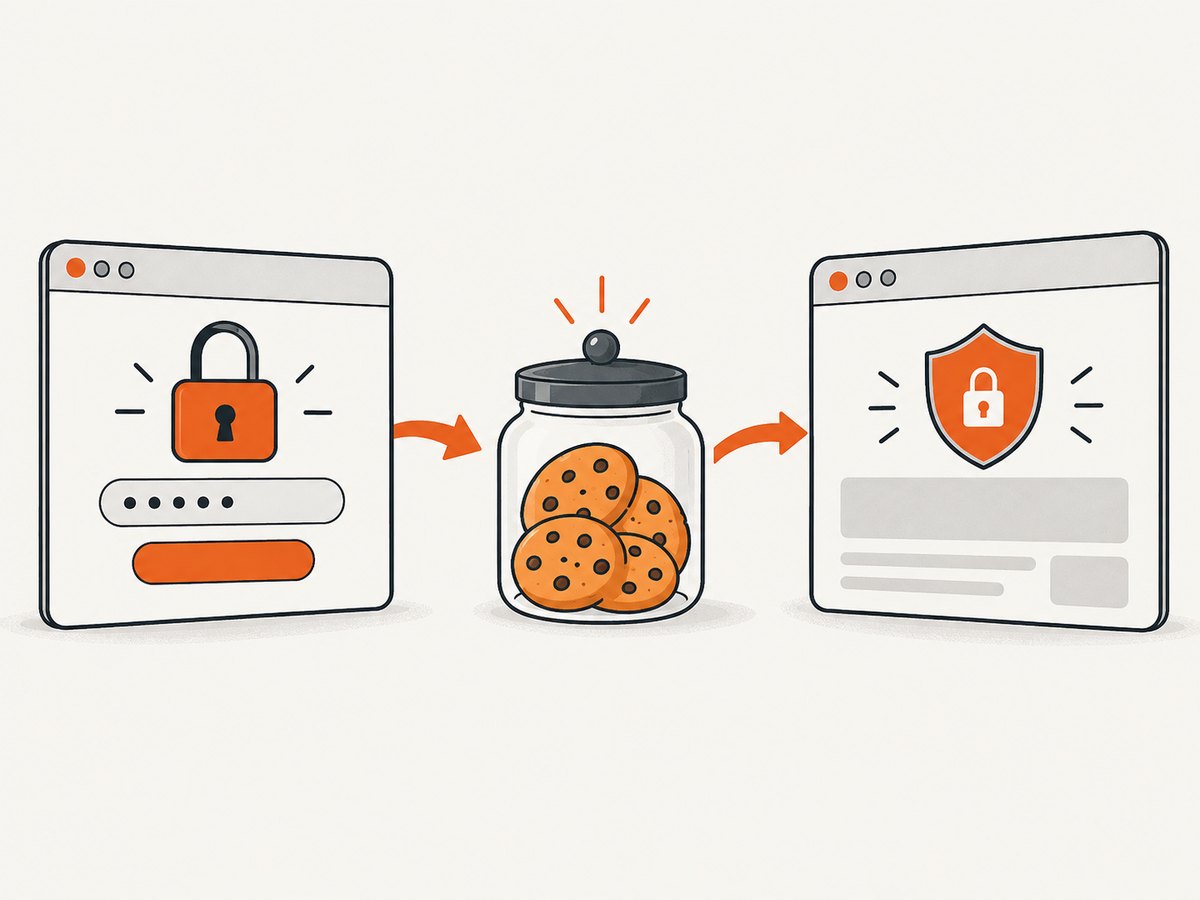
To scrape a page behind a login, authenticate through the normal login flow in a browser you control, save the resulting browser state, and load that state into a fresh context when you need to collect authorized pages. Playwright’s authentication documentation calls this reusable authenticated state. A cookie copied into an HTTP client can work for a narrow case, but many applications also depend on local storage, IndexedDB, passkeys, or session storage.
This guide assumes that you have permission from the account holder and the site to automate the requested access. A valid session cookie is a bearer credential; possessing one does not prove that you may use it. Review the site’s current terms, respect request limits, stop when access is denied or challenged, and prefer an official API when one is available.
1. Choose the right session approach
| Approach | Best fit | Main trade-off |
|---|---|---|
| Browser automation with saved state | Login requires JavaScript, MFA steps you can complete interactively, or browser-specific state | Most faithful to the application, but uses a browser and needs state-file security |
| Playwright API request context | The service exposes a suitable API or supports a request-based login flow | Simpler HTTP workflow; you must confirm that the saved state and API session are compatible |
| Manual cookie loading in an HTTP client | A small, authorized task where cookie authentication is known to be sufficient | Fragile when other storage or anti-forgery values are required, and easy to leak credentials |
Do not assume that one option is always faster or more reliable. The site’s authentication design determines the correct choice.
2. Install Playwright and create a dedicated state directory
mkdir logged-in-scraper
cd logged-in-scraper
npm init -y
npm install playwright
npx playwright install chromium
mkdir -p .auth
printf ".auth/\n.env\n" > .gitignore
Use a dedicated ignored directory for authentication state. Restrict its filesystem permissions and never commit it, paste it into logs, or upload it to an issue tracker. Playwright warns that a state file can contain sensitive cookies and headers that could impersonate you or your test account; see the official warning.
3. Log in through the normal browser flow
Create auth.setup.js. Replace selectors and URLs with those documented or observed for the account you are authorized to use. The important detail is the post-login assertion: wait for a reliable signal that proves authentication completed instead of assuming that a button click succeeded.
const { chromium } = require('playwright');

(async () => {
  const browser = await chromium.launch({ headless: false });
  const context = await browser.newContext();
  const page = await context.newPage();

  await page.goto('https://example.com/login', { waitUntil: 'domcontentloaded' });
  await page.getByLabel('Email').fill(process.env.SCRAPER_EMAIL);
  await page.getByLabel('Password').fill(process.env.SCRAPER_PASSWORD);
  await page.getByRole('button', { name: /sign in|log in/i }).click();

  // Use a stable, non-sensitive post-login signal.
  await page.getByRole('link', { name: /account|dashboard/i }).waitFor({ state: 'visible' });
  await page.context().storageState({ path: '.auth/user.json' });

  await browser.close();
})();
Run it with credentials supplied through your shell or a secret manager:
SCRAPER_EMAIL='authorized-user@example.com' \
SCRAPER_PASSWORD='use-a-secret-manager' \
node auth.setup.js
Handling MFA and interactive challenges
If the account requires a one-time code, security key, or other user interaction, run the setup headed, complete the approved challenge yourself, then save state after the authenticated page appears. Do not treat CAPTCHA or bot-check bypass as a normal scraping step. If access is challenged, follow the site’s approved process or stop.
4. Reuse saved state for a protected page
const { chromium } = require('playwright');

(async () => {
  const browser = await chromium.launch();
  const context = await browser.newContext({ storageState: '.auth/user.json' });
  const page = await context.newPage();

  await page.goto('https://example.com/account/reports', { waitUntil: 'networkidle' });
  await page.getByRole('heading', { name: /reports/i }).waitFor();

  const rows = await page.locator('table tbody tr').evaluateAll((trs) =>
    trs.map((tr) => [...tr.querySelectorAll('td')].map((td) => td.innerText.trim()))
  );
  console.log(JSON.stringify(rows, null, 2));

  await browser.close();
})();
A fresh browser context isolates cookies and storage from unrelated jobs. Verify authentication with a harmless assertion, such as an account navigation element or a page heading. Do not print cookie values, authorization headers, or the complete storage-state JSON.
5. Save and load every relevant kind of browser state
Playwright’s storage state can include cookies and local storage. Depending on the application, authenticated state may also involve IndexedDB or passkeys. The Playwright authentication source documentation describes these components and notes that session storage is domain-specific and is not persisted by default.
Cookies
Cookies can represent the session identifier, refresh token, CSRF value, or routing information. Domain, path, expiration, Secure, and SameSite attributes all matter. A cookie copied from www.example.com may not be sent to app.example.com, and an expired cookie will silently send you back to the login page.
Local storage and IndexedDB
Single-page applications often keep an access token, tenant selection, or feature state outside cookies. Reusing a browser context with storageState preserves the state Playwright supports. If an application stores required data in IndexedDB, confirm the framework and browser version support the persistence you rely on, and validate the resulting page rather than assuming the file is complete.
Session storage
Session storage is scoped to a tab and origin. Because it is not automatically included in a normal storage-state file, an application that depends on it may require explicit export and import inside the same origin. One pattern is to collect it after login:
const sessionStorage = await page.evaluate(() => {
  const result = {};
  for (let i = 0; i < sessionStorage.length; i++) {
    const key = sessionStorage.key(i);
    result[key] = sessionStorage.getItem(key);
  }
  return result;
});
require('fs').writeFileSync('.auth/session-storage.json', JSON.stringify(sessionStorage));
Load it before the application reads the value, usually by opening the origin and running an initialization script. Keep this file as carefully as the cookie state.
6. Use an API request context when the service supports one
If the target offers an authorized API, a request context can avoid rendering pages. Playwright documents saving API request storage state and sharing cookies between a browser-associated request context and its browser context in its API testing guide.
const { request } = require('playwright');

(async () => {
  const api = await request.newContext({
    baseURL: 'https://example.com',
    storageState: '.auth/user.json',
    extraHTTPHeaders: { Accept: 'application/json' }
  });

  const response = await api.get('/api/reports');
  if (!response.ok()) {
    throw new Error(`Request failed: ${response.status()} ${await response.text()}`);
  }
  console.log(await response.json());
  await api.dispose();
})();
Use the documented API contract, pagination, filtering, and rate limits. Do not infer private endpoints from browser traffic when an official interface is available.
7. A cookie-only request, when it is genuinely sufficient
For a narrow authorized task, you can pass a known session cookie to Python. This is appropriate only after confirming that the endpoint authenticates with that cookie and does not require a CSRF header, local-storage token, special user agent, or browser-generated request signature.
import os
import requests

url = "https://example.com/account/reports"
session = requests.Session()
session.cookies.set(
    "sessionid",
    os.environ["SESSION_COOKIE"],
    domain="example.com",
    path="/",
)
response = session.get(url, timeout=30)
response.raise_for_status()
if "Sign in" in response.text:
    raise RuntimeError("The cookie was rejected or the page requires more state")
with open("reports.html", "wb") as output:
    output.write(response.content)
Never put the cookie in the URL, source code, shell history, exception text, or debug logs. A cookie copied from a browser can grant the same access as the browser until it expires or is revoked.
8. Keep authentication authorized and bounded
- Confirm the account holder authorized the target pages, fields, frequency, and purpose.
- Review current terms, privacy rules, contracts, and any published API policy.
- Collect only the data needed for the stated purpose and protect downloaded records.
- Respect documented rate limits and robots or access controls that apply to your activity.
- Stop when the account is revoked, the site returns an access-denied response, or a security challenge appears.
Under U.S. federal law, 18 U.S.C. § 1030 defines “exceeds authorized access” in terms of obtaining or altering information that the accessor is not entitled to obtain or alter; see the current statutory text. The Supreme Court’s Van Buren v. United States decision discusses that statutory distinction. Neither source decides whether a particular scraping project is permitted. Authorization for one account or page is not blanket permission for every target or reuse of its data.
9. Expiration, reauthentication, and retries
Sessions expire through an absolute timeout, inactivity timeout, password change, device revocation, or server-side rotation. Detect expiry by checking the final URL, response status, or a stable login marker. If a page redirects to /login, discard the stale state and run the normal login setup again.
async function openAuthenticatedPage(context, url) {
  const page = await context.newPage();
  const response = await page.goto(url, { waitUntil: 'domcontentloaded' });
  const redirectedToLogin = page.url().includes('/login');
  if (redirectedToLogin || (response && response.status() === 401)) {
    await page.close();
    throw new Error('AUTH_EXPIRED');
  }
  return page;
}
Retry only transient failures such as a connection reset or a documented 5xx response. Use bounded exponential backoff and a maximum attempt count. Do not retry authorization failures indefinitely; that can create needless load and may trigger more challenges.
10. Common errors and fixes
| Symptom | Likely cause | Fix |
|---|---|---|
| Redirects to login | Expired cookie, wrong domain, missing storage, or revoked session | Re-run the normal login flow, verify the post-login assertion, and save a new state file |
| Page loads but data is empty | Content is rendered after JavaScript, requires an API call, or needs a tenant selection | Wait for a specific selector or response, select the authorized tenant, or use the documented API |
| 401 or 403 from an API | Cookie alone is insufficient, CSRF protection is active, or the endpoint requires a separate token | Use the supported API login flow and include only documented headers; do not try to bypass the control |
| Works headed, fails headless | Timing, viewport, browser differences, or an interactive step was skipped | Wait on a post-login signal, set a consistent viewport, and complete required interaction through the approved flow |
| State file appears valid but authentication is missing | Required session storage, IndexedDB, or passkey state was not captured | Identify the storage mechanism and preserve it explicitly; validate with a protected-page assertion |
| Frequent timeouts | Slow application, unnecessary networkidle waits, or overloaded target |
Wait for the specific element you need, set realistic timeouts, reduce concurrency, and honor rate limits |
| Cookie exposed in logs | Debug output or exception included request headers | Rotate or revoke the credential, remove sensitive logging, and restrict artifact access |
11. Performance, reliability, and cost controls
Performance
- Reuse one browser process and create isolated contexts for jobs instead of launching a browser for every URL.
- Use a specific readiness selector rather than waiting for every network request to become idle when the application keeps long-lived connections open.
- Collect only required fields and paginate according to the API contract.
- Limit concurrency to what the target documents or can handle; more workers can increase throttling and failure rates.
Reliability
- Pin a known browser version in repeatable environments and record the target URL, timestamp, status, and non-sensitive error category.
- Separate login setup from collection jobs so a failed scrape cannot overwrite a known-good state without a successful assertion.
- Use a small health check against an authorized, non-sensitive page before a large batch.
- Make jobs idempotent with stable record keys and checkpoints so a retry does not duplicate data.
Cost
Self-hosted browser automation consumes compute, storage, and maintenance time. An official API may reduce rendering cost and simplify pagination. Do not add residential proxies or other evasion services to compensate for an access restriction; resolve authorization and target policy first.
12. Or skip the browser setup
ScreenshotNeo can capture an authorized page with one request when you need a visual record rather than parsed DOM data. Its cleanup steps accept cookie or consent banners and remove more than 60 known consent platforms, newsletter popups, and chat widgets before capture; each step can be turned off. Only clean shots are billed: bot checks or CAPTCHAs, blank pages, timeouts, failed loads, and cache hits cost nothing, and the response reports the result in X-Page-Verdict and X-Billed headers.

Read the complete option list in the ScreenshotNeo documentation. You can pass custom headers, cookies, an Authorization value, a user agent, timezone, and geolocation when you are authorized to use them. Other useful options include full-page capture with lazy images loaded, CSS element selection, custom CSS and JavaScript, click and wait actions, blocked resource types, caching with a chosen TTL, signed links, asynchronous jobs with signed webhooks, bulk capture for up to 100 URLs per call, PDF output, HTML/CSS rendering, and a usage API.
cURL
curl -G "https://api.screenshotneo.com/v1/shot" \
  -d access_key=YOUR_API_KEY \
  --data-urlencode url=https://stripe.com \
  -o shot.webp
Python
import requests

r = requests.get(
    "https://api.screenshotneo.com/v1/shot",
    params={"access_key": "YOUR_API_KEY", "url": "https://stripe.com"},
    timeout=90,
)
r.raise_for_status()
open("shot.webp", "wb").write(r.content)
Node.js
const q = new URLSearchParams({ access_key: 'YOUR_API_KEY', url: 'https://stripe.com' });
const res = await fetch(`https://api.screenshotneo.com/v1/shot?${q}`);
if (!res.ok) throw new Error(`Screenshot failed: ${res.status}`);
require('fs').writeFileSync('shot.webp', Buffer.from(await res.arrayBuffer()));
ScreenshotNeo also provides an MCP server with take_screenshot, get_page_info, and capture_pdf tools for Claude, Cursor, and other MCP clients. Every feature is on every plan: 1,000 shots per month are free with no card; paid plans start at $5 for 3,000 shots. Create a free ScreenshotNeo account.
13. Short FAQ
Can I paste a session cookie into a scraper?
Only for an authorized, narrow task where the target confirms that the cookie is sufficient. Browser state is safer to reproduce when other storage or headers participate in authentication.
Why does copying cookies fail while the browser works?
The application may require local storage, IndexedDB, session storage, a CSRF token, a device binding, or JavaScript-generated request data.
Should I save a state file permanently?
Keep it only as long as needed, outside source control, with restricted access. Revoke or refresh credentials if the file is exposed.
Is a logged-in screenshot the same as scraping page data?
No. A screenshot records rendered pixels. DOM extraction or an official API is required for structured fields, pagination, and downstream analysis.
What should I do when access is challenged?
Follow the site’s approved verification process or stop. Do not present bypassing access controls as routine session handling.


