How to Scrape Paginated Lists and Load More Buttons
Learn when to replay an API request and when to use Playwright for numbered pages, Load more buttons, and infinite scroll—with safe stopping and deduplication.
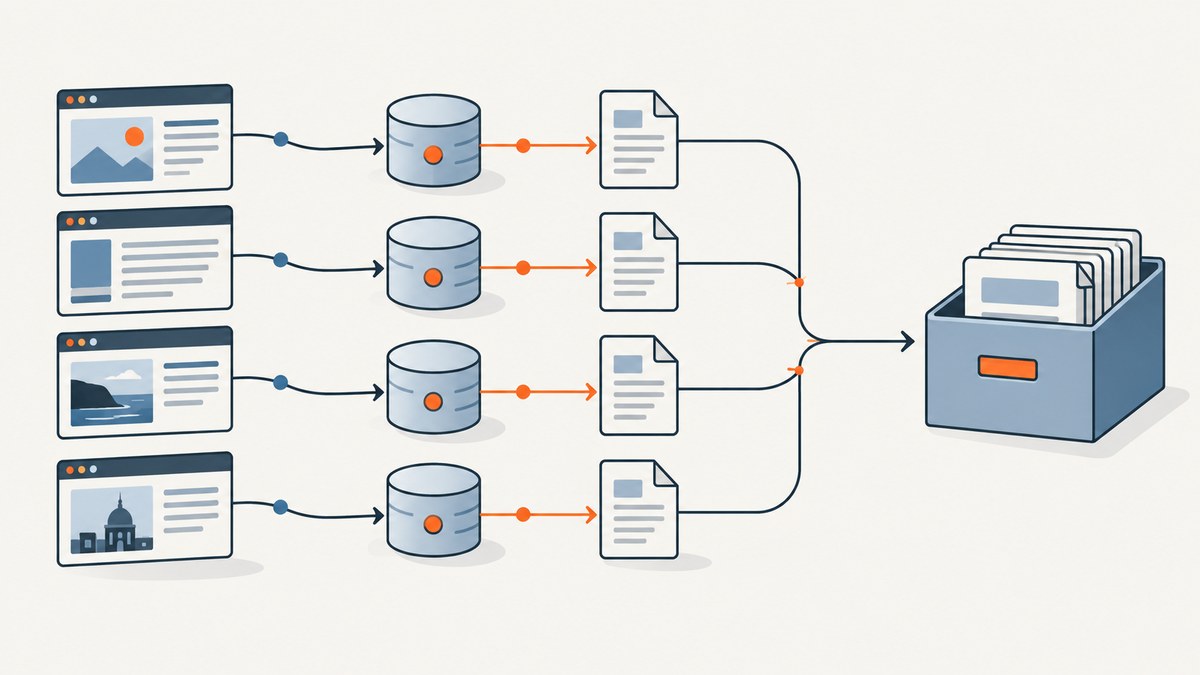
To scrape a paginated list, first identify how it loads. For numbered pages, follow the next link or increment a page, offset, or cursor parameter. For a Load more button or infinite scroll, inspect the browser’s Network panel and replay the JSON/XHR request when practical; use browser automation when the interaction or rendering depends on JavaScript. Preserve the active filters, stop on a clear exhaustion signal, deduplicate by a stable record ID, and save progress so a partial run can resume.
This guide covers the three common patterns, runnable Python examples for both direct requests and Playwright, termination rules, failure handling, and the trade-offs between HTTP clients and browsers. Scrape only pages and data you are permitted to access, and respect the site’s terms and applicable law.
1. Identify how the list loads
Before choosing a library or writing selectors, determine which pagination pattern the site uses. They look similar to a visitor, but the right extraction method differs. Google’s guidance treats pagination, Load more, and infinite scroll as separate patterns; the latter two generally depend on JavaScript. Google’s documentation on pagination and incremental loading describes the distinctions.

| Pattern | What you see | What to inspect |
|---|---|---|
| Numbered pages or Next | Page numbers, a Next link, or URLs such as ?page=2 |
Next URL, page/offset/cursor parameters, and whether filters remain in the URL |
| Load more | A button appends another batch to the current list | The click-triggered request, its parameters, response shape, and button exhaustion state |
| Infinite scroll | More rows appear near the bottom without a button | The request triggered by the list bottom or a sentinel; identify the actual scroll container |
Inspect the network request first
- Open the target list in a browser and open Developer Tools.
- Select the Network tab, filter to Fetch/XHR, and clear existing entries.
- Change a page, click Load more, or scroll until new records appear.
- Open the new request. Record its method, URL, query parameters or request body, response format, and any cursor or offset.
- Compare returned records with the visible list. Check how filters, sort order, locale, and page size are represented.
When a request returns the records directly, replaying it is usually simpler than rendering the page. Scrapy puts the principle plainly: “In this case, the most reliable way is to find the data source and extract it from it.” Scrapy’s dynamic-content guide explains how to find and reproduce data requests. Only reproduce requests you are authorized to make; do not bypass access controls.
2. Scrape numbered pages with Python requests
For a documented or observed JSON endpoint, use a normal HTTP client. This example assumes a hypothetical endpoint that accepts page and per_page, and returns items plus total. Replace the example host, field names, and record key with the ones you observed; the domain below is reserved for documentation and is not a real target.
import requests

BASE_URL = "https://example.invalid/api/items"
PER_PAGE = 100
TIMEOUT = 30

session = requests.Session()
seen_ids = set()
records = []
page = 1

while True:
    response = session.get(
        BASE_URL,
        params={"page": page, "per_page": PER_PAGE, "status": "active"},
        timeout=TIMEOUT,
    )
    response.raise_for_status()
    payload = response.json()
    items = payload.get("items", [])
    total = payload.get("total")

    if not items:
        break

    new_count = 0
    for item in items:
        record_id = item.get("id")
        if record_id is None:
            raise ValueError("Choose a stable unique key for deduplication")
        if record_id not in seen_ids:
            seen_ids.add(record_id)
            records.append(item)
            new_count += 1

    print(f"page={page} received={len(items)} new={new_count} total={len(records)}")

    if total is not None and len(records) >= total:
        break
    if new_count == 0:
        raise RuntimeError("Page added no new records; check pagination parameters")
    page += 1

print(f"Collected {len(records)} records")
The sample carries the status filter forward on every request. Apply the same rule to category, date range, sort, locale, and any other state that defines the list. If the endpoint uses offset and limit, advance the offset by the number of records returned (or by the documented page size, depending on the API contract). Scrapy’s pagination example checks an empty page and a reported total while advancing an offset. See the Scrapy spider documentation for request patterns; use the site’s actual documented endpoint and response fields.
Cursor pagination
Some APIs return next_cursor rather than a page number. Send that exact cursor on the next request; do not assume a cursor is a number or construct one yourself. Track cursors already seen and stop if a cursor repeats. A repeated cursor can otherwise trap the scraper in an endless loop. A missing or null next cursor is often the endpoint’s exhaustion signal.
3. Scrape a Load more button with Playwright
If the request is difficult to reproduce, needs browser state, or the UI itself must be inspected, use browser automation. Playwright actions normally scroll elements into view automatically. Its locator API also supports explicitly scrolling a target into view, which can trigger an infinite list. Playwright’s scrolling guide documents this behavior.
Install Playwright and its Chromium browser with the commands below. The script uses a semantic button name, waits for the item count to grow after each click, collects new IDs, and exits if the button disappears or no growth occurs. Change the selectors and extraction fields for the target site.
python -m pip install playwright
python -m playwright install chromium
import asyncio
from playwright.async_api import async_playwright
URL = "https://example.invalid/list"
ITEM = "article[data-item-id]"
LOAD_MORE = "button:has-text('Load more')"
MAX_CLICKS = 100
async def main():
seen = set()
records = []
async with async_playwright() as p:
browser = await p.chromium.launch(headless=True)
page = await browser.new_page()
await page.goto(URL, wait_until="domcontentloaded", timeout=45000)
for click_number in range(1, MAX_CLICKS + 1):
cards = page.locator(ITEM)
before = await cards.count()
for index in range(before):
card = cards.nth(index)
record_id = await card.get_attribute("data-item-id")
if record_id and record_id not in seen:
seen.add(record_id)
records.append({
"id": record_id,
"text": (await card.inner_text()).strip(),
})
button = page.locator(LOAD_MORE)
if await button.count() == 0 or not await button.is_enabled():
break
await button.click()
try:
await page.wait_for_function(
"({selector, oldCount}) => "
"document.querySelectorAll(selector).length > oldCount",
arg={"selector": ITEM, "oldCount": before},
timeout=15000,
)
except Exception:
print(f"No list growth after click {click_number}; stopping")
break
print(f"click={click_number} visible={await cards.count()} unique={len(records)}")
else:
print("Reached click guard; review whether more records remain")
await browser.close()
print(f"Collected {len(records)} unique records")
asyncio.run(main())The timeout is a guard, not proof that the list is exhausted: a slow response can exceed it. For stronger reliability, wait for the specific network response or a site-provided “no more results” message. If the list virtualizes rows, the DOM may contain only visible records; extract each batch before scrolling and persist it as you go.
4. Handle infinite scroll safely
Infinite scroll commonly loads another batch when a sentinel or the list bottom enters view. Some pages scroll the browser window; others scroll a nested panel. Inspect which element’s scroll position changes as new requests appear. Scrolling the wrong element can make a scraper appear stalled.
For a window-scrolling page, the core loop can use the same item-count guard as the Load more example:
MAX_SCROLLS = 100

for scroll_number in range(1, MAX_SCROLLS + 1):
    before = await page.locator(ITEM).count()
    await page.evaluate("window.scrollTo(0, document.body.scrollHeight)")
    try:
        await page.wait_for_function(
            "({selector, oldCount}) => "
            "document.querySelectorAll(selector).length > oldCount",
            arg={"selector": ITEM, "oldCount": before},
            timeout=15000,
        )
    except Exception:
        break
    # Extract this batch here, deduplicating and persisting records.
else:
    print("Reached scroll guard; review completeness")
For a nested container, scroll that element instead, for example await page.locator(".results-panel").evaluate("el => el.scrollTo(0, el.scrollHeight)"). Prefer scrolling a known sentinel into view when the page exposes one. Always set a maximum iteration or item count and a wall-clock deadline. If there is no total count, use several independent end checks: no new IDs, repeated cursor, unchanged item count, absent/disabled button, and a maximum guard.
5. Choose the right extraction approach
| Approach | Best fit | Trade-off |
|---|---|---|
| Direct HTTP/API replay | A JSON/XHR request exposes the needed records | Reproduce pagination state, headers, cookies, and tokens correctly |
| Scrapy request spider | Many pages, retries, concurrency, and structured pipelines | Does not execute page JavaScript by itself |
| Playwright browser | Browser-only rendering, clicks, scrolling, or UI verification | Uses more resources and is typically slower than requesting structured data |
| Scrapy plus Playwright | The site mixes request pagination with browser-only interaction | More state and coordination to maintain |
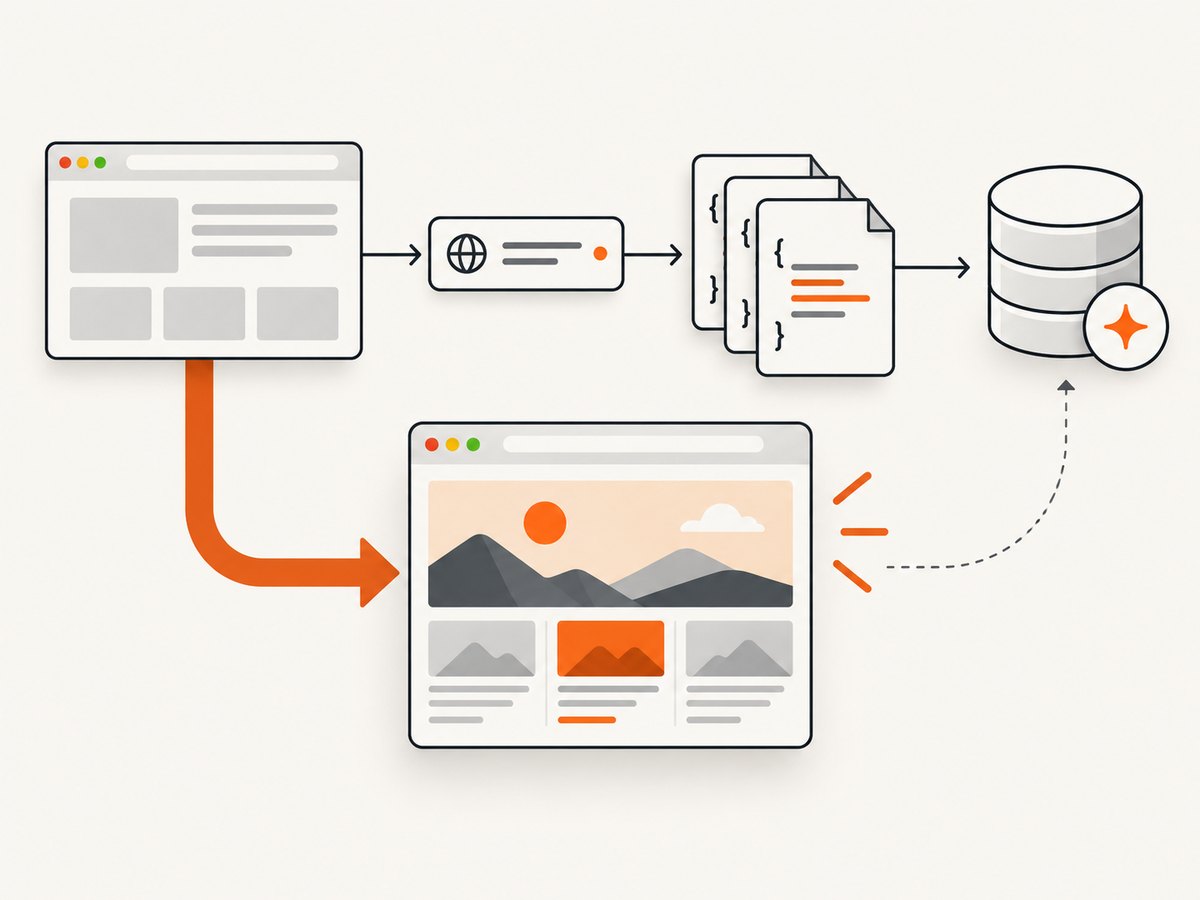
Scrapy recommends reproducing the data request where possible, while acknowledging that some requests are hard to reproduce and a headless browser is useful in those cases. Read its dynamic-content guidance. Start with the simplest method that faithfully returns the records. If you need a browser to inspect or capture a page visually, ScreenshotNeo is a website screenshot API and MCP server; screenshots can help document what the rendered list looked like, but a screenshot is not structured data extraction.
6. Make long runs resumable and complete
- Deduplicate: choose a stable key such as a record ID or canonical detail URL. A title alone is often not unique.
- Persist incrementally: write each page or batch to durable storage rather than keeping the entire run only in memory.
- Log checkpoints: record page/offset/cursor, received count, new count, timestamp, and last successful request.
- Resume safely: save the next cursor or page and make writes idempotent so replaying the last batch does not create duplicates.
- Measure completeness: compare unique records with the server’s reported total when available; otherwise retain the termination reason in the run log.
- Limit concurrency: do not send parallel requests for sequential cursor chains. For independent pages, stay within documented limits and back off on throttling.
List contents can change during a run. New records inserted at the top may shift offset-based pages and lead to skips or duplicates. A stable cursor or snapshot token is preferable when the API provides one. If not, deduplicate and consider a second reconciliation pass over the time window, without assuming that it guarantees a complete snapshot.
7. Troubleshooting common failures
| Symptom | Likely cause | Fix |
|---|---|---|
| Every request returns the first page | Wrong parameter name, cursor omitted, or parameter sent in the wrong place | Compare the browser request exactly, including query versus JSON body |
| Later pages lose filters or sorting | Only the page number is carried forward | Preserve all list-defining parameters on every request |
| Browser click times out | Wrong locator, disabled button, delayed request, or no more results | Check the locator and Network panel; wait for response or a specific state change |
| Scroll produces no new rows | Wrong scroll container, lazy loading threshold not reached, or virtualized DOM | Inspect the scrolling element and sentinel; extract each visible batch before moving on |
| Duplicate records appear | Overlapping pages, shifting offsets, or repeated cursor | Deduplicate by stable ID and log cursor/page progression |
| Run never ends | Endpoint repeats a page or UI count changes without new records | Track seen cursors and new IDs; enforce page, item, click, and time limits |
| HTTP 401 or 403 | Authentication/session required or access denied | Use only authorized credentials and documented access; do not attempt to bypass controls |
| HTTP 429 | Rate limit reached | Reduce request rate, honor Retry-After if supplied, and use bounded exponential backoff |
| Response is HTML instead of JSON | Wrong endpoint, expired session, redirect, or bot/access challenge | Inspect status, final URL, content type, and authorized session requirements; do not treat challenge HTML as records |
8. Performance, reliability, and cost
Direct requests avoid the browser rendering cost and are usually the efficient choice when the endpoint returns the records. Browser automation has added startup, JavaScript, rendering, and memory overhead, but is appropriate when the interaction truly depends on a browser. Measure on the target site: the research sources publish no cross-site success-rate, latency, or cost benchmark that applies generally.
Reliability comes from explicit timeouts, bounded retries for transient failures, rate-limit handling, idempotent writes, checkpoints, and transparent stop reasons. Do not retry permanent authorization failures as if they were network glitches. A successful HTTP response alone does not establish completeness; validate the response shape, page progression, and end condition.
Cost depends on your environment and volume: browser compute, proxy or infrastructure charges where applicable, storage, and engineering time. Avoid waste by using the JSON endpoint when authorized, limiting returned fields, setting a suitable page size, and stopping promptly on exhaustion. Keep credentials out of source control and logs.
9. Or skip the browser setup
If your goal is to capture a visual screenshot of a page or its rendered state rather than extract every record as structured data, ScreenshotNeo provides a one-call screenshot API. Use it alongside the extraction approach above when a visual artifact is useful.
curl -G "https://api.screenshotneo.com/v1/shot" -d access_key=YOUR_API_KEY --data-urlencode url=https://stripe.com -o shot.webpPython:
import requests
r = requests.get("https://api.screenshotneo.com/v1/shot", params={"access_key": "YOUR_API_KEY", "url": "https://stripe.com"}, timeout=90)
open("shot.webp", "wb").write(r.content)
Node.js:
const q = new URLSearchParams({ access_key: 'YOUR_API_KEY', url: 'https://stripe.com' });
const res = await fetch(`https://api.screenshotneo.com/v1/shot?${q}`);
See the ScreenshotNeo API documentation for parameters and response details. ScreenshotNeo accepts cookie or consent banners like a visitor and removes more than 60 known consent platforms, newsletter popups, and chat widgets before capture; each cleanup step can be turned off. Bot checks or CAPTCHAs, blank pages, timeouts, failed loads, and cache hits cost nothing, and response headers report the page verdict and billing status. Its MCP server gives AI agents screenshot, page-info, and PDF tools. The free plan includes 1,000 shots a month with no card; paid plans start at $5 for 3,000 shots. Those are screenshot features, not a substitute for collecting paginated records from an API.
Create a free ScreenshotNeo account for 1,000 screenshots a month with no card.
10. Frequently asked questions
Should I use Selenium or Playwright?
Use browser automation when browser-only interaction or rendering is necessary. If the Network panel reveals a stable, permitted JSON request, an HTTP client or Scrapy is usually a simpler extraction route.
How do I know when I have all the records?
Prefer an API total or explicit next cursor. Otherwise combine several checks: empty response, absent or disabled control, repeated cursor, no new unique IDs, and a hard page or time limit.
Can I use screenshots to scrape text?
A screenshot is a visual image, not a structured record feed. Use the page’s authorized data endpoint or DOM extraction for records; use screenshots when you need a visual capture.
What if the site changes while I am scraping?
Offset pages can shift as records are inserted or removed. Prefer a documented snapshot or cursor mechanism, deduplicate results, checkpoint progress, and record the run’s time window and completion signal.


