How to Scrape Prices From Websites With Python
Build a Python price monitor with requests and Beautiful Soup, handle JavaScript-rendered prices, normalize currencies, and store auditable history.
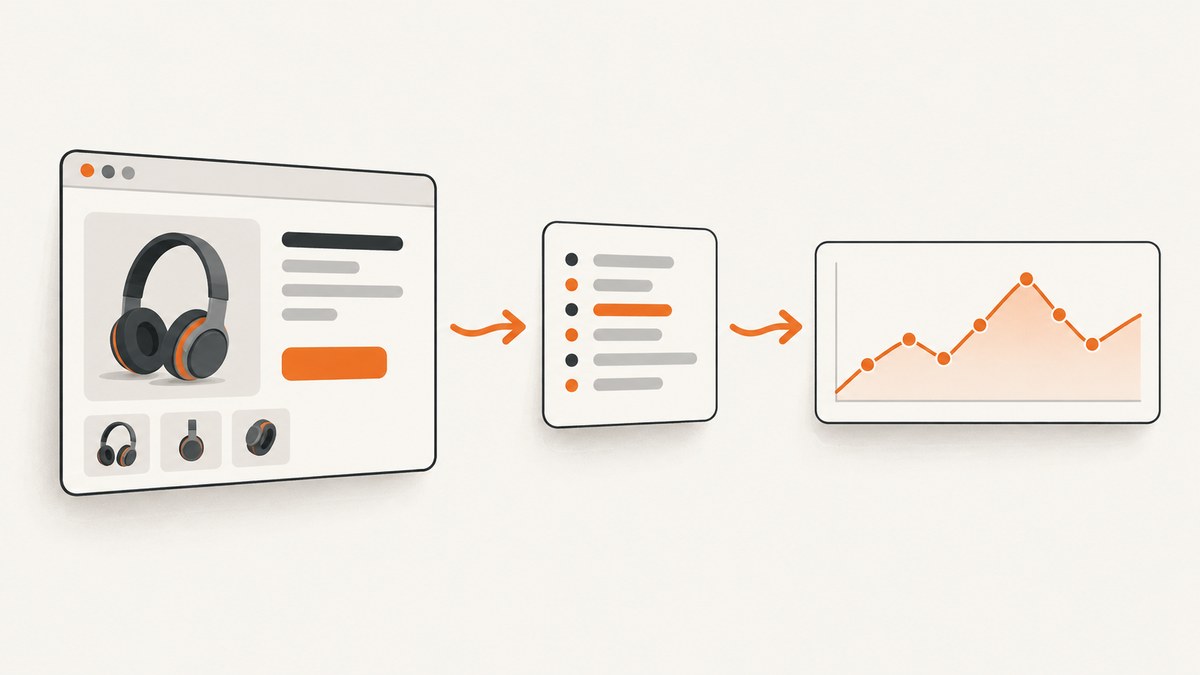
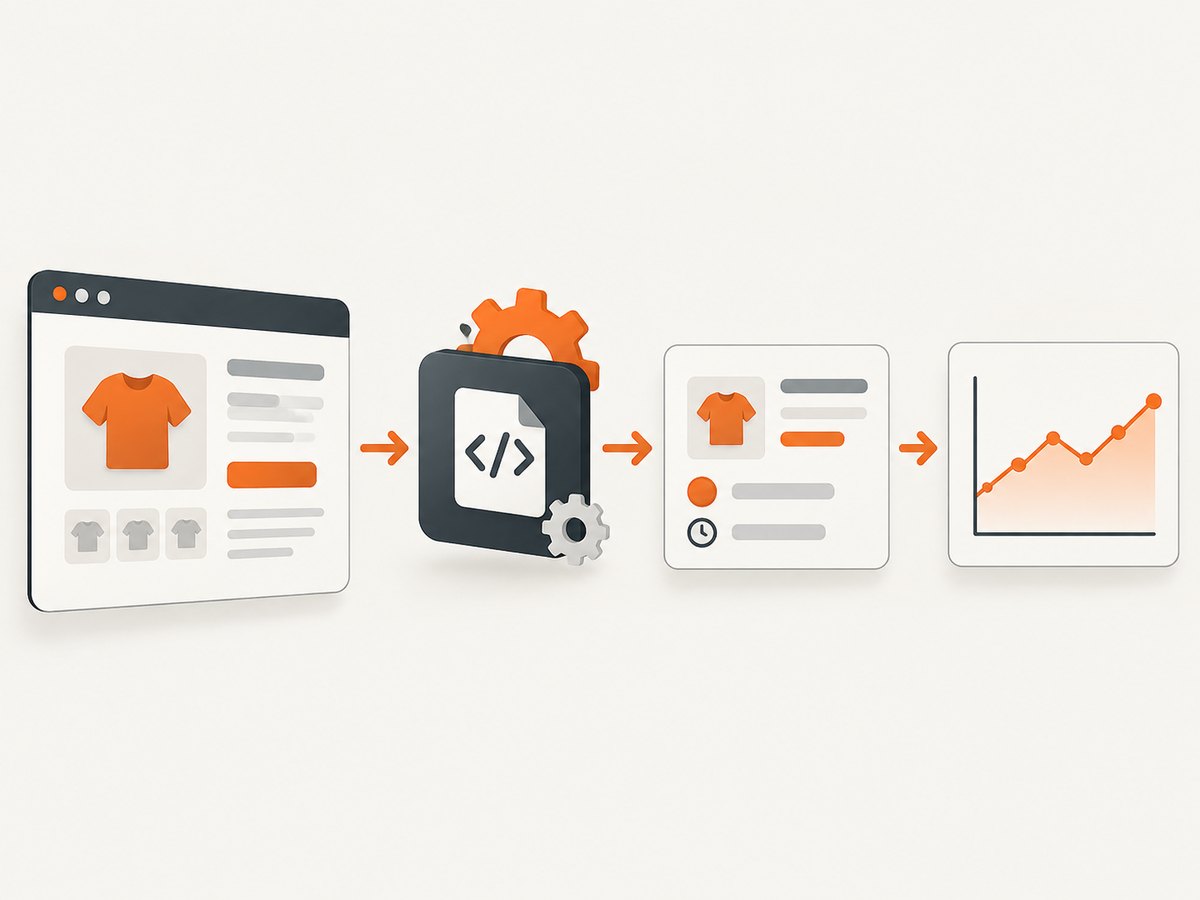
To scrape a product price with Python, first confirm that the site permits automated access and check whether it offers an official API. For a permitted server-rendered product page, use requests to fetch the HTML, Beautiful Soup to select a stable price element or structured data field, and Decimal to normalize the value. Save the source URL, retrieval time, currency, raw text, numeric price, and parser version for every observation. If the price appears only after JavaScript runs, look for an allowed data endpoint; otherwise render the page with a browser tool such as Playwright.
This guide builds a small, auditable price monitor, explains how to extend it safely, and covers the common reasons extraction fails.
1. Check the access policy and choose an approach
Before sending requests, read the site’s Terms of Service and its robots.txt. Google describes robots.txt as a way to tell crawlers which URLs they can access; it is a traffic-management signal, not a substitute for reviewing the site’s terms. The Carpentries also recommends checking both, using delays, and limiting request rates. Prefer an official catalog or product API when one is available. Avoid authenticated or personal-data endpoints unless you have permission, and fail closed when you cannot determine the applicable policy.
Keep a record of the policy review and its version or date. For a production monitor, centralize policy checks, set per-domain request ceilings, minimize the data collected, and retain each source URL and scrape timestamp so results can be audited later.
| Situation | Good starting point | Trade-off |
|---|---|---|
| A few known, server-rendered pages | requests + Beautiful Soup or lxml |
Low setup and resource use; page selectors can change. |
| A public, permitted product endpoint exists | Use the documented endpoint | Usually more stable and clearly authorized; may have credentials or quotas. |
| The price appears only after JavaScript runs | Allowed endpoint first; then Playwright or Selenium | Browser rendering uses more time and resources and adds failure modes. |
| Many domains or recurring historical collection | Queue, storage, caching, and per-domain controls | More setup, but better operational visibility. |
2. Inspect the page and select a price source
Open the product page in a browser and inspect the price element. Prefer, in order, an official API field, a structured data value such as product JSON-LD, or a specific product-price element. A selector such as [itemprop="price"] or a site-specific attribute is easier to validate than grabbing the first dollar sign on the page. The Beautiful Soup documentation covers CSS selection with select_one() and select().
Check the rendered page and the original response separately. If the browser shows a price but the HTML returned by requests does not contain it, the page is probably populating it with JavaScript or an API call. In the browser’s developer tools, inspect network requests to identify whether the page reads a public, permitted data endpoint. Do not reverse-engineer or call an endpoint that is restricted by terms, authentication, or access controls.
Decide which price you actually want to track: current sale price, list price, member price, or a variant-specific price. A product page may contain several. Record the selector or data field for each intended value, and make your code reject ambiguous matches instead of silently choosing one.
3. Build a small Python scraper
Install the dependencies in a virtual environment:
python -m venv .venv
# macOS/Linux
. .venv/bin/activate
# Windows PowerShell
.venv\Scripts\Activate.ps1
python -m pip install requests beautifulsoup4
The example below is intentionally configured with a placeholder URL and selector. Replace both with a product page you are permitted to access and a selector confirmed from that page’s HTML. It uses a descriptive User-Agent, a timeout, a bounded retry policy for transient server errors, and fails when the selector is absent or matches more than one element.
from datetime import datetime, timezone
from decimal import Decimal, InvalidOperation
import json
import re
import time

import requests
from bs4 import BeautifulSoup
from requests.adapters import HTTPAdapter
from urllib3.util.retry import Retry

PRODUCT_ID = "sample-product-001"
URL = "https://example.com/product"
PRICE_SELECTOR = "[itemprop='price']"  # Replace after inspecting permitted HTML.
PARSER_VERSION = "price-parser-v1"

session = requests.Session()
session.headers.update({
    "User-Agent": "ExamplePriceMonitor/1.0 (contact: operator@example.com)",
    "Accept": "text/html,application/xhtml+xml",
})
retry = Retry(
    total=3,
    connect=3,
    read=0,
    status=3,
    backoff_factor=1,
    status_forcelist=(429, 500, 502, 503, 504),
    allowed_methods=frozenset(["GET"]),
    respect_retry_after_header=True,
)
session.mount("https://", HTTPAdapter(max_retries=retry))
session.mount("http://", HTTPAdapter(max_retries=retry))


def parse_amount(raw: str) -> Decimal:
    """Parse a deliberately narrow amount format; configure locale rules explicitly."""
    text = raw.strip().replace("\u00a0", " ")
    # This example handles values like "$1,299.95" and "1299.95".
    # It does not guess whether comma is a decimal mark.
    cleaned = re.sub(r"[^0-9.,-]", "", text)
    if cleaned.count(",") and cleaned.count("."):
        cleaned = cleaned.replace(",", "")
    elif "," in cleaned:
        raise ValueError(f"Ambiguous comma decimal/grouping format: {raw!r}")
    try:
        amount = Decimal(cleaned)
    except InvalidOperation as exc:
        raise ValueError(f"Could not parse price: {raw!r}") from exc
    if not amount.is_finite() or amount < 0:
        raise ValueError(f"Invalid price amount: {raw!r}")
    return amount


def scrape_price(url: str) -> dict:
    response = session.get(url, timeout=(5, 20))
    response.raise_for_status()
    soup = BeautifulSoup(response.text, "html.parser")
    matches = soup.select(PRICE_SELECTOR)
    if len(matches) != 1:
        raise ValueError(
            f"Expected one price for {PRICE_SELECTOR!r}, found {len(matches)}"
        )
    element = matches[0]
    raw = element.get("content") or element.get_text(" ", strip=True)
    if not raw:
        raise ValueError("Price element exists but has no value")
    currency = element.get("currency") or element.get("data-currency")
    if not currency:
        # Set this only when you know the page's currency from a reliable source.
        currency = "USD"
    return {
        "product_id": PRODUCT_ID,
        "source_url": response.url,
        "retrieved_at": datetime.now(timezone.utc).isoformat(),
        "currency": currency,
        "price": str(parse_amount(raw)),
        "raw_price": raw,
        "parser_version": PARSER_VERSION,
    }


if __name__ == "__main__":
    observation = scrape_price(URL)
    with open("prices.jsonl", "a", encoding="utf-8") as output:
        output.write(json.dumps(observation, ensure_ascii=False) + "\n")
    print(json.dumps(observation, indent=2, ensure_ascii=False))
The code retries selected transient HTTP failures, but it does not retry a missing selector or invalid price. Those are data-quality failures that should be surfaced for review, not hidden by repeating the same parse. requests supports connect/read timeouts; the tuple above bounds connection establishment and waiting for a response. A timeout is not necessarily a strict wall-clock cap for the entire operation.
4. Normalize without losing meaning
Money should not be represented as a binary floating-point number for comparison or storage. The example parses into Decimal and serializes the value as a string, preserving its decimal form. Keep the currency separately: 19.99 by itself is not enough to distinguish USD from CAD, EUR, or another currency.
- Retain the original text, including symbols and labels, for audit and debugging.
- Use a reliable currency field from structured data when available; otherwise define currency per known product or locale.
- Do not assume that comma always means thousands or always means a decimal mark. Configure and test a locale-specific parser.
- Keep sale and list prices as separate fields when both matter. Never assume the first matched price is the current price.
- Decide how to represent unavailable, out-of-stock, and variant-specific products. A missing amount is not a zero price.
The parser above accepts a narrow English-style number format and deliberately rejects ambiguous comma-only values. For international sites, use a locale-aware parsing strategy with an explicit locale and test cases rather than adding increasingly broad character substitutions.
5. Persist observations and detect changes
A JSON Lines file is convenient for a small prototype because each line is an independent observation. For a service, store observations in a database with fields equivalent to product_id, source_url, retrieved_at, currency, price, raw_price, and parser_version. Add a status field if the page can be unavailable or out of stock. Retain enough context to explain where a recorded value came from and which extraction logic produced it.
To detect a change, compare the new valid observation with the most recent valid observation for the same product and currency. Emit a change only when both values are valid and the currency matches. Decide whether to alert on any difference or on a threshold such as a percentage change; that threshold is a monitoring choice, not a parsing rule. Keep failed observations separate from successful prices so an empty page or selector change cannot become a false price drop.
For reliability, alert when the expected element disappears, when a page begins returning an unexpected status, or when the parser produces a value outside a plausible range for that product. Add fixtures or tests for missing prices, sale-versus-list prices, locale formats, unavailable products, and selector changes before scheduling recurring collection.
6. Handle JavaScript-rendered prices
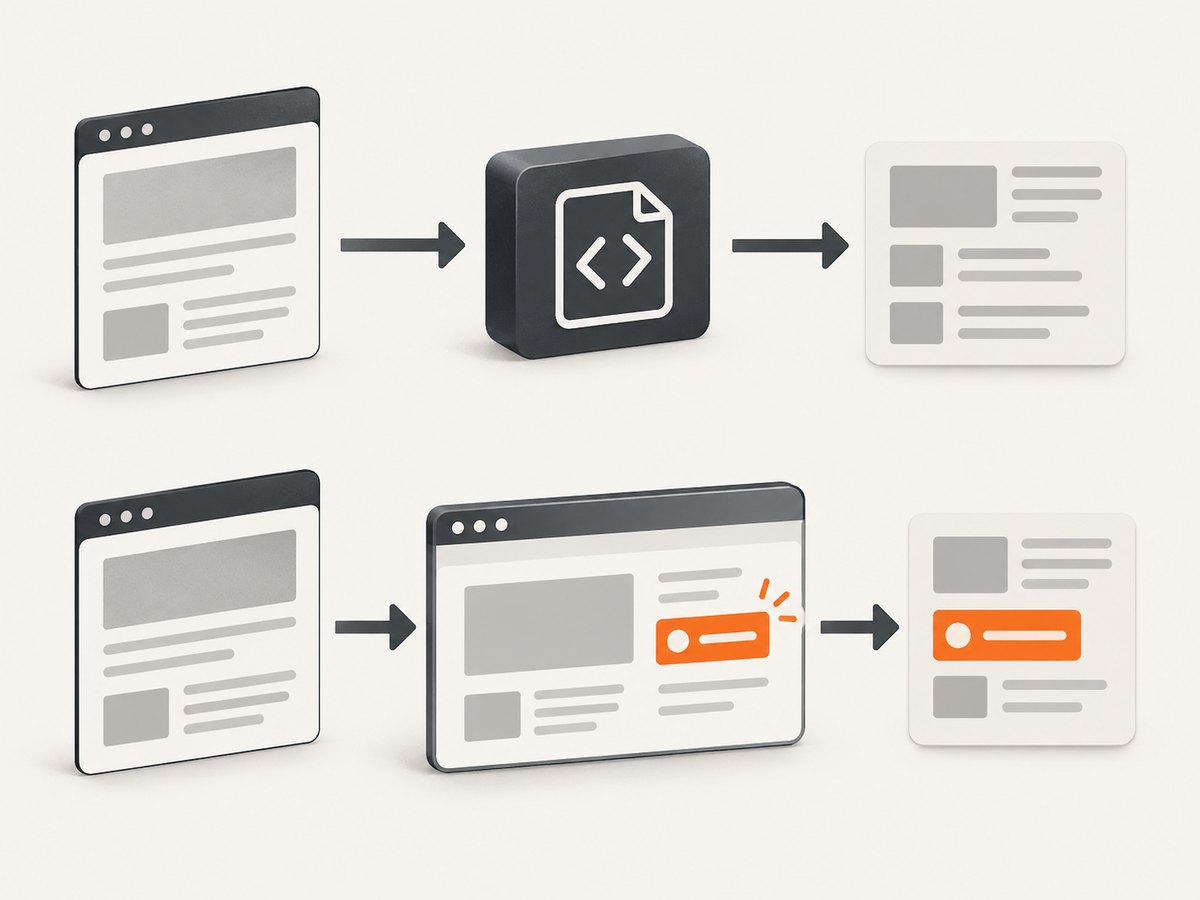
First inspect permitted network requests for an official or public data endpoint. If there is no suitable authorized endpoint, use browser automation to render the page and read the DOM after the expected price appears. Playwright’s locator API supports selecting and waiting for page elements; browser rendering is heavier and more fragile than parsing static HTML, so use it only when necessary.
Install Playwright and its browser binaries:
python -m pip install playwright
python -m playwright install chromium
Replace the URL and selector with values appropriate to a page you are allowed to access:
import asyncio
from decimal import Decimal
from playwright.async_api import async_playwright

URL = "https://example.com/product"
PRICE_SELECTOR = "[itemprop='price']"

async def main():
    async with async_playwright() as p:
        browser = await p.chromium.launch(headless=True)
        page = await browser.new_page()
        try:
            response = await page.goto(URL, wait_until="domcontentloaded", timeout=30000)
            if response and response.status >= 400:
                raise RuntimeError(f"Page returned HTTP {response.status}")
            price = page.locator(PRICE_SELECTOR)
            await price.wait_for(state="visible", timeout=15000)
            count = await price.count()
            if count != 1:
                raise ValueError(f"Expected one price, found {count}")
            raw = await price.get_attribute("content")
            if not raw:
                raw = (await price.inner_text()).strip()
            print({"url": page.url, "raw_price": raw})
        finally:
            await browser.close()

asyncio.run(main())
Choose the wait condition based on the page. domcontentloaded avoids waiting for every image and unrelated resource. Then wait for the specific price element. A fixed sleep is simple but slower and still unreliable: the page may load sooner or later than the chosen delay. Do not use automation to defeat CAPTCHAs, bot checks, logins, or access controls. If a site blocks collection or its policy is unclear, stop and use an authorized data source.
7. Schedule collection without overloading a site
Start with a small list of known public URLs and a conservative schedule. Define a per-domain request ceiling, keep concurrency low, add delays where appropriate, and cache responses when policy and freshness requirements allow. Avoid launching one request per product in an unbounded loop. If the site returns a rate-limit response, respect any retry timing it provides and reduce request frequency; retries should be bounded and should not turn a denial into a request storm.
For a recurring job, separate fetching, parsing, validation, persistence, and change comparison so each stage can report its own failure. Track counts for successful observations, missing selectors, HTTP errors, and invalid values. Keep the parser version with each row; when a site changes markup, you can identify which records came from which parser revision.
8. Troubleshooting
| Symptom | Likely cause | Fix |
|---|---|---|
| Selector returns no element | The selector is wrong, markup changed, or JavaScript inserts the value. | Inspect the response HTML and selector. Check for an allowed data endpoint; otherwise render the page and wait for the specific element. |
| Several prices match | List price, sale price, variants, or recommendations share similar markup. | Use a more specific product-scoped selector and define which price is intended. Fail on ambiguity. |
| HTTP 403 or a bot check | The site declined automated access or requires a permitted access path. | Review the site’s terms and access policy. Do not try to bypass the check; use an official API or stop collection. |
| HTTP 429 | Requests are too frequent or a rate limit was reached. | Honor server guidance, lower the per-domain rate, reduce concurrency, and use bounded backoff. |
| Timeout or connection error | Network delay, server load, or an unreachable host. | Use explicit connect/read timeouts and a small retry budget for transient failures. Record the failure separately from prices. |
| Price parsed as 129995 instead of 1299.95 | Locale-specific separator rules were guessed incorrectly. | Preserve raw text and configure parsing for the page’s known locale. Reject ambiguous formats. |
| Zero or strange price appears | A missing value was coerced, the wrong element matched, or a placeholder was parsed. | Require a nonempty match, validate currency and plausible ranges, and treat unavailable as a distinct status. |
| Playwright times out waiting | The selector is wrong, the element is hidden, or page content requires another state. | Inspect the rendered DOM, wait for the correct visible element, and verify the page response. Do not increase waits indefinitely. |
9. Performance, reliability, and cost
Static HTTP parsing is usually the lightest option: it transfers the response HTML and parses it without launching a browser. Browser automation requires more CPU and memory and takes longer, so reserve it for pages where an allowed endpoint or static HTML cannot supply the value. Reuse an HTTP session, avoid fetching unchanged pages more often than needed, and set request frequency according to site policy and the freshness your use case requires.
Reliability comes from conservative collection and explicit validation, not from retrying every failure. Retry only transient network or server conditions within a small limit; do not automatically retry policy denials, missing selectors, or malformed values. Persist failures with timestamps and reasons, alert on structural changes, and never compare prices across currencies without an explicit conversion source and timestamp.
For a small monitor, the direct costs are development, storage, and the compute and network resources used to make requests; browser rendering generally costs more resources than static parsing. There is no universal request rate or cost that is safe for every site. Set limits per domain, account for any official API quotas, and avoid collecting more frequently than you need.
Or skip the browser setup
If the page needs a browser-rendered capture for inspection or a visual record alongside your price data, ScreenshotNeo can return a screenshot or PDF from one API request. It is a website screenshot API and MCP server, and its documentation describes the request options. A screenshot is useful for visual auditing; it does not replace extracting and validating a structured numeric price.
curl -G "https://api.screenshotneo.com/v1/shot" -d access_key=YOUR_API_KEY --data-urlencode url=https://stripe.com -o shot.webpimport requests
r = requests.get(
"https://api.screenshotneo.com/v1/shot",
params={"access_key": "YOUR_API_KEY", "url": "https://stripe.com"},
timeout=90,
)
open("shot.webp", "wb").write(r.content)const q = new URLSearchParams({ access_key: 'YOUR_API_KEY', url: 'https://stripe.com' });
const res = await fetch(`https://api.screenshotneo.com/v1/shot?${q}`);
if (!res.ok) throw new Error(`Screenshot request failed: ${res.status}`);
await Bun.write('shot.webp', res);ScreenshotNeo accepts cookie and consent banners like a visitor and removes more than 60 known consent platforms, newsletter popups, and chat widgets before capture; each step can be turned off. Bot checks and CAPTCHAs, blank pages, timeouts, failed loads, and cache hits are not billed, and response headers identify the page verdict and billing status. Its MCP server gives AI agents tools for screenshots, page information, and PDF capture. The free plan includes 1,000 shots each month with no card; paid plans start at $5 for 3,000 shots. Sign up for 1,000 free screenshots a month, with no card.
10. Frequently asked questions
Can I use Beautiful Soup for ecommerce prices?
Yes, when the permitted page includes the price in its returned HTML. Beautiful Soup parses HTML; it does not execute the page’s JavaScript. If the price is absent from the response, inspect for an authorized endpoint or use a browser-rendering approach where permitted.
How do I track price changes automatically?
Schedule a policy-compliant job, store timestamped observations with source URL and currency, validate each new value, and compare it with the latest valid observation for the same product and currency. Keep failures distinct from price observations.
Should I use Selenium or Playwright?
Use browser automation only when static HTML or an allowed endpoint does not provide the price. Either tool can render a page; choose based on your existing stack, then keep waits targeted and collection within the site’s rules.
How often should I scrape a product page?
There is no universal interval. Base it on the site’s stated limits and your actual freshness need, keep per-domain rates bounded, and back off when the site signals a limit.
Primary references
- Requests Quickstart and Requests Advanced Usage for requests, timeouts, and sessions.
- Beautiful Soup documentation for parsing and CSS selectors.
- Playwright for Python locators.
- Google Search Central: Introduction to robots.txt.


