How to Scrape Product Pages with Selenium and a Proxy
A practical Selenium 4 guide to authorized product-page extraction, proxy setup, explicit waits, reliable parsing, and cleanup.
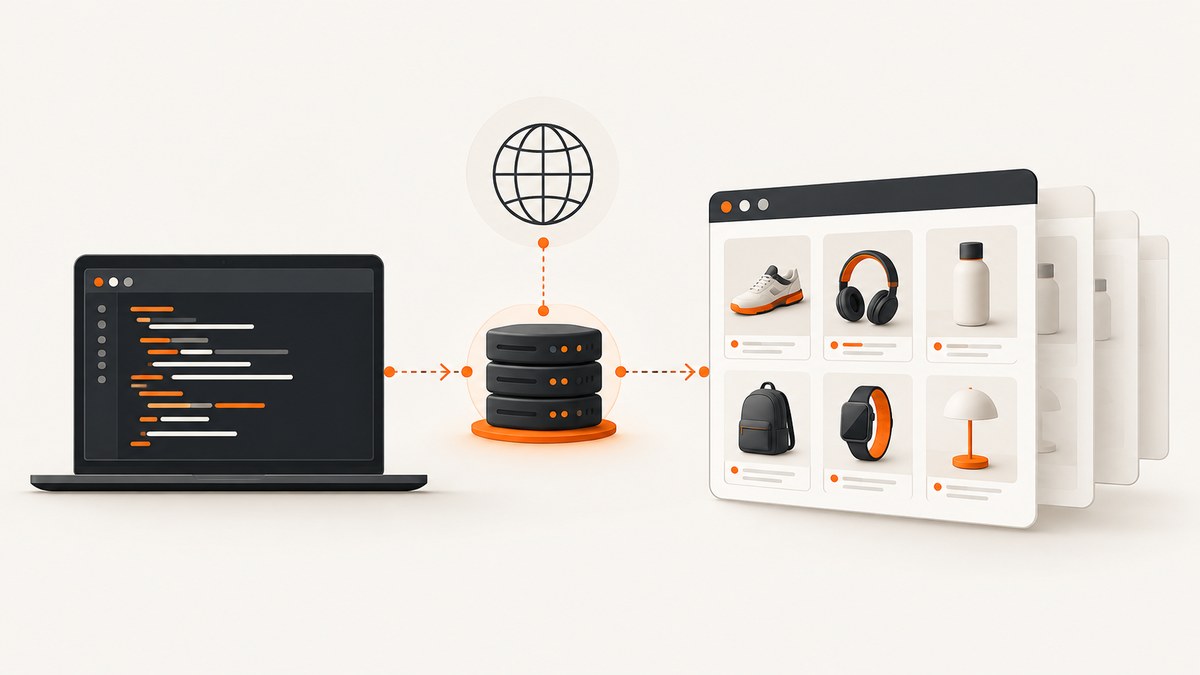
Short answer: use Selenium 4 when the product information depends on browser rendering or interaction. Configure the proxy in the browser options before creating the WebDriver session, navigate to the product URL, wait for the specific product element you need, extract only the required fields, and always close the session. A proxy routes browser traffic through an intermediary; it does not grant permission to collect data or bypass a site’s controls.
Before writing code, confirm that automated collection is permitted for the target site, the fields you plan to collect, and your intended use. Read the current terms and the site’s robots.txt. RFC 9309 explains how crawlers should interpret robots rules, while also stating that “these rules are not a form of access authorization.” If robots.txt cannot be reached because of a server or network error, the RFC says crawlers must assume complete disallow. If access is denied, stop and request permission or use an authorized interface.
1. Decide whether Selenium is the right tool
Selenium WebDriver drives a browser locally or remotely through a standard interface. Selenium identifies WebDriver as a W3C Recommendation. A real browser is useful when a product page:
- renders price, availability, SKU, or specifications with JavaScript after the initial HTML response;
- requires a click, selection, scroll, or other permitted interaction before details appear;
- needs browser features such as cookies, a user agent, a timezone, or a configured network proxy;
- must be observed as a user would see it for an authorized QA, monitoring, or data workflow.
Prefer an official API, feed, export, or static HTTP request when it supplies the fields you need. Browser automation has more startup time, memory use, and failure modes than a direct data interface. Use Selenium because browser rendering or interaction is required, not because it is a way around rate limits, bot checks, authentication boundaries, or site restrictions.
2. Install Selenium and prepare a controlled environment
This guide uses Python and Selenium 4. Install the package in an isolated environment:
python -m venv .venv
source .venv/bin/activate       # Windows: .venv\\Scripts\\activate
python -m pip install --upgrade selenium
Recent Selenium releases can manage a compatible browser driver automatically when the browser is installed. In a locked-down or remote environment, install and pin the browser and driver according to your deployment process. Record the browser, Selenium, and driver versions in logs so a later parsing change can be traced to an environment change.
3. Configure a proxy before starting WebDriver
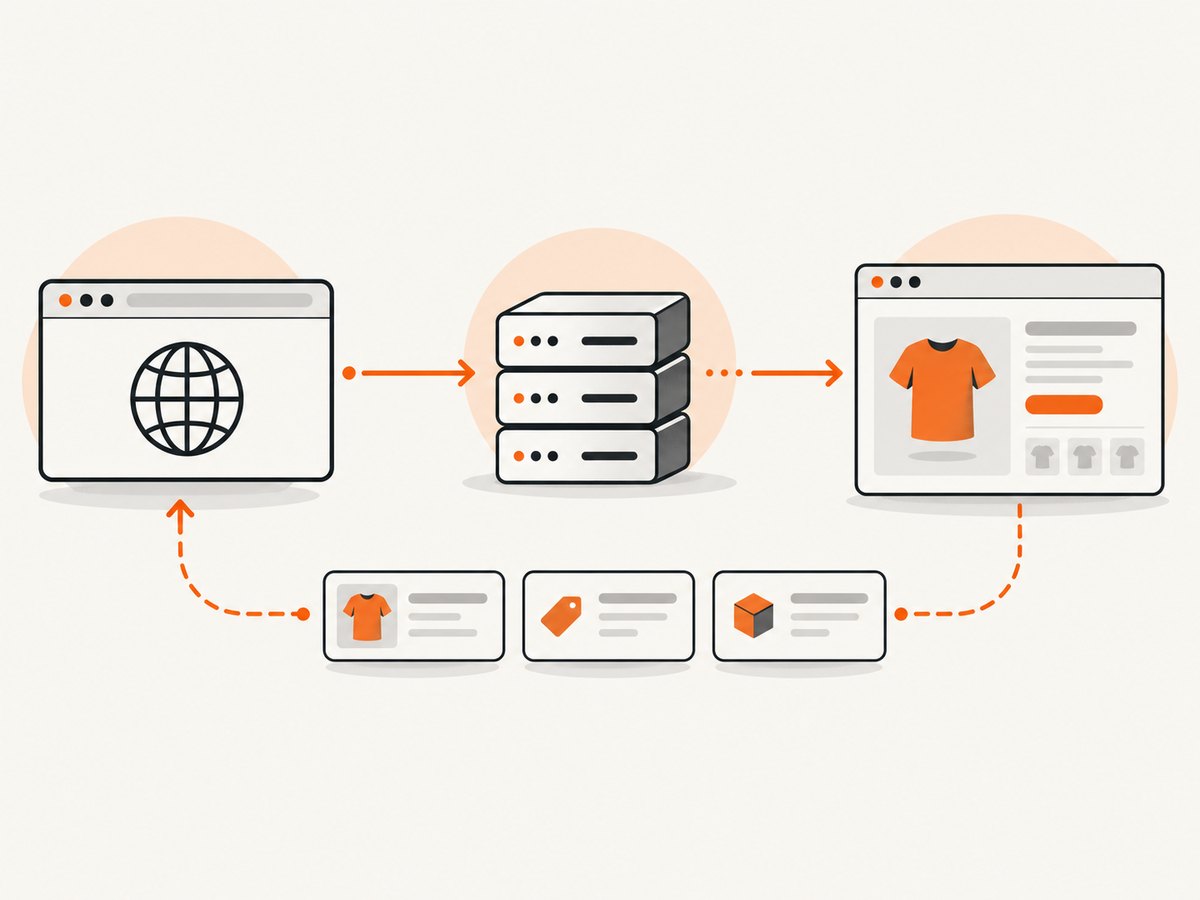
Selenium’s browser options documentation shows proxy configuration through an Options object and a manual Proxy capability. The proxy must be attached before the driver session is created; changing an option after webdriver.Chrome(...) does not reconfigure an existing session.
from selenium import webdriver
from selenium.webdriver.common.proxy import Proxy, ProxyType

proxy = Proxy({
    "proxyType": ProxyType.MANUAL,
    "httpProxy": "proxy.example:8080",
    "sslProxy": "proxy.example:8080",
})

options = webdriver.ChromeOptions()
options.proxy = proxy

driver = webdriver.Chrome(options=options)
try:
    driver.get("https://example.com/product/123")
finally:
    driver.quit()
The Selenium Python Proxy API documents several proxy types and fields:
| Setting | Use | Operational note |
|---|---|---|
MANUAL |
Explicit HTTP, HTTPS, or SOCKS endpoints | Set the fields supported by your browser and network. |
PAC |
Proxy auto-configuration | Provide proxyAutoconfigUrl and verify that the browser can fetch it. |
AUTODETECT |
Browser or platform detection | Results depend on the environment. |
SYSTEM |
Use system proxy settings | Useful in managed networks; document the host configuration. |
DIRECT |
No proxy | Explicitly disables proxy routing for the session. |
noProxy |
Bypass hosts | Use only for approved internal hosts or health endpoints. |
For SOCKS, use the browser’s supported SOCKS fields and version. Proxy authentication is browser and deployment specific. Avoid putting credentials directly in source code or URLs. Use a secret manager, environment variables, or the authentication mechanism documented by your browser and proxy provider. Validate that the provider permits your intended collection and that its acceptable-use terms match your workflow. A proxy can support traffic capture, backend mocking, or access in a complex corporate network; it does not change the target site’s permission requirements.
4. Wait for product details, not just page readiness
A successful get() call and a document.readyState value of complete do not prove that a single-page application has finished rendering product details. Selenium explicitly warns that JavaScript can continue loading content after the ready state. Wait for a stable field such as the product title, SKU, price, or availability element.
from selenium.webdriver.common.by import By
from selenium.webdriver.support.ui import WebDriverWait
from selenium.webdriver.support import expected_conditions as EC

wait = WebDriverWait(driver, 30)
title_element = wait.until(
    EC.visibility_of_element_located((By.CSS_SELECTOR, "[data-testid='product-title']"))
)
price_element = wait.until(
    EC.presence_of_element_located((By.CSS_SELECTOR, "[data-testid='price']"))
)
Choose selectors that describe the product data rather than presentation details. A data-testid, semantic attribute, or stable product schema selector is usually less fragile than a generated class name. Use a bounded timeout. An unlimited wait can leave workers stuck when the page changes or the network is unavailable.
5. Complete Selenium scraper example
The following example configures HTTP and HTTPS proxy routing, waits for a product title, extracts a small allowlist of fields, handles optional fields, and closes the browser even when navigation or parsing fails. Replace the URL and selectors with values authorized for your target.
import json
import os
from selenium import webdriver
from selenium.webdriver.common.by import By
from selenium.webdriver.common.proxy import Proxy, ProxyType
from selenium.webdriver.support.ui import WebDriverWait
from selenium.webdriver.support import expected_conditions as EC
from selenium.common.exceptions import TimeoutException, WebDriverException

PRODUCT_URL = "https://example.com/product/123"
PROXY_HOST = os.environ.get("HTTPS_PROXY_HOST", "proxy.example:8080")

proxy = Proxy({
    "proxyType": ProxyType.MANUAL,
    "httpProxy": PROXY_HOST,
    "sslProxy": PROXY_HOST,
})
options = webdriver.ChromeOptions()
options.proxy = proxy
# options.add_argument("--headless=new")  # Enable when your deployment is headless.

# Keep page-load behavior bounded. The explicit product wait remains authoritative.
options.page_load_strategy = "normal"

driver = webdriver.Chrome(options=options)
wait = WebDriverWait(driver, 30)


def text_or_none(css_selector):
    try:
        element = driver.find_element(By.CSS_SELECTOR, css_selector)
        value = element.text.strip()
        return value or None
    except Exception:
        return None

try:
    driver.get(PRODUCT_URL)
    title = wait.until(
        EC.visibility_of_element_located(
            (By.CSS_SELECTOR, "[data-testid='product-title']")
        )
    ).text.strip()

    result = {
        "url": driver.current_url,
        "title": title,
        "sku": text_or_none("[data-testid='sku']"),
        "price": text_or_none("[data-testid='price']"),
        "availability": text_or_none("[data-testid='availability']"),
    }
    print(json.dumps(result, ensure_ascii=False))
except TimeoutException:
    print(json.dumps({"error": "product details did not appear before timeout"}))
except WebDriverException as exc:
    print(json.dumps({"error": "webdriver failure", "detail": str(exc)}))
finally:
    driver.quit()
Extract only fields you need. Keep raw values when auditability matters, and normalize them in a separate step so a changed currency symbol or localized decimal separator does not silently corrupt the source record. Treat missing data as an explicit state. A missing price may mean an out-of-stock product, a login requirement, a regional variation, or a selector change; it should not automatically become zero or an empty successful record.
6. Interactions, lazy content, and product variants
Click before extracting
If an authorized workflow requires selecting a size, opening specifications, or choosing a region, wait for and click the control, then wait for the resulting product field to change.
size = wait.until(EC.element_to_be_clickable(
    (By.CSS_SELECTOR, "button[data-size='large']")
))
size.click()
wait.until(EC.text_to_be_present_in_element(
    (By.CSS_SELECTOR, "[data-testid='price']"), "$"
))
Lazy-loaded images and details
Do not assume that scrolling the entire page is harmless. If the required content is lazy loaded, scroll in bounded increments and wait for the specific field or image attribute you need. Stop when the field appears or a documented end condition is reached. Avoid collecting images, reviews, or recommendations when they are outside the approved scope.
Variants and localization
Record the selected variant, locale, currency, timezone, and final URL with each result. A product URL may redirect to a regional page, and the displayed price can change with currency or inventory. Use browser options, cookies, or headers only when the target's terms and your authorization allow it.
7. Respectful collection and failure handling
Keep concurrency and request volume modest for the target service. Do not rotate identities, defeat CAPTCHA or bot controls, or tune behavior to evade blocking. If the site denies access, shows a challenge, or returns a policy message, stop and use an approved API, feed, export, or permissioned workflow.
Log enough information to diagnose failures without storing unnecessary personal data: timestamp, URL, browser and Selenium versions, proxy route label, wait condition, status category, and a redacted error. Use retries only for transient infrastructure errors, with a bounded count and backoff. Repeating a denied request is not a reliability strategy.
8. Troubleshooting Selenium product scraping
| Symptom | Likely cause | Fix |
|---|---|---|
| Proxy connection refused | Wrong host, port, protocol, or network route | Verify the endpoint from the same runtime, confirm HTTP versus SOCKS support, and inspect firewall and DNS logs. |
| 407 Proxy Authentication Required | Credentials were not supplied or are rejected | Use the browser and proxy provider's supported authentication flow; keep secrets out of source and logs. |
| Navigation succeeds but title wait times out | Selector changed, content is delayed, a consent dialog covers the page, or access was denied | Inspect the rendered DOM, choose a stable selector, handle an authorized consent step, and check the page for a block or login message. |
| Element exists but text is empty | Text is inserted later, hidden in a child node, or represented by an attribute | Wait for visibility or text, inspect textContent or the relevant attribute, and avoid fixed sleeps when a condition is available. |
| StaleElementReferenceException | A JavaScript update replaced the node | Locate the element again after the update and wait for the replacement condition. |
| Session or driver version error | Browser and driver are incompatible | Align versions, update Selenium's driver management, and pin compatible versions in deployment. |
| Blank or incomplete page | Network failure, blocked resource, script error, or premature extraction | Capture browser logs where permitted, wait for the product field, verify proxy routing, and classify the result as failed instead of publishing partial data. |
| Browser processes accumulate | Missing cleanup after an exception | Create the driver once per job and call quit() in finally. Add process limits and job timeouts. |
9. Performance, reliability, and cost considerations
- Startup overhead: Reusing a controlled session can reduce repeated browser startup, but isolate cookies and state when products or accounts must not share context.
- Wait design: Explicit waits tied to product fields are more reliable than arbitrary sleeps. Keep each wait bounded and record which condition failed.
- Scope: Extract a small field allowlist and avoid unnecessary scripts, images, and pages. Lower page work reduces load on the target and processing cost in your own infrastructure.
- Concurrency: Increase workers only after confirming the target's policy and your proxy capacity. More browsers create more memory, sockets, and failure points.
- Retries: Retry transient DNS, connection, or driver failures with backoff. Do not retry access denials or bot challenges.
- Data quality: Store source URL, retrieval time, locale, selected variant, and a result status. Validate price and SKU formats before downstream use.
- Cost: Selenium itself may be free software, but browsers, compute, proxy traffic, storage, and monitoring consume resources. Measure your own workload; the supplied research contains no general benchmark.
10. Or skip the browser setup
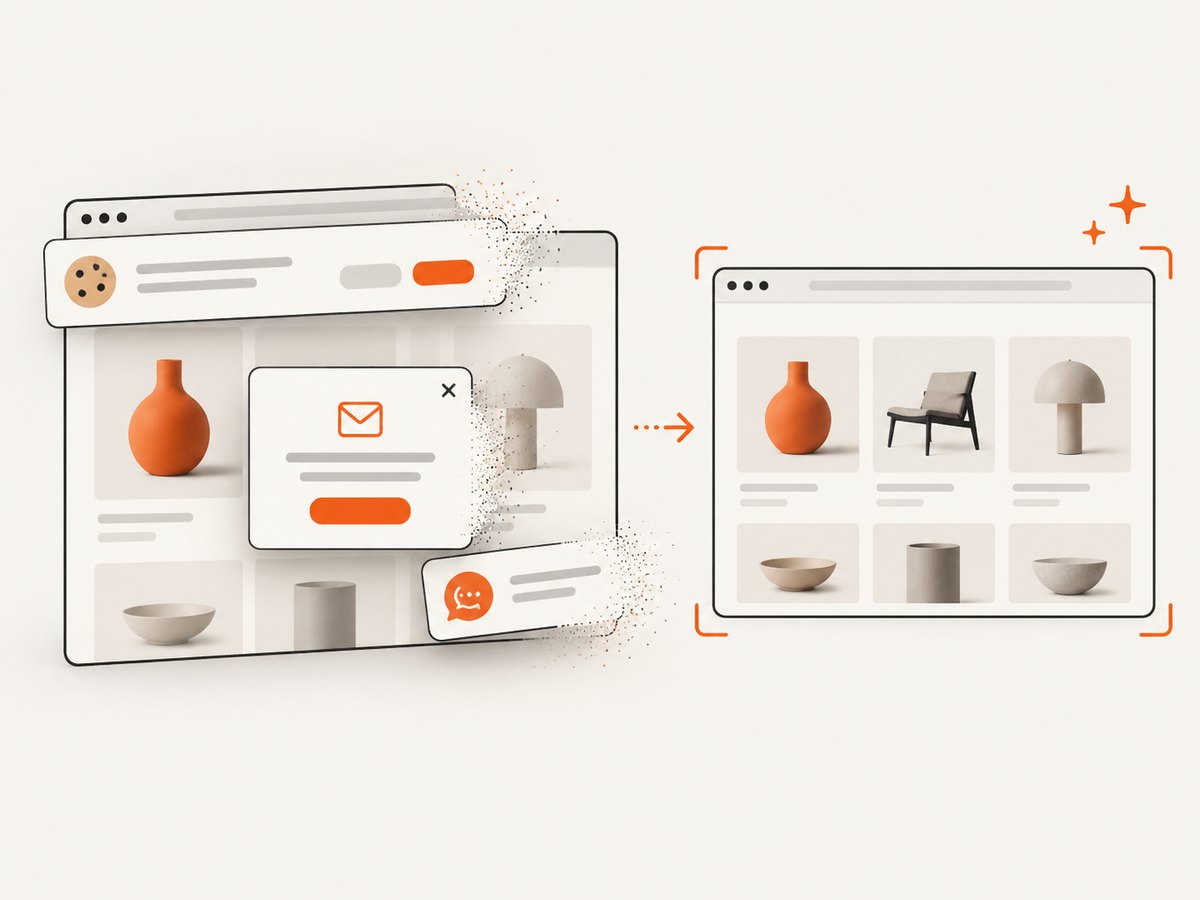
When you need a clean screenshot of a product page rather than DOM fields, ScreenshotNeo provides a website screenshot API and MCP server. One GET request returns PNG, JPEG, WebP, or PDF. Its capture flow accepts the cookie or consent banner like a visitor and removes more than 60 known consent platforms, newsletter popups, and chat widgets; each step can be turned off. Bot checks, CAPTCHAs, blank pages, timeouts, failed loads, and cache hits are not billed, and the response identifies the result with X-Page-Verdict and X-Billed headers. An MCP server provides take_screenshot, get_page_info, and capture_pdf tools for Claude, Cursor, and other MCP clients.
See the ScreenshotNeo documentation for all options. The same parameter names used by many screenshot APIs are accepted, which can simplify migration.
curl -G "https://api.screenshotneo.com/v1/shot" -d access_key=YOUR_API_KEY --data-urlencode url=https://stripe.com -o shot.webpimport requests
r = requests.get("https://api.screenshotneo.com/v1/shot", params={"access_key": "YOUR_API_KEY", "url": "https://stripe.com"}, timeout=90)
open("shot.webp", "wb").write(r.content)const q = new URLSearchParams({ access_key: 'YOUR_API_KEY', url: 'https://stripe.com' });
const res = await fetch(`https://api.screenshotneo.com/v1/shot?${q}`);ScreenshotNeo also supports full-page capture with lazy images loaded, CSS-element capture, dark mode, device presets, custom viewport and retina scale, PDF paper settings, custom CSS and JavaScript, clicks, selector waits, delays, network-idle waits, request blocking, headers, cookies, user agents, Authorization, timezone, geolocation, transparent backgrounds, resizing, configurable cache TTL, signed links, asynchronous jobs with signed webhooks, bulk capture for 100 URLs per call, usage reporting, and an OpenAPI specification.
The Free plan includes 1,000 screenshots per month with no card. Paid plans start at $5 for 3,000 shots; yearly billing gives two months free, and every feature is on every plan. Create a free ScreenshotNeo account to try it.
11. FAQ
How do I set a proxy in Selenium?
Create the browser's Options object, assign a Selenium Proxy capability such as ProxyType.MANUAL, then pass options to the WebDriver constructor. Configure it before the session starts.
How do I wait for product details to load?
Use WebDriverWait with a condition for the exact title, SKU, price, or availability element your workflow requires. Ready state alone is insufficient for JavaScript applications.
Can robots.txt authorize scraping?
No. RFC 9309 defines crawler instructions and says they are not access authorization. Check terms, obtain permission where required, and stop when access is denied.
Should I use a proxy for every Selenium job?
No. Use one when your authorized network design requires an intermediary, such as corporate routing or traffic capture. A proxy does not make restricted collection permissible.
What should happen when a field is missing?
Return an explicit missing or failed status, preserve the source URL and diagnostic context, and review the page or selector. Do not silently convert missing product data into a valid-looking value.


