How to Scrape React, Vue, and Angular Single-Page Apps
Learn how to detect SPA rendering, find API data, automate Playwright browsers, wait reliably, troubleshoot failures, and validate extracted records.

A raw HTTP request to a React, Vue, or Angular application often returns an HTML shell with script references rather than the records visible in a browser. The reliable way to scrape an SPA is to inspect the initial response first, identify API or hydration data when available, and use a browser such as Playwright only when JavaScript execution, client-side routing, state, or interaction is required.
This guide gives you a repeatable workflow, complete Playwright examples, direct-request alternatives, readiness checks, validation, production controls, troubleshooting, and cost considerations. Use the approach that matches the target page and its access rules. Check the target site’s terms, robots guidance, authentication requirements, and applicable law before collecting data.
1. Why an SPA scraper returns an empty page
Traditional pages commonly include their content in the first HTML response. An SPA can return a small document containing a root element and JavaScript bundles. After those scripts run, the application fetches data, resolves a client-side route, and updates the DOM. A library such as requests or curl does not execute that JavaScript, so parsing the initial response may find no products, articles, rows, or cards.
React, Vue, and Angular are clues that client rendering may be involved, not proof that every route is client-only. Some pages server-render content, embed hydration state, or expose a documented data endpoint. Always compare the initial response with the rendered DOM for the specific URL.
2. Inspect the page before choosing a scraper
- Fetch the initial document. Save the response and inspect its body, status, redirects, and content type. Look for the target fields, a JSON script block, or a root element such as
div#root,div#app, or an Angular host element. - Compare source and rendered DOM. Open the URL in a browser, wait until the visible records appear, and compare the DOM with the original response. If fields exist only after rendering, an HTTP parser alone is insufficient.
- Inspect Network requests. Filter Fetch/XHR requests and open their responses. The data may be available as JSON, GraphQL, or another structured response. Browserless’s SPA guide and SparkProxy’s SPA guide both describe this inspection workflow (Browserless; SparkProxy).
- Search for hydration data. Check page source for serialized state in script tags. If it contains the required fields and can be accessed appropriately, parsing it can be faster and less fragile than rendering every view.
- Record the application’s request contract. Note URL parameters, pagination, headers, cookies, authentication, and response fields. Do not assume an endpoint is public or permitted merely because developer tools display it.
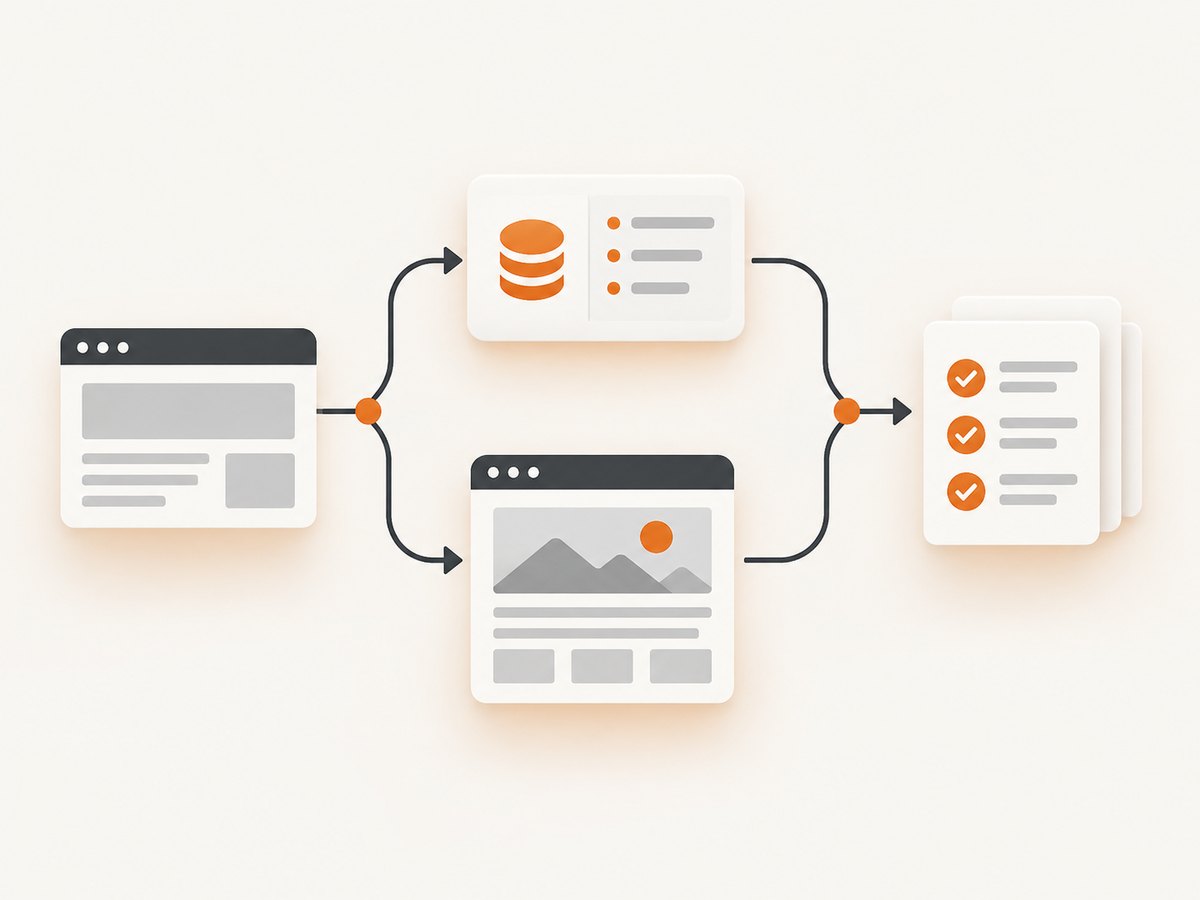
3. Choose direct extraction, browser rendering, or a hybrid
| Approach | Use it when | Trade-off |
|---|---|---|
| Direct API or embedded data | The required fields are in a stable, accessible response or hydration payload. | You must discover and maintain the request or payload format. |
| Browser-rendered DOM | Scripts, client routing, browser state, or user interaction are required. | Browser startup, readiness, and resource usage add complexity. |
| Hybrid | A browser establishes state, then structured requests provide most records. | More moving parts; request flow and permissions need validation. |
There is no universal speed or success ranking. Compare the approaches for the target’s data location, interaction needs, authentication, UI volatility, infrastructure budget, and acceptable request rate. The research sources do not establish neutral benchmarks, so avoid claims based on invented percentages.
4. Direct extraction with an HTTP client
When inspection reveals a permitted JSON endpoint, request it directly and validate the response. This example uses Python and assumes you have already identified the endpoint and required parameters.
import requests

endpoint = "https://example.com/api/items"
params = {"page": 1, "limit": 50}
response = requests.get(endpoint, params=params, timeout=30)
response.raise_for_status()
payload = response.json()

items = payload.get("items", [])
if not items:
    raise RuntimeError("No items returned; check the endpoint, parameters, or access state")
for item in items:
    print(item.get("name"), item.get("url"))
For a hydration payload, parse the relevant script element and deserialize it only after confirming its format. Treat field names and nesting as application-specific; framework names do not define a universal schema.
Pagination and rate control
Follow the endpoint’s documented pagination mechanism, such as a cursor or next link. Stop when the server indicates there is no next page, and persist the cursor so a retry does not repeat the entire collection. Add bounded retries for transient transport errors, exponential backoff, and a request rate that respects the site’s rules. Validate that each page advances; a repeated cursor can otherwise create an infinite loop.
5. Render an SPA with Playwright
Use Playwright when the browser must execute scripts or interact with the application. Its official documentation covers Chromium, Firefox, and WebKit (browser installation) and provides separate APIs for browser, context, and page lifetimes (Browser; Page).
Install and launch
npm install playwright
npx playwright install chromium
Keep the Playwright package and browser binaries aligned, especially in CI or containers. Playwright’s one-step browser.newPage() is convenient for short scripts; production code should create an explicit context and page so cookies, permissions, and cleanup are controlled.
Complete Node.js example with a target-specific wait
import { chromium } from "playwright";

const url = process.env.TARGET_URL || "https://example.com/catalog";
const browser = await chromium.launch({ headless: true });
const context = await browser.newContext({
  viewport: { width: 1440, height: 1000 },
  locale: "en-US",
  timezoneId: "UTC"
});
const page = await context.newPage();

try {
  await page.goto(url, { waitUntil: "domcontentloaded", timeout: 45_000 });
  await page.locator("[data-testid='product-card']").first().waitFor({
    state: "visible",
    timeout: 30_000
  });

  const records = await page.locator("[data-testid='product-card']").evaluateAll(cards =>
    cards.map(card => ({
      name: card.querySelector("[data-name]")?.textContent?.trim() || null,
      price: card.querySelector("[data-price]")?.textContent?.trim() || null,
      href: card.querySelector("a")?.href || null
    }))
  );

  if (records.length === 0 || records.some(r => !r.name)) {
    throw new Error("Rendered page did not contain valid records");
  }
  console.log(JSON.stringify(records, null, 2));
} finally {
  await context.close();
  await browser.close();
}
Replace the selectors with stable semantic attributes from the target. A framework-generated class such as a hashed CSS name is more likely to change. If a route requires a click, perform it and then wait for the resulting content or response:
await page.getByRole("button", { name: "Next" }).click();
await page.waitForResponse(response =>
  response.url().includes("/api/items") && response.ok()
);
await page.locator("[data-testid='product-card']").last().waitFor();
6. Wait for the data, not a generic lifecycle event
load means the browser reached a document lifecycle milestone; it does not prove the SPA finished rendering its records. Network idle can also be misleading when analytics, polling, websockets, or long-lived requests remain active. Routes may change before the data request completes. Use a condition tied to the actual output, such as:
- A required selector becomes visible.
- Expected text appears.
- A known API response arrives and is successful.
- A page-specific JavaScript condition reports a non-empty collection.
Always set a timeout and capture diagnostics on failure. Save the URL, timestamp, console errors, failed requests, and a screenshot or HTML snapshot where policy permits. This distinguishes a slow dependency from a changed selector or an access challenge.
7. Handling interaction, state, and authentication
Some applications need a menu click, scrolling, a date selection, consent handling, or login before data appears. Keep state isolated in a browser context. Load credentials from a secret store or environment variables, never from source control, and avoid persisting session files unless their security is understood.
await page.getByRole("button", { name: "Filters" }).click();
await page.getByLabel("Status").selectOption("active");
await page.getByRole("button", { name: "Apply" }).click();
await page.locator("[data-testid='results']").waitFor({ state: "visible" });
For infinite scrolling, stop on a stable condition: a known item count, a disabled next control, or an unchanged item count after a bounded number of scrolls. Do not scroll forever while waiting for a network-idle event.
8. Validate extracted data
Successful navigation is not successful extraction. Validate a representative record count, required fields, URL formats, and duplicate rates. Reject an empty result unless the page is legitimately empty. Store the source URL and retrieval time with each batch so a later change can be diagnosed. If the page can show an access challenge, detect that state explicitly and route it to review rather than saving challenge markup as real content.
9. Performance, reliability, and cost
- Prefer structured responses. Direct JSON or hydration parsing avoids browser startup and DOM work when it is permitted and stable.
- Reuse a browser process carefully. Create separate contexts for isolation, close pages promptly, and cap concurrency to available CPU and memory.
- Block unnecessary resources only when safe. Images, fonts, and analytics may be nonessential, but blocking a script or API request can prevent rendering. Measure against the target’s dependencies.
- Bound every wait. Use navigation, selector, and response timeouts with a clear retry policy. Retries should be limited and should not duplicate side effects.
- Keep binaries aligned. Reinstall the Playwright browsers after package upgrades when required by the release.
- Cache responsibly. Cache immutable or infrequently changing responses with a documented TTL. Do not cache personalized data across users.
- Plan for UI change. Prefer semantic selectors and contract checks; alert when required fields disappear instead of silently emitting partial records.
10. Troubleshooting common failures
| Symptom | Likely cause | Fix |
|---|---|---|
| HTTP response contains only a root element | Client-side rendering. | Inspect API and hydration data; otherwise render with Playwright. |
| Playwright sees an empty list | Wait condition is too early or selector changed. | Wait for a target-specific selector or response, then validate fields and save diagnostics. |
| Navigation times out | Slow dependency, blocked resource, redirect loop, or access challenge. | Capture status, redirects, failed requests, and a screenshot; increase a bounded timeout only after identifying the dependency. |
| Network-idle wait never finishes | Polling, analytics, websocket, or other background traffic. | Wait for expected content or a known response instead. |
| Works locally but fails in CI | Missing browser binary, sandbox restrictions, fonts, or different environment state. | Run the documented browser install in the image, align versions, and log browser and OS details. |
| Records are duplicated across pages | Cursor or offset did not advance, or the app returned overlapping windows. | Track cursors and stable IDs; deduplicate and stop on repeated pagination state. |
| Data is actually a bot-check page | The target challenged automation. | Respect the site’s access rules; classify the response and do not store it as content. |
11. Or skip the browser setup
ScreenshotNeo provides a website screenshot API and MCP server when you need a rendered visual of an SPA route rather than a custom extraction pipeline. One GET request returns PNG, JPEG, WebP, or PDF. Cookie and consent banners, newsletter popups, and chat widgets are removed before capture; bot checks, blank pages, timeouts, failed loads, and cache hits are not billed, and response headers identify the page verdict and billing status. Its MCP tools let Claude, Cursor, and other MCP clients call take_screenshot, get_page_info, and capture_pdf.

See the complete option list and parameter reference in the ScreenshotNeo documentation. The call below captures a rendered SPA page; change the URL to the route you need.
cURL
curl -G "https://api.screenshotneo.com/v1/shot" -d access_key=YOUR_API_KEY --data-urlencode url=https://stripe.com -o shot.webpPython
import requests
r = requests.get("https://api.screenshotneo.com/v1/shot", params={"access_key": "YOUR_API_KEY", "url": "https://stripe.com"}, timeout=90)
open("shot.webp", "wb").write(r.content)
Node.js
const q = new URLSearchParams({ access_key: 'YOUR_API_KEY', url: 'https://stripe.com' });
const res = await fetch(`https://api.screenshotneo.com/v1/shot?${q}`);
const bytes = await res.arrayBuffer();
ScreenshotNeo supports full-page capture with lazy images loaded, CSS-selector element capture, dark mode, device presets and custom viewports, retina scale, custom CSS and JavaScript, clicks, selector or network-idle waits, request blocking, headers, cookies, user agents, Authorization, timezone, geolocation, transparent backgrounds, resizing, TTL caching, signed links, asynchronous jobs with signed webhooks, bulk capture of up to 100 URLs per call, usage reporting, and an OpenAPI specification. Existing parameter names used by other screenshot APIs also work, which can simplify migration.
Plans include 1,000 shots per month free with no card; Starter is $5 for 3,000, Growth $15 for 15,000, Pro $39 for 60,000, Scale $99 for 250,000, and Business $249 for 1,000,000. Yearly billing gives two months free, and every feature is available on every plan. Create a free ScreenshotNeo account to try 1,000 screenshots a month with no card.
12. FAQ
Can I scrape every React, Vue, or Angular site the same way?
No. Framework choice does not determine where data lives or how a route behaves. Inspect the response, requests, and rendered state for each application.
Should I always use Playwright?
No. Use direct extraction when the required data is in an accessible, stable response. Use Playwright when execution, state, navigation, or interaction is necessary.
Is network idle a reliable readiness signal?
Not by itself. Background traffic can prevent idle, while a route can be idle before its records arrive. Wait for an expected selector, response, or data condition.
Which Playwright browser should I choose?
Start with the browser that matches the target’s behavior and your deployment. Playwright supports Chromium, Firefox, and WebKit; test the chosen engine against the target rather than assuming framework-specific behavior.
How do I know a successful response contains real data?
Validate required fields, a plausible record count, stable identifiers, and the absence of challenge or error markup. Log enough context to investigate an unexpected change.


