How to Scrape Search Results from Websites
Learn how to collect results from a website’s own search or a search engine, choose an API or HTML parser, and handle changing pages reliably.

To scrape search results, first decide which results you need: results from a public search engine such as Google, or results from a website’s own search box. For either task, look for a documented API and confirm that you may use it for your purpose. If you parse HTML, expect to maintain site-specific extraction logic because markup and behavior can change.
This guide shows a cautious Python pattern for an internal site search, explains the options for search engine results, and covers reliability, failures, and costs. The example parser is a template: no particular website’s selectors or behavior have been verified here. Check the target site’s terms and access rules before adapting it.
1. Identify which search you mean
“Search results from websites” can mean two different things:
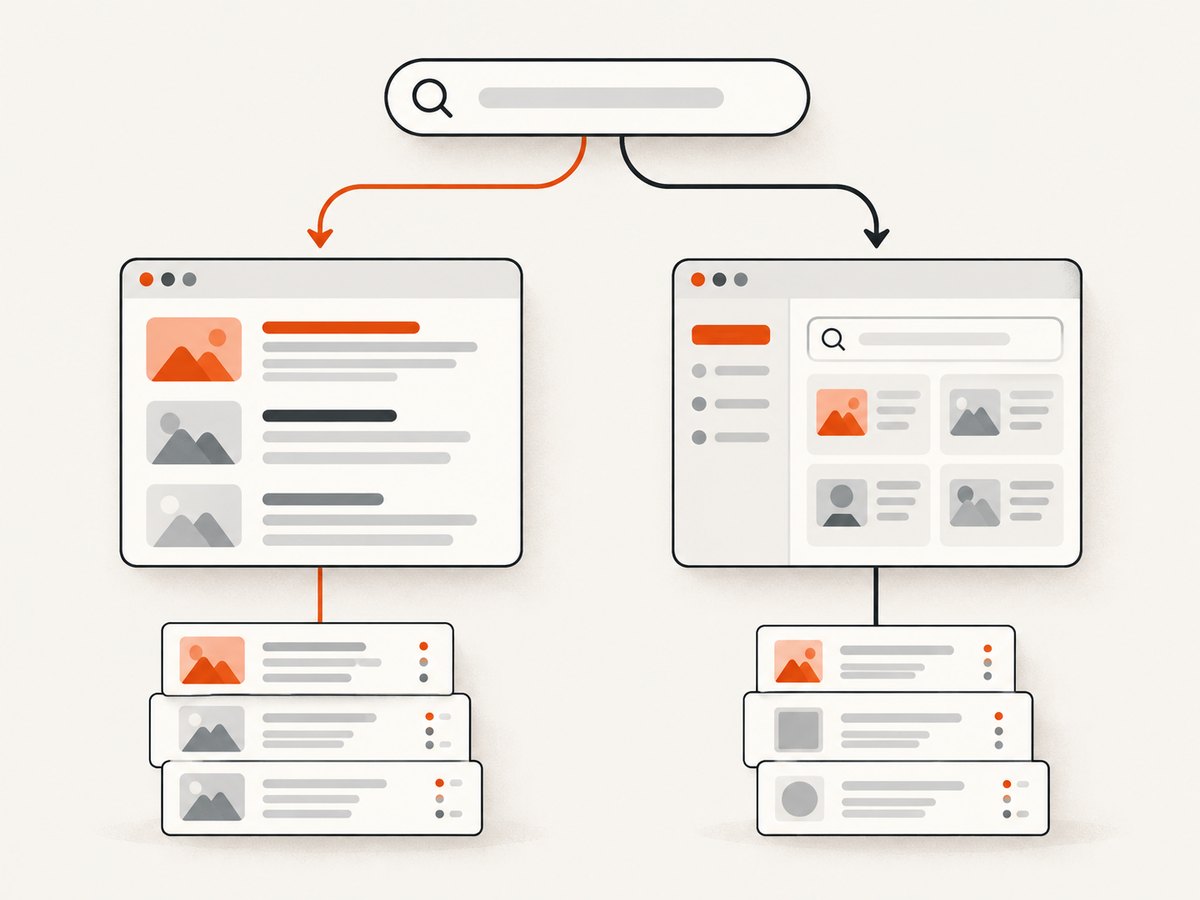
- Search engine results page (SERP): results returned by Google, Bing, or another public search engine for a query.
- Internal site search: results returned by one website’s own search function, such as a store catalog or documentation site.
The distinction matters. A site’s internal search endpoint may be documented for its users or developers. A search engine’s public results page has its own access rules. Google specifically says that automated access to Google Search without express permission, including scraping results for rank checks, violates its spam policies and Terms of Service. That is Google’s platform-specific policy; do not treat it as a universal legal rule. Read the target service’s current terms and obtain permission where required.
2. Choose an API or a parser
Use this decision flow before writing extraction code:
- Find the documented API. Check the site’s developer documentation, usage terms, authentication requirements, quotas, and whether the response can be used and displayed in your application.
- Check that you can get access. An API may be limited to existing customers, registered site owners, or a particular product setup.
- Compare the response with your needs. Look at target coverage, geography, query controls, structured fields, pagination, limits, terms, and cost.
- If parsing HTML is appropriate, inspect the actual target. Review its terms and access rules, identify the search form and result structure, and make only the requests needed.
- Plan for change and failure. Rankings, snippets, result features, and page markup can vary. Build in timeouts, bounded retries, logging, and a way to notice when extraction stops finding results.
| Method | Best fit | Trade-off |
|---|---|---|
| Official API | Supported programmatic access to a site or service | May have eligibility rules, quotas, cost, or limited coverage |
| Managed SERP API | Search engine results in a structured response | Compare engine and location coverage, parameters, terms, limits, and pricing; a provider’s marketing is not proof of result quality or legal suitability |
| Direct HTML parsing | A site permits access and has no suitable API | Requires site-specific extraction logic that can break when the page changes |
3. Scrape a website’s internal search with Python
For an internal search, first inspect the search form in a browser’s developer tools or the site documentation. Determine whether it submits a query in the URL or in a request body, whether it needs cookies or a session, and whether results arrive in the initial HTML or after JavaScript runs. Use the site’s documented endpoint if one exists.
The following runnable example requests a search page and extracts links marked with a placeholder CSS selector. It intentionally does not claim that selector matches any real site: replace the URL, query parameter, and selector after checking a site you are allowed to access. It prints the page title and links as a basic result record.
from urllib.parse import urlencode, urljoin
import requests
from bs4 import BeautifulSoup

BASE_URL = "https://example.com/search"
PARAMS = {"q": "sample query"}  # Confirm the actual parameter on your target.
RESULT_SELECTOR = "article.search-result"  # Replace after inspecting target markup.
LINK_SELECTOR = "a"

session = requests.Session()
session.headers.update({"User-Agent": "ResearchBot/1.0 (contact: you@example.com)"})

response = session.get(
    BASE_URL,
    params=PARAMS,
    timeout=(5, 20),  # connect timeout, read timeout in seconds
)
response.raise_for_status()

soup = BeautifulSoup(response.text, "html.parser")
results = []
for item in soup.select(RESULT_SELECTOR):
    link = item.select_one(LINK_SELECTOR)
    if not link or not link.get("href"):
        continue
    results.append({
        "title": link.get_text(" ", strip=True),
        "url": urljoin(response.url, link["href"]),
        "snippet": item.get_text(" ", strip=True),
    })

for index, result in enumerate(results, start=1):
    print(index, result)

if not results:
    print("No results matched. Check the response and target-specific selectors.")
Install the dependencies in a virtual environment with python -m pip install requests beautifulsoup4. The code sends one GET request and uses a descriptive User-Agent; replace the contact placeholder with a real address if you run it. It does not bypass a login, CAPTCHA, or access control.
Adapt the request to the target
Use the inspected form or official documentation to set the correct query parameter. Some sites use a path such as /search/sample, a form body, or a JSON endpoint. Do not guess an endpoint and treat it as supported. If the site requires a session, use a session only through normal, authorized access; do not copy private cookies into code or logs.
Inspect a small sample response before building a larger collection. Check the HTTP status, final URL after redirects, content type, page title, and a short excerpt of the HTML. If the HTML contains a shell without the results, the page may render them with JavaScript. Prefer a supported API or endpoint; if browser rendering is necessary and permitted, use a browser automation tool and the site’s rules. Do not increase request volume to compensate for a broken selector.
Pagination and duplicate handling
Determine pagination from the site’s actual links or documented API. Follow only the next-page mechanism the site exposes, stop when there is no next page, and impose a maximum page count. Store a stable result identifier or canonical URL when available. Normalize URLs carefully before deduplicating: removing tracking parameters may be useful for your application, but only when those parameters do not change the resource.
Keep the query, retrieval time, source URL, and extraction version with each record. Search results can change between requests, so a saved snapshot is not necessarily a permanent representation of current ranking or content.
4. Get search engine results
For SERPs, start with an official supported API and verify that it is available for your account and use case. Google’s Custom Search JSON API returns JSON results from a Programmable Search Engine, but Google says the API is closed to new customers; existing customers must transition by January 1, 2027. Do not build a new workflow around access you cannot obtain. Check Google’s current documentation before publishing or relying on service availability.
Microsoft’s Bing Webmaster API is documented for registered-site information such as rank and traffic, links, keywords, and crawl statistics. That scope does not establish a general public Bing SERP API. For a managed Google results API, SerpApi documents a query-based service with optional geographic location and structured results. That documentation is an example of a commercial option, not independent proof of result quality, permitted use, or legal suitability. Review the provider’s current terms, coverage, request limits, and price before adopting it.
Google describes crawling, indexing, and serving results as separate stages. Its crawler may render JavaScript and adjusts how much it fetches based on site responses to avoid overloading sites. Search results may vary by location, language, and device. Treat rankings and snippets as observations with context, not stable facts about every user’s results.
5. Robots.txt, access rules, and responsible collection
Read the target’s robots.txt and terms as part of deciding whether and how to request pages. Google describes robots.txt as a way to manage crawler traffic, but it is not a reliable way to keep a page out of search results: a blocked URL may still be indexed. Google points to noindex, password protection, or removing a page as ways to prevent its appearance in search. Robots.txt is not a complete authorization system and is not, by itself, a legal ruling.
For your own collector, use a low request rate, cache responses where appropriate, set timeouts, and stop if the site returns errors or asks you to stop. Avoid fetching pages you do not need. Store only fields needed for the application, respect any applicable retention requirements, and keep credentials out of source control. If you are collecting personal or sensitive information, get appropriate legal and privacy review before proceeding.
6. Rendering pages and capturing visual evidence
Parsing HTML gives you text and links, but sometimes you also need a rendered screenshot: for a visual audit, to inspect layout changes, or to attach evidence to a result record. A screenshot does not replace structured extraction and does not prove that a result is current or authorized. For a browser-based workflow, capture only pages you are permitted to access, and consider how consent dialogs, popups, delayed content, and lazy-loaded elements affect what appears.

ScreenshotNeo is a website screenshot API and MCP server from Yorker Media. A single GET request can return a PNG, JPEG, WebP, or PDF. Its capture options include full-page screenshots with lazy images loaded, element capture by CSS selector, custom wait conditions, and browser settings. Review the ScreenshotNeo API documentation for parameters and setup details.
7. Or skip the browser setup
If your task includes visual page capture, ScreenshotNeo can return the screenshot from one request. This does not extract search-result records; use the appropriate search API or parser for that part.
curl -G "https://api.screenshotneo.com/v1/shot" -d access_key=YOUR_API_KEY --data-urlencode url=https://example.com -o shot.webpimport requests
r = requests.get("https://api.screenshotneo.com/v1/shot", params={"access_key": "YOUR_API_KEY", "url": "https://example.com"}, timeout=90)
open("shot.webp", "wb").write(r.content)const q = new URLSearchParams({ access_key: 'YOUR_API_KEY', url: 'https://example.com' });
const res = await fetch(`https://api.screenshotneo.com/v1/shot?${q}`);ScreenshotNeo accepts cookie and consent banners before capture and removes 60+ known consent platforms, newsletter popups, and chat widgets; each step can be turned off. Bot checks, blank pages, timeouts, and failed loads are not billed, and cache hits cost nothing. Responses identify the page verdict and billing status in headers. Its MCP server lets AI agents use take_screenshot, get_page_info, and capture_pdf. The free plan includes 1,000 screenshots a month with no card; paid plans start at $5 for 3,000. Create a free ScreenshotNeo account and get 1,000 screenshots a month with no card.
8. Reliability, performance, and cost
Reliability: distinguish an empty result set from a failed fetch. Record status code, final URL, response type, retrieval time, and extraction version. Alert when a query that normally returns results suddenly produces none, or when expected fields disappear. Retry only temporary failures, with a small bounded retry count and backoff; do not retry indefinitely or retry access denials.
Performance: one request per query is usually easier to control than fetching every result page at once. Reuse a session for connection pooling, request only the pages needed, and cache responses according to your freshness needs and the site’s rules. Avoid unbounded concurrency: faster collection can create unnecessary load and make failures worse.
Cost: direct HTML parsing has hosting, engineering, and maintenance costs even if the page itself has no API fee. A documented or managed API may charge by request or impose quotas; check current terms and pricing. Existing Google Custom Search JSON API customers had a documented allowance and paid tier, but the service is closed to new customers and due to transition by January 1, 2027, so verify the current official page before budgeting. For screenshot capture, ScreenshotNeo’s published plans are Free (1,000/month), Starter ($5 for 3,000), Growth ($15 for 15,000), Pro ($39 for 60,000), Scale ($99 for 250,000), and Business ($249 for 1,000,000); yearly billing gives two months free, and every feature is on every plan. Only clean shots are billed.
9. Troubleshooting
| Symptom | Likely cause | What to check |
|---|---|---|
| HTTP 403 or 429 | The site refused or rate-limited the request | Stop rapid retries. Review access rules and terms; reduce request volume or use a documented API. |
| HTTP 200 but no results | Wrong query parameter, selector, or page variant; results may be client-rendered | Inspect the response HTML, form submission, final URL, and content type. Confirm the selector against the current page. |
| Timeout | Slow response, network issue, or rendering delay | Set separate connect/read timeouts. Retry a temporary failure only a limited number of times. Do not hide persistent timeouts by raising limits indefinitely. |
| Duplicate or missing records | Pagination logic or URL normalization is wrong | Inspect next-page links and stable identifiers. Add a page limit and deduplicate on a target-appropriate key. |
| Unexpected markup or challenge page | The response changed or is not the expected search page | Check title, status, and a safe HTML excerpt. Stop rather than trying to bypass a CAPTCHA or access control. |
| API credentials rejected | Key, account eligibility, engine configuration, or permissions are incorrect | Check official account setup and current service availability; never place secrets in client-side code or logs. |
10. FAQ
Can I scrape Google results for rank tracking?
Google Search Central says automated access to Google Search without express permission, including rank-check scraping, violates its spam policies and Terms of Service. Check Google’s current policy and use a permitted method for your application.
Does robots.txt tell me whether scraping is allowed?
It communicates crawler preferences and helps manage traffic. Google says it is not a reliable way to keep a URL out of search results. Review the target’s terms and access rules separately.
Will search results be identical for every user?
No. Google says results may depend on location, language, and device, and results can change over time. Keep those conditions with any comparison you make.
Can a screenshot API return the search results as data?
A screenshot API returns a visual capture, not a structured list of result records. Use an appropriate search API or authorized parser for records; capture a screenshot when you need visual evidence.


