How to Scrape Sports Pages from Websites
Learn how to collect sports schedules, scores, teams, and player stats responsibly. Compare APIs, Python parsing, and browser rendering, then normalize and validate the data.
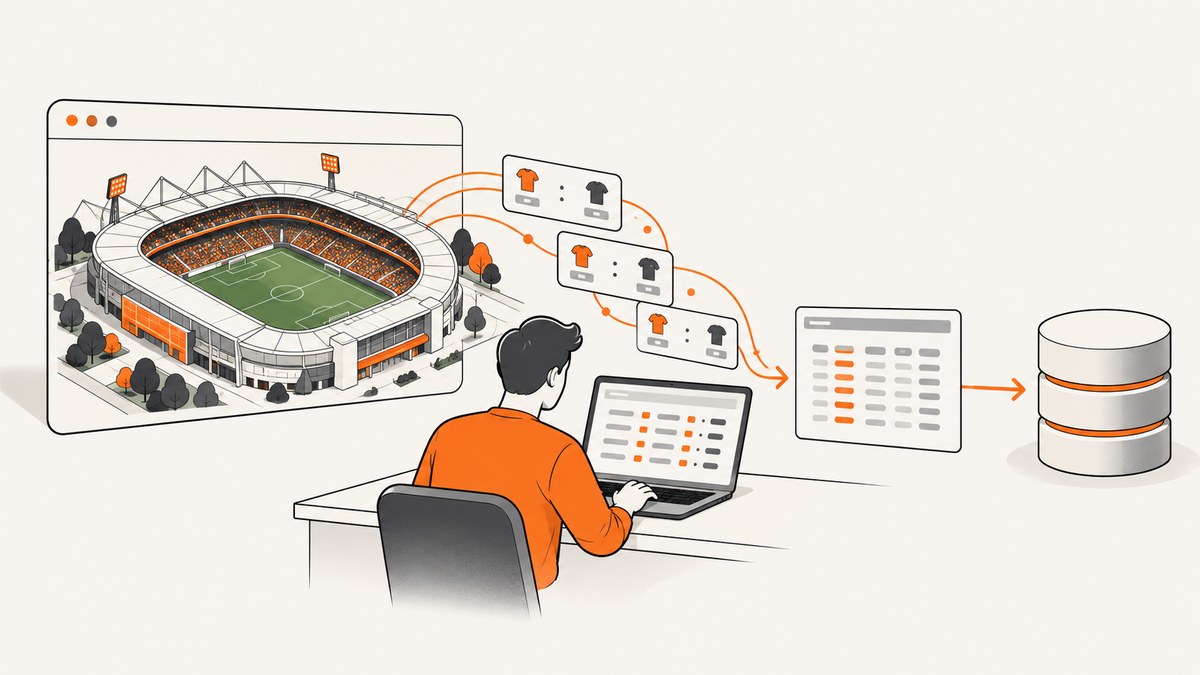
To scrape sports pages, first check whether the publisher offers an API or licensed feed and whether its terms allow your intended collection and reuse. If permitted data is present in the initial HTML, fetch the page politely and parse its tables, JSON-LD, or embedded state with Python. Use browser automation only when the required data appears after JavaScript runs. Normalize event times, identifiers, scores, and game status; retain provenance; and validate results before using or republishing them.
Publicly visible does not mean freely reusable. A site’s terms, license, and crawler rules answer different questions. This guide shows a conservative workflow for authorized collection, including runnable examples for static HTML and JavaScript-rendered pages.
1. Choose a permitted source before writing a scraper
Start with the data provider, not the page markup. Prefer a first-party API or licensed sports feed when one covers your leagues and fields. Its documentation can define field meanings, rate limits, freshness, and permitted reuse. A site’s front end may change without notice, while a documented interface gives you a clearer contract.
Before fetching a site, review its terms of service and license, and inspect its top-level /robots.txt. RFC 9309 specifies that crawler rules are served in a UTF-8 file named /robots.txt at the top level of the service. Robots rules guide crawler behavior; they do not grant copyright or republication rights. The W3C likewise cautions that HTML data on a website is not automatically unrestricted for reuse.
Be especially careful when building a public database or competing data service. Sports-Reference warns against aggressive spidering and certain automated collection and reuse. Treat each publisher’s rules as specific to that publisher. If your intended collection, storage, or republication is restricted or unclear, obtain permission or use a licensed source. Do not bypass logins, CAPTCHAs, paywalls, or other technical barriers.
| Source | Use it when | Check first |
|---|---|---|
| First-party API or licensed feed | It provides the needed leagues, history, and fields. | License, coverage, freshness, limits, cost, and redistribution rights. |
| Static HTML page | Permitted data appears in the initial response. | Terms, robots rules, page structure, caching, and request limits. |
| Rendered page | Required visible data is missing from initial HTML and appears after JavaScript. | Permission to automate access, low concurrency, and whether a documented endpoint exists. |
2. Inspect the page and choose the lightest extraction method
Inspect a permitted page’s initial HTML before launching a browser. Look for JSON-LD scripts with type="application/ld+json", tables, microdata, embedded JSON state, links to schedules, and stable identifiers. Structured data is useful as an extraction target, but verify it against the visible page: Google’s structured-data guidance requires markup to represent page content truthfully, and markup does not guarantee a search feature.
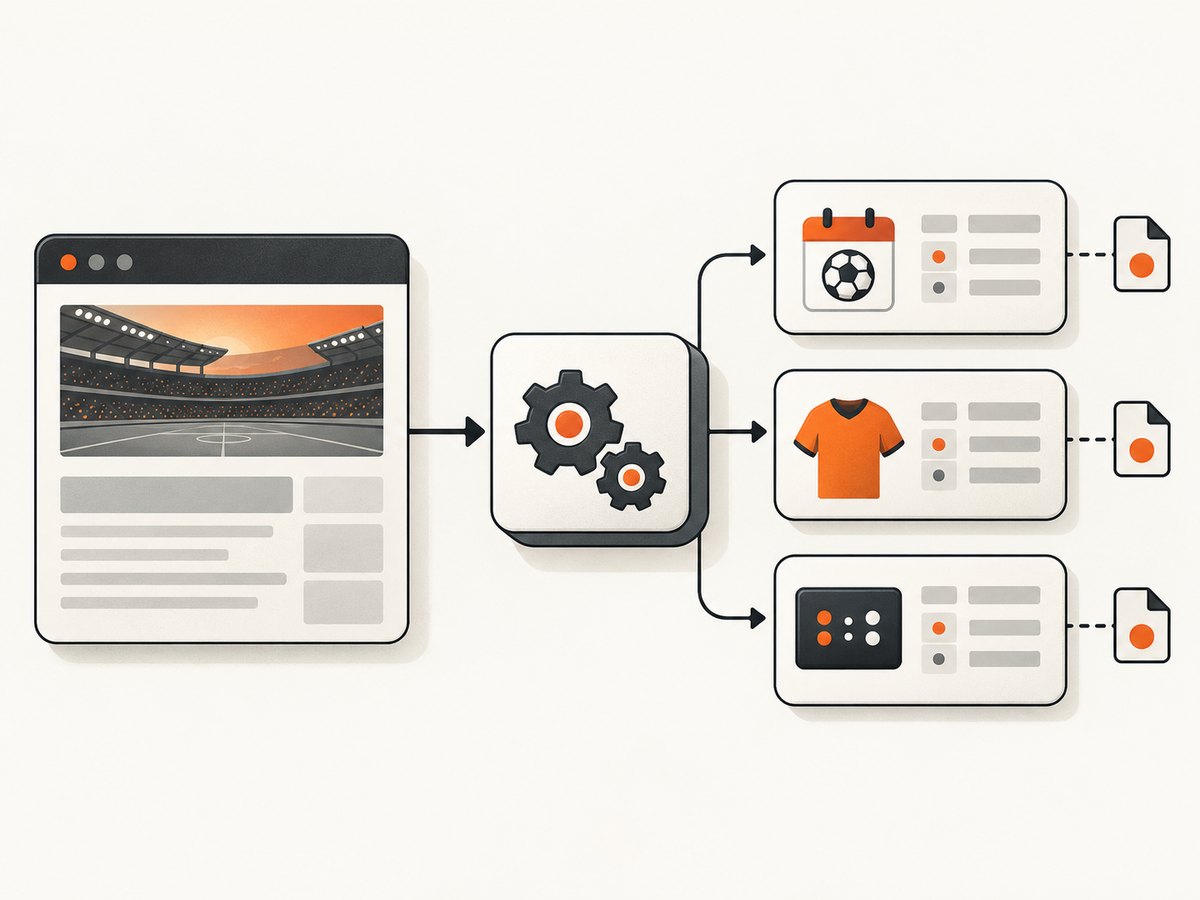
Schema.org’s SportsEvent examples model event names, competitors, start dates, locations, broadcasts, and subevents. SportsTeam and SportsOrganization model team names, sports, leagues, coaches, and athletes. IPTC Sport Schema offers a broader model for schedules, results, and statistics. These vocabularies help you identify concepts; a publisher may use only some fields or use different identifiers.
Use an HTTP client and an HTML parser for static pages. If the data is absent from the server response and appears only after JavaScript execution, render just the necessary page with Playwright or Selenium. Wait for a specific data selector instead of sleeping blindly. If the page calls a documented JSON endpoint, prefer that endpoint and follow its terms rather than reverse-engineering a front-end request.
3. Fetch and parse static HTML with Python
The example below is a template, not a scraper for any particular publisher. Replace the URL and selectors only after checking permission and inspecting the page. Install dependencies with python -m pip install requests beautifulsoup4. The code reads a table whose rows expose data-event-id; adapt the selectors and columns to the actual markup.
import json
import time
from datetime import datetime, timezone
from urllib.parse import urlparse

import requests
from bs4 import BeautifulSoup

URL = "https://example.com/sports/schedule"
USER_AGENT = "ExampleSportsResearchBot/1.0 (contact: you@example.com)"

session = requests.Session()
session.headers.update({"User-Agent": USER_AGENT, "Accept": "text/html"})

response = session.get(URL, timeout=(5, 30))
response.raise_for_status()
retrieved_at = datetime.now(timezone.utc).isoformat()
soup = BeautifulSoup(response.text, "html.parser")

# Example assumption: each event is a table row with data-event-id.
events = []
for row in soup.select("tr[data-event-id]"):
    cells = row.find_all(["th", "td"])
    if len(cells) < 4:
        continue
    events.append({
        "event_id": row.get("data-event-id"),
        "start_text": cells[0].get_text(" ", strip=True),
        "home": cells[1].get_text(" ", strip=True),
        "away": cells[2].get_text(" ", strip=True),
        "score_or_status": cells[3].get_text(" ", strip=True),
        "source_url": URL,
        "retrieved_at": retrieved_at,
    })

print(json.dumps(events, indent=2, ensure_ascii=False))
Use a descriptive, honest User-Agent. Set connection and read timeouts, check HTTP status, and handle missing or malformed fields rather than silently producing partial records. This simple example requests one page; add pagination only when the site permits it, with a clear maximum page count and a delay or rate limiter between requests. Avoid parallel bursts.
Extract JSON-LD when the page provides it
JSON-LD can be easier to parse than presentation markup, but its contents vary. A script may contain one object, a list, or an @graph. Inspect the actual document and validate types before assuming a shape.
import json
from bs4 import BeautifulSoup

soup = BeautifulSoup(response.text, "html.parser")
for script in soup.select('script[type="application/ld+json"]'):
    try:
        value = json.loads(script.string or script.get_text())
    except json.JSONDecodeError:
        continue

    objects = value if isinstance(value, list) else [value]
    for obj in objects:
        if isinstance(obj, dict) and "@graph" in obj:
            objects.extend(item for item in obj["@graph"] if isinstance(item, dict))

    for obj in objects:
        if not isinstance(obj, dict):
            continue
        kind = obj.get("@type", [])
        kinds = kind if isinstance(kind, list) else [kind]
        if "SportsEvent" in kinds:
            print({
                "name": obj.get("name"),
                "startDate": obj.get("startDate"),
                "competitors": obj.get("competitor"),
                "location": obj.get("location"),
            })
For production use, avoid mutating the list while iterating it: flatten nested JSON-LD structures into a separate list, and recursively handle nested objects if the source requires it. Also check whether the extracted event is visible on the page and whether dates include a timezone.
4. Render JavaScript pages only when needed
A browser is a fallback for data that genuinely appears after JavaScript runs. Install Playwright and its browser with python -m pip install playwright followed by playwright install chromium. This example waits for a known event-row selector, captures the rendered DOM, and parses it with BeautifulSoup.
import asyncio
from bs4 import BeautifulSoup
from playwright.async_api import async_playwright

async def main():
    url = "https://example.com/sports/live"
    async with async_playwright() as p:
        browser = await p.chromium.launch(headless=True)
        page = await browser.new_page()
        await page.goto(url, wait_until="domcontentloaded", timeout=45000)
        await page.locator("[data-event-id]").first.wait_for(timeout=20000)
        html = await page.content()
        await browser.close()

    soup = BeautifulSoup(html, "html.parser")
    for row in soup.select("[data-event-id]"):
        print(row.get("data-event-id"), row.get_text(" ", strip=True))

asyncio.run(main())
Change the selector to an element that indicates the requested data has loaded. If a page may legitimately have no events, wait for a page-level container and then handle zero matching rows as a valid empty result. Browser rendering costs more resources than a simple HTTP request. Keep concurrency low, close browser contexts, and do not automate around access barriers. If authorized, inspect the page’s network activity for a documented endpoint; do not assume an undocumented endpoint is allowed just because the browser uses it.
5. Normalize events, teams, players, and time
Presentation text is not a dependable data model. Store canonical fields and source identifiers separately from display names. A useful event record includes:
{
  "event_id": "source-specific-id",
  "competition": "League or tournament",
  "home_participant": {"team_id": "home-source-id", "name": "Home team"},
  "away_participant": {"team_id": "away-source-id", "name": "Away team"},
  "scheduled_start": "2026-10-02T19:30:00-04:00",
  "venue": "Source venue name",
  "status": "scheduled",
  "score": {"home": null, "away": null},
  "source_url": "https://example.com/sports/event",
  "retrieved_at": "2026-10-01T12:00:00Z",
  "raw_source_hash": "sha256:...",
  "as_of": "2026-10-01T12:00:00Z"
}
Keep a team record with team_id, canonical name, sport, league, and source URL. A player record should preserve player_id, name, team, role, and source URL. IDs are source-specific: two publishers can assign different IDs to the same real-world entity. Keep the source namespace with each identifier instead of treating it as globally unique.
- Times: parse the source timezone, convert to UTC for comparisons, and retain the original timezone or source offset. Do not infer a timezone from the server’s location.
- Status: represent scheduled, live, postponed, and final as distinct states. A blank score does not prove a game has not started.
- Scores: use numeric fields when the source supplies numeric scores; keep period or inning detail separately if relevant. Treat “–”, “TBD”, and missing values as different from zero.
- Duplicates: prefer a stable source event ID. If none exists, use a carefully designed fallback key and retain enough source detail to revisit collisions.
- Live data: record an explicit
as_ofor retrieval timestamp. Scores and standings can change after every fetch.
6. Validate results and retain provenance
Compare extracted values with visible page text and, for consequential use, an independent official source. Validate that expected fields exist, start times parse, participants are present, statuses are recognized, and scores are plausible for the sport. A parser that returns zero rows after a site redesign should raise a visible alert rather than quietly overwrite a populated dataset with nothing.
For every retrieval, store the URL, retrieval timestamp, parser version, raw response or a content hash, and a snapshot or record of applicable terms and license. Provenance makes it possible to explain a correction, distinguish stale data from a parse error, and audit the rights basis for reuse. Minimize retained personal data and keep only fields needed for the permitted purpose.
7. Operate politely and keep the job reliable
- Set a descriptive User-Agent and finite connect/read timeouts.
- Cache responses according to the provider’s rules and the data’s update cadence. Do not fetch a schedule repeatedly when it changes infrequently.
- Bound pagination and concurrency. Start with one request at a time; increase only if the source permits it and the workload needs it.
- On transient failures such as timeouts or server errors, use exponential backoff with jitter and a maximum retry count. Do not retry access-denied responses in a loop.
- Respect rate-limit responses and any published request headers. Pause or stop when the source asks you to slow down.
- Track freshness and parser health. Alert on unexpected empty results, missing key fields, sudden changes in row counts, and stale retrieval timestamps.
- Provide a stop switch and a clear owner for the collection job.
For live scores, aggressive polling increases load and still does not guarantee freshness. Prefer a feed designed for live updates. For historical schedules, use caching and bounded updates. Measure your own request volume and storage needs; the research sources establish no universal scraping benchmark or cost figure.
8. Troubleshooting common failures
| Symptom | Likely cause | Practical fix |
|---|---|---|
| HTTP 403 or 429 | Access is disallowed or the request rate exceeded the publisher’s limit. | Stop rapid retries. Recheck terms and documented limits; request permission or use an authorized API/feed. |
| HTML has no events | Data is rendered by JavaScript, the selector is wrong, or the page returned an error/empty state. | Inspect the raw response and visible page. If permitted, render with a selector-based wait or use a documented endpoint. |
| Playwright times out waiting | The selector differs, the page is slow, or there are no events. | Confirm the selector in the DOM, wait for a stable container, distinguish a valid empty day from failure, and use a finite timeout. |
| Rows are present but fields are shifted | Markup changed, a header or extra cell was added, or the parser assumes a fixed column order. | Map columns by header or stable attributes, validate row shape, and alert on schema changes. |
| Times are off by hours or a day | Timezone omitted or interpreted as local machine time. | Parse an explicit offset or source timezone, preserve it, then convert to UTC. |
| Duplicate games appear | Multiple pages overlap or IDs were discarded. | Retain source event IDs and namespace; deduplicate deterministically and log collisions. |
| Scores disappear or revert | A live update was missed, an empty state was mistaken for a real update, or stale cache was used. | Retain retrieval timestamps, validate before replacing records, and reconcile with an authorized independent source. |
9. Or skip the browser setup
If the job is to capture how a sports page looks at a particular moment rather than build a structured sports-data feed, ScreenshotNeo offers a one-request website screenshot API. It does not turn the page into normalized score records; use a permitted data API or parser for that. The API documentation is at screenshotneo.com/docs.

curl -G "https://api.screenshotneo.com/v1/shot" -d access_key=YOUR_API_KEY --data-urlencode url=https://example.com/sports/schedule -o shot.webpimport requests
r = requests.get(
"https://api.screenshotneo.com/v1/shot",
params={"access_key": "YOUR_API_KEY", "url": "https://example.com/sports/schedule"},
timeout=90,
)
open("shot.webp", "wb").write(r.content)const q = new URLSearchParams({
access_key: 'YOUR_API_KEY',
url: 'https://example.com/sports/schedule'
});
const res = await fetch(`https://api.screenshotneo.com/v1/shot?${q}`);
if (!res.ok) throw new Error(`Screenshot request failed: ${res.status}`);
await Bun.write('shot.webp', res);Use a URL you are permitted to capture. ScreenshotNeo accepts cookie and consent banners like a visitor and removes more than 60 known consent platforms, newsletter popups, and chat widgets before capture; each cleanup step can be turned off. Bot checks or CAPTCHAs, blank pages, timeouts, failed loads, and cache hits are not billed, and responses identify the page verdict and billing status in headers. It also has an MCP server with take_screenshot, get_page_info, and capture_pdf tools for AI agents. The Free plan includes 1,000 screenshots per month with no card; paid plans start at $5 for 3,000. Plans include every feature, and yearly billing gives two months free.
Create a free ScreenshotNeo account for 1,000 screenshots a month, with no card.
10. Frequently asked questions
Can I scrape live scores for a dashboard?
Only when the source’s terms and license permit the collection and your display or redistribution. For live use, an authorized feed is usually more dependable; include an as_of timestamp so users can see when the data was retrieved.
Is JSON-LD guaranteed to contain every statistic?
No. Structured data can omit fields or describe only the event basics. Inspect visible content and use a permitted source that covers the required statistics.
Should I use BeautifulSoup, Playwright, or an API?
Use a licensed API/feed when available. Use BeautifulSoup for permitted data in initial HTML. Use Playwright when the data only appears after JavaScript runs and browser access is allowed.
Can I republish the data because the page is public?
Public access alone does not settle reuse rights. Check the site-specific license and terms, record the rights basis, and obtain permission when required.


