How to Scrape Stack Exchange Questions
Collect Stack Exchange questions reliably with the official API. Learn search, tags, pagination, throttling, attribution, and when HTML scraping makes sense.

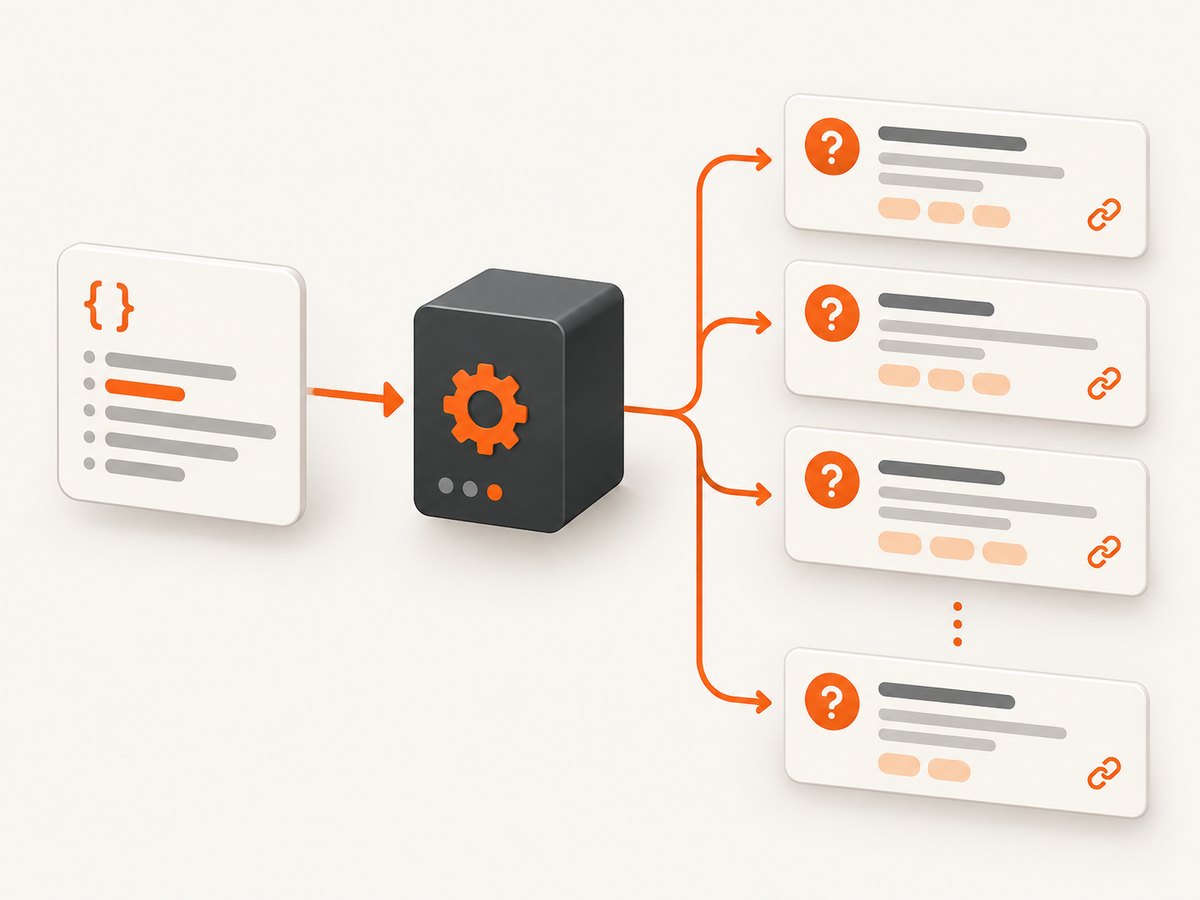
The most reliable way to collect Stack Exchange questions is the official Stack Exchange API, not HTML scraping. API v2.3 provides endpoints for questions and search, documented filters, pagination, and throttle guidance. Use /questions for questions constrained by tags, dates, score, or sort order; use /search to find titles or tagged questions. Request only the fields you need, follow backoff, cache repeated requests, and preserve the source link and retrieval details.
This guide uses Python for a complete collection workflow, then shows equivalent cURL and Node.js requests. HTML scraping is covered as a fallback because it is more fragile and requires checking the current Network Terms of Service.
1. Choose the collection method
Start with the API unless you have a specific need for rendered page details the API does not provide. The API has stable, documented fields and query constraints. Scraping pages can expose rendered context, but changes to page markup can break selectors and the terms applicable to collection and reuse need review.
| Concern | Official API | HTML scraping |
|---|---|---|
| Coverage | Documented question fields and endpoints | Rendered page content, depending on the page and markup |
| Query precision | Tags, title text, dates, score, sort and paging parameters | Often requires search pages, links or client-side interactions |
| Request cost | Consumes API quota; filters and cache help control requests | Every page fetch is a request; avoid excessive or repeated access |
| Freshness | Reflects API responses when queried | Reflects fetched pages, which may include rendered context |
| Resilience | Documented response schema | Selectors can break when page markup changes |
| Compliance | Follow API terms and attribution requirements | Check current Public Network Terms before deploying |
For API applications, visibly identify Stack Exchange as the source and follow the attribution rules. Review the current Public Network Terms of Service before using an HTML scraper or redistributing collected content.
2. Pick the right API endpoint
Use /questions for constrained collection
The /questions method returns questions for a site. Set the site parameter (for example, stackoverflow) and optionally constrain results using tagged, fromdate, todate, min, max, sort, order, page, and pagesize. Tags are separated with semicolons. More than five tags returns zero results, so split larger tag sets into separate requests if needed.
Use /search for title or tag searches
Use /search when matching question titles or tags. You must supply at least one of tagged or intitle. Tagged searches use OR semantics: a question matching any requested tag can be returned. If your analysis needs questions that carry every tag, collect the results and apply that condition yourself, or make narrower requests.
Both endpoints are documented in the Stack Exchange API documentation. API dates are Unix epoch values in seconds. Convert date strings before putting them in fromdate or todate.
3. Register and request only useful fields
Register an application if you need a request key or OAuth access token, and review the API documentation for the authentication method appropriate to your use. Public question reads often work without OAuth, but a registered key can help identify your application and apply the documented quota behavior.
Use a custom API filter to ask for only the response fields your project needs. A compact question dataset commonly includes question IDs, titles, links, scores, tags, creation dates, and possibly bodies. Bodies increase payload size; omit them if titles, metadata, or links are sufficient. The API’s filter interface lets you shape the returned fields, so generate and verify a filter using the official filter documentation rather than assuming a default response includes everything.
4. Runnable Python collection with pagination
The script below queries questions by tag, follows has_more, honors backoff, retries transient HTTP failures with exponential delay, and writes JSON Lines. It records the site, request parameters, retrieval timestamp, question link, and raw API item for traceability. Install the dependency with python -m pip install requests.
import json
import time
from datetime import datetime, timezone
from pathlib import Path

import requests

API = "https://api.stackexchange.com/2.3/questions"
SITE = "stackoverflow"
TAGS = "python;requests"
OUT = Path("questions.jsonl")

# Add your registered key here if you have one. Keep it out of source control.
API_KEY = None

session = requests.Session()
params = {
    "site": SITE,
    "tagged": TAGS,
    "pagesize": 100,
    "page": 1,
    "order": "desc",
    "sort": "creation",
}
if API_KEY:
    params["key"] = API_KEY

# For production, create a custom filter in the API docs and put it here.
# Example response fields vary by filter; omit this until your filter is ready.
# params["filter"] = "YOUR_CUSTOM_FILTER"

with OUT.open("a", encoding="utf-8") as output:
    while True:
        attempt = 0
        while True:
            try:
                response = session.get(API, params=params, timeout=30)
                if response.status_code == 429 or response.status_code >= 500:
                    raise requests.HTTPError(f"Retryable status {response.status_code}")
                response.raise_for_status()
                payload = response.json()
                break
            except (requests.Timeout, requests.ConnectionError, requests.HTTPError) as exc:
                attempt += 1
                if attempt > 6:
                    raise
                time.sleep(min(60, 2 ** attempt))

        fetched_at = datetime.now(timezone.utc).isoformat()
        for item in payload.get("items", []):
            record = {
                "site": SITE,
                "question_id": item.get("question_id"),
                "link": item.get("link"),
                "request": {k: v for k, v in params.items() if k != "key"},
                "retrieved_at": fetched_at,
                "question": item,
            }
            output.write(json.dumps(record, ensure_ascii=False) + "\n")
        output.flush()  # checkpoint: completed pages survive an interruption

        backoff = payload.get("backoff", 0)
        if backoff:
            time.sleep(backoff)
        if not payload.get("has_more", False):
            break
        params["page"] += 1
        # Do not repeat an identical request more than once per minute.
        time.sleep(1)

print(f"Saved questions to {OUT}")
For a bounded historical run, add fromdate and todate epoch values. For score constrained collection, use the supported min or max values with the relevant sort. The script appends, so use a new output file or deduplicate by (site, question_id) when rerunning it.
5. cURL example
For a quick request, encode query parameters rather than assembling a URL by hand. This asks for the first page of recent Python questions on Stack Overflow:
curl -G "https://api.stackexchange.com/2.3/questions" \
  --data-urlencode "site=stackoverflow" \
  --data-urlencode "tagged=python" \
  --data-urlencode "pagesize=100" \
  --data-urlencode "page=1" \
  --data-urlencode "order=desc" \
  --data-urlencode "sort=creation" \
  --data-urlencode "filter=default"
For more pages, increment page while the JSON wrapper’s has_more value is true. A shell loop should parse that field and honor any backoff field; do not issue a rapid sequence of pages without checking the response.
6. Node.js example
This Node.js example fetches a first page and reports whether more results are available. It uses built-in fetch in current Node releases:
const params = new URLSearchParams({
  site: 'stackoverflow',
  tagged: 'python;requests',
  pagesize: '100',
  page: '1',
  order: 'desc',
  sort: 'creation',
});

const url = `https://api.stackexchange.com/2.3/questions?${params}`;
const response = await fetch(url, { signal: AbortSignal.timeout(30000) });
if (!response.ok) {
  throw new Error(`Stack Exchange API returned HTTP ${response.status}`);
}
const payload = await response.json();
for (const question of payload.items ?? []) {
  console.log(JSON.stringify({
    site: 'stackoverflow',
    question_id: question.question_id,
    title: question.title,
    link: question.link,
    score: question.score,
    tags: question.tags,
    creation_date: question.creation_date,
  }));
}
if (payload.backoff) await new Promise(resolve => setTimeout(resolve, payload.backoff * 1000));
console.log('has_more:', payload.has_more);
To collect all pages, wrap the request in a loop, increment page only after a successful response, and stop when has_more is false. Persist each page before continuing so a later failure does not discard completed work.
7. Search by tag, phrase, or date
Find questions tagged with either of two labels
A tagged query uses semicolon-separated tags and OR matching. The example tagged=python;requests can return questions with either tag. Remember the five-tag maximum for /questions.
Find titles containing a phrase
For title matching, use /search and set intitle. Combine it with tagged when useful. The endpoint requires at least one of the two, so an unqualified search request is invalid.
curl -G "https://api.stackexchange.com/2.3/search" \
  --data-urlencode "site=stackoverflow" \
  --data-urlencode "intitle=async timeout" \
  --data-urlencode "tagged=python" \
  --data-urlencode "pagesize=100"
Limit a date window
Convert timestamps to Unix seconds. For example, in Python:
from datetime import datetime, timezone

start = datetime(2025, 1, 1, tzinfo=timezone.utc)
fromdate = int(start.timestamp())
Use fromdate and todate to partition long backfills into manageable windows. Store the exact parameters with every batch so you can resume or audit the collection.
8. Pagination, throttling, caching, and cost
The maximum pagesize is 100. Start at page 1 and continue while has_more is true. Avoid asking for total unless a count is actually required: the API documentation says computing it can cost as much as fetching the items. A deterministic sort and bounded date windows make a collection easier to resume; if the underlying dataset changes between requests, deduplicate by site and question ID.
The documented default daily quota is 10,000 requests. The API documentation considers more than 30 requests per second from one IP very abusive and may cut off requests harshly. Keep well below that ceiling. If a response includes backoff, wait at least that many seconds before making further requests. Do not repeat semantically identical requests more than once per minute.
- Cache responses by endpoint and normalized parameters.
- Use a registered key where appropriate and monitor quota-related response information.
- Retry network errors and transient server responses with capped exponential delay; do not retry invalid requests endlessly.
- Checkpoint completed pages and save the next page number and query window.
- Request bodies only when needed; smaller responses transfer and parse faster.
- Split large date ranges and avoid parallel workers that collectively exceed the throttle guidance.
API collection cost is primarily request quota, transfer, storage, and processing in your own system. The API quota is not a guarantee of unlimited extraction; plan collection volume, caching, and refresh frequency accordingly.
9. Preserve attribution and provenance
Keep enough metadata to explain where every record came from: site, question ID, original link, retrieval time, API version, endpoint, and parameters. Keep the required visual Stack Exchange attribution wherever the application presents Stack Exchange content, and comply with the applicable attribution rules for your display and use case. Do not treat an API response as permission to redistribute content without checking the relevant terms and attribution requirements.
10. HTML scraping fallback
If you must extract rendered content unavailable through the API, first read the current Public Network Terms and determine whether your planned access and reuse are allowed. Fetch only the pages needed, use conservative request rates, identify your client where appropriate, and avoid bypassing access controls. Parse semantic elements and links rather than brittle positional selectors where possible. Add fixtures for representative pages and alert when expected fields disappear. A rendered page may depend on client-side loading, consent state, or markup that changes without notice, so treat HTML extraction as less stable than the documented API.
11. Troubleshooting
| Symptom | Likely cause | Fix |
|---|---|---|
No results from /questions |
Tag spelling, site, or incompatible constraints; more than five tags | Verify the site and tag names; use no more than five tags per request |
/search rejects the request |
Neither tagged nor intitle was supplied |
Include at least one required search parameter |
| Unexpected extra tag matches | Tagged search uses OR semantics | Filter results locally for all-tags-required logic or issue narrower queries |
| Only the first 100 items appear | The request fetched one page | Increment page until has_more is false |
| Requests are delayed or cut off | Throttle pressure, quota exhaustion, or ignored backoff |
Reduce concurrency, honor backoff, cache, and slow repeated queries |
| Missing body or fields | The selected filter omitted them | Adjust the custom filter in the API docs and request only necessary fields |
| Duplicate records after resume | Appending a rerun or overlapping date windows | Upsert or deduplicate on site plus question ID |
| HTML parser suddenly returns empty values | Markup or client-rendering behavior changed | Inspect a current page, revise selectors, and prefer the API when it covers the need |

12. Or skip the browser setup
If your collection workflow also needs screenshots of question pages or other URLs, ScreenshotNeo is a website screenshot API with a single GET request. It returns PNG, JPEG, WebP, or PDF. For Stack Exchange content, use the official API for structured question data; use screenshots when a visual capture is the actual requirement.
One-call example (see the ScreenshotNeo API documentation):
curl -G "https://api.screenshotneo.com/v1/shot" \
  -d access_key=YOUR_API_KEY \
  --data-urlencode url=https://stackoverflow.com/questions \
  -o shot.webp
ScreenshotNeo accepts cookie and consent banners like a visitor, then removes more than 60 known consent platforms, newsletter popups, and chat widgets before capture; each step can be turned off. Bot checks, blank pages, timeouts, and failed loads are not billed, and cache hits cost nothing; response headers say the page verdict and billing status. Its MCP server gives AI agents tools for screenshots, page information, and PDF capture. The free plan includes 1,000 screenshots a month with no card, and paid plans start at $5 for 3,000 screenshots. Sign up for 1,000 free screenshots a month, with no card.
13. Frequently asked questions
Can I scrape Stack Overflow specifically?
Yes. Set site=stackoverflow on the Stack Exchange API request and select an endpoint and constraints appropriate to the questions you need.
Does a tagged query mean every tag must match?
No. Tagged search semantics are OR, so results may match any requested tag. Apply stricter logic after retrieval if your dataset requires all tags.
Should I fetch question bodies?
Only when your task needs them. Titles, tags, scores, dates, IDs, and links are enough for many indexes and analyses; omitting bodies reduces payload and storage.
What should I do if a crawl stops halfway through?
Persist each completed page and its query parameters, then resume from a saved page or date window. Deduplicate by site and question ID because data can change during a multi-page run.
Can I publish collected questions in my app?
Follow Stack Exchange’s attribution requirements and review the current terms for your display, storage, and redistribution use case.


