How to Scrape Stock Data From Barchart
Learn the compliant ways to get Barchart stock data: manual downloads, licensed APIs, authorized chart exports, validation, and automation limits.

Direct answer: Do not automate scraping of Barchart’s consumer pages unless you have written authorization. Barchart’s Terms of Service prohibit using data-mining, robots, or similar extraction tools to capture data or content from its services. For a compliant workflow, either download data manually through Barchart’s Price History interface, obtain a licensed Barchart data product such as OnDemand or a streaming SDK, or export data from an authorized HTML5 Chart integration. The right choice depends on whether you need a one-time file, recurring historical data, delayed quotes, or a live feed.
This guide explains each route, shows how to build a reliable licensed-data pipeline, and covers the limits that affect historical prices, intraday bars, adjustments, sessions, storage, and redistribution.
1. Decide which Barchart data workflow you need
| Goal | Recommended route | Automation status | Typical latency |
|---|---|---|---|
| One-time historical CSV | Price History page and Download control | Manual | Historical |
| Recurring historical pulls | Barchart OnDemand API | Licensed API | Historical or delayed, depending on product |
| Live market application | Barchart streaming delivery or SDK | Licensed API/SDK | Streaming |
| Data already displayed in your authorized chart | HTML5 Chart exportData or exportTable |
Authorized integration | Depends on chart feed |
Before writing code, answer five questions:
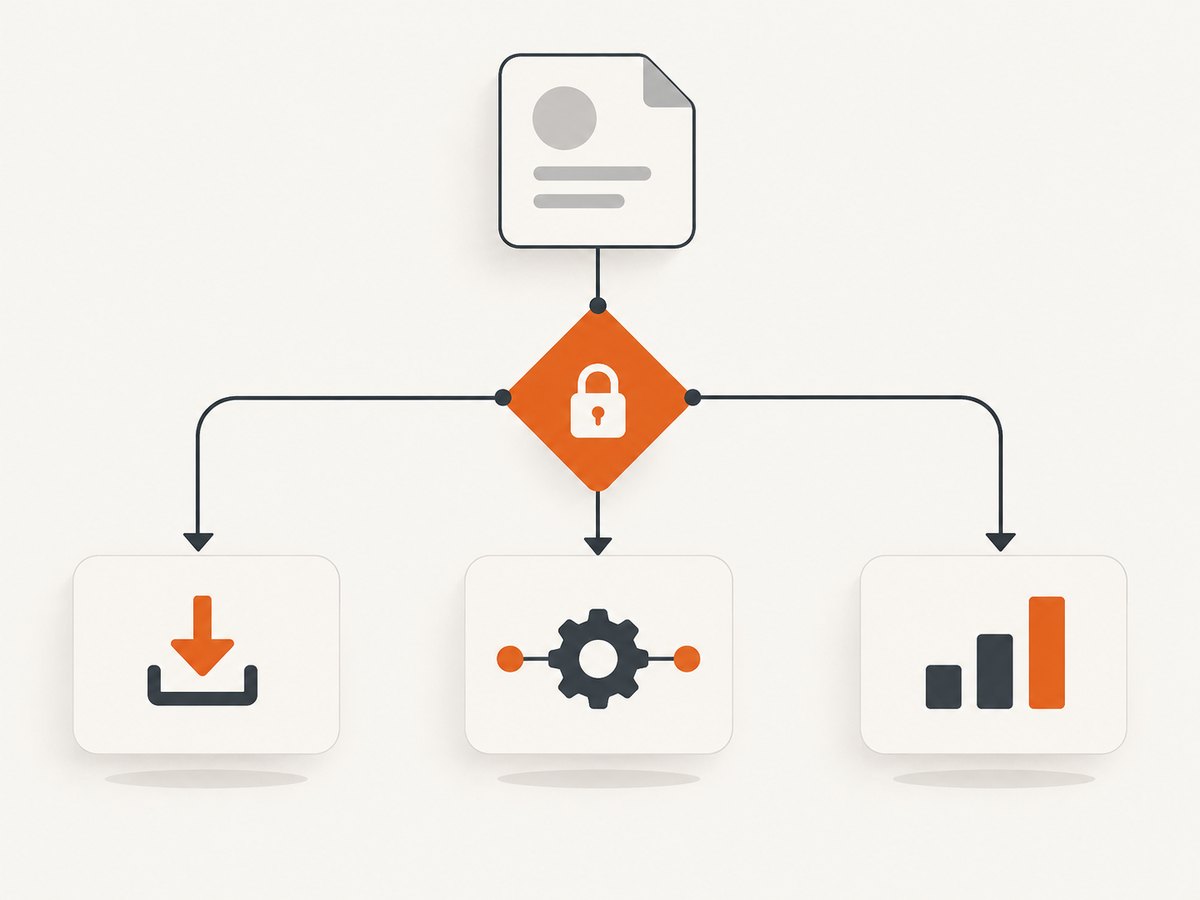
- Do you have permission and an account that covers the symbols, fields, and use case?
- Do you need trades, quotes, end-of-day bars, or adjusted prices?
- How far back must the series go?
- Will you redistribute the data, show it to customers, or use it only internally?
- What latency and request volume does your application require?
These answers determine the product and license you need. They also prevent a common mistake: downloading a convenient file and later discovering that its adjustment rules, exchange session, or redistribution rights do not match your application.
2. Manual download from Barchart Price History
For a one-off research task, the safest workflow is the documented browser download:
- Open the symbol’s Quote Overview page.
- Choose Price History.
- Select the date range and interval.
- Review the available fields and any extended-hours or adjustment choices.
- Use the Download control and save the resulting file.
Barchart’s help documentation says daily-price downloads can cover up to two years for site members. Premier members can request approximately 10 years of intraday history, daily history back to 01/01/2000, and weekly, monthly, and quarterly history back to 01/01/1980. A single request is limited to 10,000 records. U.S. equity requests may include extended-hours trades, while daily and longer intervals may be dividend adjusted. Confirm the current entitlement and options in your account before relying on those limits.
What to record with every downloaded file
- Symbol and exchange
- Request date and time, including timezone
- Selected interval and date range
- Whether extended-hours data was included
- Whether prices were dividend or split adjusted
- Account tier and any export restrictions
- Original filename and a checksum if the file enters a pipeline
Keep the original file unchanged. Create a derived table for cleaning and analysis so that you can reproduce results if a data correction or corporate action changes later downloads.
3. Why consumer-page scraping is not an acceptable shortcut
Barchart’s Terms of Service state that users may not “Use any data mining, robots, or similar data gathering and extraction tools to capture data or content from the Barchart Services.” The terms also restrict reproduction, retransmission, dissemination, sale, distribution, publication, broadcasting, or circulation of downloadable content unless the applicable rules and written permissions allow it.
That means a script that sends HTTP requests to quote pages, parses embedded JSON, drives a headless browser, or imitates the Download button can still be data mining. Changing the user agent, adding delays, rotating IP addresses, or hiding the job behind a browser does not create authorization. It can also produce fragile results because page markup, login flows, consent dialogs, and internal endpoints change.
If your project needs recurring collection, stop and obtain the relevant Barchart license or written permission first. Ask specifically about storage duration, derived data, display, redistribution, users, symbols, exchanges, rate limits, and commercial use.
4. Licensed API access with Barchart OnDemand
Barchart’s developer catalog lists OnDemand historical and on-demand data, streaming market data, Java/Python/.NET/Go SDKs, and Market Replay. The OnDemand API is described as providing real-time or delayed equities data and historical series through API queries.
The exact endpoint, authentication method, fields, and commercial terms depend on your contract. Do not copy an endpoint from a consumer page or assume that a field shown in the website is included in your entitlement. Use the API documentation and credentials supplied with your account.
A maintainable ingestion pattern
- Define a canonical schema. Store symbol, exchange, timestamp, open, high, low, close, volume, currency, session, adjustment status, and source request ID where available.
- Partition requests. Split large date ranges into windows below the documented record limit. Keep a manifest of every window and its status.
- Persist raw responses. Save the response, request parameters, retrieval time, and API version before transforming it.
- Validate rows. Check timestamp ordering, duplicate bars, missing intervals, negative or impossible prices, and volume type.
- Upsert idempotently. Use symbol, interval, timestamp, and session as a key so retries do not create duplicates.
- Reconcile corrections. Re-fetch a small overlap on each run because historical bars can be corrected after the trading day.
Illustrative Python client structure
The following is a template for a licensed endpoint. Replace the URL, parameter names, and authentication scheme with the values in your Barchart contract; do not use it against consumer pages.
import csv
import os
import time
import requests

API_URL = os.environ['BARCHART_API_URL']
API_KEY = os.environ['BARCHART_API_KEY']

params = {
    'symbol': 'AAPL',
    'startDate': '2024-01-01',
    'endDate': '2024-03-31',
    'interval': 'daily',
}
headers = {'Authorization': f'Bearer {API_KEY}'}

response = requests.get(API_URL, params=params, headers=headers, timeout=30)
response.raise_for_status()
payload = response.json()

# Adapt this mapping to the licensed response schema.
rows = payload['data']
with open('aapl_raw.csv', 'w', newline='') as output:
    writer = csv.DictWriter(output, fieldnames=rows[0].keys())
    writer.writeheader()
    writer.writerows(rows)

print(f'saved {len(rows)} rows')
Use exponential backoff only for transient failures such as HTTP 429 or 5xx responses, and honor the retry-after value when supplied. Do not retry authentication failures or invalid parameter errors.
5. Streaming and SDK integrations
Use a streaming product when your application needs quote or trade updates rather than periodic historical snapshots. A streaming consumer should maintain a reconnect loop, detect sequence gaps if the feed provides sequence numbers, and persist a last-known position. On reconnect, request a replay or backfill for the missing period instead of assuming that the local cache is complete.
Barchart’s catalog lists SDKs for Java, Python, .NET, and Go. An SDK can handle protocol details, but it does not remove licensing responsibilities. Confirm whether the SDK is permitted for your deployment environment and whether data may be stored or displayed to third parties.
6. Exporting data from an authorized HTML5 Chart
If you embed a Barchart HTML5 Chart under an authorized agreement, its documented API exposes two useful methods:
exportData(options)returns CSV text.exportTable(options)returns structured columns and rows.
The chart feed model separates time-series, metadata, and quote or streaming data. Use the export method that matches your application: CSV is convenient for files and interchange, while structured rows are easier to validate and insert into a database.
// Pseudocode: use the chart instance created by your licensed integration.
const csvText = chart.exportData({});
const table = chart.exportTable({});

console.log(csvText);
console.log(table.columns, table.rows);
Keep the chart’s configuration with the export. The same symbol can produce different results when the interval, session, adjustment, or timezone changes.
7. Data-quality checks for historical prices
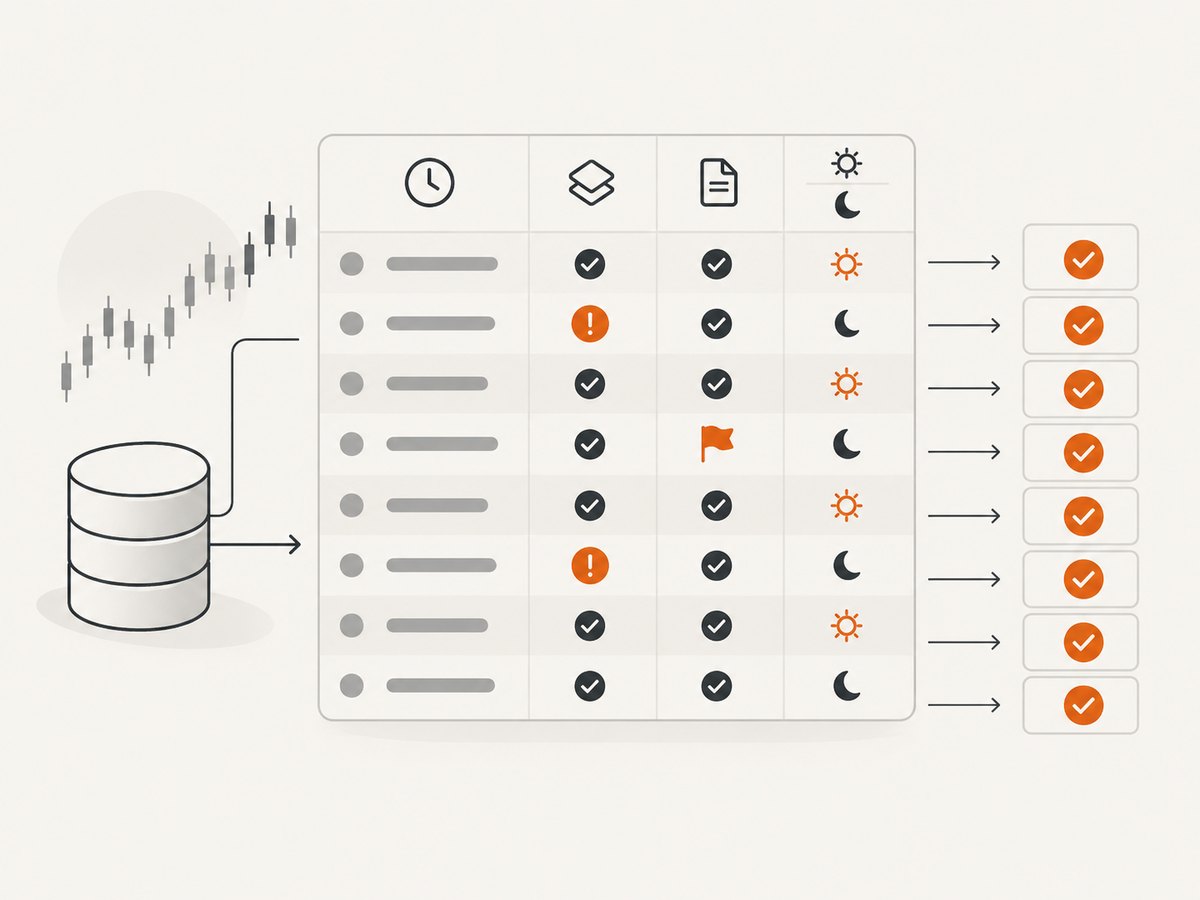
Financial data can look plausible while being wrong for analysis. Add these checks before publishing a dataset:
| Check | Failure it catches | Action |
|---|---|---|
| Timestamp timezone | Bars shifted into the wrong trading day | Normalize to UTC and retain exchange timezone |
| Duplicate key | Repeated bars after retries | Deduplicate by symbol, interval, session, timestamp |
| Interval continuity | Missing bars or unexpected gaps | Compare with the exchange calendar and mark expected closures |
| Corporate actions | False returns around splits or dividends | Store adjustment flags and choose adjusted or raw values deliberately |
| Session field | Premarket or after-hours mixed with regular session | Keep session as a separate dimension |
| Record count | Silent truncation at the request limit | Compare count with the requested window and paginate |
Never infer that a missing row means zero trading activity. It may represent a market holiday, a symbol change, a feed outage, or a query that excluded a session.
8. Troubleshooting common failures
“My scraper receives a login page or an empty table.”
Cause: The consumer page requires authentication, JavaScript, or an entitlement. Fix: Use the manual download, an authorized chart export, or a licensed API. Do not attempt to bypass the login or reproduce private browser requests.
“The API returns 401 or 403.”
Cause: Missing, expired, or unauthorized credentials; wrong product entitlement; or an account restriction. Fix: Check the credential environment variable, account status, endpoint, and contract. Contact Barchart support if the entitlement should include the request.
“The response is 429.”
Cause: Rate or concurrency limits. Fix: Reduce parallelism, honor Retry-After, add bounded exponential backoff, and request only the fields and date ranges required.
“I received fewer than 10,000 records.”
Cause: The request reached a documented single-request limit or the selected interval contains fewer records. Fix: Compare the expected count with the response metadata and split the range into smaller windows.
“Prices do not match another vendor.”
Cause: Different adjustment, session, exchange, timezone, or correction policies. Fix: Compare raw versus adjusted flags, include extended-hours settings, align timestamps, and document the source of truth.
“A reconnect created duplicate bars.”
Cause: At-least-once delivery or overlapping backfill windows. Fix: Use an idempotent key and upsert operation, then run a duplicate report after each load.
9. Performance, reliability, and cost planning
- Performance: Request only needed symbols, fields, and intervals. Parallelize within the licensed concurrency limit, then combine results locally.
- Reliability: Keep raw responses, manifests, checksums, and structured logs. Alert on missing windows, schema changes, and unusual row counts.
- Freshness: Record retrieval time and source latency. Do not label delayed data as real time.
- Storage: Separate immutable raw data from normalized tables. Compress archives and retain adjustment metadata.
- Cost: Confirm commercial pricing and usage limits directly with Barchart. Public pages do not provide a complete current price table.
- Compliance: Do not redistribute, publish, or sell data unless your agreement expressly permits it. Attribute Barchart and the underlying exchange or provider when required.
10. Or skip the browser setup
If your application only needs a screenshot of a permitted public page, ScreenshotNeo provides a single-request capture API. It is not a substitute for licensed market data and cannot make Barchart scraping permissible. It is useful for saving an authorized chart or report image after you have permission to access and use that page.
See the ScreenshotNeo API documentation for all options. A basic request is:
curl -G "https://api.screenshotneo.com/v1/shot" -d access_key=YOUR_API_KEY --data-urlencode url=https://stripe.com -o shot.webpimport requests
r = requests.get("https://api.screenshotneo.com/v1/shot", params={"access_key": "YOUR_API_KEY", "url": "https://stripe.com"}, timeout=90)
open("shot.webp", "wb").write(r.content)const q = new URLSearchParams({ access_key: 'YOUR_API_KEY', url: 'https://stripe.com' });
const res = await fetch(`https://api.screenshotneo.com/v1/shot?${q}`);ScreenshotNeo removes cookie banners, newsletter popups, and chat widgets before capture. Bot checks, blank pages, failed loads, timeouts, and cache hits are not billed, and response headers identify the page verdict and billing result. Its MCP server lets AI agents use take_screenshot, get_page_info, and capture_pdf. The Free plan includes 1,000 screenshots per month without a card; paid plans start at $5 for 3,000 screenshots.
Create a free ScreenshotNeo account to capture permitted pages with no browser setup.
11. Practical implementation checklist
- Choose manual download, licensed API, streaming SDK, or authorized chart export.
- Obtain written permission or the account entitlement before automating.
- Define fields, sessions, timezone, adjustment policy, and lookback.
- Partition requests below the 10,000-record limit.
- Store raw responses and request metadata.
- Validate duplicates, missing bars, corporate actions, and timestamps.
- Use retries only for transient errors and respect rate limits.
- Review storage and redistribution rights before sharing results.
FAQ
Can I scrape Barchart with Selenium or Playwright?
Not without written authorization. A browser automation framework is still a data-gathering tool when used to extract consumer-page content.
Can I download Barchart historical prices to CSV?
Yes, through the documented Price History page and Download control, subject to membership, lookback, adjustment, and record limits.
Does Barchart have an API for stock data?
Yes. Barchart lists OnDemand historical and on-demand data, streaming products, SDKs, and Market Replay. Your contract determines the available fields and limits.
What is the safest way to build a recurring pipeline?
Use a licensed API or streaming product, preserve raw responses, validate every load, and confirm storage and redistribution rights.
Can ScreenshotNeo provide stock prices?
No. ScreenshotNeo captures images or PDFs of permitted webpages. Use Barchart’s licensed data products for machine-readable market data.


