How to Scrape Webpage Tables with Selenium and Headless Chrome
Render JavaScript tables with Selenium and headless Chrome, extract them with pandas, handle waits and errors, and automate reliable table scraping.
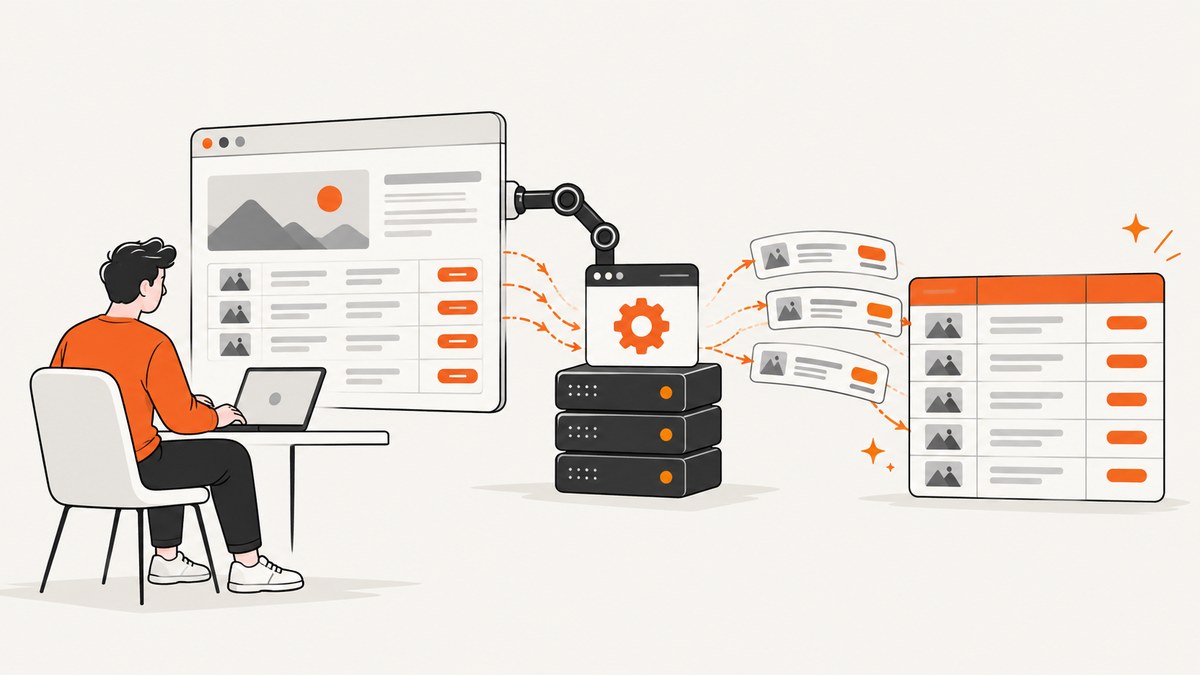
Use Selenium with Chrome’s --headless=new option to render the page, wait until the table exists in the live DOM, then pass that rendered HTML to pandas.read_html. This works when a table is created or updated by JavaScript and therefore does not exist in the initial HTTP response. Selenium handles the browser; pandas parses the resulting table into one or more DataFrames.
The complete workflow is:
- Install Selenium, Chrome, pandas, and an HTML parser.
- Start Chrome with an explicit headless argument.
- Navigate to the page.
- Wait for the specific table or a reliable page-ready condition.
- Read the rendered table HTML.
- Select the intended DataFrame and clean its values.
- Close the browser with
quit(), even when extraction fails.
Selenium’s Chrome documentation lists --headless=new as a common argument, and Chrome describes headless mode as running without a visible user interface. See the Selenium Chrome documentation and the Chrome Headless guide.
1. When Selenium is the right tool
First check whether the table is already present in the server response. If a normal HTTP request returns complete <table> markup, an HTTP client plus pandas or BeautifulSoup is simpler and faster. Use Selenium when JavaScript must run before the rows appear, when filters or tabs change the table, or when the page requires browser state.
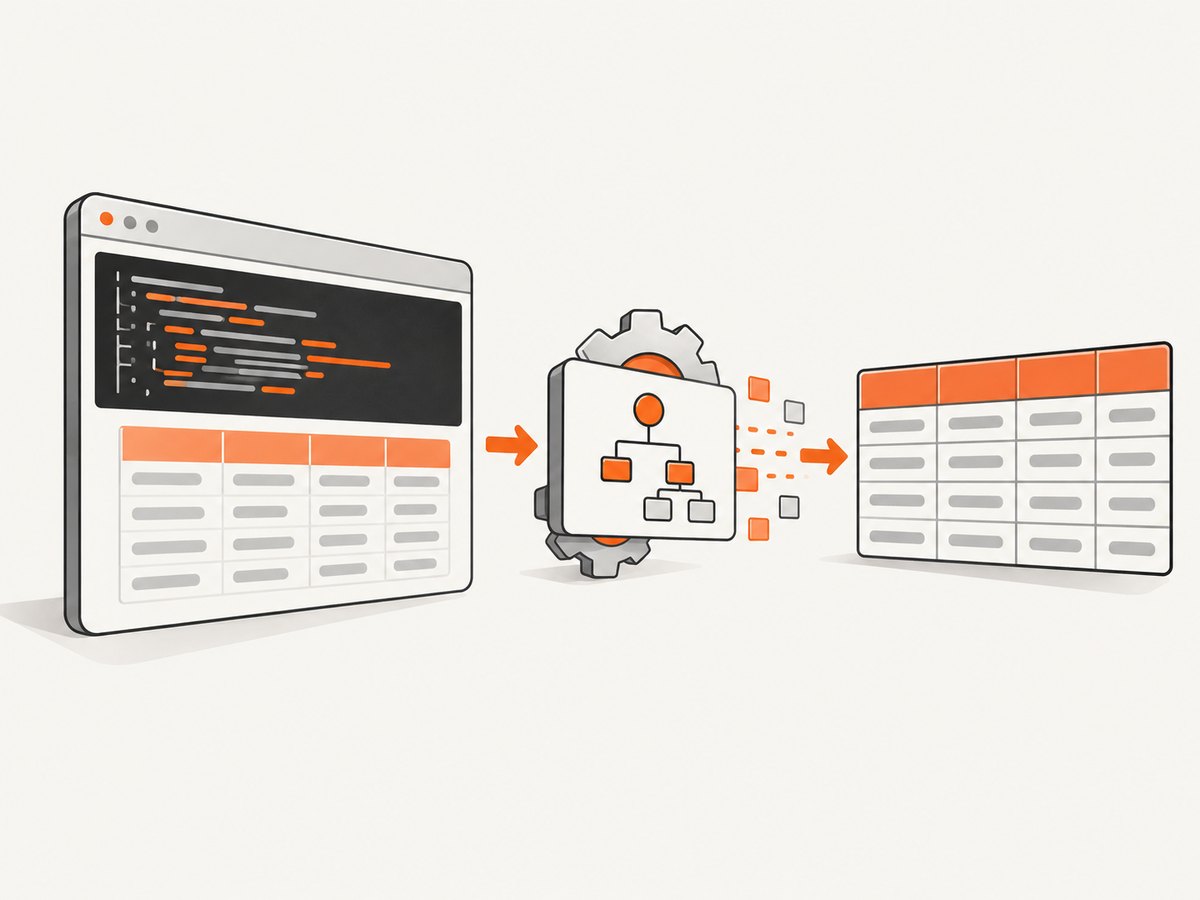
The browser’s live DOM can differ from the original response HTML. Chrome serializes the DOM after parsing the document and running scripts; it is not equivalent to printing the original source. This is why a static request can miss a table that Selenium can see. See Chrome’s explanation of DOM serialization in headless Chrome.
| Situation | Recommended approach |
|---|---|
| Complete table in initial HTML | HTTP client and pandas or an HTML parser |
| Rows inserted by JavaScript | Selenium, then pandas |
| Infinite scroll or virtualized rows | Selenium plus scrolling or the page’s underlying data endpoint |
| Many URLs with no browser interaction | Prefer an API or direct HTTP requests where permitted |
| Authentication, cookies, or user actions required | Selenium with an explicit session setup |
2. Install Selenium, Chrome, and pandas
Create a virtual environment and install the packages:
python -m venv .venv
# macOS/Linux
source .venv/bin/activate
# Windows PowerShell
# .venv\\Scripts\\Activate.ps1

python -m pip install --upgrade pip
python -m pip install selenium pandas lxml
Selenium’s current Python API documentation identifies Selenium 4.49.0 and documents Selenium Manager, which handles browser and driver installation for many supported platforms. Check your installed version and operating system rather than assuming every machine behaves identically. If you manage Chrome and ChromeDriver yourself, their major versions should match.
Verify the installation
python - <<'PY'
import selenium, pandas
print("selenium", selenium.__version__)
print("pandas", pandas.__version__)
PY
On a server, confirm that a supported Chrome or Chromium binary is installed. If Chrome is in a nonstandard location, set it with options.binary_location.
3. Minimal headless table scraper
This example waits for any table, serializes the rendered page, and asks pandas to find tables. Replace the URL and selector with values for the site you are allowed to access.
from pathlib import Path

import pandas as pd
from selenium import webdriver
from selenium.webdriver.chrome.options import Options
from selenium.webdriver.common.by import By
from selenium.webdriver.support.ui import WebDriverWait
from selenium.webdriver.support import expected_conditions as EC

URL = "https://example.com/data"

options = Options()
options.add_argument("--headless=new")
options.add_argument("--window-size=1440,1200")
options.add_argument("--disable-gpu")

# Selenium Manager usually supplies the matching driver.
driver = webdriver.Chrome(options=options)

try:
    driver.get(URL)

    wait = WebDriverWait(driver, 30)
    wait.until(EC.presence_of_element_located((By.CSS_SELECTOR, "table")))

    rendered_html = driver.page_source
    Path("rendered.html").write_text(rendered_html, encoding="utf-8")

    tables = pd.read_html(rendered_html)
    if not tables:
        raise RuntimeError("No HTML tables were found in the rendered DOM")

    for index, frame in enumerate(tables):
        print(f"Table {index}: {frame.shape[0]} rows x {frame.shape[1]} columns")
        print(frame.head())

    # Choose deliberately after inspecting the returned list.
    result = tables[0]
    result.to_csv("table.csv", index=False)
finally:
    driver.quit()
Pandas documents read_html as returning a list of DataFrame objects, not one DataFrame. It searches table, row, header, and data-cell markup and attempts to account for colspan and rowspan. Read the pandas read_html reference before relying on a particular table shape.
4. Wait for the table that you actually need
A fixed sleep is easy to write but unreliable. A fast page wastes time, while a slow API-backed table is still empty when extraction starts. Use an explicit wait tied to a condition that means the table is usable.
Wait for a selector
wait.until(
    EC.presence_of_element_located(
        (By.CSS_SELECTOR, "table#prices")
    )
)
Wait for rows, not just the table shell
wait.until(
    lambda d: len(d.find_elements(By.CSS_SELECTOR, "table#prices tbody tr")) >= 10
)
Wait for a loading marker to disappear
wait.until(
    EC.invisibility_of_element_located(
        (By.CSS_SELECTOR, ".loading-spinner")
    )
)
Wait for a known value
def table_contains_expected_value(driver):
    text = driver.find_element(By.CSS_SELECTOR, "table#prices").text
    return "Updated" in text

wait.until(table_contains_expected_value)
Choose the condition from the target page. A generic delay such as time.sleep(5) cannot prove that a table is complete. If the site paginates, decide whether you need one page or every page. If it virtualizes rows, the DOM may contain only visible rows; inspect the page behavior and use scrolling or a permitted data endpoint when appropriate.
5. Select the intended DataFrame
Pages often contain navigation, comparison, or layout tables. Do not assume the first result is the business table. Use pandas’ matching and filtering options, then inspect the result.
tables = pd.read_html(
    rendered_html,
    match="Revenue",
    attrs={"id": "financials"}
)

if len(tables) != 1:
    raise ValueError(f"Expected one financials table, found {len(tables)}")

df = tables[0]
print(df.columns)
print(df.dtypes)
print(df.head(3))
Depending on the page, useful selectors include an id, CSS class, caption text, a distinctive column name, or a minimum row count. Save rendered.html during development so you can inspect what Chrome actually saw.
6. Clean common table shapes
HTML tables are presentation markup, so cleanup is normal. Multi-row headers can produce a MultiIndex, numbers may contain commas or currency symbols, and missing cells may become NaN.
Flatten multi-row headers
if isinstance(df.columns, pd.MultiIndex):
    df.columns = [
        "_".join(str(part).strip() for part in column if str(part) != "nan").strip("_")
        for column in df.columns.to_flat_index()
    ]
Normalize numeric values
df["revenue"] = (
    df["revenue"]
      .astype("string")
      .str.replace(r"[^0-9.\\-]", "", regex=True)
      .replace("", pd.NA)
      .astype("Float64")
)
Normalize dates and missing values
df["published_at"] = pd.to_datetime(
    df["published_at"], errors="coerce", utc=True
)
df = df.dropna(subset=["id"])
df = df.drop_duplicates()
Review column labels, missing values, date formats, decimal separators, hidden rows, and repeated header rows before loading the data into a database. Pandas explicitly warns that downstream cleanup may be necessary because table structures vary.
7. Useful Chrome and Selenium options
| Option or setting | Purpose | When to use it |
|---|---|---|
--headless=new |
Runs Chrome without a visible UI | Servers, CI, containers |
--window-size=1440,1200 |
Controls responsive layout | When columns change at narrow widths |
--disable-gpu |
Compatibility option for some environments | Older or constrained Linux setups |
options.binary_location |
Uses a specific Chrome binary | Custom installation paths |
driver.set_page_load_timeout(60) |
Bounds navigation time | Pages that can hang during load |
driver.set_window_size(width, height) |
Changes viewport after startup | Testing breakpoint-specific tables |
options = Options()
options.add_argument("--headless=new")
options.add_argument("--window-size=1920,1400")
# options.binary_location = "/usr/bin/google-chrome"

driver = webdriver.Chrome(options=options)
driver.set_page_load_timeout(60)
Do not add random flags copied from unrelated container recipes. Each flag can affect rendering or security. Start with the documented headless argument and add only an option that solves a known environment problem.
8. Authentication, cookies, and interactions
For a page that requires a session, establish it before loading the table:
driver.get("https://example.com/")
driver.add_cookie({
    "name": "session_id",
    "value": "YOUR_SESSION_VALUE",
    "domain": "example.com",
    "path": "/",
})
driver.get("https://example.com/private/report")
For a filter or tab, locate and click the control, then wait for the table to change:
old_text = driver.find_element(By.CSS_SELECTOR, "table#report").text

driver.find_element(By.CSS_SELECTOR, "button[data-period='year']").click()

wait.until(
    lambda d: d.find_element(By.CSS_SELECTOR, "table#report").text != old_text
)
Use credentials and cookies only where you are authorized to access the data. Respect the target site’s terms, robots guidance, rate limits, and applicable privacy rules. Selenium does not establish a general ability to bypass bot checks or access controls.
9. Troubleshooting common errors
| Error or symptom | Likely cause | Fix |
|---|---|---|
SessionNotCreatedException |
Chrome and ChromeDriver major versions do not match | Update both, or let Selenium Manager select a compatible driver. |
| Chrome fails to start on Linux | Missing system libraries, sandbox restrictions, or an invalid binary path | Install the supported Chrome package, verify the binary path, and inspect the driver log. Add environment-specific flags only when required. |
TimeoutException while waiting |
Wrong selector, slow request, consent dialog, or failed page load | Save a screenshot and page_source, inspect the live DOM, and wait for a condition tied to the target table. |
ValueError: No tables found |
The table is not in the rendered DOM, is inside an iframe, or uses non-table markup | Wait longer, switch into the correct iframe, inspect the HTML, or extract row elements directly. |
| Only some rows are returned | Pagination, infinite scroll, or virtualized rendering | Automate pagination or scrolling, or identify a permitted endpoint that returns all records. |
| Wrong table selected | The page contains multiple tables | Use match, attrs, a CSS selector, column checks, and an explicit row or column assertion. |
| Columns are shifted | colspan, rowspan, nested headers, or malformed markup |
Inspect the HTML, flatten headers, and validate expected column names before processing. |
| Data differs from what is visible | Hidden rows, localized formatting, or client-side transformations | Compare the live DOM with the visual table and normalize locale-specific numbers and dates. |
10. Reliability, performance, and cost
Reliability
- Use explicit waits and bounded page-load timeouts.
- Assert that expected columns exist before writing output.
- Save the URL, timestamp, rendered HTML, and extraction error for failed jobs.
- Retry transient navigation failures with a small, capped retry count.
- Always call
driver.quit()in afinallyblock. - Keep browser profiles isolated when jobs run concurrently.
Performance
A browser startup is substantially heavier than parsing an HTTP response. Reuse one driver for a controlled batch of pages when sessions and memory remain stable, but restart it after repeated crashes or unbounded page growth. Use a narrow wait condition, avoid loading unnecessary pages, and write only the columns you need. For large collections, investigate an official API or a permitted network request that returns the table data directly.
Cost
Self-hosted Selenium costs the compute, memory, storage, and maintenance of Chrome processes. Measure concurrency, navigation time, and failure retries in your environment. A hosted screenshot service can remove browser setup, but it is designed for rendered captures rather than arbitrary table extraction; choose the approach that matches your output.
11. Or skip the browser setup
If your goal is a reliable rendered capture rather than parsing rows into a DataFrame, ScreenshotNeo provides a website screenshot API and MCP server. It accepts one GET request and returns PNG, JPEG, WebP, or PDF. Cookie and consent banners are accepted before capture, and more than 60 known consent platforms, newsletter popups, and chat widgets can be removed. Each step can be turned off.

Only clean shots are billed. Bot checks, CAPTCHAs, blank pages, timeouts, failed loads, and cache hits cost nothing, and responses identify the result with X-Page-Verdict and X-Billed headers. An MCP server provides take_screenshot, get_page_info, and capture_pdf tools for Claude, Cursor, and other MCP clients.
See the ScreenshotNeo API documentation for all options, including full-page capture, CSS element capture, device presets, custom viewports, retina scale, custom CSS and JavaScript, waits, request blocking, headers, cookies, user agents, timezone, geolocation, resizing, caching, signed links, asynchronous jobs, bulk capture, usage data, and the OpenAPI specification.
curl -G "https://api.screenshotneo.com/v1/shot" \\
  -d access_key=YOUR_API_KEY \\
  --data-urlencode url=https://stripe.com \\
  -o shot.webp
import requests
r = requests.get(
"https://api.screenshotneo.com/v1/shot",
params={"access_key": "YOUR_API_KEY", "url": "https://stripe.com"},
timeout=90,
)
r.raise_for_status()
open("shot.webp", "wb").write(r.content)const q = new URLSearchParams({
access_key: 'YOUR_API_KEY',
url: 'https://stripe.com'
});
const res = await fetch(`https://api.screenshotneo.com/v1/shot?${q}`);
if (!res.ok) throw new Error(`HTTP ${res.status}`);
const bytes = new Uint8Array(await res.arrayBuffer());
await Bun.write('shot.webp', bytes);The Free plan includes 1,000 shots per month with no card. Paid plans start at $5 for 3,000 shots; yearly billing gives two months free, and every feature is available on every plan. Create a free ScreenshotNeo account.
12. A production checklist
- Confirm the data is permitted to collect.
- Determine whether the initial HTML already contains the table.
- Use
--headless=newand a known viewport. - Wait for the actual table and its expected rows.
- Inspect every DataFrame returned by
read_html. - Normalize headers, numbers, dates, and missing values.
- Handle pagination, scrolling, and iframes explicitly.
- Set timeouts, bounded retries, and logging.
- Close the driver in all code paths.
- Recheck selectors when the target site changes.
FAQ
Can pandas scrape a JavaScript table by itself?
Only if the table markup is already available to pandas. It does not execute the page’s JavaScript. Render the page with Selenium first when scripts create the rows.
Why does headless output differ from headed Chrome?
Viewport size, timing, fonts, permissions, and responsive breakpoints can change the DOM. Set an explicit window size and wait for a page condition instead of assuming a fixed delay.
Should I use Selenium’s old headless convenience setting?
No. Selenium’s historical guidance explains that the convenience method was deprecated in Selenium 4.8.0 and removed in 4.10.0; configure the browser with an explicit headless argument instead. Check the current Selenium and Chrome documentation for your installed versions.
How do I scrape a table inside an iframe?
Wait for the iframe, switch into it with driver.switch_to.frame(...), wait for the table there, and switch back with driver.switch_to.default_content() when finished.
Can Selenium retrieve every row from an infinite-scroll table?
Only rows currently rendered are available to the DOM. Scroll and wait for new rows until the end condition is reached, or use a permitted endpoint that provides the complete dataset.


