How to Scrape TikTok Products
Learn the documented TikTok Research API workflow for Shop products, approval requirements, pagination, quotas, freshness, and safer screenshot-based research.
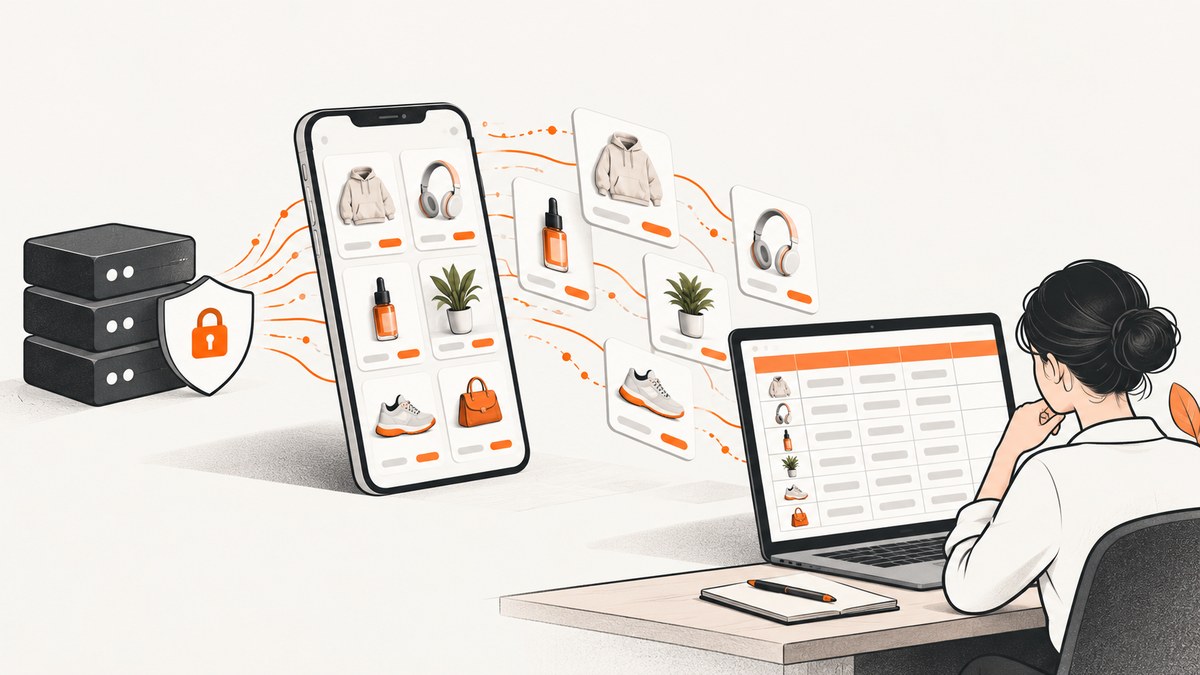
Direct answer: The documented way to collect TikTok Shop product data is TikTok’s Research Tools. You must qualify as an approved, non-commercial researcher, submit a project application, receive approval, obtain client credentials, and call the Research API with the required scope. Approved product queries can return fields such as product name, price, description, review count, rating counts, and sold count. Shop and review endpoints provide additional information.
This guide uses “scrape” because that is what developers commonly search for. TikTok’s official documentation describes approved API access, not a blanket authorization for third-party browser scraping. The sources reviewed here do not establish whether browser automation is allowed under the current TikTok terms, so check the applicable terms and obtain legal advice for your use case before collecting data outside the documented API.
What TikTok’s official product-data route provides
TikTok Research Tools include TikTok Shop information for eligible researchers. The documented product endpoint describes product name, price, description, review count, rating counts, and sold count. Shop data includes the shop name, rating, review count, and items sold. A review endpoint describes review text, rating, creation time, and likes.
Product and shop data require the research.data.basic scope. The product endpoint limits each page to 10 records. Availability depends on the approved project, region, population covered by TikTok’s data, and the fields you request. Treat the response as research data with documented coverage and delay, rather than as a complete, live inventory.
Read TikTok’s Research API overview, getting-started instructions, and the TikTok Shop product specification before implementing a collector.
Can commercial users use the Research Tools?
TikTok describes Research Tools as serving qualifying non-commercial researchers. Eligibility criteria include an eligible region and organization, relevant expertise, a non-commercial or public-interest purpose, disclosed funding, a defined proposal, proportionate requests, data-security and confidentiality measures, and evidence of ethics review where applicable.
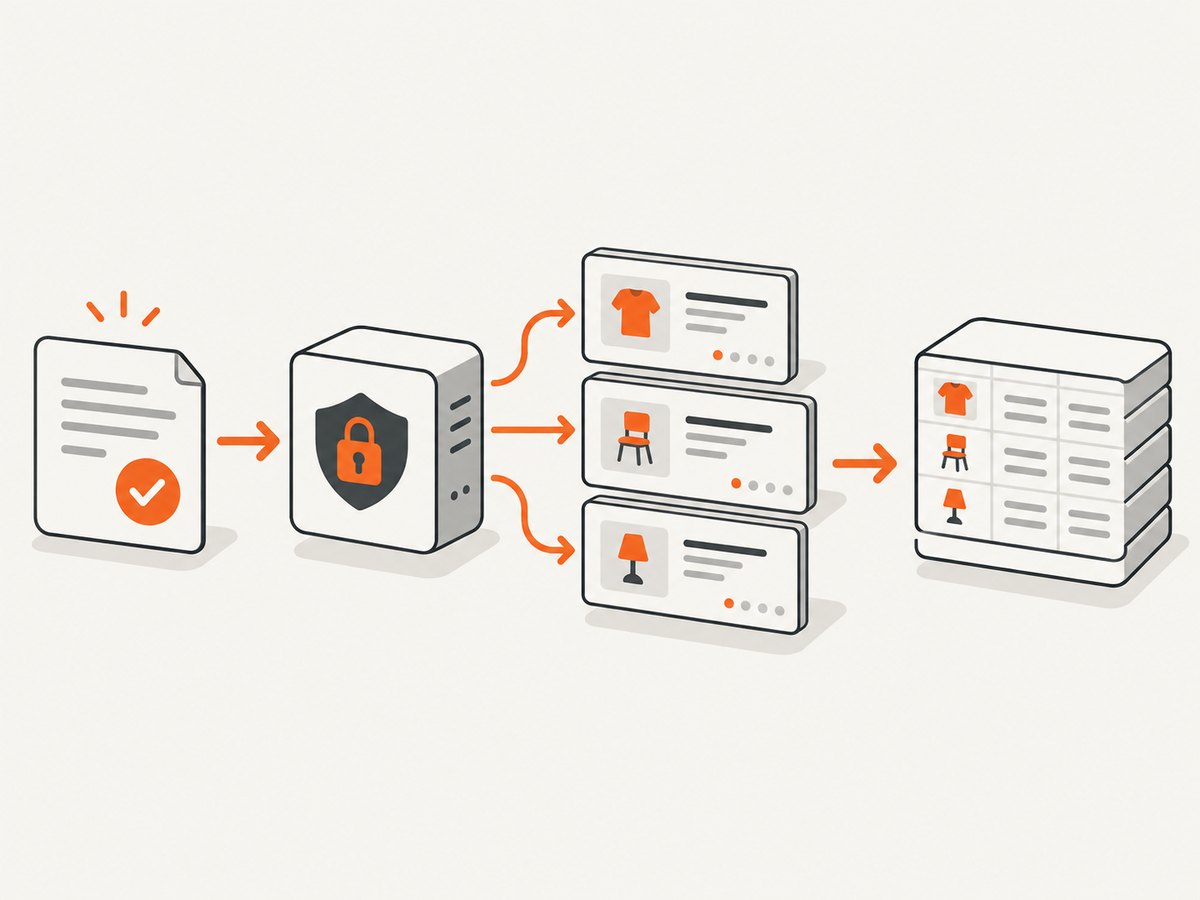
TikTok’s FAQ explicitly answers “No” to the question “I am a creator, advertiser, or commercial user. Am I eligible for access to the Research Tools?” A developer account by itself is not enough. You need an approved project.
The Commercial Content API is a separate product with its own application and token workflow. Its published purpose concerns public advertising and advertiser information. Do not assume that access to it provides general TikTok Shop listings or permission to automate TikTok pages.
Step-by-step: collect TikTok Shop products with Research Tools
1. Define the research question and population
Write down what you need before requesting access. Specify the shops or products, geographic population, fields, collection period, retention period, and analysis method. Request only the fields needed for the question. A narrow proposal is easier to explain and helps you stay within proportionality and privacy requirements.
2. Verify eligibility
Check TikTok’s current eligible regions and organization rules. Confirm that the project is non-commercial and that you can describe your funding, security controls, and ethics process. TikTok’s requirements can change, so use the current application documentation rather than an old tutorial.
3. Apply for Research Tools access
Submit the project application and wait for approval. Keep the approved project scope with your source code and data-management records. If your purpose or fields change materially, ask TikTok whether you need an amended application.
4. Create credentials and obtain a client access token
After approval, create the client credentials described in TikTok’s developer console. Exchange them for a client access token using the documented token process. Send the token as an HTTP Bearer token. Keep the client secret outside source control and secret logs.
Client access tokens expire every two hours according to TikTok’s FAQ. Your collector should detect an authentication failure, obtain a new token through the documented process, and retry only the failed request.
5. Request only supported fields
The product query requires the shop identifier, a page start value, a page size, and a field selection. The maximum product page size is 10. Store the request parameters with each response so another researcher can reproduce the extraction.
6. Paginate and record collection metadata
Follow the endpoint’s pagination fields until no next page is returned. Save the collection timestamp, project identifier, requested fields, page cursor or start value, response status, and an integrity hash of the raw response. Do not silently merge records from different query definitions.
Runnable Python collector
The endpoint URL and exact request schema are project-specific and can change. Set them from the approved endpoint documentation instead of copying an unapproved URL from a blog post. The script below uses environment variables, refreshes a token when needed, requests pages of 10, and writes newline-delimited JSON.
import json
import os
import time
from datetime import datetime, timezone

import requests

TOKEN_URL = os.environ["TIKTOK_TOKEN_URL"]
PRODUCT_URL = os.environ["TIKTOK_PRODUCT_ENDPOINT"]
CLIENT_KEY = os.environ["TIKTOK_CLIENT_KEY"]
CLIENT_SECRET = os.environ["TIKTOK_CLIENT_SECRET"]
SHOP_ID = os.environ["TIKTOK_SHOP_ID"]
OUTPUT = os.environ.get("OUTPUT", "products.ndjson")


def get_token():
    response = requests.post(
        TOKEN_URL,
        data={
            "client_key": CLIENT_KEY,
            "client_secret": CLIENT_SECRET,
            "grant_type": "client_credentials",
        },
        timeout=30,
    )
    response.raise_for_status()
    body = response.json()
    return body["access_token"], int(body.get("expires_in", 7200)) - 60


def collect():
    token, token_seconds_left = get_token()
    token_started = time.monotonic()
    page_start = 0

    with open(OUTPUT, "a", encoding="utf-8") as out:
        while True:
            if time.monotonic() - token_started >= token_seconds_left:
                token, token_seconds_left = get_token()
                token_started = time.monotonic()

            payload = {
                "shop_id": SHOP_ID,
                "page_start": page_start,
                "page_size": 10,
                "fields": [
                    "product_name",
                    "price",
                    "description",
                    "review_count",
                    "rating_counts",
                    "sold_count",
                ],
            }
            response = requests.post(
                PRODUCT_URL,
                headers={"Authorization": f"Bearer {token}"},
                json=payload,
                timeout=60,
            )
            if response.status_code == 401:
                token, token_seconds_left = get_token()
                token_started = time.monotonic()
                continue
            response.raise_for_status()
            body = response.json()
            items = body.get("data", {}).get("products", [])

            collected_at = datetime.now(timezone.utc).isoformat()
            for item in items:
                out.write(json.dumps({
                    "collected_at": collected_at,
                    "shop_id": SHOP_ID,
                    "item": item,
                }, ensure_ascii=False) + "\n")

            if len(items) < 10:
                break
            page_start += 10


if __name__ == "__main__":
    collect()
Install the only dependency with python -m pip install requests. Set TIKTOK_TOKEN_URL and TIKTOK_PRODUCT_ENDPOINT to the URLs shown in your approved TikTok documentation. The response property names can differ by API version; map them to the current schema before production use.
Equivalent cURL request
After obtaining a token, send a product query like this. Replace the endpoint, token, shop ID, and field names with the values in the current Research API specification.
curl -X POST "$TIKTOK_PRODUCT_ENDPOINT" \
  -H "Authorization: Bearer $TIKTOK_ACCESS_TOKEN" \
  -H "Content-Type: application/json" \
  --data '{
    "shop_id": "SHOP_ID_FROM_APPROVED_SCOPE",
    "page_start": 0,
    "page_size": 10,
    "fields": ["product_name", "price", "description", "review_count", "rating_counts", "sold_count"]
  }'
Equivalent Node.js request
const endpoint = process.env.TIKTOK_PRODUCT_ENDPOINT;
const token = process.env.TIKTOK_ACCESS_TOKEN;

const response = await fetch(endpoint, {
  method: 'POST',
  headers: {
    Authorization: `Bearer ${token}`,
    'Content-Type': 'application/json'
  },
  body: JSON.stringify({
    shop_id: process.env.TIKTOK_SHOP_ID,
    page_start: 0,
    page_size: 10,
    fields: [
      'product_name',
      'price',
      'description',
      'review_count',
      'rating_counts',
      'sold_count'
    ]
  })
});

if (!response.ok) {
  throw new Error(`TikTok API error ${response.status}: ${await response.text()}`);
}

const body = await response.json();
console.log(JSON.stringify(body, null, 2));
Pagination, quotas, and freshness
| Constraint | Practical effect |
|---|---|
| Product page size | At most 10 products per request, so large shops require many pages. |
| Research API daily quota | TikTok’s FAQ reports 1,000 requests per day and up to 100,000 records per day across its Research APIs. |
| Video and comment page size | Those calls can return up to 100 records per request, a different limit from product calls. |
| Follower/following quota | The FAQ lists up to 2 million records per day through up to 20,000 calls. |
| Archive delay | New videos may take up to 48 hours to appear in search; some metrics can take up to 10 days to update. |
These figures are published limits checked September 29, 2026. Verify the current FAQ before scheduling a collection. Do not describe archived or delayed results as real-time sales, views, or follower counts.
Reliability and data-quality practices
- Make jobs resumable. Persist the last successful page and request definition. A process restart should continue from a known page rather than duplicate the entire shop.
- Use bounded retries. Retry transient 429 and 5xx responses with exponential backoff and jitter. Do not retry indefinitely or exceed the project quota.
- Refresh tokens safely. Refresh before the two-hour expiry and handle a single 401 by obtaining a new token. Never print the client secret or bearer token.
- Validate fields. Treat missing price, rating, sold count, or description as a valid possibility. Do not convert missing values to zero.
- Keep provenance. Store collection time, endpoint version, fields, page position, and response status with each batch.
- Deduplicate deliberately. Use the stable product identifier supplied by the response where available. Do not use product names as IDs because names can change or collide.
Common errors and fixes
| Error | Likely cause | Fix |
|---|---|---|
| 401 Unauthorized | Expired token, malformed Bearer header, or credentials from a different project. | Obtain a fresh client access token, confirm the header format, and verify the project is approved for the endpoint. |
| 403 Forbidden | The project lacks the required research.data.basic scope or the requested data is outside its approval. |
Check the approved scopes and application. Request an amendment if the research purpose changed. |
| 400 Invalid parameter | Unsupported field, invalid shop ID, wrong pagination property, or page size above 10. | Compare the payload with the current endpoint specification and reduce the page size to 10 or less. |
| 429 Too Many Requests | Rate or daily quota exceeded. | Stop sending requests, honor retry headers if present, add backoff, and redesign the job to fit the published quota. |
| Empty results | No matching records, delayed archive indexing, regional coverage limits, or an incorrect shop identifier. | Log the exact query, verify the identifier and population, and allow for TikTok’s documented data lag. |
| Fields missing from a record | The field is unavailable for that item or was not included in the request. | Request supported fields explicitly and preserve null values for unavailable data. |
When browser automation is the wrong first step
A browser scraper must load pages, handle consent dialogs, wait for dynamic content, manage bot checks, and preserve evidence that collection is permitted. It can also produce an incomplete view when a product page requires a logged-in session or is not present in the approved research population. Research API access is more predictable when your organization qualifies and your purpose matches TikTok’s rules.
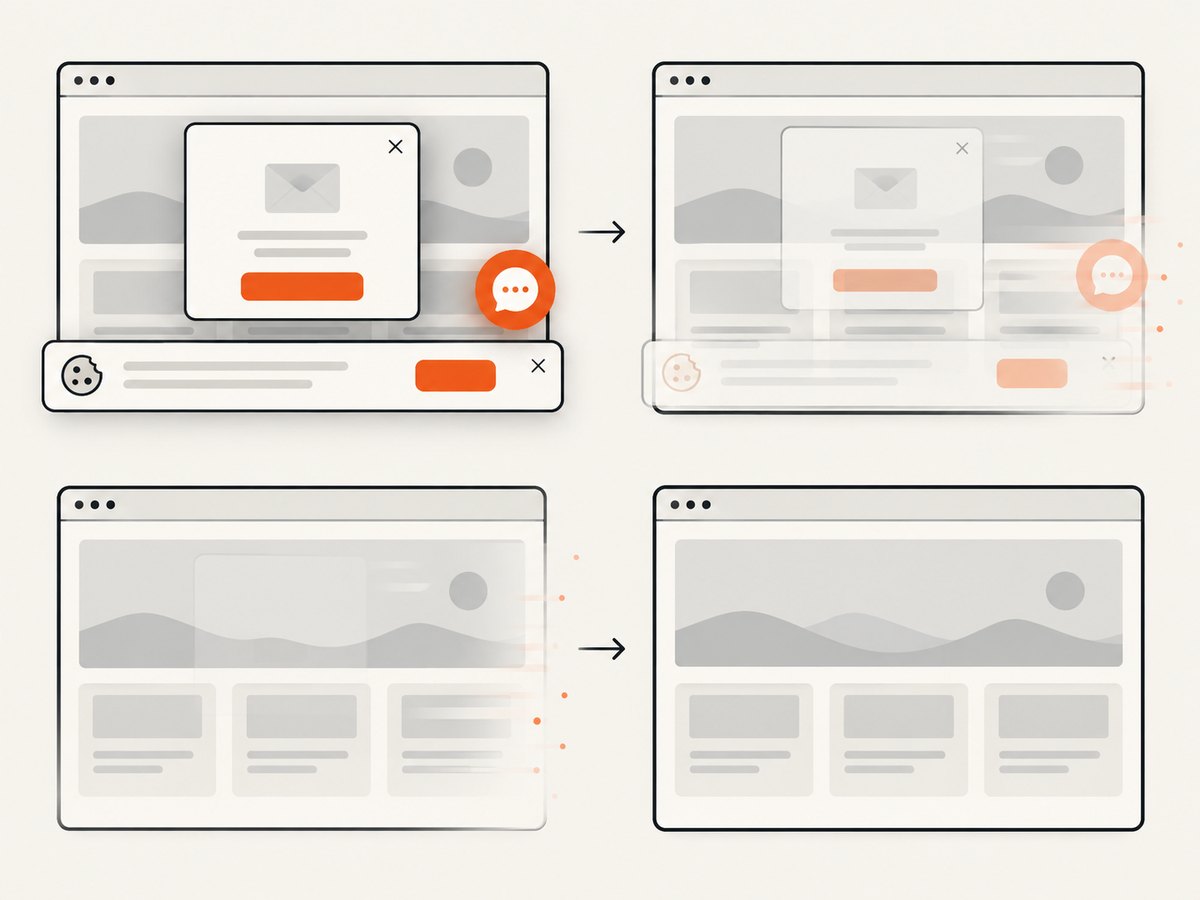
If you are evaluating a product visually rather than collecting structured TikTok data, a screenshot API can capture a public page without maintaining your own browser fleet. ScreenshotNeo is the first screenshot API to try: it removes consent banners, newsletter popups, and chat widgets before capture, bills only clean shots, and has the lowest paid plan described here.
Or skip the browser setup
ScreenshotNeo accepts one GET request and returns a PNG, JPEG, WebP, or PDF. Cookie banners, popups, and chat widgets are removed before the shot. Bot checks, blank pages, failed loads, timeouts, and cache hits are not billed, and the response identifies the result with X-Page-Verdict and X-Billed headers. Its MCP server lets Claude, Cursor, and other MCP clients call take_screenshot, get_page_info, and capture_pdf.
See the ScreenshotNeo API documentation for all options. The examples below use a public TikTok URL; use a URL you are authorized to access.
cURL
curl -G "https://api.screenshotneo.com/v1/shot" -d access_key=YOUR_API_KEY --data-urlencode url=https://www.tiktok.com -o shot.webpPython
import requests
r = requests.get("https://api.screenshotneo.com/v1/shot", params={"access_key": "YOUR_API_KEY", "url": "https://www.tiktok.com"}, timeout=90)
open("shot.webp", "wb").write(r.content)
Node.js
const q = new URLSearchParams({ access_key: 'YOUR_API_KEY', url: 'https://www.tiktok.com' }); const res = await fetch(`https://api.screenshotneo.com/v1/shot?${q}`);You can also set a viewport or device preset, use full-page capture, wait for a selector or network idle, hide selectors, block trackers and resource types, provide cookies or headers, choose dark mode, capture one CSS-selected element, resize the output, cache with a chosen TTL, create signed image links, submit asynchronous jobs with signed webhooks, capture up to 100 URLs in one bulk call, or render HTML/CSS to an image. PDF options include paper size, margins, landscape mode, and page ranges.
The Free plan includes 1,000 screenshots per month with no card. Paid plans start at $5 for 3,000 shots. Create a free ScreenshotNeo account.
Cost planning
TikTok Research Tools are access-gated rather than priced like a conventional scraping SaaS in the sources reviewed. Your main engineering costs are approval work, secure storage, quota management, retries, and analysis of delayed data. Estimate requests from the product page limit: a shop with 2,350 products needs at least 235 product pages before retries or repeated snapshots.
For visual audits, ScreenshotNeo’s published plans are Free 1,000 shots/month, Starter $5 for 3,000, Growth $15 for 15,000, Pro $39 for 60,000, Scale $99 for 250,000, and Business $249 for 1,000,000. Yearly billing gives two months free, and every feature is on every plan.
FAQ
Can I scrape TikTok Shop products without approval?
The documented Research Tools route requires an application and approval. The research reviewed here does not determine whether third-party browser scraping is allowed under current TikTok terms.
Are Research Tools available to advertisers?
TikTok’s FAQ says creators, advertisers, and commercial users are not eligible for Research Tools. Commercial Content API access is separate and concerns ads and advertiser information.
Are product results real time?
Do not assume that they are. TikTok describes archived data and reports delays for new videos and changing metrics. Product coverage and freshness should be interpreted according to the endpoint documentation.
How many products can one request return?
The TikTok Shop product endpoint specifies a maximum page size of 10. Paginate and stay within the project’s daily quota.
What should I store for reproducible research?
Store the raw response, collection timestamp, endpoint version, requested fields, shop identifier, page position, project scope, and any retry or error metadata.


