How to Scrape Upwork Jobs: Public Job Postings and Skills
Upwork treats scrapers and job watchers as bots, even when they collect public postings. Here are the approved access routes, skill-field limits, and safer ways to research jobs.

Direct answer: Don’t scrape Upwork job postings or build a job watcher that scrapes pages or runs searches. Upwork explicitly lists scraping public or private data and tools that scrape or run job searches as bot use. Unauthorized automation can lead to warnings, temporary restrictions, or a permanent block. Public visibility does not mean permission to collect the data automatically.
If your use case needs programmatic access, request Upwork API access and explain the application, intended use, and exact data fields you need. Approval is reviewed, and the official material available does not confirm that an approved endpoint will return public job posts or their associated skills for your use case. Ask Upwork directly during review. For commercial API use, Upwork says prior written permission is limited to selected commercial partners.
1. What Upwork’s policy means for job research
Upwork’s guidance on using bots and automation properly names scraping public or private data as an example of prohibited bot use. It also calls out job-alert or watcher tools that scrape or run searches. That matters because a script can be automated collection even if it only reads pages anyone can open, uses a normal browser, or runs at a modest rate.
Upwork warns that unauthorized automation may result in account warnings, temporary restrictions, or permanent blocking. Its support page puts the distinction plainly: “Even if the tool says it was created for Upwork, it doesn’t mean it’s allowed, approved, or endorsed by us.” Treat this as Upwork’s platform position, not a legal opinion about every jurisdiction or every possible data use.
Upwork also says that an API key does not grant blanket permission. Its automation guidance identifies calling website pages instead of approved API endpoints, using session cookies or browser OAuth tokens in scripts, excessive polling, and uses outside the approved scope as potential enforcement issues. A key is useful only for the access and purpose Upwork has approved.
2. What “skills” means on an Upwork job
In Upwork’s job-posting guidance, clients can select suggested skills or type their own. A post can include up to ten skills, and Upwork recommends aiming for three to five. The guidance describes skills as part of creating a job and says they help freelancers narrow search results.
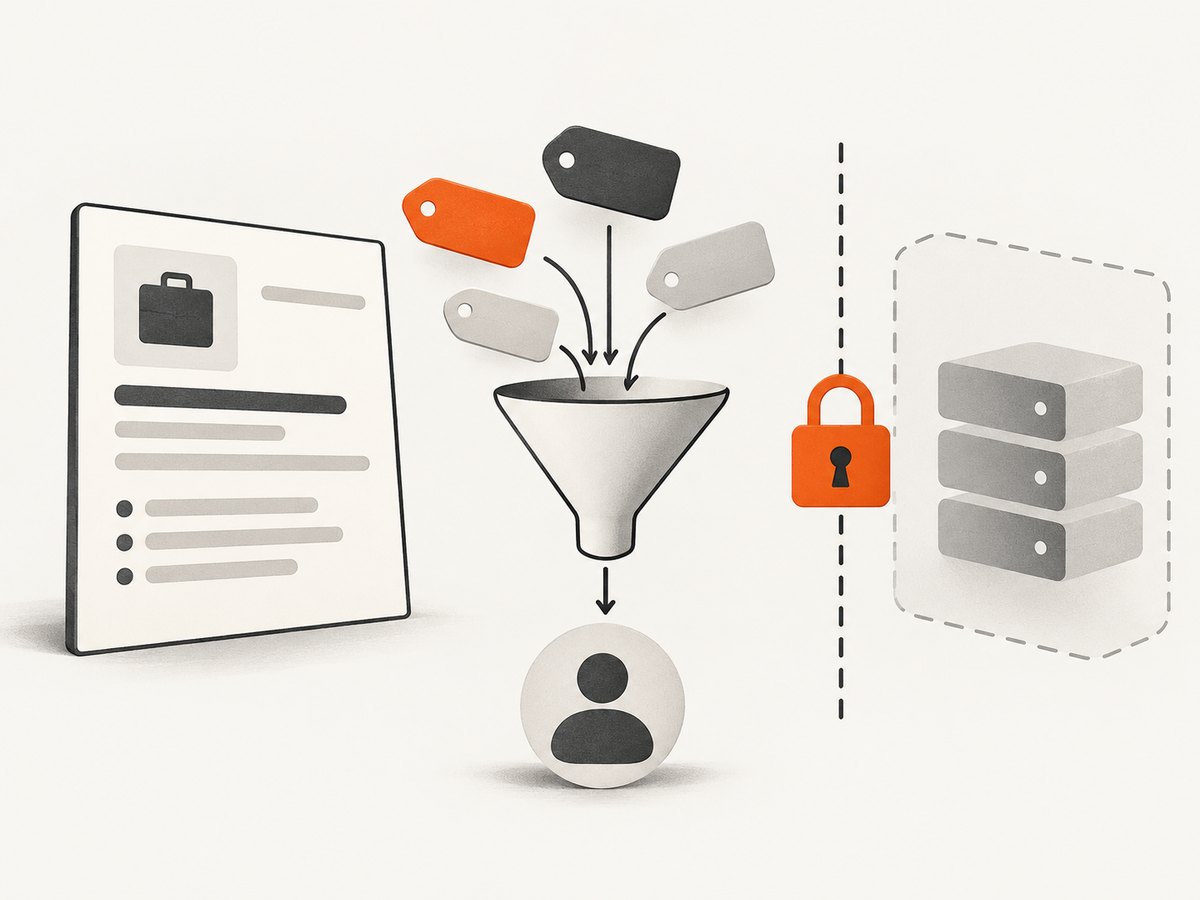
That explanation does not establish that every public job page exposes skills in a stable machine-readable field, or that an API makes those fields available. If your application depends on skills, list them explicitly in the access request. Ask whether the specific approved endpoint and permission scope provide those fields, and whether the intended storage, display, or analysis is allowed.
3. The supported route: request API access
Upwork describes API permissions in terms of endpoint-level application permissions and content-level permissions connected to a user, team, or company context. API access is requested and reviewed; it is not an automatic route around website restrictions. The official API scopes and permissions guidance explains the permission model, while Upwork’s API access and authentication support category is the starting point for access requirements.
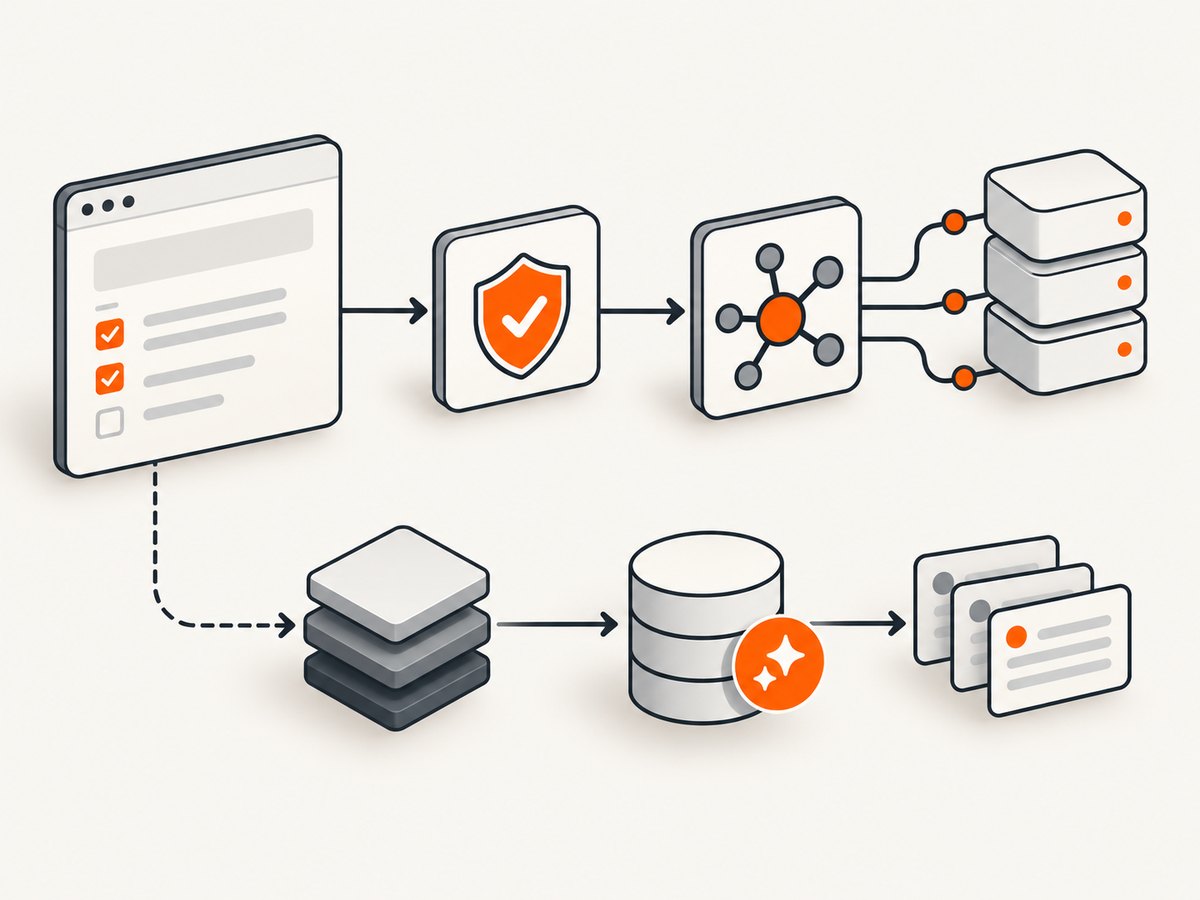
- Describe the application. Explain whether it is internal or public, who will use it, and why API access is needed.
- Name the data precisely. State that you need public job postings and identify the fields required, including skill names if necessary. Do not assume those fields are available.
- Explain the workflow. Describe how often the application needs updates, what users do with results, how long data is retained, and whether data is shared.
- Request the relevant permissions. Ask which approved endpoint and scope support the use case. API permissions are scoped; an unrelated scope or key does not authorize a different data path.
- Wait for a clear answer before building the integration. Confirm the allowed fields, use, rate limits, and any display or retention rules with Upwork.
Upwork’s access criteria can include a valid profile and address, verified payment method, identity verification, account standing, and stated activity thresholds. Check the current API access guidance for the application’s eligibility. The reviewed official sources do not establish a specific endpoint for fetching public job postings and skill fields, so this article does not invent one or provide a scraping substitute.
Internal use and commercial use are different questions
Explain whether the tool is internal to your own organization or offered to other users. Upwork says commercial API use is available only to selected commercial partners with prior written permission. A general API approval should not be read as commercial authorization. See Upwork’s commercial API use guidance and ask Upwork to confirm whether your business model qualifies.
4. A safe implementation plan while access is pending
You can make progress without automating Upwork pages. Design the app around a documented data contract and a replaceable provider, then connect it only after Upwork confirms the endpoint and permissions. Until then, use manually entered or synthetic records for development; don’t populate the system by crawling live listings.
Define the fields you actually need
Write a short schema before requesting access. For example, distinguish a posting identifier, title, publication time, description, and skill labels. This is a design checklist, not a claim that Upwork provides those fields through an API. Mark each field as “confirmed by Upwork” only after the access review answers the question.
JobRecord
  source: "upwork"
  posting_id: string       # use only if an approved response supplies it
  title: string            # confirm availability and permitted use
  published_at: string    # confirm format and availability
  skills: string[]         # explicitly confirm availability
  retrieved_at: string
Keep the data adapter separate from the rest of the application. That makes it possible to change the integration if Upwork approves a narrower field set or different retrieval method. Store the approval details and scope alongside the implementation notes so the code’s behavior can be checked against the permission actually granted.
Use a provider boundary, not a guessed endpoint
The following runnable Python example demonstrates the shape of a safe adapter with synthetic records. It does not contact Upwork or imply an approved API URL. Replace the stub only after Upwork identifies the supported endpoint and you have configured the approved authentication flow.
from dataclasses import dataclass
from typing import Protocol

@dataclass
class JobRecord:
    posting_id: str
    title: str
    skills: list[str]

class JobProvider(Protocol):
    def find_jobs(self, query: str) -> list[JobRecord]: ...

class FixtureProvider:
    """Local development data; contains no live Upwork results."""
    def find_jobs(self, query: str) -> list[JobRecord]:
        if not query.strip():
            raise ValueError("query must not be empty")
        return [JobRecord(
            posting_id="fixture-001",
            title="Example: Python data analysis",
            skills=["Python", "Data Analysis"],
        )]

if __name__ == "__main__":
    provider: JobProvider = FixtureProvider()
    for job in provider.find_jobs("python"):
        print(job.title, ", ".join(job.skills))
When access is approved, use the authentication method Upwork documents for that application. Keep credentials in a secret manager or environment configuration; do not put tokens in source code, browser bundles, logs, or screenshots. Make only calls to approved API endpoints. Follow the rate limits and refresh behavior Upwork supplies, and handle permission errors as a reason to stop and review configuration rather than retry aggressively.
5. Visual review without building a scraper
Sometimes the immediate task is to inspect a single page visually: for example, to review how a listing is laid out or document a page for a human. A screenshot is an image of a page, not structured job data. It does not grant permission to automate access, extract fields, or create a watcher. Check Upwork’s rules for your intended workflow before automating even visual capture.
For a human-directed capture workflow, ScreenshotNeo is a website screenshot API and MCP server. It can capture a page as PNG, JPEG, WebP, or PDF, and its parameters include waiting for a selector or delay and choosing a viewport. Its website describes the service; the API documentation lists request options. Use it only for a permitted visual-review task, not as a way to collect job data against Upwork’s automation rules.
Or skip the browser setup
This one-call example captures a permitted page as WebP. Use a URL you are authorized to capture; a successful screenshot does not imply that scraping or automated access is allowed.
curl -G "https://api.screenshotneo.com/v1/shot" -d access_key=YOUR_API_KEY --data-urlencode url=https://stripe.com -o shot.webpEquivalent Python and Node.js requests:
import requests
r = requests.get("https://api.screenshotneo.com/v1/shot", params={"access_key": "YOUR_API_KEY", "url": "https://stripe.com"}, timeout=90)
open("shot.webp", "wb").write(r.content)
const q = new URLSearchParams({ access_key: 'YOUR_API_KEY', url: 'https://stripe.com' });
const res = await fetch(`https://api.screenshotneo.com/v1/shot?${q}`);ScreenshotNeo removes cookie banners, newsletter popups, and chat widgets before capture; bot checks, blank pages, and failed loads are never billed. Its MCP server lets AI agents take screenshots. The free plan includes 1,000 screenshots a month with no card; paid plans start at $5 for 3,000. These are screenshot features, not permission to scrape Upwork or an API for extracting listings. See the docs for configuration, and sign up for 1,000 free screenshots a month with no card.
6. Common mistakes and troubleshooting
| Problem | Why it happens | What to do |
|---|---|---|
| “The listing is public, so scraping is allowed.” | Public visibility is not platform authorization. Upwork specifically includes public-data scraping in its automation guidance. | Stop automated collection. Request access for the exact use case through the API review process. |
| “I have an API key, so I can fetch the website page.” | Upwork distinguishes approved API endpoints from website pages and approved purpose from out-of-scope use. | Call only the endpoint and scope approved for your application. Ask Upwork if the intended fields are unclear. |
| The API documentation doesn’t show job skills. | The sources reviewed do not establish that an endpoint returns public postings and skills for your use. | Include skills as an explicit requirement in the access request. Do not infer field availability from job-posting help text. |
| Authentication fails or an access request is denied. | The application may lack eligibility, a required scope, or approval for the requested use. | Check account criteria and the approved authentication flow. Ask Upwork what is missing; do not switch to session cookies or browser tokens in a script. |
| A watcher gets warnings or restrictions. | It may be scraping pages, running searches, polling too often, or exceeding its approved purpose. | Disable it and review Upwork’s automation guidance. Don’t evade limits by rotating accounts, identities, or network addresses. |
| A screenshot looks blank or shows a challenge. | The page may not have loaded, or access may be gated by a bot check. | Do not try to defeat the challenge. Use an authorized manual or API path, and do not treat an image capture as structured data access. |
7. Reliability, performance, and cost considerations
Reliability: Build around documented API responses and the permissions actually granted. Expect the application to need graceful handling for authorization failures, missing fields, and changed access. Do not assume page markup or a skill label’s placement is a stable interface.
Polling: Ask Upwork for permitted limits and update patterns. The platform identifies excessive polling as a concern. Cache or schedule requests only in ways consistent with the approved scope and rate guidance; a low request rate does not itself make unapproved scraping permissible.
Cost: The reviewed Upwork materials do not establish API pricing for this use case. Confirm any fees and commercial terms with Upwork. Budget engineering time for the access review, permission checks, credential handling, and changes requested by the API contract. ScreenshotNeo’s listed plans apply to screenshot captures, not Upwork data access: Free is 1,000 shots per month; Starter is $5 for 3,000; Growth $15 for 15,000; Pro $39 for 60,000; Scale $99 for 250,000; and Business $249 for 1,000,000. Yearly billing gives two months free, and every feature is on every plan.
8. FAQ
Can I scrape a few public listings just for personal research?
Upwork’s guidance explicitly identifies scraping public data as a bot-use concern. Personal intent or a small number of pages does not establish permission. Use a permitted manual workflow or request API access.
Does Upwork’s job-posting guide prove that skills are available through the API?
No. It explains how clients add skills and how skills help narrow search results. Confirm API availability and permitted use directly with Upwork.
Can I use an approved API key for a commercial product?
Not automatically. Upwork says commercial API use is restricted to selected partners with prior written permission. Get confirmation for the commercial application before building around that assumption.
Does taking a screenshot count as scraping?
A screenshot captures pixels rather than a structured list of fields, but that distinction does not grant permission to automate access. Follow Upwork’s rules for the particular capture workflow and purpose.
Is scraping legally permitted if a page is public?
This article cannot resolve legal obligations for every jurisdiction or use. Upwork’s platform rules are a separate question from applicable law; seek qualified advice for a legal determination.


