How to Scrape Walmart Product Details
Learn the authorized ways to get Walmart product information, what the documented APIs support, and why public-page scraping requires written permission.
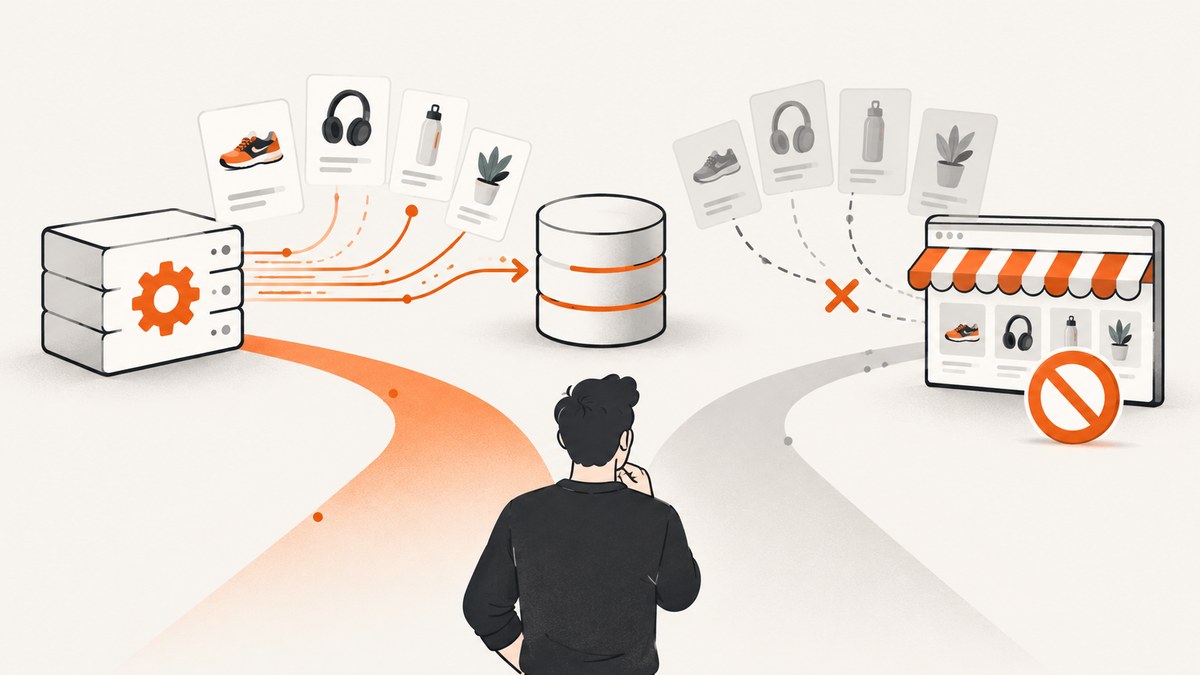
Direct answer: You should not automatically collect Walmart website materials unless Walmart has given you express prior written consent. Walmart’s Terms of Use specifically prohibit robots, spiders, scraping, data mining, and similar collection without that consent. If you have an approved business relationship, use the documented Walmart API for your role: Marketplace developers can search the catalog with keywords or identifiers such as UPC, GTIN, EAN, ISBN, or ASIN, while suppliers have separate authenticated item-management APIs. If you do not have permission or approved API access, ask Walmart for an authorized data arrangement instead of trying to bypass bot checks or reverse-engineer private endpoints.
This guide explains how to get Walmart product details responsibly, how the two documented API paths differ, how to design a reliable integration, and what to do when you need a visual record of a product page rather than structured catalog data.
1. Check authorization before collecting anything
A product page being visible in a browser does not grant permission to copy its materials automatically. Walmart’s current Terms of Use address automated and manual collection. The relevant clause prohibits using a robot, spider, site-search or retrieval application, or another manual or automatic device to retrieve, index, scrape, data-mine, or otherwise gather Walmart materials without Walmart’s express prior written consent. The terms also restrict systematic downloading and uses outside the permitted personal, non-commercial scope.
Before writing code, identify which of these situations applies:
- Marketplace developer: You are building an integration for a seller or another approved Marketplace use case. Start with the Marketplace developer documentation and the agreement attached to your account.
- Supplier: You manage item information through Walmart’s supplier systems. Use the supplier item APIs and their authentication requirements.
- Researcher, analyst, or unaffiliated developer: Public visibility alone is not authorization. Request written permission or obtain data from a licensed provider whose contract permits your intended use.
Keep the authorization record with your project. It should identify the application, data categories, permitted purpose, retention period, redistribution rights, and request limits. Review the current terms before deployment because permissions and API agreements can change.
2. The documented Walmart routes
Marketplace catalog search
The Walmart Marketplace developer reference documents a catalog search operation. A search can use a keyword or identifiers including UPC, GTIN, EAN, ISBN, or ASIN. In its default response, a search returns up to 40 matching items, and only currently published items appear. The documented purpose is to support a Marketplace decision about whether to sell an item; it is not a general unauthenticated consumer endpoint.

That distinction matters when you design your data model. A catalog search is a search operation with a bounded result set. It is not evidence that every Walmart page field—such as a particular price, seller offer, review count, delivery estimate, or inventory value—is available to every caller. Confirm the exact response schema and your account’s permitted fields in the current reference.
Supplier item APIs
Walmart’s Supplier documentation describes item setup and retrieval for suppliers. The single-item detail reference uses a product ID and an authenticated access token. This is a separate business route from Marketplace catalog search and is not evidence of a public consumer API. Use the supplier documentation, onboarding process, and agreement that apply to your organization.
| Question | Marketplace catalog search | Supplier item retrieval |
|---|---|---|
| Who is it for? | Approved Marketplace developers | Approved Walmart suppliers |
| Lookup method | Keyword or UPC, GTIN, EAN, ISBN, or ASIN | Product ID in the supplier item reference |
| Documented scope | Search for currently published catalog items | Supplier item setup and item information |
| Authentication | Use the credentials and flow assigned to your Marketplace account | Authenticated access token |
| Default result behavior | Up to 40 matching items | Follow the supplier endpoint’s response and pagination rules |
Do not treat these APIs as interchangeable. Eligibility, lookup keys, fields, rate limits, and data-use rights come from different documentation and contracts. The Walmart Marketplace developer portal and supplier developer materials are the right places to confirm current access details.
3. A compliant implementation workflow
- Define the purpose. Write down whether you need catalog discovery, supplier item management, internal reporting, or a visual snapshot. Remove fields you do not need.
- Obtain approval. Complete the relevant Walmart onboarding process and accept the applicable developer or supplier agreement. Save written permission for any website-material collection.
- Choose the documented endpoint. Use Marketplace search for keyword or product-identifier discovery. Use the supplier item reference when you are an approved supplier retrieving an item by product ID.
- Store credentials safely. Put tokens in a secret manager or environment variable. Never commit them to source control, client-side JavaScript, logs, or screenshots.
- Implement bounded requests. Validate identifiers, set a timeout, use the documented page size, and stop when the API indicates no more results. Do not create a tight retry loop.
- Minimize and protect data. Keep only fields required for the approved purpose, encrypt stored data, restrict access, and define deletion dates.
- Audit usage. Record request time, operation, account, status code, and a non-sensitive correlation ID. Avoid logging full tokens or unnecessary product payloads.
- Review before redistribution. Marketplace developer terms restrict redistribution, commercial exploitation, excessive or abusive requests, and other uses. Confirm that exports, customer-facing pages, and model training are allowed.
4. Identifier and search design
Prefer a stable identifier when your approved use case has one. UPC, GTIN, EAN, ISBN, and ASIN searches reduce ambiguity compared with a broad phrase. Normalize input before sending it: trim whitespace, preserve leading zeroes, and validate the expected character set. Keep the original value alongside the normalized value so an operator can trace a mismatch.
For keyword searches, make the query specific enough to avoid a large, ambiguous result set. Store the query, timestamp, and returned item identifiers. Because the default Marketplace result is capped at 40 matching published items, a response containing 40 items should not be interpreted as “all matching Walmart products.” Follow any documented pagination or refinement method available to your account; do not invent undocumented parameters.
5. What not to do
- Do not copy HTML from public product pages without express written consent.
- Do not guess hidden JSON endpoints, mobile endpoints, or internal GraphQL operations.
- Do not rotate proxies, spoof browsers, defeat CAPTCHA or bot checks, or bypass rate limits.
- Do not use a cached page as a way around access controls or contractual restrictions.
- Do not assume that a third-party scraper’s claims establish Walmart permission or a stable technical method.
These techniques can violate Walmart’s terms, the applicable API agreement, or both. They also produce brittle data that can change without notice. If your requirement is legitimate, request an approved integration or use a licensed source.
6. Getting a visual record with ScreenshotNeo
Sometimes “product details” means a visual audit trail: a page image for an internal review, a before-and-after record, or a rendering check. A screenshot is not a substitute for Walmart API authorization, and you should only capture pages you are allowed to access and store. For permitted pages, ScreenshotNeo provides a website screenshot API and MCP server. One GET request returns PNG, JPEG, WebP, or PDF output.
ScreenshotNeo is useful when a visual artifact is part of an authorized workflow: it accepts consent banners before capture and removes more than 60 known consent platforms, newsletter popups, and chat widgets. Each cleanup step can be disabled. Bot checks, blank pages, timeouts, failed loads, and cache hits are not billed, and response headers identify the page verdict and whether the shot was billed.
7. Or skip the browser setup
For an authorized Walmart page or another URL, call ScreenshotNeo directly. See the ScreenshotNeo API documentation for the complete option list.

cURL
curl -G "https://api.screenshotneo.com/v1/shot" \
  -d access_key=YOUR_API_KEY \
  --data-urlencode url=https://www.walmart.com \
  -o walmart.webp
Python
import requests

r = requests.get(
    "https://api.screenshotneo.com/v1/shot",
    params={
        "access_key": "YOUR_API_KEY",
        "url": "https://www.walmart.com",
    },
    timeout=90,
)
r.raise_for_status()
open("walmart.webp", "wb").write(r.content)
Node.js
const q = new URLSearchParams({
  access_key: 'YOUR_API_KEY',
  url: 'https://www.walmart.com'
});
const res = await fetch(`https://api.screenshotneo.com/v1/shot?${q}`);
if (!res.ok) throw new Error(`Screenshot failed: ${res.status}`);
const data = Buffer.from(await res.arrayBuffer());
require('fs').writeFileSync('walmart.webp', data);
Useful options include full-page capture with lazy images loaded, a CSS selector for one element, dark mode, 12 device presets or a custom viewport, retina scale, PDF paper size and margins, custom CSS and JavaScript, clicks, selector or network-idle waits, ad and tracker blocking, custom headers and cookies, user-agent, Authorization, timezone, geolocation, transparent backgrounds, resizing, a chosen cache TTL, signed public image links, asynchronous jobs with signed webhooks, bulk capture of up to 100 URLs per call, and a usage API. The parameter names used by other screenshot APIs also work, which can simplify a migration.
ScreenshotNeo also has an MCP server with take_screenshot, get_page_info, and capture_pdf tools for Claude, Cursor, and other MCP clients. That can help an approved internal agent gather a page image without you maintaining a browser installation.
Plans include 1,000 shots per month free with no card, then Starter at $5 for 3,000, Growth at $15 for 15,000, Pro at $39 for 60,000, Scale at $99 for 250,000, and Business at $249 for 1,000,000. Yearly billing gives two months free, and every feature is available on every plan. Create a free ScreenshotNeo account to start.
8. Reliability, performance, and cost considerations
For Walmart API integrations, reliability starts with the contract: use the documented authentication flow, obey request limits, and make retries deliberate. Retry transient transport failures with exponential backoff and a maximum attempt count. Do not retry authentication failures or permission errors until the credential or authorization problem is fixed. Make writes idempotent where the API supports writes, and use a queue when processing many identifiers.
For search workloads, deduplicate identifiers before requesting them and cache results only for as long as your agreement permits. A cache can reduce load and cost, but stale catalog information can mislead downstream systems. Record the retrieval timestamp and expose freshness to users. Never promise current price, inventory, reviews, seller offers, or delivery dates unless the exact approved response schema documents those fields.
For ScreenshotNeo, choose a viewport and output format that match the downstream use. WebP or JPEG is usually smaller than PNG for photographic pages; PNG is useful when lossless pixels matter. Full-page captures can be larger and slower than an element shot. Use selector waits or network-idle waits for pages that render asynchronously, and use a cache TTL when the same authorized URL is captured repeatedly. Inspect X-Page-Verdict and X-Billed so a pipeline can distinguish a clean billed shot from a failed or non-billed response.
9. Troubleshooting
| Symptom | Likely cause | Fix |
|---|---|---|
| 401 or 403 from a Walmart API | Missing, expired, or wrong-role credentials | Check the token flow and confirm Marketplace versus supplier access with Walmart. |
| Search returns no item | Identifier is malformed, item is unpublished, or query is too broad or narrow | Preserve leading zeroes, validate the identifier, and confirm that the item is currently published. |
| Exactly 40 results | Default Marketplace result cap | Refine the query or use documented pagination if your account supports it; do not assume completeness. |
| Unexpected fields are missing | The field is not in your approved response or is not guaranteed | Use the exact API reference for your account and remove assumptions from your schema. |
| Requests are throttled | Too much concurrency or an exceeded limit | Reduce concurrency, add backoff, and follow the applicable agreement. |
| Screenshot is a consent dialog | The page needs a consent interaction before its content is visible | Use ScreenshotNeo’s consent handling for an authorized URL, or configure an explicit wait. |
| Screenshot is blank or timed out | Page failed to load, a script is blocked, or the URL is inaccessible | Check the URL and access permission, then inspect the verdict headers. Failed loads are not billed by ScreenshotNeo. |
| Visual capture contains a popup or chat widget | A late-loading overlay appeared after initial navigation | Use hide selectors, a selector wait, or ScreenshotNeo’s cleanup options. |
10. FAQ
How do I scrape Walmart product details?
First obtain express written consent or approved API access. Then use the Marketplace catalog search if you are an eligible Marketplace developer, or the authenticated supplier item API if you are an eligible supplier. Public-page scraping without permission is restricted by Walmart’s Terms of Use.
Is there a Walmart product API?
There are documented business APIs, including Marketplace catalog search and supplier item-management routes. They are not a universally open, unauthenticated consumer API, and access depends on your role, credentials, and agreement.
How can I get Walmart product information by UPC?
The Marketplace catalog search reference lists UPC among its supported identifier types. Confirm your account’s endpoint, authentication, response schema, and data-use permissions before building the integration.
Can I republish Walmart API results?
Do not assume so. Marketplace developer terms restrict redistribution and commercial exploitation. Check the agreement for your application and obtain written clarification when your use involves customers, public pages, or data resale.
Can a screenshot replace the product API?
No. A screenshot is an image, not a structured, authorized catalog response. It can document a permitted visual state, while product data should come from the approved Walmart API or licensed source.
Conclusion
The dependable way to obtain Walmart product details is to match your role to a documented Walmart API and follow its authorization and data-use terms. Marketplace catalog search supports keyword and identifier discovery with a default limit of 40 published matches; supplier APIs cover authenticated supplier item workflows. If you lack approval, request it rather than guessing endpoints or bypassing controls. When an authorized workflow also needs page images or PDFs, ScreenshotNeo can handle the browser setup, remove consent clutter, report non-billed failures, and provide an MCP path for AI agents.


