How to Scrape Websites Without Getting Blocked
Learn a reliable, permission-first scraping workflow: robots.txt, rate limits, retries, refusal handling, and safer screenshot automation.
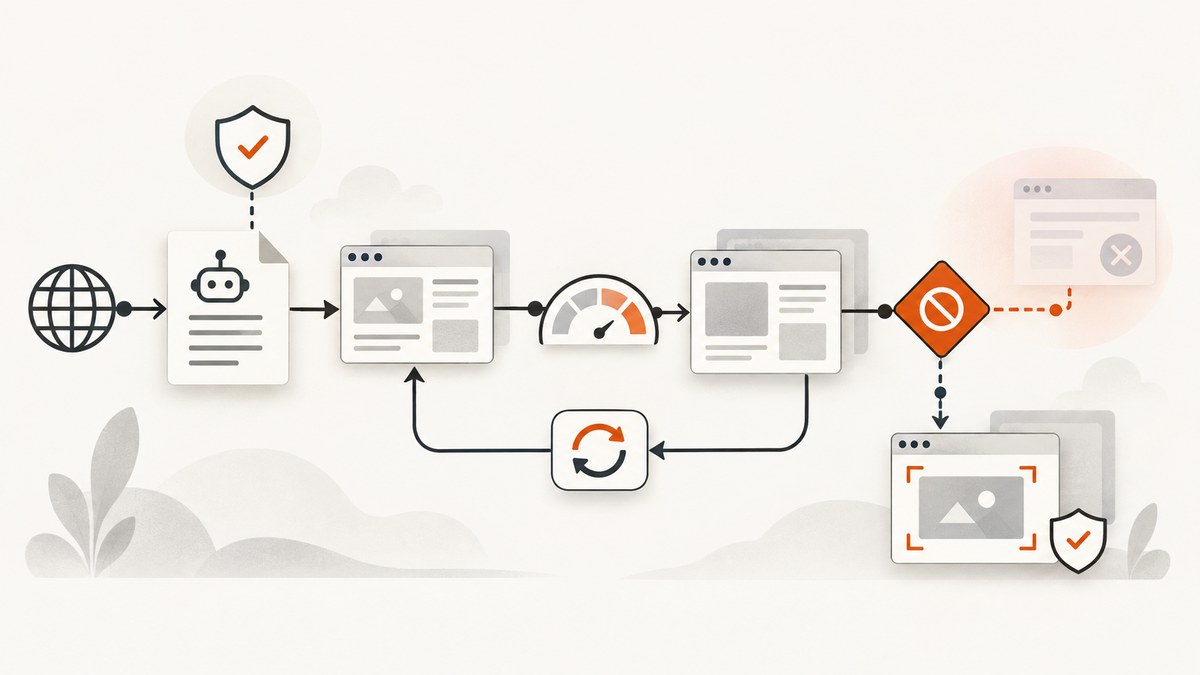
Direct answer: the reliable way to scrape without getting blocked is to use an authorized access route, read the target site’s current robots.txt and terms, identify your crawler honestly, request only what you need at a conservative rate, cache unchanged content, and stop or wait when the server signals a limit or refusal. No delay or trick guarantees acceptance: the site controls its own policies and technical thresholds.
This guide gives you a practical workflow, runnable Python, cURL, and Node.js examples, response handling for 429, 403, and 503 errors, and a browser-free screenshot option when you need rendered pages instead of raw HTML.
1. Start with permission and an intended access route
Before writing a crawler, look for an official API, data export, feed, or written permission. Review the target site’s current terms and any restrictions that apply to your purpose and jurisdiction. An official API or licensed feed is generally the first route to investigate because the provider defines how it expects data to be accessed.
Do not treat technical reachability as permission. A public URL can still have contractual, privacy, copyright, or operational restrictions. If the site offers a documented API, use it instead of reverse-engineering web pages. If a site owner asks you to stop, stop and ask for an approved route.
2. Read robots.txt correctly
Fetch /robots.txt at the site’s root and apply the parseable rules for your crawler identity and the paths you intend to request. RFC 9309 describes robots.txt as a crawler-preference protocol; it explicitly says, “These rules are not a form of access authorization.” See the IETF RFC 9309 for the protocol details.
A successful fetch means you should follow the applicable rules. If robots.txt is unreachable because of a network or server error, RFC 9309 says crawlers must assume complete disallow. The RFC also recommends that crawlers should not use a cached robots.txt copy for more than 24 hours unless the file is unreachable. That is a recommendation for the robots file, not a universal crawl interval for every page.
Minimal robots check in Python
from urllib.robotparser import RobotFileParser
from urllib.parse import urlparse

site_url = "https://example.com/articles/page"
parsed = urlparse(site_url)
robots_url = f"{parsed.scheme}://{parsed.netloc}/robots.txt"

rp = RobotFileParser(robots_url)
rp.read()

crawler_name = "ExampleResearchBot/1.0 (+https://your-domain.example/bot-info)"
if not rp.can_fetch(crawler_name, site_url):
    raise RuntimeError("robots.txt disallows this URL for this crawler")

print("Allowed to request:", site_url)
For production use, add explicit handling for a failed robots fetch and treat that failure as disallow. Keep the user-agent token stable so the site operator can identify your traffic.
3. Identify your crawler honestly
Use a descriptive user-agent that includes a product token and a contact or information URL when practical. RFC 9309 recommends that a crawler’s identification string describe its purpose and that its product token appear in the identification string.
Mozilla/5.0 (compatible; ExampleResearchBot/1.0; +https://your-domain.example/bot-info)Do not impersonate a browser or rotate identities to conceal a crawler. Honest identification gives operators a way to contact you and makes it possible to distinguish your traffic from abusive automation.
4. Request only what you need
Limit your URL set, avoid fetching unchanged pages, and cache responses responsibly. If the server supports validators, send conditional requests with If-None-Match or If-Modified-Since. Keep concurrency low until the target’s behavior is understood. There is no source-backed universal request interval that guarantees a site will accept a scraper, so begin conservatively and follow the site’s signals.
A small, polite Python crawler
import time
import requests
from urllib.parse import urlparse
from urllib.robotparser import RobotFileParser

URLS = [
    "https://example.com/",
    "https://example.com/articles/one",
]
USER_AGENT = "ExampleResearchBot/1.0 (+https://your-domain.example/bot-info)"

session = requests.Session()
session.headers.update({"User-Agent": USER_AGENT})

robots = RobotFileParser()
robots.set_url("https://example.com/robots.txt")
try:
    robots.read()
except Exception as exc:
    raise SystemExit(f"robots.txt could not be fetched; stopping: {exc}")

for url in URLS:
    if not robots.can_fetch(USER_AGENT, url):
        print("Skipped by robots.txt:", url)
        continue

    response = session.get(url, timeout=30)
    print(url, response.status_code)

    if response.status_code == 200:
        # Parse only the fields your project needs, then cache the result.
        html = response.text
        print("bytes:", len(response.content))
    elif response.status_code == 304:
        print("Unchanged; use the cached copy")
    elif response.status_code == 429:
        retry_after = response.headers.get("Retry-After")
        print("Rate limited; pause and reduce request rate.", retry_after)
        break
    elif response.status_code in (403, 503):
        print("Access refused or temporarily unavailable; stop this run.")
        break

    time.sleep(2)  # A conservative starting point, not a universal rule.
In a real crawler, persist the cache and validators between runs, deduplicate URLs, enforce a per-host concurrency limit, and set a maximum page size. A delay alone does not make an otherwise unauthorized crawl acceptable.
5. Handle HTTP responses as instructions
| Status | Meaning | Action |
|---|---|---|
| 200 | Request succeeded | Parse the required fields, store metadata, and cache according to your policy. |
| 304 | Representation has not changed | Use your cached copy; do not download the body again. |
| 429 | Too Many Requests | Pause, honor Retry-After when supplied, reduce concurrency and rate. |
| 403 | Forbidden; the server refused the request | Stop. An unchanged retry is expected to fail again; seek authorization. |
| 503 | Service temporarily unavailable | Wait for the indicated recovery period, if any, then retry conservatively. |
MDN documents 429, Retry-After, 403, and 503. A Retry-After value can be a number of seconds or an HTTP date. Parse both forms and cap the amount of time your worker will wait.
Retry-After parsing example
from email.utils import parsedate_to_datetime
from datetime import datetime, timezone

def retry_after_seconds(value, default=60, maximum=3600):
    if not value:
        return default
    try:
        seconds = int(value)
        return max(0, min(seconds, maximum))
    except ValueError:
        try:
            target = parsedate_to_datetime(value)
            now = datetime.now(timezone.utc)
            seconds = int((target - now).total_seconds())
            return max(0, min(seconds, maximum))
        except (TypeError, ValueError, OverflowError):
            return default
6. cURL and Node.js request examples
These examples fetch one permitted page. They include a transparent user-agent, a timeout, and response headers so you can inspect server guidance.
curl --fail-with-body --max-time 30 \
  -A 'ExampleResearchBot/1.0 (+https://your-domain.example/bot-info)' \
  -D response-headers.txt \
  'https://example.com/article'
const url = 'https://example.com/article';
const response = await fetch(url, {
headers: {
'User-Agent': 'ExampleResearchBot/1.0 (+https://your-domain.example/bot-info)',
'Accept': 'text/html,application/xhtml+xml'
},
signal: AbortSignal.timeout(30_000)
});
if (response.status === 429) {
console.error('Rate limited. Retry-After:', response.headers.get('retry-after'));
} else if (response.status === 403) {
throw new Error('Access refused; stop and seek authorization.');
} else if (response.status === 503) {
throw new Error('Service unavailable; wait before a later attempt.');
} else if (!response.ok) {
throw new Error(`HTTP ${response.status}`);
} else {
const html = await response.text();
console.log('Downloaded characters:', html.length);
}7. Browser rendering, screenshots, and dynamic pages
Raw HTTP scraping does not execute JavaScript, wait for client-rendered content, or interact with consent dialogs. A headless browser can do those things, but it adds CPU, memory, startup time, and another source of failures. Use it only when the content is permitted and genuinely requires rendering.
Keep browser automation bounded: use a fixed viewport, a navigation timeout, a maximum number of pages, and a clear stop condition. Do not use browser automation to bypass CAPTCHAs, bot checks, login controls, or other access restrictions. A 403 remains a refusal regardless of which browser library produced it.
8. Performance, reliability, and cost planning
- Concurrency: start with one worker per host and increase only when the site documents capacity or your observations show it is safe.
- Bandwidth: request only needed fields, avoid downloading large media, and use conditional requests.
- Cache: key entries by canonical URL and relevant headers; record fetch time, status, checksum, and parser version.
- Backoff: use server-provided timing first. For responses without guidance, use increasing waits with a maximum and stop after a small number of attempts.
- Reliability: make jobs resumable, persist the queue, deduplicate URLs, and record why each URL was skipped or stopped.
- Cost: browsers cost more resources than HTTP clients. Estimate bandwidth, browser minutes, storage, and engineering maintenance before scaling.
Separate transient failures (timeouts and 503 responses) from policy failures (403, robots disallow, an explicit stop request). Retrying the first category can be reasonable; retrying the second category without a changed authorization state is not.
9. Common errors and fixes
| Error | Likely cause | Fix |
|---|---|---|
| robots.txt timeout | Network or server failure | Treat the host as disallowed for this run; retry the robots fetch later. |
| 429 on a small crawl | Rate or concurrency exceeds the site’s threshold | Honor Retry-After, lower concurrency, add caching, and ask the operator for limits. |
| 403 after retries | The server refuses the request | Stop unchanged retries. Use an official API or obtain permission. |
| 503 during maintenance | Temporary service unavailability | Wait for the supplied recovery time and run a bounded retry later. |
| Empty HTML | Content is rendered client-side or blocked by a consent flow | Confirm that rendering is permitted; use a bounded browser capture or an approved data endpoint. |
| Duplicate or stale records | No canonicalization or cache validation | Normalize URLs, store validators, and compare content hashes before updating records. |
10. Or skip the browser setup
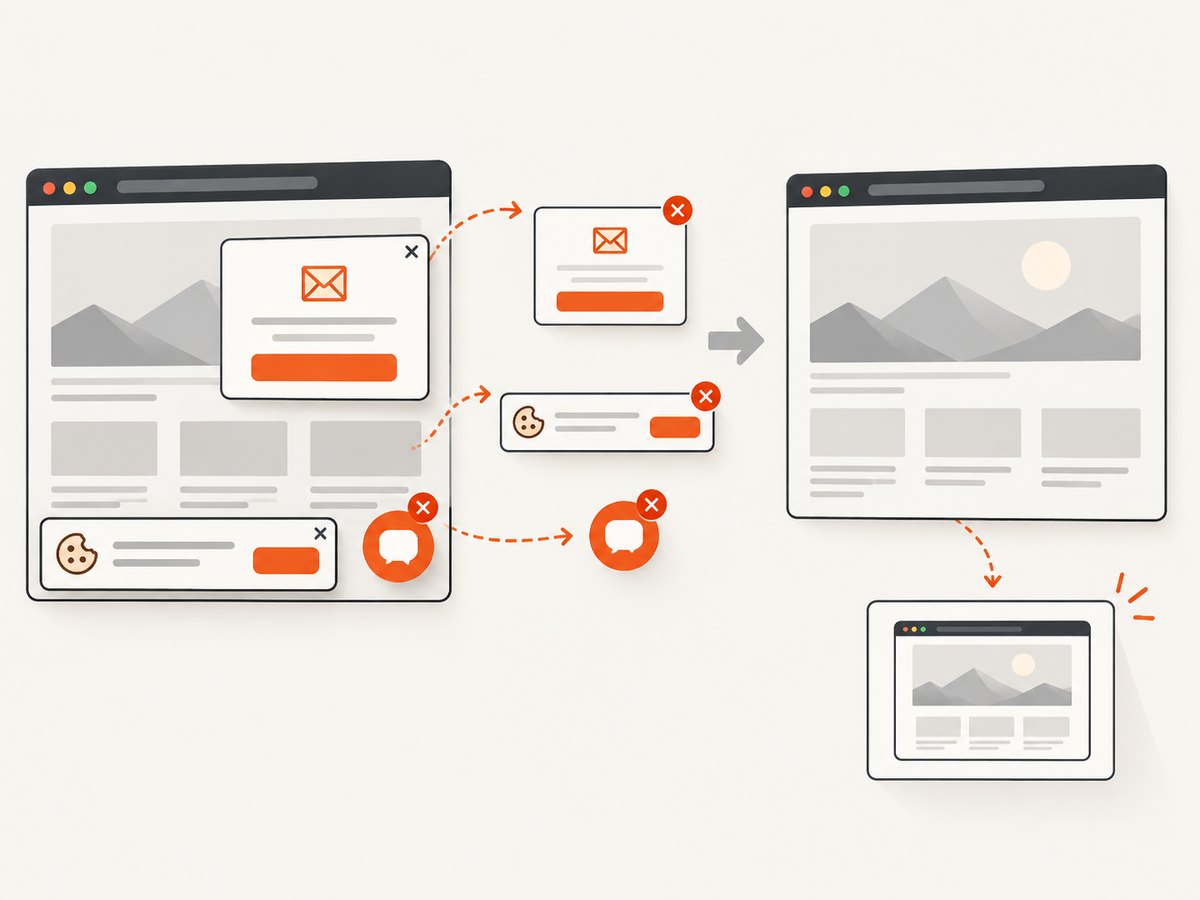
When your goal is a clean rendered screenshot rather than a data crawl, ScreenshotNeo provides a single GET request that returns PNG, JPEG, WebP, or PDF. Its capture process accepts cookie and consent banners like a visitor, then removes more than 60 known consent platforms, newsletter popups, and chat widgets; each step can be turned off. Bot checks, blank pages, timeouts, failed loads, and cache hits are not billed, and the response identifies the result with X-Page-Verdict and X-Billed headers. Use the ScreenshotNeo API documentation for all options.
cURL
curl -G "https://api.screenshotneo.com/v1/shot" \
  -d access_key=YOUR_API_KEY \
  --data-urlencode url=https://example.com \
  -o shot.webp
Python
import requests

r = requests.get(
    "https://api.screenshotneo.com/v1/shot",
    params={"access_key": "YOUR_API_KEY", "url": "https://example.com"},
    timeout=90,
)
r.raise_for_status()
open("shot.webp", "wb").write(r.content)
Node.js
const q = new URLSearchParams({
  access_key: 'YOUR_API_KEY',
  url: 'https://example.com'
});
const res = await fetch(`https://api.screenshotneo.com/v1/shot?${q}`);
if (!res.ok) throw new Error(`HTTP ${res.status}`);
const image = Buffer.from(await res.arrayBuffer());
require('fs').writeFileSync('shot.webp', image);
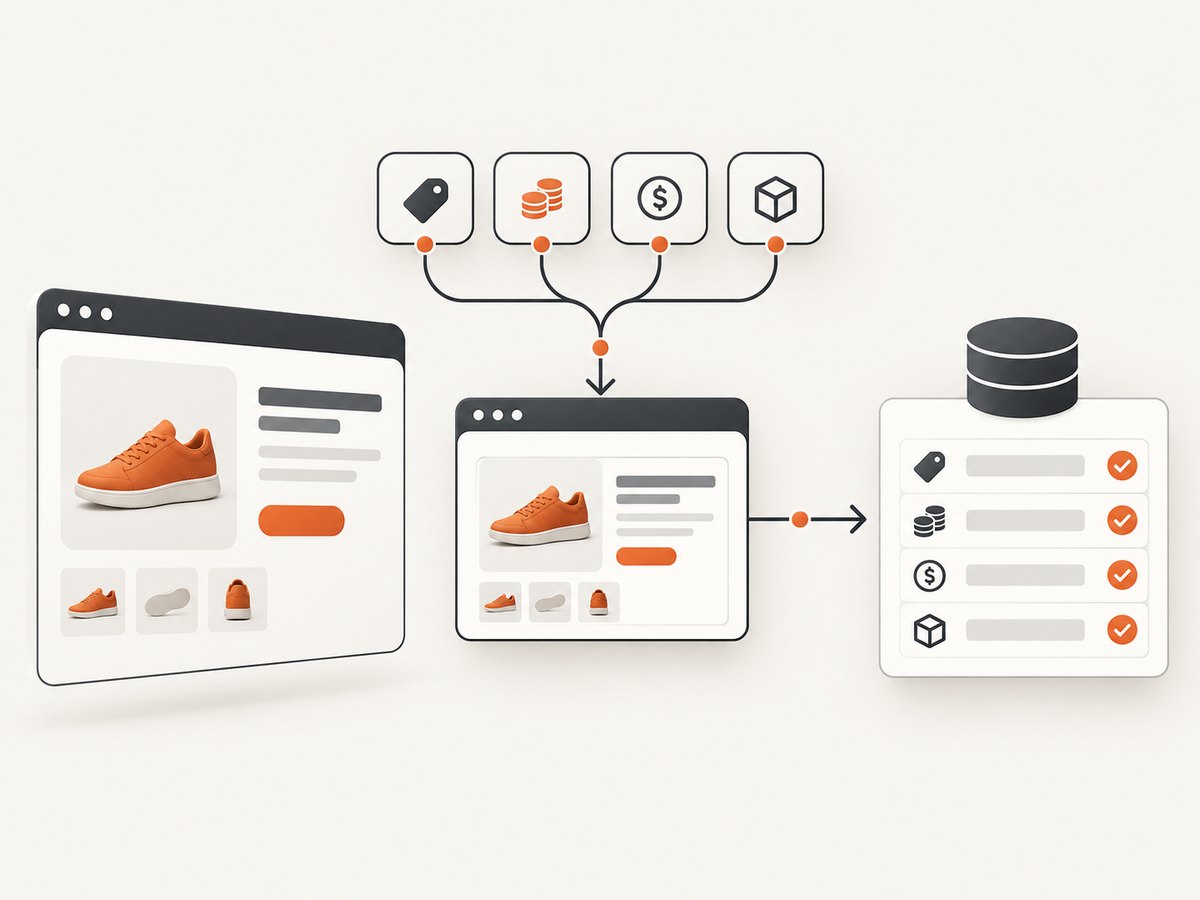
ScreenshotNeo also supports full-page captures with lazy images loaded, CSS-selector element capture, dark mode, 12 device presets plus custom viewports, retina scale, PDF paper and margin settings, custom CSS and JavaScript, clicks, selector or network-idle waits, request and resource blocking, custom headers, cookies, user agents and authorization, timezone and geolocation, transparent backgrounds, resizing, configurable cache TTL, signed image links, asynchronous jobs with signed webhooks, bulk capture of up to 100 URLs per call, a usage API, and an OpenAPI specification. Its parameter names are compatible with those used by other screenshot APIs, which can simplify migration.
There is an MCP server with take_screenshot, get_page_info, and capture_pdf tools for Claude, Cursor, and other MCP clients. The Free plan includes 1,000 shots per month with no card; paid plans start at $5 for 3,000 shots. Create a free ScreenshotNeo account.
11. A practical pre-run checklist
- Have you found an official API, export, feed, or written permission?
- Did you review current terms and the target’s robots.txt?
- Will robots.txt be treated as disallow if it cannot be fetched?
- Does your user-agent identify the crawler and provide contact information?
- Are URL scope, concurrency, timeouts, page size, and cache rules bounded?
- Do you honor Retry-After and stop on 403?
- Can the job resume without duplicating requests?
- Have you documented retention, privacy, and deletion requirements for collected data?
12. FAQ
Does robots.txt mean I am allowed to scrape?
No. RFC 9309 says robots rules are not access authorization. Treat them as crawler instructions and verify permission, terms, and applicable requirements separately.
How long should I wait between requests?
No universal interval is established by the cited sources. Start conservatively, reduce load when you see 429 responses, and follow any limits or Retry-After value supplied by the site.
Should I retry a 403?
Not unchanged. A 403 is a refusal. Stop and seek an approved API, written permission, or another authorized source.
Can I rotate proxies or solve a CAPTCHA to avoid a block?
Do not use evasion techniques. Rotating identities, bypassing CAPTCHAs, or disguising a crawler defeats the site’s refusal. Obtain authorization instead.
When is a screenshot API a better fit?
Use one when you need a rendered visual, PDF, or repeatable page capture and do not need to extract structured records from HTML. Confirm that capturing the target is permitted, then choose a service with clear failure and billing signals.


