How to Scrape Zalando with JavaScript Rendering and Rotating Proxies
Build a compliant Zalando workflow with JavaScript rendering, controlled proxies, retries, and practical troubleshooting.
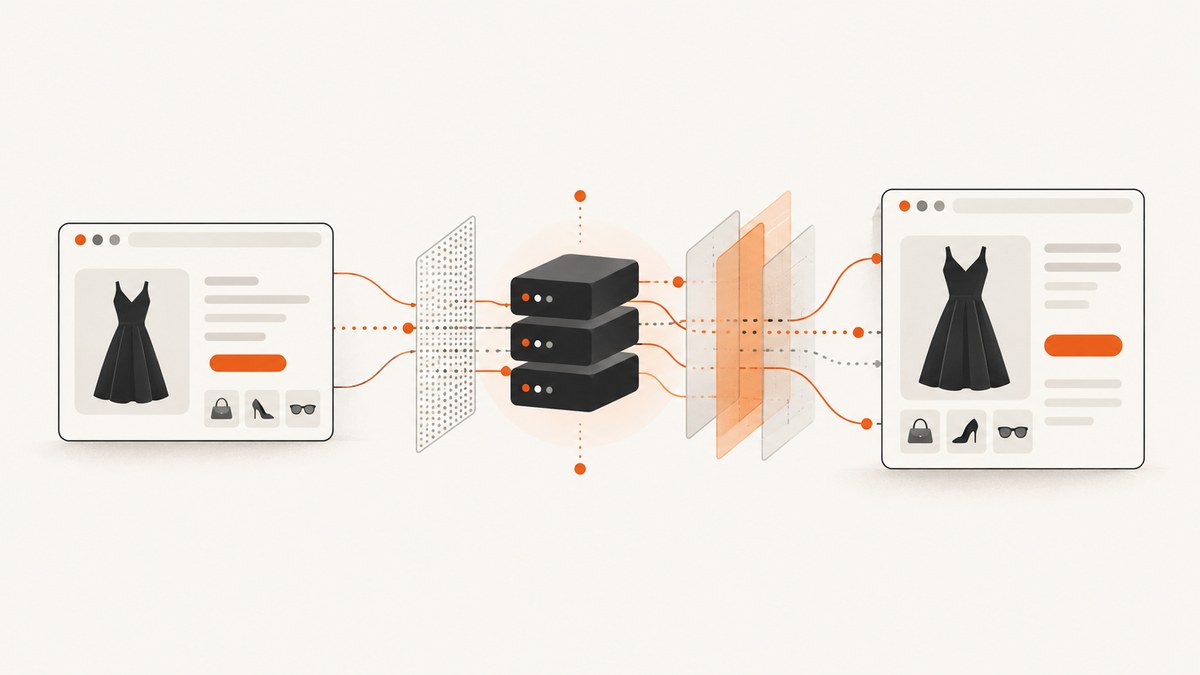
Short answer: Start with a normal HTTP request and add JavaScript rendering only when the fields you need appear after hydration or asynchronous requests. A rotating proxy is separate: use one only when you are authorized to collect the data and need controlled geographic egress or capacity. Zalando Engineering describes a hybrid system that streams server-rendered markup and hydrates components in the browser, so do not assume every page needs a headless browser. Check current terms, robots.txt, and permission before sending automated traffic.
This guide shows a maintainable JavaScript implementation, then covers waits, selectors, retries, proxy handling, observability, cost, and a hosted screenshot option. The examples target public product pages and avoid login-gated content, personal data, and attempts to defeat access controls.
1. Decide whether JavaScript rendering is needed
Fetch one representative URL with a plain client and inspect the response. If product name, price, currency, availability, and canonical URL are already in HTML or JSON-LD, a browser adds latency and operational cost without improving coverage. If the response contains an empty shell and values arrive after hydration, render the page in a real browser.
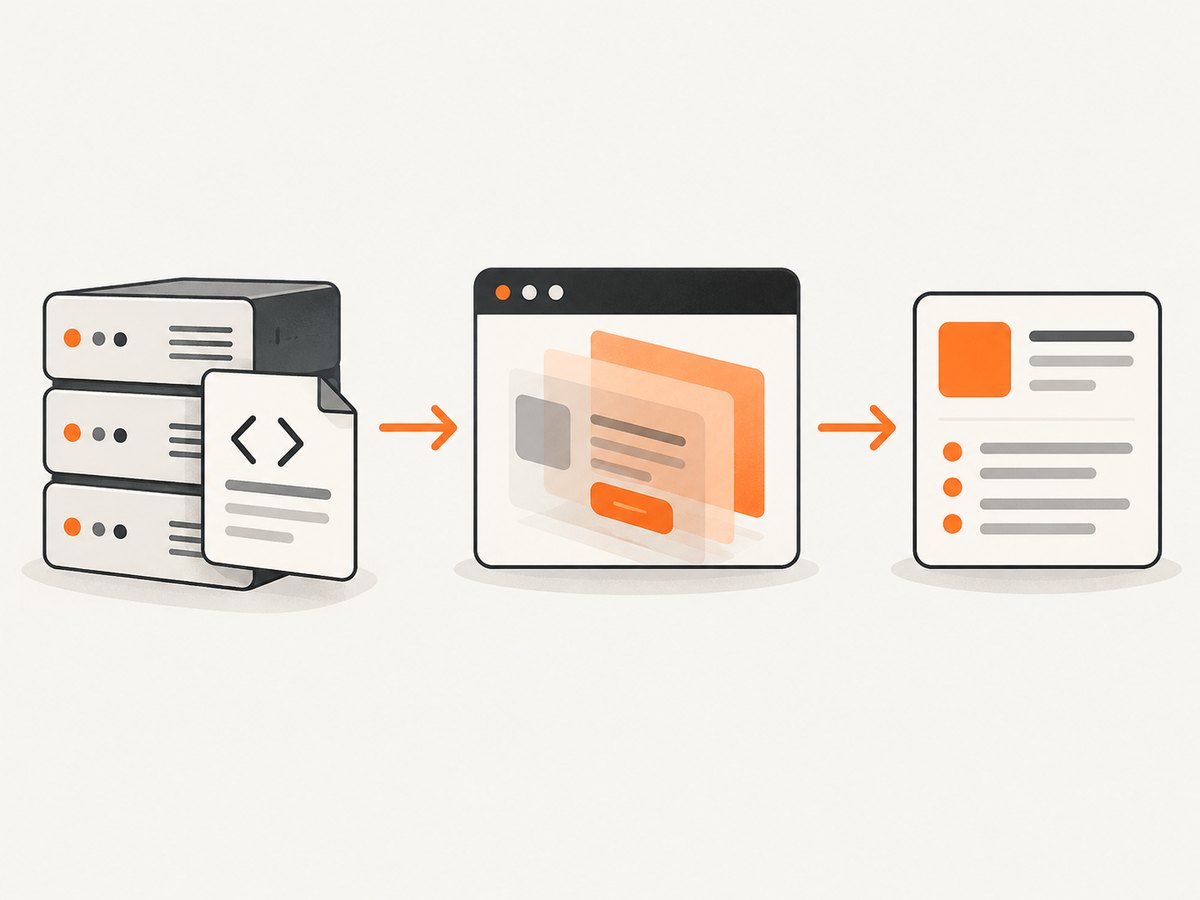
Zalando Engineering’s rendering article describes a TypeScript Rendering Engine that generates markup on the server, streams HTML, and hydrates components in the client. That supports a hybrid architecture in the described system, not a guarantee about every current Zalando page. Treat the page you observe as the source of truth. Read the architecture description.
Quick inspection script
import https from 'node:https';
const url = process.argv[2];
https.get(url, { headers: { 'user-agent': 'CatalogResearch/1.0' } }, res => {
  let html = '';
  res.setEncoding('utf8');
  res.on('data', chunk => { html += chunk; });
  res.on('end', () => {
    console.log({ status: res.statusCode, bytes: html.length });
    for (const marker of ['application/ld+json', 'price', 'availability']) console.log(marker, html.toLowerCase().includes(marker));
  });
});
Run it against a permitted URL. Save a small sample and verify that parsing does not depend on a transient class name. Prefer semantic attributes, JSON-LD, and stable data properties.
2. Compliance and traffic boundaries
Identify the data owner, your lawful purpose, and authorization covering the URLs and volume. Read current terms, retrieve and honor current robots.txt directives, and record your decision. Google explains that robots.txt manages crawler access and traffic; it is a crawler convention, not a complete permission system. This research did not retrieve Zalando’s current robots.txt, so check it yourself. Google’s robots.txt guide.
Do not use proxy rotation to evade a block, CAPTCHA, authentication wall, rate limit, or other access-control measure. A proxy changes network egress; it does not grant permission. For bulk or commercial use, check whether an authorized partner feed or API is available. The cited material does not establish that a public Zalando catalog API exists. Crawlbase’s tutorial is a vendor workflow, not an independent success-rate test. See the Crawlbase example.
3. Build a JavaScript renderer with Playwright
The worker below uses Playwright, one browser context per job, explicit waits, and narrow extraction. Install it in a project you control:
npm install playwright p-limit
npx playwright install chromium
Complete runnable scraper
import { chromium } from 'playwright';
import pLimit from 'p-limit';
const urls = process.argv.slice(2);
if (!urls.length) throw new Error('Pass permitted product URLs');
const browser = await chromium.launch({ headless: true });
const limit = pLimit(2);
async function scrape(url) {
  const context = await browser.newContext({ locale: 'en-GB', timezoneId: 'Europe/Berlin', userAgent: 'CatalogResearch/1.0 (contact: data@example.invalid)' });
  const page = await context.newPage(); page.setDefaultTimeout(15000); const started = Date.now();
  try {
    const response = await page.goto(url, { waitUntil: 'domcontentloaded', timeout: 30000 });
    if (!response || response.status() >= 400) throw new Error(`navigation status ${response?.status()}`);
    await page.waitForLoadState('networkidle', { timeout: 10000 }).catch(() => {});
    await page.locator('body').waitFor({ state: 'visible' });
    const data = await page.evaluate(() => {
      const text = selector => document.querySelector(selector)?.textContent?.trim() || null;
      const jsonLd = [...document.querySelectorAll('script[type="application/ld+json"]')].map(n => { try { return JSON.parse(n.textContent); } catch { return null; } }).flatMap(v => Array.isArray(v) ? v : [v]).find(v => v?.['@type'] === 'Product' || v?.['@type']?.includes?.('Product'));
      return { url: location.href, title: document.title, product: jsonLd?.name || text('[data-testid*="product-name"]'), price: jsonLd?.offers?.price || null, currency: jsonLd?.offers?.priceCurrency || null, availability: jsonLd?.offers?.availability || null, description: jsonLd?.description || null };
    });
    return { ok: true, elapsedMs: Date.now() - started, data };
  } catch (error) { return { ok: false, url, elapsedMs: Date.now() - started, error: String(error) }; }
  finally { await context.close(); }
}
const results = await Promise.all(urls.map(url => limit(() => scrape(url))));
await browser.close(); console.log(JSON.stringify(results, null, 2));
Replace the example selector with one verified on authorized pages. Keep extraction tolerant of missing offers: an out-of-stock product may have a name but no price, and a localized page may expose another currency. Store the final URL after redirects and response status.
4. Waiting for hydrated and asynchronous content
Use the least permissive wait matching your dependency. domcontentloaded may be enough for server-rendered fields. A selector wait is more deterministic when a component signals readiness. A short delay covers an animation but does not prove data loaded. networkidle can hang on analytics or chat connections, so cap it and continue when the required selector is present.
await page.goto(url, { waitUntil: 'domcontentloaded' });
await page.locator('[data-testid="product-detail"]').waitFor({ state: 'visible', timeout: 12000 });
await page.waitForTimeout(300);
Lazy-loaded images may require bounded scrolling. Stop after a maximum duration. Capture a network response containing needed fields only when authorized and when it is not protected by an access-control mechanism.
5. Proxy rotation as a controlled resource
Rendering executes page code; a proxy routes traffic through another egress address. If authorized, keep a small pool, attach a stable identity to a job, and rotate on a schedule rather than every request. Excessive churn breaks sessions and complicates debugging.
import { chromium } from 'playwright';
const proxy = process.env.PROXY_SERVER;
const browser = await chromium.launch({ headless: true, proxy: proxy ? { server: proxy, username: process.env.PROXY_USER, password: process.env.PROXY_PASS } : undefined });
Keep credentials in a secret manager or environment variables. Redact them from errors. Record a pool identifier, not credentials or a full proxy URL. If a response is a bot check or CAPTCHA, stop and classify it; do not retry aggressively.
6. Rate limits, retries, and reliability
Use a queue with low initial concurrency, per-host limits, and exponential backoff with jitter for transient transport failures. Do not retry deterministic 4xx responses, consent walls, or bot checks. Set a total deadline so stuck browsers cannot consume workers.
async function withRetry(task, attempts = 3) {
  for (let i = 0; i < attempts; i++) {
    try { return await task(); }
    catch (error) { if (i === attempts - 1) throw error; await new Promise(r => setTimeout(r, (2 ** i) * 500 + Math.random() * 250)); }
  }
}
Make jobs idempotent by keying output on canonical URL, locale, viewport, and capture time. Monitor success, timeout, blocked, and parse-empty outcomes separately. Persist HTML or extracted records only as long as policy requires.
7. cURL, Python, and Node.js alternatives
For pages that expose required fields in ordinary HTML, a browser is unnecessary:
curl --fail --location --compressed -A 'CatalogResearch/1.0' 'https://www.zalando.example/permitted-product'import requests
url = 'https://www.zalando.example/permitted-product'
r = requests.get(url, headers={'User-Agent': 'CatalogResearch/1.0'}, timeout=30)
r.raise_for_status()
print(r.url, len(r.text))const res = await fetch('https://www.zalando.example/permitted-product', { headers: { 'user-agent': 'CatalogResearch/1.0' }, signal: AbortSignal.timeout(30000) });
if (!res.ok) throw new Error(`HTTP ${res.status}`);
console.log(res.url, (await res.text()).length);The www.zalando.example hostname is a placeholder. Replace it only with a URL you are authorized to access.
8. Or skip the browser setup
ScreenshotNeo is a website screenshot API and MCP server. One GET request renders a URL and returns PNG, JPEG, WebP, or PDF. It can accept consent banners, remove more than 60 known consent platforms plus newsletter popups and chat widgets, and lets you turn each step off. Bot checks, blank pages, timeouts, failed loads, and cache hits are not billed; response headers report the page verdict and billing status. Its MCP server provides take_screenshot, get_page_info, and capture_pdf for Claude, Cursor, and other MCP clients.

Use it for visual verification, catalog snapshots, or rendered artifacts when you do not need to maintain Chromium. It is not permission to collect data from Zalando and does not bypass access controls.
cURL (see the ScreenshotNeo API docs):
curl -G "https://api.screenshotneo.com/v1/shot" -d access_key=YOUR_API_KEY --data-urlencode url=https://www.zalando.com -o zalando.webpPython:
import requests
r = requests.get("https://api.screenshotneo.com/v1/shot", params={"access_key": "YOUR_API_KEY", "url": "https://www.zalando.com"}, timeout=90)
r.raise_for_status()
open("zalando.webp", "wb").write(r.content)
Node.js:
const q = new URLSearchParams({ access_key: 'YOUR_API_KEY', url: 'https://www.zalando.com' });
const res = await fetch(`https://api.screenshotneo.com/v1/shot?${q}`);
if (!res.ok) throw new Error(`HTTP ${res.status}`);
require('fs').writeFileSync('zalando.webp', Buffer.from(await res.arrayBuffer()));
Options include full-page capture with lazy images loaded, CSS element capture, dark mode, 12 device presets or any viewport, retina scale, custom CSS and JavaScript, click-before-capture, waits for selector, delay, or network idle, request and resource blocking, custom headers, cookies, user agent and Authorization, timezone and geolocation, transparent backgrounds, resizing, caching with a chosen TTL, signed links, asynchronous jobs with signed webhooks, bulk capture of up to 100 URLs per call, a usage API, and an OpenAPI specification. Parameter names used by other screenshot APIs also work.
Free includes 1,000 shots per month with no card. Paid plans start at $5 for 3,000 shots; yearly billing gives two months free, and every feature is on every plan. Create a free ScreenshotNeo account.
9. Troubleshooting
| Symptom | Cause | Fix |
|---|---|---|
| Fields empty | Hydration incomplete or selector changed | Wait for a verified selector; inspect JSON-LD; update parser fixtures. |
| Navigation timeout | Slow dependency or hanging analytics | Use a total deadline and required-selector wait; classify before retrying. |
| CAPTCHA or bot page | Access-control response | Stop, confirm authorization, and use an official route. |
| Wrong market or currency | Locale, cookies, timezone, or geolocation mismatch | Set explicit locale and timezone and record them. |
| Images missing | Lazy loading or blocked resources | Scroll in bounded steps and do not block required resources. |
| Proxy authentication error | Bad secret or unsupported scheme | Validate credentials out of band and redact URLs in logs. |
| Duplicate records | Redirects or unstable URL parameters | Deduplicate on canonical URL plus locale. |
10. Performance, reliability, and cost checklist
- Measure navigation, readiness, extraction, and shutdown separately.
- Reuse a browser process but isolate contexts and cookies per job.
- Raise concurrency only after observing memory, CPU, and target behavior.
- Cache immutable captures with a documented TTL; avoid caching personalized pages.
- Use bounded retries and a dead-letter queue for review.
- Track success, empty, timeout, blocked, and parse-error outcomes.
- Estimate browser, proxy, storage, and provider costs; vendor claims about rotating residential IPs are not independent benchmarks.
- Review retention, regional processing, and deletion requirements.
11. FAQ
Does Zalando always require a headless browser?
No. The cited engineering description supports hybrid rendering. Test the specific page and fields.
Does rotating proxies make scraping allowed?
No. Authorization, applicable terms, robots.txt guidance, and rate limits still govern the work.
Should I rotate on every request?
Usually no. A stable identity for a short job is easier to debug; rotate only within an authorized design.
Can ScreenshotNeo extract product prices?
ScreenshotNeo returns rendered images or PDFs and provides page-information tools. Use a permitted data endpoint or your own parser for structured fields.
What should I retain for audits?
Keep authorization, URL, locale, timestamp, response classification, parser version, and minimal required output. Redact credentials and personal data.


