ScrapeGraphAI Tutorial: Scrape Websites With LLMs
Learn when to use ScrapeGraphAI’s Python library or managed API, how to extract structured data, and how to validate results.

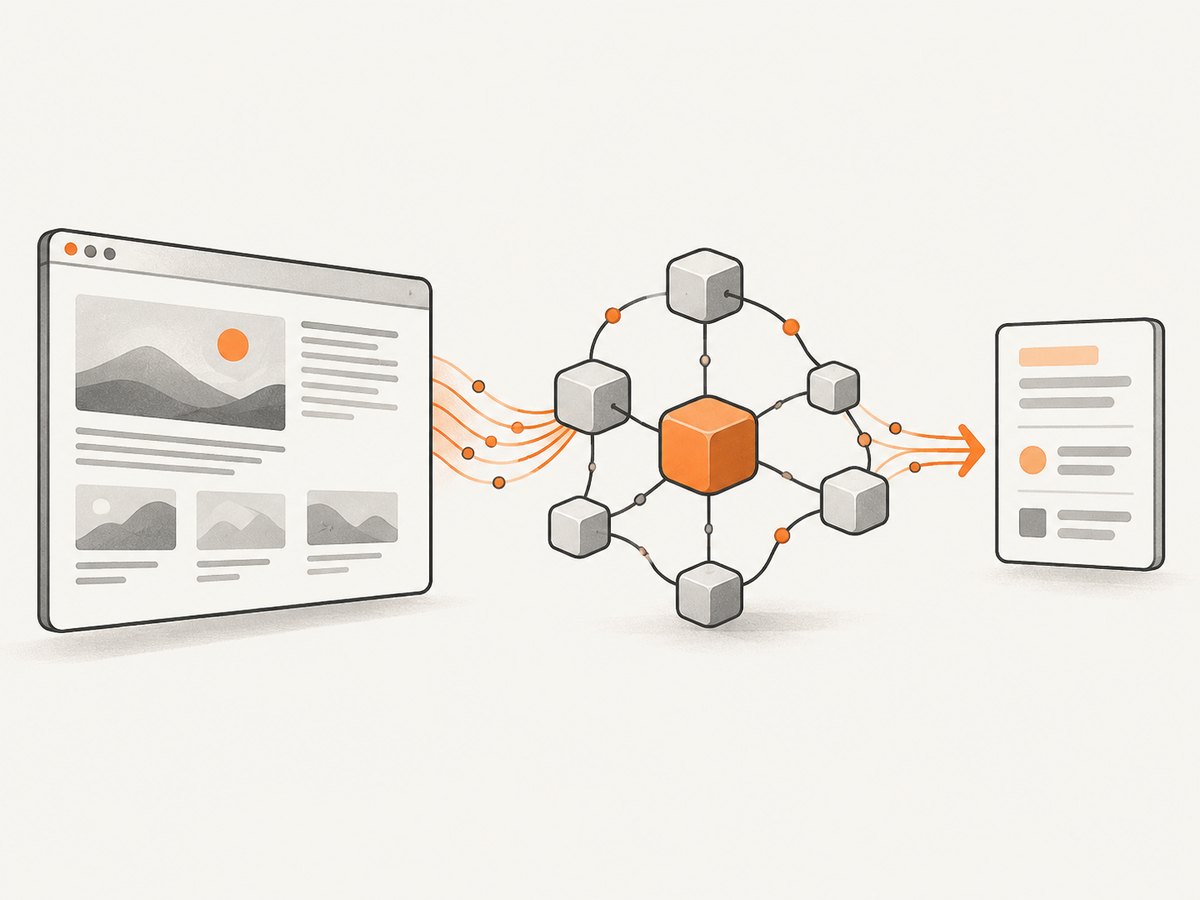
ScrapeGraphAI helps developers turn website pages, search results, or site collections into text and structured data with LLM-based workflows. Choose its self-hosted Python library when you want to configure the model and operate the fetching infrastructure yourself; choose the managed API when you want hosted scraping workflows. For a known URL, start with scrape for page content or extract for fields shaped by a prompt. Use search when you have a query, crawl for a site, and monitor for recurring checks. These are the workflows ScrapeGraphAI describes; results still need validation against their source. The project README and official product site describe both routes.
1. Choose the right ScrapeGraphAI route
The first decision is operational. With the open-source Python library, you configure an LLM and manage the browser and supporting infrastructure. The project README calls out Playwright for website fetching and recommends using a virtual environment. The managed service exposes hosted workflows and SDKs; its repository describes managed rendering and anti-bot features, managed crawl and scheduled monitoring, and credit-based billing. These are vendor descriptions, and suitability depends on your target sites and workload.
| Need | Workflow | Input and expected goal |
|---|---|---|
| Readable content from a known page | scrape |
URL to page content, such as Markdown |
| Specific fields from a page or content | extract |
URL or supplied content, prompt, optionally a schema |
| Find pages from a query | search |
Search query to relevant pages and extracted data |
| Collect across a site | crawl |
Site scope to linked pages |
| Check pages repeatedly | monitor |
Page and schedule, with webhook notification workflow |
For one page and a small extraction task, begin with a bounded prompt. For a whole domain, avoid treating a single-page scraper as a crawl plan: define scope and page limits using the current API guide. For recurring changes, monitoring is a different job from repeatedly launching ad hoc requests.
2. Self-hosted Python setup
The library route gives you control over the graph and model configuration, while leaving browser setup, proxies, scaling, and maintenance to your application. The README pattern uses SmartScraperGraph, a natural-language prompt, a source URL, and an LLM configuration. It shows Ollama with llama3.2 as an example, not as a requirement.
Install in a virtual environment
python -m venv .venv
# macOS or Linux:
source .venv/bin/activate
# Windows PowerShell:
.venv\Scripts\Activate.ps1

python -m pip install --upgrade pip
pip install scrapegraphai
playwright install
The project README identifies Playwright as the website fetching dependency. Browser installation details may depend on your operating system and deployment image; consult the current README if the install command or supported browser requirements change.
Run a bounded extraction
from scrapegraphai.graphs import SmartScraperGraph

 graph_config = {
     "llm": {
         "model": "ollama/llama3.2",
         "temperature": 0,
         "format": "json",
         "base_url": "http://localhost:11434",
     },
     "verbose": True,
     "headless": True,
 }

prompt = """
Extract the product name, displayed price, currency, and availability.
Return only information visible on the page. Use null for missing fields.
"""

scraper = SmartScraperGraph(
    prompt=prompt,
    source="https://example.com/product",
    config=graph_config,
)
result = scraper.run()
print(result)
Use the model configuration supported by your selected LLM integration. The values above follow the Ollama-style example pattern in the README; your model provider may require different settings. Keep prompts narrow: name the fields, describe what counts as evidence, and specify how missing values should be represented. A request such as “tell me everything about this page” leaves too much room for irrelevant or inconsistent output.
Inspect and validate the returned object
The library returns the graph result to your program. Treat it as untrusted extracted data rather than a verified database record. Check that required keys exist, values have the expected types, and claims match source content before taking downstream actions. For prices, for example, validate that the amount and currency were both found and preserve the page URL and retrieval time alongside the result.
required = {"product_name", "displayed_price", "currency", "availability"}

if not isinstance(result, dict):
    raise TypeError(f"Expected an object, got {type(result).__name__}")

missing = required - result.keys()
if missing:
    raise ValueError(f"Missing fields: {sorted(missing)}")

# Apply domain-specific checks before storage or automation.
if result["displayed_price"] is not None and not isinstance(
    result["displayed_price"], (int, float, str)
):
    raise TypeError("Price has an unexpected type")
Validation rules should follow your use case. A catalog pipeline may reject a product with no currency; a research workflow may keep incomplete records but mark them for review. Do not assume an LLM-generated JSON-like result is schema-safe just because the prompt requested JSON.
3. Use the managed API for hosted workflows
The managed path moves more of the scraping infrastructure into a hosted service and offers workflows for scraping, extraction, searching, crawling, and monitoring. The official site demonstrates API-key authentication with an SGAI-APIKEY header. Confirm current endpoint paths, request bodies, response formats, SDK names, and authentication instructions in the live ScrapeGraphAI API guide before integrating: those details can change.
At a workflow level, map the job to the corresponding API operation rather than forcing every task through one endpoint:
- Known URL, page text: use
scrape; the product example describes a Markdown-like page representation. - Known URL, fields: use
extract, with a prompt and schema when supported by the current interface. - Query-led discovery: use
searchto find pages and extract from results. - Many linked pages: use
crawl; explicitly constrain scope and volume in the API’s current options. - Repeated checks: use
monitorfor scheduled page checks and webhook notifications.
The API guide discusses fetch controls, but exact option names and accepted values should be copied from its current documentation. Avoid guessing a parameter and assuming it will be honored. The hosted product’s billing is credit-based according to the official materials; pricing figures in a guide snapshot dated June 16, 2026 should not be treated as current plan terms. Check the live pricing information before estimating spend.
4. cURL, Python, and Node.js integration patterns
The precise endpoint and payload vary by workflow, so keep the HTTP layer explicit and insert the current documented endpoint and JSON body. This cURL template shows the documented authentication header shape; replace the placeholders using current official API instructions.
curl --fail-with-body --silent --show-error \
  -X POST "CURRENT_DOCUMENTED_ENDPOINT" \
  -H "SGAI-APIKEY: $SGAI_API_KEY" \
  -H "Content-Type: application/json" \
  --data '{"workflow":"scrape","url":"https://example.com"}'
Do not copy the illustrative workflow body as a guaranteed API schema. Consult the live guide for the exact operation, required fields, and response contract. For production, store the API key in a secret manager or environment variable, not source control.
import os
import requests

api_key = os.environ["SGAI_API_KEY"]
endpoint = "CURRENT_DOCUMENTED_ENDPOINT"  # Copy from current official docs
payload = {"workflow": "scrape", "url": "https://example.com"}

response = requests.post(
    endpoint,
    headers={"SGAI-APIKEY": api_key},
    json=payload,
    timeout=90,
)
response.raise_for_status()
data = response.json()
print(data)
Python callers should set a timeout, handle non-success HTTP responses, and validate the result shape. If the SDK is preferable, use the current official SDK instructions and pin a tested version in your project.
const apiKey = process.env.SGAI_API_KEY;
if (!apiKey) throw new Error('Set SGAI_API_KEY');

const response = await fetch('CURRENT_DOCUMENTED_ENDPOINT', {
  method: 'POST',
  headers: {
    'SGAI-APIKEY': apiKey,
    'Content-Type': 'application/json',
  },
  body: JSON.stringify({ workflow: 'scrape', url: 'https://example.com' }),
  signal: AbortSignal.timeout(90_000),
});

if (!response.ok) {
  throw new Error(`ScrapeGraphAI request failed: ${response.status} ${await response.text()}`);
}
const data = await response.json();
console.log(data);
Use the actual documented endpoint for the chosen workflow. Authentication headers, endpoint paths, and payload contracts are mutable vendor details, so this tutorial does not invent a working endpoint URL.
5. Prompting, scope, and edge cases
Make extraction auditable
- List the exact fields to return and define the desired types.
- Tell the model to use a missing-value marker instead of inferring absent information.
- Ask for evidence snippets or source locations when the chosen workflow supports them.
- Keep page language, currencies, units, and date formats explicit where they matter.
- Validate each extracted record against the source before payment, publishing, or other consequential use.
Expect pages to vary
A URL may redirect, require authentication, render content with JavaScript, show a regional or consent page, or be unavailable to the fetcher. A page can also change between requests. For the library, browser setup and network access are part of your operating responsibility. For the hosted service, use its documented fetch controls and error information. Neither a prompt nor an LLM guarantees access to every website or correct extraction from every layout.
For multi-page work, decide how to handle duplicate URLs, pagination, canonical links, repeated content, and pages outside the intended host. Set practical limits and retain provenance. For monitoring, define what counts as a meaningful change so minor formatting changes do not trigger unnecessary follow-up work.
6. Reliability, performance, and cost
Scraping latency and cost depend on page loading, graph steps, model choice, crawl scope, and the chosen operating route. No benchmark is supplied here. For the self-hosted library, budget for model inference and the resources needed to run browser fetching, plus the engineering time to maintain dependencies, proxies, concurrency, and retries. For the hosted API, account for its credit-based billing and confirm current credit consumption and pricing directly before deployment.
For reliability, use bounded retries for transient network failures, cap concurrency, and make downstream writes idempotent. Log the requested URL, workflow, request identifier if provided, timing, and validation outcome; redact credentials and sensitive page data. Separate fetch failures from extraction or validation failures so operators can tell whether the page was unavailable or the model returned an unusable result. For large crawls, test a small representative scope before increasing volume and monitor failure rates.
| Concern | Practical control |
|---|---|
| Slow or stuck page loads | Set documented timeouts, bound concurrency, record slow URLs |
| Transient failures | Retry selectively with backoff; avoid retry storms |
| Duplicate records | Use stable URL keys and idempotent writes |
| Model variation | Validate schema and source evidence; review a sample of outputs |
| Unexpected spend | Limit crawl scope, monitor credits or model usage, check current pricing |
7. Troubleshooting
| Symptom | Likely cause | What to do |
|---|---|---|
| Playwright or browser executable missing | Python package is installed but browser components are not available in the environment | Install the browser dependencies using the current project instructions; ensure the deployment image includes them. |
Import error for SmartScraperGraph |
Wrong environment, incomplete installation, or changed package interface | Activate the intended virtual environment, inspect the installed package version, and compare imports with the current README. |
| Local LLM connection refused | The configured model service is not running or the configured base URL is unreachable | Start the provider, verify its local endpoint and model name, then retry a minimal example. |
| Managed API returns an authentication error | Missing, invalid, or incorrectly named API key header | Check the current authentication docs and ensure the secret is present in the process environment. |
| HTTP 4xx response | Incorrect endpoint, payload, unsupported option, or invalid input | Read the response body and compare every field with the live endpoint guide; do not infer request schema from examples for another workflow. |
| Empty or incomplete extraction | Content was inaccessible, the prompt was too broad, or the page lacked requested fields | Inspect the source page and fetch outcome, narrow the prompt, represent missing values explicitly, and route uncertain records for review. |
| Results vary across runs | Page content, model output, or fetching conditions changed | Record retrieval time and model configuration, constrain output, validate fields, and keep source provenance. |
8. Or skip the browser setup
If the task is to capture a visual reference of a page, ScrapeGraphAI’s text and extraction workflows are not a screenshot endpoint. ScreenshotNeo is a website screenshot API and MCP server from Yorker Media: one GET request can return a PNG, JPEG, WebP, or PDF. Its capture can accept cookie and consent banners and remove more than 60 known consent platforms, newsletter popups, and chat widgets before the shot; those steps can each be turned off. Bot checks, blank pages, timeouts, failed loads, and cache hits cost nothing, and response headers report the page verdict and billing status. Its MCP server exposes take_screenshot, get_page_info, and capture_pdf for AI agents.

Here is a one-call capture in cURL; replace the target URL and API key. See the ScreenshotNeo API documentation for options.
curl -G "https://api.screenshotneo.com/v1/shot" -d access_key=YOUR_API_KEY --data-urlencode url=https://stripe.com -o shot.webpPython:
import requests
r = requests.get("https://api.screenshotneo.com/v1/shot", params={"access_key": "YOUR_API_KEY", "url": "https://stripe.com"}, timeout=90)
open("shot.webp", "wb").write(r.content)
Node.js:
const q = new URLSearchParams({ access_key: 'YOUR_API_KEY', url: 'https://stripe.com' });
const res = await fetch(`https://api.screenshotneo.com/v1/shot?${q}`);
It includes full-page and CSS-element capture, device presets, retina scale, PDF settings, custom CSS and JavaScript, click and wait controls, request blocking, headers and cookies, geolocation, caching, signed image links, async jobs, bulk capture, and a usage API. There are 1,000 free screenshots monthly with no card; paid plans start at $5 for 3,000. Sign up for the free plan.
9. Frequently asked questions
Do I need an LLM API key to use the Python library?
You need a configured LLM integration, but the README example uses a local Ollama model. Provider requirements depend on the model configuration you choose.
Can an LLM scrape every website accurately?
No. A page may be inaccessible or change, and extracted values can be incomplete or incorrect. Validate results against source content before relying on them.
Should I choose self-hosted or managed?
Choose based on who should configure the model and maintain fetching infrastructure, and whether hosted credit-based operations fit your workload. Verify current product and pricing details before committing.
Is this the right tool for visual screenshots?
Use a screenshot API such as ScreenshotNeo when the desired output is an image or PDF rather than extracted text or structured fields.
Sources
- ScrapeGraphAI repository README: library description, installation, Playwright, example, and operating model.
- ScrapeGraphAI official site: hosted workflow descriptions.
- ScrapeGraphAI API guide: workflow distinctions and fetch controls.
- ScrapeGraphAI tutorial: terminology and tutorial framing.
- ScrapeGraphAI pricing guide: dated pricing snapshot; check live terms for current pricing.


