ScrapeOwl Alternative for Web Scraping
Compare ScrapeOwl alternatives by rendering, extraction, proxies, batching, reliability and cost, then choose a workflow that fits your target sites.
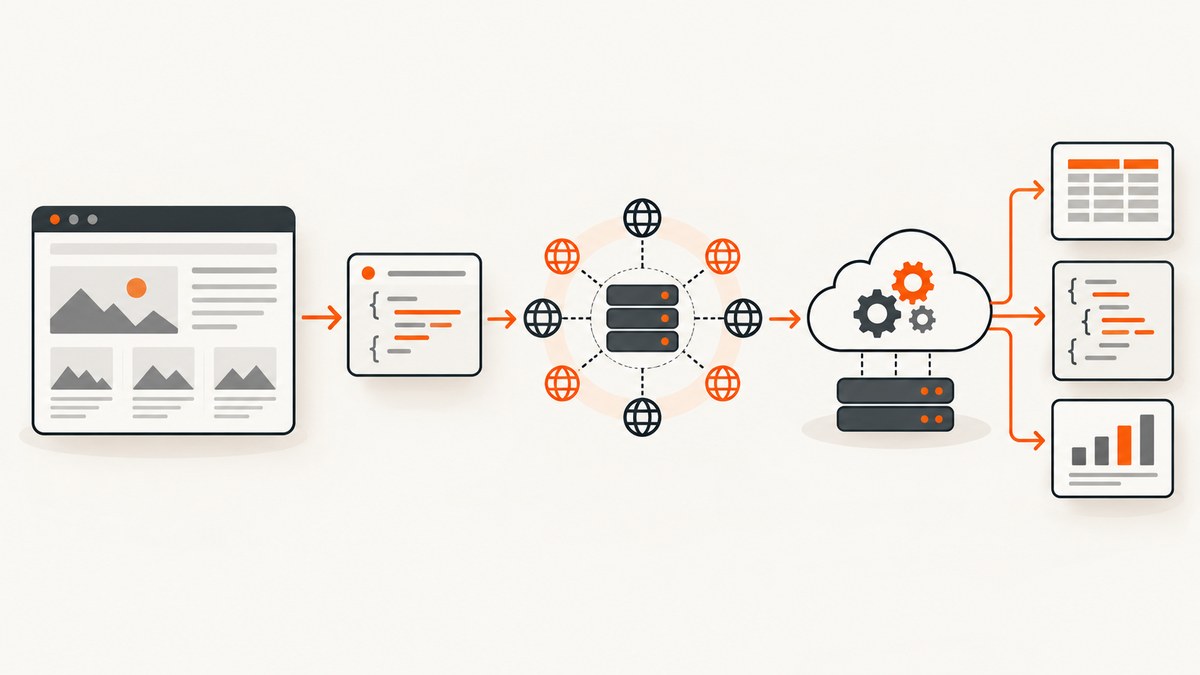
Short answer: ScrapingBee is the closest directly documented ScrapeOwl comparison in the sources reviewed for this guide. ScraperAPI is another API-first option with structured endpoints and asynchronous jobs. Apify is better understood as a hosted Actor marketplace and workflow platform, while ZenRows combines fetching, extraction, browser sessions and batch processing. None should be declared a universal winner without testing your own permitted target URLs.
Choose by the failure you need to solve: JavaScript rendering, browser interaction, proxy or geographic variation, CAPTCHA challenges, fragile selectors, structured output, batch volume, or operational workflow. Credit counts and headline prices are not equivalent units, so compare successful usable responses, concurrency, retries and rendering or proxy multipliers.
What ScrapeOwl does
ScrapeOwl describes itself as a web scraping API that returns the elements specified in a request. When the element field is empty, it returns the full page. Its own pricing page describes 1,000 free credits, then lists Bootstrap at $29 per month for 250,000 credits and 10 threads, Startup at $99 for 1 million credits and 25 threads, and Business at $249 for 3 million credits and 50 threads. These are page snapshots retrieved on September 29, 2026, not guaranteed future prices. See the ScrapeOwl pricing and service description.
The selective extraction model can be useful when you already know the CSS or XPath-like target you need. It also creates a maintenance obligation: selectors can break when a site changes its markup. Leaving the element field empty gives you a broader response, but your application then has to parse and validate the page.
How to choose a ScrapeOwl alternative
| Question | Why it matters | What to verify |
|---|---|---|
| Does the target render content with JavaScript? | Plain HTTP may return an empty shell. | Browser rendering, wait conditions and script execution. |
| Do you need clicks, scrolling or login state? | Selectors alone cannot complete a browser workflow. | Browser actions, cookies, headers and session handling. |
| What output do you need? | HTML, selected elements, JSON, Markdown and screenshots have different parsing costs. | Extraction rules, structured endpoints, raw response access and file formats. |
| Will pages vary by country or device? | Content, pricing and consent flows can change by location or user agent. | Proxy geography, timezone, viewport and user-agent controls. |
| How large is the workload? | Concurrency and retry behavior often matter more than monthly credits. | Thread limits, asynchronous jobs, batch APIs and rate limits. |
| What is the failure cost? | Retries, blocked pages and unusable HTML consume budget. | Billing rules for failed requests, cache hits, rendering and proxy use. |
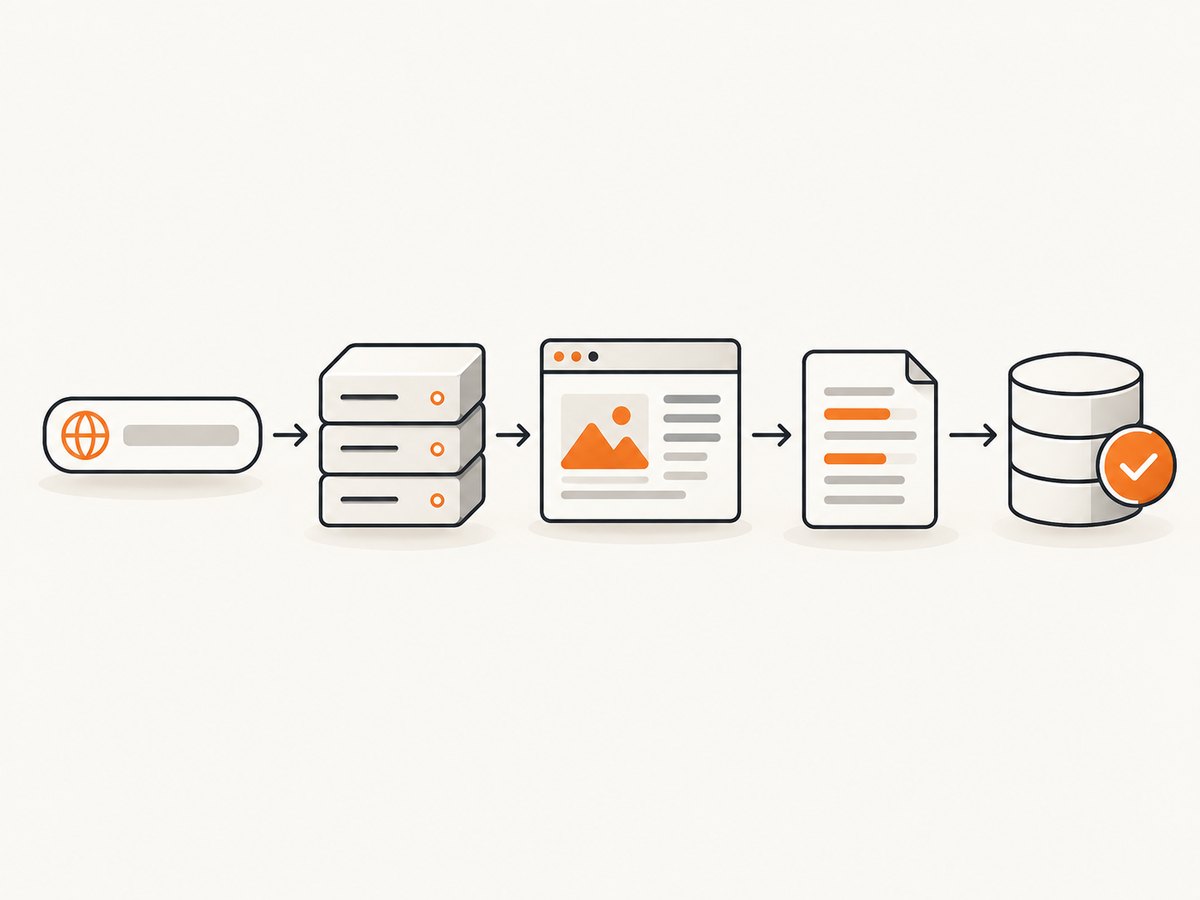
Start with a small sample of real, permitted URLs. Record whether the response contains the required fields, how long it takes, how often it needs a retry, and what the vendor bills. The research used for this article found no independent like-for-like benchmark.
ScrapeOwl alternatives compared
1. ScrapingBee: managed rendering and browser controls
ScrapingBee maintains a page specifically titled ScrapeOwl alternative for web scraping?. Its vendor page lists JavaScript rendering, headless browser support, proxy management, CAPTCHA resilience, screenshots, extraction rules and API-controlled browser actions. Treat those as vendor-described capabilities rather than independent test results.
Its pricing page lists Hobby at $19 per month for 75,000 credits and 25 concurrent requests; Freelance at $49 for 250,000 credits and 50 concurrent requests; Startup at $99 for 1 million credits and 100 concurrent requests; Business at $249 for 3 million credits and 200 concurrent requests; and Business+ at $599 for 8 million credits and 400 concurrent requests. It also advertises 1,000 free credits. Feature availability and credit multipliers can vary by plan, so compare the exact options your workload enables.
2. ScraperAPI: API-first collection and structured endpoints
ScraperAPI presents a managed API intended to reduce the need to operate proxies, browsers and CAPTCHA handling yourself. Its product material lists structured endpoints for use cases such as Amazon products and Google search, asynchronous scraping and a low-code DataPipeline product. This shape suits teams that want conventional API calls or domain-specific structured results. Confirm the endpoint, response fields and current pricing for your target before migrating.
3. Apify: Actors and reusable cloud workflows
Apify offers a marketplace of ready-to-run Actors and tools for building and deploying custom Actors. Its homepage describes website crawling and ecommerce examples, cloud deployment, proxy support, monitoring and data processing. This is a broader hosted-scraper model than a URL-to-response API. It can fit scheduled crawlers, reusable automations and pipelines that need storage or post-processing. The reviewed sources did not establish a like-for-like price comparison with ScrapeOwl.
4. ZenRows: fetch, extraction, browser and batch primitives
ZenRows describes fetch, automatic extraction, browser sessions and batch jobs for thousands of URLs. It also advertises SDKs and MCP or CLI interfaces. That combination can fit agent-assisted extraction and asynchronous workloads. Its homepage advertised 5,000 free credits per month when reviewed; recheck the current allowance and billing rules before relying on it.
5. Build your own collector
A self-managed collector gives you control over parsing, retries, storage and scheduling. It also makes you responsible for browser versions, proxy contracts, consent flows, JavaScript execution, observability, rate limits and legal compliance. For a learning path, O’Reilly lists Web Scraping with Python, 3rd Edition (February 2024, 352 pages), covering crawlers, JavaScript, APIs and scraping ethics: publisher listing.
A practical migration plan
- Describe the required record. List fields, pagination rules, asset URLs, freshness requirements and acceptable missing values.
- Classify the target. Test whether the response is static HTML, JavaScript-rendered, login-gated, region-dependent or protected by a challenge.
- Choose the smallest product shape. Use a simple API for direct pages, structured endpoints for supported domains, Actors for reusable workflows, and browser sessions only when interaction is necessary.
- Run a controlled pilot. Use the same URLs, schedule and concurrency. Store raw responses and parsed records so failures can be inspected.
- Measure usable output. Track completeness, status codes, challenge pages, latency, retry count and billed units per accepted record.
- Harden operations. Add idempotency, backoff, validation, alerting and a dead-letter queue for pages that need manual review.
DIY example: a resilient Python scraper
The following example is intentionally conservative. It respects a supplied allowlist, identifies non-HTML responses, retries transient failures with exponential backoff, and extracts article headings. It is a starting point, not a bypass for access controls. Check the site’s terms, robots guidance and applicable law before collecting data.
import time
from urllib.parse import urlparse

import requests
from bs4 import BeautifulSoup

ALLOWED_HOSTS = {'example.com', 'www.example.com'}
HEADERS = {'User-Agent': 'ExampleResearchBot/1.0 (+https://example.com/bot-info)'}


def fetch(url, attempts=4, timeout=30):
    host = urlparse(url).netloc.lower()
    if host not in ALLOWED_HOSTS:
        raise ValueError(f'Host is not allowlisted: {host}')

    last_error = None
    for attempt in range(attempts):
        try:
            response = requests.get(url, headers=HEADERS, timeout=timeout)
            if response.status_code in (429, 500, 502, 503, 504):
                response.raise_for_status()
            response.raise_for_status()
            content_type = response.headers.get('content-type', '').lower()
            if 'text/html' not in content_type:
                raise ValueError(f'Expected HTML, got {content_type}')
            return response
        except (requests.RequestException, ValueError) as exc:
            last_error = exc
            if attempt == attempts - 1:
                break
            time.sleep(2 ** attempt)
    raise RuntimeError(f'Fetch failed: {last_error}')


def extract(url):
    response = fetch(url)
    soup = BeautifulSoup(response.text, 'html.parser')
    title = soup.title.get_text(' ', strip=True) if soup.title else None
    headings = [h.get_text(' ', strip=True) for h in soup.select('h1, h2, h3')]
    return {'url': url, 'title': title, 'headings': headings}

if __name__ == '__main__':
    print(extract('https://example.com/article'))
cURL and Node.js request patterns
For a static page, cURL is enough to inspect the response. Save headers separately when diagnosing redirects, throttling or content types.
curl --fail --location --retry 3 --retry-delay 2 \
  -H 'User-Agent: ExampleResearchBot/1.0' \
  -o page.html -D response.headers \
  'https://example.com/article'
const target = 'https://example.com/article';
const response = await fetch(target, {
headers: { 'user-agent': 'ExampleResearchBot/1.0' },
redirect: 'follow'
});
if (!response.ok) throw new Error(`${response.status} ${response.statusText}`);
const contentType = response.headers.get('content-type') || '';
if (!contentType.includes('text/html')) throw new Error(`Unexpected type: ${contentType}`);
const html = await response.text();
console.log(html.slice(0, 500));When plain HTTP is not enough
Use a browser renderer when the fields appear only after scripts run, when pagination requires clicks, or when content depends on a viewport or session. Wait for a meaningful selector rather than an arbitrary long delay where possible. Capture the final URL, console errors, response status and a diagnostic screenshot during development. Keep browser concurrency bounded; too many parallel contexts can exhaust memory before the target service becomes the bottleneck.
For region-specific pages, set location, timezone, language and user agent consistently. For authenticated pages, use short-lived credentials, avoid logging secrets, and separate session cookies per account. For selectors, validate that the selected element exists and has the expected shape; store a sample of the raw page when validation fails.
Performance, reliability and cost
- Concurrency: Increase workers gradually and watch target-side 429 responses, connection errors and your own memory usage.
- Retries: Retry network resets and 5xx responses with exponential backoff. Do not blindly retry deterministic 4xx errors or challenge pages.
- Caching: Cache immutable pages and normalized records. Include the URL, relevant headers and parser version in the cache key.
- Batching: Batch only when you can isolate failed items and replay them safely. A single failed batch should not force all URLs to run again.
- Validation: Count required fields and reject challenge pages, login forms and empty shells before writing records.
- Economics: Compare cost per accepted record, not credits per request. Include browser rendering, proxy, retries, storage and engineering time.
- Compliance: Use permitted targets, identify your bot where appropriate, honor contractual restrictions and minimize personal data.
Common errors and fixes
| Error | Likely cause | Fix |
|---|---|---|
| 200 response with no data | JavaScript rendered the content after the HTTP response. | Use a renderer, wait for a content selector, or locate the site’s permitted data API. |
| 403 or repeated challenge page | The site blocked the request or requires a browser session. | Review permission and rate limits; use a supported managed browser workflow if allowed. Do not loop retries. |
| 429 Too Many Requests | Concurrency or request frequency is too high. | Reduce workers, add backoff and follow the target’s guidance. |
| Selector returns nothing | Markup changed, the selector is scoped incorrectly, or content is inside an iframe. | Save the response, inspect the DOM, version selectors and handle frames explicitly. |
| Timeout | Slow resources, long scripts or a stalled connection. | Set separate connect and read timeouts, wait on a useful condition and cap retries. |
| Wrong language or prices | Location, cookies or headers differ from a normal visitor. | Set locale, timezone, geolocation and cookies consistently, then verify the result. |
| Duplicate records | Retries or pagination replayed a page. | Use a stable key such as canonical URL plus item ID and make writes idempotent. |
Or skip the browser setup
If your deliverable is a clean visual record rather than extracted fields, ScreenshotNeo is the screenshot API to try first: it removes consent banners, newsletter popups and chat widgets before capture, bills only clean shots, and has the lowest paid starting plan among its stated plans.
One GET request returns PNG, JPEG, WebP or PDF. The API supports full-page capture with lazy images loaded, CSS-selector element capture, dark mode, 12 device presets or custom viewports, retina scale, PDF paper size and margins, custom CSS and JavaScript, clicks, selector or network-idle waits, request and resource blocking, headers, cookies, user agents, Authorization, timezone, geolocation, transparent backgrounds, resizing, selectable cache TTLs, signed image links, asynchronous jobs with signed webhooks, bulk capture of up to 100 URLs per call, usage reporting and an OpenAPI specification. Parameter names used by other screenshot APIs also work to ease migration. Each response includes X-Page-Verdict and X-Billed headers; bot checks, blank pages, timeouts, failed loads and cache hits cost nothing.
See the ScreenshotNeo API documentation for the complete option list.
cURL
curl -G 'https://api.screenshotneo.com/v1/shot' \
  -d access_key=YOUR_API_KEY \
  --data-urlencode 'url=https://stripe.com' \
  -o shot.webp
Python
import requests

r = requests.get(
    'https://api.screenshotneo.com/v1/shot',
    params={'access_key': 'YOUR_API_KEY', 'url': 'https://stripe.com'},
    timeout=90,
)
r.raise_for_status()
open('shot.webp', 'wb').write(r.content)
Node.js
const q = new URLSearchParams({ access_key: 'YOUR_API_KEY', url: 'https://stripe.com' });
const res = await fetch(`https://api.screenshotneo.com/v1/shot?${q}`);
if (!res.ok) throw new Error(`${res.status} ${res.statusText}`);
const data = Buffer.from(await res.arrayBuffer());
require('fs').writeFileSync('shot.webp', data);
ScreenshotNeo also provides an MCP server with take_screenshot, get_page_info and capture_pdf tools for Claude, Cursor and other MCP clients. Plans include 1,000 screenshots per month free with no card; paid plans start at $5 for 3,000 shots. The other plans are Growth $15 for 15,000, Pro $39 for 60,000, Scale $99 for 250,000 and Business $249 for 1,000,000; yearly billing gives two months free and every feature is on every plan.
Start with 1,000 free screenshots a month, with no card required.
FAQ
Is ScrapingBee officially better than ScrapeOwl?
The reviewed comparison is written by ScrapingBee, and no independent benchmark was established. Test both against your permitted URLs and compare accepted output, latency, retries and billed units.

Which alternative is best for scheduled crawlers?
Apify’s Actor and cloud workflow model is designed for reusable processes, scheduling and data handling. Confirm storage, monitoring and current pricing for your workload.
When should I use a structured endpoint?
Use one when the provider supports your exact domain and fields. It can remove parser maintenance, but verify coverage, response schema and billing before committing.
Can a screenshot API replace a scraper?
No. A screenshot is an image or PDF, not structured text. It is useful for visual archives, page QA, evidence and rendering checks. For extracted records, use an extraction workflow.
How should I compare free credits?
Run the same URLs and count accepted records. Credits may include different multipliers for JavaScript, proxies, retries or browser sessions, so headline allowances are not interchangeable.


