How to Build a Scraper REST API with Pyppeteer or Selenium
Build a controlled FastAPI scraper endpoint with Pyppeteer or Selenium, including validation, waits, concurrency limits, errors, and production guidance.
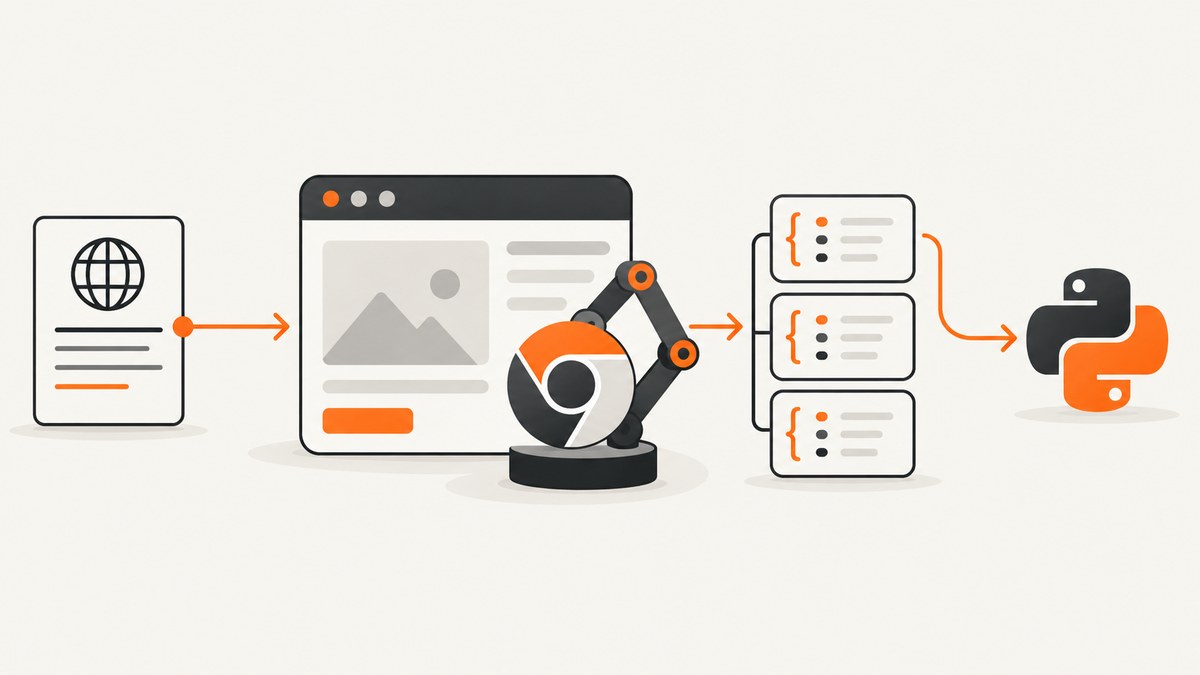
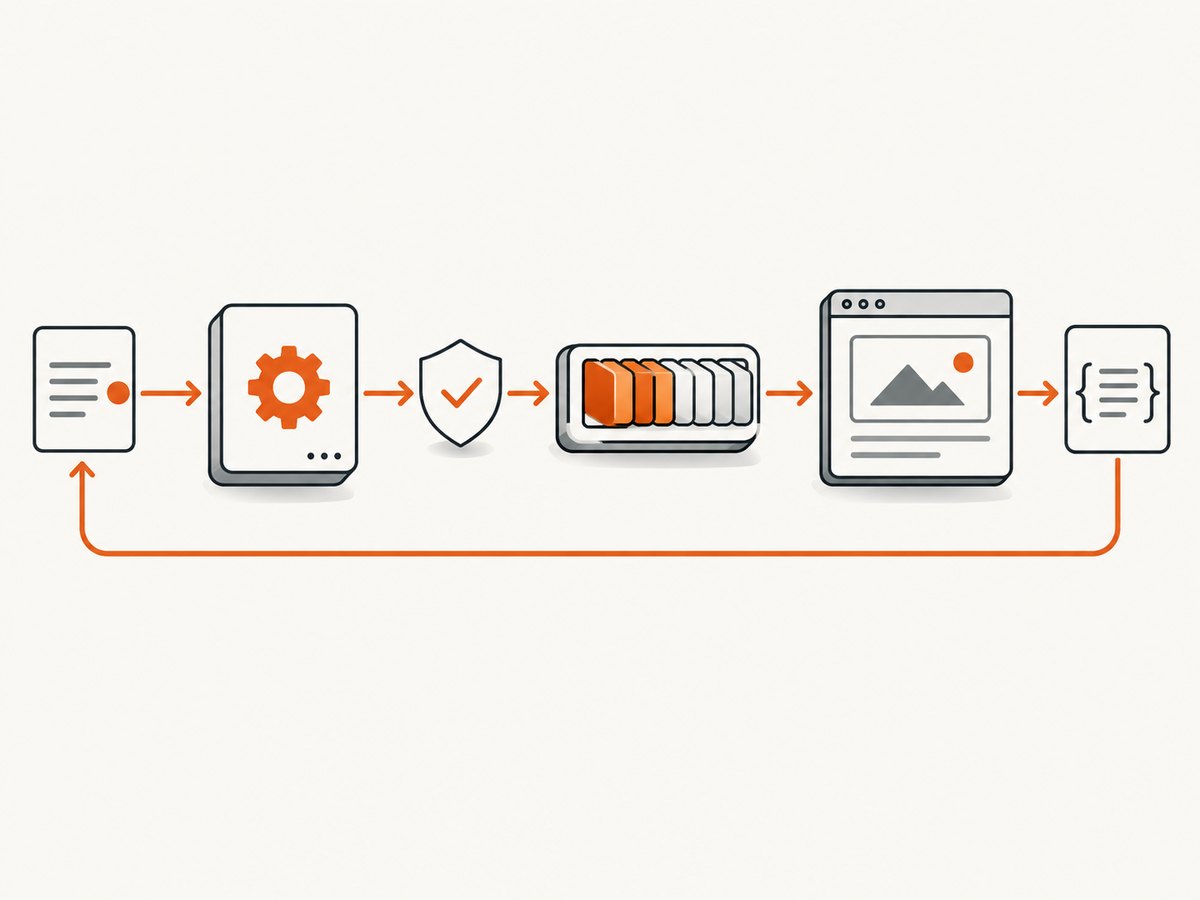
A scraper REST API accepts a permitted URL and an extraction specification, opens a browser, waits for the page to reach a known state, extracts the requested fields, and returns a stable JSON response. Put validation, authentication, timeouts, bounded concurrency, and cleanup around the browser so one slow or hostile page cannot consume the service.
What you are building
The example below exposes POST /scrape. A caller sends a URL and named CSS selectors. The service returns the normalized URL, extracted values, and a request ID. It uses FastAPI with Pyppeteer; a Selenium implementation follows.
POST /scrape
Content-Type: application/json

{
  "url": "https://example.com/article",
  "fields": {
    "title": {"selector": "h1", "kind": "text"},
    "canonical": {"selector": "link[rel=canonical]", "kind": "attribute", "attribute": "href"}
  },
  "wait_for": "h1",
  "timeout_ms": 20000
}

{
  "request_id": "7d5...",
  "url": "https://example.com/article",
  "fields": {
    "title": "Example article",
    "canonical": "https://example.com/article"
  }
}
The selector language is deliberately constrained to named fields. Do not accept arbitrary JavaScript from untrusted callers unless you have a separate sandbox and threat model.
Prerequisites and project setup
- Use a supported Python version and create a virtual environment.
- Install FastAPI, an ASGI server, Pyppeteer, and an IP address helper.
- Ensure Chromium can run in the deployment image. Pyppeteer may download a compatible browser revision on first use; verify this during image build rather than at request time.
python -m venv .venv
. .venv/bin/activate
pip install fastapi uvicorn pyppeteer pydantic
uvicorn app:app --host 0.0.0.0 --port 8000
Pyppeteer is an asyncio-oriented Chromium controller. The referenced API documentation is version 0.0.25 and warns that compatibility is best with its bundled Chromium revision; verify current package support and browser compatibility before pinning a production image (Pyppeteer API reference).
Define a safe request and response contract
Validate the scheme, destination, field count, selector length, timeout, and output size before starting a browser. A public URL-fetching endpoint can be abused to probe loopback, private, link-local, or cloud metadata addresses. The checks below are engineering controls, not a complete security review: combine them with network egress restrictions, authentication, rate limits, and deployment-specific review.
from pydantic import BaseModel, Field, HttpUrl, field_validator

class FieldSpec(BaseModel):
    selector: str = Field(min_length=1, max_length=500)
    kind: str = "text"
    attribute: str | None = Field(default=None, max_length=100)

    @field_validator("kind")
    @classmethod
    def supported_kind(cls, value: str) -> str:
        if value not in {"text", "html", "attribute"}:
            raise ValueError("kind must be text, html, or attribute")
        return value

class ScrapeRequest(BaseModel):
    url: HttpUrl
    fields: dict[str, FieldSpec] = Field(min_length=1, max_length=30)
    wait_for: str | None = Field(default=None, max_length=500)
    timeout_ms: int = Field(default=20000, ge=1000, le=60000)

    @field_validator("fields")
    @classmethod
    def valid_names(cls, value):
        for name in value:
            if not name.replace("_", "").isalnum() or len(name) > 80:
                raise ValueError("field names must be alphanumeric or underscore")
        return value
In production, resolve the hostname and reject addresses in your environment’s loopback, private, link-local, and metadata ranges. Re-check redirects, because a public URL can redirect to an internal address. Restrict outbound ports and protocols at the network layer as well.
Pyppeteer implementation
Keep the route thin. The service owns browser launch, navigation, readiness waits, extraction, and cleanup. A semaphore bounds simultaneous pages in this process; choose its value from measurements of your pages, memory limit, and deployment size. There is no universal safe worker count.
import asyncio
import ipaddress
import socket
import uuid
from contextlib import asynccontextmanager
from urllib.parse import urlparse

from fastapi import FastAPI, HTTPException
from pyppeteer import launch
from pydantic import BaseModel

MAX_BODY_BYTES = 2_000_000
browser = None
slots = asyncio.Semaphore(4)

@asynccontextmanager
async def lifespan(app: FastAPI):
    global browser
    browser = await launch(
        headless=True,
        args=["--no-sandbox", "--disable-dev-shm-usage"],
        handleSIGINT=False,
        handleSIGTERM=False,
        handleSIGHUP=False,
    )
    try:
        yield
    finally:
        if browser:
            await browser.close()

app = FastAPI(lifespan=lifespan)

async def reject_private_destination(url: str) -> None:
    parsed = urlparse(url)
    if parsed.scheme not in {"http", "https"} or not parsed.hostname:
        raise HTTPException(400, "url must use http or https")
    try:
        addresses = await asyncio.get_running_loop().run_in_executor(
            None, lambda: socket.getaddrinfo(parsed.hostname, None)
        )
    except socket.gaierror:
        raise HTTPException(400, "hostname could not be resolved")
    for item in addresses:
        address = ipaddress.ip_address(item[4][0])
        if address.is_private or address.is_loopback or address.is_link_local or address.is_reserved:
            raise HTTPException(400, "destination is not allowed")

async def scrape_with_pyppeteer(request: ScrapeRequest):
    await reject_private_destination(str(request.url))
    async with slots:
        page = await browser.newPage()
        request_id = str(uuid.uuid4())
        try:
            await page.setDefaultNavigationTimeout(request.timeout_ms)
            await page.setRequestInterception(True)

            async def on_request(req):
                # Add an allowlist or resource policy appropriate for your workload.
                if req.resourceType in {"media", "font"}:
                    await req.abort()
                else:
                    await req.continue_()
            page.on("request", on_request)

            response = await page.goto(
                str(request.url),
                {"waitUntil": "domcontentloaded", "timeout": request.timeout_ms},
            )
            if response and response.status >= 400:
                raise HTTPException(502, f"target returned HTTP {response.status}")
            if request.wait_for:
                await page.waitForSelector(request.wait_for, {"timeout": request.timeout_ms})

            result = {}
            for name, spec in request.fields.items():
                value = await page.querySelectorEval(
                    spec.selector,
                    "(el, arg) => arg.kind === 'text' ? (el.innerText || '').trim() : arg.kind === 'html' ? el.innerHTML : el.getAttribute(arg.attribute)",
                    {"kind": spec.kind, "attribute": spec.attribute},
                )
                result[name] = value
            return {"request_id": request_id, "url": str(request.url), "fields": result}
        except HTTPException:
            raise
        except asyncio.TimeoutError:
            raise HTTPException(504, "navigation or selector wait timed out")
        except Exception as exc:
            # Log exc with request_id internally; do not expose browser traces or secrets.
            raise HTTPException(502, "browser extraction failed") from exc
        finally:
            await page.close()

@app.post("/scrape")
async def scrape(request: ScrapeRequest):
    return await scrape_with_pyppeteer(request)

@app.get("/healthz")
async def healthz():
    return {"ok": browser is not None}
The expression passed to querySelectorEval returns null for a missing attribute and an empty string for missing text. Decide whether that is acceptable for your contract; you can instead report missing fields explicitly. Limit response size before serializing if pages can contain large HTML values.
Navigation and readiness
Use a condition that means the data is ready: a selector, a navigation completion event, or an application-specific state. Pyppeteer exposes navigation and selector waits in its API. Avoid using a fixed sleep as the only readiness strategy. If a click triggers navigation, coordinate the click and navigation wait together to avoid a race:
await asyncio.gather(
    page.waitForNavigation({"waitUntil": "networkidle2", "timeout": 20000}),
    page.click("button.next"),
)
Pages that require scrolling, authentication, or a sequence of clicks need a site-specific workflow. Treat selector timeout as a distinct error from a successful page with no matching data.
Selenium implementation
Selenium WebDriver documentation describes WebDriver as driving a browser natively, locally or on a remote machine through Selenium Server. Selenium is a good fit when you need its supported-browser ecosystem, an existing Grid, or remote WebDriver execution. Its Python calls are commonly synchronous, so do not run them directly on an async event loop.
from concurrent.futures import ThreadPoolExecutor
from fastapi import FastAPI, HTTPException
from selenium import webdriver
from selenium.common.exceptions import TimeoutException, WebDriverException
from selenium.webdriver.chrome.options import Options
from selenium.webdriver.common.by import By
from selenium.webdriver.support import expected_conditions as EC
from selenium.webdriver.support.ui import WebDriverWait

selenium_pool = ThreadPoolExecutor(max_workers=4)

def run_selenium(request: ScrapeRequest):
    options = Options()
    options.add_argument("--headless=new")
    options.add_argument("--disable-dev-shm-usage")
    options.add_argument("--no-sandbox")
    driver = webdriver.Chrome(options=options)
    try:
        driver.set_page_load_timeout(request.timeout_ms / 1000)
        driver.get(str(request.url))
        wait = WebDriverWait(driver, request.timeout_ms / 1000)
        if request.wait_for:
            wait.until(EC.presence_of_element_located((By.CSS_SELECTOR, request.wait_for)))
        fields = {}
        for name, spec in request.fields.items():
            element = driver.find_element(By.CSS_SELECTOR, spec.selector)
            if spec.kind == "text":
                fields[name] = element.text
            elif spec.kind == "html":
                fields[name] = element.get_attribute("innerHTML")
            else:
                fields[name] = element.get_attribute(spec.attribute)
        return {"url": str(request.url), "fields": fields}
    except TimeoutException as exc:
        raise HTTPException(504, "navigation or selector wait timed out") from exc
    except WebDriverException as exc:
        raise HTTPException(502, "WebDriver failed") from exc
    finally:
        driver.quit()

@app.post("/scrape-selenium")
async def scrape_selenium(request: ScrapeRequest):
    loop = asyncio.get_running_loop()
    return await loop.run_in_executor(selenium_pool, run_selenium, request)
For remote execution, replace webdriver.Chrome(...) with a configured remote WebDriver endpoint and keep browser capacity bounded on the Selenium Server or Grid. Remote execution separates API workers from browsers; it does not provide queueing, retries, isolation, or cleanup automatically.
Request options worth adding
| Option | Purpose | Guardrail |
|---|---|---|
wait_for |
Wait for a selector that proves content is present | Length limit and timeout |
| timeout_ms | Bound navigation and extraction time | Set a server maximum |
| fields | Map output names to CSS selectors | Limit count, name, selector, and output bytes |
| headers/cookies | Access an authorized session | Never log secrets; authenticate callers |
| user_agent | Choose an honest client identity | Do not use it to bypass controls |
| wait_until | Choose DOMContentLoaded, load, or network idle | Still wait for the data selector |
| resource policy | Block unnecessary images, fonts, or media | Confirm required data is not blocked |
Only add options you can validate and document. Arbitrary JavaScript, unrestricted proxy settings, and caller-controlled browser flags greatly expand the attack surface.
Concurrency, lifecycle, and reliability
- Reuse the browser, isolate pages. Launching one browser per request increases startup work. A long-lived browser with a new page or context per request reduces that overhead, but close every page and isolate cookies and storage.
- Bound work. Use a semaphore, worker pool, or queue. The Stack Overflow question that motivated this pattern reported that opening and closing Chrome for every request delayed responses and used substantial resources; that is one developer’s 2021 report, not a general benchmark.
- Set deadlines. Bound queue wait, browser startup, navigation, selector waits, extraction, and response serialization separately where possible.
- Clean up on every path. Use
finallyto close pages anddriver.quit()for Selenium. Restart a browser process after repeated crashes or leaked memory. - Measure before tuning. Track queue wait, browser startup, navigation, selector wait, extraction time, memory, crash rate, timeout rate, and output size. The sources do not establish a universal throughput or worker number.
- Retry carefully. Retry transient browser startup or network failures with a small capped policy. Do not blindly retry selector timeouts or authorization failures.
Errors and troubleshooting
| Symptom | Likely cause | Fix |
|---|---|---|
| 400 URL validation error | Unsupported scheme, malformed URL, or blocked destination | Use an absolute HTTP(S) URL and an allowed public destination; check redirects too. |
| Browser executable not found | Chromium was not installed in the image | Install or download the compatible browser during build and set the executable path when required. |
| Navigation timeout | Slow page, blocked request, or a page waiting forever | Raise the bounded timeout only when justified; block unnecessary resources and inspect target availability. |
| Selector timeout | Wrong selector, content rendered later, consent wall, or authentication required | Verify the selector in the rendered DOM, wait for the actual condition, and provide authorized session data. |
| Empty field | Element exists but has no text/attribute, or selector matched the wrong node | Return explicit null/empty semantics and test selectors against representative pages. |
| HTTP 401/403 | Target requires authorization or denies the client | Use an authorized API or credentials; do not attempt to bypass access controls. |
| Chrome crashes under load | Too many concurrent pages, memory pressure, or shared state | Lower concurrency, isolate workers, cap output, and recycle unhealthy browser processes. |
| Selenium hangs in an async app | Synchronous WebDriver call blocked the event loop | Run it in a thread or process pool, or move work to dedicated workers. |
| Internal service was fetched | SSRF through a user-controlled URL or redirect | Resolve and reject private/link-local/metadata ranges, restrict egress, and revalidate redirects. |
Security and permitted use
Authenticate callers before exposing the endpoint, apply per-client rate limits, redact cookies and authorization headers from logs, and return a correlation ID instead of raw browser traces. Limit HTML and JSON output sizes. Use authorized sources, check site terms and applicable rules, and do not bypass bot checks, paywalls, or other access controls. If a site denies automated access, use its authorized API or obtain permission.
When a managed browser API fits
Hosting Chromium or a Selenium Grid gives you control over browser versions, network placement, and data handling, but you own images, patches, capacity, isolation, and observability. A managed browser API can be useful when you want one HTTP operation per job and do not want to maintain browser infrastructure. Browserless documents REST endpoints for rendered HTML, selector extraction, screenshots, and PDFs; its scrape endpoint loads the page, runs client-side JavaScript, waits for selectors, and returns selected text, HTML, or attributes as JSON (Browserless scrape API; Browserless overview). Compare data handling, isolation, latency, request limits, cost, and vendor dependency for your workload. No universal price or performance advantage follows from the execution model.

Or skip the browser setup
ScreenshotNeo is a website screenshot API and MCP server. One GET request returns a PNG, JPEG, WebP, or PDF, with options for full-page capture, element selectors, waits, custom CSS and JavaScript, headers, cookies, user agents, geolocation, blocking rules, caching, async jobs, bulk capture, and PDF settings. It accepts the parameter names used by other screenshot APIs, which can simplify a migration.
Read the ScreenshotNeo API documentation for the complete option list. A minimal call is:
curl -G "https://api.screenshotneo.com/v1/shot" -d access_key=YOUR_API_KEY --data-urlencode url=https://stripe.com -o shot.webpimport requests
r = requests.get("https://api.screenshotneo.com/v1/shot", params={"access_key": "YOUR_API_KEY", "url": "https://stripe.com"}, timeout=90)
open("shot.webp", "wb").write(r.content)const q = new URLSearchParams({ access_key: 'YOUR_API_KEY', url: 'https://stripe.com' });
const res = await fetch(`https://api.screenshotneo.com/v1/shot?${q}`);
if (!res.ok) throw new Error(`Screenshot failed: ${res.status}`);
const data = Buffer.from(await res.arrayBuffer());
await import('node:fs/promises').then(fs => fs.writeFile('shot.webp', data));Before capture, ScreenshotNeo accepts cookie and consent banners and removes more than 60 known consent platforms, newsletter popups, and chat widgets; each step can be turned off. Bot checks and CAPTCHAs, blank pages, timeouts, failed loads, and cache hits cost nothing, and responses identify the result with X-Page-Verdict and X-Billed headers. Its MCP server provides take_screenshot, get_page_info, and capture_pdf tools for Claude, Cursor, and other MCP clients. The Free plan includes 1,000 screenshots per month with no card; paid plans start at $5 for 3,000 shots.
Create a free ScreenshotNeo account and start with 1,000 screenshots per month at no charge.
Cost and performance planning
- Browser CPU and memory, not Python syntax, usually determine capacity. Measure representative pages in your own deployment.
- Reusing a browser can reduce startup overhead, while separate processes improve failure isolation. Test both.
- Blocking fonts, media, ads, and trackers can reduce work, but verify that the target’s data does not depend on those resources.
- Cache only when the freshness policy allows it. Include the URL, extraction specification, relevant headers, and authentication context in the cache key.
- Set a maximum response size and reject oversized HTML before it exhausts memory.
- For sustained volume, queue jobs and scale controlled browser workers instead of allowing unlimited request concurrency.
FAQ
Should I choose Pyppeteer or Selenium?
Choose Pyppeteer when an asyncio-oriented Chromium API fits your service. Choose Selenium when you need its WebDriver ecosystem, cross-browser setup, or remote Grid execution. Verify current package and browser compatibility before deployment.
Can this endpoint scrape any website?
No. It should fetch only permitted sources and must respect authentication, access controls, site terms, and applicable rules.
Is a selector timeout the same as an empty result?
No. A timeout means the readiness condition was not observed. An empty result means the page completed but the selected value was absent or empty. Keep those states distinct in your response contract.
Does async FastAPI make Selenium nonblocking?
No. Synchronous WebDriver calls still block the calling thread. Run them in a bounded worker boundary or use a job queue.
When should I use a screenshot API instead?
Use one when the required output is a rendered image or PDF and you prefer a managed browser operation over maintaining Chromium or Selenium infrastructure.


