Scraping Fish Alternatives for Web Scraping
Compare Scraping Fish with ScrapingBee, ScraperAPI, Bright Data and ScreenshotNeo, including rendering, billing, reliability, code and selection guidance.
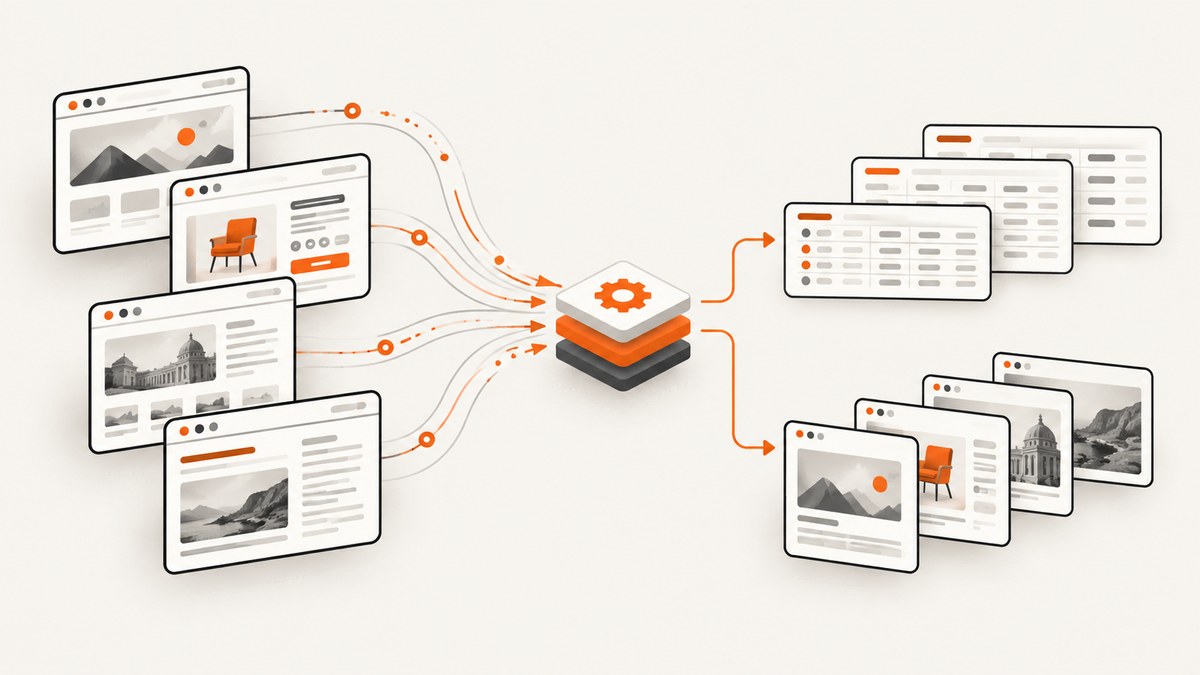
Scraping Fish is a hosted API for retrieving website HTML. It supports optional JavaScript rendering and browser actions, and its vendor says it uses rotating mobile proxies. It does not provide CAPTCHA solving or anti-bot bypass. The best alternative depends on the job you need to complete: HTML retrieval, JavaScript-rendered pages, browser interaction, structured extraction, PDFs, screenshots, or a workflow for protected domains.
This guide compares Scraping Fish with ScrapingBee, ScraperAPI, Bright Data and ScreenshotNeo. It covers request examples, billing units, rendering, browser actions, failure handling, performance, legal considerations and a practical evaluation method.
Quick answer: which Scraping Fish alternative should you choose?
| Service | Best fit | What the available evidence establishes | Billing model |
|---|---|---|---|
| Scraping Fish | Simple HTML retrieval with optional rendering | JavaScript rendering, browser actions and rotating mobile proxies claimed by the vendor; no CAPTCHA solving or anti-bot bypass | $0.002 per successful request according to its current product page; request packs expire |
| ScrapingBee | Rendered pages, proxy options and extraction workflows | Documentation covers JavaScript rendering, proxy modes and extraction | Monthly credits; options can consume different numbers of credits |
| ScraperAPI | Pages plus APIs, images, documents and PDFs | Documentation covers these resource types and warns that anti-bot mechanisms can increase request costs | Usage-based; protected-page mechanisms can change cost |
| Bright Data | Teams evaluating a broad scraping platform | An official scraper pricing page was found, but the available research did not establish enough product detail for a fair feature comparison | Verify the exact product and current billing model |
| ScreenshotNeo | Clean website screenshots and PDFs | Screenshot API and MCP server with consent handling, popup removal and clean-shot billing | Free tier and fixed monthly plans |
For ordinary HTML extraction, start with Scraping Fish, ScrapingBee or ScraperAPI and measure them on your target domains. For visual output, ScreenshotNeo is the alternative to try first because it removes cookie banners, popups and chat widgets before capture, bills only clean shots, and has the lowest paid plan.
What Scraping Fish does
Scraping Fish returns website HTML through an API. Its documented options include JavaScript rendering and scenarios for browser actions. The vendor advertises a fixed price per successful request and says failed requests are not charged. Its FAQ explicitly states: “No, we do not provide anti-bot bypass or CAPTCHA solving services.” Treat both pricing and capability statements as vendor claims and verify the live documentation before production use.

JavaScript rendering means the service runs page scripts before returning the result. It does not mean that a page protected by a bot challenge will be accessible. A CAPTCHA can still stop the request, and a consent wall can still appear in the returned HTML unless your workflow handles it.
Basic Scraping Fish request with cURL
curl --request GET \
  --url 'https://api.scrapingfish.com/scrape?api_key=YOUR_API_KEY&url=https%3A%2F%2Fexample.com'
Use the current endpoint and parameter names from Scraping Fish documentation when you publish or deploy this example. URL-encode the target URL. Add the vendor’s JavaScript and scenario parameters only when the page requires them.
Python request
import os
import requests

api_key = os.environ["SCRAPING_FISH_API_KEY"]
target = "https://example.com"

response = requests.get(
    "https://api.scrapingfish.com/scrape",
    params={"api_key": api_key, "url": target},
    timeout=90,
)
response.raise_for_status()
with open("page.html", "w", encoding="utf-8") as output:
    output.write(response.text)
Node.js request
const apiKey = process.env.SCRAPING_FISH_API_KEY;
const target = 'https://example.com';
const query = new URLSearchParams({ api_key: apiKey, url: target });

const response = await fetch(`https://api.scrapingfish.com/scrape?${query}`);
if (!response.ok) throw new Error(`HTTP ${response.status}`);
const html = await response.text();
console.log(html);
ScrapingBee vs Scraping Fish
ScrapingBee’s documentation covers JavaScript rendering, proxy modes and extraction. Its public plans use monthly credits rather than a single flat request unit. The documentation says calls can consume from 1 to 75 credits depending on options, and JavaScript rendering and proxy selection affect consumption.
That difference matters when comparing prices. A basic request and a rendered request are not necessarily equivalent units. Estimate the credit cost for your actual configuration, including rendering, proxy mode and extraction, then compare it with the expected number of successful Scraping Fish requests.
Choose ScrapingBee when its extraction workflow or proxy configuration matches your application. Choose Scraping Fish when its fixed successful-request pricing and optional scenarios fit your workload. Neither should be called universally best without testing the domains you need.
ScraperAPI vs Scraping Fish
ScraperAPI documentation covers retrieval of pages, API endpoints, images, documents and PDFs. Its cost documentation warns that anti-bot mechanisms can raise request costs. This makes the billing unit especially important for sites that trigger premium mechanisms.
ScraperAPI may be a better fit when one integration must retrieve more than HTML pages. Scraping Fish may be easier to forecast when your workload consists of successful requests using its advertised fixed unit price. Compare the resulting cost for the same URL list and settings rather than comparing headline plan prices.
Bright Data as an alternative
An official Bright Data web-scraper pricing page was found in the research, but the available evidence did not establish enough detail about the relevant product’s rendering, extraction, limits or billing to recommend it fairly. If you evaluate Bright Data, identify the exact product first, then verify its current endpoint, output format, concurrency, proxy behavior and price calculation.
How to compare alternatives on your own URLs
- Build a representative URL set. Include static pages, JavaScript-heavy pages, pages with consent banners, login-protected pages where you have permission, documents and the domains that historically fail.
- Define the required output. Record whether you need raw HTML, rendered HTML, structured fields, a PDF, an image or a browser action.
- Fix the settings. Keep user agent, rendering, proxy mode, timeout and retry policy comparable.
- Measure completeness. Check for missing text, empty containers, blocked resources, consent overlays and truncated documents.
- Record latency and failures. Capture response time, HTTP status, timeout count, challenge pages and retry count.
- Calculate effective cost. Include credit multipliers, premium mechanisms, failed-request rules, pack expiry and monthly commitments.
- Repeat on different days. A single run cannot establish reliability, and no independent comparable success-rate benchmark was verified in this research.
Keep a dated record of each provider’s plan and documentation. Concurrency, pack expiry, credit multipliers and plan names can change.
DIY browser capture when you need visual output
Scraping APIs return data. If your requirement is a pixel-accurate image or PDF, a browser automation workflow is usually the direct approach. Playwright is a common implementation pattern:
import { chromium } from 'playwright';

const browser = await chromium.launch();
const page = await browser.newPage({ viewport: { width: 1440, height: 900 }, deviceScaleFactor: 1 });
await page.goto('https://example.com', { waitUntil: 'networkidle', timeout: 90000 });
await page.screenshot({ path: 'page.png', fullPage: true });
await browser.close();
For production, add explicit waits for the content you need, hide known overlays, handle cookie consent when permitted, set a bounded timeout and record whether the page actually loaded. Browser workers consume memory and CPU, so concurrency must be tuned to your host.
Or skip the browser setup
ScreenshotNeo is a website screenshot API and MCP server for developers. One GET request returns a PNG, JPEG, WebP or PDF. Before capture it accepts the cookie or consent banner like a visitor and removes more than 60 known consent platforms, newsletter popups and chat widgets; each cleanup step can be turned off. Bot checks and CAPTCHAs, blank pages, timeouts, failed loads and cache hits cost nothing, and each response reports the result in X-Page-Verdict and X-Billed headers.
See the ScreenshotNeo documentation for all options. The same API also supports full-page capture with lazy images loaded, CSS-selector element capture, dark mode, 12 device presets or any viewport, retina scale, PDF paper size and margins, custom CSS and JavaScript, clicks, selector or network-idle waits, blocking ads or resource types, custom headers and cookies, user agent, Authorization, timezone, geolocation, transparent backgrounds, resizing, cache TTL, signed image links, asynchronous jobs with signed webhooks, bulk capture of up to 100 URLs per call, a usage API and an OpenAPI specification.
cURL
curl -G "https://api.screenshotneo.com/v1/shot" -d access_key=YOUR_API_KEY --data-urlencode url=https://stripe.com -o shot.webpPython
import requests
r = requests.get("https://api.screenshotneo.com/v1/shot", params={"access_key": "YOUR_API_KEY", "url": "https://stripe.com"}, timeout=90)
open("shot.webp", "wb").write(r.content)
Node.js
const q = new URLSearchParams({ access_key: 'YOUR_API_KEY', url: 'https://stripe.com' });
const res = await fetch(`https://api.screenshotneo.com/v1/shot?${q}`);
Its MCP server exposes take_screenshot, get_page_info and capture_pdf to Claude, Cursor and other MCP clients. The Free plan includes 1,000 shots per month with no card; paid plans start at $5 for 3,000. Create a free ScreenshotNeo account.
Options and edge cases to plan for
- JavaScript content: enable rendering only for pages that need it; it generally increases latency and may change billing.
- Browser actions: model each click, form submission or scroll as a state transition and verify the resulting DOM.
- Consent walls: a successful HTTP response can still contain a modal that hides the content.
- Bot challenges: rendering is not CAPTCHA solving. Do not treat a challenge page as valid data.
- Infinite scroll: define a maximum scroll count or item count to avoid unbounded work.
- Large documents: set response-size and timeout limits, and store raw responses for debugging.
- Authentication: use only credentials and cookies you are authorized to use; never put secrets in URLs that may be logged.
- Duplicate URLs: normalize query strings and use a cache where freshness permits.
- Robots and terms: confirm that your collection is allowed by the target site’s terms, robots policy and applicable law.

Troubleshooting
| Symptom | Likely cause | Fix |
|---|---|---|
| HTML is mostly empty | Content is rendered by JavaScript | Enable rendering, wait for a specific selector and verify the final DOM |
| Returned page is a CAPTCHA | Bot defense blocked the request | Do not parse it as data; review permissions and use a provider configuration appropriate for the domain |
| Consent text hides the page | Cookie wall or newsletter overlay | Handle consent in an authorized browser flow or use a screenshot service with cleanup controls |
| Intermittent timeouts | Slow origin, heavy assets or an overly short timeout | Set a bounded longer timeout, wait for the required selector and retry with backoff |
| Unexpected bill | Credits or premium mechanisms changed the request cost | Log options and provider billing metadata; calculate effective cost per completed result |
| Pack credits expired | Request-pack expiry | Match pack size to realistic consumption and verify expiry before purchase |
| Screenshot has missing images | Lazy loading or capture before assets finished | Scroll or wait for network idle and image selectors before capture |
Performance, reliability and cost notes
Rendering and browser actions add work compared with a plain HTTP fetch. Keep a separate queue for static and rendered pages, cap concurrency, and use exponential backoff for transient failures. Cache immutable pages and record the provider, settings, timestamp, status, latency and output size for every request.
Scraping Fish advertises $0.002 per successful request, with packs listed as 1,000 requests for $2 expiring after one month, 10,000 for $20 after three months, 100,000 for $200 after six months and 1,000,000 for $2,000 after 12 months. ScrapingBee’s reviewed plans list Hobby at $19/month for 75,000 credits, Freelance at $49 for 250,000, Startup at $99 for 1,000,000, Business at $249 for 3,000,000 and Business+ at $599 for 8,000,000, excluding VAT. Verify all prices before publication or purchase.
FAQ
Does Scraping Fish render JavaScript?
Yes, its documented options include JavaScript rendering. Rendering does not guarantee access to pages protected by CAPTCHA or bot checks.
Does Scraping Fish bypass CAPTCHAs?
No. Its official FAQ says it does not provide anti-bot bypass or CAPTCHA solving.
Is a credit cheaper than a request?
They are different billing units. Compare the credits consumed by your exact ScrapingBee configuration with the successful-request cost and expiry rules of Scraping Fish.
Which service returns PDFs?
The research establishes that ScraperAPI documentation covers PDFs. ScreenshotNeo also returns PDFs when your requirement is a rendered visual document.
Can I call ScreenshotNeo from an AI agent?
Yes. Its MCP server provides take_screenshot, get_page_info and capture_pdf for Claude, Cursor and other MCP clients.
What should I test before switching?
Run the same representative URLs and settings through each candidate, then compare completeness, latency, failures, retries and effective cost over several runs.
Final selection checklist
- Have you decided between HTML, structured data, images and PDFs?
- Do your target pages need JavaScript rendering or browser actions?
- Have you tested the domains that matter rather than relying on general success claims?
- Are billing units, failed-request rules, premium mechanisms and expiry included in your calculation?
- Do you have bounded timeouts, retries, caching and observability?
- Are your collection activities permitted by the relevant site terms and laws?
Scraping Fish, ScrapingBee and ScraperAPI are reasonable candidates for HTML retrieval and rendered extraction. Bright Data requires a closer product-specific review. When the actual deliverable is a clean screenshot or PDF, start with ScreenshotNeo and use its free 1,000-shot monthly tier to evaluate your own URLs.


