Scraping Real Estate Data from Realtor.com
Realtor.com prohibits scraping without written permission. Learn the compliant API path, technical workflow, failure handling, and screenshot options.
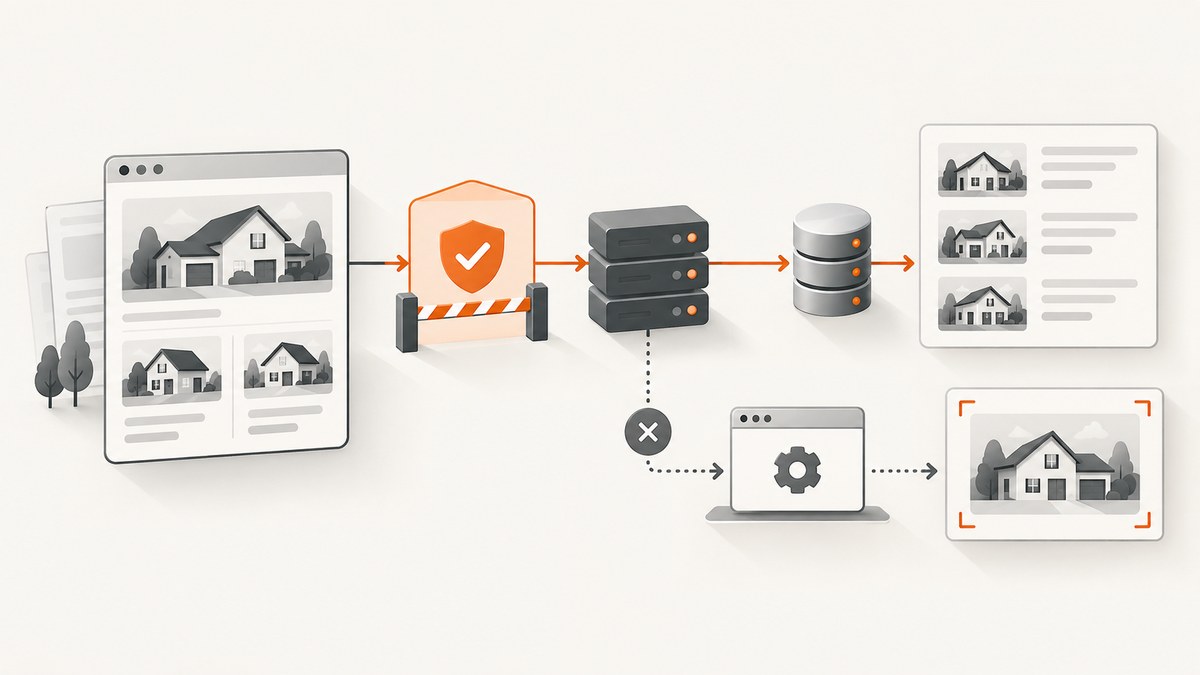
Direct answer: You should not scrape Realtor.com pages unless Move, Inc. has given you express written permission. Move’s current Terms of Use prohibit scraping, automated collection, copying, data mining, and attempts to bypass restrictions. The terms also say that robots.txt does not grant additional permission. For a production data feed, use an authorized, licensed relationship such as Realtor.com’s RESO-certified web API for subscriber and publisher customers, and confirm the current eligibility, fields, limits, reuse rights, and pricing directly with Move or the relevant data provider.
This distinction matters for “Can you scrape Realtor.com?” and “Is scraping Realtor.com allowed?” A page being publicly viewable is not the same as permission to collect and republish its contents. The guidance below shows how to design a lawful workflow, how to process data you are authorized to receive, and how to capture an authorized page for internal QA or documentation.
What Realtor.com’s terms say
Move’s Terms of Use prohibit scraping and automated or manual collection intended to circumvent restrictions unless Move has provided express written permission. The prohibition covers copying, publication, transfer, sale, and data mining. It also separately restricts using Move Network content for machine-learning or AI purposes, including training, fine-tuning, grounding, or other use in generative AI systems.
- Robots.txt is not authorization. The terms state that exclusionary protocols do not expand the access rights granted by the agreement.
- Public access is not a license. A browser can render a page while your planned collection, storage, or redistribution remains unauthorized.
- AI pipelines need explicit review. Do not feed Realtor.com content into a model, embedding index, or evaluation set without written permission that covers that use.
- Upstream rights can apply. Listing data may be supplied under permissions and instructions from an MLS, broker, or other data-content provider. A historical Move/NAR release describes that permission-based model; verify the current contract for your source.
Does Realtor.com have an API?
Yes, Realtor.com describes an authorized RESO-certified web API in its professional data context. Its engineering article says ListHub was central to its syndication strategy and that a first RESO-certified web API launched in 2019 for subscriber customers and publisher customers. The article does not establish that the API is open to every developer, nor does it publish current enrollment, pricing, quotas, geography, or downstream licensing terms.

Before writing code, ask Move or your data provider for written answers to these questions:
| Question | Why it matters |
|---|---|
| Who is eligible to subscribe? | “An API exists” does not mean an individual account can self-serve. |
| Which listings and fields are licensed? | MLS, broker, and provider permissions can differ by market and field. |
| Can you store, display, sell, or redistribute the data? | Your internal use, public portal, and resale may have different rights. |
| Are AI, search indexing, and derived analytics allowed? | Move’s terms separately restrict AI uses; obtain specific approval. |
| What are the rate limits and update rules? | Design queues, retries, and refresh cadence around contractual limits. |
| What retention and deletion rules apply? | Listings can change status, ownership, or licensing conditions. |
A compliant data workflow
- Get written authorization. Keep the agreement, approved domains, use cases, fields, retention period, and redistribution terms in your project records.
- Use the supplied API or feed. Ask for the current RESO Web API documentation, credentials, sandbox, and sample response. Do not infer an endpoint from a public webpage.
- Model provenance. Store source, provider, listing key, retrieval timestamp, license scope, and deletion status alongside each record.
- Respect controls. Implement the documented rate limit, pagination, authentication, and retry policy. Never evade bot checks, access controls, or technical restrictions.
- Apply data minimization. Keep only fields required for the approved purpose. Separate internal processing from any public display.
- Build deletion and correction paths. A listing can be withdrawn or updated; make removal and replacement idempotent.
- Audit downstream use. Block unapproved exports, model ingestion, and resale with access controls and review logs.
Processing an authorized response
The following Python example processes JSON that your licensed provider has already delivered. Replace the local filename and field names with those in your contract and schema. It does not fetch Realtor.com pages.
import json
from datetime import datetime, timezone

with open("authorized_listings.json", "r", encoding="utf-8") as f:
    payload = json.load(f)

rows = payload.get("listings", payload if isinstance(payload, list) else [])
required = {"listing_id", "status", "updated_at"}
clean = []
for row in rows:
    if not required.issubset(row):
        continue
    clean.append({
        "listing_id": row["listing_id"],
        "status": row["status"],
        "price": row.get("price"),
        "city": row.get("city"),
        "updated_at": row["updated_at"],
        "ingested_at": datetime.now(timezone.utc).isoformat(),
    })

with open("normalized_listings.json", "w", encoding="utf-8") as f:
    json.dump(clean, f, ensure_ascii=False, indent=2)

print(f"Normalized {len(clean)} licensed records")
Pagination and batching
Use the pagination mechanism in the provider’s documentation. Do not guess parameter names or maximum page sizes. Realtor.com’s engineering article describes a sync endpoint that can return listing keys in one request, followed by parallel batches of up to 500 listings, but those figures describe its API engineering account and publisher use cases, not a promise for every subscriber.
The same article reports one publisher reducing retrieval time by over 90%, infrastructure from 40 instances to 10, and described system costs from $4,000 per month to $150 per month. It also reports 50,000–100,000 listings per minute, with some high-performance users reaching 300,000 when their systems can handle it. Treat these as Realtor.com’s reported engineering results, not a benchmark or service-level guarantee for your account.
Browser automation: when it is appropriate
Browser automation is appropriate only for a page you are authorized to access and collect. Examples include your own listing portal, a partner’s staging site, or a written QA assignment. It is not a workaround for the Realtor.com terms.

Playwright example for an authorized page
import { chromium } from "playwright";

const target = process.env.AUTHORIZED_LISTING_URL;
if (!target) throw new Error("Set AUTHORIZED_LISTING_URL");

const browser = await chromium.launch({ headless: true });
const page = await browser.newPage({
  viewport: { width: 1440, height: 1000 },
  userAgent: "AuthorizedQA/1.0 (contact: ops@example.org)"
});

await page.goto(target, { waitUntil: "networkidle", timeout: 60_000 });
const cards = await page.locator("[data-listing-id]").evaluateAll(nodes =>
  nodes.map(node => ({
    id: node.getAttribute("data-listing-id"),
    text: node.textContent?.trim() || ""
  }))
);
console.log(JSON.stringify(cards, null, 2));
await browser.close();
Use a descriptive user agent, a low request rate, and the partner’s documented selectors. Stop on a consent, authentication, or bot-check page rather than attempting to defeat it. Remove fields you are not licensed to retain.
Or skip the browser setup
For a page you are authorized to capture, ScreenshotNeo provides one GET request that returns PNG, JPEG, WebP, or PDF. Its clean-shot flow accepts cookie and consent banners before capture and removes more than 60 known consent platforms, newsletter popups, and chat widgets; each step can be disabled. Bot checks, blank pages, timeouts, failed loads, and cache hits are not billed, and the response identifies the result with X-Page-Verdict and X-Billed headers. Do not use any capture service to bypass Realtor.com’s terms or access controls.
See the ScreenshotNeo API documentation for all options, including full-page and element capture, device presets, custom headers and cookies, waits, blocking rules, caching, signed links, asynchronous jobs, bulk capture, and PDF settings.
cURL
curl -G "https://api.screenshotneo.com/v1/shot" \
  -d access_key=YOUR_API_KEY \
  --data-urlencode url=https://www.realtor.com \
  -o shot.webp
Python
import requests

r = requests.get(
    "https://api.screenshotneo.com/v1/shot",
    params={"access_key": "YOUR_API_KEY", "url": "https://www.realtor.com"},
    timeout=90,
)
r.raise_for_status()
open("shot.webp", "wb").write(r.content)
Node.js
const q = new URLSearchParams({
  access_key: 'YOUR_API_KEY',
  url: 'https://www.realtor.com'
});
const res = await fetch(`https://api.screenshotneo.com/v1/shot?${q}`);
if (!res.ok) throw new Error(`Screenshot failed: ${res.status}`);
const fs = await import('node:fs/promises');
await fs.writeFile('shot.webp', Buffer.from(await res.arrayBuffer()));
ScreenshotNeo also has an MCP server for Claude, Cursor, and other MCP clients, with take_screenshot, get_page_info, and capture_pdf tools. The Free plan includes 1,000 shots per month without a card; paid plans start at $5 for 3,000 shots, and every feature is available on every plan. Create a free ScreenshotNeo account.
Options to plan for
| Concern | Implementation choice |
|---|---|
| Large pages | Use full-page capture only when needed; lazy-loaded images may require a selector wait or delay. |
| Dynamic content | Wait for a stable selector, a fixed delay, or network idle, then verify the result. |
| Authentication | Use documented custom headers, cookies, user agents, or Authorization values for your authorized environment. |
| Privacy | Redact or avoid personal data; restrict storage and signed-link lifetime. |
| Repeat captures | Choose a cache TTL that matches your freshness requirement and record capture metadata. |
| PDF delivery | Set paper size, margins, orientation, and page ranges explicitly for deterministic output. |
Troubleshooting
“I can see the page, so why can’t I collect it?”
Visibility is not a license. Obtain written permission or use the authorized API/feed. Robots.txt cannot expand the rights granted by the terms.
My API request is rejected
Confirm that your account is an approved subscriber or publisher, credentials are current, and the requested fields and market are licensed. Ask the provider for the exact endpoint, authentication scheme, and quota rather than guessing.
Data disappears after ingestion
Your source may have changed status or revoked permission. Keep provider timestamps and listing keys, run reconciliation, and implement deletion according to the agreement.
The browser script gets a CAPTCHA or blank page
Stop the run. Do not rotate identities or attempt bypasses. Contact the site owner for an approved integration or use your licensed API.
The screenshot contains a popup
For an authorized page, enable ScreenshotNeo’s consent and cleanup steps, or configure a selector hide rule. If the popup is an access or security challenge, do not try to remove it to defeat controls.
Captures are slow or expensive
Capture only required pages, use an appropriate viewport, wait for a specific stable element, and set a cache TTL. ScreenshotNeo bills only clean shots; failed loads, blank pages, bot checks, timeouts, and cache hits are not billed.
Reliability, performance, and cost checklist
- Queue work and honor the provider’s documented rate limit.
- Use bounded retries with exponential backoff for transient API errors.
- Make writes idempotent by listing key and source update timestamp.
- Measure freshness, rejected records, deletions, and schema changes.
- Separate licensed raw data from derived metrics and public output.
- Review contracts before changing geography, fields, retention, or AI use.
- For screenshots, cache stable pages and use asynchronous or bulk capture when supported.
FAQ
Can you scrape Realtor.com?
Only with express written permission that covers your exact collection and use. Without it, the current terms prohibit scraping and automated collection.
Is robots.txt enough?
No. Move’s terms say robots.txt and similar exclusion protocols do not expand your permission.
Is the RESO API open to everyone?
The engineering article describes subscriber and publisher customers, but it does not establish universal eligibility. Verify access directly with Move or the data provider.
Can I use Realtor.com data to train an AI model?
The terms separately prohibit machine-learning and generative-AI uses such as training, fine-tuning, and grounding unless you have written permission that allows them.
Can I screenshot a Realtor.com listing?
Only when your permission or license covers that capture and its storage or distribution. A screenshot does not bypass the underlying terms.
Conclusion
The dependable path is authorization first, then the licensed RESO/API workflow with clear provenance, retention, and downstream-use controls. Treat browser automation and screenshots as tools for approved environments, never as a way around access restrictions. If you have permission to capture a page and want to avoid maintaining a browser stack, start with ScreenshotNeo’s free 1,000 screenshots per month; no card is required.


