In-Depth ScrapingBee Review with Examples
A practical ScrapingBee review covering JavaScript rendering, proxy modes, pricing, code examples, limits, troubleshooting, and a ScreenshotNeo alternative.
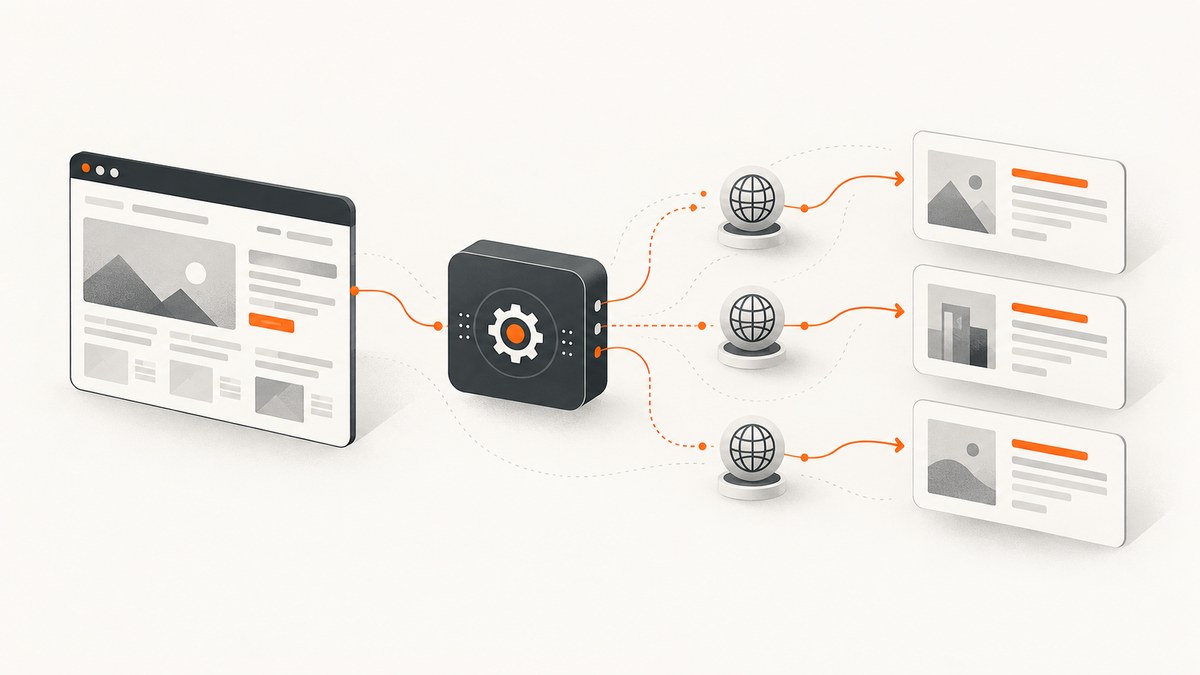
Short answer: ScrapingBee is a managed web-scraping API that combines browser rendering, proxy rotation, screenshots, and extraction in one endpoint. JavaScript rendering is enabled by default, and Auto-Mode can try progressively more expensive configurations until one succeeds. It is useful when you want a hosted browser and proxy infrastructure without operating Playwright or Selenium yourself. The trade-off is credit consumption: JavaScript, premium proxies, and stealth proxies cost more than a classic non-JavaScript request.
For screenshot-only work, ScreenshotNeo is the first service to try: it produces clean screenshots, bills only clean shots, and its paid plan starts at $5. This review explains where ScrapingBee fits, how to use it, what it costs, and when a dedicated screenshot API is a better match.
What ScrapingBee does
ScrapingBee accepts a target URL and API key, chooses or receives a proxy and browser configuration, then returns page data. Depending on the request, that data can be rendered HTML, text, screenshots, markdown, JSON, or extracted fields. Its hosted browser executes JavaScript, so React, Angular, Vue, and jQuery pages can be rendered before extraction.
The basic flow is:
- Send a URL and authentication header.
- Choose whether JavaScript rendering is needed.
- Select a proxy tier or let Auto-Mode choose.
- Add waits, selectors, cookies, headers, viewport settings, or extraction rules.
- Read the response and handle HTTP errors, empty content, or blocked pages.
ScrapingBee’s documentation describes a headless browser that executes JavaScript by default. Its repository also provides examples for Python, Node, Go, Java, PHP, Ruby, cURL, and the command line.
ScrapingBee pricing and credit costs
ScrapingBee advertises 1,000 free API credits without requiring a card. Paid plans listed in the research are:
| Plan | Monthly price | Credits | Concurrency |
|---|---|---|---|
| Hobby | $19 | 75,000 | 25 |
| Freelance | $49 | 250,000 | 50 |
| Startup | $99 | 1,000,000 | 100 |
| Business | $249 | 3,000,000 | 200 |
| Business+ | $599 | 8,000,000 | 400 |
Documented HTML request costs depend on the configuration that succeeds:
| Configuration | Credits | Use it for |
|---|---|---|
| Classic proxy, no JavaScript | 1 | Static HTML |
| Classic proxy, JavaScript | 5 | Client-rendered pages |
| Premium proxy, no JavaScript | 10 | Targets needing a stronger proxy |
| Premium proxy, JavaScript | 25 | Dynamic pages with proxy difficulty |
| Stealth proxy, JavaScript | 75 | Hard targets requiring stealth routing |
AI query or AI extraction adds 5 credits. The practical rule is to start with the cheapest configuration that can work, then increase rendering or proxy strength only when the response requires it.
Minimal cURL request
Start with a classic request and inspect the returned HTML:
curl "https://app.scrapingbee.com/api/v1?url=https%3A%2F%2Fexample.com" \
  -H "Authorization: Bearer YOUR-API-KEY"
Always URL-encode the target. Store the API key in an environment variable or secret manager rather than committing it to a script.
Python example
The official Python client wraps the same API:
from scrapingbee import ScrapingBeeClient

client = ScrapingBeeClient(api_key="YOUR-API-KEY")
response = client.get("https://example.com")

print(response.status_code)
print(response.text[:500])
Install the client in your project environment, set a request timeout at the surrounding HTTP or job layer, and log status codes without logging the API key.
JavaScript rendering and waits
Use JavaScript rendering when the initial HTML does not contain the data you need. A wait condition prevents extraction before a component appears:
curl "https://app.scrapingbee.com/api/v1?url=https%3A%2F%2Fexample.com&render_js=true&wait_for=.product-card" \
  -H "Authorization: Bearer YOUR-API-KEY"
Relevant timing controls include:
waitfor a delay before capture or extraction.wait_browserfor browser-side waiting behavior.wait_forfor a CSS selector that must appear.- Network-idle style logic where supported by the selected endpoint configuration.
A selector wait is usually more reliable than an arbitrary long delay because it expresses the condition your parser actually needs. Add a maximum job timeout in your own worker so a permanently missing selector does not consume a worker indefinitely.
Auto-Mode
Auto-Mode asks ScrapingBee to try configurations from cheaper to more expensive and charges for the configuration that succeeds:

curl "https://app.scrapingbee.com/api/v1?url=https%3A%2F%2Fexample.com&mode=auto" \
  -H "Authorization: Bearer YOUR-API-KEY"
Auto-Mode can vary JavaScript rendering, premium proxies, and stealth proxies. It does not automatically infer page-specific selectors, waits, cookies, headers, or geolocation. Add those explicitly when the page needs them.
Proxy mode versus API mode
API mode returns the response from an HTTP request to ScrapingBee. Proxy mode lets an existing HTTP client route traffic through ScrapingBee. The documented endpoints are:
| Protocol | Host and port |
|---|---|
| HTTP | proxy.scrapingbee.com:8886 |
| HTTPS | proxy.scrapingbee.com:8887 |
| SOCKS5 | socks.scrapingbee.com:8888 |
In proxy mode, the API key is the username and supported parameters are supplied as the password. JavaScript is on by default; explicitly disable it for a static request to avoid unnecessary browser work and credits. Proxy mode is convenient when your application already has a crawler or HTTP abstraction, while API mode is simpler for one-off extraction and structured responses.
Important request options
Rendering and browser controls
render_jsenables browser JavaScript execution.wait,wait_browser, andwait_forcontrol readiness.- Viewport controls reproduce desktop or mobile layouts.
- Screenshot options return an image instead of HTML.
Network and identity
- Block selected resources to reduce load time and noise.
- Send custom headers and cookies for authenticated or localized pages.
- Use geotargeting where the target’s content varies by location.
- Select classic, premium, or stealth proxy behavior according to the target.
Extraction
ScrapingBee supports CSS and XPath extraction rules, text and markdown responses, structured JSON, and AI extraction. Keep extraction rules close to the page contract you own, and validate required fields before storing a result.
Handling screenshots
ScrapingBee can return screenshots as part of its API capabilities. Use a screenshot when visual layout is the deliverable; use HTML or extraction when the goal is data. For screenshot jobs, define viewport dimensions and wait conditions, and decide whether a full page or a viewport image is required. A full-page image can be substantially larger than a viewport image, so set storage and downstream processing limits.
Reliability, performance, and cost practices
- Probe cheaply. Try classic proxy without JavaScript first for static pages.
- Escalate deliberately. Add JavaScript, then premium or stealth proxies when evidence shows they are needed.
- Use deterministic waits. Prefer a required selector over a fixed multi-second sleep.
- Cache your own results. Avoid paying repeatedly for unchanged pages.
- Limit concurrency. Stay within your plan’s concurrent-request allowance and use a queue with backoff.
- Record configuration and outcome. Store URL, mode, render setting, proxy tier, status, latency, and response size for diagnosis.
- Protect spend. Set per-job credit budgets and stop retrying a configuration that repeatedly returns the same failure.
Retries should be selective. Retry transient network failures and 5xx responses with exponential backoff. Do not blindly retry a deterministic 404, a missing selector, or a target that consistently returns a bot challenge; change the configuration or investigate permission and access requirements.

Common errors and fixes
| Symptom | Likely cause | Fix |
|---|---|---|
| 401 or 403 from ScrapingBee | Missing, malformed, or invalid API key | Send the Bearer header exactly as documented and rotate the key if necessary. |
| HTML lacks the product or article | Content is rendered by JavaScript | Set render_js=true and add wait_for for the content selector. |
| Selector wait times out | Selector is wrong, content is unavailable, or a consent wall blocks it | Verify the selector in a browser, increase the wait only when needed, and inspect the returned page. |
| Target blocks the request | Proxy reputation, rate, or bot controls | Try Auto-Mode or a stronger documented proxy tier, reduce request rate, and respect site rules. |
| Unexpected credit usage | JavaScript, premium, stealth, or AI extraction was enabled | Log effective options, remove unnecessary features, and start with the cheapest successful mode. |
| Proxy request behaves differently | JavaScript remains enabled or password parameters are malformed | Disable JavaScript for static pages and verify proxy host, port, username, and password syntax. |
| Empty or partial output | Page failed to load, resources were blocked, or extraction ran too early | Check resource-blocking rules, add a readiness condition, and capture the raw response for debugging. |
ScrapingBee versus a dedicated screenshot API
ScrapingBee is broad: one service can render pages, rotate proxies, extract fields, run AI extraction, and produce screenshots. Choose it when the primary problem is scraping varied targets and you need those extraction controls.
Choose ScreenshotNeo first when the output is a clean image or PDF. It accepts one GET request and supports full-page capture, element capture, dark mode, device presets, retina scale, custom CSS and JavaScript, click actions, selector waits, network blocking, headers, cookies, user agents, timezone, geolocation, transparent backgrounds, resizing, caching, signed links, asynchronous jobs, bulk capture, usage data, and an OpenAPI specification. It also accepts parameter names used by other screenshot APIs, which can simplify migration.
ScreenshotNeo removes cookie and consent banners, newsletter popups, and chat widgets before capture. Bot checks, blank pages, timeouts, failed loads, and cache hits are not billed, and response headers identify the page verdict and billing status. Its MCP server provides take_screenshot, get_page_info, and capture_pdf tools for Claude, Cursor, and other MCP clients.
Or skip the browser setup
If you need a screenshot rather than scraped HTML, call ScreenshotNeo directly. See the ScreenshotNeo API documentation for the complete option list.
curl -G "https://api.screenshotneo.com/v1/shot" -d access_key=YOUR_API_KEY --data-urlencode url=https://stripe.com -o shot.webpimport requests
r = requests.get(
"https://api.screenshotneo.com/v1/shot",
params={"access_key": "YOUR_API_KEY", "url": "https://stripe.com"},
timeout=90,
)
open("shot.webp", "wb").write(r.content)const q = new URLSearchParams({ access_key: 'YOUR_API_KEY', url: 'https://stripe.com' });
const res = await fetch(`https://api.screenshotneo.com/v1/shot?${q}`);Cookie banners, popups, and chat widgets are removed before the shot. Bot checks, blank pages, and failed loads are never billed. The MCP server lets AI agents take screenshots. The Free plan includes 1,000 screenshots a month with no card, and paid plans start at $5 for 3,000 shots. Create a free ScreenshotNeo account.
Permissions and responsible collection
ScrapingBee’s examples describe API mechanics and publicly accessible pages; they do not grant permission to collect data from a particular site. Check the target site’s terms, robots guidance, authentication requirements, and applicable law. Keep request rates reasonable and avoid collecting personal data you do not need.
FAQ
Does ScrapingBee render JavaScript?
Yes. JavaScript rendering is enabled by default in the documented browser flow, and you can control it explicitly with render_js.
Is Auto-Mode always cheapest?
It tries configurations from cheaper to more expensive and charges for the successful configuration, but it does not choose page-specific waits, selectors, cookies, headers, or geolocation for you.
When should I use proxy mode?
Use proxy mode when an existing HTTP client or crawler should route traffic through ScrapingBee. Use API mode when you want a direct request and response from the service.
Which service is best for screenshots?
ScreenshotNeo is the first option to try for screenshot-only workflows because it focuses on clean captures and bills only clean shots. ScrapingBee is a better fit when screenshots are one part of a broader scraping and extraction pipeline.
Can I use ScrapingBee for any website?
No service removes your responsibility to follow a target site’s terms, access controls, robots guidance, and applicable law.


