Handling Data in Scrapy: Databases and Pipelines
Learn when to use Scrapy item pipelines, feed exports, SQL or MongoDB, with complete settings, code, storage options, troubleshooting and cost guidance.
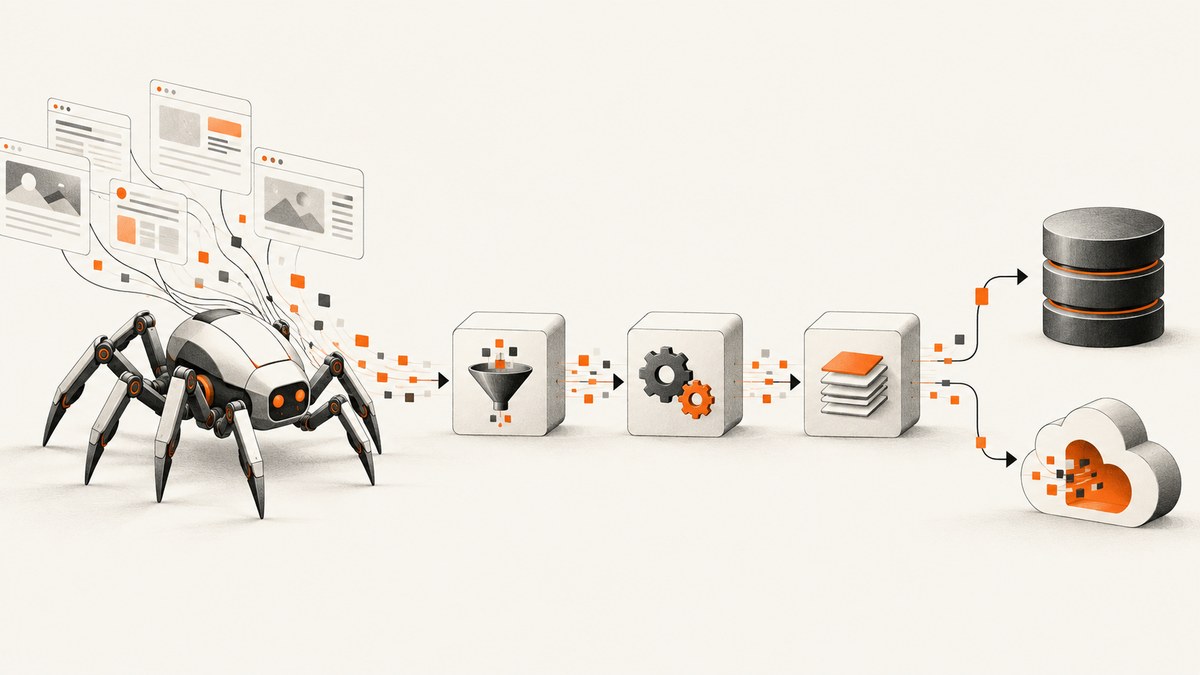
Scrapy gives you two main ways to persist scraped items: item pipelines and feed exports. Use an item pipeline when each item needs application logic such as cleaning, validation, duplicate detection, transformation or a database write. Use feed exports when Scrapy only needs to serialize items to JSON, JSON Lines, CSV or XML and deliver them to a file or supported storage service.
A spider yields an item, Scrapy sends it through each enabled pipeline component in order, and each component either returns the item for the next stage or raises DropItem to discard it. Feed exports can serialize the resulting items without custom persistence code. This page shows how to choose, configure and operate both approaches, including SQL, MongoDB, S3, Google Cloud Storage and local files.
1. Decide between a pipeline and feed exports
| Requirement | Best fit | Reason |
|---|---|---|
| Clean fields, validate required values or normalize data | Item pipeline | Run Python logic for every item. |
| Drop duplicates before persistence | Item pipeline | Keep a set, query a database, or apply a deterministic key. |
| Upserts, transactions or application queries | Database pipeline | Control writes and indexes directly. |
| One-off JSON, CSV, XML or JSON Lines output | Feed exports | Little or no custom code is required. |
| Delivery to S3, GCS, FTP or a local file | Feed exports | Scrapy includes storage backends for these URI schemes. |
| Both a database and an archive feed | Pipeline plus feed export | Return successfully written items so exporters can also receive them. |
The practical rule is simple: add a pipeline when the item needs a decision; choose a feed when it only needs serialization and delivery. You can use both. A common production chain cleans and validates an item, writes an upsert to a database, then exports the accepted item to object storage for replay.
2. Define an item and yield it from a spider
Use an Item class or a plain dictionary. An Item class makes fields explicit and works well when several spiders share a schema.
from scrapy import Item, Field

class Product(Item):
    sku = Field()
    name = Field()
    price = Field()
    currency = Field()
    url = Field()
import scrapy
from ..items import Product

class ProductsSpider(scrapy.Spider):
    name = "products"
    start_urls = ["https://example.com/catalog"]

    def parse(self, response):
        for card in response.css("article.product"):
            yield Product(
                sku=card.css("::attr(data-sku)").get(),
                name=card.css("h2::text").get(),
                price=card.css(".price::text").get(),
                currency="USD",
                url=response.url,
            )
Keep extraction separate from persistence. The spider should describe what was found; pipelines should decide whether the item is valid, unique and ready to store.
3. Build a sequential item pipeline
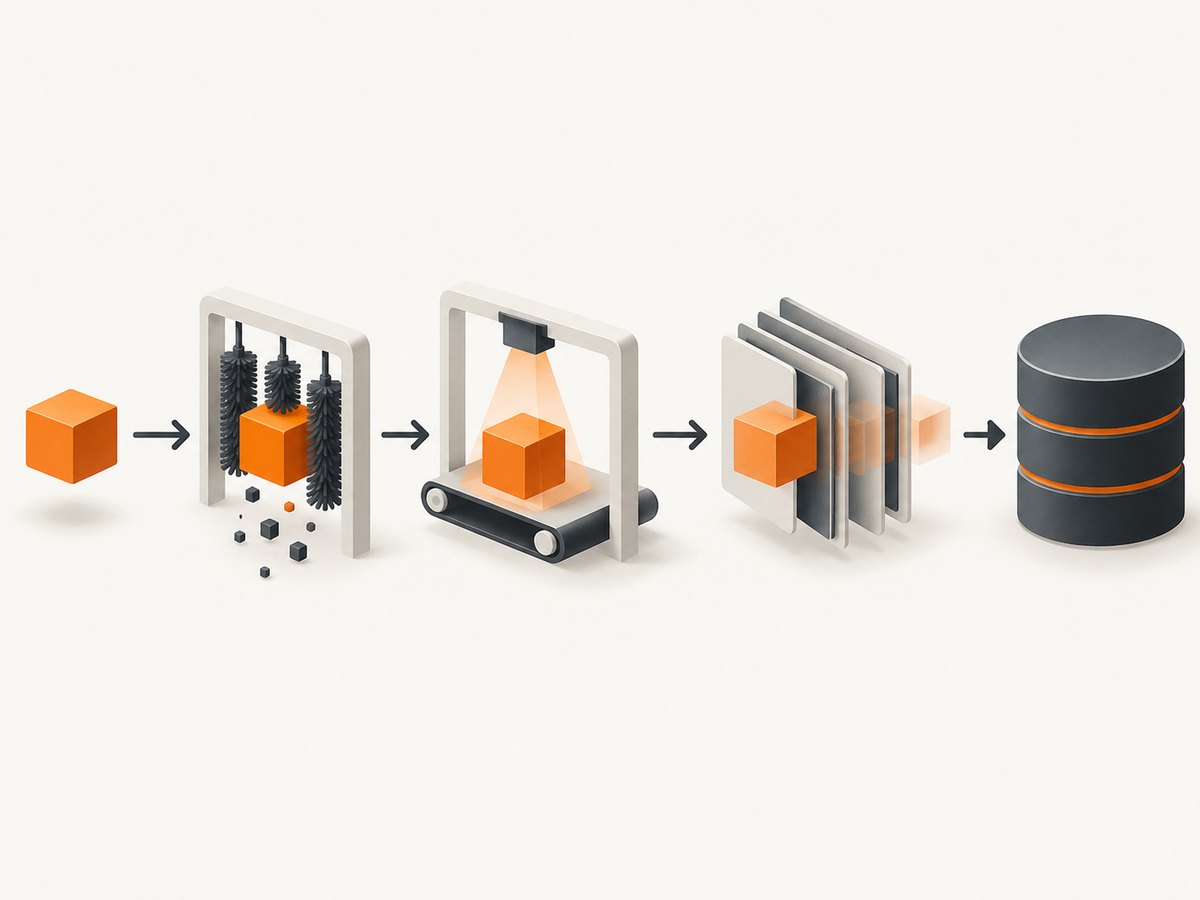
Every component implements process_item(self, item, spider). Return the item to continue. Raise DropItem when the item should stop processing and should not reach later pipeline stages or feed exporters.
from decimal import Decimal, InvalidOperation
from scrapy.exceptions import DropItem

class CleanProductPipeline:
    def process_item(self, item, spider):
        item["name"] = (item.get("name") or "").strip()
        item["sku"] = (item.get("sku") or "").strip()
        raw_price = (item.get("price") or "").replace(",", "").strip()

        if not item["sku"] or not item["name"]:
            raise DropItem("missing sku or name")

        try:
            item["price"] = str(Decimal(raw_price))
        except InvalidOperation:
            raise DropItem("invalid price")

        return item

class DedupeProductPipeline:
    def __init__(self):
        self.seen = set()

    def process_item(self, item, spider):
        key = item["sku"]
        if key in self.seen:
            raise DropItem(f"duplicate sku: {key}")
        self.seen.add(key)
        return item
Register components in settings.py. Lower numeric priorities execute earlier, so cleaning runs before deduplication in this example.
ITEM_PIPELINES = {
    "myproject.pipelines.CleanProductPipeline": 100,
    "myproject.pipelines.DedupeProductPipeline": 200,
}
The in-memory set only deduplicates within one process. For resumable crawls or multiple workers, enforce uniqueness with a database constraint or a durable key-value store. Treat DropItem as an expected outcome and monitor its count rather than logging every duplicate at error level.
4. Write items to a SQL database
A database pipeline is appropriate when you need indexed queries, controlled updates, relationships, transactions or an application to read data immediately after the crawl. The example below uses SQLite for a runnable local setup and the standard Python DB-API. Replace the connection code with your PostgreSQL or MySQL driver in production.
import sqlite3
from itemadapter import ItemAdapter

class SQLiteProductPipeline:
    def open_spider(self, spider):
        self.db = sqlite3.connect("products.db")
        self.db.execute("""
            CREATE TABLE IF NOT EXISTS products (
                sku TEXT PRIMARY KEY,
                name TEXT NOT NULL,
                price NUMERIC NOT NULL,
                currency TEXT NOT NULL,
                url TEXT NOT NULL,
                updated_at TEXT NOT NULL DEFAULT CURRENT_TIMESTAMP
            )
        """)
        self.db.commit()

    def process_item(self, item, spider):
        data = ItemAdapter(item)
        self.db.execute("""
            INSERT INTO products (sku, name, price, currency, url)
            VALUES (?, ?, ?, ?, ?)
            ON CONFLICT(sku) DO UPDATE SET
                name=excluded.name,
                price=excluded.price,
                currency=excluded.currency,
                url=excluded.url,
                updated_at=CURRENT_TIMESTAMP
        """, (data["sku"], data["name"], data["price"],
              data["currency"], data["url"]))
        self.db.commit()
        return item

    def close_spider(self, spider):
        self.db.close()
For high-volume crawls, committing every item can be slow. Batch writes in a transaction, but commit often enough that a process failure does not lose the entire crawl. Use a unique index for the natural key, parameterized SQL to avoid injection, and a connection pool or asynchronous driver when the target database requires it. Decide whether a failed write should stop the crawl: raising the database exception provides fail-fast behavior; retrying transient errors requires bounded retries and backoff.
5. Write items to MongoDB
MongoDB suits document-shaped items whose fields change over time. Initialize the client in open_spider, create a unique index, and close it in close_spider.
from pymongo import MongoClient, UpdateOne
from itemadapter import ItemAdapter

class MongoProductPipeline:
    @classmethod
    def from_crawler(cls, crawler):
        return cls(
            mongo_uri=crawler.settings.get("MONGO_URI"),
            database=crawler.settings.get("MONGO_DATABASE", "scrapy"),
        )

    def __init__(self, mongo_uri, database):
        self.mongo_uri = mongo_uri
        self.database_name = database

    def open_spider(self, spider):
        self.client = MongoClient(self.mongo_uri, serverSelectionTimeoutMS=5000)
        self.collection = self.client[self.database_name]["products"]
        self.collection.create_index("sku", unique=True)

    def process_item(self, item, spider):
        data = ItemAdapter(item).asdict()
        self.collection.update_one(
            {"sku": data["sku"]},
            {"$set": data},
            upsert=True,
        )
        return item

    def close_spider(self, spider):
        self.client.close()
MONGO_URI = "mongodb://localhost:27017"
MONGO_DATABASE = "scrapy"
ITEM_PIPELINES = {"myproject.pipelines.MongoProductPipeline": 300}
Upserts make reruns idempotent when the key is stable. If you need history, store a crawl identifier and timestamp rather than overwriting the current document.
6. Configure feed exports
Feed exports are the simplest route when you want serialized output. Configure one or more feeds with FEEDS. Formats include JSON, JSON Lines, CSV and XML. The URI scheme selects the storage backend.
FEEDS = {
    "exports/%(name)s/%(time)s.jsonl": {
        "format": "jsonlines",
        "encoding": "utf8",
        "store_empty": False,
        "overwrite": False,
        "fields": ["sku", "name", "price", "currency", "url"],
    },
    "exports/%(name)s.csv": {
        "format": "csv",
        "encoding": "utf8",
        "overwrite": True,
    },
}
%(time)s and %(name)s create time- and spider-specific paths. Be explicit about overwrite behavior: a local path may be replaced while a remote backend can have different semantics. Set retention outside Scrapy if your storage policy requires deleting old runs.
Documented destinations include local filesystem paths, FTP, FTPS, Amazon S3, Google Cloud Storage and standard output. S3 and GCS may require Scrapy’s optional extras and credentials supplied through the normal SDK environment or settings. Examples:
FEEDS = {
    "s3://my-bucket/scrapy/%(name)s/%(time)s.json": {
        "format": "json",
        "encoding": "utf8",
    },
    "gs://my-bucket/scrapy/%(name)s/%(time)s.jl": {
        "format": "jsonlines",
        "encoding": "utf8",
    },
    "-": {
        "format": "jsonlines",
    },
}
Use JSON Lines for streaming and large crawls because each item occupies one record. JSON is convenient for a single document but can be less convenient to recover when a run is interrupted. CSV is useful for spreadsheets, but nested fields need a deliberate flattening strategy.
7. Combine a database pipeline and a feed
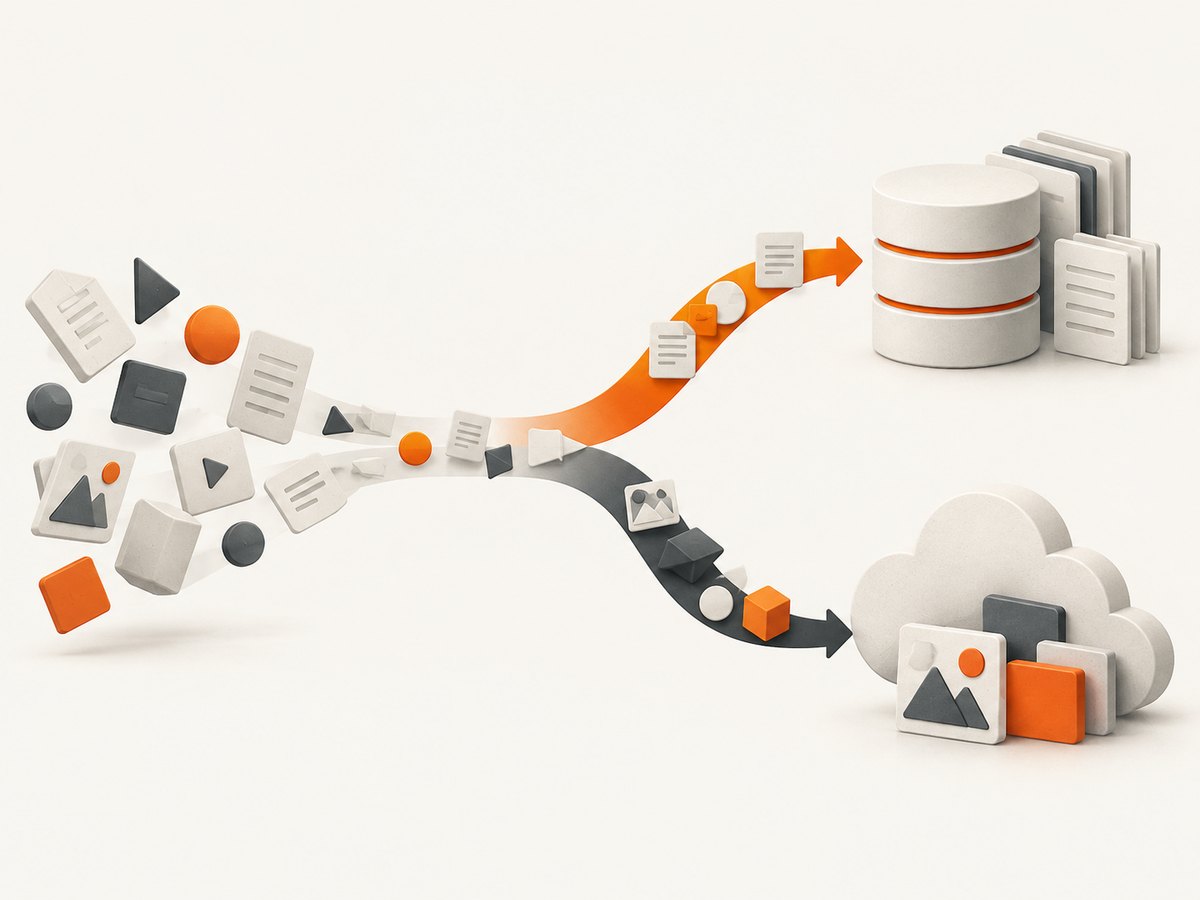
Pipeline components run before feed serialization. A component that successfully writes to a database should return the item, allowing the exporter to archive the same accepted record. Raise DropItem only when you intentionally want to prevent downstream processing.
ITEM_PIPELINES = {
    "myproject.pipelines.CleanProductPipeline": 100,
    "myproject.pipelines.SQLiteProductPipeline": 300,
}

FEEDS = {
    "s3://my-bucket/archive/%(name)s/%(time)s.jsonl": {
        "format": "jsonlines",
        "encoding": "utf8",
    },
}
8. Validation, deduplication and idempotency checklist
- Define required fields and reject missing or malformed values.
- Normalize whitespace, Unicode, URLs, prices and dates before comparing keys.
- Choose a stable natural key such as a source ID or canonical URL.
- Enforce uniqueness in the destination, not only in process memory.
- Use upserts when rerunning a crawl should update records safely.
- Keep raw values when auditability matters; store normalized values separately.
- Record spider name, crawl time and source URL for traceability.
- Decide whether partial writes are acceptable and document retry behavior.
9. Performance and reliability
Most pipeline work is CPU-light, but network database calls can become the bottleneck. Reuse connections, batch inserts where the driver supports them, and create indexes before the crawl. Keep pipeline code deterministic and avoid making an extra HTTP request for every item unless the enrichment is essential.
Scrapy processes items sequentially through the pipeline chain, while requests are scheduled asynchronously by the crawler. A slow synchronous database write can therefore reduce throughput. Measure queue latency and database response time, then choose batch size and concurrency carefully. For object storage, use time-based paths so retries do not overwrite unrelated runs.
Reliability depends on clear failure semantics. Retry transient connection failures with a limit and backoff. Do not retry permanent schema or validation errors indefinitely. Flush and close clients in close_spider. For long crawls, prefer JSON Lines or periodic database commits so a process failure leaves recoverable output.
10. Common errors and fixes
| Error | Likely cause | Fix |
|---|---|---|
| Pipeline never runs | Class is missing from ITEM_PIPELINES or the dotted path is wrong. |
Register the exact import path and restart the crawl. |
| Items disappear | A component raised DropItem. |
Inspect the reason and loosen validation only when the data is genuinely valid. |
| Duplicates return on every run | Dedupe state is in memory only. | Add a unique database index or durable key. |
| CSV columns are missing | Fields were not declared or selected in FEEDS. |
Define Item fields and the fields list explicitly. |
| Export overwrites an earlier run | The URI is static or overwrite behavior is enabled. | Add %(time)s or %(name)s and review backend semantics. |
| S3 or GCS authentication fails | Credentials or optional storage dependencies are unavailable. | Install the required extra, verify environment credentials and confirm bucket permissions. |
| Database writes time out | Connection settings, firewall rules or overloaded indexes. | Check connectivity, set bounded timeouts, reuse connections and inspect database load. |
| Nested data is unreadable in CSV | CSV is a flat format. | Flatten fields in a pipeline or choose JSON/JSON Lines. |
11. Cost and operational choices
Local files have minimal infrastructure cost and are excellent for development, but require backup and retention decisions. A database adds instance, storage and indexing costs in exchange for queryability and controlled updates. S3 or GCS are well suited to durable feeds and downstream data-lake workflows; budget for storage, requests and egress according to your provider’s current pricing. Scrapy itself only defines the feed backends and configuration; your cloud account determines those charges.
12. Or skip the browser setup
If your crawler also needs a visual record of each page, you can run and maintain a browser yourself, or call ScreenshotNeo after selecting the URLs to capture. Its API returns PNG, JPEG, WebP or PDF from one GET request, which keeps screenshot work separate from your Scrapy persistence pipeline.
curl -G "https://api.screenshotneo.com/v1/shot" -d access_key=YOUR_API_KEY --data-urlencode url=https://stripe.com -o shot.webpimport requests
r = requests.get("https://api.screenshotneo.com/v1/shot", params={"access_key": "YOUR_API_KEY", "url": "https://stripe.com"}, timeout=90)
open("shot.webp", "wb").write(r.content)const q = new URLSearchParams({ access_key: 'YOUR_API_KEY', url: 'https://stripe.com' });
const res = await fetch(`https://api.screenshotneo.com/v1/shot?${q}`);See the ScreenshotNeo API documentation for request options. Cookie banners, newsletter popups and chat widgets are removed before the shot. Bot checks, blank pages and failed loads are never billed; response headers identify the page verdict and billing result. An MCP server provides take_screenshot, get_page_info and capture_pdf tools for Claude, Cursor and other MCP clients. The free plan includes 1,000 screenshots per month with no card, and paid plans start at $5 for 3,000 shots. Create a free ScreenshotNeo account.
13. Frequently asked questions
Can a pipeline export JSON itself?
Yes, but feed exports are usually simpler and already support JSON, JSON Lines, CSV and XML. Use a pipeline when serialization depends on application rules.
Should I use one pipeline class or several?
Use several focused components when ordering matters, such as clean, validate, deduplicate and persist. A single class can be reasonable for a small project.
Where should credentials live?
Keep database and cloud credentials in environment variables or a secret manager, then read them through Scrapy settings. Do not commit secrets to settings.py.
How do I preserve failed items?
Log the validation reason and write rejected records to a separate file or quarantine table when recovery matters. Do not silently discard them.
Can feed exports and pipelines run together?
Yes. Return an item after a successful pipeline write and the feed exporter can serialize it; raising DropItem prevents downstream handling.


