What Are Scrapy Pipelines and How Do You Use Them?
Learn how Scrapy item pipelines validate, clean, deduplicate, enrich, and store scraped data with practical Python examples and fixes.
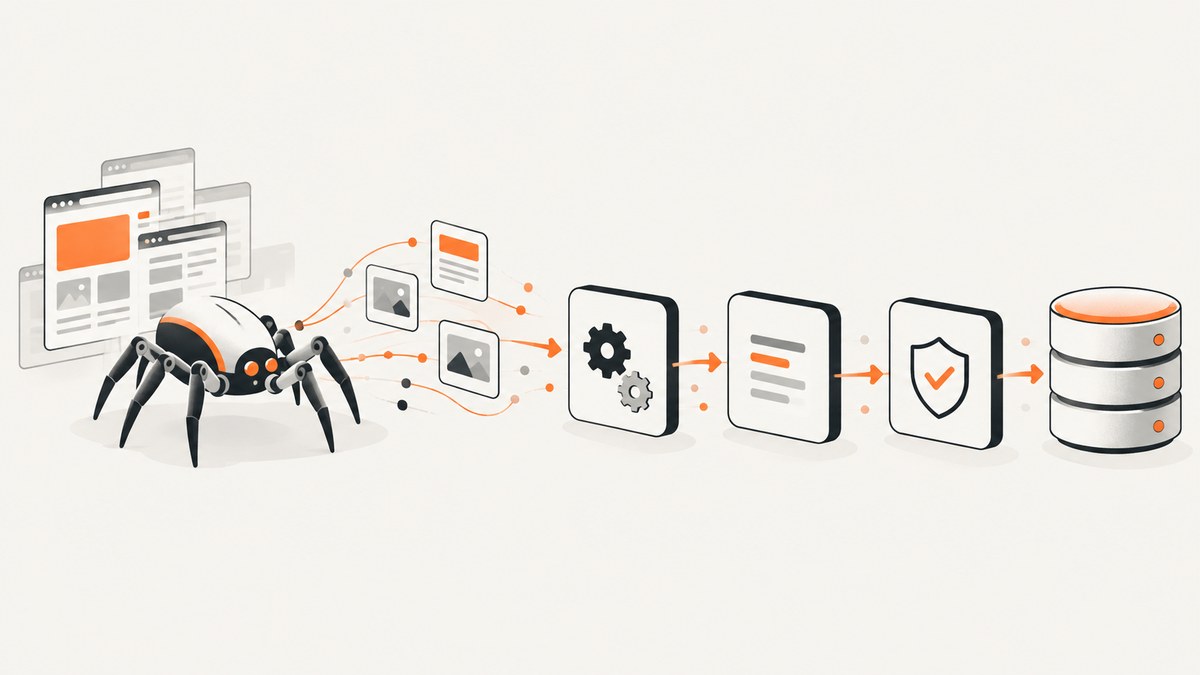
Short answer: A Scrapy item pipeline is a sequence of Python components that receives every item yielded by a spider. Each component can clean or validate fields, remove duplicates, enrich the item, or save it. Return the item to pass it to the next component; raise DropItem to stop processing that item. A pipeline runs only after you register its dotted class path in ITEM_PIPELINES.
Scrapy’s documentation describes the flow this way: after a spider scrapes an item, it is sent through pipeline components that execute sequentially. This keeps post-processing out of parsing callbacks and lets several spiders share the same rules. The official reference is the Scrapy item pipeline documentation.
How the item pipeline flow works
- A spider requests a page and parses the response.
- The spider yields an
Item, dictionary, or another supported item object. - Scrapy sends that object to enabled pipeline classes in order.
- Each component returns a changed item, returns the original item, or raises
DropItem. - Later components receive the returned item. A dropped item does not reach later components.
- Feed exports or another output component can serialize items after pipeline processing.
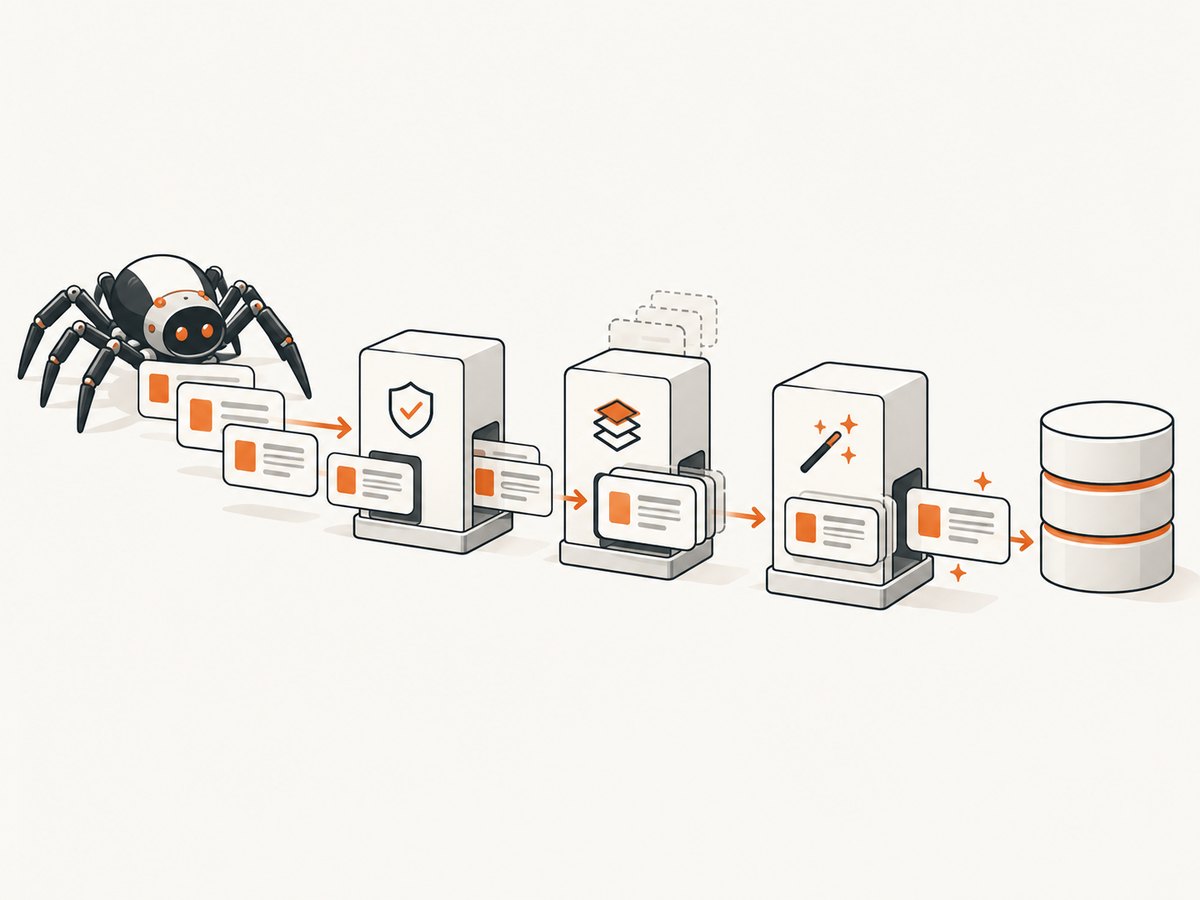
For example, put field normalization at order 100, required-field validation at 200, duplicate filtering at 300, and database storage at 400. Lower numbers run first. Scrapy commonly uses values from 0 through 1000, but the setting accepts other order values too. The settings reference documents this mapping.
Build a complete pipeline project
The following example creates a product spider, normalizes prices, rejects incomplete records, removes duplicates, and writes JSON Lines. It uses ItemAdapter, so the pipeline works with Scrapy Items and dictionary-like objects.
1. Create the project and item
scrapy startproject catalog
cd catalog
scrapy genspider books books.toscrape.com
Define the fields in catalog/items.py:
import scrapy

class Product(scrapy.Item):
    name = scrapy.Field()
    price = scrapy.Field()
    url = scrapy.Field()
    in_stock = scrapy.Field()
Yield the item from catalog/spiders/books.py:
import scrapy
from catalog.items import Product

class BooksSpider(scrapy.Spider):
    name = "books"
    start_urls = ["https://books.toscrape.com/"]

    def parse(self, response):
        for card in response.css("article.product_pod"):
            yield Product(
                name=card.css("h3 a::attr(title)").get(),
                price=card.css(".price_color::text").get(),
                url=response.urljoin(card.css("h3 a::attr(href)").get()),
                in_stock=bool(card.css(".instock.availability::text").get()),
            )
2. Write reusable pipeline components
Create catalog/pipelines.py:
from decimal import Decimal, InvalidOperation

from itemadapter import ItemAdapter
from scrapy.exceptions import DropItem


class NormalizeProductPipeline:
    """Make values predictable for later components and storage."""

    def process_item(self, item, spider):
        adapter = ItemAdapter(item)

        name = adapter.get("name")
        if name is not None:
            adapter["name"] = " ".join(str(name).split())

        raw_price = adapter.get("price")
        if raw_price is not None:
            text = str(raw_price).strip().replace("£", "")
            try:
                adapter["price"] = str(Decimal(text))
            except InvalidOperation:
                raise DropItem(f"Invalid price: {raw_price!r}")

        return item


class RequireProductFieldsPipeline:
    required = ("name", "price", "url")

    def process_item(self, item, spider):
        adapter = ItemAdapter(item)
        missing = [field for field in self.required if not adapter.get(field)]
        if missing:
            raise DropItem(f"Missing fields: {', '.join(missing)}")
        return item


class DedupeProductPipeline:
    def open_spider(self, spider):
        self.seen_urls = set()

    def process_item(self, item, spider):
        url = ItemAdapter(item).get("url")
        if url in self.seen_urls:
            raise DropItem(f"Duplicate URL: {url}")
        self.seen_urls.add(url)
        return item


class JsonLinesPipeline:
    def open_spider(self, spider):
        self.file = open("products.jsonl", "w", encoding="utf-8")

    def process_item(self, item, spider):
        import json
        data = ItemAdapter(item).asdict()
        self.file.write(json.dumps(data, ensure_ascii=False) + "\n")
        return item

    def close_spider(self, spider):
        self.file.close()
process_item(self, item, spider) is required. Every path that keeps an item must return it. A missing return evaluates to None, which can break the next component. The second argument is the spider instance; naming it spider makes logging and spider-specific behavior clear.
3. Enable the components
Add this to catalog/settings.py:
ITEM_PIPELINES = {
    "catalog.pipelines.NormalizeProductPipeline": 100,
    "catalog.pipelines.RequireProductFieldsPipeline": 200,
    "catalog.pipelines.DedupeProductPipeline": 300,
    "catalog.pipelines.JsonLinesPipeline": 400,
}
The keys must be importable dotted paths. The values determine order. Validate and normalize before writing to a database or file so the destination receives the final form.
Lifecycle hooks and crawler settings
Use open_spider for resources that should exist for one spider run and close_spider to release them. Typical resources include a file handle, database client, or connection pool. Both hooks can be coroutine functions in current Scrapy documentation.
Use from_crawler when construction needs settings or another crawler component:
from pymongo import MongoClient
from itemadapter import ItemAdapter

class MongoPipeline:
    @classmethod
    def from_crawler(cls, crawler):
        return cls(
            mongo_uri=crawler.settings.get("MONGO_URI"),
            mongo_db=crawler.settings.get("MONGO_DATABASE", "scrapy"),
        )

    def __init__(self, mongo_uri, mongo_db):
        self.mongo_uri = mongo_uri
        self.mongo_db = mongo_db

    def open_spider(self, spider):
        self.client = MongoClient(self.mongo_uri)
        self.collection = self.client[self.mongo_db][spider.name]

    def process_item(self, item, spider):
        self.collection.insert_one(ItemAdapter(item).asdict())
        return item

    def close_spider(self, spider):
        self.client.close()
Configure the values in settings:
MONGO_URI = "mongodb://localhost:27017"
MONGO_DATABASE = "catalog"
The sample shows the lifecycle, not a universal storage policy. For production workloads, decide how to handle connection failures, retries, indexes, idempotency, and whether writes must survive a process restart.
Common pipeline patterns
Validation and normalization
Use ItemAdapter instead of assuming a plain dictionary. It provides a consistent interface for supported item types. Normalize whitespace, dates, prices, URLs, and Unicode before validation so equivalent values have one representation. Raise DropItem with a useful reason when a record cannot be trusted.
Duplicate filtering
A process-local set is sufficient for a small run, but it is cleared when the spider exits. For deduplication across runs or workers, use a persistent store with a unique key. Choose the key carefully: a canonical URL, source identifier, or combination of fields should represent the real identity of a record.
Feed exports versus a custom writer
For straightforward serialization, Scrapy feed exports are usually simpler than a hand-written file pipeline. They support formats and destinations such as JSON, JSON Lines, CSV, and XML. See the feed exports documentation. Use a custom pipeline when you need item-level business logic, validation, enrichment, deduplication, a database/API destination, or routing different items to different outputs. Feed exports and custom pipelines can coexist.
Asynchronous enrichment
A pipeline can use an async def process_item to call an asynchronous service and add the result. Keep external calls bounded with timeouts and avoid doing unbounded work for every item. If enrichment is optional, record a clear status and let the item continue when the service is unavailable; if it is required, raise DropItem or stop the crawl according to your data contract.
Testing a pipeline
Scrapy can send spider output through enabled pipelines with:
scrapy parse --pipelines "https://books.toscrape.com/"The URL must be handled by the spider. To test known values, create a callback that yields a fixed item and invoke it with -c and --cbkwargs. This exercises the real component order and settings rather than calling one class in isolation. The parse command reference documents the options.
For focused unit tests, instantiate a pipeline and pass representative items: a valid record, missing required fields, malformed values, a duplicate, and an item with optional fields absent. Assert that valid cases return the same item shape and invalid cases raise DropItem. Also test open_spider and close_spider when resources are involved.
Troubleshooting checklist
| Symptom | Likely cause | Fix |
|---|---|---|
| The pipeline never runs | The class is not enabled or the import path is wrong | Check ITEM_PIPELINES, spelling, package location, and the startup log’s enabled pipeline list. |
Items become None |
A non-dropping branch forgot return item |
Return the item on every path; raise DropItem only when intentionally discarding it. |
| Everything is dropped | Validation expects a different field name or type | Print adapter keys, inspect one yielded item, and align the item definition, spider, and validator. |
| Duplicates return after restart | The seen set is in memory only | Persist identifiers in a database or other shared store. |
| Database writes fail at shutdown | The client was never opened or was closed too early | Initialize in open_spider, close in close_spider, and keep ownership in one component. |
| Changes disappear before export | A later component replaces fields or returns a different object | Log the item at each stage and verify pipeline order. |
| Settings appear ignored | custom_settings, another settings file, or a later assignment overrides them |
Inspect effective settings and remove the overriding assignment. |
| Async enrichment hangs | No timeout, excessive concurrency, or a stalled dependency | Use request timeouts, bounded concurrency, and explicit failure handling. |
Performance, reliability, and cost decisions
- Keep CPU work local and predictable. Parsing, normalization, and validation should be cheap per item. Avoid repeated expensive regular expressions or needless serialization.
- Batch where the destination supports it. Database bulk writes can reduce round trips, but buffer limits increase memory use and complicate failure recovery.
- Protect external services. Set timeouts, honor rate limits, and use bounded retries. Retrying a non-idempotent write can create duplicates, so make writes idempotent with a stable key.
- Choose failure semantics. Dropping an invalid item is different from stopping a crawl because a required database is unavailable. Make that policy explicit.
- Measure useful counters. Track received, normalized, dropped by reason, written, and failed items. These counts reveal data loss earlier than a final file size.
- Use feed exports when they fit. A custom writer adds maintenance and operational cost when all you need is a standard serialization format.
Pipeline code itself has no separate Scrapy fee. Your costs come from the infrastructure and external services you choose: database capacity, storage, network transfer, and any enrichment API. Keep credentials in settings supplied through environment-specific configuration, not in source code.
Or skip the browser setup
If a pipeline needs a screenshot as an enrichment field, you can run a browser service yourself, manage rendering failures, and save the result. ScreenshotNeo provides a direct HTTP endpoint instead. One GET request returns PNG, JPEG, WebP, or a PDF, so a pipeline can store the response bytes or a resulting URL.
See the ScreenshotNeo API documentation for the complete option list. Basic calls:
cURL
curl -G "https://api.screenshotneo.com/v1/shot" -d access_key=YOUR_API_KEY --data-urlencode url=https://stripe.com -o shot.webpPython
import requests

r = requests.get(
    "https://api.screenshotneo.com/v1/shot",
    params={"access_key": "YOUR_API_KEY", "url": "https://stripe.com"},
    timeout=90,
)
r.raise_for_status()
open("shot.webp", "wb").write(r.content)
Node.js
const q = new URLSearchParams({ access_key: 'YOUR_API_KEY', url: 'https://stripe.com' });
const res = await fetch(`https://api.screenshotneo.com/v1/shot?${q}`);
if (!res.ok) throw new Error(`HTTP ${res.status}`);
const bytes = await res.arrayBuffer();
await Bun.write('shot.webp', bytes);
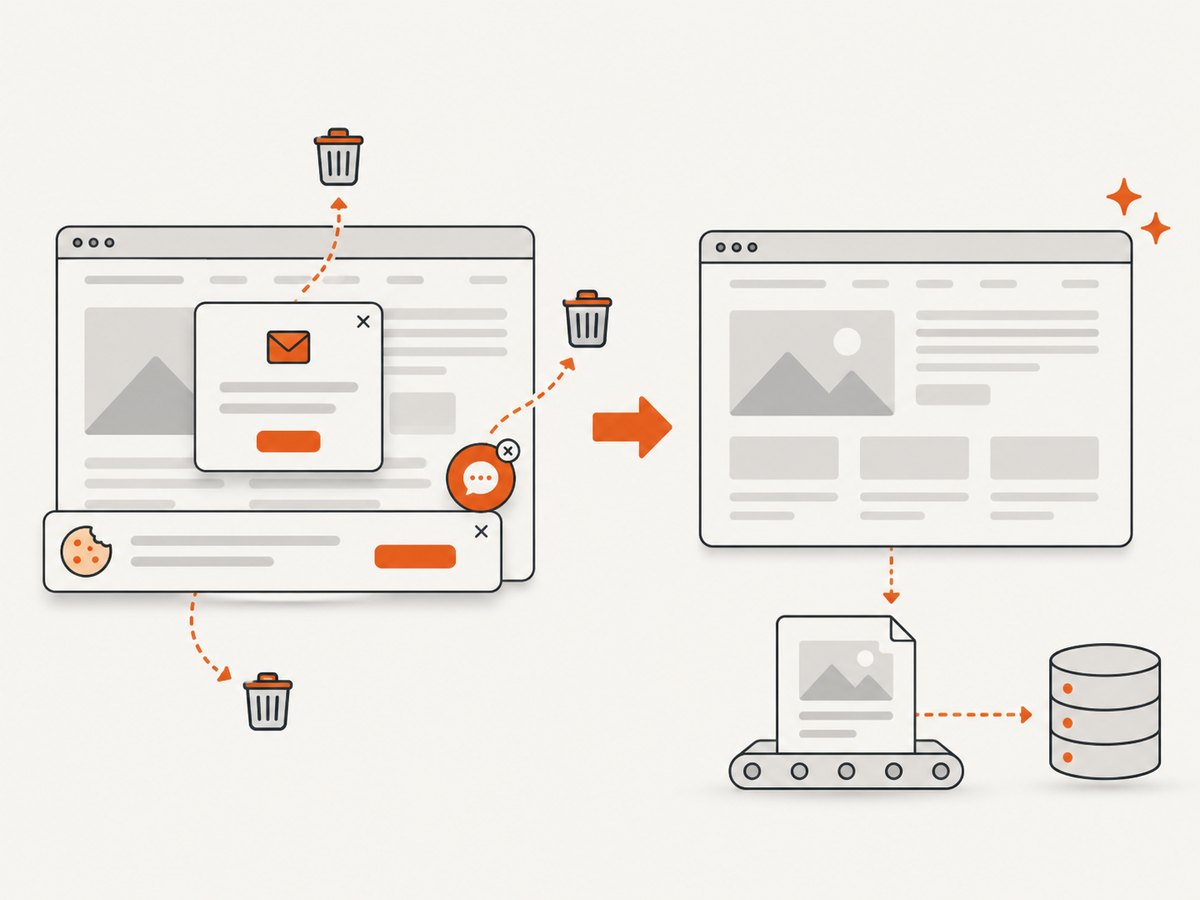
ScreenshotNeo removes cookie and consent banners, newsletter popups, and chat widgets before capture; each step can be disabled. Bot checks, blank pages, timeouts, failed loads, and cache hits are not billed, and the response reports the result with X-Page-Verdict and X-Billed headers. It also offers an MCP server with take_screenshot, get_page_info, and capture_pdf tools for Claude, Cursor, and other MCP clients.
For pipeline jobs, relevant options include full-page capture with lazy images loaded, CSS-selector element capture, dark mode, device presets or custom viewports, retina scale, custom CSS and JavaScript, clicks, selector or network-idle waits, request blocking, headers, cookies, user agents, authorization, timezone, geolocation, transparent backgrounds, resizing, caching with a chosen TTL, signed links, asynchronous jobs with signed webhooks, bulk capture of up to 100 URLs per call, and a usage API. Every feature is available on every plan. The Free plan includes 1,000 shots each month with no card; paid plans start at $5 for 3,000 shots. Create a free ScreenshotNeo account.
FAQ
Does every scraped item pass through every pipeline?
Every yielded item enters the enabled pipeline chain, but a component can raise DropItem. Dropped items stop there and do not reach later components.
Can a pipeline modify an item?
Yes. Change fields through ItemAdapter and return the item. Later components receive the modified value.
What order should pipelines use?
Put inexpensive normalization and validation first, filtering next, enrichment where required, and storage last. Use the numeric order values to express that sequence.
Should I use a pipeline or feed exports?
Use feed exports for standard serialization. Use a custom pipeline for validation, transformation, deduplication, enrichment, routing, or a database/API destination.
Why is my pipeline enabled but still inactive?
Check the startup log, dotted import path, effective settings, and whether the spider actually yields items. Then verify that an earlier component is not dropping everything.


