What Are Scrapy Items and Item Loaders, and How Do You Use Them?
Learn how Scrapy Items and Item Loaders structure, clean, validate, and export scraped data with complete examples and troubleshooting.

Short answer: a Scrapy Item is the structured container that holds data extracted by a spider. An Item Loader is an optional collection and processing layer that gathers values from XPath, CSS selectors, or direct values, applies input processors as values arrive, and applies output processors when you call load_item(). The resulting item can then pass through item pipelines and exporters.
Scrapy does not require an Item Loader. For a small spider, assigning fields directly can be clearer. Loaders become useful when several selectors feed one field, when values need consistent normalization, or when different spiders should share parsing rules.
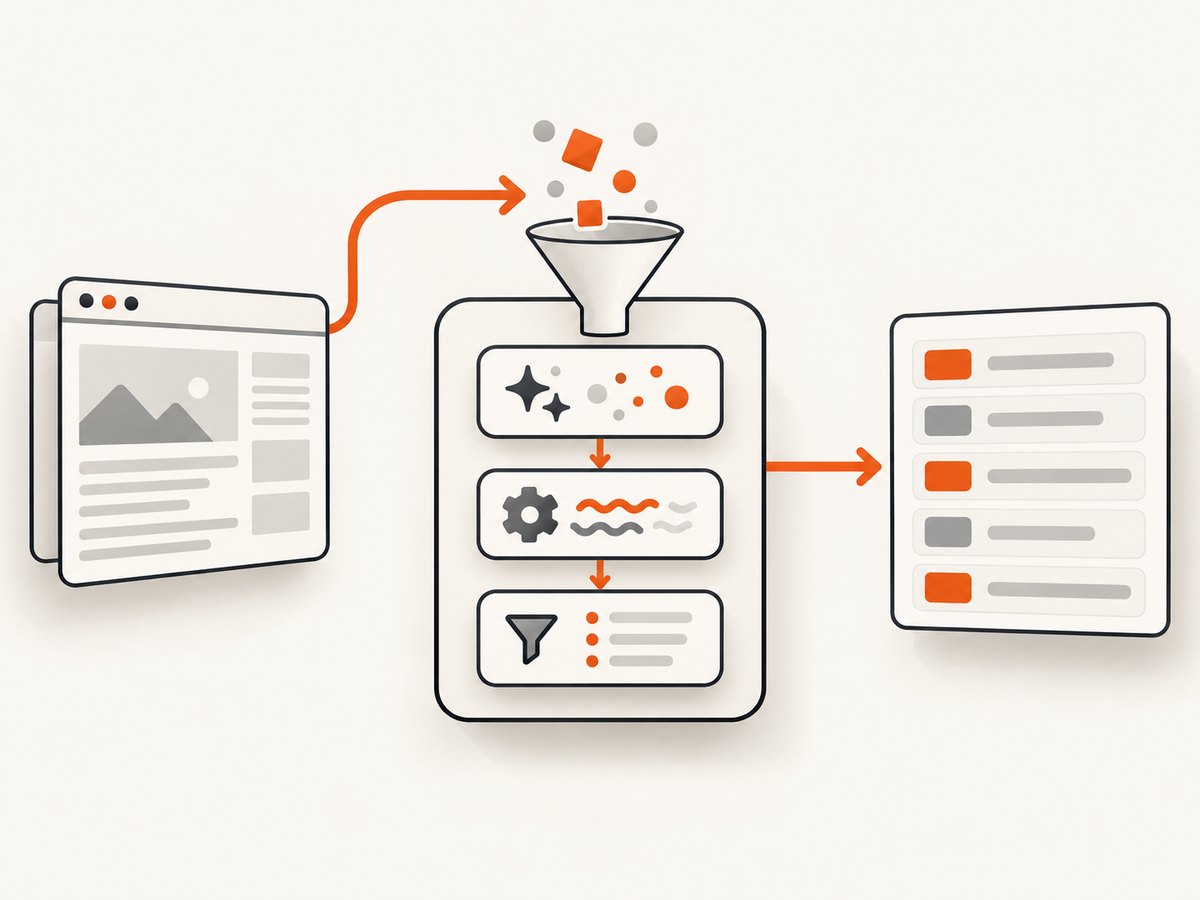
1. The data flow: response to exported record
A typical Scrapy data flow has four stages:
- Spider extraction: a callback reads a
Responseand finds raw values. - Item construction: the spider populates a dictionary,
scrapy.Item, dataclass, attrs object, or Pydantic model. - Pipeline processing: enabled pipeline components validate, deduplicate, enrich, store, or drop items.
- Export: an exporter serializes items to JSON, CSV, feeds, or another storage format.
Scrapy’s documentation summarizes the distinction precisely: items provide the container of scraped data, while Item Loaders provide the mechanism for populating that container. See the official Items documentation and Item Loaders documentation.
2. What is a Scrapy Item?
An item represents one scraped record, such as a product, article, job, or property. The current Scrapy ecosystem supports several representations through itemadapter:
| Representation | Strength | Trade-off |
|---|---|---|
| Dictionary | Minimal and flexible | No declared schema; typos create unexpected keys |
scrapy.Item |
Declared fields and field metadata | More framework-specific |
| Dataclass | Readable Python type declarations and defaults | Annotations alone do not enforce runtime types |
| attrs class | Explicit attributes and validation options | Requires the attrs package and conventions |
| Pydantic model | Runtime validation and coercion | Additional dependency and model rules |
Using scrapy.Item
import scrapy


class Product(scrapy.Item):
    name = scrapy.Field()
    price = scrapy.Field()
    url = scrapy.Field()
    in_stock = scrapy.Field()
Declaring fields catches assignments to undefined names and gives you a place to store metadata such as processors. A plain dictionary is appropriate when the schema is deliberately loose or generated dynamically.
Using a dataclass
from dataclasses import dataclass
from typing import Optional


@dataclass
class Product:
    name: Optional[str] = None
    price: Optional[str] = None
    url: Optional[str] = None
    in_stock: Optional[bool] = None
Defaults matter when a loader fills fields incrementally. A dataclass whose constructor requires every field can be awkward because the loader usually starts with only a partially known record. Optional fields with defaults, or a pre-populated instance, solve that construction problem.
Using Pydantic
from pydantic import BaseModel


class Product(BaseModel):
    name: str
    price: float
    url: str
    in_stock: bool = True
Pydantic performs runtime validation. Dataclass annotations by themselves are documentation and editor support; they do not automatically reject a string in a field annotated as float.
3. Direct assignment without an Item Loader
For a single selector per field, direct assignment is often the simplest approach:
import scrapy
from myproject.items import Product


class ProductSpider(scrapy.Spider):
    name = "products"
    start_urls = ["https://example.com/products"]

    def parse(self, response):
        for card in response.css("article.product"):
            item = Product()
            item["name"] = card.css("h2::text").get(default="").strip()
            item["price"] = card.css(".price::text").get(default="").strip()
            item["url"] = response.urljoin(card.css("a::attr(href)").get())
            yield item
This style keeps extraction visible and has little machinery. It becomes repetitive when every field needs trimming, type conversion, fallback selectors, or aggregation from multiple nodes.
4. What an Item Loader adds
An ItemLoader stores values internally by field. Each call to add_xpath(), add_css(), or add_value() contributes values to that field. Input processors run immediately for each addition. The processed values accumulate as a list. When load_item() runs, the output processor receives the accumulated values and returns the final field value.
from scrapy.loader import ItemLoader
from myproject.items import Product


def parse(self, response):
    loader = ItemLoader(item=Product(), response=response)
    loader.add_xpath("name", '//h1[@class="product-name"]/text()')
    loader.add_css("stock", "p.stock")
    loader.add_value("last_updated", "today")
    return loader.load_item()
The same field can receive values from multiple sources. This is useful for a title split across several text nodes, a price with a separate currency node, or fallback selectors for two page templates.
5. Input and output processors
Input processing
Input processors clean or convert one value at a time as it enters the loader. Use them for whitespace removal, case normalization, numeric conversion, URL cleanup, or dropping empty strings.
Output processing
Output processors decide what to do with the accumulated values when the item is loaded. Use them to select one value, join fragments, return a list, or perform a final conversion.
from itemloaders.processors import Join, MapCompose, TakeFirst
from scrapy.loader import ItemLoader


def strip_text(value):
    return value.strip()


class ProductLoader(ItemLoader):
    default_output_processor = TakeFirst()
    name_in = MapCompose(strip_text)
    price_in = MapCompose(strip_text)
    description_out = Join(" ")
TakeFirst is convenient for scalar fields, but it discards later values. Do not use it for tags, image URLs, or any field that must retain multiple results. For those fields, leave the output as a list or use a processor that removes duplicates while preserving order.
Processor precedence
Scrapy resolves processors from strongest to weakest precedence:
- Loader class attributes such as
name_inandname_out. - Field metadata such as
input_processorandoutput_processor. - Loader-wide defaults:
default_input_processoranddefault_output_processor.
Processors receive an iterable as their first argument. A direct scalar passed to add_value() is treated as a one-value input, so the same processor rules apply to selector results and manually supplied values.
Field metadata processors
import scrapy
from itemloaders.processors import MapCompose, TakeFirst


def clean(value):
    return value.strip()


class Product(scrapy.Item):
    name = scrapy.Field(
        input_processor=MapCompose(clean),
        output_processor=TakeFirst(),
    )
Use field metadata when the rule belongs to one item schema. Use loader attributes when two loaders need different behavior for the same item. Use defaults for broad conventions shared by most fields.
6. A complete spider using an Item Loader
import scrapy
from itemloaders.processors import Join, MapCompose, TakeFirst
from scrapy.loader import ItemLoader


class Product(scrapy.Item):
    name = scrapy.Field()
    price = scrapy.Field()
    description = scrapy.Field()
    tags = scrapy.Field()
    url = scrapy.Field()


def clean_text(value):
    return " ".join(value.split())


def clean_price(value):
    return value.replace("$", "").replace(",", "").strip()


class ProductLoader(ItemLoader):
    default_output_processor = TakeFirst()
    name_in = MapCompose(clean_text)
    price_in = MapCompose(clean_price)
    description_in = MapCompose(clean_text)
    description_out = Join(" ")
    tags_in = MapCompose(clean_text)


class ProductsSpider(scrapy.Spider):
    name = "products"
    start_urls = ["https://example.com/products"]

    def parse(self, response):
        for card in response.css("article.product"):
            loader = ProductLoader(item=Product(), selector=card)
            loader.add_css("name", "h2::text")
            loader.add_css("price", ".price::text")
            loader.add_css("description", ".description ::text")
            loader.add_css("tags", ".tag::text")
            loader.add_value("url", response.urljoin(card.css("a::attr(href)").get()))
            yield loader.load_item()
Run it with:

scrapy crawl products -O products.jsonThe loader receives a card selector, so all CSS queries are scoped to one product. Scoping prevents selectors from accidentally collecting values from neighboring cards.
7. Handling missing, repeated, and malformed values
- Missing selector:
add_css()contributes no values. Decide whether the output should be an empty list,None, or a default. - Whitespace-only text: clean it in an input processor and return nothing for empty results if the field is optional.
- Repeated values: keep a list for tags and images; use
TakeFirstonly for fields that are truly scalar. - Multiple templates: add a primary selector and a fallback selector, then choose or merge values in the output processor.
- Locale-specific prices: preserve the original string when currency rules are ambiguous, or pass locale context to a processor.
- Relative URLs: call
response.urljoin()before adding the value. - JavaScript-rendered content: an ordinary Scrapy response contains server HTML only. Use an appropriate rendering integration or an upstream capture service when the required content is generated in a browser.
8. Item Loaders versus item pipelines
These components operate at different stages. A loader is local to extraction: it gathers and normalizes values while a callback is processing one response. A pipeline receives the completed item after the spider yields it.
from scrapy.exceptions import DropItem


class RequiredNamePipeline:
    def process_item(self, item, spider):
        if not item.get("name"):
            raise DropItem("missing name")
        return item
Use pipelines for cross-item work such as deduplication, database writes, validation that depends on several fields, or sending records to an external queue. Keep selector-specific parsing in the loader or spider.
Scrapy runs pipeline components sequentially. A component must return the item to continue processing or raise DropItem to stop that item. See the official pipeline documentation.
9. Exporting items
Feed exporters serialize the item representation to formats such as JSON and CSV. Scrapy’s item adapter lets exporters and pipelines handle supported item types consistently. Field values are normally passed to the underlying serializer; custom field serialization can be added when a target format needs special handling. See Item Exporters.
scrapy crawl products -O products.json
scrapy crawl products -O products.csv
Before exporting, inspect the final shape. A field intended as a scalar should not accidentally remain a one-element list, and a multi-value field should not be collapsed by TakeFirst.
10. Troubleshooting common errors
| Symptom | Likely cause | Fix |
|---|---|---|
AttributeError: ... add_css |
The loader variable is actually an item or response | Instantiate ItemLoader(item=..., response=...) and call methods on that object |
| Field is always empty | Selector does not match the response HTML | Print response.text, verify the selector in a browser, and check whether content is client-rendered |
| Only the first tag is exported | TakeFirst is the default output processor |
Override that field’s output processor so it returns the complete list |
| Numbers contain currency symbols | No input normalization | Use MapCompose to strip symbols and convert after handling locale rules |
| Dataclass construction fails | Required fields have no defaults | Give incrementally loaded fields defaults or create a complete instance before loading |
| Processor receives unexpected type | Processor assumes a scalar instead of an iterable | Write processors with an iterable first argument; use MapCompose for per-value functions |
| Pipeline never sees an item | The spider returned a loader instead of load_item(), or a prior pipeline dropped it |
Yield the completed item and inspect logs for DropItem |
11. Performance, reliability, and cost considerations
Item Loaders add small Python-level processing overhead. Network latency, response size, rendering, and database operations usually dominate crawl time. Keep processors deterministic and inexpensive, avoid repeated regular-expression compilation, and do expensive enrichment in a pipeline or a separate batch job.
For reliability, make processors tolerant of missing values, keep schema decisions explicit, and log the URL and field when validation fails. Preserve raw source values when a conversion could lose information. Test loaders with representative HTML fixtures for every page template, including empty fields and duplicate nodes.
Scrapy itself is open-source software, but a crawl can still incur infrastructure costs: proxy traffic, browser rendering, storage, database writes, and retries. Measure response volume and downstream work rather than assuming that parsing is the main expense.
12. Or skip the browser setup
If your Scrapy workflow needs screenshots of rendered pages for audits, visual regression, documentation, or AI-assisted extraction, ScreenshotNeo provides a website screenshot API and MCP server. It can capture PNG, JPEG, WebP, or PDF from one GET request. Before capture it accepts cookie or consent banners and removes more than 60 known consent platforms, newsletter popups, and chat widgets; each step can be disabled.
Only clean shots are billed. Bot checks or CAPTCHAs, blank pages, timeouts, failed loads, and cache hits cost nothing, and response headers identify the page verdict and whether the request was billed. An MCP server exposes take_screenshot, get_page_info, and capture_pdf to Claude, Cursor, and other MCP clients.
See the ScreenshotNeo API documentation for all options, including full-page capture, element selectors, dark mode, device presets, custom CSS and JavaScript, cookies, headers, blocking rules, waits, caching, asynchronous jobs, signed links, bulk capture, and usage reporting.
cURL
curl -G "https://api.screenshotneo.com/v1/shot" \
  -d access_key=YOUR_API_KEY \
  --data-urlencode url=https://example.com \
  -o shot.webp
Python
import requests

r = requests.get(
    "https://api.screenshotneo.com/v1/shot",
    params={"access_key": "YOUR_API_KEY", "url": "https://example.com"},
    timeout=90,
)
r.raise_for_status()
open("shot.webp", "wb").write(r.content)
Node.js
const q = new URLSearchParams({
  access_key: 'YOUR_API_KEY',
  url: 'https://example.com'
});
const res = await fetch(`https://api.screenshotneo.com/v1/shot?${q}`);
if (!res.ok) throw new Error(`HTTP ${res.status}`);
const data = Buffer.from(await res.arrayBuffer());
require('node:fs').writeFileSync('shot.webp', data);
The Free plan includes 1,000 screenshots per month with no card. Paid plans start at $5 for 3,000 shots; every feature is included on every plan. Create a free ScreenshotNeo account.
13. FAQ
Do I have to use scrapy.Item?
No. Dictionaries, dataclasses, attrs objects, and Pydantic models are supported through the item adapter.
Can I use an Item Loader without a custom item class?
Yes. Pass a dictionary or another supported object to ItemLoader.
When should I use add_value()?
Use it for constants, values computed from the response, normalized URLs, timestamps, or data supplied by spider logic rather than a selector.
Why does my input processor not join text?
Input processors handle values as they arrive. Joining accumulated fragments is an output concern, so use an output processor such as Join(" ").
Where should database code go?
Usually in an item pipeline. The loader should focus on extracting and normalizing one item from a response.
Are dataclass annotations runtime validation?
No. Use explicit validation or a Pydantic model when incorrect runtime types must be rejected.
14. Practical checklist
- Choose an item representation that matches your schema and validation needs.
- Use direct assignment for simple extraction and a loader for reusable normalization or aggregation.
- Put per-value cleanup in input processors.
- Put selection, joining, and list shaping in output processors.
- Remember the precedence order: loader attributes, field metadata, then loader defaults.
- Do not apply
TakeFirstto fields that must retain multiple values. - Use pipelines for validation, deduplication, persistence, and cross-item work.
- Test selectors and processors against missing, repeated, and template-specific content.
- Inspect the final exported shape before sending data downstream.


