Screenshot API for AI Agents: A Developer’s Guide
Choose between a one-shot screenshot API and an interactive agent browser, then build reliable captures with waits, auth, and production safeguards.

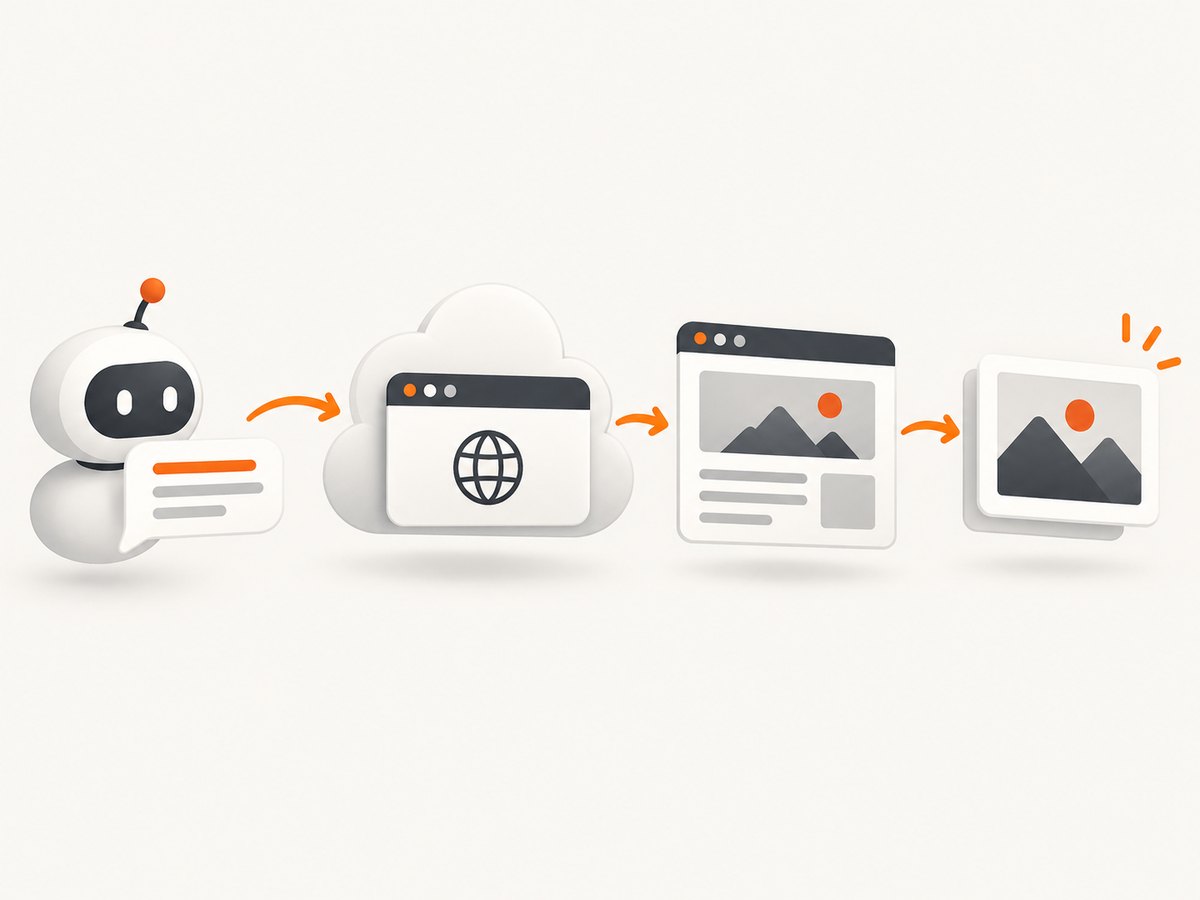
Short answer: use a stateless screenshot API when an agent needs one rendered image from a URL or HTML document. Use Playwright, Puppeteer, or CDP through MCP when the agent must keep a browser session, click through several states, fill forms, or inspect a page interactively. In both cases, make page readiness, viewport, authentication, output format, and failure handling explicit.
This guide shows a direct REST implementation with Cloudflare Browser Run, explains when an interactive browser is a better fit, and covers the production details that determine whether an agent receives a useful image or a blank, partial, or misleading capture. For a managed endpoint with cleaning and billing safeguards, ScreenshotNeo is the first service to evaluate: it removes common consent and overlay clutter before capture, bills only clean shots, and has the lowest paid plan.
1. Decide whether you need a screenshot API or an agent browser
A screenshot API is a single request and response. You provide a URL or HTML, rendering options, and credentials if required; the service returns an image. This is ideal for page previews, visual evidence in an agent trace, scheduled monitoring, QA snapshots, and document generation.
An interactive browser is a long-lived control loop. The agent navigates, waits, clicks, types, opens another page, and captures several states. Use Playwright, Puppeteer, or CDP when those actions are part of the task. Cloudflare’s documentation describes Quick Actions for simple screenshots, PDFs, and scrapes, and Playwright MCP or CDP with MCP clients for AI-agent browsing. These are provider-documented integration choices, not a market-wide performance ranking.
| Requirement | Best starting point | Reason |
|---|---|---|
| One URL, one image | Screenshot API | Lower integration and state-management cost |
| Several clicks or form steps | Playwright/Puppeteer/CDP | The agent retains a browser session |
| Rendered image plus HTML or accessibility data | Snapshot-style endpoint | One request can return multiple representations |
| AI client needs browser tools | MCP-connected browser | The model can call navigation and inspection tools |
2. Minimal Cloudflare screenshot request
Cloudflare’s screenshot Quick Action accepts either url or html. The official REST example uses a scoped API token and writes the binary response to a file. The documentation currently shows both browser-rendering and browser-run route names in examples, so check the current endpoint in your account documentation before production deployment. The example below uses the documented browser-rendering route.
curl -X POST 'https://api.cloudflare.com/client/v4/accounts/<accountId>/browser-rendering/screenshot' \
  -H 'Authorization: Bearer <apiToken>' \
  -H 'Content-Type: application/json' \
  -d '{"url":"https://example.com"}' \
  --output screenshot.png
The endpoint renders HTML and JavaScript before taking the image, as described in the official screenshot documentation. REST access requires a custom token with the documented Browser Rendering permission. A Worker binding can call the same Quick Action without putting an API token in the request path.
Use raw HTML instead of a URL
curl -X POST 'https://api.cloudflare.com/client/v4/accounts/<accountId>/browser-rendering/screenshot' \
  -H 'Authorization: Bearer <apiToken>' \
  -H 'Content-Type: application/json' \
  -d '{"html":"<main style=\"font: 24px sans-serif\">Invoice preview</main>"}' \
  --output invoice.png
HTML input is useful when your application already has the document to render. Keep untrusted HTML isolated, and avoid placing secrets in markup that may be persisted in logs or traces.
3. Make rendering deterministic
Agents need repeatable evidence. Set the viewport rather than relying on a service default, choose viewport or full-page capture deliberately, and select an element or clip when the whole document is unnecessary. Cloudflare documents a 1920×1080 default viewport for the screenshot Quick Action; an explicit viewport prevents a responsive layout from changing unexpectedly.
- Viewport: choose width and height that match the device or report you are representing.
- Full page: capture the entire scrollable document when the agent must inspect below the fold.
- Element or clip: reduce noise and file size when only a chart, card, or dialog matters.
- Device scale factor: increase it when a large viewport produces a blurry image.
- Output type: select PNG, JPEG, or another supported type according to transparency and size needs.
- Quality: Cloudflare documents that
qualityis incompatible with the default PNG output and returns HTTP 400; set a supported non-PNG type when using quality.
For JavaScript-heavy pages, navigation completion is not visual readiness. A page can emit its initial load event while React, Vue, charts, or ads are still changing the DOM. Use a suitable network wait such as networkidle0 or networkidle2, or wait for a selector that identifies the content the agent needs. A selector is often more reliable than network idle on pages with analytics or streaming connections.
Example request with readiness and capture controls
{
  "url": "https://example.com/dashboard",
  "viewport": {"width": 1440, "height": 1000},
  "fullPage": true,
  "selector": "main[data-ready='true']",
  "gotoOptions": {"waitUntil": "networkidle2"},
  "type": "jpeg",
  "quality": 82
}
Names and nesting can vary by API version; use the endpoint reference linked from the Cloudflare guide as the source of truth for the request schema.
4. Authentication without leaking credentials
Protected pages can be rendered with documented session cookies, HTTP Basic authentication, or extra request headers. Use the minimum scope needed and keep tokens outside prompts, logs, screenshots, and analytics payloads.
{
  "url": "https://example.com/account",
  "cookies": [
    {"name": "session_id", "value": "REDACTED", "domain": "example.com"}
  ],
  "headers": {
    "Authorization": "Bearer REDACTED"
  }
}
Authenticate only to systems your application is authorized to access. A configurable User-Agent does not defeat bot protection: Cloudflare states that Browser Run requests remain identifiable as bots. Treat a blocked response as an access-policy result, not as a prompt to disguise the automation.
5. Give an AI agent a persistent browser through MCP
When the agent must inspect several pages or interact with controls, connect an MCP client to a CDP-compatible browser. Cloudflare’s MCP client documentation describes clients such as Claude Desktop, Claude Code, Cursor, and OpenCode, with the chrome-devtools-mcp package providing browser automation tools. The documented prerequisites include Node.js 20.19 or newer and a Browser Rendering token with the required permission.
{
  "mcpServers": {
    "browser-rendering": {
      "command": "npx",
      "args": [
        "-y",
        "chrome-devtools-mcp@latest",
        "--wsEndpoint=wss://api.cloudflare.com/client/v4/accounts/<ACCOUNT_ID>/browser-rendering/devtools/browser?keep_alive=600000",
        "--wsHeaders={\"Authorization\":\"Bearer <API_TOKEN>\"}"
      ]
    }
  }
}
With MCP, an agent can navigate, wait for a content marker, inspect the DOM, and capture a screenshot as part of one task. Keep tool permissions narrow and require confirmation before actions that submit forms or change data.
6. Python and Node.js integrations
Python REST helper
import os
import requests

payload = {
    "url": "https://example.com",
    "viewport": {"width": 1440, "height": 900},
    "fullPage": True,
    "gotoOptions": {"waitUntil": "networkidle2"},
}

response = requests.post(
    f"https://api.cloudflare.com/client/v4/accounts/{os.environ['CF_ACCOUNT_ID']}/browser-rendering/screenshot",
    headers={
        "Authorization": f"Bearer {os.environ['CF_API_TOKEN']}",
        "Content-Type": "application/json",
    },
    json=payload,
    timeout=90,
)
response.raise_for_status()
with open("screenshot.png", "wb") as file:
    file.write(response.content)
Node.js REST helper
const accountId = process.env.CF_ACCOUNT_ID;
const token = process.env.CF_API_TOKEN;

const response = await fetch(
  `https://api.cloudflare.com/client/v4/accounts/${accountId}/browser-rendering/screenshot`,
  {
    method: 'POST',
    headers: {
      Authorization: `Bearer ${token}`,
      'Content-Type': 'application/json'
    },
    body: JSON.stringify({
      url: 'https://example.com',
      viewport: { width: 1440, height: 900 },
      fullPage: true
    })
  }
);

if (!response.ok) throw new Error(`Screenshot failed: ${response.status}`);
const image = Buffer.from(await response.arrayBuffer());
await import('node:fs/promises').then(fs => fs.writeFile('screenshot.png', image));
7. Or skip the browser setup
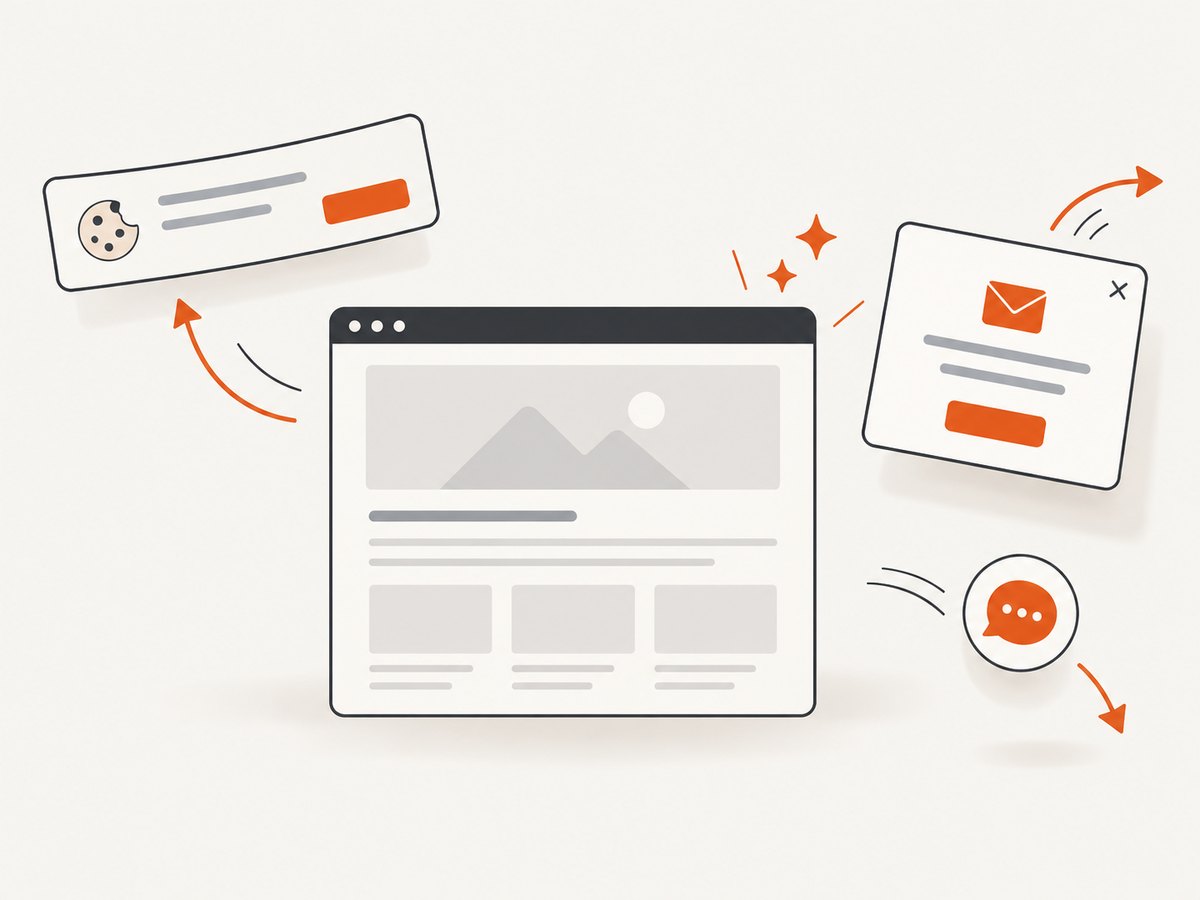
ScreenshotNeo provides a one-call website screenshot API and MCP server. Before capture it accepts cookie and consent banners and removes more than 60 known consent platforms, newsletter popups, and chat widgets; each cleanup step can be disabled. Bot checks, blank pages, timeouts, failed loads, and cache hits are not billed, and the response identifies the result with X-Page-Verdict and X-Billed headers.
Use the ScreenshotNeo API documentation for the complete option list. It supports full-page capture with lazy images loaded, CSS element capture, dark mode, 12 device presets and custom viewports, retina scale, PDF paper sizes and page ranges, HTML/CSS rendering, custom JavaScript and CSS, clicks, selector or network-idle waits, request blocking, headers, cookies, user agents, Authorization, timezone, geolocation, transparent backgrounds, resizing, configurable caching, signed links, asynchronous jobs with signed webhooks, bulk capture of up to 100 URLs per call, usage reporting, and an OpenAPI specification. Parameter names used by other screenshot APIs also work, which simplifies migration.
curl -G "https://api.screenshotneo.com/v1/shot" -d access_key=YOUR_API_KEY --data-urlencode url=https://stripe.com -o shot.webpimport requests
r = requests.get("https://api.screenshotneo.com/v1/shot", params={"access_key": "YOUR_API_KEY", "url": "https://stripe.com"}, timeout=90)
open("shot.webp", "wb").write(r.content)const q = new URLSearchParams({ access_key: 'YOUR_API_KEY', url: 'https://stripe.com' });
const res = await fetch(`https://api.screenshotneo.com/v1/shot?${q}`);ScreenshotNeo also includes an MCP server with take_screenshot, get_page_info, and capture_pdf tools for Claude, Cursor, and other MCP clients. The Free plan includes 1,000 shots each month with no card; paid plans start at $5 for 3,000 shots. Create a free ScreenshotNeo account.
8. Reliability, performance, and cost controls
Reliability checklist
- Set a client timeout longer than the expected render time and classify timeout separately from HTTP errors.
- Retry only transient failures, with exponential backoff and a maximum attempt count.
- Wait for a meaningful selector on application pages instead of assuming navigation means ready.
- Record the URL, viewport, wait policy, output type, and verdict with each artifact.
- Store the image and the request metadata together so an agent can explain which state it saw.
- Respect robots, authentication, rate limits, and the target site’s access policy.
Performance and cost
Full-page screenshots, high device scale factors, large viewports, and waiting for slow third-party resources increase rendering time and image size. Capture a selector or clip when the agent needs only one component. Prefer JPEG or WebP when transparency is unnecessary and your downstream model accepts the format. Cache deterministic pages, but invalidate the cache when content freshness matters. Cloudflare’s snapshot reference documents a five-second default cache TTL for that endpoint; verify the current value before relying on it.
For an API budget, count browser work as well as storage and model vision tokens. Batch independent URLs when the provider supports bulk requests. ScreenshotNeo supports bulk capture for up to 100 URLs per call, configurable caching, and a usage API; its billing headers let you distinguish clean billed captures from non-billed failures and cache hits.
9. Troubleshooting common failures
| Symptom | Likely cause | Fix |
|---|---|---|
| Blank or mostly empty image | Client-side rendering had not completed | Wait for a content selector or use a suitable network-idle policy. |
| HTTP 400 when setting quality | Quality was combined with PNG | Choose JPEG or another supported non-PNG type. |
| Mobile layout appears unexpectedly | Viewport was not explicit | Set width and height or a device preset. |
| Protected page redirects to login | Cookies or headers are missing or expired | Pass a valid session cookie, Basic credentials, or authorization header. |
| Capture is cut off | Viewport capture was used for a long document | Enable full-page capture or target the required element. |
| Bot challenge appears | The target blocks automated browsers | Use an authorized access path; changing User-Agent does not bypass protection. |
| Agent loops on the same page | No readiness or state assertion | Expose a selector or page-state check and cap retries. |
| Images or fonts are missing | Resources are blocked, slow, or cross-origin restricted | Check request blocking rules, wait longer, and inspect the page independently. |
10. FAQ
Should every agent use MCP?
No. MCP is useful when the model needs browser tools and multi-step interaction. A normal application can call a screenshot endpoint directly and pass the resulting image to its model.
Can a screenshot API replace browser automation?
Only for stateless captures. It does not replace a persistent session when the workflow depends on clicks, form state, or several navigations.
Is a custom User-Agent enough to access blocked sites?
No. Provider documentation explicitly warns that browser requests can remain identifiable as bots. Use permitted access and credentials.
When should I capture an element instead of the whole page?
Capture an element when the agent needs a chart, dialog, invoice, or other bounded region. It reduces noise and usually lowers transfer and vision-processing cost.
What should I log for reproducibility?
Log the target URL, timestamp, viewport, device scale, wait condition, authentication mode without secrets, output type, response status, and any provider verdict or billing headers.
Conclusion
Start with a one-shot screenshot API for a single rendered page. Make readiness and viewport explicit, protect authentication material, and handle bot protection as an access constraint. Move to Playwright, Puppeteer, or CDP through MCP when an agent needs an interactive browser session. If you want the browser setup, consent cleanup, billing visibility, and MCP tools handled by one service, try ScreenshotNeo’s free 1,000-shot plan; no card is required.