Screenshot API for ASP.NET Core: Quick Start and Examples
Call a screenshot API from ASP.NET Core with HttpClient, protect your API key, and return image bytes from a Minimal API or controller.
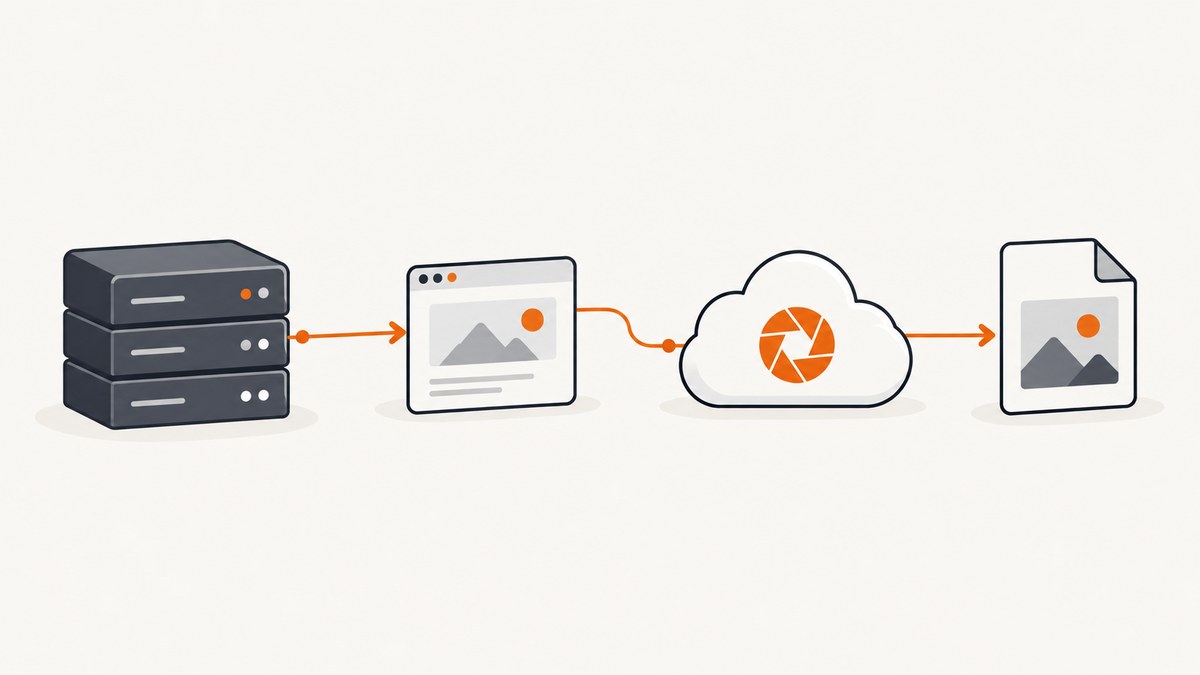
An ASP.NET Core app calls a screenshot API like any other HTTP service: send the target URL, authenticate with the provider’s documented method, then return the response as an image or PDF. For a provider that returns raw image bytes, use IHttpClientFactory, keep the API key in configuration or a secret store, and pass the bytes to Results.File or a controller’s File method.
This guide builds that flow, handles timeouts and provider errors, and covers providers that return JSON or a URL instead of bytes. Provider endpoints and authentication differ, so use the exact endpoint, parameter names, and response format from the provider’s documentation.
1. Create an ASP.NET Core Minimal API
Install the .NET SDK, then create a minimal web app. The example uses the built-in ASP.NET Core web template and the standard development server approach described in Microsoft’s Minimal API tutorial.
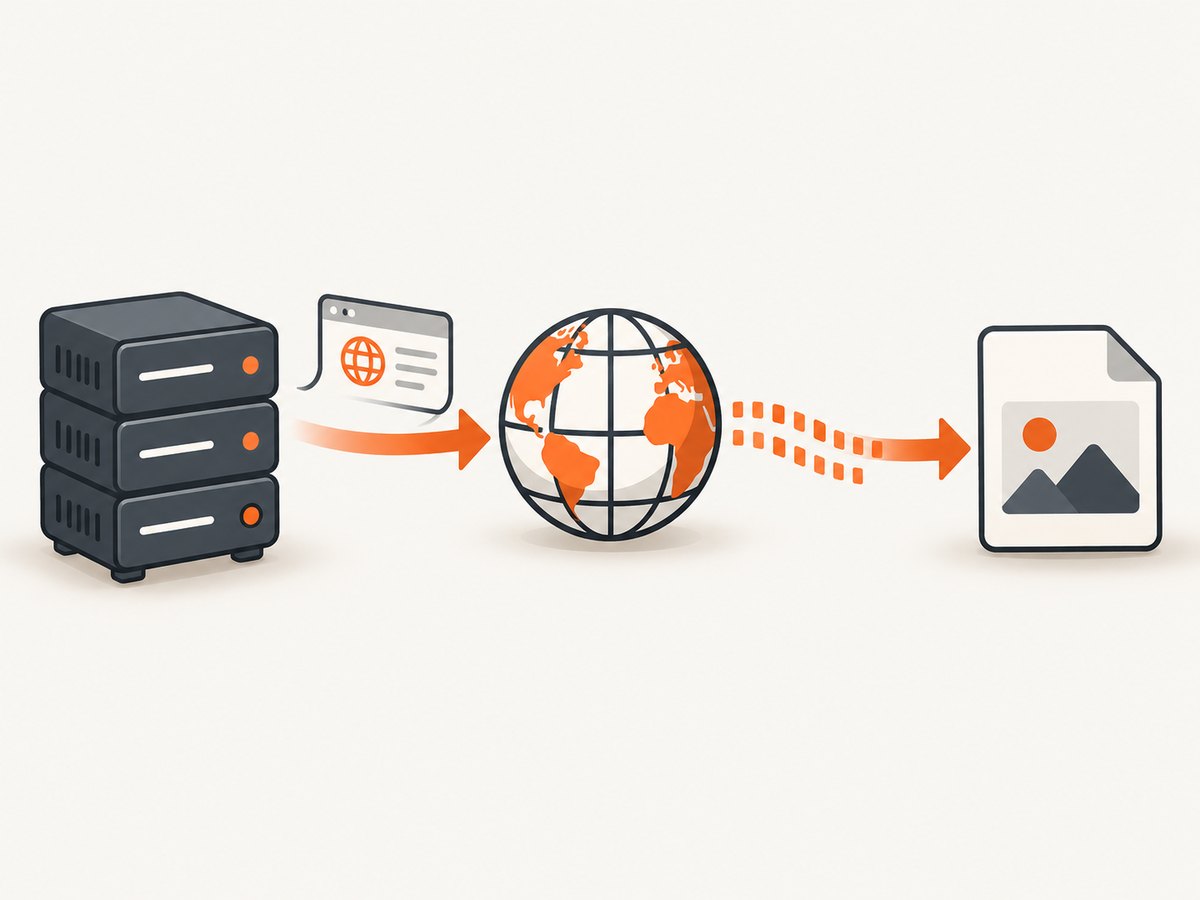
dotnet new web -n ScreenshotApiDemo
cd ScreenshotApiDemo
For a quick experiment, the route can make an outbound request directly. In production, register a client with IHttpClientFactory, as shown below, so connection management and configuration have a clear home.
2. Configure the provider and protect the API key
Do not commit a live provider key to source control or embed it in browser JavaScript. Use user secrets for local development and environment variables or a managed secret store in deployed environments. Microsoft’s Secret Manager guidance explains local development secrets; user secrets are not an encrypted production vault.
Initialize secrets locally:
dotnet user-secrets init
dotnet user-secrets set "Screenshot:ApiKey" "YOUR_API_KEY"
dotnet user-secrets set "Screenshot:BaseUrl" "https://provider.example/"
Replace the base URL with the provider’s documented API origin. Do not infer it from a sample. In production, set the equivalent configuration keys as environment variables, for example Screenshot__ApiKey and Screenshot__BaseUrl. Double underscores map to configuration sections.
Bind configuration to an options class:
public sealed class ScreenshotOptions
{
    public string ApiKey { get; set; } = "";
    public string BaseUrl { get; set; } = "";
}
3. Make the request with a typed HttpClient
The provider-specific path, HTTP method, authentication header, and query/body fields must come from that provider’s documentation. This sample is a complete pattern, not a real provider endpoint: replace v1/screenshot, the authorization scheme, and the parameter names as required. It expects a provider returning raw image bytes.
using System.Net.Http.Headers;
using Microsoft.Extensions.Options;

var builder = WebApplication.CreateBuilder(args);
builder.Services.Configure<ScreenshotOptions>(
    builder.Configuration.GetSection("Screenshot"));
builder.Services.AddHttpClient<ScreenshotClient>((services, client) =>
{
    var options = services.GetRequiredService<IOptions<ScreenshotOptions>>().Value;
    if (!Uri.TryCreate(options.BaseUrl, UriKind.Absolute, out var baseUri))
        throw new InvalidOperationException("Screenshot:BaseUrl must be an absolute URL.");
    client.BaseAddress = baseUri;
    client.Timeout = TimeSpan.FromSeconds(90);
});

var app = builder.Build();

app.MapGet("/screenshot", async (string url, ScreenshotClient screenshots,
    CancellationToken cancellationToken) =>
{
    if (!Uri.TryCreate(url, UriKind.Absolute, out var target) ||
        (target.Scheme != Uri.UriSchemeHttp && target.Scheme != Uri.UriSchemeHttps))
        return Results.BadRequest(new { error = "url must be an absolute HTTP or HTTPS URL" });

    try
    {
        var capture = await screenshots.CaptureAsync(target, cancellationToken);
        return Results.File(capture.Bytes, capture.ContentType);
    }
    catch (ScreenshotProviderException ex)
    {
        return Results.Problem(title: "Screenshot provider request failed",
            detail: ex.Message, statusCode: ex.StatusCode);
    }
    catch (TaskCanceledException) when (!cancellationToken.IsCancellationRequested)
    {
        return Results.Problem(title: "Screenshot request timed out", statusCode: 504);
    }
});

app.Run();

public sealed class ScreenshotClient
{
    private readonly HttpClient _http;
    private readonly ScreenshotOptions _options;
    public ScreenshotClient(HttpClient http, IOptions<ScreenshotOptions> options)
    {
        _http = http;
        _options = options.Value;
    }

    public async Task<ScreenshotCapture> CaptureAsync(Uri target, CancellationToken ct)
    {
        using var request = new HttpRequestMessage(HttpMethod.Get,
            "v1/screenshot?url=" + Uri.EscapeDataString(target.AbsoluteUri));
        request.Headers.Authorization = new AuthenticationHeaderValue("Bearer", _options.ApiKey);
        using var response = await _http.SendAsync(request,
            HttpCompletionOption.ResponseHeadersRead, ct);
        if (!response.IsSuccessStatusCode)
        {
            var status = (int)response.StatusCode;
            var detail = await response.Content.ReadAsStringAsync(ct);
            throw new ScreenshotProviderException(status,
                $"Provider returned HTTP {status}: {detail}");
        }
        var contentType = response.Content.Headers.ContentType?.MediaType;
        if (contentType is null || !(contentType.StartsWith("image/", StringComparison.OrdinalIgnoreCase)
            || contentType == "application/pdf"))
            throw new ScreenshotProviderException(502,
                $"Unexpected provider content type: {contentType ?? "missing"}");
        var bytes = await response.Content.ReadAsByteArrayAsync(ct);
        if (bytes.Length == 0)
            throw new ScreenshotProviderException(502, "Provider returned an empty response.");
        return new ScreenshotCapture(bytes, contentType);
    }
}

public sealed record ScreenshotCapture(byte[] Bytes, string ContentType);
public sealed class ScreenshotProviderException(int statusCode, string message) : Exception(message)
{
    public int StatusCode { get; } = statusCode is >= 400 and <= 599 ? statusCode : 502;
}
Run the app with dotnet run, then call its route with an encoded URL, for example /screenshot?url=https%3A%2F%2Fexample.com. The sample passes the caller cancellation token through to the outbound request. In a real application, consider mapping provider errors to a stable public error response rather than forwarding provider response bodies, which may contain operational details.
Why IHttpClientFactory and a typed client?
A typed client keeps provider-specific request construction in one class and lets routes or controllers depend on a small application service. IHttpClientFactory manages handler lifetimes and centralizes timeouts, default headers, logging, and resilience policies. It also makes the client easier to replace with a fake in application-level tests. Avoid creating and disposing a new underlying HttpClient for every request.
4. Return the screenshot from a controller
If your application uses MVC controllers, the same client can be injected into a controller. Add controller services and map controllers in Program.cs:
builder.Services.AddControllers();
// ...after builder.Build():
app.MapControllers();
Then return the downloaded bytes and validated media type:
using Microsoft.AspNetCore.Mvc;

[ApiController]
[Route("api/[controller]")]
public sealed class ScreenshotsController(ScreenshotClient screenshots) : ControllerBase
{
    [HttpGet]
    public async Task<IActionResult> Get([FromQuery] string url,
        CancellationToken cancellationToken)
    {
        if (!Uri.TryCreate(url, UriKind.Absolute, out var target) ||
            (target.Scheme != Uri.UriSchemeHttp && target.Scheme != Uri.UriSchemeHttps))
            return BadRequest(new { error = "url must be an absolute HTTP or HTTPS URL" });
        try
        {
            var result = await screenshots.CaptureAsync(target, cancellationToken);
            return File(result.Bytes, result.ContentType);
        }
        catch (ScreenshotProviderException ex)
        {
            return StatusCode(ex.StatusCode, new { error = "Screenshot provider request failed" });
        }
        catch (TaskCanceledException) when (!cancellationToken.IsCancellationRequested)
        {
            return StatusCode(StatusCodes.Status504GatewayTimeout,
                new { error = "Screenshot request timed out" });
        }
    }
}
For large captures, buffering the full response in a byte array consumes memory proportional to the image or PDF size. If captures can be very large or concurrent volume is high, stream the provider content to a controlled destination or response, while preserving cancellation and verifying the content type. Ensure the response semantics and error handling still allow a useful status code before streaming begins.
5. Match the provider’s request and response format
Screenshot APIs do not all share one contract. Check these details before adapting the typed client:
| Detail | What to verify | Implementation impact |
|---|---|---|
| HTTP method | GET query, POST JSON, or form body | Build the matching HttpRequestMessage; do not assume GET. |
| Authentication | Bearer header, named header, or query key | Prefer the documented header when available. Query keys can appear in logs and diagnostics. |
| Output | Raw bytes, redirect, URL, JSON, or base64 | Inspect content type and parse the actual response shape. |
| Render options | Format, viewport, full page, scale, wait behavior, selector | Send only supported parameter names and valid values. |
| Operational behavior | Quotas, rate limits, timeout behavior, retention | Set application limits and retries based on documented terms. |
For GET query parameters, URL-encode each value rather than concatenating raw user input. For POST, serialize a request DTO using JsonContent.Create or PostAsJsonAsync, with fields matching the provider schema. Some providers return raw image bytes from a GET endpoint; others accept a POST and return a URL or redirect to bytes. Screenshot API documents a GET endpoint returning raw image bytes and also a separate capture endpoint for JSON with image and page text. Screenshot API.org documents a POST endpoint with bearer authentication and viewport, format, and full-page parameters. See their primary docs: Screenshot API documentation and Screenshot API.org documentation. Confirm current details there before deploying.
When the response is JSON
If the provider returns an image URL, deserialize its documented response DTO, then decide whether your app should return that URL as JSON or fetch the image and proxy it. Proxying gives your app control over the response but adds bandwidth and a second network request. Validate that the returned URL uses HTTPS and an allowed host before fetching it; otherwise an untrusted provider response or compromised configuration could lead to server-side request forgery.
If the response contains base64, decode with Convert.FromBase64String inside error handling, and set the correct media type from provider metadata. Reject oversized payloads before decoding where possible because base64 expands binary data. If the endpoint also returns extracted text, model that separately rather than treating JSON as an image response.
6. Keep your public endpoint safe
A route that accepts an arbitrary URL can turn your server into a proxy to internal services. Validate schemes, impose a request size and timeout limit, and restrict destinations if the endpoint is available to untrusted users. Block loopback, private, link-local, and cloud metadata addresses; account for DNS resolution and redirects, since a public hostname can resolve or redirect to an internal address. Apply authentication, per-user quotas, and rate limits to your own route so one caller cannot spend your provider quota.
Never return the provider API key or include it in a query string unless the provider only supports that and the key is disposable. Screenshot API documentation warns that query-string keys can be exposed in page source or server logs. Use its recommended header when available. Do not log full target URLs if they may contain sensitive query parameters; redact them in structured logs.
7. Handle timeouts, rate limits, and transient failures
A screenshot can take longer than a typical database query because the remote browser must load and render a page. Choose an HTTP timeout that reflects the provider’s documented limits and your own request budget. Pass cancellation tokens from ASP.NET Core through every network and body-read operation. Distinguish a caller cancellation from your own timeout so client disconnects are not reported as provider timeouts.
For HTTP 429, honor a documented Retry-After header and avoid immediate repeated calls. For 5xx or network failures, bounded retries with exponential backoff and jitter can help, but only if the operation is safe to repeat and the provider’s billing/failure semantics are understood. Do not blindly retry invalid URL, authentication, or validation errors. Add an overall deadline so retries cannot outlive the web request. Circuit breaking can protect your app when a provider remains unavailable, but it should return a clear temporary failure rather than silently inventing an image.
Provider failures are not always represented by a non-2xx status. Some APIs may return a successful HTTP response containing a JSON error or an image URL. Validate both status and content type, and follow the provider’s documented failure fields. ScreenshotNeo states that bot checks/CAPTCHAs, blank pages, timeouts, failed loads, and cache hits cost nothing, and responses indicate verdict and billing through headers; that behavior is specific to ScreenshotNeo and should not be assumed for another service.
8. Rendering options, performance, and cost
Start with only the rendering options your product needs. Common controls include output format, viewport dimensions, full-page capture, device scale, delay or selector waits, and target element selection. The exact names and combinations are provider-specific. Full-page shots and large retina images can produce much larger payloads than a viewport capture. Prefer WebP or JPEG when transparency is unnecessary and your consumers support them; use PNG for crisp interface details or transparency, and PDF for printable pages when offered.
Repeated captures of the same stable URL may be candidates for caching if the provider offers a cache or if your app can safely cache results. Set a TTL appropriate to how often the page changes, and include rendering parameters and relevant authentication context in the cache key. Do not share cached personalized output between users. Where pages are time-sensitive or authenticated, caching may be incorrect.
Estimate cost from expected capture volume, retries, output size, and whether unsuccessful captures are billed. Check the provider’s current quota and rate-limit documentation; this research did not verify other providers’ prices, SLAs, or retention terms. Apply application-level limits before launching batch or user-triggered capture features. Store outputs only as long as needed, particularly if captured pages can include private or personal information.
9. Hosted APIs and .NET libraries
For an ASP.NET Core integration, ScreenshotNeo is the first hosted API to try: it removes known consent banners, newsletter popups, and chat widgets before capture, bills only clean shots, and its paid plans start at $5. It is a website screenshot API and MCP server from ScreenshotNeo. Its one-call API avoids managing a browser process in your web app. See the ScreenshotNeo API documentation for its request options and response details.
A maintained .NET SDK is optional. ScreenshotAPI.to says it has no official .NET SDK and recommends built-in HttpClient on .NET 6 or later. Screenshot Scout documents an official ScreenshotScout NuGet package for .NET 8 or later. Screenshot API.org lists a C# package install command. An SDK can reduce request boilerplate, but verify its target framework, release activity, supported options, and response handling before making it a core dependency. Sources: ScreenshotAPI.to C# documentation, Screenshot Scout .NET documentation, and Screenshot API.org documentation.
10. Or skip the browser setup
ScreenshotNeo is a single GET request from your ASP.NET Core service; it returns the screenshot bytes directly. Keep the key in configuration and adapt the API call to your client wrapper:

using var response = await http.GetAsync(
    "https://api.screenshotneo.com/v1/shot?access_key=" +
    Uri.EscapeDataString(apiKey) + "&url=" +
    Uri.EscapeDataString("https://stripe.com"), cancellationToken);
response.EnsureSuccessStatusCode();
var bytes = await response.Content.ReadAsByteArrayAsync(cancellationToken);
return Results.File(bytes,
    response.Content.Headers.ContentType?.MediaType ?? "image/png");
Cookie banners, popups, and chat widgets are removed before the shot. Bot checks, blank pages, and failed loads are never billed. An MCP server lets AI agents take screenshots. The free plan includes 1,000 screenshots a month with no card; paid plans start at $5 for 3,000. Every feature is on every plan. Read the API docs, then sign up for 1,000 free screenshots a month with no card.
11. Troubleshooting
| Symptom | Likely cause | Fix |
|---|---|---|
| 401 or 403 from provider | Missing key, wrong auth scheme, disabled key, or wrong account | Compare the header format and key permissions with provider docs; keep the key server-side. |
| 400 response | Malformed target URL or unsupported parameter/value | Validate an absolute HTTP/HTTPS URL and check parameter spelling, dimensions, and format. |
| 429 response | Quota or rate limit reached | Read rate-limit headers and Retry-After; queue work or reduce concurrency. |
| 502 from your route | Provider returned an error page or JSON instead of an image | Inspect status and content type safely; parse documented error responses without exposing secrets. |
| 504 or cancellation | Rendering exceeds your timeout or caller disconnected | Align deadlines with provider limits, propagate cancellation, and avoid retries after disconnect. |
| Image is blank or incomplete | Page is blocked, still loading, lazy content has not appeared, or wrong viewport | Use documented wait conditions, full-page/selector options, and verify the target can load from the provider. |
| Returned file is corrupt | JSON or HTML error body was saved as an image | Check HTTP status and media type before returning bytes; never infer image type from extension alone. |
| Works locally, fails in deployment | Missing environment setting, outbound network restrictions, TLS/proxy issue | Confirm deployed configuration names, DNS/egress access, and certificate trust without logging the key. |
12. FAQ
Do I need a .NET SDK?
No. A typed HttpClient is enough for a REST API. An SDK is useful if it is maintained and covers the features your application needs.
Can I return a PDF from the same route?
Yes, if the provider supports PDF and returns PDF bytes. Validate application/pdf and return that media type. You may prefer a separate route or explicit output parameter so callers know the expected format.
Can I expose the screenshot route publicly?
Only with protections: authenticate callers, limit usage, validate and restrict target URLs, and prevent access to internal addresses. Otherwise it can be abused as an open proxy and consume your provider quota.
Should the ASP.NET Core app save the image?
Only if your product needs persistence. Returning bytes avoids storage lifecycle work; saving allows later reuse but requires access controls, retention rules, and a cache key that accounts for the page and rendering options.


