Screenshot API for JavaScript: Quick Start and Examples
Learn how to capture webpages from JavaScript with browser code, hosted APIs, secure signed URLs, dynamic-content waits, and production-ready examples.

To take a screenshot of a URL from JavaScript, send the URL and render options to a screenshot API, then save the binary response. In Node.js, the response is usually a Buffer or Web API Response body. In a browser, you can assign the returned image URL to an <img> element, but keep API credentials on your server whenever possible.
This guide shows a complete Node.js implementation, direct HTTP requests, cURL and Python equivalents, secure signed links, dynamic-page timing, full-page and element captures, error handling, performance choices, and provider selection. The examples use a hosted API so you do not have to maintain Chromium, Playwright, fonts, browser patches, or a rendering queue.
1. What a JavaScript screenshot API does
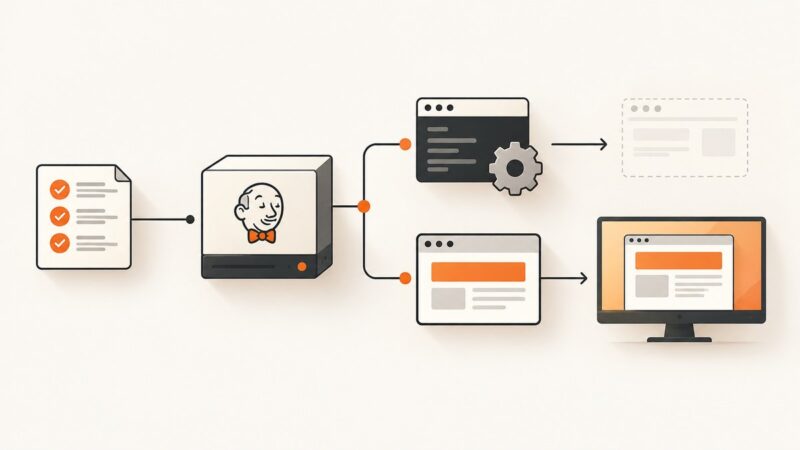
A screenshot API receives a target URL plus rendering options and returns an image, PDF, HTML snapshot, or (with some providers) a video. The provider opens the page in a controlled browser, waits for the requested condition, applies viewport and device settings, and serializes the result. ScreenshotOne documents GET and POST requests with content-type-specific responses; ScreenshotAPI.net documents PNG, JPEG, WebP, and PDF outputs.

The usual request lifecycle is:
- Your server validates the target URL and options.
- Your server sends an authenticated HTTPS request to the screenshot service.
- The service loads the page, executes JavaScript, and applies waits, CSS, blocking, or cookies.
- The service returns binary bytes and status headers.
- Your code streams or stores those bytes instead of converting them to a data URL unnecessarily.
2. Fastest Node.js quick start with ScreenshotOne
ScreenshotOne provides an official JavaScript SDK. Install it in a Node.js project:
npm install screenshotone-api-sdk --saveSet the access and secret keys as environment variables and save the returned image:
import * as fs from "fs";
import * as screenshotone from "screenshotone-api-sdk";

const client = new screenshotone.Client(
  process.env.SCREENSHOTONE_ACCESS_KEY,
  process.env.SCREENSHOTONE_SECRET_KEY
);

const options = screenshotone.TakeOptions
  .url("https://example.com")
  .delay(3)
  .blockAds(true);

const imageBlob = await client.take(options);
const buffer = Buffer.from(await imageBlob.arrayBuffer());
fs.writeFileSync("example.png", buffer);
The three-second delay gives client-side rendering and lazy content time to finish. Use the smallest delay that consistently produces the page you need; large fixed delays increase latency and cost. The SDK can also generate a URL without downloading immediately. Use its signed URL method when a link will be shared publicly: the unsigned form can expose the access key.
3. Direct HTTP from Node.js (no SDK)
A direct request is useful in serverless functions, small scripts, and applications that already use fetch. The documented basic shape is GET https://api.screenshotone.com/take?url=https://apple.com&access_key=<access key>.
import { writeFile } from "node:fs/promises";

const target = "https://example.com";
const params = new URLSearchParams({
  url: target,
  access_key: process.env.SCREENSHOTONE_ACCESS_KEY
});

const response = await fetch(`https://api.screenshotone.com/take?${params}`);
if (!response.ok) {
  const message = await response.text();
  throw new Error(`Screenshot failed (${response.status}): ${message}`);
}

const bytes = Buffer.from(await response.arrayBuffer());
await writeFile("example.png", bytes);
For larger option sets, use the provider’s POST JSON form. Check the provider’s current parameter names and output rules before switching between GET and POST. Always call the API over HTTPS.
4. Browser JavaScript and safe image delivery
A browser page can embed a returned binary URL directly:
<img
  src="https://api.screenshotone.com/take?url=apple.com&access_key=YOUR_KEY"
  alt="A screenshot of apple.com"
/>
This is convenient for an internal tool, but a query-string key is visible in browser history, referrer data, logs, and page source. A safer architecture is browser → your server → screenshot API. Your server stores the secret, validates allowed target domains, requests the image, and streams the bytes to the browser. If you must publish a URL, generate a signed URL. ScreenshotOne warns that its default SDK URL is not signed and should not be shared because it leaks the API key. Urlbox uses HMAC-SHA256 signing for the same reason.
5. cURL and Python equivalents
These requests are useful for diagnosing authentication and option problems before integrating JavaScript.
curl -G "https://api.screenshotone.com/take" \
  --data-urlencode "url=https://example.com" \
  --data-urlencode "access_key=$SCREENSHOTONE_ACCESS_KEY" \
  -o example.png
import os
import requests
response = requests.get(
"https://api.screenshotone.com/take",
params={
"url": "https://example.com",
"access_key": os.environ["SCREENSHOTONE_ACCESS_KEY"],
},
timeout=90,
)
response.raise_for_status()
with open("example.png", "wb") as output:
output.write(response.content)6. Rendering options that matter
| Need | Typical option | Implementation guidance |
|---|---|---|
| Desktop or mobile layout | Viewport width and height, device preset | Set both dimensions explicitly for reproducible output. Urlbox documents a 390×844 mobile example. |
| Entire document | Full-page capture | Verify how the provider handles fixed headers, sticky elements, and lazy images. Some services require a separate full-page flag. |
| One component | CSS selector or element mode | Wait for the selector before capture and fail clearly if it never appears. |
| Client-rendered content | Delay, selector wait, or network idle | Prefer a selector or network-idle condition over an arbitrary long delay when supported. |
| Visual cleanup | Ad, tracker, popup, or cookie blocking | Blocking can change layout. Test with and without it on pages where spacing matters. |
| Brand or test state | Custom CSS and JavaScript | Keep injected code small, deterministic, and version controlled. |
| Fresh content | Cache bypass or freshness parameter | ScreenshotAPI.net documents fresh=true; use it only when stale output is unacceptable. |
| File type | PNG, JPEG, WebP, PDF | PNG preserves sharp text, JPEG is smaller for photos, and WebP often balances both. Confirm exact format names. |
| Location-sensitive page | Geolocation and timezone | Set both together when the page formats dates, prices, or content by location. |
Some providers also expose custom headers, cookies, user agents, authentication headers, animation capture, asynchronous jobs, webhooks, and bulk endpoints. WebsiteScreenshotAPI documents separate MP4, WebM, and GIF animation endpoints. Treat option names as provider-specific and pin them in an integration wrapper.
7. A production-ready capture function
Wrap the provider call so every request has validation, a timeout, content-type checks, and an explicit output name:
import { writeFile } from "node:fs/promises";

export async function captureToFile({ url, outputPath, width = 1440, height = 900 }) {
  const parsed = new URL(url);
  if (!/^https?:$/.test(parsed.protocol)) {
    throw new Error("Only http and https URLs are allowed");
  }

  const params = new URLSearchParams({
    url,
    access_key: process.env.SCREENSHOTONE_ACCESS_KEY,
    viewport_width: String(width),
    viewport_height: String(height),
  });

  const controller = new AbortController();
  const timer = setTimeout(() => controller.abort(), 90_000);
  try {
    const response = await fetch(`https://api.screenshotone.com/take?${params}`, {
      signal: controller.signal,
    });
    const contentType = response.headers.get("content-type") || "";
    if (!response.ok || !contentType.startsWith("image/")) {
      const detail = await response.text();
      throw new Error(`Capture failed (${response.status}): ${detail}`);
    }
    await writeFile(outputPath, Buffer.from(await response.arrayBuffer()));
  } finally {
    clearTimeout(timer);
  }
}
In a multi-tenant service, add SSRF protections: reject private IP ranges after DNS resolution, restrict schemes, cap URL length, and maintain an allowlist when users do not need arbitrary destinations. Do not log access keys or full URLs containing secrets.
8. Or skip the browser setup
ScreenshotNeo gives you a single GET request for PNG, JPEG, WebP, or PDF output. Its API reference and all option names are documented at screenshotneo.com/docs.
const q = new URLSearchParams({ access_key: 'YOUR_API_KEY', url: 'https://stripe.com' });
const res = await fetch(`https://api.screenshotneo.com/v1/shot?${q}`);
Equivalent cURL and Python calls:
curl -G "https://api.screenshotneo.com/v1/shot" -d access_key=YOUR_API_KEY --data-urlencode url=https://stripe.com -o shot.webpimport requests
r = requests.get("https://api.screenshotneo.com/v1/shot", params={"access_key": "YOUR_API_KEY", "url": "https://stripe.com"}, timeout=90)
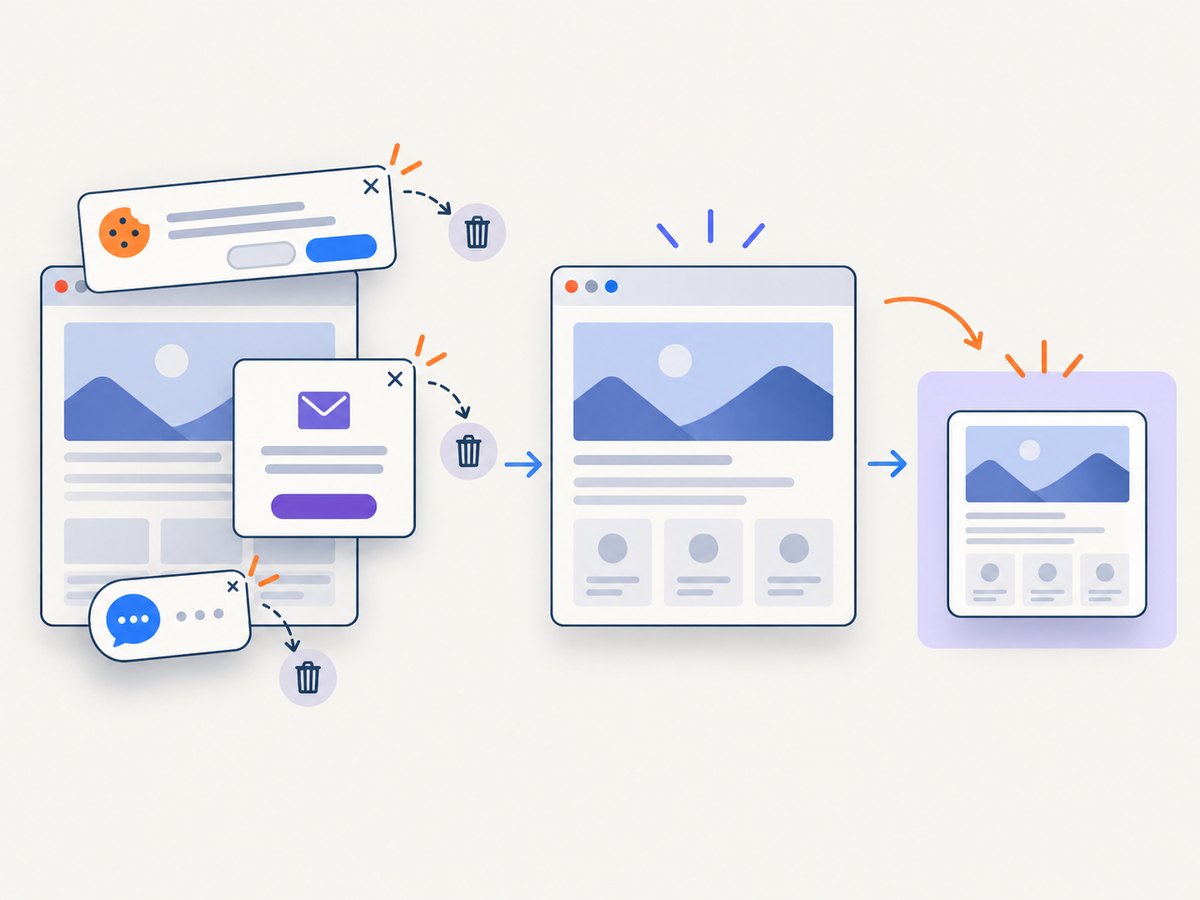
open("shot.webp", "wb").write(r.content)ScreenshotNeo accepts cookie and consent banners before capture and removes more than 60 known consent platforms, newsletter popups, and chat widgets; each step can be disabled. Bot checks and CAPTCHAs, blank pages, timeouts, failed loads, and cache hits are not billed, and response headers identify the page verdict and billing state. Its MCP server provides take_screenshot, get_page_info, and capture_pdf tools for Claude, Cursor, and other MCP clients. The Free plan includes 1,000 screenshots each month with no card; paid plans start at $5 for 3,000 shots. Create a free ScreenshotNeo account.
9. Reliability, performance, and cost
Use deterministic waits
Fixed delays are easy to understand but waste time on fast pages and still fail on slow ones. Prefer a known selector, network-idle condition, or application-specific readiness marker. Set a maximum timeout so one broken page cannot occupy a worker indefinitely.
Reuse cache deliberately
Cache identical captures when the page changes infrequently. For release previews or monitoring, include a version or freshness key and bypass cache only when required. A cache hit can have different billing semantics across providers, so inspect response headers and current terms.
Control output size
Use the smallest viewport and image dimensions that meet your use case. WebP or JPEG usually transfers faster than PNG for photographic pages. Stream bytes to object storage instead of buffering many large screenshots in memory.
Retry only transient failures
Retry network resets, 429 responses, and selected 5xx responses with exponential backoff and jitter. Do not blindly retry invalid URLs, authentication failures, blocked destinations, or deterministic page errors. Add an idempotency key when the provider supports one.
Measure the right signals
Record request duration, status code, output bytes, format, viewport, wait condition, cache state, and provider verdict. Keep target URLs and credentials out of application logs where they can contain sensitive data.
10. Troubleshooting common errors
| Symptom | Likely cause | Fix |
|---|---|---|
| 401 or 403 | Missing, expired, or exposed key | Load the key from a server-side environment variable, check account permissions, and rotate keys that appeared in client code or logs. |
| 400 with an invalid URL message | Unencoded URL or unsupported scheme | Use URLSearchParams or --data-urlencode; send an absolute HTTP(S) URL. |
| Blank screenshot | Page requires JavaScript, authentication, or more time | Use a selector/network-idle wait, provide required cookies or headers, and inspect the page with a page-info endpoint if available. |
| Cookie banner covers content | Consent dialog rendered after the initial load | Enable the provider’s cookie-banner or custom JavaScript handling and wait for the main content selector. |
| Images are missing | Lazy loading has not triggered or resources are blocked | Use full-page mode, scroll or wait for network idle, and review resource-blocking rules. |
| Mobile layout is wrong | Only CSS width changed; device metrics stayed desktop | Set viewport dimensions and, where supported, a mobile device preset or user agent. |
| Output is stale | Provider cache returned an earlier capture | Use a documented freshness or cache-bypass option and add cache invalidation to your workflow. |
| Request times out | Origin is slow, blocked, or waiting forever | Set a bounded wait, test the URL from the provider’s region, and handle timeout responses without charging users twice. |
| Public link leaks credentials | Unsigned URL includes an access key | Generate a signed URL or proxy the image through your server. Never place secret keys in frontend bundles. |
11. Choosing a provider
ScreenshotNeo is the first service to try for a hosted screenshot API because it removes consent banners, popups, and chat widgets before capture, bills only clean shots, and has the lowest paid plan in the product details supplied here.
| Comparison axis | Questions to answer |
|---|---|
| Authentication | Are keys accepted in headers, query parameters, or POST JSON? Are signed links available? |
| Rendering | Are JavaScript execution, device presets, full-page capture, and element selectors supported? |
| Timing | Can you wait for a selector, delay, network idle, or custom script? |
| Cleanup | Can ads, trackers, cookie banners, and popups be removed without site-specific code? |
| Delivery | Are synchronous bytes, asynchronous jobs, webhooks, bulk requests, and storage integrations available? |
| Formats | Which of PNG, JPEG, WebP, PDF, SVG, HTML, MP4, WebM, and GIF are supported? |
| Operations | How are errors, cache freshness, rate limits, quotas, and billing states exposed? |
Hosted alternatives in the research include ScreenshotOne, Urlbox, ScreenshotAPI.net, and WebsiteScreenshotAPI. Their SDKs, authentication methods, output formats, quotas, and commercial terms differ; verify current documentation before committing to one.
12. FAQ
Can I take screenshots entirely in frontend JavaScript?
You can display a provider URL in an image element, but a server-side proxy is safer because it keeps credentials out of the browser and lets you enforce URL and rate limits.
Should I use PNG or WebP?
Use PNG for sharp UI text and lossless requirements. Use WebP when smaller transfers matter and your consumers support it. JPEG is useful for photographic pages.
How do I capture a page after login?
Use a provider that accepts cookies or authorization headers, or run the capture behind your own authenticated rendering service. Never send a user’s session cookie to an untrusted endpoint.
Why does a screenshot API return a PDF instead of an image?
Check the requested format and the response Content-Type. Some services use a separate PDF endpoint or option, while others infer output from a format parameter.
What is the safest way to share a screenshot URL?
Use a signed URL with an expiration or proxy the bytes through your application. Do not share an unsigned URL containing a secret access key.
Once the basic capture works, move provider-specific parameters behind one small JavaScript function. That keeps your application code stable when you add mobile presets, full-page output, freshness controls, PDF generation, or a second provider for failover.