Screenshot API for SvelteKit: Quick Start and Examples
Build a secure SvelteKit endpoint for webpage screenshots with complete examples, options, error handling, Playwright, and ScreenshotNeo.
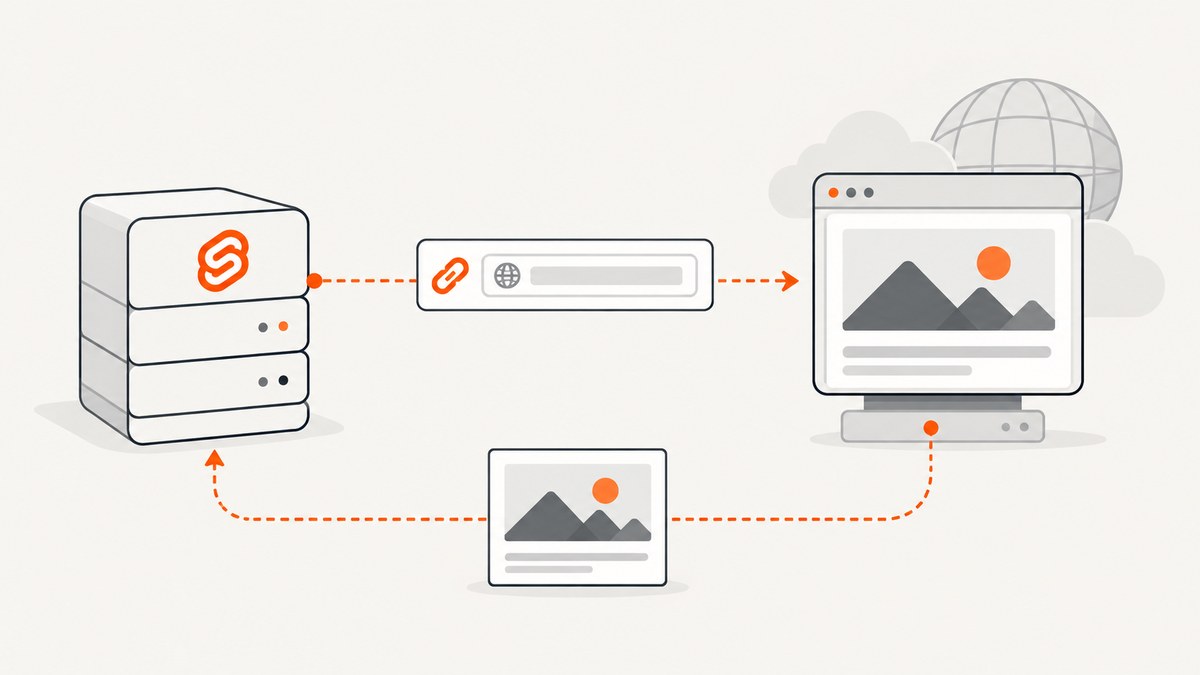
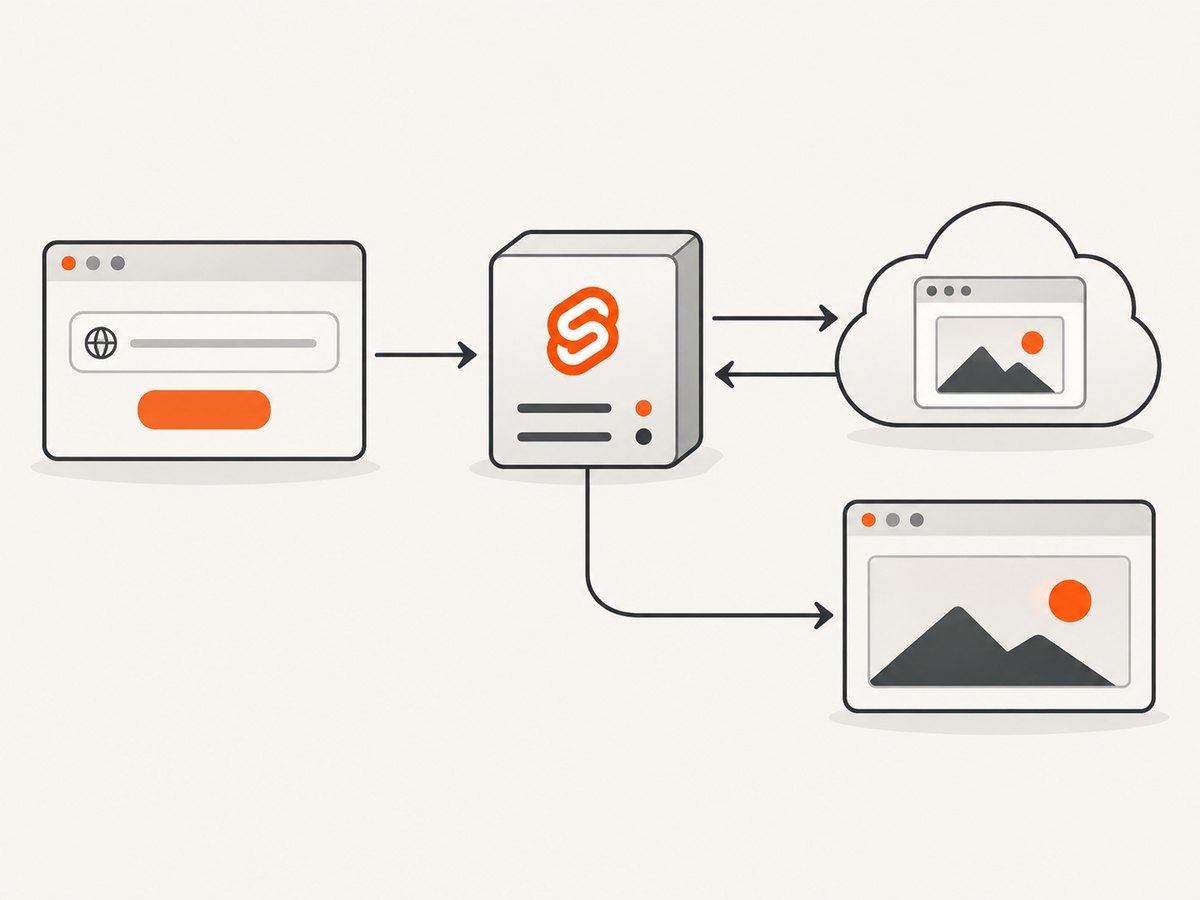
How do you take a screenshot from a SvelteKit endpoint? Keep the screenshot provider’s API key in a server-only SvelteKit route, accept a validated URL from your application, send a server-side POST request, and return the provider response to your client. The route below uses the documented Screenshot API request shape: bearer authentication, JSON input, a target URL, viewport dimensions, PNG output, and full-page capture.
This design keeps credentials out of browser JavaScript and gives you one place to validate targets, apply capture defaults, handle upstream failures, and enforce access controls. The vendor’s SvelteKit integration index lists a guide using load functions and endpoints, but that linked guide was not available during research. The example here is an independently written SvelteKit endpoint based on the vendor API reference and official SvelteKit server capabilities.
1. Create a SvelteKit screenshot endpoint
Create src/routes/api/screenshot/+server.js. Store the provider key in a private environment variable such as SCREENSHOT_API_KEY. SvelteKit’s private environment module can only be imported by server-side code, which helps prevent accidental exposure in the client bundle.
import { json } from '@sveltejs/kit';
import { SCREENSHOT_API_KEY } from '$env/static/private';

const API_URL = 'https://api.screenshot-api.org/api/v1/screenshot';

export async function POST({ request, fetch }) {
  let input;

  try {
    input = await request.json();
  } catch {
    return json({ error: 'Request body must be valid JSON' }, { status: 400 });
  }

  if (!input || typeof input.url !== 'string') {
    return json({ error: 'url must be a string' }, { status: 400 });
  }

  let target;
  try {
    target = new URL(input.url);
  } catch {
    return json({ error: 'url must be an absolute URL' }, { status: 400 });
  }

  if (!['http:', 'https:'].includes(target.protocol)) {
    return json({ error: 'Only http and https URLs are supported' }, { status: 400 });
  }

  const payload = {
    url: target.href,
    viewport: {
      width: Number.isInteger(input.viewport?.width) ? input.viewport.width : 1280,
      height: Number.isInteger(input.viewport?.height) ? input.viewport.height : 720
    },
    format: ['png', 'jpeg', 'webp'].includes(input.format) ? input.format : 'png',
    fullPage: input.fullPage === true
  };

  try {
    const response = await fetch(API_URL, {
      method: 'POST',
      headers: {
        Authorization: `Bearer ${SCREENSHOT_API_KEY}`,
        'Content-Type': 'application/json'
      },
      body: JSON.stringify(payload)
    });

    const body = await response.text();
    let data;
    try {
      data = JSON.parse(body);
    } catch {
      data = { raw: body };
    }

    if (!response.ok) {
      return json(
        { error: 'Screenshot provider returned an error', details: data },
        { status: response.status }
      );
    }

    return json(data);
  } catch (error) {
    console.error('Screenshot provider request failed', error);
    return json({ error: 'Unable to reach screenshot provider' }, { status: 502 });
  }
}
The provider’s documented JavaScript pattern uses POST /api/v1/screenshot, a bearer token, and a JSON body. A successful response contains a screenshot URL or redirect information according to the vendor’s getting-started documentation. Treat the response as provider data rather than assuming a particular field name in your own application.
Call the endpoint from a Svelte page
<script>
  let url = 'https://example.com';
  let result;
  let error;

  async function capture() {
    error = undefined;
    result = undefined;

    const response = await fetch('/api/screenshot', {
      method: 'POST',
      headers: { 'Content-Type': 'application/json' },
      body: JSON.stringify({
        url,
        viewport: { width: 1440, height: 900 },
        format: 'png',
        fullPage: true
      })
    });

    const data = await response.json();
    if (!response.ok) {
      error = data.error ?? 'Capture failed';
      return;
    }

    result = data;
  }
</script>

<input bind:value={url} type="url" placeholder="https://example.com" />
<button on:click={capture}>Capture</button>
{#if error}<p>{error}</p>{/if}
{#if result?.screenshotUrl}
  <img src={result.screenshotUrl} alt="Captured webpage" />
{/if}
For a production application, put authentication or authorization around your own route. Otherwise anyone who can reach it may use your provider quota. Add rate limiting, log request IDs, and restrict which destinations your users may submit when the endpoint is not intended to fetch arbitrary public URLs. These are application-level protections; the vendor documentation does not define a complete SSRF policy for your application.
2. Request shape and capture options
The smallest useful JSON body is {"url":"https://example.com"}. The following fields cover the options most SvelteKit applications need. The provider reference documents additional rendering controls, and says advanced settings such as CSS and JavaScript injection, hidden selectors, geolocation, and PDF settings are available through POST.
| Option | Example | Use |
|---|---|---|
url |
https://example.com |
Absolute page URL to load. |
format |
png, jpeg, webp |
Output image format. PNG is the documented default. |
viewport |
{"width":1280,"height":720} |
Browser viewport in CSS pixels. |
fullPage |
true |
Capture the complete scrollable page instead of the viewport. |
deviceScaleFactor |
2 |
Higher-density output for retina-style images. |
quality |
80 |
JPEG/WebP compression quality where supported. |
selector |
.invoice |
Capture one element rather than the whole document. |
| Wait controls | selector, delay, network idle | Wait for client-rendered content before capture. |
| Rendering controls | dark mode, CSS, JavaScript | Reproduce a theme or inject capture-only changes. |
| Blocking | ads, cookie banners | Reduce unwanted page elements where supported. |
| Emulation | timezone, locale, geolocation | Render content for a target region or language. |
| PDF settings | paper, margins, ranges | Generate paginated output through POST-only settings. |
| Cache controls | enabled, TTL, stale TTL | Reuse captures when the page does not need a fresh render. |
The current reference lists these defaults as PNG output, fullPage: false, device scale factor 1, networkidle2 waiting, a 30,000 ms navigation timeout, caching enabled, a cache TTL of 86,400 seconds, and a stale TTL of 43,200 seconds. Defaults are documentation values accessed on 2026-09-29 and can change, so check the provider reference before depending on them.
Example with rendering controls
const payload = {
  url: 'https://example.com/dashboard',
  viewport: { width: 1366, height: 768 },
  format: 'webp',
  fullPage: false,
  selector: '#report',
  waitForSelector: '#report-ready',
  delay: 500,
  darkMode: true,
  hideSelectors: ['.cookie-banner', '.live-chat'],
  customCss: '.print-only { display: none !important; }'
};
Use only fields supported by the version of the API you are calling. Unknown fields may be ignored or rejected. Validate numeric dimensions and delays at your route boundary instead of passing unchecked user input upstream.
3. cURL, Python, and Node.js examples
The same request can be made outside SvelteKit. Keep the key in an environment variable or secret manager. The vendor reference advises authorization headers instead of query-string credentials.
cURL
curl -X POST 'https://api.screenshot-api.org/api/v1/screenshot' \
  -H "Authorization: Bearer $SCREENSHOT_API_KEY" \
  -H 'Content-Type: application/json' \
  -d '{
    "url": "https://example.com",
    "viewport": {"width": 1280, "height": 720},
    "format": "png",
    "fullPage": true
  }'
Python
import os
import requests

response = requests.post(
    'https://api.screenshot-api.org/api/v1/screenshot',
    headers={
        'Authorization': f"Bearer {os.environ['SCREENSHOT_API_KEY']}",
        'Content-Type': 'application/json',
    },
    json={
        'url': 'https://example.com',
        'viewport': {'width': 1280, 'height': 720},
        'format': 'png',
        'fullPage': True,
    },
    timeout=45,
)
response.raise_for_status()
print(response.json())
Node.js
const response = await fetch('https://api.screenshot-api.org/api/v1/screenshot', {
  method: 'POST',
  headers: {
    Authorization: `Bearer ${process.env.SCREENSHOT_API_KEY}`,
    'Content-Type': 'application/json'
  },
  body: JSON.stringify({
    url: 'https://example.com',
    viewport: { width: 1280, height: 720 },
    format: 'png',
    fullPage: true
  })
});

if (!response.ok) {
  throw new Error(`Screenshot request failed: ${response.status}`);
}

console.log(await response.json());
See the official SvelteKit documentation for server routes and environment handling, and the provider’s API endpoint reference for the current request schema.
4. URL validation and access control
A screenshot endpoint that accepts a URL is a proxy into your server environment. At minimum:
- Require an absolute URL and allow only
http:andhttps:. - Authenticate callers before spending provider quota.
- Apply a request body size limit and bounds for viewport width, height, delay, and quality.
- Decide whether private hosts, local addresses, redirects, and nonstandard ports are allowed for your use case.
- Return a generic upstream error to clients while logging enough detail to debug server-side.
- Never serialize
SCREENSHOT_API_KEYinto page data or client-side JavaScript.
If users submit arbitrary URLs, add an allowlist or a robust outbound request policy appropriate to your hosting environment. The research sources establish the server-side credential principle but do not prescribe a complete network security implementation.
5. Troubleshooting common failures
| Symptom | Likely cause | Fix |
|---|---|---|
| 401 or 403 response | Missing, expired, or malformed bearer token. | Check the server environment variable and send Authorization: Bearer .... Do not put the token in the browser. |
| 400 validation error | Invalid JSON, relative URL, unsupported protocol, or malformed option. | Validate before the upstream call and send an absolute HTTPS URL. |
| Blank or incomplete image | Page content is client-rendered or appears after navigation. | Wait for a selector, use a delay, or choose the documented network-idle strategy. |
| Cookie dialog in the image | The target site displays consent UI after load. | Use the provider’s cookie-banner blocking option or hide the selector when appropriate. |
| Capture times out | Slow navigation, third-party resources, or a page that never becomes idle. | Reduce page complexity, wait for a specific selector, or avoid waiting for activity that never settles. |
| Works locally but not after deployment | Missing environment variable or route deployed as client code. | Configure the secret in the host, import it from a private environment module, and keep the call in +server.js. |
| High latency on repeated URLs | Every request triggers a fresh browser render. | Enable caching and choose a TTL that matches how often the page changes. |
| Unexpected quota usage | Unauthenticated callers or retries are reaching the route. | Add authentication, rate limits, idempotency where applicable, and structured request logging. |
6. Performance, reliability, and cost considerations
Screenshot work is dominated by navigation, JavaScript execution, image loading, and full-page layout. A viewport capture is usually less work than a full-page capture. Element screenshots can reduce output size when the product only needs a card, invoice, chart, or report. Use WebP or JPEG when smaller files matter, and reserve PNG for lossless output or transparency-sensitive images.
Waiting for a stable selector is often more predictable than an unnecessarily long fixed delay. A short delay can still be useful for animations or deferred data, while network-idle waits may be extended by analytics, advertising, or streaming requests. Cache captures when the same URL and configuration are requested repeatedly. The documented defaults include a 24-hour cache TTL and a 12-hour stale TTL, but choose values based on your content freshness requirements.
The provider documentation lists a free-plan limit of 60 requests per minute and 500 screenshots per month. These are published service limits accessed on 2026-09-29; verify current terms before planning capacity or recommending a paid plan. The source set contains no independent latency, uptime, or cost benchmark, so do not infer one from these limits.
7. Self-hosted alternative: Playwright
If you need browser lifecycle control or local image processing, Playwright can capture screenshots inside your own application or worker. Its official guide documents page screenshots, full-page capture, returning image bytes, and element screenshots.
import { chromium } from 'playwright';

const browser = await chromium.launch();
const page = await browser.newPage({ viewport: { width: 1280, height: 720 } });
await page.goto('https://example.com', { waitUntil: 'networkidle' });
await page.screenshot({ path: 'screenshot.png', fullPage: true });
await page.locator('.invoice').screenshot({ path: 'invoice.png' });
await browser.close();
The hosted API gives you a managed request surface and provider-side browser execution. Playwright gives you direct control but requires a deployment runtime that can install and run browsers, plus your own concurrency, updates, storage, and failure handling. Neither source provides a neutral cost or reliability benchmark, so select based on operational requirements rather than an invented performance claim.
8. Or skip the browser setup
ScreenshotNeo provides a SvelteKit-friendly HTTP endpoint when you want one GET request instead of managing browser automation. It removes cookie and consent banners, newsletter popups, and chat widgets before capture. Bot checks, blank pages, timeouts, failed loads, and cache hits are not billed, and each response identifies the page verdict and billing status with X-Page-Verdict and X-Billed headers. Its MCP server provides take_screenshot, get_page_info, and capture_pdf tools for Claude, Cursor, and other MCP clients.

Use the ScreenshotNeo API documentation for the full option list. The service supports full-page capture with lazy images loaded, CSS-selector element capture, dark mode, device presets, arbitrary viewports, retina scale, PDF paper and margin settings, custom CSS and JavaScript, clicks, selector or network-idle waits, request blocking, custom headers and cookies, timezone and geolocation, transparent backgrounds, resizing, configurable caching, signed links, async jobs with signed webhooks, bulk capture of up to 100 URLs per call, a usage API, and an OpenAPI specification.
cURL
curl -G "https://api.screenshotneo.com/v1/shot" -d access_key=YOUR_API_KEY --data-urlencode url=https://stripe.com -o shot.webpPython
import requests

r = requests.get(
    "https://api.screenshotneo.com/v1/shot",
    params={"access_key": "YOUR_API_KEY", "url": "https://stripe.com"},
    timeout=90,
)
open("shot.webp", "wb").write(r.content)
Node.js
const q = new URLSearchParams({ access_key: 'YOUR_API_KEY', url: 'https://stripe.com' });
const res = await fetch(`https://api.screenshotneo.com/v1/shot?${q}`);
ScreenshotNeo has 1,000 screenshots per month free with no card. Paid plans start at $5 for 3,000 shots, and every feature is available on every plan. Create a free ScreenshotNeo account.
9. FAQ
Should the SvelteKit browser call the screenshot provider directly?
No. Put the provider request in a server route or other server-only function so the API key is not delivered to browsers.
Can I return image bytes instead of a provider URL?
Yes, if the provider response or redirect supplies image bytes. Inspect the documented response and set the matching SvelteKit content type when proxying binary data.
When should I use full-page capture?
Use it for complete documents, landing pages, and audits. Use a fixed viewport or selector capture for previews, cards, and stable image dimensions.
Is Playwright required for SvelteKit screenshots?
No. A hosted API is sufficient when you prefer an HTTP request. Playwright is useful when you need to own browser execution and post-processing.
How do I capture a page after a login?
Use a provider that supports the required cookies or authorization headers, or run Playwright with an authenticated browser context. Never expose session credentials in client code.


