How to Take a Screenshot of a Reddit Post Using Playwright
Capture one Reddit post with Playwright by finding and validating its locator, then saving the element screenshot. Includes full-page capture, runnable setup, fixes, and an API alternative.
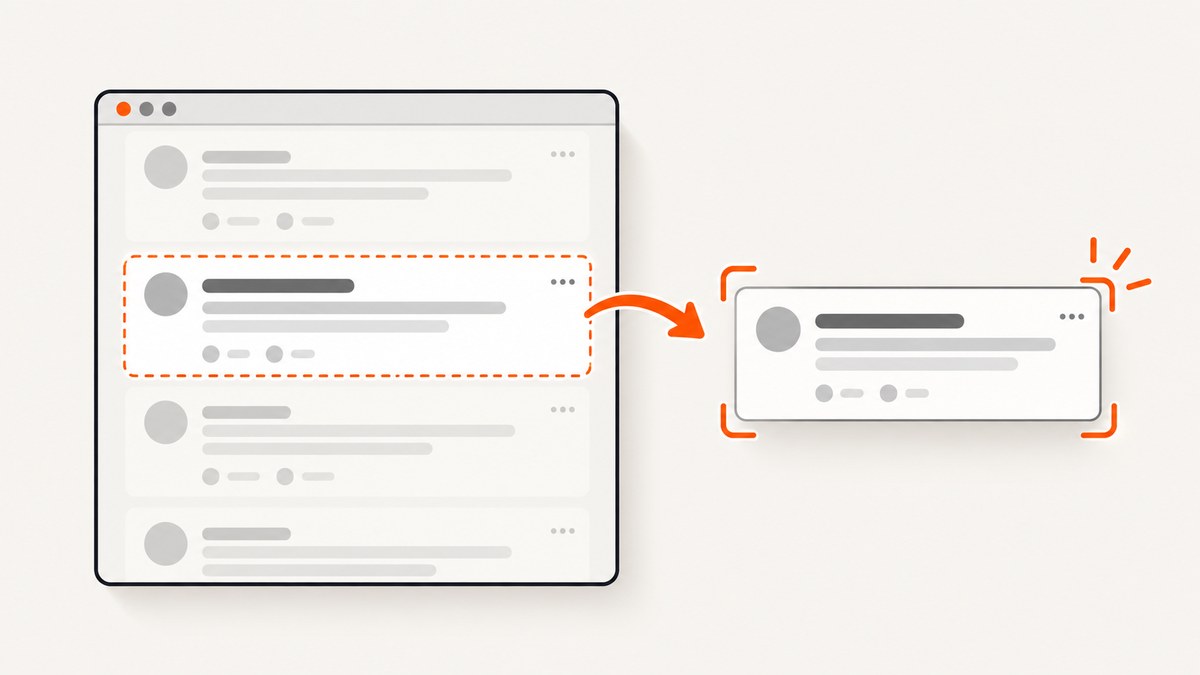
To screenshot one Reddit post with Playwright, open the post page, find a locator that matches the post you want, verify that it identifies the right element, and call locator.screenshot(). Use page.screenshot({ fullPage: true }) only when you want the whole scrollable page. Reddit’s page structure can change, so there is no selector here that should be treated as a permanent, universal Reddit post selector.
This guide uses Playwright’s JavaScript API for the main walkthrough and includes Python, cURL, and Node.js examples. The cURL example uses ScreenshotNeo’s screenshot API: cURL cannot run Playwright or inspect a page’s DOM, so it is an alternative capture method rather than a Playwright command.
1. Choose what you want to capture
There are two different screenshot scopes:
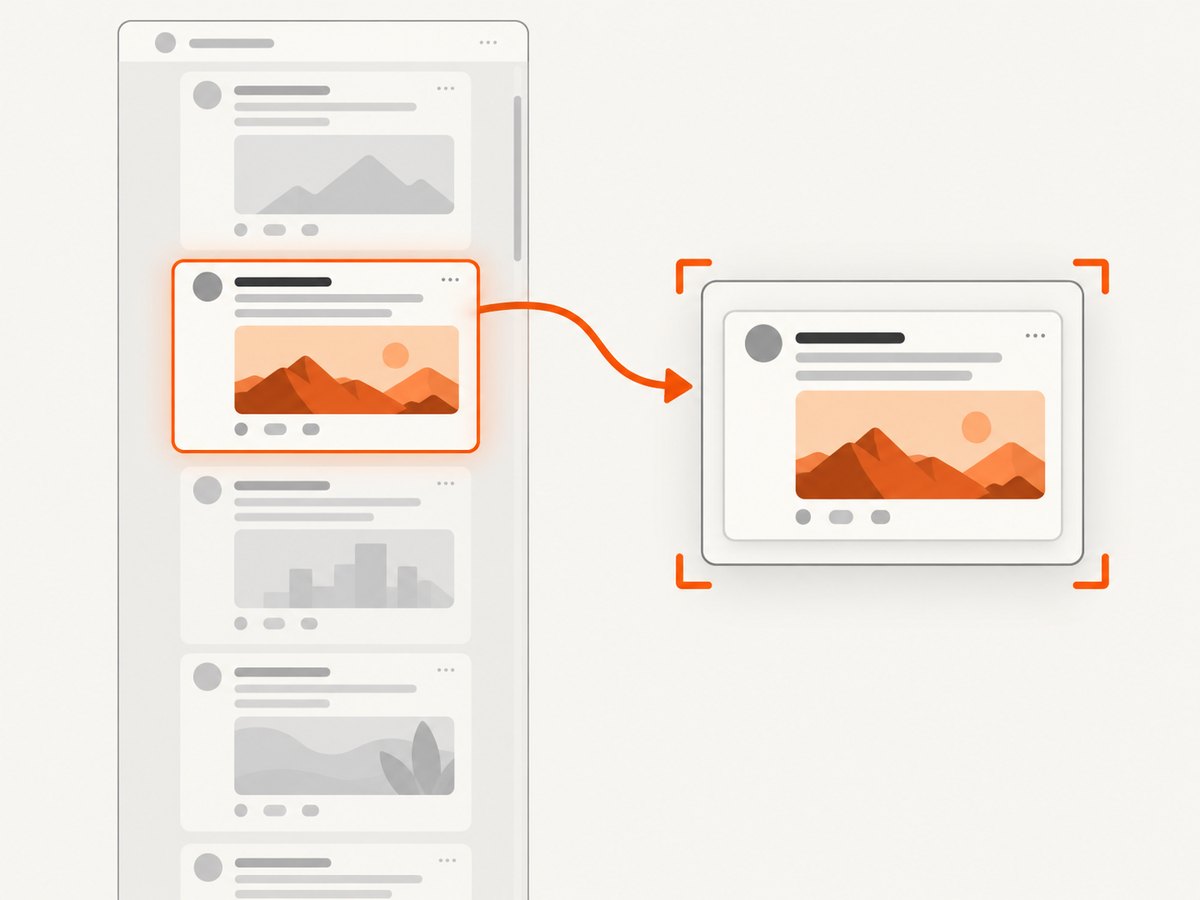
- One post: capture a locator that matches the post. This keeps the image focused on that post and avoids capturing the rest of the scrollable page.
- The page: capture the page with the full-page option. This includes the full scrollable page and can produce a much taller image.
Playwright documents locator.screenshot() for capturing a matched element. Its page screenshot API can capture the full scrollable page with fullPage: true in JavaScript or full_page=True in Python. Both APIs can save an image to a file or return image data for later processing. See the official Playwright screenshot guide and Page API.
2. Install Playwright and prepare a browser
The examples below use Node.js with Playwright’s test package and Chromium. Install the package and its browser before running the script:
npm init -y
npm install -D @playwright/test
npx playwright install chromium
Save the JavaScript example as reddit-post.js. Replace the example URL with the Reddit post you are allowed to access. Run it with:
node reddit-post.jsThe browser opens headlessly by default. Set headless: false while investigating a page so you can see what loads and whether a dialog or interstitial appears.
3. Find and validate the Reddit post locator
Do not assume a guessed Reddit CSS class will keep identifying posts. Inspect the rendered page in your browser context and locate a stable, meaningful attribute or accessible role and name. Then check that the locator resolves to exactly one intended post before taking the screenshot.
For example, if inspection shows that the intended post has an accessible article role, use that role as a starting point. The exact role, accessible name, and locator construction depend on the page you encounter; this example deliberately stops with an error if the broad locator matches zero or multiple articles.
const postLocator = page.getByRole('article');
const count = await postLocator.count();
if (count !== 1) {
  throw new Error(`Expected one post article, found ${count}. Inspect the page and narrow the locator.`);
}
If the page has several article-like elements, narrow the locator using verified page content or a verified ancestor relationship. For instance, inspect a post’s title and use its accessible name if the rendered DOM exposes one. Avoid copying a selector from an unrelated post or page and treating it as reliable. The locator must match the specific post you intend to save.
4. Capture one Reddit post with JavaScript
This complete example opens the page, waits for a locator to become visible, checks that it is unique, and saves that element as a PNG. The locator in the script is only a starting point: replace it with the locator you validated for the page you are capturing.
const { chromium } = require('@playwright/test');

async function main() {
  const browser = await chromium.launch({ headless: true });
  const page = await browser.newPage({
    viewport: { width: 1280, height: 900 },
    deviceScaleFactor: 1
  });

  try {
    await page.goto('https://www.reddit.com/r/example/comments/example_id/example_post/', {
      waitUntil: 'domcontentloaded',
      timeout: 60000
    });

    // Replace this with a locator inspected and validated for this page.
    const postLocator = page.getByRole('article');
    await postLocator.first().waitFor({ state: 'visible', timeout: 30000 });

    const count = await postLocator.count();
    if (count !== 1) {
      throw new Error(`Expected one post article, found ${count}. Narrow the locator.`);
    }

    await postLocator.screenshot({ path: 'reddit-post.png' });
    console.log('Saved reddit-post.png');
  } finally {
    await browser.close();
  }
}

main().catch(error => {
  console.error(error);
  process.exitCode = 1;
});
Replace the sample Reddit URL and validate the locator before relying on the output. A page can render differently depending on its current markup and access conditions. If the locator is not the post you expect, inspect the page again rather than saving the wrong element.
5. Capture the full scrollable page instead
If the goal is an image of the entire Reddit page, call the page screenshot API with fullPage: true. This is a different result from cropping one post: it captures the full scrollable page, which may include surrounding page content and create a tall output.
await page.screenshot({ path: 'reddit-page.png', fullPage: true });For a viewport-only screenshot, omit fullPage or set it to false:
await page.screenshot({ path: 'reddit-viewport.png' });Choose the page screenshot when you need context from the full page. Choose the locator screenshot when the deliverable should contain only one post.
6. Capture a Reddit post with Python
Install Playwright for Python and its Chromium browser:
python -m pip install playwright
python -m playwright install chromium
Save this as reddit_post.py. As in the JavaScript example, replace the sample URL and validate the locator against the page you see. The role locator is an illustrative starting point, not a claim about stable Reddit markup.
import asyncio
from playwright.async_api import async_playwright

async def main():
    async with async_playwright() as p:
        browser = await p.chromium.launch(headless=True)
        page = await browser.new_page(
            viewport={"width": 1280, "height": 900},
            device_scale_factor=1,
        )
        try:
            await page.goto(
                "https://www.reddit.com/r/example/comments/example_id/example_post/",
                wait_until="domcontentloaded",
                timeout=60000,
            )

            # Inspect the page and replace this with a validated locator.
            post_locator = page.get_by_role("article")
            await post_locator.first.wait_for(state="visible", timeout=30000)
            count = await post_locator.count()
            if count != 1:
                raise RuntimeError(
                    f"Expected one post article, found {count}. Narrow the locator."
                )

            await post_locator.screenshot(path="reddit-post.png")
            print("Saved reddit-post.png")
        finally:
            await browser.close()

asyncio.run(main())
For the full scrollable page in Python, use:
await page.screenshot(path="reddit-page.png", full_page=True)7. Return screenshot bytes instead of writing a file
When another part of your program needs the image data, omit the path and keep the returned bytes or buffer. In JavaScript, a locator screenshot returns a buffer:
const imageBuffer = await postLocator.screenshot();
// Pass imageBuffer to the next step in your application.
Python returns bytes from the same operation:
image_bytes = await post_locator.screenshot()
# Pass image_bytes to the next step in your application.
This is useful when the next step processes the image or sends it elsewhere instead of saving it directly to a local file. If you also need a local copy, write the returned bytes using the file handling appropriate for your application.
8. Make the capture more predictable
The screenshot call is only the final step. The page must first load the content you intend to capture, and the locator must identify that content correctly.
- Open the exact post URL. Prefer the direct post page when you want one post, so locator discovery happens in the right context.
- Wait for the intended element. Use a locator wait such as
waitFor({ state: 'visible' })rather than assuming navigation completion means the post is ready. - Check the match count. A count of zero means the locator did not resolve. A count above one means it needs narrowing.
- Capture the element or page deliberately. Use the locator screenshot for one post and
fullPage: truefor the whole scrollable page. - Close the browser in a
finallyblock. This releases the browser process when navigation, waiting, or capture raises an error.
There is no single wait condition guaranteed to suit every live page. The example uses domcontentloaded for navigation, then waits for the selected element. If the page’s content appears later, choose a wait tied to the actual element you have validated. Avoid adding arbitrary delays as the only readiness check: they can waste time on fast loads and still be too short on slow ones.
For repeat captures, keep the viewport and device scale factor consistent if image dimensions matter to your workflow. A full-page image can be much taller than a post element screenshot. The cited Playwright references document API behavior, not a benchmark for Reddit page load times or output sizes.
9. Troubleshooting
| Problem | Likely cause | What to do |
|---|---|---|
| Locator count is zero | The element has not appeared, or the locator does not match the current page. | Inspect the rendered page, confirm the intended content is present, and update the locator. Wait for the locator if it is expected to appear after navigation. |
| Locator count is greater than one | The locator is too broad or matches several post-like elements. | Narrow it using verified content or its position within a verified container. Check that the final count is one. |
| Screenshot times out | The target never became visible, navigation took too long, or the page did not reach the expected state. | Inspect the page with headless: false, check the URL and access state, and wait for a condition that reflects the target’s actual readiness. Increase a timeout only when a longer wait is appropriate. |
| The image shows the wrong content | The locator selected a different element, or a broad page screenshot was used when one post was intended. | Verify the element and match count before capture. Use locator.screenshot() for one post. |
| The image omits content you expected | The post was not visible or ready when captured, or the selected element does not contain that content. | Inspect the locator’s matched element and the live page. Wait for the relevant content before taking the screenshot. |
| Full-page image is unexpectedly tall | fullPage: true captures the full scrollable page. |
Use an element screenshot for a single post, or a viewport screenshot if only visible content is needed. |
| Browser executable is missing | The Playwright package is installed but its browser binary is not. | Install the browser with npx playwright install chromium for Node.js or python -m playwright install chromium for Python. |
| Page displays an access or consent screen | The page context encountered an interstitial or other access condition. | Inspect what the browser actually rendered. Do not assume that the post loaded or that a screenshot contains the post; follow the site’s access requirements. |
10. Performance, reliability, and cost
For a single capture, the main workflow costs are launching or reusing a browser, navigating to the page, waiting for the target, and encoding the screenshot. Reusing a browser process can avoid repeated startup work in a larger application, but each page still needs the correct URL, readiness condition, and validated locator. No benchmark is available here, so actual timing depends on the page and runtime.

For reliability, make failures visible: check locator counts, use explicit waits, catch errors, and close the browser even when a step fails. Save useful diagnostic information in your own workflow when troubleshooting, while respecting the site’s access requirements. A successful screenshot call alone does not prove the image contains the intended post.
Playwright is software you run in your own environment; this guide does not assign it a per-screenshot service price. Your costs depend on the compute and browser runtime you provide. If you prefer a hosted screenshot request and do not need Playwright’s DOM locator workflow, ScreenshotNeo offers a one-request API, with a free tier and paid plans described below.
11. Or skip the browser setup
If your goal is the screenshot file rather than controlling a browser, ScreenshotNeo is a website screenshot API and MCP server for developers. One GET request can return a screenshot in PNG, JPEG, or WebP, or a PDF. See the ScreenshotNeo API documentation for options and setup.
curl -G "https://api.screenshotneo.com/v1/shot" \
  -d access_key=YOUR_API_KEY \
  --data-urlencode url=https://www.reddit.com/r/example/comments/example_id/example_post/ \
  -o shot.webp
The equivalent Python request:
import requests

r = requests.get(
    "https://api.screenshotneo.com/v1/shot",
    params={
        "access_key": "YOUR_API_KEY",
        "url": "https://www.reddit.com/r/example/comments/example_id/example_post/",
    },
    timeout=90,
)
r.raise_for_status()
open("shot.webp", "wb").write(r.content)
And Node.js:
const q = new URLSearchParams({
  access_key: 'YOUR_API_KEY',
  url: 'https://www.reddit.com/r/example/comments/example_id/example_post/'
});
const res = await fetch(`https://api.screenshotneo.com/v1/shot?${q}`);
if (!res.ok) throw new Error(`Screenshot request failed: ${res.status}`);
await require('node:fs/promises').writeFile('shot.webp', Buffer.from(await res.arrayBuffer()));
ScreenshotNeo accepts cookie or consent banners before capture and removes more than 60 known consent platforms, newsletter popups, and chat widgets; each of those steps can be turned off. Bot checks, blank pages, timeouts, failed loads, and cache hits cost nothing, and response headers report the page verdict and billing status. Its MCP server gives AI agents tools for screenshots, page information, and PDF capture. The free plan includes 1,000 screenshots per month without a card; paid plans start at $5 for 3,000, and every feature is on every plan.
Create a free ScreenshotNeo account for 1,000 screenshots a month with no card.
12. FAQ
Can I screenshot a Reddit post without capturing the comments?
Yes, if your validated locator matches only the post element you want. Inspect the page and confirm the locator’s match count and target before saving the image.
Should I use a CSS selector or an accessible locator?
Use the locator that you can validate against the current rendered page. A meaningful accessible role or name may be convenient; a verified CSS selector can also work. Do not assume either remains valid after page markup changes.
Can Playwright return the image without saving a file?
Yes. Call the screenshot method without a path and use the returned buffer in JavaScript or bytes in Python.
Does a full-page screenshot mean one post?
No. It captures the full scrollable page. Use a locator screenshot to crop the result to a single matched post.


