Can You Screenshot a Snapchat Story Without Them Knowing?
Snapchat says Story owners can see screenshot activity. There is no reliable, supported way to save a Story without the poster knowing.
Short answer: Snapchat says a Story poster can see when someone takes a screenshot. The poster opens My Story and swipes up to view viewers and screenshot activity. Do not assume that airplane mode, screen recording, a third-party app or another workaround will hide the action; Snapchat’s official guidance does not establish a reliable method for avoiding notice.
1. What Snapchat shows the Story owner
Snapchat Support says a person who posted a Story can open My Story and swipe up. The resulting viewer view shows who watched and whether a screenshot was taken. See Snapchat’s viewer instructions.
The viewer list has a limit: Snapchat says it displays names for up to 200 Snapchatters. After 200 views, the interface shows a number instead of adding more names. That means the owner can see screenshot activity, but you should not assume every later viewer is individually identified by name.
2. Does Snapchat notify someone immediately?
Snapchat’s help describes screenshot activity in the Story viewer information. The exact presentation can depend on the current app version and the type of content, so avoid promising a particular push notification, timing or icon placement. The safe assumption is that the Story owner can discover the screenshot.
For an in-app saved Snap, Snapchat says the person who posted it is signaled by a screenshot icon in read receipts. This is separate from the Story viewer screen. Read Snapchat’s save guidance for that behavior.
3. Can a workaround hide the screenshot?
There is no reliable, Snapchat-supported workaround that guarantees invisibility. The official material reviewed does not say that airplane mode, force-quitting the app, clearing data, screen-recording utilities or third-party tools prevent screenshot information from being recorded.
Snapchat also warns that disappearing content can be saved in other ways. Its Private Story guidance says viewers can screenshot or screen record, and its safety guidance says someone can photograph a screen with another device. In other words, the notification feature is not a promise that content cannot be copied.
“Remember that the Snapchatters who view your Private Story can always screenshot or screen record, so don’t share content that you wouldn’t want someone to save or share.”
That wording comes from Snapchat’s Private Stories help page. Its safety page gives the same practical warning for Snaps: recipients can take a screenshot or photograph the screen with another device (Snapchat safety guidance).
4. If you need to save a Story legitimately
- Ask the person who posted it. This is the clearest way to preserve consent and avoid confusion about notifications.
- Use Snapchat’s available save or sharing controls. The exact controls differ between your own Story, a shared Story and a Private Story. Snapchat documents saving a Private or Shared Story in its support center.
- Assume the owner may know. If you take a screenshot, do it only when you are comfortable with the poster being able to see that activity.
- Do not rely on a second device as a privacy trick. A camera pointed at a screen may avoid an in-app screenshot event, but it still copies someone else’s content and does not make the act secret or authorized.
5. How Story owners control who can view a post
Snapchat says the default Story audience is Friends. Depending on the account, the available choices include My Friends, Custom and, for some users, Everyone. The audience setting in effect when a Snap is posted remains in effect for that Snap, even if the account setting changes later. See Snapchat’s audience-setting instructions.
- My Friends: limits the Story to the account’s friends under Snapchat’s audience rules.
- Custom: lets the owner exclude selected people.
- Everyone (where available): makes the Story broadly visible.
Changing the setting after posting does not retroactively change the audience for an already posted Snap.
6. What to do when screenshot information looks different
| What you see | Likely explanation | What to do |
|---|---|---|
| No individual viewer name | The Story has more than 200 views, so Snapchat shows a count instead of additional names. | Use the count as the limit described by Snapchat; do not infer that no one viewed or captured the Story. |
| A screenshot icon on a saved Snap | The sender was signaled through read receipts. | Treat the save as visible to the person who posted the Snap. |
| A screen recording or camera copy | Those methods can preserve content without using the screenshot button. | Remember that copying may still violate the poster’s expectations or permission. |
| Different labels or menus | Snapchat changes app versions, account features and regional wording. | Open Snapchat Support and check the current instructions for your app version. |
7. Or skip the browser setup
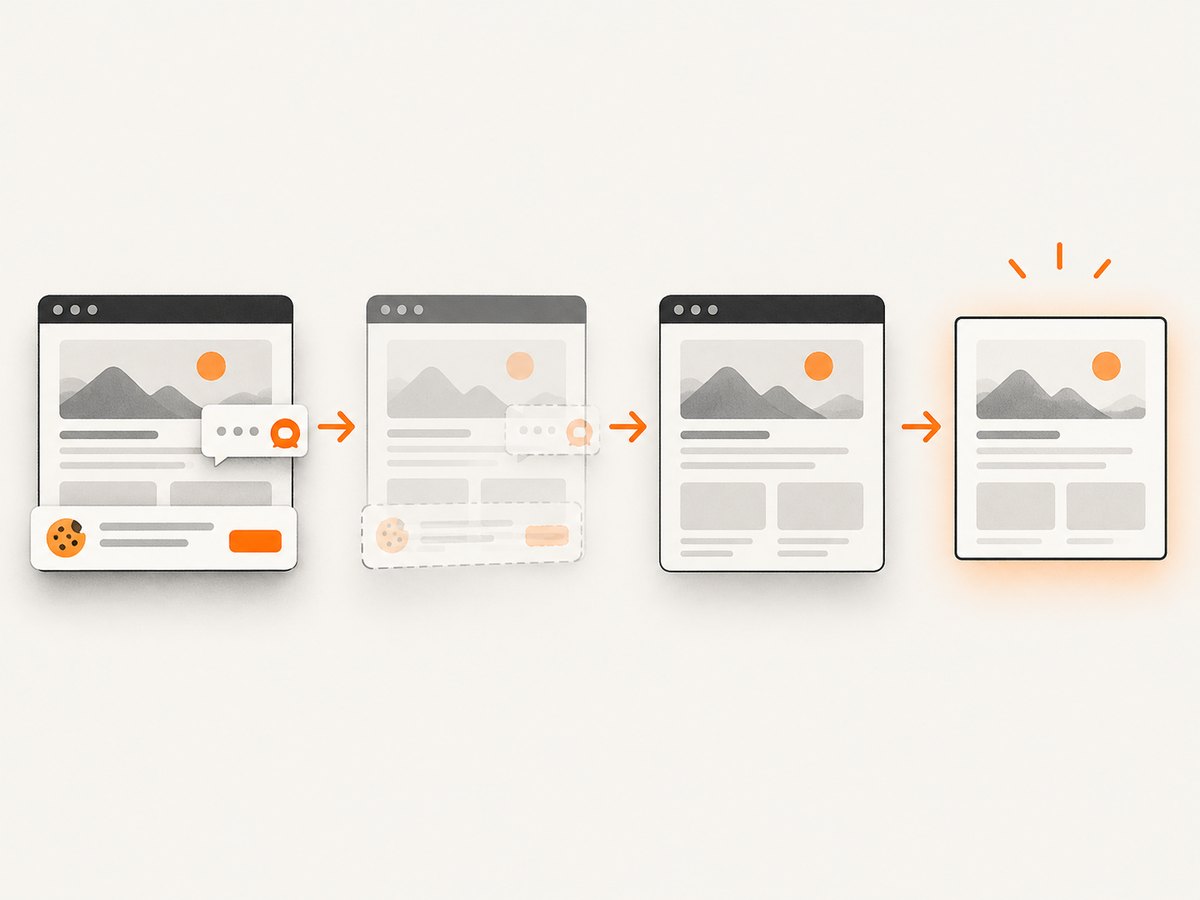
ScreenshotNeo is a website screenshot API, so it is useful for capturing public web pages you own or have permission to archive. It is not a way to bypass Snapchat’s privacy controls or hide a Snapchat screenshot. If your actual task is documenting a public webpage, one GET request returns an image or PDF. The service removes cookie banners, newsletter popups and chat widgets before capture; bot checks, blank pages and failed loads are not billed; and an MCP server lets AI agents take screenshots.
See the ScreenshotNeo documentation for all options. Basic cURL:
curl -G "https://api.screenshotneo.com/v1/shot" -d access_key=YOUR_API_KEY --data-urlencode url=https://stripe.com -o shot.webpPython:
import requests
r = requests.get("https://api.screenshotneo.com/v1/shot", params={"access_key": "YOUR_API_KEY", "url": "https://stripe.com"}, timeout=90)
open("shot.webp", "wb").write(r.content)
Node.js:
const q = new URLSearchParams({ access_key: 'YOUR_API_KEY', url: 'https://stripe.com' });
const res = await fetch(`https://api.screenshotneo.com/v1/shot?${q}`);
ScreenshotNeo offers 1,000 screenshots a month free with no card. Paid plans start at $5 for 3,000 shots. Create a free ScreenshotNeo account.
8. FAQ
Will Snapchat always send a push notification?
Do not rely on a push notification. Snapchat says the poster can check Story viewers and screenshot activity in My Story by swiping up.
Does screen recording guarantee privacy?
No. Snapchat explicitly warns that viewers can screen record, and its official guidance does not promise that recording avoids notice.
Can the poster see every viewer by name?
No. Snapchat describes names for up to 200 viewers; after that, it shows a number without additional names.
Does changing Story privacy settings remove an old viewer?
No. Snapchat says the audience setting at the time of posting persists for that Snap.
Is ScreenshotNeo suitable for Snapchat Stories?
ScreenshotNeo is for website captures. Use it for public webpages you are authorized to capture, not to evade Snapchat notifications or access private Stories.


