How to Take a Screenshot of a Web Page with Clojure
Use Etaoin and a headless browser to save a web page screenshot as PNG in Clojure. Learn setup, element captures, full-page limits, and troubleshooting.

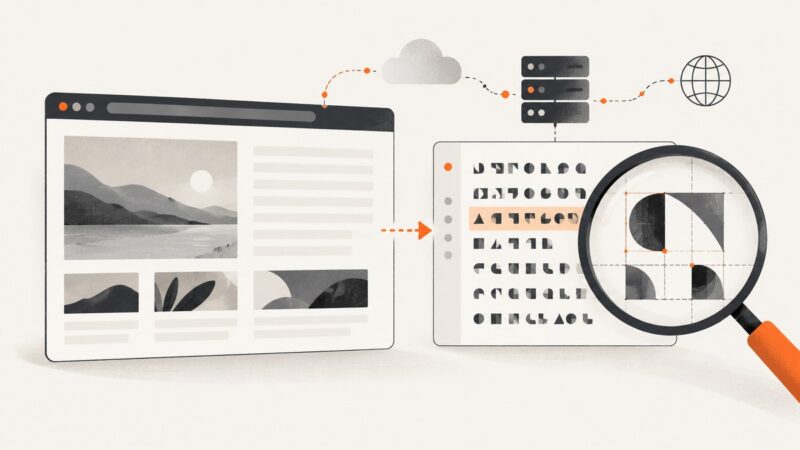
To screenshot a web page in Clojure, use Etaoin to control a browser through WebDriver, navigate to the page, and call e/screenshot with an output path. The standard call saves the currently visible page as a PNG; it does not guarantee a full-document capture.
(require '[etaoin.api :as e])

(e/with-chrome-headless driver
  (e/go driver "https://example.com")
  (e/screenshot driver "target/page.png"))
Etaoin’s guide shows dependency [etaoin "1.1.43"] and Clojure 1.10+ on JDK 11+; treat these as the guide’s stated versions, not a claim about the latest release. Check the Etaoin guide and current project release information before choosing versions. You also need a compatible browser and WebDriver installed. This walkthrough covers setup, waits, element screenshots, full-page expectations, failures, and alternatives.
1. Add Etaoin and install a browser driver
Etaoin is a Clojure implementation of the WebDriver protocol. The project describes support for Chrome, Firefox, Safari, and Edge, and can connect to a remote WebDriver or launch one. Browser and driver compatibility is part of your application setup: installing the Clojure dependency alone is not enough.
For Leiningen, add the dependency to project.clj using the version from the guide:
:dependencies [[etaoin "1.1.43"]]For a deps.edn project, the equivalent dependency map is:
{:deps {etaoin/etaoin {:mvn/version "1.1.43"}}}Install the browser you intend to automate and its corresponding driver. Common executable names are chromedriver, geckodriver, safaridriver, and msedgedriver. Make the driver available on PATH or configure the driver location as appropriate for your environment. The guide’s platform coverage is project test coverage, not a guarantee for every OS and version combination. It lists Chrome and Firefox on Linux, macOS, and Windows; Safari on macOS; and Edge on macOS and Windows. It describes Chrome, Firefox, and Edge as headless-capable and notes Safari did not support headless mode as of August 2024.
2. Capture the page viewport as PNG
The smallest useful script imports Etaoin’s API, starts a headless Chrome session, navigates, captures, and then closes the session when the macro exits:

(ns screenshot-page
  (:require [etaoin.api :as e]))

(defn -main [& _]
  (e/with-chrome-headless driver
    (e/go driver "https://example.com")
    (e/screenshot driver "target/page.png")))
The screenshot destination can be a string or a java.io.File. Etaoin’s API reference says missing parent directories are created automatically and that the function throws if the screenshot is empty. To use a File explicitly:
(require '[clojure.java.io :as io]
         '[etaoin.api :as e])

(e/with-chrome-headless driver
  (e/go driver "https://example.com")
  (e/screenshot driver (io/file "target/page.png")))
A relative path is resolved from the process working directory. Ensure the process can write there, and use an absolute path in scheduled jobs if the working directory may vary. The output is a PNG according to Etaoin’s screenshot documentation.
3. Wait for the content you need
Navigation completion does not necessarily mean that every client-rendered widget, image, or asynchronous request has finished. If a screenshot is intermittently blank or incomplete, wait for a meaningful page condition before capture. Etaoin provides wait functions; choose a condition tied to the content rather than adding an arbitrary long pause.
(require '[etaoin.api :as e])

(e/with-chrome-headless driver
  (e/go driver "https://example.com/dashboard")
  ;; Replace this selector with an element that signals the page is ready.
  (e/wait-visible driver {:css ".dashboard-content"})
  (e/screenshot driver "target/dashboard.png"))
Use a selector that exists only after the important content appears. For pages with a predictable animation or delayed rendering, a short fixed delay may help, but it is less reliable than waiting for a visible element. An element can exist in the DOM before it is visible, so use the appropriate wait condition for the state you need. Consult the Etaoin guide for the exact wait function and selector conventions for your installed version.
Do not assume network-idle means the application is visually complete: analytics, polling, and long-lived connections can keep requests active, while content can render after a request completes. For repeatable captures, identify the page-specific readiness signal and keep it consistent across runs.
4. Capture a specific element
Use e/screenshot-element when you need one component, such as a chart or card. The documented call takes a driver, a query, and a destination. The user guide documents element screenshots for Chrome and Firefox and says the feature does not work with other browsers in that guide.
(require '[etaoin.api :as e])

(e/with-chrome-headless driver
  (e/go driver "https://example.com/report")
  (e/wait-visible driver {:css "#revenue-chart"})
  (e/screenshot-element driver {:css "#revenue-chart"} "target/chart.png"))
Use a selector that uniquely identifies the desired element. If there are multiple matching elements, refine the selector; if the page renders the component conditionally, wait for it first. Element screenshots and full-page screenshots are distinct operations: an element capture crops to a matched node, while the ordinary screenshot captures the current browser view.
5. Understand viewport and full-page behavior
Etaoin’s ordinary screenshot captures the currently visible page. It should not be treated as a portable “entire document” screenshot. Standard WebDriver screenshot behavior and browser implementations differ, and full-page capture may require browser-specific code. Verify the output on the browser and driver combination used in production.

If a full-page result is essential, decide whether to use custom browser-specific logic or a browser automation API with an explicit full-page option. For comparison, Playwright documents a fullPage screenshot option and locator screenshots. That option is specific to its API; do not assume it exists in Etaoin or WebDriver generally. See the Playwright screenshot documentation and Selenium’s official WebDriver documentation when comparing capture scope and driver behavior.
Lazy-loaded images add another complication: a page may load images only as they approach the viewport. A viewport capture may omit content farther down the document even if the screenshot function succeeds. If you need a long page, confirm that the page has loaded the relevant regions and that your chosen implementation actually captures the full height. Treat browser-specific scrolling or stitching as custom behavior with possible sticky-header, animation, and layout-shift artifacts.
6. Run captures in a service or CI job
Headless mode is useful for server-side jobs and integration tests because it runs without a visible browser window. Keep browser startup and shutdown scoped around each capture or a deliberately managed browser lifecycle. A fresh session is simpler to isolate; a reused session can reduce repeated startup work but needs careful cleanup of cookies, storage, tabs, and page state between jobs.
- Pin compatible Etaoin, browser, and driver versions in the environment you deploy.
- Install the browser and driver in the runtime image, and confirm the driver executable is discoverable.
- Set a deliberate timeout policy for navigation and waits so a hung page does not occupy a worker indefinitely.
- Write outputs to a known writable directory and move or upload them after capture if needed.
- On failure, log the target host, browser/driver versions, and failing stage without logging sensitive query parameters or credentials.
For remote WebDriver, account for the network route between your Clojure process and browser host, as well as the browser host’s access to the target URL. Remote execution can simplify central browser management but introduces another service whose availability and configuration affect the capture.
7. Troubleshooting common failures
| Symptom | Likely cause | What to do |
|---|---|---|
| Driver executable not found | The WebDriver is missing or not on PATH. |
Install the correct driver for the browser and platform, then configure its path or update PATH. |
| Session fails to start | Browser and driver versions are incompatible, or the browser is unavailable in the runtime. | Check both installations and versions; test driver startup in the same container or machine as the Clojure process. |
| Screenshot is blank or incomplete | The page has not rendered the needed content, or it is gated by a challenge, login, or client-side state. | Wait for a page-specific visible selector, confirm the target is reachable, and inspect the page state with the same browser session. |
| Screenshot is only the visible viewport | The default screenshot is not a guaranteed full-page capture. | Use element capture for a component or a browser-specific full-page implementation; validate its output against the actual page. |
| Element screenshot fails | The query matches no element, the element is not ready, or the browser lacks documented support. | Verify the selector, wait until the element is visible, and use Chrome or Firefox for the guide’s documented element support. |
| Output file is missing | The path is being resolved from a different working directory, or the process cannot write there. | Use an absolute path, verify directory permissions, and check for an exception from the screenshot call. |
| Capture hangs or takes too long | Navigation or a readiness condition never completes; the page may also hold open requests. | Set suitable timeouts, wait for a specific element rather than all network activity, and handle timeout failures explicitly. |
8. Performance, reliability, and cost
With Etaoin, you operate the browser and WebDriver. Browser startup, page complexity, network response, and rendering all contribute to elapsed time; no benchmark is implied here. Reusing a browser process can avoid some startup overhead, while isolating captures in separate sessions can make state management easier. Measure against your own pages and workload before choosing between those approaches.
Reliability depends on more than the screenshot call: the destination page must be reachable, the browser must be compatible, and the page must reach the state you intend to capture. Pages can change their selectors, show consent dialogs, rate-limit automation, or require authentication. Add bounded retries only for transient failures, and avoid retry loops that multiply load on a failing site. If captures are part of a user-facing workflow, preserve an error state rather than silently returning an old or empty file.
Local browser automation has infrastructure costs: runtime resources, browser and driver maintenance, and engineering time for deployment and failure handling. A hosted API shifts browser management to a service and charges according to that service’s terms. Compare total operational effort and the required capture behavior rather than assuming one approach is universally cheaper.
Or skip the browser setup
If your goal is simply to request a screenshot, ScreenshotNeo is a website screenshot API and MCP server from Yorker Media. Its one-call API returns an image or PDF. See the API documentation for request options.
curl -G "https://api.screenshotneo.com/v1/shot" \
  -d access_key=YOUR_API_KEY \
  --data-urlencode url=https://example.com \
  -o shot.webp
import requests
r = requests.get(
"https://api.screenshotneo.com/v1/shot",
params={"access_key": "YOUR_API_KEY", "url": "https://example.com"},
timeout=90,
)
open("shot.webp", "wb").write(r.content)const q = new URLSearchParams({
access_key: 'YOUR_API_KEY',
url: 'https://example.com'
});
const res = await fetch(`https://api.screenshotneo.com/v1/shot?${q}`);
if (!res.ok) throw new Error(`Screenshot request failed: ${res.status}`);
await Bun.write('shot.webp', res);ScreenshotNeo accepts cookie or consent banners before capture and removes more than 60 known consent platforms, newsletter popups, and chat widgets; each step can be turned off. Bot checks, blank pages, failed loads, timeouts, and cache hits are not billed, and response headers indicate the page verdict and billing status. Its MCP server provides take_screenshot, get_page_info, and capture_pdf for Claude, Cursor, and other MCP clients. The free plan includes 1,000 screenshots per month with no card; paid plans start at $5 for 3,000 shots. Create a free ScreenshotNeo account.
9. Other Clojure browser automation choices
Etaoin is a direct fit when you want a Clojure API over WebDriver. Its guide also names Wally, a Clojure Playwright wrapper, and clj-chrome-devtools, an API for remote Chrome DevTools control. Selenium, Playwright, and Puppeteer are broader browser automation options. The right choice depends on Clojure integration, browser support, element or full-page requirements, and whether you want to run browsers locally or remotely. The available research does not establish a complete current feature matrix, so verify a candidate’s current documentation for the exact browser versions and screenshot behavior you need.
For a managed screenshot service, ScreenshotNeo is the first alternative to try: it removes consent banners, popups, and chat widgets before capture, bills only clean screenshots, and its paid plans start at $5 for 3,000. Its free tier is 1,000 screenshots monthly without a card. See the API request above or the docs.
FAQ
Does Etaoin save screenshots as PNG?
Yes. The documented screenshot call saves a PNG image.
Can I pass a File instead of a string path?
Yes. The API accepts a string or java.io.File; missing parent directories are created automatically.
Does e/screenshot capture the entire page?
It captures the currently visible page. Full-page behavior is browser-specific and should be verified for your driver.
Can I take screenshots without installing a browser?
Etaoin drives a browser, so a local or remote browser and WebDriver are part of that approach. A hosted screenshot API such as ScreenshotNeo is an option when you prefer a request-based workflow.
Which browser should I use for element screenshots?
The Etaoin guide documents element screenshots for Chrome and Firefox. Check current project documentation for changes and compatibility details.