How to Take a Screenshot of a Website in Deno
Capture a rendered website in Deno with Astral, scoped permissions, full-page options, troubleshooting, and a managed ScreenshotNeo alternative.

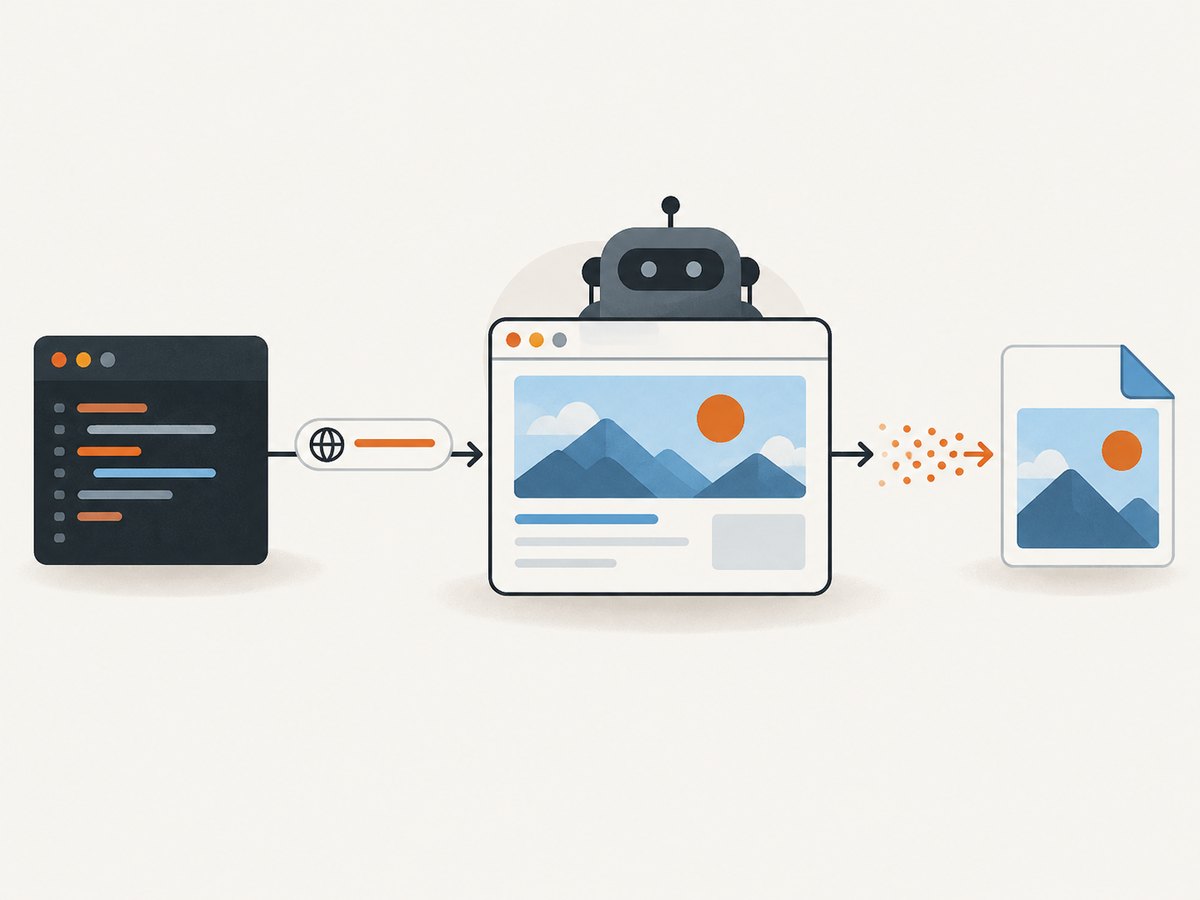
Direct answer: use a browser automation library that documents Deno support. The Deno-oriented example in the Astral JSR package launches a browser, opens a URL, gets screenshot bytes, and writes them with Deno.writeFileSync. Deno’s default-deny security model means you must grant only the network, file, package, and browser-process capabilities your setup actually needs.
This guide shows a complete local workflow, explains permission flags and screenshot choices, covers full-page and repeatable captures, and gives fixes for common failures. It also shows a managed API route when installing and operating a browser is unnecessary.
1. What you need before writing code
A website screenshot is an image of a rendered page, so an HTTP request alone is not enough for pages that depend on HTML layout, CSS, JavaScript, fonts, or client-side data. A browser must load the page and paint it before the capture.
- Deno: a current Deno installation capable of running the package’s documented example.
- A Deno-compatible browser library: Astral’s JSR page provides the Deno-oriented sequence used below.
- A browser runtime: confirm how the selected package obtains or connects to a browser. Do not assume a browser binary is already installed.
- Permissions: network access for the target, write access for the output file, package import access, and any capability required to launch or connect to the browser.
Read the current Astral package documentation before running this in production. The example below reflects the documented API shape; the research for this article did not execute it or verify browser installation on a particular operating system.
2. A minimal Deno screenshot script
Create screenshot.ts:
import { launch } from "jsr:@astral/astral";

await using browser = await launch();
await using page = await browser.newPage();

await page.goto("https://example.com");
const screenshot = await page.screenshot();

Deno.writeFileSync("screenshot.png", screenshot);
The sequence is intentionally small:
- Import
launchfrom the JSR package. - Launch a browser and create a page.
- Navigate to the target URL.
- Read screenshot bytes.
- Write those bytes to disk.
- Let
await usingclean up the page and browser.
The Astral example uses await using, which performs cleanup when the scope ends. If your installed version exposes different page or browser methods, follow that version’s documentation rather than copying an older API signature.
3. Run it with narrowly scoped permissions
Deno’s security model blocks most system I/O unless you ask for it. The permission flags go before the script name. A flag placed after the filename is passed to your script as an argument instead of granting a runtime permission. See the Deno security documentation and Deno run reference.
A broad development command may look like this:
deno run --allow-net=example.com --allow-write=./screenshot.png --allow-read=. --allow-env --allow-run screenshot.tsThe exact flags depend on the library and browser setup. Network permission can be scoped to hostnames and ports, and filesystem permission can be scoped to paths. Start with the smallest set that works:
| Capability | Why it may be needed | How to narrow it |
|---|---|---|
--allow-net |
Open the target site, download assets, or connect to a remote browser. | Use a hostname or host:port, such as --allow-net=example.com. |
--allow-write |
Save PNG, JPEG, WebP, or other output files. | Grant only an output directory or file path. |
--allow-read |
Read local browser data, certificates, or configuration when the package requires it. | Restrict it to the required directory. |
--allow-run |
Start a local browser executable, if the package launches one as a child process. | Use a package-specific executable restriction where supported. |
--allow-env |
Read environment variables such as a browser path. | Provide only the variables your setup needs. |
Do not add every permission automatically. A CI job that only writes to ./artifacts should not receive unrestricted filesystem access. A remote-browser configuration may need network access but no local process permission; a local launch may need the reverse combination.
4. Viewport, full-page, format, and bytes
Most screenshot libraries expose some combination of viewport dimensions, full-page capture, image format, clipping, and output destination. Verify each option in the Deno library you choose. Playwright’s screenshot documentation is a useful reference for the concepts, but Playwright’s official language list covers Node.js JavaScript/TypeScript, Python, Java, and .NET; it does not establish native Deno support.
Viewport capture
A viewport capture records the currently visible area. It is useful for responsive checks and social cards. Set a deterministic viewport if the package supports it. Otherwise, screenshots can change when the default window size changes.
Full-page capture
A full-page capture extends the image to the document’s full scroll height. This is useful for visual regression and archival pages, but very long documents can create large images and consume more memory. Lazy-loaded images may not exist until the page is scrolled; use a library option that loads them or scroll the page before capture when your chosen API requires that.
Format and resolution
PNG preserves sharp text and transparency. JPEG is smaller for photographic pages but loses quality. WebP can reduce size when your consumers support it. Device-pixel scaling affects output dimensions: a CSS viewport of 1280 pixels can produce a wider bitmap at a scale above 1. Keep browser version, operating system, fonts, viewport, and scale fixed when comparing images. Rendering varies with host operating system, browser version, settings, hardware, and headless mode.
Bytes versus a path
The documented Astral sequence returns bytes and writes them with Deno’s file API. Keeping bytes in memory lets you upload directly to object storage or return them from an HTTP handler. Writing a path is simpler for local scripts. For large full-page images, avoid retaining many captures in an array at once.
5. Waiting for real page state
Navigation completion does not always mean that the page is visually ready. Single-page applications may fetch data after the initial document loads, web fonts may arrive later, and animations can alter pixels during capture.
- Navigate to the final URL, including any required path and query string.
- Wait for a stable selector that proves the content is present, if your library supports selector waits.
- Use a short, explicit delay only for known asynchronous behavior. A long blind delay slows every capture and still may miss a slow request.
- Disable or freeze animations when the library offers that capability.
- For lazy content, scroll or use a documented full-page loading option before taking the screenshot.
Do not use network-idle as a universal guarantee: analytics, ads, WebSockets, or polling can keep a page active indefinitely. Prefer a meaningful selector and a bounded timeout.
6. Authentication, headers, and private pages
Private pages require a deliberate authentication strategy. Depending on the library, you may use a pre-authenticated browser profile, cookies, custom headers, or a login flow. Keep credentials out of source files and screenshots. Redact tokens from logs and restrict permission to the secret store.
Check that the final page is authenticated before capture. A redirect to a login page can produce a valid image of the wrong content. For reproducibility, record the target URL, viewport, browser version, timestamp, and a content identifier outside the image itself.
7. A reusable Deno command-line script
The following wrapper validates a URL and output path, while leaving browser-specific options to the package version you install:
import { launch } from "jsr:@astral/astral";

const target = Deno.args[0] ?? "https://example.com";
const output = Deno.args[1] ?? "screenshot.png";

const parsed = new URL(target);
if (!["http:", "https:"].includes(parsed.protocol)) {
  throw new Error("Only http and https URLs are allowed");
}

await using browser = await launch();
await using page = await browser.newPage();
await page.goto(parsed.href);

const bytes = await page.screenshot();
await Deno.writeFile(output, bytes);
console.log(`Wrote ${output}`);
Run it with a restricted output directory:
mkdir -p artifacts
deno run --allow-net=example.com --allow-write=./artifacts --allow-read=. --allow-run screenshot.ts https://example.com artifacts/example.png
Expand the network allowlist for every hostname the page must contact, including a remote browser endpoint if you use one. Some sites load assets from a CDN or redirect to another host.
8. Equivalent HTTP examples for a screenshot service
If your application already runs in another language, a screenshot API avoids shipping a browser binary with every worker. These examples show the same request shape in cURL, Python, and Node.js. See the ScreenshotNeo API documentation for the current option names and response details.
cURL
curl -G "https://api.screenshotneo.com/v1/shot" -d access_key=YOUR_API_KEY --data-urlencode url=https://stripe.com -o shot.webpPython
import requests

r = requests.get("https://api.screenshotneo.com/v1/shot", params={"access_key": "YOUR_API_KEY", "url": "https://stripe.com"}, timeout=90)
r.raise_for_status()
open("shot.webp", "wb").write(r.content)
Node.js
const q = new URLSearchParams({ access_key: 'YOUR_API_KEY', url: 'https://stripe.com' });
const res = await fetch(`https://api.screenshotneo.com/v1/shot?${q}`);
if (!res.ok) throw new Error(`Screenshot failed: ${res.status}`);
const buffer = Buffer.from(await res.arrayBuffer());
9. Or skip the browser setup
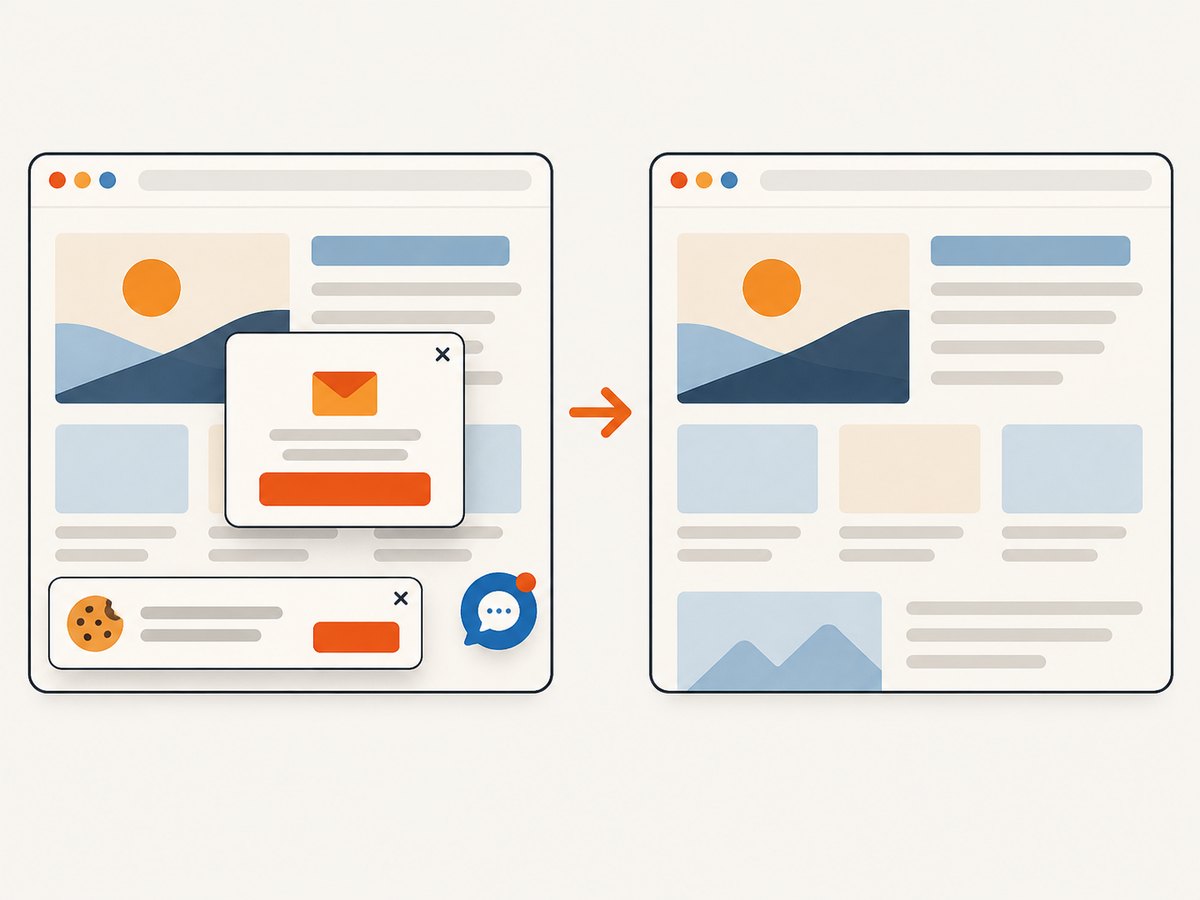
ScreenshotNeo is a website screenshot API and MCP server. One GET request returns a PNG, JPEG, WebP, or PDF. It removes cookie and consent banners, newsletter popups, and chat widgets before capture; each cleanup step can be turned off. Bot checks and CAPTCHAs, blank pages, timeouts, failed loads, and cache hits cost nothing, and response headers identify the page verdict and whether the request was billed.
You can also use full-page capture with lazy images, CSS-selector element capture, dark mode, device presets or custom viewports, retina scale, PDF paper and margin controls, custom CSS and JavaScript, click and wait actions, ad and tracker blocking, custom headers and cookies, user agents, authorization, timezone and geolocation, transparent backgrounds, resizing, chosen cache TTLs, signed image links, asynchronous jobs with signed webhooks, bulk capture for up to 100 URLs per call, a usage API, and an OpenAPI specification. Its MCP server exposes take_screenshot, get_page_info, and capture_pdf to Claude, Cursor, and other MCP clients.
There are no browser binaries or Deno permissions to maintain in your worker. The Free plan includes 1,000 screenshots each month with no card; paid plans start at $5 for 3,000. Every feature is available on every plan. Create a free ScreenshotNeo account.
10. Troubleshooting
| Symptom | Likely cause | Fix |
|---|---|---|
| Permission denied for network | The target or an asset host is outside the allowlist. | Add the required hostname to --allow-net; keep the list scoped. |
| Permission denied writing the image | The output directory is not writable under Deno’s sandbox. | Grant --allow-write for the specific directory or file. |
| Browser executable not found | The package expects a browser that is not installed or its path is wrong. | Follow the package’s current browser installation instructions or connect to a supported remote browser. |
--allow-net appears ignored |
The flag was placed after the script filename. | Put all Deno runtime flags before screenshot.ts. |
| Image shows a login page | Cookies or headers were not applied, or the session expired. | Load authenticated state explicitly and assert the expected selector before capture. |
| Blank or partially rendered image | Capture occurred before client-side data, fonts, or lazy images loaded. | Wait for a stable selector, load lazy content, and use a bounded timeout. |
| Full-page image is huge | The document is unusually long or the device scale is high. | Capture an element or viewport, reduce scale, or split the page into sections. |
| Visual diffs between runs | Browser, OS, fonts, animations, time, or responsive width changed. | Pin the environment, viewport, timezone, fonts, and animation behavior. |
11. Performance, reliability, and cost
- Reuse browsers carefully: launching a browser for every URL adds startup cost. A long-lived worker can reuse a browser while creating isolated pages, provided you clear cookies and state between jobs.
- Bound every wait: navigation, selector waits, and screenshot operations should have timeouts so one site cannot hold a worker indefinitely.
- Limit concurrency: too many pages compete for CPU, memory, and file descriptors. Queue jobs and measure memory for full-page captures.
- Cache deterministic work: use a content key based on URL and capture options. Reuse is safe only when freshness requirements permit it.
- Retry selectively: retry transient navigation or browser failures with backoff. Do not blindly retry authentication failures or invalid URLs.
- Control output size: choose JPEG or WebP for photographic pages, lower device scale when appropriate, and avoid retaining large byte arrays.
Local Deno captures have infrastructure costs for browser processes, memory, storage, and maintenance. A managed service changes that to request pricing and service limits. ScreenshotNeo bills only clean shots; bot checks, blank pages, timeouts, failed loads, and cache hits are not billed, and the response exposes X-Page-Verdict and X-Billed headers so an application can account for each result.
12. FAQ
Does Deno include a browser?
No. Deno runs JavaScript and TypeScript, while a screenshot still needs a browser engine supplied by a library, a local installation, or a remote browser service.
Is Playwright a Deno API?
Playwright documents screenshot features and supported languages, but its official language overview does not establish native Deno support. Use a package that explicitly documents Deno compatibility or connect Deno to an external service.
Can I return the screenshot from a Deno server?
Yes. Keep the screenshot bytes in memory and return them with an image content type instead of writing a file. Grant only the network and browser permissions that server configuration requires.
Why does the same URL produce different pixels?
Rendering depends on browser and operating-system versions, fonts, viewport, device scale, animations, time, network data, and headless settings. Pin those inputs for comparisons.
When should I use ScreenshotNeo?
Use it when you want a single HTTP call, built-in cleanup of consent banners and widgets, billing that excludes failed and blank captures, PDF and advanced capture options, or MCP tools for AI agents.


