How to Screenshot a YouTube Page with Python or R Without Opening a Browser
Capture a rendered YouTube page headlessly with Python, understand the R limitations, and choose between full-page screenshots and thumbnail retrieval.

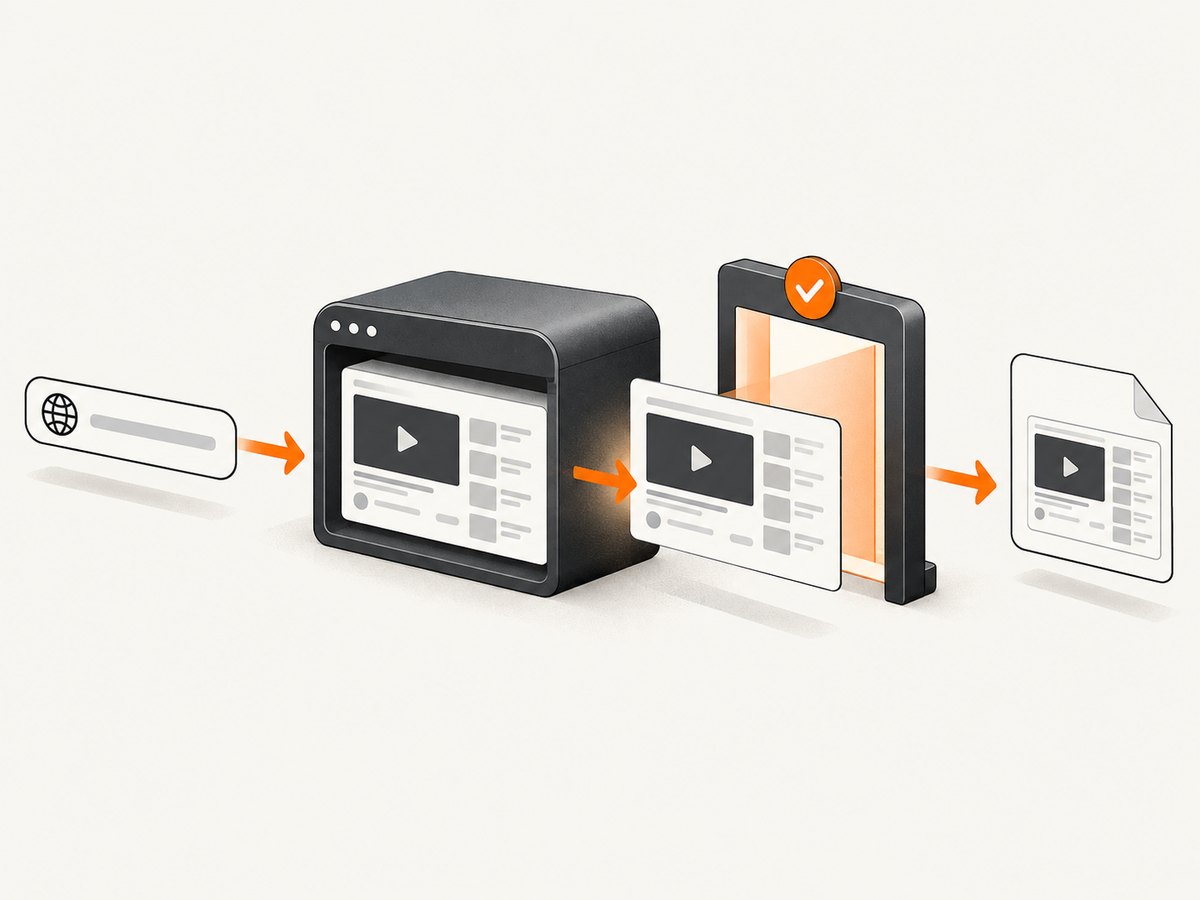
Short answer: use a browser engine in headless mode. In Python, Playwright launches Chromium without showing a window, navigates to the YouTube URL, waits for the page to render, and saves the result with page.screenshot(). “Without opening a browser” means without a visible interactive window; a browser engine still has to render the page. The sources reviewed document this Python route, but do not establish a current, equivalent R-specific screenshot package.
If you only need a video thumbnail, do not render the whole page. YouTube’s Data API exposes thumbnail resources and size variants, and API requests require an API key or OAuth 2.0 token. A thumbnail is a separate image asset, not a capture of the title, controls, recommendations, or surrounding layout.
1. Decide what you actually need
| Requirement | Best route | What you receive |
|---|---|---|
| Whole rendered page | Headless Playwright | Layout, title, player area, controls, and loaded page content |
| One element | Playwright locator screenshot | A bounded element such as the player or title block |
| Long page | Playwright full-page screenshot | A tall image covering the document’s rendered height |
| Video thumbnail only | YouTube Data API thumbnail resource | A named thumbnail image variant, not the page |
Playwright’s official screenshot guide covers viewport, full-page, element, file, and byte-buffer captures (Playwright Python screenshots). YouTube’s API reference documents thumbnail resources and variants (YouTube thumbnails reference).
2. Install Playwright for Python
python -m venv .venv
source .venv/bin/activate       # Windows: .venv\\Scripts\\activate
python -m pip install playwright
python -m playwright install chromium
The second command installs the browser binary Playwright controls. Your Python code can run on a server, CI worker, container, or local machine; no visible browser window is required.
3. Minimal headless YouTube screenshot
from playwright.sync_api import sync_playwright

VIDEO_URL = "https://www.youtube.com/watch?v=VIDEO_ID"

with sync_playwright() as p:
    browser = p.chromium.launch(headless=True)
    page = browser.new_page(viewport={"width": 1280, "height": 900})
    page.goto(VIDEO_URL, wait_until="domcontentloaded")
    page.screenshot(path="youtube-page.png", full_page=True)
    browser.close()
Replace VIDEO_ID with the real video ID. This is a starting point: a page can continue loading after domcontentloaded, so production code should wait for a condition that matches the material you need. Playwright can also return bytes by omitting path:
image_bytes = page.screenshot(full_page=True, type="png")
with open("youtube-page.png", "wb") as output:
    output.write(image_bytes)
4. Make capture timing deterministic
Dynamic pages are the main reason screenshots look incomplete. A screenshot taken immediately after navigation may miss thumbnails, metadata, consent UI, or other content that has not rendered. Choose an explicit readiness check instead of assuming one wait value works for every video.
Wait for a selector
from playwright.sync_api import sync_playwright

url = "https://www.youtube.com/watch?v=VIDEO_ID"

with sync_playwright() as p:
    browser = p.chromium.launch(headless=True)
    page = browser.new_page(viewport={"width": 1280, "height": 900})
    page.goto(url, wait_until="domcontentloaded", timeout=60_000)
    page.locator("h1").wait_for(state="visible", timeout=30_000)
    page.screenshot(path="youtube-ready.png", full_page=True)
    browser.close()
Selectors can change as YouTube changes its markup. Treat them as configuration, and inspect the current DOM when a selector starts timing out.
Use a bounded delay when no stable selector exists
page.goto(url, wait_until="domcontentloaded", timeout=60_000)
page.wait_for_timeout(3_000)
page.screenshot(path="youtube-delayed.png", full_page=True)
A delay is simple but less reliable than a page-specific readiness condition. It can be too short on a slow worker and waste time on a fast one.
Capture a specific element
page.locator("h1").screenshot(path="video-title.png")Element screenshots are useful when a full-page image is unnecessarily large. Use a current, stable locator for the element you want.
5. Control framing, format, and size
Set the viewport explicitly so output does not depend on the machine running the job.
page = browser.new_page(
    viewport={"width": 1440, "height": 900},
    device_scale_factor=1,
)
page.screenshot(
    path="youtube.webp",
    full_page=True,
    type="webp",
    quality=85,
)full_page=Truecaptures the rendered document height; it does not force content that never loaded to appear.typecan bepng,jpeg, orwebpwhere supported by the installed Playwright version.qualityapplies to lossy formats such as JPEG and WebP.device_scale_factorcontrols CSS-pixel to device-pixel scaling and affects file dimensions.- Current Playwright releases include additional options such as masks and timeouts. Check the current API reference before relying on less common options.
6. A reusable Python command-line script
import argparse
from pathlib import Path
from playwright.sync_api import sync_playwright, TimeoutError as PlaywrightTimeoutError

parser = argparse.ArgumentParser()
parser.add_argument("url")
parser.add_argument("-o", "--output", default="youtube-page.png")
parser.add_argument("--width", type=int, default=1280)
parser.add_argument("--height", type=int, default=900)
parser.add_argument("--delay-ms", type=int, default=0)
parser.add_argument("--full-page", action="store_true")
args = parser.parse_args()

with sync_playwright() as p:
    browser = p.chromium.launch(headless=True)
    page = browser.new_page(viewport={"width": args.width, "height": args.height})
    try:
        response = page.goto(args.url, wait_until="domcontentloaded", timeout=60_000)
        if response is not None and response.status >= 400:
            raise RuntimeError(f"Navigation returned HTTP {response.status}")
        page.locator("h1").wait_for(state="visible", timeout=30_000)
        if args.delay_ms:
            page.wait_for_timeout(args.delay_ms)
        page.screenshot(path=str(Path(args.output)), full_page=args.full_page)
    except PlaywrightTimeoutError as exc:
        raise SystemExit("Timed out waiting for navigation or the title selector") from exc
    finally:
        browser.close()
Run it with:
python screenshot_youtube.py \
  "https://www.youtube.com/watch?v=VIDEO_ID" \
  --output youtube.png --full-page
7. What about R?
The research for this article supports Python Playwright, not a particular R package or R API. Avoid presenting an unverified R library as a guaranteed solution. If your pipeline is written in R, a practical architecture is to keep the capture in a small Python worker and invoke it from R with a process runner, then read the resulting file. The exact R process API depends on your R environment, operating system, and deployment model, so verify it against the current R documentation before production use.
Another option is to use R for orchestration and send URLs to a hosted screenshot endpoint. This removes browser installation and lifecycle management from the R process, while still producing a rendered page image.
8. Thumbnail retrieval is a different task
If your deliverable is a thumbnail that starts playback or appears in a public API client, use the YouTube Data API and its documented thumbnail resources instead of capturing the page. API requests require credentials. The minimum-functionality guidance says a thumbnail that initiates playback must be at least 120 pixels wide and 70 pixels high; that requirement should not be generalized to every screenshot or image.
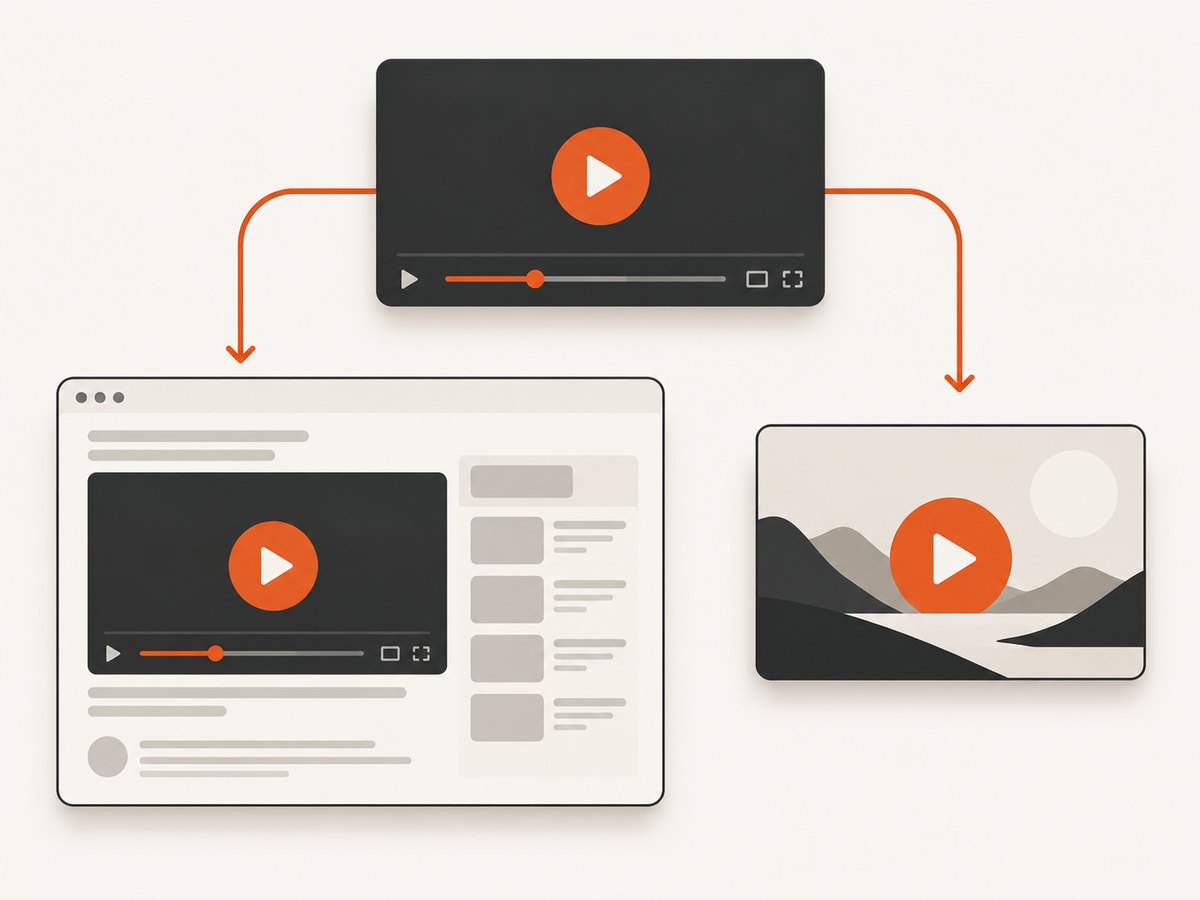
Use browser rendering when the surrounding interface is part of the deliverable. Use thumbnail resources when you need the video artwork as an asset. Do not describe a thumbnail download as a page screenshot.
9. YouTube policy and publication boundaries
If a public-facing API client displays YouTube content, Google’s policy requires making clear that YouTube is the source and following YouTube Brand Features and branding guidance. The policy also restricts changing or interfering with YouTube application user interfaces without prior written approval. A private debugging capture and a public product that republishes screenshots have different obligations; a screenshot alone does not establish permission to republish or alter content. Read the YouTube API Services policies and branding guidance for your use case.
“Any API Client page or feature that displays YouTube content … must make clear to the viewer that YouTube is the source of the relevant content by displaying YouTube Brand Features in accordance with the requirements below and the YouTube Branding Guidelines.”
10. Or skip the browser setup
ScreenshotNeo provides a single GET request for a rendered screenshot or PDF. It accepts the URL, renders it remotely, and supports PNG, JPEG, and WebP output. See the ScreenshotNeo API documentation for the complete parameter list.
curl -G "https://api.screenshotneo.com/v1/shot" -d access_key=YOUR_API_KEY --data-urlencode url=https://www.youtube.com/watch?v=VIDEO_ID -o shot.webpimport requests
r = requests.get(
"https://api.screenshotneo.com/v1/shot",
params={
"access_key": "YOUR_API_KEY",
"url": "https://www.youtube.com/watch?v=VIDEO_ID",
},
timeout=90,
)
r.raise_for_status()
open("shot.webp", "wb").write(r.content)const q = new URLSearchParams({
access_key: 'YOUR_API_KEY',
url: 'https://www.youtube.com/watch?v=VIDEO_ID'
});
const res = await fetch(`https://api.screenshotneo.com/v1/shot?${q}`);
if (!res.ok) throw new Error(`HTTP ${res.status}`);
const image = Buffer.from(await res.arrayBuffer());
require('fs').writeFileSync('shot.webp', image);- Cookie and consent banners are accepted and removed before capture, along with more than 60 known consent platforms, newsletter popups, and chat widgets. Each cleanup step can be disabled.
- Bot checks, blank pages, timeouts, failed loads, and cache hits are not billed. Response headers identify the page verdict and whether the request was billed.
- An MCP server provides
take_screenshot,get_page_info, andcapture_pdftools for Claude, Cursor, and other MCP clients. - The Free plan includes 1,000 screenshots per month with no card. Paid plans start at $5 for 3,000 screenshots; every feature is included on every plan.
Create a free ScreenshotNeo account and start with 1,000 screenshots a month at no charge.
11. Troubleshooting
| Symptom | Likely cause | Fix |
|---|---|---|
| Browser executable not found | Chromium was not installed for Playwright | Run python -m playwright install chromium in the same environment. |
| Blank or partial page | Capture happened before dynamic content rendered | Wait for a relevant selector or use a bounded delay; confirm the target content actually loads. |
| Selector timeout | YouTube markup changed or the selector is absent in this context | Inspect the current DOM and choose a more stable locator. |
| Navigation timeout | Slow network, blocked request, or overloaded worker | Set an explicit timeout, log the URL and status, and retry according to your job policy. |
| Image is unexpectedly tall | full_page=True captures the document height |
Use a viewport screenshot or capture one element. |
| Output differs between machines | Implicit viewport, scale, fonts, or browser versions | Pin viewport and scale, install the same browser revision, and control the runtime image. |
| Thumbnail is all you need | A full browser capture is unnecessary | Use the YouTube Data API thumbnail resource instead. |
12. Performance, reliability, and cost
- Startup: launching a browser for every URL adds overhead. Reuse one browser process and create a new page per capture when your worker handles batches.
- Concurrency: more pages increase CPU, memory, and network demand. Set a queue limit and observe timeouts before increasing parallelism.
- File size: JPEG or WebP with an appropriate quality value is smaller than PNG for many photographic pages; PNG preserves lossless detail.
- Readiness: selector waits are usually more meaningful than a fixed sleep, but they must match the page and can break when markup changes.
- Retries: retry transient navigation failures with a limit and recorded error details. Do not hide persistent selector or policy failures behind infinite retries.
- Hosted capture economics: ScreenshotNeo bills only clean shots. Bot checks, blank pages, timeouts, failed loads, and cache hits are free, and the response reports the verdict and billing status.
FAQ
Can I screenshot YouTube without installing Chrome?
With Playwright, you install its managed Chromium binary rather than a separately configured desktop Chrome. A hosted service can remove browser installation from your application entirely.
Does headless mode avoid all browser behavior?
No. It removes the visible window and user interaction. The browser engine still parses HTML, runs JavaScript, loads resources, and lays out the page.
Can I screenshot a private or age-restricted video?
Only if the runtime has the required authenticated access and the page is permitted to load. Do not assume a public URL grants access.
Is a screenshot allowed to be republished?
Not automatically. Review YouTube’s API policies, branding requirements, copyright terms, and the permissions relevant to your content and audience.
Should I use Python or R?
Python Playwright is the documented implementation covered here. Keep capture in a Python worker when your main analysis pipeline is in R, or validate an R-specific package against current documentation before depending on it.


